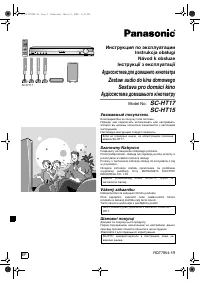
Panasonic SC-HT40 - Manual

Panasonic SC-HT40 Home Theater – Manual, read for free online in PDF format. We hope this helps you resolve any issues you may have. If you have further questions, please contact us through the contact form.


Table of Contents:
- Page 2 – NEC —NATIONAL ELECTRICAL CODE; CAUTION; RISK OF ELECTRIC SHOCK; IMPORTANT SAFETY INSTRUCTIONS
- Page 3 – System; Supplied accessories; Purchases” on page 22.; Supplied accessories/Listening caution/The remote control; The remote control; If you see this symbol-; Listening caution
- Page 4 – Speaker setup; Step; Sticker sheet; Attach the stickers to the speaker cables.; Keep your speakers at least 10 mm (; Placement of speakers.; Positioning for best effect; Caution; If irregular coloring occurs on your television; Center speaker
- Page 5 – Connect the speakers to the receiver.; Wall or pillar; Surround speakers; Fitting optional speaker stands; Front speakers; White cord with blue stripe
- Page 6 – Home theater connections; Changing the digital input settings; Notes on digital input; This unit can decode the following signals:; DVD player; or; TV
- Page 7 – Conserving power; For best reception; AC power supply cord; Antenna and AC power supply connections
- Page 8 – VOLUME; TEST; Settings; The factory settings are:; The factory settings are:
- Page 9 – Stop the test signal.; Repeat for each speaker channel; Display
- Page 10 – Start play of the; Adding surround effects to stereo sources; ΙΙ; Basic operations
- Page 11 – Remote control; PL; Control guide
- Page 12 – TUNED; DIGITAL INPUT; Main unit; Remote control signal sensor; General display
- Page 13 – Making a recording; source to be recorded.; The RESET function; SETUP] to enter the setup
- Page 14 – Main menu; MENU operation; The radio
- Page 15 – Select the frequency.; Press the numbered buttons to enter the; Automatic presetting; Reducing excessive noise
- Page 16 – Adjusting the tone; MENU operation on page 14.; MENU operation on page 14.; Subwoofer level; Surround music
- Page 17 – Sound field/Other functions; Adjusting SFC effects; Each time you press the button:; Center focus; Dim the display for better viewing in a darkened room.; Sleep timer; Repeat the procedure from the beginning.; Muting; Other functions
- Page 18 – Other settings; Setting descriptions; change; INPUT MODE
- Page 19 – DVD; Switch on; Switch off; Operating the DVD recorder/DVD player; Remote control operation guide; Before using a Panasonic DVD recorder or player; DVD recorder
- Page 20 – Switch on the television and select input; Operating the TV; Adjust the volume; Remote control operation guide/; Product Service; Product information; TELEPHONE NUMBER
- Page 21 – Specifications; AMPLIFIER SECTION
- Page 22 – Reference; Panasonic Audio Products; Customer Services Directory; Accessory Purchases; You may also contact us directly at:; Service in Puerto Rico
- Page 24 – Panasonic Canada Inc.; Troubleshooting guide; Maintenance; If the surfaces are dirty
RQTV0105-2P
P
Basic operations .......................................... 10
Control guide ................................................ 11
Making a recording ...................................... 13
The RESET function ..................................... 13
MENU operation ........................................... 14
The radio ....................................................... 15
Sound field .................................................... 16
Other functions ............................................ 17
Other settings ............................................... 18
Remote control operation guide ................. 19
Product service ............................................ 20
Specifications ............................................... 21
Warranty (U.S.A.) .......................................... 22
Warranty (Canada) ....................................... 23
Troubleshooting guide .................Back cover
Maintenance ..................................Back cover
PC
Operations
Reference
Operating Instructions
Home Theater Audio System
Model No.
SC-HT40
IMPORTANT SAFETY INSTRUCTIONS ......... 2
Supplied accessories .................................... 3
Listening caution ........................................... 3
The remote control ......................................... 3
Dear customer
Thank you for purchasing this product.
Please read these instructions carefully before connecting,
operating or adjusting this product.
Please keep this manual for future reference.
Step 1
Step 2
Step 3
For Canada only: The word "Participant" is used in
place of the word "Partner".
1
1
Before use
Step 4
If you have any questions, contact 1-800-211-PANA (7262)
in the U.S.A. or 1-800-561-5505 in Canada.
SC-HT40PP.indb 1
1/20/2006 5:26:07 PM
"Loading the manual" means you need to wait until the file loads and becomes available for online reading. Some manuals are very large, and the time they take to appear depends on your internet speed.
Summary
2 RQTV0105 FCC Note: This equipment has been tested and found to comply with the limits for a Class B digital device, pursuant to Part 15 of the FCC Rules.These limits are designed to provide reasonable protection against harmful interference in a residential installation. This equipment generates, ...
3 RQTV0105 System SC-HT40 AV Control Receiver SA-HT40 Front speakers SB-PF40 Surround speakers SB-PS40 Center speaker SB-PC40 Subwoofer SB-W40 Supplied accessories (K2CB2CB00018) (N2QAYB000009) (RSA0007-L) (N1DAAAA00002) (RQCAV0006) Use the numbers indicated in parentheses when asking for replacemen...
4 RQTV0105 2 1 2 3 4 5 6 1 FRONT L FRO NT L FRONT R FRO NT R SURROUND L SUR ROU ND L SURROUND R SUR ROU ND R C (center) 1 FRONT L FRO NT L 2 FRONT R FRO NT R SURROUND L SUR ROU ND L SURROUND R SUR ROU ND R C (center) C (center) C (center) SUB (subwoofer) SUB (subwoofer) SUB (sub woof er) SUB (sub wo...