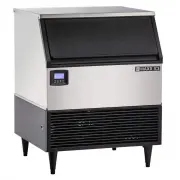
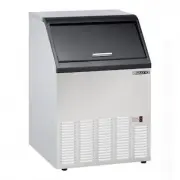
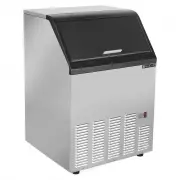
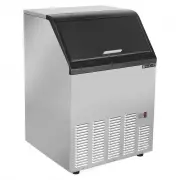
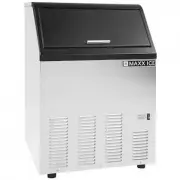
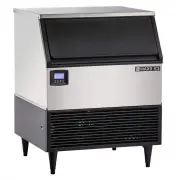
Page 2 - CONTENTS; Be sure the ice machine has been standing upright.
CONTENTS ICE MAKER SAFETY 2 IMPORTANT SAFEGUARDS 3 - 4 TECHNICAL INFORMATION 4 COMPONENT LOCATIONS 5 ICE MAKER INSTALLATION 6 - 10 Unpacking 6 Installing the Adjustable Feet 6 Installing the Stability Brackets 7 Location Requirements 7 - 8 Electrical Requirements 8 Leveling the Ice Maker 9 Water Sup...
Page 3 - NOTE: IMPORTANT SAFETY INSTRUCTIONS; SAVE THESE INSTRUCTIONS
SERVICE AND INSTALLATION MANUAL www.maxxfoodservice.com 2 ICE MAKER SAFETY We have provided many important safety messages in this manual and on your appliance Always read and obey all safety messages This is the Safety Alert Symbol This symbol alerts you to potential hazards that can injure or kill...
Page 4 - IMPORTANT SAFEGUARDS; DANGER
3 IMPORTANT SAFEGUARDS Before the ice maker is used, it must be properly positioned and installed as described in this manual, so read the manual carefully We strongly recommend that you have a professional install your new machine The warranty may be affected or voided by an incorrect installation....
Page 5 - SERVICE AND INSTALLATION MANUAL; promote proper ice formation; Electrical Connection; Technical Information; MODEL
SERVICE AND INSTALLATION MANUAL www.maxxfoodservice.com • Except to take ice from the unit, keep the door closed in order to reduce ice melting and to promote proper ice formation • Although the unit has been tested at the factory, due to long-term transit and storage, the first batch of cubes must ...
Page 6 - Component Information; BACK VIEW; Power switch
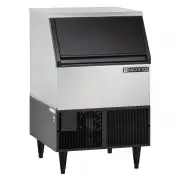
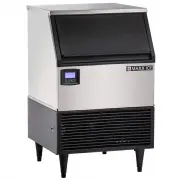
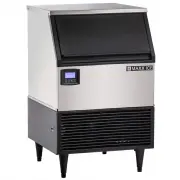
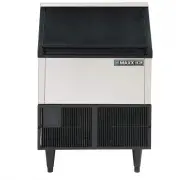
Component Information Top panel DoorEvaporator (ice mold) Bin full probeWater tankWater tank screw nut Ice storage bin Front bottom louver Control panel Adjustable foot Water inlet3/8” FPT Power supply line Drain1/2” FPT Float Water pump Stability brackets Ice scoop BACK VIEW TOP VIEW 5 Power switch...
Page 7 - Ice Maker Installation; UNPACKING; Excessive Weight Hazard; Use two or more persons to move and install ice maker; REMOVE PACKAGING MATERIALS; Cleaning before use; Lower foam panel
SERVICE AND INSTALLATION MANUAL www.maxxfoodservice.com Ice Maker Installation UNPACKING Excessive Weight Hazard Use two or more persons to move and install ice maker Failure to do so can result in back or other injury REMOVE PACKAGING MATERIALS IMPORTANT: Do not remove any permanent instruction lab...
Page 8 - INSTALLING THE STABILITY BRACKETS; LOCATION REQUIREMENTS; Top View
Ice Maker Installation INSTALLING THE STABILITY BRACKETS This operation requires at least two persons If you wish to install the ice maker in a free-standing mode rather than enclosed, it is necessary to attach the two metallic stability brackets that can be found packed inside the ice storage bin K...
Page 9 - Normal operating ambient temperature should be between 40 ̊F (4.4 ̊C); ELECTRICAL REQUIREMENTS; Failure to follow these instructions can result in fire,; Recommended grounding method
SERVICE AND INSTALLATION MANUAL www.maxxfoodservice.com Ice Maker Installation Normal operating ambient temperature should be between 40˚F (4.4˚C) and 110˚F (43.3˚C). Normal operating water temperature should be between 40˚F (4.4˚C) and 90˚F (32˚C). Operation of the ice maker for extended periods ou...
Page 10 - LEVELING THE ICE MAKER; Water Supply
Ice Maker Installation LEVELING THE ICE MAKER Once the ice cube machine is set in its enclosure, if the base is not level, you can adjust the feet by rotating the under block (see below) until the machine is level It is important for the ice maker to be leveled, or water may not flow properly throug...
Page 11 - INSTALLATION TYPES
SERVICE AND INSTALLATION MANUAL www.maxxfoodservice.com Ice Maker Installation INSTALLATION TYPES This ice cube machine has been designed to be enclosed (as under a cabinet) It can also be free- standing (using the supplied stability brackets) or built-in (sealed to the floor). In every case, there ...
Page 12 - Operation; FINAL CHECK LIST BEFORE OPERATION
Operation FINAL CHECK LIST BEFORE OPERATION 1 Have all packing materials and tape been removed from the interior and exterior of the ice maker 2 Did you clean the ice storage bin 3 Have the installation instructions been followed, including connecting the machine to water and electricity 4 Has the m...
Page 13 - NORMAL SOUNDS; PREPARING THE ICE CUBE MACHINE FOR LONG STORAGE; Evaporator
SERVICE AND INSTALLATION MANUAL www.maxxfoodservice.com Operation HOW THE MACHINE MAKES ICETurn the power switch to the ON position. Then press ON/OFF button in front panel The LCDscreen lights After about 3 minutes the machinewill automatically go into the ice-making stage There are two distinct cy...
Page 14 - Cleaning and Maintenance; ice maker after cleaning; WHAT SHOULDN’T BE DONE; the interior
Cleaning and Maintenance If the ice maker is left unused for a long time, before the next use it must be thoroughly cleaned Follow carefully any instructions provided for cleaning or use of sanitizing solution Do not leave any solution inside the ice maker after cleaning Periodic cleaning and proper...
Page 15 - ICE-MAKING SYSTEM CLEANING; solvent-based cleaner product Use rubber gloves to protect hands; WARNING; CONDENSER CLEANING
SERVICE AND INSTALLATION MANUAL www.maxxfoodservice.com Cleaning and Maintenance WATER DISTRIBUTION TUBE CLEANINGWhen you find that the ice cubes are incompletely formed or the output of ice cubes is low, the water distribution tube may be blocked Set the power switch to OFF Unscrew the six screws h...
Page 16 - Control Panel; (located at the left side of front panel); OPERATION OF THE CONTROL PANEL:
Control Panel (located at the left side of front panel) 15 front panel. This control panel offers four pressure sensitive buttons and a LCD display screen. You will find the control panel at the left side of 1 ON/ OFF Button. Powers the ice machine. 2 Bin Full Process: When the words of "Bin Ful...
Page 17 - Draining Function: press the “Clean” button and hold for 6
SERVICE AND INSTALLATION MANUAL www.maxxfoodservice.com 16 6. When ice cubes are removed from from the ice storage bin, clearing the bin full probe, the machine will judge the status for three minutes. During this period, the LCD screen will display the words of “Bin Full Release” and “3 Min To End”...
Page 18 - ICE BRIDGE SIZE ADJUSTMENT GUIDE:; memorize the current state and return to the previous mode.; Troubleshooting
17 ICE BRIDGE SIZE ADJUSTMENT GUIDE: Press and hold the “ADJUST" button for at least 3 seconds The unit will enter the Ice Size Adjustment mode and the words "Ice Adjust" display on the LCD Screen. While in the Ice Size Adjustment mode, press the “Clean” button or the “Mode” button for t...
Page 19 - PROBLEM; Troubleshooting Guide
SERVICE AND INSTALLATION MANUAL www.maxxfoodservice.com Page | 13 PROBLEM POSSIBLE CAUSE PROBABLE CORRECTION The machine doesn't operate The ice maker is unplugged Plug the ice maker in The fuse is blown Replace fuse--if it happen, call for service to check for a short circuit in the ice maker The i...