Page 2 - TABLE OF CONTENTS; IMPORTANT SAFETY; PRODUCT OVERVIEW; 3 MAINTENANCE
TABLE OF CONTENTS 2 4 IMPORTANT SAFETY INSTRUCTIONS 4 READ ALL INSTRUCTIONS BEFORE USE 4 Safety Messages 4 WARNING 4 Installation5 Operation5 Maintenance6 Risk of Fire and Flammable Materials 6 CAUTION 6 Operation7 Maintenance 8 PRODUCT OVERVIEW 8 Product Features 8 Exterior / Interior8 Accessories ...
Page 3 - 9 Periodic Maintenance; 1 TROUBLESHOOTING; 4 Before Calling for Service; 8 LIMITED WARRANTY
3 43 Cleaning 43 General Cleaning Tips43 Exterior44 EasyClean46 Self Clean48 Cleaning the Steam Feeder Tank49 Cleaning Scale on Oven Bottom49 Drying the Oven Interior49 Using Evaporation Function 49 Periodic Maintenance 49 Changing the Oven Light 51 TROUBLESHOOTING 51 FAQs 51 Frequently Asked Questi...
Page 4 - IMPORTANT SAFETY INSTRUCTIONS; READ ALL INSTRUCTIONS BEFORE USE; Safety Messages; Your safety and the safety of others are very important.; WARNING; Installation; WARNING
4 IMPORTANT SAFETY INSTRUCTIONS IMPORTANT SAFETY INSTRUCTIONS READ ALL INSTRUCTIONS BEFORE USE Safety Messages Your safety and the safety of others are very important. We have provided many important safety messages in this manual and on your appliance. Always read and follow all safety messages. Al...
Page 5 - Operation; Maintenance
5 IMPORTANT SAFETY INSTRUCTIONS EN G LIS H Operation • DO NOT TOUCH HEATING ELEMENTS OR INTERIOR SURFACES OF OVEN. Heating elements may be hot even though they are dark in color. Interior surfaces of an oven become hot enough to cause burns. During and after use, do not touch or let clothing or othe...
Page 6 - Risk of Fire and Flammable Materials; CAUTION
6 IMPORTANT SAFETY INSTRUCTIONS • Never pour cold water over a hot oven for cleaning purposes.• Do not clean with metal scouring pads. Pieces can burn off the pad and touch electrical parts causing a risk of electric shock. • Do not store any materials, other than manufacturer’s recommended accessor...
Page 7 - SAVE THESE INSTRUCTIONS
7 IMPORTANT SAFETY INSTRUCTIONS EN G LIS H SAVE THESE INSTRUCTIONS • To protect against food-borne illnesses, cook meat and poultry thoroughly. The USDA has indicated the following as safe minimum internal temperatures for consumption:- Ground beef: 160 °F (71 ) - Poultry: 165 °F (74 ) - Beef, v...
Page 8 - PRODUCT OVERVIEW; Product Features; NOTE; Accessories; Accessories for Cooking
8 PRODUCT OVERVIEW PRODUCT OVERVIEW Product Features The appearance and specifications listed in this manual may vary due to constant product improvements. Exterior / Interior NOTE • The model and serial number can be verified at the rating label. Accessories Accessories for Cooking a Grid b Heavy d...
Page 9 - Accessories for Installation; Do not remove gliding racks from the base
9 PRODUCT OVERVIEW EN G LIS H Accessories for Installation a 4X14 6 wood screws for mounting (2 needed for installation and 4 extras) b 4X24 6 wood screws for mounting (for flush installation) c 4X22 2 self-tapping screws for cover bracket d 2 cover brackets for flush installation e 4X10 2 screws fo...
Page 10 - OPERATION; Operating Control Panel; Control Panel Features; LCD Touchscreen for Oven; Display Icons
10 OPERATION OPERATION Operating Control Panel Control Panel Features a LCD Display On/Off b LCD Touchscreen for Oven Display Icons Icons appear in display when activated. a Timer Icon Touch to set a timer b Lamp Icon Touch to turn light on/off c Oven Cooling Icon Appears during or after oven operat...
Page 11 - Energy Saving Tips; Changing Settings; Getting Started; Location of Settings
11 OPERATION EN G LIS H Energy Saving Tips • Multiple-rack cooking saves time and energy. Whenever possible, cook foods requiring the same cooking temperature together in one oven. • For optimal performance and energy savings, follow the guides for proper rack and pan placement. • Reduce energy use ...
Page 12 - Lockout; Lock; Clock Themes; Setting Sabbath Mode
12 OPERATION Lockout The Lockout feature automatically prevents most oven controls from being turned on. It does not disable the clock, timer and the interior oven light. Lock 1 Touch Settings at the center bottom of the Main screen. 2 Touch Lockout on the first Settings screen. 3 When Lockout is tu...
Page 13 - Remote Start; Setting Remote Start; Brightness; Setting Display Brightness; Display; ON; Setting Display Option
13 OPERATION EN G LIS H hours 59 minutes. If only using one oven, touch START. 5 If using both ovens, set the temperature and cook time for the second oven before touching START. 6 To stop Sabbath mode, press POWER on the LCD display. NOTE • If a cook time is set, the oven turns off automatically at...
Page 14 - Convection Auto Conversion; Turning Convection Auto Conversion; Language Selection; Selecting a Language; Volume; Setting the Volume; Preheat Alarm Light; Setting the Preheat Alarm; Temperature Adjustment
14 OPERATION 3 Touch OK. Convection Auto Conversion There is no need to remember to convert standard recipe temperatures for convection cooking.Convection Auto Conversion automatically subtracts 25 ૢ / 14 from the set temperature when a convection cooking mode is selected. The converted temperatur...
Page 15 - Adjusting the Thermostat; Temperature Units; Setting Temperature Units; Smart DiagnosisTM; Program Update; Factory Data Reset; DEMO
15 OPERATION EN G LIS H the thermostat 20 ૢ (12 ). Proceed in this way until the oven is adjusted to your satisfaction. Adjusting the Thermostat 1 Touch Settings at the center bottom of the Main screen, swipe to the third Settings screen, and touch Temperature Adjustment. 2 To make large adjustmen...
Page 16 - Open Source License; Setting the Timer; Operating the Oven; Before Using the Oven
16 OPERATION CAUTION • All stored data will be deleted. 1 Touch Settings at the center bottom of the Main screen, swipe to the third Settings screen, and touch Factory Data Reset. 2 If you want to reset data to the factory defaults, touch RESET and then OK. Open Source License This screen displays a...
Page 17 - Oven Vent; Using Standard Oven Racks; Using Gliding Oven Racks; Installing Gliding Racks
17 OPERATION EN G LIS H show the same temperature that is set on the oven. • It is normal for the convection fan to run while preheating during a regular bake cycle. • The convection fan motor may run periodically during a regular bake cycle. • The heat turns off if the door is left open during baki...
Page 18 - Removing Gliding Racks; Instaview; Convection Bake and Roast Mode; Using Convection; Convection Bake
18 OPERATION Removing Gliding Racks 1 With the rack in the closed position, grasp the front of the rack and frame and lift up. Slowly push the rack towards the back wall until it is free of the rack stop. 2 After disengaging the rack stop, lift the back of the rack and pull the rack and frame out be...
Page 19 - Changing the Cook Settings; Edit; To Stop Cooking; Stop; Tips for Convection Baking; Bake Mode
19 OPERATION EN G LIS H 5 If the cook time is set, the remaining time appears in the display. If a delayed start time is set, the start time appears in the display. 6 A chime sounds once preheating is complete. 7 A chime sounds at the end of the set cook time and a notification appears in the displa...
Page 20 - Setting the Bake Function; Baking Tips; Recommended Baking Guide; Rack and Pan Placement
20 OPERATION Setting the Bake Function 1 Touch Bake in the cooking mode screen. 2 Set the oven temperature. Scroll through the numbers on the display or touch the number pad icon to enter the numbers directly. 3 If desired, set the cook time and delayed start time using the same method. Touch the ar...
Page 21 - Multiple Rack; Baking Rack Guide; Broil Mode; Setting the Oven to Broil
21 OPERATION EN G LIS H Multiple Rack Standard Rack (Position B ) Standard Rack (Position D ) Single Rack Baking Rack Guide NOTE • When baking cakes and cookies on multiple racks, use the Convection Bake mode and place racks in positions B and D . Broil Mode Setting the Oven to Broil Broiling uses a...
Page 22 - Changing the Broil Settings; Recommended Broiling Guide
22 OPERATION 7 Touch Stop to cancel at any time or when cooking is complete. NOTE • If the cook time is not set, the oven automatically turns off after 3 hours. • The heating element(s) turn off immediately when the door is opened. They turn on again approximately 1 second after the door is closed. ...
Page 24 - Tips for Broiling; Beef; Seafood; Warm Mode
24 OPERATION • This guide is only for reference. Adjust cook time according to your preference. NOTE • The USDA advises that consuming raw or undercooked fish, meat, or poultry can increase your risk of food-borne illness. • The USDA has indicated the following as safe minimum internal temperatures ...
Page 25 - Proof Mode; Air Fry
25 OPERATION EN G LIS H Setting the Warm Mode 1 Touch Warm in the cooking mode screen. 2 Scroll to set the desired temperature: Low, Medium, or High. If desired, scroll to set a run time.• High: 200 ૢ (93.3 ) • Medium: 170 ૢ (76.7 ) • Low: 140 ૢ (60 ) 3 Touch Start . If the run time was set, t...
Page 26 - Tips for Air Fry
26 OPERATION 2 Set the oven temperature. Scroll through the numbers on the display or touch the number pad icon to enter the numbers directly. 3 If desired, set the cook time and delayed start time using the same method. Touch the arrow key on the right side of the display to see the delayed start t...
Page 27 - Recommended Air Frying Guide
27 OPERATION EN G LIS H as aluminum foil. Doing so blocks airflow through the oven and can result in carbon monoxide poisoning. Aluminum foil can also trap heat, causing a fire hazard or poor oven performance. • Turn on your exhaust hood at a high fan setting before you start Air Fry and leave it on...
Page 28 - Probe Mode; Using the Meat Probe Feature
28 OPERATION Probe Mode The probe accurately measures the internal temperature of meat, poultry and casseroles. Always unplug and remove the probe from the oven before removing food. Before using, insert the probe into the center of the thickest part of meat or into the inner thigh or breast of poul...
Page 29 - Changing the Probe Temperature; Recommended Probe Guide; Recommended Probe Placement Chart
29 OPERATION EN G LIS H element. Failure to follow this warning can result in severe personal injury. • To avoid damage to the meat probe, do not use tongs to pull on the probe when removing it. • Do not store the meat probe in the oven. 1 Insert the probe into the food. 2 Connect the probe to the j...
Page 30 - Recommended Probe Temperature Chart
30 OPERATION Recommended Probe Temperature Chart Poultry Whole Chicken or Turkey Insert in the thickest part of thigh, avoiding bone Poultry Breasts or Roasts Duck, Goose, Pheasant Stuffing (Alone or in Bird) Insert in the thickest part of the dish Pork & Ham Fresh Pork Insert in the thickest pa...
Page 31 - Favorite Mode; Creating a Favorite; Editing a Favorite; Auto Cook Mode
31 OPERATION EN G LIS H Favorite Mode For frequently used cooking menus, you can combine up to three different temperatures and cooking modes into one hot key. Creating a Favorite • When combining two or more cooking modes, a cooking time or probe temperature must be set before selecting an addition...
Page 32 - Setting Auto Cook Mode; Auto Cook
32 OPERATION Setting Auto Cook Mode 1 Touch Auto Cook in the Cooking Modes screen. 2 Touch a category to filter the options. 3 Scroll through or tap the letters to find and select an item. 4 Follow the recommendations in the display regarding accessories and rack position. 5 Touch Start . U...
Page 33 - Auto Cook Guide; Menu
33 OPERATION EN G LIS H Auto Cook Guide • Preheat oven first for most items.• Preheat for 5 minutes when broiling.• If using probe, insert after preheating. NOTE • When cooking thin cuts of meat, insert the probe into the thickest part of the meat. If the probe is inserted incorrectly, the oven coul...
Page 36 - Steam Function; Using the Steam Feeder Tank
36 OPERATION CAUTION • Take care when opening the oven door during or after steam cooking. Hot steam can cause scalding.• After any steam cooking cycle, the drying function will run automatically. It is normal to hear the steam pump running during the drying function. Steam Function Steam cooking us...
Page 37 - Steam Bake Mode; Setting Steam Bake Mode; Steam Cook; Changing the Steam Cook Settings
37 OPERATION EN G LIS H 5 Assemble the cover or snap closed the fill lid. a Tank cover b Fill lid CAUTION • Make sure the tank cover and fill lid are closed before putting the tank in the oven. • Use potable water only.• Do not fill the steam feeder tank with any fluid or mixture other than water. •...
Page 38 - To Stop Steam Cooking; Sous Vide; Benefits of Sous Vide; Sous Vide Cooking Guide
38 OPERATION 2 Adjust the settings as desired. 3 Touch Start . To Stop Steam Cooking Touch Stop in the display, and select Yes. Sous Vide Sous vide cooking uses steam to cook foods "low and slow." Use it to cook meat, fish, seafood, poultry or vegetables. Food must be vacuum packed in pouche...
Page 39 - Remote Start Mode; Preparing the Oven for a Remote Start
39 OPERATION EN G LIS H • Cook 30 mins. or 1 hour more if you use meats thicker than 1".• If you use larger cuts of meat, cut to match the recommended weight. Be careful not to put pieces of meat too close together. Remote Start Mode If the appliance is registered on a home Wi-Fi network, the pr...
Page 40 - SMART FUNCTIONS; LG ThinQ Application; LG ThinQ Application Features; Before Using LG ThinQ Application
40 SMART FUNCTIONS SMART FUNCTIONS LG ThinQ Application This feature is only available on models with Wi-Fi.The LG ThinQ application allows you to communicate with the appliance using a smartphone. LG ThinQ Application Features • EasyClean - Allows you to set EasyClean alerts, read the instruction g...
Page 41 - Installing the LG ThinQ Application; FCC RF Radiation Exposure Statement
41 SMART FUNCTIONS EN G LIS H unplug the appliance and wait about a minute before trying again. • If the firewall on your wireless router is enabled, disable the firewall or add an exception to it. • The wireless network name (SSID) should be a combination of English letters and numbers. (Do not use...
Page 42 - Open Source Software Notice; Smart Diagnosis; Feature; Using LG ThinQ to Diagnose Issues
42 SMART FUNCTIONS Open Source Software Notice Information To obtain the source code under GPL, LGPL, MPL, and other open source licenses, that is contained in this product, please visit http:// opensource.lge.com. In addition to the source code, all referred license terms, warranty disclaimers and ...
Page 43 - MAINTENANCE; Cleaning; General Cleaning Tips; Painted and Decorative Trim; Oven Cavity; Broiler Pan and Grid
43 MAINTENANCE EN G LIS H MAINTENANCE Cleaning General Cleaning Tips • A plastic spatula can be used as a scraper to scrape off any chunks or debris before and during oven cleaning. • Using the rough side of a non-scratch scouring pad may help to take off burnt-on stains better than a soft sponge or...
Page 44 - Oven Racks; EasyClean; Benefits of EasyClean
44 MAINTENANCE • Do not clean the broiler pan or grid in a self cleaning mode. (Available on some models) • Remove the grid from the pan. Carefully pour out the grease from the pan into a proper container. • Wash and rinse the broiler pan and grid in hot water with a soap-filled or plastic scouring ...
Page 46 - Self Clean; Before Starting Self Clean
46 MAINTENANCE NOTE • Do not use any steel scouring pads, abrasive pads or cleaners as these materials can permanently damage the oven surface. 11 Once the oven cavity is cleaned, wipe any excess water with a clean dry towel. Replace racks and any other accessories. 12 If some light soils remain, re...
Page 47 - When to Use Self Clean
47 MAINTENANCE EN G LIS H • Do not leave small children unattended near the appliance. During the Self Clean cycle, the outside of the oven can become very hot to the touch. • If you have pet birds, move them to another well-ventilated room. The health of some birds is extremely sensitive to the fum...
Page 48 - Setting Self Clean; Self Clean Soil Guide; During Self Clean; Cleaning the Steam Feeder Tank
48 MAINTENANCE Setting Self Clean The Self Clean function has cycle times of 3, 4, or 5 hours. Self Clean Soil Guide 1 Remove all racks and accessories from the oven. 2 Touch Clean , Self Clean in that order. The oven defaults to the recommended four- hour self clean for a moderately soiled oven. 3 ...
Page 49 - Cleaning Scale on Oven Bottom; Descaling; Setting Descaling; Drying the Oven Interior; Setting Drying; Using Evaporation Function; Setting Evaporation; Periodic Maintenance; Changing the Oven Light
49 MAINTENANCE EN G LIS H If hard water is used in the steam feeder tank, the steam generator may become clogged with hard water scale. In areas with hard water, run the Descaling function frequently or use softened water. Cleaning Scale on Oven Bottom To remove mineral deposits that remain on the o...
Page 51 - TROUBLESHOOTING; FAQs; Frequently Asked Questions
51 TROUBLESHOOTING EN G LIS H TROUBLESHOOTING FAQs Frequently Asked Questions CAUTION • Foil may be used to wrap food in the oven, but do not allow the foil to come into contact with the exposed heating/broiling elements in the oven. The foil could melt or ignite, causing smoke, fire, or injury. Q: ...
Page 54 - Before Calling for Service; Cooking
54 TROUBLESHOOTING Before Calling for Service Review this section before calling for service; doing so will save you both time and money. Cooking Problem Possible Cause & Solution Oven will not work Plug on appliance is not completely inserted in the electrical outlet. • Make sure electrical plu...
Page 57 - Noises
57 TROUBLESHOOTING EN G LIS H Noises Wi-Fi Problem Possible Cause & Solution “Crackling” or “popping” sound This is the sound of the metal heating and cooling during both the cooking and Self Clean functions. • This is normal. Fan noise A convection fan may automatically turn on and off. • This ...
Page 58 - LIMITED WARRANTY; USA; TERMS AND CONDITIONS; Electric Oven; PURCHASE PRICE PAID BY YOU FOR THE PRODUCT.; THIS LIMITED WARRANTY DOES NOT COVER; Warranty Period
58 LIMITED WARRANTY LIMITED WARRANTY USA TERMS AND CONDITIONS ARBITRATION NOTICE: THIS LIMITED WARRANTY CONTAINS AN ARBITRATION PROVISION THAT REQUIRES YOU AND LG TO RESOLVE DISPUTES BY BINDING ARBITRATION INSTEAD OF IN COURT, UNLESS YOU CHOOSE TO OPT OUT. IN ARBITRATION, CLASS ACTIONS AND JURY TRIA...
Page 59 - PROCEDURE FOR RESOLVING DISPUTES; Agreement to Binding Arbitration and Class Action Waiver.
59 LIMITED WARRANTY EN G LIS H • Damage or failure resulting from misuse, abuse, improper installation, repair, or maintenance. Improper repair includes use of parts not authorized by LG. Improper installation or maintenance includes installation or maintenance contrary to the Product owner’s manual...
Page 60 - Arbitration Rules and Procedures.; Hearings and Location.
60 LIMITED WARRANTY arbitration, either party may bring an individual action in small claims court, but that small claims court action may not be brought on a class or representative basis. Arbitration Rules and Procedures. To begin arbitration of a claim, either you or LG must make a written demand...
Page 61 - MANUAL DEL PROPIETARIO; HORNO DE PARED; Lea el manual del propietario detenidamente previo a operar el; ESPAÑOL
MANUAL DEL PROPIETARIO HORNO DE PARED Lea el manual del propietario detenidamente previo a operar el electrodoméstico y mantengalo al alcance para futuras referencias. ESPAÑOL WSES4728F www.lg.com Copyright © 2021 LG Electronics Inc. Todos los derechos reservados UUGGwGXGG~ ...
Page 62 - ÍNDICE
ÍNDICE 2 4 INSTRUCCIONES IMPORTANTES DE SEGURIDAD 4 LEA TODAS LAS INSTRUCCIONES ANTES DE UTILIZAR 4 Mensajes de Seguridad 4 ADVERTENCIA 4 Instalación5 Funcionamiento6 Mantenimiento6 Riesgo de incendio y materiales inflamables 7 PRECAUCIÓN 7 Funcionamiento7 Mantenimiento 9 DESCRIPCIÓN GENERAL DEL PRO...
Page 63 - 9 MANTENIMIENTO; 6 Mantenimiento periódico; 8 SOLUCIÓN DE PROBLEMAS; 8 Preguntas Frecuentes; 6 GARANTÍA LIMITADA
3 48 Uso de LG ThinQ para diagnosticar problemas 48 Uso del diagnóstico audible para diagnosticar problemas 49 MANTENIMIENTO 49 Limpieza 49 Consejos Generales de Limpieza49 Exterior50 EasyClean52 Self Clean (Autolimpieza)55 Limpieza del tanque del alimentador de vapor 55 Limpieza de sarro en la part...
Page 64 - INSTRUCCIONES IMPORTANTES DE SEGURIDAD; LEA TODAS LAS INSTRUCCIONES ANTES DE UTILIZAR; Mensajes de Seguridad; Su seguridad y la de los demás son muy importantes.; ADVERTENCIA; Instalación; ADVERTENCIA
4 INSTRUCCIONES IMPORTANTES DE SEGURIDAD INSTRUCCIONES IMPORTANTES DE SEGURIDAD LEA TODAS LAS INSTRUCCIONES ANTES DE UTILIZAR Mensajes de Seguridad Su seguridad y la de los demás son muy importantes. Tanto en este manual como en el equipo, hemos proporcionado muchos mensajes de seguridad importantes...
Page 65 - Funcionamiento
5 INSTRUCCIONES IMPORTANTES DE SEGURIDAD ESPAÑOL • La conexión incorrecta del cableado doméstico de aluminio a los cables de cobre puede provocar descargas eléctricas o un incendio. Utilice únicamente conectores diseñados para unir cobre con aluminio y siga al pie de la letra el procedimiento recome...
Page 66 - Mantenimiento
6 INSTRUCCIONES IMPORTANTES DE SEGURIDAD • No coloque la mano debajo del controlador o entre la puerta y el reborde de metal inferior (ventilación) cuando el horno esté en funcionamiento. La parte exterior del horno puede volverse muy caliente al tacto. Mantenimiento • No guarde objetos de interés p...
Page 67 - PRECAUCIÓN
7 INSTRUCCIONES IMPORTANTES DE SEGURIDAD ESPAÑOL PRECAUCIÓN PRECAUCIÓN • Para reducir el riesgo de lesiones leves a personas, mal funcionamiento o daño al producto o a la propiedad al usar este producto, siga las precauciones básicas, incluidas las siguientes: Funcionamiento • Siempre caliente la gr...
Page 68 - GUARDE ESTAS INSTRUCCIONES
8 INSTRUCCIONES IMPORTANTES DE SEGURIDAD GUARDE ESTAS INSTRUCCIONES • El horno debe limpiarse con regularidad y debe retirarse cualquier resto de comida. Si no se mantiene en condiciones de limpieza, la superficie puede deteriorarse, y esto podría afectar negativamente la vida útil del electrodomést...
Page 69 - DESCRIPCIÓN GENERAL DEL PRODUCTO; Características del Producto; NOTA; Accesorios; Accesorios para cocinar
9 DESCRIPCIÓN GENERAL DEL PRODUCTO ESPAÑOL DESCRIPCIÓN GENERAL DEL PRODUCTO Características del Producto La apariencia y las especificaciones detalladas en este manual podrían variar debido a mejoras constantes en el producto. Interior/exterior NOTA • El número de serie y el modelo pueden verificars...
Page 70 - Accesorios para la instalación; No extraiga los estantes deslizantes del
10 DESCRIPCIÓN GENERAL DEL PRODUCTO Accesorios para la instalación a 6 tornillos para madera de 4X14 para el montaje (se requieren 2 para la instalación y se proporcionan 4 adicionales) b 6 tornillos para madera de 4X24 para el montaje (para instalación al ras) c 2 tornillos autorroscantes de 4X22 p...
Page 71 - FUNCIONAMIENTO; Funcionamiento del panel; Funciones del panel de control; Íconos de pantalla
11 FUNCIONAMIENTO ESPAÑOL FUNCIONAMIENTO Funcionamiento del panel de control Funciones del panel de control a LCD Display On/Off (Encendido/Apagado de pantalla LCD) b LCD Touchscreen for Oven (Pantalla táctil LCD para el horno) Íconos de pantalla Los íconos aparecen en la pantalla cuando están activ...
Page 72 - Consejos para el ahorro de energía; Cambio de configuraciones; Comenzar
12 FUNCIONAMIENTO Consejos para el ahorro de energía • La cocción con varios estantes ahorra tiempo y energía. Siempre que sea posible, cocine los alimentos que requieran la misma temperatura de cocción juntos en un horno. • A fin de ahorrar energía y obtener un rendimiento óptimo, siga las instrucc...
Page 73 - Ubicación de configuración; Fecha y hora; Fecha de configuración; Temas de reloj
13 FUNCIONAMIENTO ESPAÑOL Ubicación de configuración • Página 1: Bloqueo, Fecha y hora, Temas de reloj, modo Sabbath, Configuración de Wi-Fi, Inicio remoto • Página 2: Brillo, Pantalla, Conversión automática a convección, Selección de idioma, Volumen, Luz de alarma de precalentamiento • Página 3: Aj...
Page 74 - Configuración del modo Sabbath; Configuración de Wi-Fi; Inicio remoto; Configuración de Inicio remoto; Brillo
14 FUNCIONAMIENTO Solo aparecen en pantalla el modo de cocción y la temperatura programada. NOTA • Si la luz del horno esta ENCENDIDA y el modo SABBATH está activo, la luz del horno permanecerá ENCENDIDA. Si la luz del horno debe APAGARSE, asegúrese de hacerlo antes de activar el modo SABBATH. El mo...
Page 75 - Configuración del brillo de la pantalla; Pantalla; Configuración de la opción de pantalla; Conversión automática a; Encendido/apagado de conversión; Selección de idioma; Volumen
15 FUNCIONAMIENTO ESPAÑOL Configuración del brillo de la pantalla 1 Pulse Configuración en la parte inferior central de la pantalla principal, cambie a la segunda pantalla de Configuración y pulse Brillo. 2 Ajuste el brillo de la pantalla al pulsar y arrastrar el punto por la barra; pulse en cualqui...
Page 76 - Luz de alarma de precalentamiento; Unidades de temperatura
16 FUNCIONAMIENTO Configuración del volumen 1 Pulse Configuración en la parte inferior central de la pantalla principal, cambie a la segunda pantalla de Configuración y pulse Volumen. 2 Seleccione Silencio, Bajo o Alto. 3 Presione OK (INICIAR). Luz de alarma de precalentamiento Cuando el horno alcan...
Page 78 - Configuración del temporizador; Funcionamiento del horno; Antes de usar el horno; Ventilación del horno; Uso de los estantes estándar del
18 FUNCIONAMIENTO Configuración del temporizador 1 Pulse el icono de reloj en la parte inferior de la pantalla. 2 Desplácese por los números en la ventana emergente hasta que aparezca la hora deseada o pulse el icono del botón numérico para ingresar los números directamente y pulse OK. 3 El tiempo r...
Page 79 - Uso de los estantes deslizantes del; Instalación de los estantes deslizantes
19 FUNCIONAMIENTO ESPAÑOL PRECAUCIÓN • Coloque los estantes del horno antes de encender el horno para evitar quemaduras. • No cubra los estantes con papel de aluminio o cualquier otro material, ni coloque nada sobre la parte inferior del horno. Si lo hace, podría generar un proceso de horneado defic...
Page 80 - InstaView; Modos Convection Bake (Hornear; Utilización de la convección
20 FUNCIONAMIENTO InstaView Golpee suavemente dos veces el centro del panel de vidrio para revelar el contenido del horno sin abrir la puerta. PRECAUCIÓN • No golpee el panel de la puerta de vidrio con una fuerza desmedida. No se debe golpear el panel de la puerta de vidrio con objetos duros, como u...
Page 81 - Cómo cambiar la Configuración de; Para detener la cocción; Consejos para el horneado por convección
21 FUNCIONAMIENTO ESPAÑOL notificación en la pantalla. Abra la puerta del horno y retire los alimentos. NOTA • Si no se configura un tiempo de cocción, el horno se apagará automáticamente después de 12 horas. • Los quemadores y el ventilador se apagan inmediatamente cuando se abre la puerta. Se vuel...
Page 82 - Configuración de la función Bake; Consejos de horneado
22 FUNCIONAMIENTO (285 °C). La temperatura predeterminada es 350 °F (175 °C). Configuración de la función Bake (Hornear) 1 Pulse Bake (Hornear) en la pantalla del modo de cocción. 2 Configure la temperatura del horno. Deslícese por los números en la pantalla o pulse el ícono del teclado numérico par...
Page 83 - Guía de recomendaciones para asar; Colocación de estantes y bandejas; Varios estantes; Guía para horneado en estantes; Configuración del horno para asar
23 FUNCIONAMIENTO ESPAÑOL Guía de recomendaciones para asar Colocación de estantes y bandejas Los resultados del horneado serán mejores si las bandejas para hornear están centradas en el horno todo lo posible. Si cocina en varios estantes, coloque los estantes del horno en las posiciones que se mues...
Page 84 - Cómo cambiar la configuración de
24 FUNCIONAMIENTO PRECAUCIÓN • NO arroje agua ni harina sobre el fuego. La harina podría ser explosiva y el agua podría hacer que un incendio causado por grasa se propague y cause lesiones personales. • Cuando use su asador, la temperatura dentro del horno será extremadamente elevada. Tenga cuidado ...
Page 87 - Consejos para asar; Carne de res; Mariscos
27 FUNCIONAMIENTO ESPAÑOL • Esta guía es meramente de referencia. Ajuste el tiempo de cocción según su preferencia. NOTA • El Departamento de Agricultura de los Estados Unido (United States Department of Agriculture, USDA) advierte que el consumo de pescado, carne o aves crudos o poco cocidos puede ...
Page 88 - Vegetales; Configuración del modo Warm; Configuración del modo Leudar; Leudar
28 FUNCIONAMIENTO • Es una buena idea frotar una capa fina de aceite en la superficie de la asadera antes de cocinar para evitar que se pegue, especialmente con pescados y mariscos. También puede usar una capa ligera de aerosol antiadherente para sartenes. Vegetales Mezcle las verduras ligeramente e...
Page 89 - Freír con aire; Configuración del modo Air fry (Freír
29 FUNCIONAMIENTO ESPAÑOL NOTA • Para evitar que baje la temperatura del horno y que se prolongue el tiempo de leudado, no abra la puerta del horno si no es necesario. Revise los alimentos panificados con tiempo para evitar un leudado excesivo. • No use el modo de leudado para calentar comida ni par...
Page 90 - Recomendaciones para freír alimentos
30 FUNCIONAMIENTO a Bandeja para freír con aire b Estante resistente • Si no tiene la bandeja para freír con aire, coloque los alimentos sobre un estante dentro de una asadera forrada con papel de aluminio. c Asadera • Para obtener mejores resultados, cocine los alimentos en un solo estante colocado...
Page 91 - Guía para freír con aire recomendada; Puntos recomendados
31 FUNCIONAMIENTO ESPAÑOL Guía para freír con aire recomendada • Disponga los alimentos de manera uniforme en una sola capa.• Coloque una bandeja para hornear forrada con papel de aluminio en un estante en la posición B para que caigan las gotas. Si fuera necesario, agregue papel de horno para absor...
Page 92 - Cómo utilizar la función Meat Probe
32 FUNCIONAMIENTO Modo Probe (Sonda) La sonda mide con precisión la temperatura interna de la carne, las aves y los estofados. Desenchufe y extraiga siempre la sonda del horno antes de retirar la comida. Antes de usar, inserte la sonda en el centro de la parte más gruesa de la carne, en el muslo int...
Page 93 - Cambio de la temperatura de la sonda; Guía para sonda recomendada; Cuadro de ubicaciones recomendadas de la sonda
33 FUNCIONAMIENTO ESPAÑOL 4 Configure la temperatura del horno y de la sonda. Deslícese por los números en la pantalla o pulse el ícono del teclado numérico para ingresar los números directamente.• La temperatura predefinida para la sonda es de 150 °F (65 °C), pero puede modificarse a cualquier temp...
Page 94 - Cuadro de temperatura de sonda recomendada
34 FUNCIONAMIENTO Cuadro de temperatura de sonda recomendada Modo Favorite (Favorito) Para los menús de cocción utilizados con frecuencia, puede combinar hasta tres temperaturas y modos de cocción diferentes en una tecla de acceso rápido. Cerdo y jamón Cerdo jugoso Insértela en la parte más gruesa, ...
Page 95 - Cómo crear un favorito; Cómo editar un favorito
35 FUNCIONAMIENTO ESPAÑOL Cómo crear un favorito • Cuando combina dos o más modos de cocción, debe configurar un tiempo de cocción o la temperatura de sonda antes de seleccionar un modo de cocción adicional. • La función de sonda no se puede utilizar con los modos Broil (Asar), Sous Vide (Cocción al...
Page 96 - Modo Auto Cook (Cocción; Configuración del modo Auto Cook
36 FUNCIONAMIENTO Modo Auto Cook (Cocción automática) La función Auto Cook (Cocción automática) ofrece orientación para cocinar alimentos o platos que pueden ser inusuales. Contiene programas preconfigurados para cocinar diversos alimentos populares con recomendaciones sobre precalentamiento, acceso...
Page 102 - Cómo usar el tanque del alimentador; Modo Steam Bake (Hornear a; Configuración del modo Steam Bake
42 FUNCIONAMIENTO Cómo usar el tanque del alimentador de vapor El tanque del alimentador de vapor se ubica sobre la cavidad del horno. 1 Empuje suavemente el frente del tanque del alimentador de vapor para deslizarlo hacia afuera. 2 Extraiga el tanque y colóquelo sobre una superficie plana. 3 Retire...
Page 104 - Modo de Inicio remoto; Cómo preparar el horno para un inicio
44 FUNCIONAMIENTO 5 Seleccione la temperatura deseada. 6 Si lo desea, puede desplazarse para ajustar el tiempo de cocción y el tiempo de inicio retrasado. Toque la tecla de flecha en el lado derecho de la pantalla para ver la configuración de la hora de inicio retrasado. 7 Pulse Start (Iniciar). 8 U...
Page 106 - FUNCIONES INTELIGENTES; Aplicación LG ThinQ; Funciones de la aplicación LG ThinQ; Antes de usar la aplicación LG
46 FUNCIONES INTELIGENTES FUNCIONES INTELIGENTES Aplicación LG ThinQ Esta característica solo está disponible en modelos con Wi-Fi.La aplicación LG ThinQ le permite comunicarse con el electrodoméstico usando un teléfono inteligente. Funciones de la aplicación LG ThinQ • EasyClean - Le permite config...
Page 107 - Instalación de la aplicación LG
47 FUNCIONES INTELIGENTES ESPAÑOL • Es posible que el equipo no se conecte a la red Wi-Fi o que se interrumpa la conexión debido al entorno de la red doméstica. • Si el electrodoméstico no puede conectarse debido a problemas con la transmisión de la señal inalámbrica, desconéctelo y espere alrededor...
Page 108 - Declaración sobre exposición a la; Software de código abierto; Función Smart Diagnosis; Uso de LG ThinQ para diagnosticar
48 FUNCIONES INTELIGENTES Declaración sobre exposición a la radiación de RF de la FCC Este equipo cumple con los límites de exposición a la radiación de la FCC establecidos para entornos no controlados. Este transmisor no se debe ubicar ni operar junto con ninguna otra antena ni transmisor.El equipo...
Page 109 - MANTENIMIENTO; Limpieza; Consejos Generales de Limpieza; Reborde decorativo y pintado; Cavidad del horno
49 MANTENIMIENTO ESPAÑOL MANTENIMIENTO Limpieza Consejos Generales de Limpieza • Se puede usar una espátula plástica como raspador para quitar los restos o residuos antes de la limpieza del horno o durante el proceso. • Puede resultar de ayuda usar el lado áspero de una esponja que no raye para quit...
Page 110 - Asadera y rejilla; Beneficios de EasyClean
50 MANTENIMIENTO a No limpie manualmente la junta de la puerta del horno b Limpie manualmente la puerta Asadera y rejilla • No guarde una asadera o rejilla sucia en ninguna parte del electrodoméstico. • No limpie la asadera ni la rejilla en el modo de autolimpieza. (Disponible en algunos modelos) • ...
Page 111 - Guía de instrucciones de EasyClean
51 MANTENIMIENTO ESPAÑOL - Alimentos comunes que pueden ensuciar el horno: pizza Caso 2 - Forma de la suciedad: salpicadura leve- Tipos de suciedad: grasa/aceite- Alimentos comunes que pueden ensuciar el horno: bistecs, asados / pescado, asado / carne rostizada a baja temperatura Guía de instruccion...
Page 112 - Antes de comenzar Self Clean
52 MANTENIMIENTO 9 Después del ciclo de limpieza y durante la limpieza manual, debe quedar suficiente agua en la base del horno para sumergir completamente la suciedad. Agregue agua si fuera necesario. Coloque una toalla en el piso frente al horno para absorber el agua que pueda derramarse durante l...
Page 114 - Cuándo usar Self Clean; Ajuste de Self Clean; Guía de suciedad para Self Clean; Durante la autolimpieza
54 MANTENIMIENTO Cuándo usar Self Clean • Ejemplo de suciedad en el horno Caso 1 • Forma de la suciedad: salpicadura mediana a grande • Tipos de suciedad: grasa/aceite• Alimentos comunes que pueden ensuciar el horno: carne rostizada a alta temperatura Caso 2 • Forma de la suciedad: gotas o manchas• ...
Page 115 - Después del ciclo de autolimpieza; Limpieza del tanque del; Sarro generado por el agua dura; Limpieza de sarro en la parte; Configuración de Descaling (Eliminación; Clean
55 MANTENIMIENTO ESPAÑOL • No fuerce la puerta del horno para abrirla cuando vea el candado k . La puerta permanece trabada hasta que baja la temperatura del horno. Si abre la puerta a la fuerza, se dañará. Después del ciclo de autolimpieza • La puerta permanece trabada hasta que baja la temperatura...
Page 116 - Secado del interior del horno; Configuración de Evaporation; Mantenimiento periódico; Cambio de la luz del horno
56 MANTENIMIENTO paño suave. Deje la puerta del horno abierta y deje secar el horno por completo. NOTA • La función de Enjuague debe ejecutarse incluso si se canceló la función de Eliminación del sarro. • Si después de la limpieza de sarro queda agua en la parte inferior del horno, puede dejar un re...
Page 118 - SOLUCIÓN DE PROBLEMAS; Preguntas Frecuentes; Preguntas frecuentes
58 SOLUCIÓN DE PROBLEMAS SOLUCIÓN DE PROBLEMAS Preguntas Frecuentes Preguntas frecuentes PRECAUCIÓN • Se puede utilizar papel de aluminio para envolver los alimentos dentro del horno, pero no permita que el papel de aluminio entre en contacto con los elementos para calentar/asar del horno expuestos....
Page 121 - Antes de llamar al servicio técnico; Cocción
61 SOLUCIÓN DE PROBLEMAS ESPAÑOL Antes de llamar al servicio técnico Revise esta sección antes de llamar para servicio; hacerlo le ahorrará tiempo y dinero. Cocción Problemas Causas posibles y solución El horno no funciona El enchufe del electrodoméstico no está introducido completamente en el tomac...
Page 123 - Partes y Características
63 SOLUCIÓN DE PROBLEMAS ESPAÑOL Partes y Características El agua se acumula en la base del horno durante o después de la cocción al vapor. Durante la cocción de vapor, el agua se transfiere del tanque de agua a la base del horno. • Es normal que la base del horno se llene de agua durante el modo St...
Page 124 - Ruidos
64 SOLUCIÓN DE PROBLEMAS Ruidos El horno no está limpio después de un ciclo Self Clean Los controles del horno no se configuraron correctamente. • Consulte la sección Self Clean (Autolimpieza). El horno está muy sucio. • Limpie los derrames difíciles antes de iniciar el ciclo de limpieza. Es posible...
Page 126 - GARANTÍA LIMITADA; TÉRMINOS Y CONDICIONES; Horno eléctrico; ESTA GARANTÍA LIMITADA NO CUBRE LO SIGUIENTE; Período de garantía
66 GARANTÍA LIMITADA GARANTÍA LIMITADA EE. UU. TÉRMINOS Y CONDICIONES AVISO DE ARBITRAJE: ESTA GARANTÍA LIMITADA CONTIENE UNA CLÁUSULA DE ARBITRAJE QUE LE DEMANDA A USTED Y A LG RESOLVER CONFLICTOS A TRAVÉS DE UN ARBITRAJE VINCULANTE EN LUGAR DE HACERLO EN EL TRIBUNAL, A MENOS QUE USTED DECIDA NO PA...
Page 127 - PROCEDIMIENTO PARA RESOLVER CONFLICTOS; Aviso de disputa
67 GARANTÍA LIMITADA ESPAÑOL • Daños o fallos causados por modificaciones o alteraciones no autorizadas, o si se usa para otro fin que no sea el previsto. • Daños o fallos resultantes de mal uso, abuso, instalación, reparación o mantenimiento incorrectos. Una reparación incorrecta incluye el uso de ...
Page 128 - Acuerdo de arbitraje vinculante y renuncia de demanda colectiva.; Normas y procedimientos de arbitraje.; Audiencias y ubicación.
68 GARANTÍA LIMITADA de manera amistosa. En la carta debe proporcionar su nombre, dirección y número de teléfono; identificar el producto que es objeto de la reclamación; y describir la naturaleza del reclamo y el remedio que busca. Si usted y LG no pueden resolver la disputa dentro de 30 días, cual...
Page 130 - Memorándum
70 Memorándum UUGGwG^WGG~ SGhGX_SGYWYXGGYa[_Gwt
Page 132 - For inquiries or comments,
LG Customer Information Center Register your product Online! www.lg.com For inquiries or comments, visit www.lg.com or call: 1-800-243-0000 U.S.A. 1-888-542-2623 CANADA UUGGwG^ZGG~ SGhGX_SGYWYXGGYa[_Gwt


 LG WCES6428F
User Manual
LG WCES6428F
User Manual
 LG WDEP9427F
User Manual
LG WDEP9427F
User Manual
 LG WDES9428F
User Manual
LG WDES9428F
User Manual
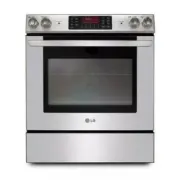 LG LSE3090ST
User Manual
LG LSE3090ST
User Manual
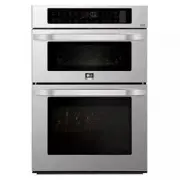 LG LSWC307ST
User Manual
LG LSWC307ST
User Manual
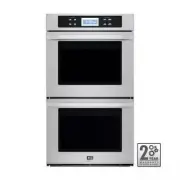 LG LSWD305ST
User Manual
LG LSWD305ST
User Manual
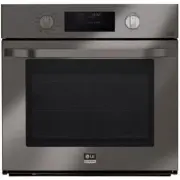 LG LSWS309BD
User Manual
LG LSWS309BD
User Manual
 LG LWC3063BD
User Manual
LG LWC3063BD
User Manual
 LG LWC3063ST
User Manual
LG LWC3063ST
User Manual
 LG LWD3063ST
User Manual
LG LWD3063ST
User Manual
 LG LWS3063BD
User Manual
LG LWS3063BD
User Manual
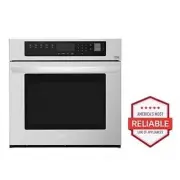 LG LWS3063ST
User Manual
LG LWS3063ST
User Manual
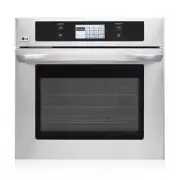 LG LWS3081ST
Manual
LG LWS3081ST
Manual
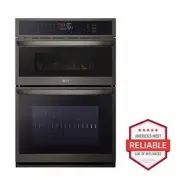 LG WCEP6423D
User Manual
LG WCEP6423D
User Manual
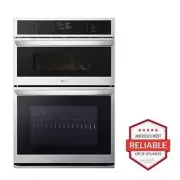 LG WCEP6423F
User Manual
LG WCEP6423F
User Manual
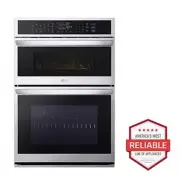 LG WCEP6427F
User Manual
LG WCEP6427F
User Manual
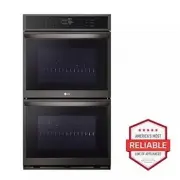 LG WDEP9423D
User Manual
LG WDEP9423D
User Manual
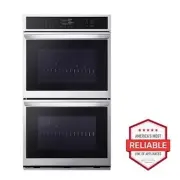 LG WDEP9423F
User Manual
LG WDEP9423F
User Manual
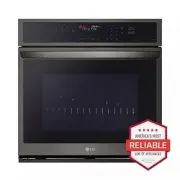 LG WSEP4723D
User Manual
LG WSEP4723D
User Manual
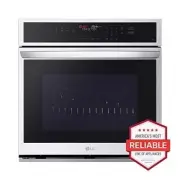 LG WSEP4723F
User Manual
LG WSEP4723F
User Manual