Page 2 - TABLE OF CONTENTS
2 TABLE OF CONTENTS TABLE OF CONTENTS 3 IMPORTANT SAFETY INSTRUCTIONS 11 PRODUCT OVERVIEW 11 Parts11 Accessories 12 OPERATION 12 Control Panel Overview14 Changing Oven Settings 14 Clock14 Timer On/Off15 Settings - Setting the Hour Mode - Setting Convection Auto Conversion - Adjusting the Oven Temper...
Page 3 - IMPORTANT SAFETY INSTRUCTIONS; can result in property damage and/or serious bodily harm or death.; WARNING; in death or serious injury.; CAUTION; minor or moderate injury.
3 IMPORTANT SAFETY INSTRUCTIONS ENGLISH IMPORTANT SAFETY INSTRUCTIONS Read and follow all instructions when using the oven to prevent the risk of fire, electric shock, personal injury, or damage. This guide does not cover all possible conditions that may occur. Always contact your service agent or m...
Page 4 - IMPORTANT SAFETY INSTRUCTIONS (UPPER OVEN)
4 IMPORTANT SAFETY INSTRUCTIONS IMPORTANT SAFETY INSTRUCTIONS (UPPER OVEN) When using electrical appliances basic safety precautions should be followed, including the following: WARNING • To reduce the risk of burns, electric shock, fire, injury to persons or exposure to excessive microwave energy w...
Page 5 - THIS COULD RESULT IN VERY HOT LIQUIDS SUDDENLY BOILING OVER WHEN
5 IMPORTANT SAFETY INSTRUCTIONS ENGLISH WARNING • Do not cover or block any openings on the appliance. • Do not run the oven empty. • Install or locate this appliance only in accordance with the provided installation instructions. • This appliance should be serviced only by qualified service personn...
Page 6 - FEDERAL COMMUNICATIONS COMMISSION RADIO FREQUENCY
6 IMPORTANT SAFETY INSTRUCTIONS WARNING • The oven should be cleaned regularly and any food deposits should be removed. - Failure to maintain the oven in a clean condition could lead to deterioration of the surface that could adversely affect the life of the appliance and possibly result in a hazard...
Page 7 - PRECAUTIONS TO AVOID POSSIBLE EXPOSURE TO EXCESSIVE; DO NOT TOUCH HEATING ELEMENTS OR INTERIOR SURFACES OF OVEN.
7 IMPORTANT SAFETY INSTRUCTIONS ENGLISH PRECAUTIONS TO AVOID POSSIBLE EXPOSURE TO EXCESSIVE MICROWAVE ENERGY • Do not attempt to operate this oven with the door open since open-door operation can result in harmful exposure to microwave energy. It is important not to defeat or tamper with the safety ...
Page 8 - Never use your appliance for warming or heating the room.; FLAMMABLE MATERIALS; ELECTRICAL SAFETY
8 IMPORTANT SAFETY INSTRUCTIONS • Never attempt to dry a pet in the oven. • Never use your appliance for warming or heating the room. • Always use pot holders or oven mitts when removing food from the oven. Cookware will be hot. Use only dry pot holders. Moist or damp pot holders on hot surfaces may...
Page 9 - CHILD SAFETY; Do not leave children alone; ENERGY SAVING TIPS; Do not use water on grease fires.
9 IMPORTANT SAFETY INSTRUCTIONS ENGLISH CHILD SAFETY • Do not touch the hot surface between the upper oven door and the lower oven door on the front of the oven while the oven is in operation. The surface becomes hot and can cause burns and other injury. • Do not leave small children unattended near...
Page 10 - SAFETY WHEN CLEANING; Do not use oven cleaners.; COOK MEAT AND POULTRY THOROUGHLY
10 IMPORTANT SAFETY INSTRUCTIONS • Do not use the oven if a heating element develops a glowing spot during use or shows other signs of damage. A glowing spot indicates the heating element may fail and present a potential burn, fire, or shock hazard. Turn the oven off immediately and have the heating...
Page 11 - PRODUCT OVERVIEW; Parts; Accessories for Upper Oven; Accessories for Lower Oven
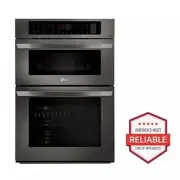
11 PRODUCT OVERVIEW ENGLISH PRODUCT OVERVIEW Parts Oven controller Upper oven door Lower oven door Model & serial number plate GasketRack Accessories Accessories for Upper Oven The turntable rotates in both directions to help food cook more evenly. Do not operate the microwave oven without the g...
Page 12 - OPERATION; Control Panel Overview; UPPER OVEN
12 OPERATION OPERATION Control Panel Overview 31 4 5 1 33 3 9 10 11 12 13 14 34 16 2 22 23 24 25 26 27 28 29 30 32 15 17 18 19 20 21 6 7 8 UPPER OVEN 1 Upper Timer On/Off Use to set or cancel the timer of the upper oven. 2 Upper Light Use to turn the oven lights of the upper oven on and off. 3 Upper...
Page 13 - LOWER OVEN
13 OPERATION ENGLISH LOWER OVEN 14 Lower Timer On/Off Use to set or cancel the timer of the lower oven. 15 Lower Light Use to turn the oven lights of the lower oven on and off. 16 Lower Clear/Off Use to stop cooking, cancel settings of the lower oven. Press and hold button for three seconds to activ...
Page 14 - Changing Oven Settings; Clock; Setting the Timer
14 OPERATION Changing Oven Settings Clock The clock must be set to the correct time of day in order for the automatic oven timing functions to work properly. 1 Touch Clock . The display shows CLO in red. 2 Touch the numbers to enter the time. For example, to set the clock for 10:30, touch the number...
Page 15 - Settings
15 OPERATION ENGLISH Settings Press and hold Clock key for three seconds to select and adjust oven settings.The Setting key allows you to: • set the hour mode on the clock (12 or 24 hours) • enable/disable convection auto conversion • adjust the oven temperature • select display language • activate/...
Page 16 - Demo Mode
16 OPERATION Turning the Preheat Alarm Light On/Off (Only for Lower Oven)When the oven reaches its set-temperature, the preheating alarm light flashes 5 times or until the oven door is opened.You can activate or deactivate the preheating alarm light. 1 Touch and hold Clock until CLO appears in the d...
Page 18 - Using the Upper Oven; Before Using the Upper Oven
18 OPERATION Using the Upper Oven Before Using the Upper Oven NOTE • To avoid risk of personal injury or property damage, do not use stoneware, metal cookware, or metal rimmed cookware in the oven. • To program the oven, make sure you touch the center of each key firmly since the areas between the k...
Page 19 - Microwave Cooking Tips
19 OPERATION ENGLISH Using the Upper Oven Microwave Cooking Tips Keeping an Eye on Things Always watch your food while it cooks. The light inside the upper oven turns on automatically when the oven is cooking so you can monitor the cooking process. Directions given in recipes to elevate, stir, and t...
Page 20 - Shielding; Microwave Power Levels; Microwave Power Levels Chart
20 OPERATION Shielding Strips of aluminium foil (which block microwaves) can be placed over the corners or edges of square and rectangular foods to prevent those portions from overcooking. Never use too much foil and make sure the foil is secured to the dish or it may cause arcing in the oven, espec...
Page 21 - Cooking at High Power Level; Defrost; Setting the Defrost Function
21 OPERATION ENGLISH Using the Upper Oven Cooking at High Power Level Example: To cook food for 8 minutes 30 seconds. 1 Touch Microwave . 2 Set the cook time: Touch 8 , 3 and 0 . 3 Touch Start to start cooking. • When the cook time is over a melody sounds and END OF CYCLE displays. Cooking at Lower ...
Page 22 - Weight Conversion Table; Defrost Table
22 OPERATION Weight Conversion Table Most food weights are given in pounds and ounces. If using pounds, food weights must be entered into Auto Defrost in pounds and tenths of pounds (decimals). Use the following table if necessary to convert food weights to decimals. Equivalent Weight OUNCES 1.63.24...
Page 23 - Defrosting Tips; Sensor Operation; Setting the Sensor Cook Function
23 OPERATION ENGLISH Using the Upper Oven Defrosting Tips • When using Defrost, the weight to be entered is the net weight in pounds and tenths of pounds (the weight of the food minus the container). • Before starting, remove the metal twist-ties which often come with frozen food bags, and replace t...
Page 24 - Sensor Cook Table
24 OPERATION Sensor Cook Table • The Sensor Cook function has preprogrammed settings to automatically sensor reheat certain foods. Category Weight Cookware Food Temp. Instructions 1. Beverage 1-2 cups (240 ml per cup) Mug or microwave- safe cup on the glass tray Room Use microwave safe mug or cup wi...
Page 25 - Convection Bake; Setting the Convection Bake Function; Broil; Setting the Broil Function
25 OPERATION ENGLISH Using the Upper Oven Convection Bake During Convection Bake, a heating element is used to raise the temperature of the air inside the oven. Convection cooking temperature ranges from 100 °F to 450 °F. It is best to preheat the oven when convection cooking. NOTE Reduce oven tempe...
Page 26 - Speed Cook; Setting the Speed Convection Function; Auto Cook; Setting the Auto Cook Function
26 OPERATION Speed Cook This feature uses power from a halogen light, heaters, and microwaves simultaneously to allow quick cooking. NOTE Power levels only can be selected from 10 to 40 %. Each power level gives you heater power and microwave energy for a certain percentage of the time. CAUTION When...
Page 27 - Auto Cook Table
27 OPERATION ENGLISH Using the Upper Oven Auto Cook Table Category Weight Cookware Food Temp. Instructions 1. Bacon (regular sliced) 3-4 5-6 slices Microwave- safe bacon rack or plate on the glass tray. Refrigerated Place bacon slices on a microwave rack for best results. Use a plate lined with pape...
Page 30 - Soften; Setting the Soften Function; Soften Table
30 OPERATION Soften The oven uses low power to soften foods such as butter, cream cheese, frosting, and ice cream. See the following table. Setting the Soften Function Example, 1 pint of ice cream 1 Touch More Mode . 2 Touch 2 to select SOFTEN. 3 Set the Menu: touch 4 to select ICE CREAM and touch S...
Page 31 - Melt; Setting the Melt Function; Melt Table
31 OPERATION ENGLISH Using the Upper Oven Melt The oven uses low power to melt foods such as butter, caramel, cheese, chocolate, and marshmallows. See the following table. Setting the Melt Function Example, 8 oz of chocolate. 1 Touch More Mode . 2 Touch 3 to select MELT. 3 Set the Menu: touch 4 to s...
Page 32 - Warm; Setting the Warm Function; Proof; Setting the Proof Function; Popcorn; Setting the Popcorn Function
32 OPERATION Warm The WARM function maintains an oven temperature of less than 230°F. This function should not be used to reheat cold food. The Warm function keeps cooked food warm for serving up to 3 hours after cooking has finished. After 3 hours the WARM function shuts the oven OFF automatically....
Page 33 - Using the Lower Oven; Before Using the Lower Oven; Lower Oven Light; Minimum & Maximum Default
33 OPERATION ENGLISH Using the Lower Oven Using the Lower Oven Before Using the Lower Oven NOTE • Because the oven temperature cycles, an oven thermometer placed in the oven cavity may not show the same temperature that is set on the oven. • It is normal for the convection fan to run while preheatin...
Page 34 - Using Oven Racks; Removing Racks; Bake; Setting the Bake Function
34 OPERATION Using Oven Racks The racks have a turned-up back edge that prevents them from being pulled out of the oven cavity. Removing Racks 1 Pull the rack straight out until it stops. 2 Lift up the front of the rack and pull it out. Replacing Racks 1 Place the end of the rack on the support. 2 T...
Page 35 - Baking Tips; Oven Vent
35 OPERATION ENGLISH Using the Lower Oven Baking Tips • Baking time and temperature will vary depending on the characteristics, size, and shape of the baking pan used. • Check for food doneness at the minimum recipe time. • Use metal bakeware (with or without a nonstick finish), heatproof glass-cera...
Page 36 - Convection Mode; Setting the Convection Function; Tips for Convection Baking
36 OPERATION Convection Mode 1 2 3 4 5 The convection system uses a fan to circulate the heat evenly within the oven. Improved heat distribution allows for even cooking and excellent results while cooking with single or multiple racks.The lower oven uses convection auto conversion to automatically s...
Page 37 - Setting the Oven to Broil; Smoking
37 OPERATION ENGLISH Using the Lower Oven Broil Broiling uses an intense, radiant heat to cook food. Both the inner and outer broil elements heat during full broiling. Only the inner broil element heats during center broiling. The element(s) cycle on and off at intervals to maintain the oven tempera...
Page 38 - Recommended Broiling Guide
38 OPERATION Recommended Broiling Guide The size, weight, thickness, starting temperature, and your preference of doneness will affect broiling times.This guide is based on meats at refrigerator temperature. For best results when broiling, use a pan designed for broiling. Food Quantity and/ or Thick...
Page 39 - Tips for Broiling; Steam Function; Using the Water Tank
39 OPERATION ENGLISH Using the Lower Oven Tips for Broiling Beef • Steaks and chops should always be allowed to rest for five minutes before being cut into and eaten. This allows the heat to distribute evenly through the food and creates a more tender and juicy result. • Pieces of meat that are thic...
Page 40 - Setting Steam Function
40 OPERATION Setting Steam Function Example: To steam cook at 375 °F 1 Touch Steam Bake or Steam Roast . 2 Touch Steam Level repeatedly until desired steam level appears in the display: Low, Med, or High. 3 Touch Start . The display shows 350 °F. 4 Set the oven temperature: touch 3 , 7 and 5 . If de...
Page 43 - Favorite; Sabbath Mode
43 OPERATION ENGLISH Using the Lower Oven Favorite The Favorite feature is used to record and recall favorite recipe settings. This feature can store and recall up to 3 different settings. The Favorite feature can be used with the Cook Time mode. It will not work with any other function including th...
Page 44 - Remote Start
44 OPERATION Wi-Fi Connect the appliance to a home Wi-Fi network to use Remote Start and other smart functions. See the Smart Functions section for more details. Setting Up Wi-Fi 1 Touch and hold Remote Start key for three seconds. The Wi-Fi icon appears at the bottom of the display. Remote Start If...
Page 45 - SMART FUNCTIONS; LG ThinQ Application; LG ThinQ Application Features
45 SMART FUNCTIONS ENGLISH SMART FUNCTIONS LG ThinQ Application This feature is only available on models with the f or logo. The LG ThinQ application allows you to communicate with the appliance using a smartphone. LG ThinQ Application Features This feature is only available on models with the a or ...
Page 46 - Installing the LG ThinQ Application; Wireless LAN Module Specifications
46 SMART FUNCTIONS NOTE • If the firewall on your wireless router is enabled, disable the firewall or add an exception to it. • The wireless network name (SSID) should be a combination of English letters and numbers. (Do not use special characters.) • Smartphone user interface (UI) may vary dependin...
Page 47 - Open Source Software Notice; Smart DiagnosisTM Feature; Using LG ThinQ to Diagnose Issues
47 SMART FUNCTIONS ENGLISH Open Source Software Notice Information To obtain the source code under GPL, LGPL, MPL, and other open source licenses, that is contained in this product, please visit http:// opensource.lge.com. In addition to the source code, all referred license terms, warranty disclaim...
Page 48 - Using Audible Diagnosis to Diagnose
48 SMART FUNCTIONS Using Audible Diagnosis to Diagnose Issues Follow the instructions below to use the audible diagnosis method. • Launch the LG ThinQ application and select the Smart Diagnosis feature in the menu. Follow the instructions for audible diagnosis provided in the LG ThinQ application. 1...
Page 49 - MAINTENANCE; Caring for the Upper Oven; Cleaning the Interior
49 MAINTENANCE ENGLISH MAINTENANCE Caring for the Upper Oven To make sure the microwave oven looks good and works well for a long time, maintain it properly. For proper care, follow these instructions carefully. Cleaning the Interior Wash often with warm, sudsy water and a sponge or soft cloth. Use ...
Page 50 - Caring for the Lower Oven; When to Use EasyClean
50 MAINTENANCE Caring for the Lower Oven EasyClean ® LG’s EasyClean ® enamel technology provides two cleaning options for the inside of the lower oven. The EasyClean ® feature takes advantage of LG’s new enamel to help lift soils without harsh chemicals, and it runs using ONLY WATER for just 10 minu...
Page 51 - Cleaning Tips
51 MAINTENANCE ENGLISH Cleaning Tips • Allow the oven to cool to room temperature before using the EasyClean ® cycle. If your oven cavity is above 150 °F (65 °C), OVEN IS HOT will appear in the display, and the EasyClean ® cycle will not be activated until the oven cavity cools down. • A plastic spa...
Page 52 - Water Tank; Hard Water Scale; Cleaning Scale on Oven Bottom
52 MAINTENANCE 8 Once the oven cavity is cleaned, wipe any excess water with a clean dry towel. Replace racks and any other accessories. 9 If some light soils remain, repeat the above steps, making sure to thoroughly soak the soiled areas.If stubborn soils remain after multiple EasyClean ® cycles, r...
Page 53 - Drying; Self Clean; Before Starting Self Clean
53 MAINTENANCE ENGLISH Drying The Drying function removes residual water inside the steam generator. The function takes a little over 1 minute and runs automatically after any steam cooking cycle. The Drying function can also be started manually, if needed. Using Drying 1 Check whether there is wate...
Page 54 - Setting Self Clean; Setting Self Clean with a Delayed Start
54 MAINTENANCE Setting Self Clean The Self Clean function has cycle times of 3, 4, or 5 hours. Self Clean Soil Guide Soil Level Cycle Setting Lightly Soiled Oven Cavity 3-Hour Self Clean Moderately Soiled Oven Cavity 4-Hour Self CleanHeavily Soiled Oven Cavity 5-Hour Self Clean 1 Remove all racks an...
Page 55 - Changing the Oven Light; Cleaning the Exterior; Painted Surfaces
55 MAINTENANCE ENGLISH Changing the Oven Light The oven light is a standard 25-watt appliance bulb. It turns on when the oven door is open. When the oven door is closed, touch Light to turn it on or off. Replacing Lamp on Side Wall 1 Unplug oven or disconnect power. 2 Remove oven racks. 3 Slide a fl...
Page 56 - Oven Door; Broiler Pan and Grid
56 MAINTENANCE Oven Door • Use soapy water to thoroughly clean the oven door. Rinse well. Do not immerse the door in water. • You may use a glass cleaner on the outside glass of the oven door. Do not spray water or glass cleaner on the door vents. • Do not use oven cleaners, cleaning powders, or har...
Page 57 - Removing and Replacing the Lift-Off; Door Care Instructions
57 MAINTENANCE ENGLISH Removing and Replacing the Lift-Off Oven Doors CAUTION • Be careful when removing and lifting the door. • Do not lift the door by the handle. The door is very heavy. Removing the Door 1 Open the door fully. 2 Pull the hinge locks down toward the door frame to the unlocked posi...
Page 58 - TROUBLESHOOTING; FAQs
58 TROUBLESHOOTING TROUBLESHOOTING FAQs Can I use a rack in my upper oven to reheat or cook on two levels at once? Only use the rack that is supplied with your upper oven. Use of any other rack can result in poor cooking performance and/or arcing and may damage your oven. Will the upper oven be dama...
Page 61 - Before Calling for Service
61 TROUBLESHOOTING ENGLISH Before Calling for Service Before you call for service, review this list. It may save you time and expense. The list includes common occurrences that are not the result of defective workmanship or materials in this appliance. Symptoms Possible Causes / Solutions Oven contr...
Page 65 - LIMITED WARRANTY
65 LIMITED WARRANTY ENGLISH LIMITED WARRANTY (USA) ARBITRATION NOTICE: THIS LIMITED WARRANTY CONTAINS AN ARBITRATION PROVISION THAT REQUIRES YOU AND LG TO RESOLVE DISPUTES BY BINDING ARBITRATION INSTEAD OF IN COURT, UNLESS YOU CHOOSE TO OPT OUT. IN ARBITRATION, CLASS ACTIONS AND JURY TRIALS ARE NOT ...


 LG WSEP4723F User Manual
 LG WSEP4727F User Manual
 LG WSES4728F User Manual
 LG LWC3063ST User Manual
 LG LWD3063ST User Manual
 LG LWS3063BD User Manual
 LG LWS3063ST User Manual
 LG WCEP6423D User Manual
 LG WCEP6423F User Manual
 LG WCEP6427F User Manual
 LG WDEP9423D User Manual
 LG WDEP9423F User Manual
 LG WSEP4723D User Manual