Page 2 - TABLE OF CONTENTS
2 tAbLE Of cONtENtS TABLE OF CONTENTS 3 IMPORTANT SAFETY INSTRUCTIONS 8 PRODUCT OVERVIEW 8 Accessories9 Oven Overview10 Control Panel Overview 11 FEATURES 1 1 Clock12 Timer ON/Off12 Convection Auto Conversion13 Oven Temperature Adjustment13 Language13 Preheating Alarm Light14 Beeper Volume14 fahrenh...
Page 3 - ENGLISH; IMPORTANT SAFETY INSTRUCTIONS; about problems that you do not understand.; SAFETY PRECAUTIONS; All other servicing should be referred to a qualified technician.; DO NOT TOUCH HEATING ELEMENTS OR INTERIOR SURFACES OF OVEN.
3 IMPORtANt SAfEtY INStRUctIONS ENGLISH IMPORTANT SAFETY INSTRUCTIONS Read and follow all instructions before using your oven to prevent the risk of fire, electric shock, personal injury, or damage when using the oven. This guide does not cover all possible conditions that may occur. Always contact ...
Page 4 - Keep oven vent ducts unobstructed.; WARNINg; NEVER use your appliance for warming or heating the room.
4 IMPORtANt SAfEtY INStRUctIONS SAFETY PRECAUTIONS (CONT.) y Keep oven vent ducts unobstructed. The oven vent could become hot during oven use. Never block this vent and never place plastic or heat-sensitive items on or near the vent. y Be certain all packing materials are removed from the appliance...
Page 5 - ELECTRICAL SAFETY; Hot cookware or plates can cause burns.; continues, throw baking soda on the fire or use a fire extinguisher.; fire to spread and cause personal injury.; WARNING
5 IMPORtANt SAfEtY INStRUctIONS ENGLISH ELECTRICAL SAFETY y Protective Liners. Do not use aluminum foil or any other material to line the oven bottoms. Improper installation of these liners may result in a risk of electric shock or fire. y Do Not allow aluminum foil or the meat probe to contact heat...
Page 6 - CHILD SAFETY; Children should be kept away from the oven.; cAUtION; SAFETY WHEN CLEANING; Make sure oven lights are cool before cleaning. Clean
6 IMPORtANt SAfEtY INStRUctIONS CHILD SAFETY WARNINg y Children should be kept away from the oven. y Accessory parts will become hot when the broiler is in use. cAUtION y Children should not be left alone or unattended in an area where the appliance is in use. Children should never be allowed to sit...
Page 7 - COOK MEAT AND POULTRY THOROUGHLY
7 IMPORTANT SAFETY INSTRUCTIONS ENGLISH COOK MEAT AND POULTRY THOROUGHLY To protect against food-borne illnesses, cook meat and poultry thoroughly. The USDA has indicated the following as safe minimum internal temperatures for consumption: y Ground beef: 160 °F y Poultry: 165 °F y Beef, veal, pork, ...
Page 8 - PRODUCT OVERVIEW; ACCESSORIES; NOtE
8 PRODUct OVERVIEW PRODUCT OVERVIEW ACCESSORIES Make sure that all parts are included after purchasing this product. NOtE y Contact LG Customer Service if any accessories are missing. y For your safety and for extended product life, only use authorized components. y The manufacturer is not responsib...
Page 9 - OVEN OVERVIEW
9 PRODUct OVERVIEW ENGLISH OVEN OVERVIEW Make sure to understand the name and function of each part.* Throughout this manual, the features and appearance may vary depending on your model. NOtE y The model and serial number can be verified at the rating label. Control panel Door switch Door latch Bro...
Page 10 - CONTROL PANEL OVERVIEW
10 PRODUct OVERVIEW CONTROL PANEL OVERVIEW Name Description 1 Cook Time / Clock − Touch button and turn the Time/Temp knob to set the desired amount of time for food to cook. The oven shuts off when the set cooking time runs out. − Touch and hold the button for three seconds to set the time of day. ...
Page 11 - FEATURES; CLOCK; Power Outage; Minimum and Maximum Default Settings
11 fEAtURES ENGLISH FEATURES CLOCK The clock must be set to the correct time of day in order for the automatic oven timing functions to work properly. 1. Set Oven Mode knobs to the OFF position. 2. Touch and hold COOK TIME for 3 seconds.3. Turn the Time/Temp knob to select the desired time. Turn the...
Page 12 - Setting the Timer; CONVECTION AUTO CONVERSION
12 fEAtURES TIMER ON/OFF The TIMER ON/OFF serves as an extra timer in the kitchen that beeps when the set time has run out. It does not start or stop cooking. The TIMER ON/OFF feature can be used during any of the other oven control functions. The timers can be operated independently of each other. ...
Page 13 - OVEN TEMPERATURE ADjUSTMENT; Adjusting the Oven Temperature; LANGUAGE; PREHEATING ALARM LIGHT
13 fEAtURES ENGLISH OVEN TEMPERATURE ADjUSTMENT This oven may cook differently than the one it replaced. Use the oven for a few weeks to become more familiar with it before changing the thermostat settings. If the oven consistently undercooks or overcooks follow these instructions to adjust the ther...
Page 14 - BEEPER VOLUME; FAHRENHEIT OR CELSIUS; OVEN LIGHT; LOCKOUT
14 fEAtURES BEEPER VOLUME The beeper volume can be adjusted to three possible volume levels, Hi, Low and Off. 1. Set Oven Mode knobs to the OFF position. 2. Touch and hold START TIME for 3 seconds. Then touch START TIME repeatedly until BEEP appears in the display. 3. Turn the Time/Temp knob to sele...
Page 16 - Setting the Timed Cook Function; Changing the Cook Time while Operating the
16 fEAtURES COOK TIME (TIMED COOK) The oven turns on immediately and cooks for a selected length of time. At the end of the cooking time, the oven turns off automatically. Setting the Timed Cook Function The following example is to Bake at 300°F for 30 minutes. 1. Set the clock for the correct time ...
Page 17 - Rack and Pan Placement; USING THE OVEN; BEFORE USING THE OVEN; Removing the Racks
17 USINg thE OVEN ENGLISH Rack and Pan Placement A B C D E If cooking on two racks:Place standard oven racks in positions B and D. Place the cookware as shown below. If baking with more than one pan, place the pans so that each one has at least 1” to 1 ½” of air space around them. Type of Food Rack ...
Page 18 - Baking Tips; Oven Vent; Setting the BAKE mode; Displays for the BAKE mode
18 USINg thE OVEN Changing the Temperature while Baking 1. Turn the Time/Temp knob to reset the oven tempera- ture. For example, turn the knob clockwise to reset the temperature from 375°F to 425°F. 2. Touch START. It is normal for the convection fan to operate periodically throughout a normal bake ...
Page 19 - CONVECTION BAKE; Tips for Convection Baking; Setting the CONVECTION BAKE Mode; Displays for the CONV. BAKE mode
19 USINg thE OVEN ENGLISH CONVECTION BAKE Benefits of Convection Bake y Some foods cook up to 25 to 30% faster, saving time and energy. y Even cooking results during multiple rack baking. y No special pans or bakeware needed. Convection baking uses a fan to circulate the oven’s heat evenly and conti...
Page 20 - Setting the CONVECTION ROAST Mode; CONVECTION ROAST; ROAST; Setting the ROAST Mode; Changing the Temperature while Roasting; Displays for the CONV. ROAST mode
20 USINg thE OVEN Setting the CONVECTION ROAST Mode 1. Turn the Oven Mode knob to select the CONV. ROAST mode. 350°F (175°C) appears in the display. 2. Set the oven temperature. For example, turn the Time/Temp knob clockwise to set the temperature to 375°F. 3. Touch START. The display shows CONV ROA...
Page 21 - CRISP CONVECTION; Tips for Crisp Convection
21 USINg thE OVEN ENGLISH CRISP CONVECTION Benefits of Crisp Convection: The crisp convection mode is best for light colored and delicate baked goods like cakes, tarts, cookies, puff pastries, scones, muffins, biscuits, yeast-free breads, etc. The hot air circulated by the fan continually distribute...
Page 22 - BROIL; Setting the BROIL Mode
22 USINg thE OVEN BROIL Broiling uses an intense, radiant heat to cook food. Both the inner and outer broil elements heat during full broiling. Only the inner broil element heats during center broiling. The element(s) cycle on and off at intervals to maintain the oven temperature. The meat probe can...
Page 23 - RECOMMENDED BROILING GUIDE
23 USINg thE OVEN ENGLISH RECOMMENDED BROILING GUIDE The size, weight, thickness, starting temperature, and your preference of doneness will affect broiling times. The following guide is based on meats at refrigerator temperature. Always use a broiler pan and grid when broiling. NOtE
Page 24 - Broiling Chart; Broiling Tips; Beef; Seafood
24 USINg thE OVEN Broiling Chart Food Quantity and/ or Thickness Rack Position First Side Time (min.) Second Side Time (min.) Comments Ground Beef 1 lb. (4 patties)1/2 to 3/4” thick E 4–6 3–4 Space evenly. Up to 8 patties may be broiled at once. Beef Steaks Rare Medium Well Done Rare Medium Well Don...
Page 25 - PROOF; Setting the PROOF Mode; WARM; Setting the WARM Mode; Displays for the WARM mode
25 USINg thE OVEN ENGLISH PROOF The Proof feature maintains a warm environment for rising yeast-leavened products before baking. Setting the PROOF Mode This feature maintains a warm oven for rising yeast-leavened products before baking. 1. Turn the Oven Mode knob to select the PROOF mode. 2. Touch S...
Page 26 - MEAT PROBE; Using the Meat Probe Feature; Changing the Probe Temperature while Cooking; Recommended Probe Temperatures
26 USINg thE OVEN MEAT PROBE The meat probe accurately measures the internal temperature of meat, poultry and casseroles. It should not be used during the broiling, self cleaning, warming or proofing mode. Always unplug and remove the meat probe from the oven before removing food. Before using, inse...
Page 27 - TAG ON; BEFORE USING TAG ON; SMART FEATURES; BEFORE USING TAG ON; TURNING ON THE SMART PHONE’S NFC FUNCTION; BEFORE USING TAG ON; THE TAG ON ICON; NOTE; USING THE TAG ON FUNCTION; The Tag On Icon
27 SMARt fEAtURES ENGLISH 1. Enter the Settings menu of the smart phone and select Share & Connect under WIRELESS & NETWORKS. 2. Set NFC and Direct/Android Beam to ON and select NFC. 3. Check Use Read and Write/ P2P receive. The Tag On function allows you to conveniently use the LG Smart Thi...
Page 28 - The NFC Antenna Position
28 SMARt fEAtURES Smart Diagnosis™ Allows the user to diagnose and troubleshoot problems with the oven. EasyClean® Allows the user to set EasyClean®, read the instruction guide, and simulate and compare energy consumption when using EasyClean® versus the self-clean function. IMPORTANT : Features cou...
Page 29 - MAINTENANCE; Before starting Self Clean:; CAUTION
29 MAINtENANcE ENGLISH MAINTENANCE SELF-CLEAN The self clean cycle uses extremely hot temperatures to clean the oven cavity. While running the Self Clean cycle, you may notice smoking or an odor. This is normal; especially if the oven is heavily soiled.During Self Clean, the kitchen should be well-v...
Page 30 - During Self Clean; After the Self Clean Cycle; Displays for the SELF CLEAN mode
30 MAINtENANcE Setting Self Clean with a Delayed Start 1. Remove all racks and accessories from the oven. 2. Turn the Oven Mode knob to select the SELF CLEAN mode. The oven defaults to the recommended four-hour self clean for a moderately soiled oven. Turn the Time/Temp knob to select the self clean...
Page 31 - EasyClean®; BENEFITS OF EasyClean®; WHEN TO USE EasyClean®
31 MAINtENANcE ENGLISH EasyClean® LG's new oven with EasyClean® enamel technology provides two cleaning options for the oven interior. The EasyClean® feature takes advantage of LG's new enamel to help lift soils without harsh chemicals, and it runs using ONLY WATER for just 10 minutes in low tempera...
Page 32 - EasyClean® INSTRUCTION GUIDE
32 MAINtENANcE EasyClean® INSTRUCTION GUIDE 1. Remove oven racks and accessories from the oven. 2. Scrape off and remove any burnt-on debris with a plastic scraper. Suggested plastic scrapers: • Hard plastic spatula • Plastic pan scraper • Plastic paint scraper • Old credit card 3. Fill a spray bott...
Page 33 - CHANGING THE OVEN LIGHT; Painted Parts and Trim
33 MAINtENANcE ENGLISH CHANGING THE OVEN LIGHT The oven light is a standard 10-watt halogen bulb for ovens.Replacing Lamp on Side Wall • Make sure oven and bulb are cool. 1. Unplug oven or disconnect power. 2. Remove oven racks. 3. Slide a flat blade screwdriver between the housing and the glass lig...
Page 36 - FAQs; TROUBLESHOOTING
36 tROUbLEShOOtINg FAQs My new oven doesn’t cook like my old one. Is there something wrong with the temperature settings? No, Your oven has been factory tested and calibrated. For the first few uses, follow your recipe times and temperatures carefully. If you still think your new oven is too hot or ...
Page 38 - BEFORE CALLING FOR SERVICE
38 tROUbLEShOOtINg BEFORE CALLING FOR SERVICE Before you call for service, review this list. It may save you time and expense. The list includes common occurrences that are not the result of defective workmanship or materials in this appliance. Problem Possible Causes / Solutions Oven control beepsa...
Page 41 - SMART DIAGNOSIS; USING SMART DIAGNOSISTM; SMART DIAGNOSISTM USING YOUR; SMART DIAGNOSISTM THROUGH THE
41 SMARt DIAgNOSIS™ ENGLISH SMART DIAGNOSIS Should you experience any problems with your oven, it has the capability of transmitting data to your smart phone using the LG Smart ThinQ Application or via your telephone to the LG call center. Smart Diagnosis™ cannot be activated unless your oven is tur...
Page 45 - MANUAL DEL USUARIO; HORNO ELÉCTRICO DE CONVECCIÓN EMPOTRADO; Lea detenidamente estas instrucciones antes de utilizar y
www.lg.com ESP AÑOL LSWS306ST LSWS309BD MANUAL DEL USUARIO HORNO ELÉCTRICO DE CONVECCIÓN EMPOTRADO Lea detenidamente estas instrucciones antes de utilizar y guárdelas como referencia para el futuro. P/No.: MFL51224516 Copyright © 2016 - 2018 LG Electronics Inc. Todos los Derechos Reservados.
Page 46 - ÍNDICE
2 ÍNDICE ÍNDICE 3 IMPORTANTES INSTRUCCIONES DE SEGURIDAD 8 DESCRIPCIóN GENERAL DE LOS PRODUCTOS 8 Accesorios9 Descripción general de la cocina10 Descripción general del panel de control 11 CARACTERÍSTICAS 11 Reloj12 Timer on/off (Temporizador encendido/ apagado) 12 Conversión automática de convecció...
Page 47 - ESP; IMPORTANTES INSTRUCCIONES DE SEGURIDAD; Estas palabras significan:; PRECAUCIONES DE SEGURIDAD; específicamente en este manual.
3 IMPORTANTES INSTRUCCIONES DE SEGURIDAD ESP AÑOL IMPORTANTES INSTRUCCIONES DE SEGURIDAD Lea y siga todas las instrucciones antes de usar su horno para evitar riesgos de incendios, descargas eléctricas, lesiones a las personas o daños al utilizar la cocina. Esta guía no incluye todas las situaciones...
Page 48 - ADVERTENCIA
4 IMPORTANTES INSTRUCCIONES DE SEGURIDAD PRECAUCIONES DE SEGURIDAD (CONT.) y No caliente recipientes de comida sin abrir. La presión acumulada puede hacer que el recipiente explote y provoque lesiones. y Mantenga despejados los conductos de ventilación del horno. La ventilación del horno puede calen...
Page 49 - SEGURIDAD ELÉCTRICA; provocar un riesgo de descarga eléctrica o de incendio.; SEGURIDAD DURANTE SU USO; deseada mientras el horno está frío.
5 IMPORTANTES INSTRUCCIONES DE SEGURIDAD ESP AÑOL SEGURIDAD ELÉCTRICA y Revestimientos protectores. No utilice papel de aluminio u otro material para revestir la parte inferior del horno. Una instalación inadecuada de estos revestimientos puede provocar un riesgo de descarga eléctrica o de incendio....
Page 50 - SEGURIDAD DE LOS NIÑOS; en cualquier parte de este electrodoméstico.; SEGURIDAD AL LIMPIAR; únicamente las piezas enumeradas en el manual.
6 IMPORTANTES INSTRUCCIONES DE SEGURIDAD SEGURIDAD DE LOS NIÑOS ADVERTENCIA y Los niños siempre deben estar alejados del horno. y Los accesorios se calientan cuando la bandeja está en uso. PRECAUCIÓN y No hay que dejar a los niños solos o desatendidos en el área donde se está utilizando el aparato. ...
Page 51 - COCINAR BIEN LA CARNE Y LAS AVES; Carne molida de vaca: 160° F
7 IMPORTANTES INSTRUCCIONES DE SEGURIDAD ESP AÑOL COCINAR BIEN LA CARNE Y LAS AVES Para evitar enfermedades transmitidas por los alimentos, cocine bien la carne y las aves. La USDA ha indicado las siguientes temperaturas internas mínimas como seguras para el consumo. y Carne molida de vaca: 160° F y...
Page 52 - DESCRIPCIóN GENERAL DE LOS PRODUCTOS; ACCESORIOS; NOTA
8 DESCRIPCIÓN GENERAL DE LOS PRODUCTOS DESCRIPCIóN GENERAL DE LOS PRODUCTOS ACCESORIOS Asegúrese de que todas las piezas estén incluidas antes de comprar el producto. NOTA y Comuníquese con el Centro de Atención al Cliente de LG en caso de que falte algún accesorio. y Por su seguridad y para lograr ...
Page 53 - DESCRIPCIóN GENERAL DE LA COCINA
9 DESCRIPCIÓN GENERAL DE LOS PRODUCTOS ESP AÑOL DESCRIPCIóN GENERAL DE LA COCINA Asegúrese de entender los nombres y función de cada pieza.* A lo largo de este manual, las características y apariencia del producto pueden variar dependiendo de su modelo. NOTA y El modelo y número de serie se pueden v...
Page 54 - DESCRIPCIóN GENERAL DEL PANEL DE CONTROL
10 DESCRIPCIÓN GENERAL DE LOS PRODUCTOS DESCRIPCIóN GENERAL DEL PANEL DE CONTROL 9 1 2 3 4 5 6 10 7 8 Name Description 1 COOK TIME (Tiempo de cocción) / CLOCK(Reloj) − Toque el botón y gire la perilla Time/Temp para establecer la cantidad de tiempo deseado para que los alimentos se cocinen. El horno...
Page 55 - CARACTERÍSTICAS; RELOJ; FEATURE
11 CARACTERÍSTICAS ESP AÑOL CARACTERÍSTICAS RELOJ Debe configurarse el reloj con la hora correcta del día en el orden correcto para que las funciones de temporización automática del horno funcionen correctamente. 1. Colocar ambas perrillas de modo del horno en la posición OFF. 2. Toque y sostenga CO...
Page 56 - CONVERSIóN AUTOMÁTICA DE
12 CARACTERÍSTICAS TIMER ON/OFF (TEMPORIZADOR ENCENDIDO/APAGADO) TIMER ON/OFF sirve como temporizador adicional en al cocina y emitirá una señal acústica cuando se haya agotado el tiempo. No se inicia o deja de cocinar. La función TIMER ON/OFF se puede usar durante cualquiera de las funciones de con...
Page 57 - AJUSTES PARA LA TEMPERATURA; Ajustar la Temperatura del Horno; IDIOMA; LUZ DE ALARMA DE
13 CARACTERÍSTICAS ESP AÑOL No utilice termometros, como los que se venden en las tiendas, para verificar la configuracion de temperatura del horno. En su lugar, empezar por subir o bajar el termostato (8 °C) 15 °F. Pruebe el horno durante una semana con el nuevo ajuste y ajuste de nuevo si es neces...
Page 58 - VOLUMEN DE LA ALERTA SONORA; FAHRENHEIT O CELSIUS; LUZ DEL HORNO; BLOQUEO
14 CARACTERÍSTICAS VOLUMEN DE LA ALERTA SONORA El volumen de la alarma se puede ajustar a tres posibles niveles de volumen, Alto, Bajo y Apagado. 1. Colocar ambas perrillas de modo del horno en la posición OFF. 2. Toque y sostenga el boton START TIME. Despues toque START TIME varias veces hasta que ...
Page 59 - HORA DE INICIO (COCCIóN; PRECAUCIÓN
15 CARACTERÍSTICAS ESP AÑOL HORA DE INICIO (COCCIóN temporizada retardada) El temporizador automático de la función COCCIÓN TEMPORIZADA RETARDADA ENCENDERÁ y APAGARÁ el horno en el horario que usted seleccione. Esta función puede utilizarse únicamente con los: Modos HORNEAR, HORNEADO POR CONVECCIÓN ...
Page 60 - TIEMPO DE COCCIóN (COCCIóN
16 CARACTERÍSTICAS TIEMPO DE COCCIóN (COCCIóN TEMPORIZADA) El horno se enciende inmediatamente y cocina los alimentos durante un período de tiempo seleccionado. Al finalizar el tiempo de cocción, el horno se apaga automáticamente. Configuración de la función COCCIóN TEMPORIZADA El ejemp lo siguiente...
Page 61 - Colocación del Estante y la Bandeja; USO DEL HORNO; ANTES DE USAR DEL HORNO; SACAR Y VOLVER A COLOCAR LOS
17 USO DEL HORNO ESP AÑOL Colocación del Estante y la Bandeja Si usted cocina con dos estantesColoque los estantes estandar en las posiciones B y D. Coloque los utensilios de cocina, como se muestra en la figura abajo. Si está horneando con más de una bandeja, colóquelas de forma tal que cada una te...
Page 62 - Consejos para el Horneado; Venteo del horno; Pantallas del modo de HORNEAR
18 USO DEL HORNO Cambiar la temperatura durante el Horneado 1. Gire la perilla Time/Temp a restablecer la temperatura del horno. Por ejemplo, gire la perilla hacia la derecha para restablecer la temperatura de 375 ° F a 425 ° F. 2. Toque START. Es normal que el ventilador de convección se active per...
Page 63 - Pantallas del modo de convección para hornea
19 USO DEL HORNO ESP AÑOL CONVECTION BAKE (HORNEADO POR CONVECCIóN) Beneficios del horneado por conveccion y Algunos alimentos se cocinan hasta un 25-30% más rápido, lo que ahorra tiempo y energía. y Horneado en bandejas múltiples. y No se necesitan recipientes de horneado especiales. El horneado po...
Page 64 - Cambio de la temperatura duramne el Rostizado; ROSTIZAR; Para configurar la característica de rostizado; Pantalla del modo ROSTIZADO por CONVECCIÓN
20 USO DEL HORNO Cambio de la temperatura duramne el Rostizado 1. Gire la perilla de Time/Temp (Tiempo / Temperatura) para restablecer la temperatura del horno. Por ejemplo, gire las manecillas hacia la derecha para reiniciar la temperatura de 375 ° F a 425 ° F. 2. Toque START. Después de finalizado...
Page 65 - CONVECCIóN TOSTAR; Consejos para una convección tostar
21 USO DEL HORNO ESP AÑOL CONVECCIóN TOSTAR Beneficios de la convección tostar: La característica de convección tostar es mejor para productos horneados claros y delicados tales como pasteles, tarteletas, galletas, hojaldres, scones, muffins, bizcochos, panes sin levadura, etc. El aire caliente que ...
Page 66 - Humo
22 USO DEL HORNO BROIL (ASADO A LA PARRILLA) El asado utiliza un calor intenso y radiante para cocinar los alimentos. Los elementos de asado tanto internos como externos se calientan durante el asado completo. Sólo el elemento de asado interno se calienta durante el asado de centro. Los elementos se...
Page 67 - GUÍA RECOMENDADA DE ASADO A
23 USO DEL HORNO ESP AÑOL GUÍA RECOMENDADA DE ASADO A LA PARRILLA El tamaño, peso, espesor, temperatura inicial y su preferencia en relación al punto de cocción, afectarán los tiempos de asado. La siguiente guía se basa en carnes a temperatura del refrigerador. Utilice siempre una asadera y la rejil...
Page 68 - Cuadro de Asado a la Parrilla; Consejos para el Asado a la Parrilla
24 USO DEL HORNO Cuadro de Asado a la Parrilla Alimento Cantidad y/o Grosor Posición de la bandeja Primer lado Tiempo (min.) Segundo lado Tiempo (min.) Comentarios Carne picada 1 lb. (4 hamburguesas) Grosor de 1/2 a 3/4” E 4–6 3–4 Espaciar uniformemente. Pueden asarse hasta 8 hamburguesas al mismo t...
Page 69 - CALENTAR; LEUDAR; Pantalla del modo LEUDAR
25 USO DEL HORNO ESP AÑOL CALENTAR La función WARM mantendrá la temperatura del horno menor a los 200°F (93°C). Utilice el modo de calentamiento para mantener los alimentos cocinados a temperatura de servicio de hasta tres horas después del final del ciclo de cocción. No utilice el modo de calentami...
Page 70 - SONDA PARA CARNE; Usando la función de la sonda de carne
26 USO DEL HORNO SONDA PARA CARNE La sonda para carne mide con precisión la temperatura interna de la carne de res, de ave y de los estofados. No debe utilizarse durante las características de asado, autolimpieza, calentamiento, leudado o banco de recetas. Siempre desenchufe y quite la sonda para ca...
Page 71 - ANTES DE USAR TAG ON; ACTIVANDO LA FUNCIóN NFC EN EL TELÉFONO INTELIGENTE; ANTE DE USAR TAG ON; ICONO TAG ON
27 SMART FEATURES(CARACTERÍSTICAS INTELIGENTES) ESP AÑOL 1. Entre al menu "Settings/Ajustes" de su teléfono inteligente y seleccione "Share & Connect/Compartir y Conectar" debajo de "WIRELESS & NETWORKS/INALAMBRICA & REDES" 2. Active "NFC" y "Direct/An...
Page 72 - POSICIóN DE LA ANTENA NFC; USO DE PLICACIONES TAG ON
28 SMART FEATURES(CARACTERÍSTICAS INTELIGENTES) Cuando utilice la función Tag On, coloque su dispositivo inteligente de tal manera que la antena NFC, que está localizada dentro de la parte trasera de su teléfono, coincida con la posición del icono Tag On del electrodoméstico. Debido a que no puede s...
Page 73 - MANTENIMIENTO; PRECAUCIóN
29 MANTENIMIENTO ESP AÑOL MANTENIMIENTO AUTO-LIMPIEZA El ciclo de auto-limpieza utiliza temperaturas extremadamente elevadas para limpiar la cavidad del horno. Al ejecutar el ciclo de Auto-Limpieza, puede percibir humo u olores. Esto es normal; especialmente si el horno está muy sucio.Durante la Aut...
Page 74 - Durante La Auto-Limpieza; Luego del Ciclo de Auto-Limpieza; Pantalla del modo de AUTOLIMPIEZA
30 MANTENIMIENTO NO fuerce la puerta del horno para abrirla cuando aparezca en la pantalla el ícono de bloqueo. La puerta del horno continuará bloqueada hasta que haya descendido la temperatura del horno. Si fuerza la puerta para abrirla, se dañará la puerta. PRECAUCIóN Configuración de la Auto-limp...
Page 75 - BENEFICIOS DE EasyClean®; CONSEJOS DE LIMPIEZA
31 MANTENIMIENTO ESP AÑOL EasyClean® El nuevo horno de LG con tecnología EasyClean® le otorga dos opciones de limpieza para el interior de su estufa. La función EasyClean® toma ventaja de la nueva tecnología de esmalte de LG para ayudar a remover suciedades sin químicos severos, y funciona tan solo ...
Page 76 - GUÍA DE INSTRUCCIóN EasyClean®
32 MANTENIMIENTO GUÍA DE INSTRUCCIóN EasyClean® 1. Retire bandejas y accesorios del horno. 2. Talle y remueva cualquier resto quemado con la espátula de plástico. Espátulas de Plástico Sugeridas: • Paleta de plástico duro • Espátula de plástico de cocina • Espátula de plástico para pintura • Tarjeta...
Page 77 - Piezas pintadas y reborde
33 MANTENIMIENTO ESP AÑOL REEMPLAZO DE LA LUZ DEL HORNO La luz del horno es una bombilla halógena estándar de 10 vatios para hornos.Para reemplazar las lámparas ubicadas en la pared lateral: • Asegúrese de que el horno y la bombilla no estén calientes. 1. Desenchufe el horno o desconecte la energía....
Page 80 - PREGUNTAS FRECUENTES; RESOLUCIóN DE PROBLEMAS
36 RESOLUCIÓN DE PROBLEMAS Mi nuevo horno no cocina como el viejo. ¿Hay algún problema con la configuración de la temperatura? No, Su horno está previamente probado y calibrado de fabrica. Para los primeros usos, siga los tiempos y temperaturas de sus recetas cuidadosamente. Si usted todavía cree qu...
Page 81 - ¿Con qué frecuencia debo usar EasyClean®?
37 RESOLUCIÓN DE PROBLEMAS ESP AÑOL ¿Por qué no funcionan los botones de funciones? Asegúrese de que la estufa no esté en el modo Lockout (Bloqueo). El símbolo de bloqueo se mostrará en la pantalla si la función Bloqueo de Horno está activada. Para desactivar la función Bloqueo, toque y sostenga el ...
Page 82 - ANTES DE LLAMAR AL SERVICIO
38 RESOLUCIÓN DE PROBLEMAS ANTES DE LLAMAR AL SERVICIO Antes de acudir al servicio, revise esta lista. Esto le podría ahorrar tiempo y gastos. La lista incluye los incidentes más comunes que no son el resultado de defectos de materiales o fabricación de este artefacto. Problema Causas / Soluciones p...
Page 84 - USO DEL DIAGNóSTICO; DIAGNóSTICO INTELIGENTE
40 SMART DIAGNOSIS(DIAGNÓSTICO INTELIGENTE) SMART DIAGNOSIS (DIAGNóSTICO INTELIGENTE) Si su horno llegará a fallar, ésta tiene al capacidad de transmitir información a su teléfono usando la Aplicación de LG Smart ThinQ. Puede hacer también una llamada al centro de servicio telefónico LG. El diagnost...
Page 88 - Register your product Online!
Printed in Korea www.lg.com Register your product Online! LG Customer Information Center 1-800-243-0000 USA, Consumer User 1-888-542-2623 CANADA
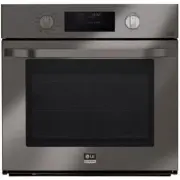


 LG WSEP4723D User Manual
 LG WSEP4723F User Manual
 LG WSEP4727F User Manual
 LG WSES4728F User Manual
 LG LWC3063ST User Manual
 LG LWD3063ST User Manual
 LG LWS3063BD User Manual
 LG LWS3063ST User Manual
 LG WCEP6423D User Manual
 LG WCEP6423F User Manual
 LG WCEP6427F User Manual
 LG WDEP9423D User Manual
 LG WDEP9423F User Manual