Page 2 - TABLE OF CONTENTS
TABLE OF CONTENTS 2 4 IMPORTANT SAFETY INSTRUCTIONS 4 READ ALL INSTRUCTIONS BEFORE USE 4 Safety Messages 4 WARNING 4 Installation5 Operation5 Maintenance6 Risk of Fire and Flammable Materials 6 CAUTION 6 Operation7 Maintenance 8 PRODUCT OVERVIEW 8 Product Features 8 Exterior / Interior8 Accessories ...
Page 4 - IMPORTANT SAFETY INSTRUCTIONS; READ ALL INSTRUCTIONS BEFORE USE; Safety Messages; WARNING; Installation; WARNING
4 IMPORTANT SAFETY INSTRUCTIONS IMPORTANT SAFETY INSTRUCTIONS READ ALL INSTRUCTIONS BEFORE USE Safety Messages Your safety and the safety of others are very important. We have provided many important safety messages in this manual and on your appliance. Always read and follow all safety messages. Al...
Page 5 - Operation
5 IMPORTANT SAFETY INSTRUCTIONS ENGLISH Operation • DO NOT TOUCH HEATING ELEMENTS OR INTERIOR SURFACES OF OVEN. Heating elements may be hot even though they are dark in color. Interior surfaces of an oven become hot enough to cause burns. During and after use, do not touch or let clothing or other f...
Page 6 - Risk of Fire and Flammable Materials; CAUTION
6 IMPORTANT SAFETY INSTRUCTIONS • Before replacing the oven light, switch off the electrical power to the oven at the main fuse or circuit breaker panel. • Never pour cold water over a hot oven for cleaning purposes.• Oversized food or oversized metal utensils should not be inserted in a microwave/t...
Page 7 - SAVE THESE INSTRUCTIONS; Maintenance
7 IMPORTANT SAFETY INSTRUCTIONS ENGLISH SAVE THESE INSTRUCTIONS • Accessible parts may become hot when the grill is in use.• Do not place food or cookware on the bottom of the oven cavity. Doing so will cause permanent damage to the oven bottom finish. • When using cooking or roasting bags in the ov...
Page 8 - PRODUCT OVERVIEW; Product Features; NOTE; Accessories; Accessories for Cooking; Accessories for Installation
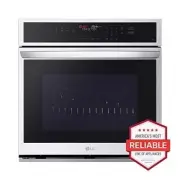
8 PRODUCT OVERVIEW PRODUCT OVERVIEW Product Features The appearance and specifications listed in this manual may vary due to constant product improvements. Exterior / Interior NOTE • The model and serial number can be verified at the rating label. Accessories Accessories for Cooking a Heavy Duty Sta...
Page 10 - OPERATION; Operating Control Panel; Control Panel Features; Energy Saving Tips
10 OPERATION OPERATION Operating Control Panel Control Panel Features a Oven Functions Select various functions of the oven. See Operating the Oven . b Display Oven operation and settings appear in the display c Remote Start • Press to select the Remote Start function. Wi-Fi • Press and hold the but...
Page 11 - Changing Settings; Clock; Auto Conversion, Oven; Setting the Hour Mode
11 OPERATION ENGLISH Changing Settings Clock The clock must be set to the correct time of day in order for the automatic oven timing functions to work properly. 1 Press Clock . 2 Press the numbers to set the time. For example, to set the clock for 10:30, press the numbers: 1 , 0 , 3 and 0 . 3 Press ...
Page 13 - Selecting Fahrenheit or Celsius
13 OPERATION ENGLISH 3 Press START to accept the change. Selecting Fahrenheit or Celsius Set the oven temperature display to show either Fahrenheit ( ℉ ) or Celsius ( ℃ ) units. The oven defaults to Fahrenheit unless changed by the user. 1 Press Settings repeatedly until UNit appears in the display....
Page 14 - Setting a Timed Cook; Sabbath Mode
14 OPERATION Setting a Timed Cook For example, to bake at 300 ℉ for 30 minutes, first set the clock to the correct time of day. 1 Press Bake . 350 ℉ appears in the display. 2 Set the temperature. Press 3 , 0 and 0 . 3 Press Cook Time . Timed flashes in the display. Bake , 0:00 and 300 ℉ appear in th...
Page 15 - Minimum & Maximum Default Settings; Operating the Oven; Before Using the Oven; Oven Vent
15 OPERATION ENGLISH • Always close the oven door before engaging Sabbath Mode. Minimum & Maximum Default Settings All of the features listed have a minimum and a maximum time or temperature setting that may be entered into the control. An entry acceptance beep sounds each time a control button ...
Page 16 - Using Standard Oven Racks; Using Gliding Oven Racks; Installing Gliding Racks; Convection Bake and Roast Mode
16 OPERATION WARNING • Do not block the vent opening at the bottom of the oven. Using Standard Oven Racks The racks have a turned-up back edge that prevents them from being pulled out of the oven cavity. CAUTION • Replace oven racks before turning the oven on to prevent burns. • Do not cover the rac...
Page 17 - Using Convection; Changing the Cook Settings; To Stop Cooking; Tips for Convection Baking
17 OPERATION ENGLISH The oven can be programmed to bake at any temperature from 170 ℉ (80 ℃ ) to 550 ℉ (285 ℃ ). The default temperature is 350 ℉ (175 ℃ ). Using Convection 1 Press Conv.Bake or Conv.Roast . 2 Press the numbers to enter the desired temperature. 3 If desired, press Cook Time to set th...
Page 18 - Bake Mode; Setting the Bake Function; Baking Tips
18 OPERATION 2 Place the grid a in the broiler pan b . 3 Place the broiler pan on the oven rack. NOTE • * : Sold separately CAUTION • Do not use a broiler pan without a grid.• Do not cover the grid with aluminum foil.• Position food (fat side up) on the grid. Bake Mode Bake is used to prepare foods ...
Page 19 - Recommended Baking Guide; Rack and Pan Placement; Multiple Rack; Baking Rack Guide; Broil Mode; Setting the Oven to Broil
19 OPERATION ENGLISH baking a fruit pie or other foods with a high acid content. Hot fruit fillings or other foods that are highly acidic may cause pitting and damage to the porcelain-enamel surface and should be wiped up immediately. Recommended Baking Guide Rack and Pan Placement Baking results wi...
Page 20 - Changing the Broil Settings
20 OPERATION CAUTION • When using your broiler, the temperature inside the oven will be extremely high. Take care to avoid possible burns by:- Keeping the door closed when broiling- Always wearing oven mitts when inserting or removing food items NOTE • This appliance is designed for closed-door broi...
Page 21 - Recommended Broiling Guide
21 OPERATION ENGLISH switching to the LO broil setting, or switching to the Bake function. • As a rule, fattier cuts of meat and fish will produce more smoke than leaner items. • Adhere to the guidelines in the Recommended Broiling Guide section whenever possible. Recommended Broiling Guide Recommen...
Page 23 - Tips for Broiling; Beef; Frozen Meal; Setting the Frozen Meal Function; Warm Mode; Setting the Warm Mode
23 OPERATION ENGLISH Tips for Broiling Beef • Steaks and chops should always be allowed to rest for five minutes before being cut into and eaten. This allows the heat to distribute evenly through the food and creates a more tender and juicy result. • Pieces of meat that are thicker than two inches s...
Page 24 - Canceling the Warm Function; Proof Mode; Setting the Proof Mode; Canceling the Proof Function; Favorite Mode; Creating a Favorite
24 OPERATION 3 Press 1 for High, 2 for Medium, or 3 for Low temperature setting.• High: 200 ℉ (93.3 ℃ ) • Medium: 170 ℉ (76.7 ℃ ) • Low: 140 ℉ (60 ℃ ) 4 Press START . If the run time was set, the remaining time appears in the display. Canceling the Warm Function Press CLEAR / OFF . NOTE • The Warm f...
Page 25 - Air Fry; Setting the Air Fry Mode; Tips for Air Fry
25 OPERATION ENGLISH 4 Press the numbers to enter the desired temperature.• Only the selected temperature is stored, not the cooking time. • If the oven temperature is changed, the changed temperature is stored. 5 If desired, press Cook Time to set the cook time. Press the numbers to set the time se...
Page 26 - Recommendations When Air Frying; Recommended Air Frying Guide
26 OPERATION • Spread the food out evenly in a single layer.• Use either the air fry tray or a dark baking tray with no sides or short sides that does not cover the entire rack. This allows for better air circulation. • If desired, spray the baking tray or air fry tray with a pan spray. Use an oil t...
Page 28 - Remote Start Mode; Preparing the Oven for a Remote Start
28 OPERATION Remote Start Mode If the appliance is connected to a home Wi-Fi network, the preheating function of the oven can be started or stopped using the LG ThinQ smartphone app. Preparing the Oven for a Remote Start 1 Open the oven door to make sure the oven is empty and ready for preheating. D...
Page 29 - SMART FUNCTIONS; LG ThinQ Application; LG ThinQ Application Features; Installing LG ThinQ Application and; Models with QR Code
29 SMART FUNCTIONS ENGLISH SMART FUNCTIONS LG ThinQ Application This feature is only available on models with Wi-Fi.The LG ThinQ application allows you to communicate with the appliance using a smartphone. LG ThinQ Application Features • Product Upgrades - On models with the LG UP Home Appliance fea...
Page 30 - RF Module Specifications; FCC RF Radiation Exposure Statement; Open Source Software Notice
30 SMART FUNCTIONS NOTE • If the appliance cannot be connected due to problems with the wireless signal transmission, unplug the appliance and wait about a minute before trying again. • If the firewall on your wireless router is enabled, disable the firewall or add an exception to it. • The wireless...
Page 31 - Smart Diagnosis; Using LG ThinQ to Diagnose Issues
31 SMART FUNCTIONS ENGLISH Smart Diagnosis TM Feature Use this feature to help you diagnose and solve problems with your appliance. NOTE • For reasons not attributable to LGE’s negligence, the service may not operate due to external factors such as, but not limited to, Wi-Fi unavailability, Wi-Fi di...
Page 32 - MAINTENANCE; Cleaning; Interior; Exterior; Painted and Decorative Trim; Oven Cavity
32 MAINTENANCE MAINTENANCE Cleaning Interior Do not use oven cleaners to clean the oven cavity. Use the product's EasyClean function regularly to clean light soil. For stubborn soil, use the Self Clean function (on some models) or clean manually using the following tips.• A plastic spatula can be us...
Page 33 - Broiler Pan and Grid; Benefits of EasyClean
33 MAINTENANCE ENGLISH essential for a good seal. Care should be taken not to rub, damage, or remove this gasket. a Don’t hand clean oven door gasket b Do hand clean door Broiler Pan and Grid • Do not store a soiled broiler pan or grid anywhere in the appliance. • Do not clean the broiler pan or gri...
Page 34 - When to Use EasyClean
34 MAINTENANCE When to Use EasyClean • Example of oven soiling Case 1 - Soil pattern: Small drops or spots- Types of soils: Cheese or other ingredients- Common food items that can soil your oven: Pizza Case 2 - Soil pattern: Light splatter- Types of soils: Fat/grease- Common food items that can soil...
Page 35 - Self Clean; Before Starting Self Clean
35 MAINTENANCE ENGLISH • During the EasyClean cycle, the oven becomes hot enough to cause burns. Wait until the cycle is over before wiping the inside surface of the oven. Failure to do so may result in burns. • Avoid leaning or resting on the oven door glass while cleaning the oven cavity. 7 A tone...
Page 37 - When to Use Self Clean; Setting Self Clean; Self Clean Soil Guide; During Self Clean
37 MAINTENANCE ENGLISH When to Use Self Clean • Example of oven soiling Case 1 • Soil pattern: Medium to heavy splatter• Types of soils: Fat/grease• Common food items that can soil your oven: Meat roasted at high temperatures Case 2 • Soil pattern: Drops or spots• Types of soils: Filling or sugar ba...
Page 38 - Periodic Maintenance; Changing the Oven Light
38 MAINTENANCE after the oven cools. If the oven is not clean after one self-clean cycle, repeat the cycle. • If oven racks were left in the oven and do not slide smoothly after a self-clean cycle, wipe racks and rack supports with a small amount of vegetable oil to make them glide more easily. • Fi...
Page 39 - TROUBLESHOOTING; FAQs; Frequently Asked Questions
39 TROUBLESHOOTING ENGLISH TROUBLESHOOTING FAQs Frequently Asked Questions CAUTION • Foil may be used to wrap food in the oven, but do not allow the foil to come into contact with the exposed heating/broiling elements in the oven. The foil could melt or ignite, causing smoke, fire, or injury. Q: My ...
Page 41 - Before Calling for Service; Cooking
41 TROUBLESHOOTING ENGLISH Before Calling for Service Review this section before calling for service; doing so will save you both time and money. Cooking Problem Possible Cause & Solution Oven will not work Plug on appliance is not completely inserted in the electrical outlet. • Make sure electr...
Page 43 - Noises
43 TROUBLESHOOTING ENGLISH Noises Loc is on in the display when you want to cook. The oven is locked because of the Control Lock feature. • Deactivate the Control Lock feature. Oven light does not work. It is time to replace the lamp or the lamp is loose. • Replace or tighten lamp. See Changing the ...
Page 45 - LIMITED WARRANTY; USA; TERMS AND CONDITIONS; THIS LIMITED WARRANTY DOES NOT COVER
45 LIMITED WARRANTY ENGLISH LIMITED WARRANTY USA TERMS AND CONDITIONS ARBITRATION NOTICE: THIS LIMITED WARRANTY CONTAINS AN ARBITRATION PROVISION THAT REQUIRES YOU AND LG ELECTRONICS (“LG”) TO RESOLVE DISPUTES BY BINDING ARBITRATION INSTEAD OF IN COURT, UNLESS YOU CHOOSE TO OPT OUT. IN ARBITRATION, ...
Page 46 - PROCEDURE FOR RESOLVING DISPUTES
46 LIMITED WARRANTY • Damage or failure of the Product caused by accidents, pests and vermin, lightning, wind, fire, floods, acts of nature, or any other causes beyond the control of LG. • Damage or failure of the Product caused by unauthorized modification or alteration, or if the Product is used f...
Page 52 - For inquiries or comments,
LG Customer Information Center Register your product Online! www.lg.com For inquiries or comments, visit www.lg.com or call: 1-800-243-0000 U.S.A. 1-888-542-2623 CANADA