Page 2 - TABLE OF CONTENTS; IMPORTANT SAFETY; 0 PRODUCT OVERVIEW
TABLE OF CONTENTS 2 4 IMPORTANT SAFETY INSTRUCTIONS 4 READ ALL INSTRUCTIONS BEFORE USE 4 Precautions to Avoid Possible Exposure to Excessive Microwave Energy 4 Safety Messages 4 WARNING 4 Technical Safety6 Installation6 Operation7 Maintenance7 Risk of Fire and Flammable Materials8 Microwave Oven8 Ra...
Page 3 - 6 SMART FUNCTIONS; 9 MAINTENANCE; 8 TROUBLESHOOTING; 7 LIMITED WARRANTY
3 44 Probe Mode45 Recommended Probe Guide47 Favorite Mode48 Auto Cook Mode49 Auto Cook Guide52 Steam Function53 Steam Bake Mode54 Sous Vide54 Sous Vide Cooking Guide55 Remote Start Mode 56 SMART FUNCTIONS 56 LG ThinQ Application 56 LG ThinQ Application Features56 Before Using LG ThinQ Application57 ...
Page 4 - IMPORTANT SAFETY INSTRUCTIONS; READ ALL INSTRUCTIONS BEFORE USE; Safety Messages; WARNING; Technical Safety; WARNING
4 IMPORTANT SAFETY INSTRUCTIONS IMPORTANT SAFETY INSTRUCTIONS READ ALL INSTRUCTIONS BEFORE USE Precautions to Avoid Possible Exposure to Excessive Microwave Energy (a) Do not attempt to operate this oven with the door open since open-door operation can result in harmful exposure to microwave energy....
Page 6 - Installation
6 IMPORTANT SAFETY INSTRUCTIONS Installation • Never allow anyone to climb, sit, stand or hang on the oven door. Injury might result from contact with hot food or the oven itself. • Do not line the oven walls, racks, bottom, or any other part of the oven with aluminum foil or any other material. Doi...
Page 7 - Maintenance; Risk of Fire and Flammable Materials
7 IMPORTANT SAFETY INSTRUCTIONS ENG LI SH • Do not put large, heavy items such as whole turkeys on the open oven door.• Take care when the door is open to avoid injury.• If the door or door seals are damaged, the oven must not be operated until it has been repaired by a competent person. • Do not al...
Page 8 - Microwave Oven
8 IMPORTANT SAFETY INSTRUCTIONS Microwave Oven • The oven must be installed following the provided installation instructions.• Secure the cord in the cabinet above the oven.• Preserve the oven floor: - Do not heat the oven floor excessively.- Do not cook anything directly on the oven floor or turnta...
Page 9 - SAVE THESE INSTRUCTIONS; CAUTION; Operation
9 IMPORTANT SAFETY INSTRUCTIONS ENG LI SH SAVE THESE INSTRUCTIONS CAUTION CAUTION • To reduce the risk of minor injury to persons, malfunction, or damage to the product or property when using this product, follow basic precautions, including the following: Operation • Always heat fat slowly, and wat...
Page 10 - PRODUCT OVERVIEW; Product Features; NOTE; Accessories; Accessories for Upper Oven
10 PRODUCT OVERVIEW PRODUCT OVERVIEW Product Features The appearance and specifications listed in this manual may vary due to constant product improvements. Exterior / Interior NOTE • The model and serial number can be verified at the rating label. Accessories Accessories for Upper Oven The turntabl...
Page 11 - Accessories for Lower Oven; Accessories for Cooking
11 PRODUCT OVERVIEW ENG LI SH a Rack (For the Convection Bake, Broil and Speed Cook functions) b Metal tray (For the Convection Bake, Broil and Speed Cook functions) c Glass tray (For the Microwave and Defrost functions) d Shaft e Rotating ring Accessories for Lower Oven Accessories for Cooking a Gr...
Page 12 - OPERATION; Operating Control Panel; Control Panel Features; Display Icons
12 OPERATION OPERATION Operating Control Panel Control Panel Features a LCD Display On/Off b LCD Touchscreen for Oven Display Icons Icons appear in display when activated. a Lamp Icon (Upper Oven) Touch to turn light on/off b Timer Icon (Upper Oven) Touch to set a timer c Microwave Quick Start Touch...
Page 13 - Energy Saving Tips; Changing Settings; Getting Started
13 OPERATION ENG LI SH Energy Saving Tips • Multiple-rack cooking saves time and energy. Whenever possible, cook foods requiring the same cooking temperature together in one oven. • For optimal performance and energy savings, follow the guides for proper rack and pan placement. • Reduce energy use b...
Page 14 - Lockout
14 OPERATION Location of Settings • Page 1: Microwave Quick Start, Lockout, Date & Time, Clock Themes, Sabbath Mode, Wi-Fi Setup • Page 2: Remote Start, Brightness, Display, Convection Auto Conversion, Language Selection, Volume • Page 3: Preheat Alarm Light, Temperature Adjustment, Temperature ...
Page 15 - Sabbath Mode; Setting Sabbath Mode; Remote Start; Setting Remote Start; Brightness; Setting Display Brightness
15 OPERATION ENG LI SH Sabbath Mode Sabbath mode is used on the Jewish Sabbath and Holidays.While the oven is in Sabbath mode, the temperature cannot be changed and the timer, light, and alarm functions are disabled. Only the cooking mode and set temperature appear in the display. NOTE • If the oven...
Page 16 - Display; Setting Display Option; Convection Auto Conversion; Turning Convection Auto Conversion; Language Selection; Selecting a Language; Volume; Setting the Volume; Preheat Alarm Light
16 OPERATION 2 Adjust the display brightness by touching and dragging the dot across the bar, by tapping anywhere on the bar, or by touching ~ or ! . 3 Touch OK. Display Set the length of time before the display sleeps.There are three options you can select.• ON : Always on • OFF : Automatically tur...
Page 17 - Setting the Preheat Alarm; Temperature Adjustment; Adjusting the Thermostat; Temperature Units; Setting Temperature Units; Smart DiagnosisTM; Program Update
17 OPERATION ENG LI SH Setting the Preheat Alarm 1 Touch Settings at the center bottom of the Main screen, swipe to the third Settings screen, and touch Preheat Alarm Light. 2 Select ON or OFF. 3 Touch OK. Temperature Adjustment Your new oven may cook differently than the one it replaced. Use your n...
Page 18 - Factory Data Reset; Open Source License; Setting the Timer; DEMO; AM
18 OPERATION 1 Touch Settings at the center bottom of the Main screen, swipe to the third Settings screen, and touch Demo Mode. 2 Select either the ON or OFF mode. 3 Touch OK. NOTE • When Demo Mode is on, the appliance will not heat up. • The oven Demo Mode icon appears in the display if the Demo Mo...
Page 19 - Adjusting or Cancelling the Timer
19 OPERATION ENG LI SH Adjusting or Cancelling the Timer 1 Touch the remaining time next to the clock icon in the display. 2 To cancel the timer, touch the Reset icon in the popup. Then touch OK. 3 To adjust the time, scroll the numbers in the popup until the desired time appears. Then touch OK. 4 T...
Page 20 - Operating the Upper; Before Using; Microwave Cookware Guide; Microwave-Safe Cookware
20 OPERATION Operating the Upper Microwave Oven Before Using WARNING • To avoid risk of personal injury or property damage, do not use stoneware, metal cookware, or metal rimmed cookware in the oven. • Do not use your microwave oven to cook eggs in the shell. Pressure can build up inside the shell, ...
Page 21 - Microwave-Unsafe Cookware; Cooking Tips
21 OPERATION ENG LI SH • Tableware - Do not put plates with painted decoration in the oven, as the paint may contain metal and cause arcing. Microwave-Unsafe Cookware • Metal Containers/Metal Decoration - Never use metal or metal-rimmed cookware in the microwave oven. - Microwaves cannot penetrate m...
Page 22 - Microwave Power Levels
22 OPERATION • Foods with Skin, Shell or Membrane - Skin or Membrane : Pierce the outsides of foods like potatoes, sausages, or egg whites or yolks before cooking. - Shell : Pierce or remove the shells from eggs, clams, oysters, or other shelled foods before cooking. • Testing if Cooked - Microwaves...
Page 23 - Microwave Mode
23 OPERATION ENG LI SH Microwave Mode Cooking at High Power Level 1 Touch Microwave in the cooking mode screen. 2 Touch numbers to set the cook time. 3 Touch Start to start cooking. • When the cook time is over a melody sounds. Cooking at Lower Power Levels High power cooking does not always give th...
Page 24 - Broil Mode; Setting the Broil Function; Popcorn Mode; Setting the Popcorn Function
24 OPERATION NOTE • When the oven reaches the set preheat temperature, a melody will sound. The oven automatically holds that temperature for 30 minutes. • The oven temperature drops very quickly when the door is opened; however, this should not prevent food from being fully cooked during normal coo...
Page 25 - Defrost Mode; Setting the Defrost Function; Weight Conversion Table
25 OPERATION ENG LI SH NOTE • When popping prepackaged popcorn, place the bag carefully in the oven so it does not touch the walls as it rotates. Fold the ends of the bag up and toward the center of the bag. • If popcorn bag size is not known, follow manufacturer’s instructions and do not use this f...
Page 26 - Speed Cook Mode; Setting the Speed Convection Function; Sensor Cook Mode; About Features
26 OPERATION Poultry (0.1 - 6.0 lbs) • Poultry: Whole, cut-up, breast (boneless)• Cornish Hens: Whole• Turkey: Breast• Rinse chicken with tap water and let stand for 60 minutes after defrosting for better results. • Turn food over at beep.• Standing time: 60 minutes Fish (0.1 - 4.0 lbs) • Fish: Fill...
Page 27 - Setting the Sensor Cook Function
27 OPERATION ENG LI SH The display shows the remaining heating time. For best results when sensor cooking, follow these recommendations.• Food cooked with the sensor system should be at normal storage temperature. • The glass tray and the outside of the container should be dry to assure best cooking...
Page 28 - Microwave Quick Start Mode; Setting the Auto Cook Mode
28 OPERATION - Instructions: Use microwave safe bowl. Cover container with vented plastic wrap. After cooking, let stand for 3 minutes. • 8. Soup (1-4 cups † ) - Cookware: Microwave-safe bowl on the glass tray - Food temperature: Room- Instructions: Use microwave safe bowl. Cover container with vent...
Page 30 - Soften Mode; Setting the Soften Mode
30 OPERATION with vented plastic wrap. After cooking, let stand for 3 minutes. • 22. Ribeye steak, 1 ″ thick (14-15 oz) (1, 2 steaks)- Cookware : Metal tray - Food temperature : Refrigerated - Instructions : Brush with oil and season with salt and pepper. Turn food over at the beep. • 23. Rice (1/2,...
Page 31 - Melt Mode; Setting the Melt Mode; Warm Mode; Setting the Warm Mode
31 OPERATION ENG LI SH - Food temperature : Refrigerated - Instructions : Frosting will be at room temperature and ready for use in a recipe. • 4. Ice cream (1 pint, 1 quart) - Cookware : Glass tray - Food temperature : Frozen - Instructions : Remove lid and cover. Ice cream will be soft enough to m...
Page 32 - Proof Mode; Setting the Proof Mode; To Stop Cooking
32 OPERATION NOTE • It is normal for the fan to operate during this function. Proof Mode This function maintains a warm oven for rising yeast-leavened products before baking. Setting the Proof Mode 1 Touch Proof in the cooking mode screen. 2 Touch Start to start proofing. To Stop Cooking Touch Stop ...
Page 33 - Operating the Lower Oven; Before Using the Oven; Oven Vent; Using Standard Oven Racks; Installing Gliding Racks
33 OPERATION ENG LI SH Operating the Lower Oven Before Using the Oven NOTE • Because the oven temperature cycles, an oven thermometer placed in the oven cavity may not show the same temperature that is set on the oven. • It is normal for the convection fan to run while preheating during a regular ba...
Page 34 - Removing Gliding Racks; Instaview; Convection Bake and Roast Mode; Using Convection
34 OPERATION Removing Gliding Racks 1 With the rack in the closed position, grasp the front of the rack and frame and lift up. Slowly push the rack towards the back wall until it is free of the rack stop. 2 After disengaging the rack stop, lift the back of the rack and pull the rack and frame out be...
Page 35 - Changing the Cook Settings; Tips for Convection Baking; Bake Mode
35 OPERATION ENG LI SH 5 If the cook time is set, the remaining time appears in the display. If a delayed start time is set, the start time appears in the display. 6 A chime sounds once preheating is complete. 7 A chime sounds at the end of the set cook time and a notification appears in the display...
Page 36 - Setting the Bake Function; Baking Tips; Recommended Baking Guide; Rack and Pan Placement
36 OPERATION Setting the Bake Function 1 Touch Bake in the cooking mode screen. 2 Set the oven temperature. Scroll through the numbers on the display or touch the number pad icon to enter the numbers directly. 3 If desired, set the cook time and delayed start time using the same method. Touch the ar...
Page 37 - Multiple Rack; Baking Rack Guide; Setting the Oven to Broil
37 OPERATION ENG LI SH Multiple Rack Standard Rack (Position B ) Standard Rack (Position D ) Single Rack Baking Rack Guide NOTE • When baking cakes and cookies on multiple racks, use the Convection Bake mode and place racks in positions B and D . Broil Mode Setting the Oven to Broil Broiling uses an...
Page 38 - Changing the Broil Settings; Recommended Broiling Guide
38 OPERATION 6 Let the oven preheat for approximately 5 minutes before cooking the food. 7 If the cook time is set, the remaining time appears in the display. If a delayed start time is set, the start time appears in the display. 8 Touch Stop to cancel at any time or when cooking is complete. NOTE •...
Page 40 - Tips for Broiling; Beef; Seafood
40 OPERATION • This guide is only for reference. Adjust cook time according to your preference. NOTE • The USDA advises that consuming raw or undercooked fish, meat, or poultry can increase your risk of food-borne illness. • The USDA has indicated the following as safe minimum internal temperatures ...
Page 41 - Canceling the Proof Function; Air Fry
41 OPERATION ENG LI SH Setting the Warm Mode 1 Touch Warm in the cooking mode screen. 2 Scroll to set the desired temperature: Low, Medium, or High. If desired, scroll to set a run time.• High: 200 ℉ (93.3 ℃ ) • Medium: 170 ℉ (76.7 ℃ ) • Low: 140 ℉ (60 ℃ ) 3 If desired, set the warming time and dela...
Page 42 - Setting the Air Fry Mode; Tips for Air Fry
42 OPERATION The Air Fry function is specially designed for oil- free frying. Setting the Air Fry Mode 1 Touch Air Fry in the cooking mode screen. 2 Set the oven temperature. Scroll through the numbers on the display or touch the number pad icon to enter the numbers directly. 3 If desired, set the c...
Page 43 - Recommendations When Air Frying; Recommended Air Frying Guide
43 OPERATION ENG LI SH Recommendations When Air Frying High-Fat Foods Foods high in fat will smoke when using the Air Fry mode. For best results, follow these recommendations when air frying foods that are high in fat, such as chicken wings, bacon, sausage, hot dogs, turkey legs, lamb chops, ribs, p...
Page 44 - Probe Mode
44 OPERATION Probe Mode The probe accurately measures the internal temperature of meat, poultry and casseroles. Always unplug and remove the probe from the oven before removing food. Before using, insert the probe into the center of the thickest part of meat or into the inner thigh or breast of poul...
Page 45 - Using the Meat Probe Feature; Changing the Probe Temperature; Recommended Probe Guide; Recommended Probe Placement Chart
45 OPERATION ENG LI SH • For thin cuts of meat, insert probe in thickest side of meat. Using the Meat Probe Feature CAUTION • Always use an oven mitt to remove the temperature probe. Do NOT touch the broil element. Failure to follow this warning can result in severe personal injury. • To avoid damag...
Page 46 - Recommended Probe Temperature Chart
46 OPERATION Recommended Probe Temperature Chart Fresh Beef, Veal, Lamb Steaks, Roasts, Chops Insert in the thickest part, away from bone, fat and gristle Poultry Whole Chicken or Turkey Insert in the thickest part of thigh, avoiding bone Poultry Breasts or Roasts Duck, Goose, Pheasant Stuffing (Alo...
Page 47 - Favorite Mode; Creating a Favorite; Editing a Favorite
47 OPERATION ENG LI SH Favorite Mode For frequently used cooking menus, you can combine up to three different temperatures and cooking modes into one hot key. Creating a Favorite • When combining two or more cooking modes, a cooking time or probe temperature must be set before selecting an additiona...
Page 48 - Auto Cook Mode; Setting Auto Cook Mode
48 OPERATION 2 Select the recipe and touch the trash can icon at the bottom left of the screen. 3 Touch Yes . Auto Cook Mode The Auto Cook function provides guidance for cooking foods or dishes that may be unfamiliar. It contains preset programs for cooking many popular food items, with information ...
Page 49 - Auto Cook Guide
49 OPERATION ENG LI SH Auto Cook Guide • Preheat oven first for most items.• Preheat for 5 minutes when broiling.• If using probe, insert after preheating. NOTE • When cooking thin cuts of meat, insert the probe into the thickest part of the meat. If the probe is inserted incorrectly, the oven could...
Page 52 - Steam Function; Using the Steam Feeder Tank
52 OPERATION CAUTION • Take care when opening the oven door during or after steam cooking. Hot steam can cause scalding.• After any steam cooking cycle, the drying function will run automatically. It is normal to hear the steam pump running during the drying function. Steam Function Steam cooking us...
Page 53 - Steam Bake Mode; Setting Steam Bake Mode; Changing the Steam Cook Settings
53 OPERATION ENG LI SH 5 Assemble the cover or snap closed the fill lid. a Tank cover b Fill lid CAUTION • Make sure the tank cover and fill lid are closed before putting the tank in the oven. • Use potable water only.• Do not fill the steam feeder tank with any fluid or mixture other than water. • ...
Page 54 - To Stop Steam Cooking; Sous Vide; Benefits of Sous Vide; Sous Vide Cooking Guide
54 OPERATION 2 Adjust the settings as desired. 3 Touch Start . To Stop Steam Cooking Touch Stop in the display, and select Yes. Sous Vide Sous vide cooking uses steam to cook foods "low and slow." Use it to cook meat, fish, seafood, poultry or vegetables. Food must be vacuum packed in pouche...
Page 55 - Remote Start Mode; Preparing the Oven for a Remote Start
55 OPERATION ENG LI SH • Cook 30 mins. or 1 hour more if you use meats thicker than 1".• If you use larger cuts of meat, cut to match the recommended weight. Be careful not to put pieces of meat too close together. Remote Start Mode If the appliance is registered on a home Wi-Fi network, the pre...
Page 56 - SMART FUNCTIONS; LG ThinQ Application; LG ThinQ Application Features; Before Using LG ThinQ Application
56 SMART FUNCTIONS SMART FUNCTIONS LG ThinQ Application This feature is only available on models with Wi-Fi.The LG ThinQ application allows you to communicate with the appliance using a smartphone. LG ThinQ Application Features • EasyClean - Allows you to set EasyClean alerts, read the instruction g...
Page 57 - Installing the LG ThinQ Application; FCC RF Radiation Exposure Statement
57 SMART FUNCTIONS ENG LI SH unplug the appliance and wait about a minute before trying again. • If the firewall on your wireless router is enabled, disable the firewall or add an exception to it. • The wireless network name (SSID) should be a combination of English letters and numbers. (Do not use ...
Page 58 - Open Source Software Notice; Smart Diagnosis; Using LG ThinQ to Diagnose Issues
58 SMART FUNCTIONS Open Source Software Notice Information To obtain the source code under GPL, LGPL, MPL, and other open source licenses that have the obligations to disclose source code, that is contained in this product, and to access all referred license terms, copyright notices and other releva...
Page 59 - MAINTENANCE; Cleaning; General Cleaning Tips
59 MAINTENANCE ENG LI SH MAINTENANCE Cleaning General Cleaning Tips • A plastic spatula can be used as a scraper to scrape off any chunks or debris before and during oven cleaning. • Using the rough side of a non-scratch scouring pad may help to take off burnt-on stains better than a soft sponge or ...
Page 60 - Broiler Pan and Grid; Oven Cavity; EasyClean
60 MAINTENANCE • Do not use oven cleaners, cleaning powders, or harsh abrasive cleaning materials on the outside of the oven door. • Do not clean the oven door gasket. The oven door gasket is made of a woven material that is essential for a good seal. Care should be taken not to rub, damage, or remo...
Page 61 - Benefits of EasyClean
61 MAINTENANCE ENG LI SH While EasyClean is quick and effective for small and LIGHT soils, the Self Clean feature can be used to remove HEAVY, built up soils. The intensity and high heat of the Self Clean cycle may result in smoke which will require the opening up of windows to provide ventilation. ...
Page 63 - Before Starting Self Clean
63 MAINTENANCE ENG LI SH smoking or an odor. This is normal, especially if the oven is heavily soiled. During Self Clean , the kitchen should be well ventilated to minimize the odors from cleaning. Before Starting Self Clean • Clean only parts listed in manual. Remove the water tank, oven racks, bro...
Page 64 - When to Use Self Clean; Setting Self Clean; Self Clean Soil Guide
64 MAINTENANCE NOTE • If oven racks were left in the oven and do not slide smoothly after a Self Clean cycle, wipe racks and rack supports with a small amount of vegetable oil to make them glide more easily. • After a Self Clean cycle, fine lines may appear in the porcelain because it went through h...
Page 65 - During Self Clean; Cleaning the Steam Feeder Tank; Cleaning Scale on Lower Oven; Descaling; Setting Descaling
65 MAINTENANCE ENG LI SH • It may become necessary to cancel or interrupt a Self Clean cycle due to excessive smoke or fire in the oven. To cancel the Self Clean function, touch Stop in the display. During Self Clean • The Self Clean cycle uses extremely hot temperatures to clean the oven cavity. Wh...
Page 66 - Drying the Lower Oven Interior; Setting Drying; Using Evaporation Function (Lower; Setting Evaporation; Periodic Maintenance; Changing the Oven Light
66 MAINTENANCE 4 After 1 hour 43 minutes of descaling, a popup will appear in the display. Following the instructions, drain the tank and fill it with clean water. 5 Insert the tank and start the Rinsing function. 6 Once the Rinsing function is complete, dry the inside of the oven with a soft cloth....
Page 68 - TROUBLESHOOTING; FAQs; Frequently Asked Questions; About the Upper Oven
68 TROUBLESHOOTING TROUBLESHOOTING FAQs Frequently Asked Questions About the Upper Oven Q: Can I use a rack in my upper oven to reheat or cook on two levels at once? A: Only use the rack that is supplied with your upper oven. Use of any other rack can result in poor cooking performance and/or arcing...
Page 69 - About the Lower Oven
69 TROUBLESHOOTING ENG LI SH About the Lower Oven A: The correct side of the tray should be facing up and the tray should sit firmly on the center hub. The support is not operating correctly. Reinstall the glass tray and restart the oven. Cooking without the glass tray can give you poor results. Q: ...
Page 72 - Before Calling for Service; Cooking
72 TROUBLESHOOTING Before Calling for Service Review this section before calling for service; doing so will save you both time and money. Cooking Problem Possible Cause & Solution Arcing or Sparking Cookware is not microwave safe. • When in doubt, test cookware before use. Do not operate oven wh...
Page 75 - Noises
75 TROUBLESHOOTING ENG LI SH Noises Oven will not Self Clean. The oven temperature is too high to set a Self Clean operation. • Allow the appliance to cool and reset the controls. Oven controls improperly set. • See the Self Clean section. A Self Clean cycle cannot be started if oven door is open. •...
Page 77 - LIMITED WARRANTY; USA; TERMS AND CONDITIONS; THIS LIMITED WARRANTY DOES NOT COVER
77 LIMITED WARRANTY ENG LI SH LIMITED WARRANTY USA TERMS AND CONDITIONS ARBITRATION NOTICE: THIS LIMITED WARRANTY CONTAINS AN ARBITRATION PROVISION THAT REQUIRES YOU AND LG ELECTRONICS (“LG”) TO RESOLVE DISPUTES BY BINDING ARBITRATION INSTEAD OF IN COURT, UNLESS YOU CHOOSE TO OPT OUT. IN ARBITRATION...
Page 78 - PROCEDURE FOR RESOLVING DISPUTES
78 LIMITED WARRANTY • Damage or failure of the Product caused by unauthorized modification or alteration, or if the Product is used for other than the intended purpose. • Damage or failure of the Product caused by incorrect electrical current, voltage, or ventilation codes.• Damage or failure of the...
Page 81 - MANUAL DEL PROPIETARIO; HORNO DE PARED; Lea el manual del propietario detenidamente previo a operar el; ESPAÑOL
MANUAL DEL PROPIETARIO HORNO DE PARED COMBINADO Lea el manual del propietario detenidamente previo a operar el electrodoméstico y mantengalo al alcance para futuras referencias. ESPAÑOL WCES6428F www.lg.com Copyright © 2021 LG Electronics Inc. Todos los derechos reservados ls_main.book.book Page 1 F...
Page 82 - ÍNDICE; INSTRUCCIONES IMPORTANTES
ÍNDICE 2 4 INSTRUCCIONES IMPORTANTES DE SEGURIDAD 4 LEA TODAS LAS INSTRUCCIONES ANTES DE UTILIZAR 4 Precauciones para evitar una posible exposición a niveles excesivos de energía de microondas 4 Mensajes de Seguridad 4 ADVERTENCIA 4 Seguridad técnica6 Instalación6 Funcionamiento7 Mantenimiento8 Ries...
Page 83 - 4 FUNCIONES INTELIGENTES; 7 MANTENIMIENTO; 6 SOLUCIÓN DE PROBLEMAS; 5 GARANTÍA LIMITADA
3 41 Guía de recomendaciones para asar42 Modo Broil (Asar)43 Guía de recomendaciones para asar46 Modo Warm (Calentar)46 Modo Proof (Leudar)47 Freír con aire49 Guía para freír con aire recomendada51 Modo Probe (Sonda)52 Guía para sonda recomendada53 Modo Favorite (Favorito)54 Modo Auto Cook (Cocción ...
Page 84 - INSTRUCCIONES IMPORTANTES DE SEGURIDAD; LEA TODAS LAS INSTRUCCIONES ANTES DE UTILIZAR; energía de microondas; ADVERTENCIA; Seguridad técnica; ADVERTENCIA
4 INSTRUCCIONES IMPORTANTES DE SEGURIDAD INSTRUCCIONES IMPORTANTES DE SEGURIDAD LEA TODAS LAS INSTRUCCIONES ANTES DE UTILIZAR Precauciones para evitar una posible exposición a niveles excesivos de energía de microondas (a) No trate de operar este horno con la puerta abierta, ya que hacerlo puede cau...
Page 86 - Instalación; Funcionamiento
6 INSTRUCCIONES IMPORTANTES DE SEGURIDAD - No caliente demasiado los líquidos. Revuelva los líquidos antes y en la mitad del proceso de calentarlos. - No use recipientes de lados rectos que tengan cuellos angostos. Tenga sumo cuidado al insertar una cuchara u otro utensilio en el recipiente. - Luego...
Page 87 - Mantenimiento
7 INSTRUCCIONES IMPORTANTES DE SEGURIDAD ESPAÑOL húmedas o mojadas sobre superficies calientes podrían producir quemaduras por vapor. No permita que la agarradera toque los elementos calentadores. No utilice una toalla u otra tela gruesa para retirar alimentos. • No caliente recipientes de alimentos...
Page 88 - Riesgo de incendio y materiales inflamables
8 INSTRUCCIONES IMPORTANTES DE SEGURIDAD • Si el horno está muy sucio con aceite, realice una autolimpieza del horno antes de volver a utilizarlo. El aceite puede provocar un incendio. • En caso de un incendio en el horno durante la autolimpieza, apáguelo y espere a que se apague el fuego. No fuerce...
Page 89 - PRECAUCIÓN
9 INSTRUCCIONES IMPORTANTES DE SEGURIDAD ESPAÑOL interferencia. Esta interferencia no indica que existan defectos en el producto o su funcionamiento. El producto se puede usar sin riesgos. • No use equipos médicos cerca del horno de microondas, ya que la interferencia podría afectar el funcionamient...
Page 90 - GUARDE ESTAS INSTRUCCIONES
10 INSTRUCCIONES IMPORTANTES DE SEGURIDAD GUARDE ESTAS INSTRUCCIONES • No coloque alimentos ni utensilios de cocina en el fondo de la cavidad del horno. Si lo hace, causará daños permanentes al acabado de la base del horno. • Al usar bolsas para hornear o asar en el horno, siga las instrucciones del...
Page 91 - DESCRIPCIÓN GENERAL DEL PRODUCTO; Características del Producto; NOTA; Accesorios; Accesorios del horno superior
11 DESCRIPCIÓN GENERAL DEL PRODUCTO ESPAÑOL DESCRIPCIÓN GENERAL DEL PRODUCTO Características del Producto La apariencia y las especificaciones detalladas en este manual podrían variar debido a mejoras constantes en el producto. Interior/exterior NOTA • El número de serie y el modelo pueden verificar...
Page 92 - Accesorios del horno inferior; Accesorios para cocinar
12 DESCRIPCIÓN GENERAL DEL PRODUCTO mucho más pareja. No haga funcionar el horno de microondas sin la bandeja de vidrio en su lugar. a Estante (para las funciones Convection Bake [Hornear por convección], Broil [Asar] y Speed Cook [Cocción rápida]) b Bandeja de metal (para las funciones Convection B...
Page 94 - FUNCIONAMIENTO; Funcionamiento del panel; Funciones del panel de control; Íconos de pantalla
14 FUNCIONAMIENTO FUNCIONAMIENTO Funcionamiento del panel de control Funciones del panel de control a LCD Display On/Off (Encendido/Apagado de pantalla LCD) b LCD Touchscreen for Oven (Pantalla táctil LCD para el horno) Íconos de pantalla Los íconos aparecen en la pantalla cuando están activos. a La...
Page 95 - Consejos para el ahorro de energía; Cambio de configuraciones; Comenzar
15 FUNCIONAMIENTO ESPAÑOL Consejos para el ahorro de energía • La cocción con varios estantes ahorra tiempo y energía. Siempre que sea posible, cocine los alimentos que requieran la misma temperatura de cocción juntos en un horno. • A fin de ahorrar energía y obtener un rendimiento óptimo, siga las ...
Page 96 - Ubicación de configuración; Configuración del tiempo de cocción; Desbloqueo; Fecha y hora; Fecha de configuración
16 FUNCIONAMIENTO Cambie de pantalla o pulse las teclas de flecha 34 para navegar por las pantallas de Configuración. Ubicación de configuración • Página 1: Inicio rápido del microondas, Bloqueo, Fecha y hora, Temas de reloj, modo Sabbath, Configuración de Wi-Fi • Página 2: Inicio remoto, Brillo, Pa...
Page 97 - Configuración de la hora; Temas de reloj; Configuración del modo Sabbath; Configuración de Wi-Fi
17 FUNCIONAMIENTO ESPAÑOL Configuración de la hora 1 Pulse Configuración en la parte inferior central de la pantalla principal. Luego, pulse Fecha y hora en la pantalla Configuración. 2 Pulse Hora y desplácese para programar las horas y minutos correctos. También puede pulsar el icono de botón numér...
Page 98 - Inicio remoto; Configuración de Inicio remoto; Brillo; Configuración del brillo de la pantalla; Pantalla; Configuración de la opción de pantalla; Conversión automática a; Encendido/apagado de conversión
18 FUNCIONAMIENTO 3 Seleccione ON, OFF o RESET, y pulse OK. 4 Si seleccionó ON, aparecerá el icono de Wi-Fi f en la parte superior de la pantalla. 5 Al seleccionar RESET se inicializa la dirección IP. Inicio remoto Inicia o detiene de manera remota la función de precalentamiento del electrodoméstico...
Page 99 - Selección de idioma; Volumen; Configuración del volumen; Luz de alarma de precalentamiento; Configuración de la alarma de; Ajuste de temperatura; Ajuste del termostato
19 FUNCIONAMIENTO ESPAÑOL 3 Cuando la conversión automática a convección está encendida, aparece el icono correspondiente en la parte superior de la pantalla. NOTA • Si la conversión automática a convección esta encendida, el icono parpadea en la pantalla mientras cocina en un modo a convección. Sel...
Page 100 - Configuración de unidades de
20 FUNCIONAMIENTO 3 Cuando aparezca el cambio deseado sobre la cocina, pulse OK. Unidades de temperatura Configure la pantalla de temperatura del horno en unidades Fahrenheit o Celsius.El horno muestra los valores en Fahrenheit de manera predeterminada, salvo que el usuario lo modifique. Configuraci...
Page 101 - Licencia de código abierto; Configuración del temporizador
21 FUNCIONAMIENTO ESPAÑOL Licencia de código abierto Esta pantalla muestra una lista del software de código abierto que contiene este producto. Consulte las licencias indicadas para ver los términos y condiciones de uso. 1 Pulse Configuración en la parte inferior central de la pantalla principal y c...
Page 102 - Funcionamiento del horno; Antes de usar; Guía de utensilios de cocina del; Utensilios de cocina aptos para
22 FUNCIONAMIENTO Funcionamiento del horno de microondas superior Antes de usar ADVERTENCIA • Para evitar el riesgo de lesiones personales o el daño a la propiedad, no use vajilla de gres ni utensilios de cocina de metal o con bordes de metal en el horno. • No use su horno de microondas para cocinar...
Page 103 - Utensilios de cocina no aptos para; Consejos para cocinar
23 FUNCIONAMIENTO ESPAÑOL usar utensilios que ya tiene en su casa en lugar de invertir en un nuevo equipo de cocina. • Papel - Use toallas de papel, papel encerado, servilletas de papel y platos de papel sin diseño ni bordes de metal. Compruebe que la etiqueta del fabricante indique que el uso sea a...
Page 105 - Niveles de potencia de microondas; Cocción a un nivel de potencia alto
25 FUNCIONAMIENTO ESPAÑOL están sólidos en el centro, vuelva a colocarlos en la parte superior del horno para descongelarlos más. - Según la forma del alimento, algunas áreas pueden descongelarse más rápidamente que otras. - La forma del paquete afecta a la rapidez con la que se descongelan los alim...
Page 106 - Modo Convection Bake (Hornear
26 FUNCIONAMIENTO 2 Configure el tiempo de cocción en la pantalla. 3 Configure el nivel de potencia en la pantalla. 4 Pulse Start (Iniciar) para iniciar la cocción. • Cuando finaliza el tiempo de cocción, suena una melodía. Para detener la cocción Pulse Stop (Detener) en la pantalla y seleccione Yes...
Page 107 - Cómo cambiar la configuración de; Configuración de la función Popcorn
27 FUNCIONAMIENTO ESPAÑOL Cómo cambiar la configuración de asado 1 Pulse Edit (Editar) en la pantalla para que aparezca la pantalla Cook Settings (Configuración de cocción). 2 Ajuste la configuración. 3 Pulse Start (Iniciar). Para detener la cocción Pulse Stop (Detener) en la pantalla y seleccione Y...
Page 108 - Configuración de la función Defrost; Tabla de conversión de pesos
28 FUNCIONAMIENTO NOTA • No use dispositivos para hacer explotar palomitas de maíz en el horno de microondas con esta función. • Vigile siempre el horno de microondas mientras se cocinan las palomitas de maíz. Modo Defrost (Descongelamiento) El horno tiene 4 modos predeterminados de descongelamiento...
Page 109 - Configuración de la función Speed; Modo Sensor Cook (Cocción por
29 FUNCIONAMIENTO ESPAÑOL • Dar vuelta los alimentos cuando suene el pitido.• Tiempo de reposo: 60 minutos Pescado (0.1 - 4.0 lb) • Pescado: filetes, rodajas, enteros• Mariscos: carne de cangrejo, colas de langostas, camarones, vieiras • Dar vuelta los alimentos cuando suene el pitido.• Tiempo de re...
Page 110 - Características
30 FUNCIONAMIENTO Características Esta función se usa para recalentar alimentos favoritos sin seleccionar tiempos de cocción ni niveles de potencia. El horno determina el tiempo de cocción necesario para cada alimento de manera automática. Cuando el sensor interno detecte una cierta cantidad de hume...
Page 111 - Modo de Inicio rápido de; Configuración del modo Auto Cook
31 FUNCIONAMIENTO ESPAÑOL que permita la ventilación. Después de la cocción, deje reposar durante 3 minutos. • 5. Pizza (1-3 porciones) - Utensilio de cocina: bol apto para microondas sobre la bandeja de vidrio - Temperatura del alimento: refrigerado- Instrucciones: esta función es para recalentar r...
Page 114 - Configuración del modo Soften
34 FUNCIONAMIENTO • 28.Vegetales enlatados (4-6, 7-9, 10-12, 13-15, 16-20 oz)- Utensilio de cocina : bol apto para microondas sobre la bandeja de vidrio - Temperatura del alimento : ambiente - Instrucciones : vierta los vegetales de la lata a un bol apto para microondas. Cubra el recipiente con pape...
Page 117 - Antes de usar el horno; Ventilación del horno; Uso de los estantes estándar del; Instalación de los estantes deslizantes
37 FUNCIONAMIENTO ESPAÑOL Funcionamiento del horno inferior Antes de usar el horno NOTA • Como la temperatura del horno es cíclica, es posible que el termómetro que está dentro de la cavidad del horno no indique la misma temperatura configurada. • Es normal que el ventilador de convección funcione d...
Page 118 - Extracción de los estantes deslizantes; InstaView; Modos Convection Bake (Hornear
38 FUNCIONAMIENTO a Guías del estante 3 Una vez que el estante está asegurado en la parte trasera, tire de él hacia afuera hasta que se bloquee en el lugar. Extracción de los estantes deslizantes 1 Con el estante en la posición cerrada, tómelo del frente y del marco y levántelo. Empuje suavemente el...
Page 119 - Utilización de la convección; Cómo cambiar la Configuración de; Consejos para el horneado por convección
39 FUNCIONAMIENTO ESPAÑOL Es posible programar el horno para hornear a cualquier temperatura entre 170 °F (80 °C) y 550 °F (285 °C). La temperatura predeterminada es 350 °F (175 °C). Utilización de la convección 1 Pulse Convection Bake (Horneado por convección) o Convection Roast (Rostizado por conv...
Page 120 - Consejos para asar por convección; Configuración de la función Bake
40 FUNCIONAMIENTO • La cocción con varios estantes puede aumentar ligeramente los tiempos de cocción de algunos alimentos. • Los pasteles, las galletas y los muffins tienen mejores resultados cuando se utilizan varios estantes. La función de rostizado por convección está diseñada para ofrecer result...
Page 121 - Para detener la cocción; Consejos de horneado; Guía de recomendaciones para asar; Colocación de estantes y bandejas; Varios estantes; Guía para horneado en estantes
41 FUNCIONAMIENTO ESPAÑOL 3 Pulse Start (Iniciar). Para detener la cocción Pulse Stop (Detener) en la pantalla y seleccione Yes (Sí). NOTA • Es normal que el ventilador de convección funcione periódicamente durante un ciclo normal de horneado. Esto sucede para asegurar resultados uniformes de hornea...
Page 122 - Configuración del horno para asar
42 FUNCIONAMIENTO NOTA • Cuando hornea pasteles y galletas en varios estantes, utilice el modo Convection Bake (Hornear por convección) y coloque los estantes en las posiciones B y D . Modo Broil (Asar) Configuración del horno para asar La función de asar utiliza un calor intenso y radiante para coc...
Page 125 - Consejos para asar; Carne de res
45 FUNCIONAMIENTO ESPAÑOL • Esta guía es meramente de referencia. Ajuste el tiempo de cocción según su preferencia. NOTA • El Departamento de Agricultura de los Estados Unido (United States Department of Agriculture, USDA) advierte que el consumo de pescado, carne o aves crudos o poco cocidos puede ...
Page 126 - Mariscos; Configuración del modo Warm
46 FUNCIONAMIENTO menos humo al asar. Los tiempos de cocción probablemente serán más cortos que los tiempos indicados en la Tabla para asar. • En el caso de los bistecs con hueso o las chuletas deshuesadas (que se les quitó toda la carne alrededor del hueso), envuelva las secciones expuestas del hue...
Page 127 - Configuración del modo Leudar; Leudar; Freír con aire; Configuración del modo Air fry (Freír
47 FUNCIONAMIENTO ESPAÑOL Configuración del modo Leudar 1 Pulse Proof (Leudar) en la pantalla del modo de cocción. 2 Lea las instrucciones y pulse la tecla de flecha del lado derecho de la pantalla. 3 Deslícese por los números para configurar un tiempo de leudado o pulse el ícono de botón numérico p...
Page 128 - Recomendaciones para freír alimentos
48 FUNCIONAMIENTO Cómo cambiar la Configuración de cocción 1 Pulse Edit (Editar) en la pantalla para que aparezca la pantalla Cook Settings (Configuración de cocción). 2 Ajuste la configuración con el teclado numérico o la función de deslizamiento. 3 Pulse Start (Iniciar). Para detener la cocción Pu...
Page 129 - Guía para freír con aire recomendada
49 FUNCIONAMIENTO ESPAÑOL PRECAUCIÓN • Nunca cubra ranuras, orificios o pasajes en la base del horno ni cubra todos los estantes con materiales como papel de aluminio. Si lo hace, bloqueará el flujo de aire a través del horno y puede provocar una intoxicación por monóxido de carbono. El papel de alu...
Page 131 - Cómo utilizar la función Meat Probe; Cambio de la temperatura de la sonda
51 FUNCIONAMIENTO ESPAÑOL Modo Probe (Sonda) La sonda mide con precisión la temperatura interna de la carne, las aves y los estofados. Desenchufe y extraiga siempre la sonda del horno antes de retirar la comida. Antes de usar, inserte la sonda en el centro de la parte más gruesa de la carne, en el m...
Page 132 - Guía para sonda recomendada; Cuadro de ubicaciones recomendadas de la sonda
52 FUNCIONAMIENTO NOTA • Para evitar que se dañe la sonda, asegúrese de que la comida esté totalmente descongelada antes de insertarla. • Mientras el modo de sonda está en funcionamiento, la función SpeedClean (Limpieza rápida) no responde. Guía para sonda recomendada Cuadro de ubicaciones recomenda...
Page 133 - Cómo crear un favorito
53 FUNCIONAMIENTO ESPAÑOL Modo Favorite (Favorito) Para los menús de cocción utilizados con frecuencia, puede combinar hasta tres temperaturas y modos de cocción diferentes en una tecla de acceso rápido. Cómo crear un favorito • Cuando combina dos o más modos de cocción, debe configurar un tiempo de...
Page 134 - Cómo editar un favorito; Modo Auto Cook (Cocción
54 FUNCIONAMIENTO NOTA • Si aparece el recordatorio de eliminación de sarro, pulse OK para ejecutar la función Descaling (Eliminar sarro). • El leudado no funciona cuando el horno está por encima de los 125 °F (52 °C). • Si utiliza la función Proof (Leudar) después de cocinar, espere a que el horno ...
Page 140 - Cómo usar el tanque del alimentador; Modo Steam Bake (Hornear a; Configuración del modo Steam Bake
60 FUNCIONAMIENTO Cómo usar el tanque del alimentador de vapor El tanque del alimentador de vapor se ubica sobre la cavidad del horno. 1 Empuje suavemente el frente del tanque del alimentador de vapor para deslizarlo hacia afuera. 2 Extraiga el tanque y colóquelo sobre una superficie plana. 3 Retire...
Page 142 - Modo de Inicio remoto; Cómo preparar el horno para un inicio
62 FUNCIONAMIENTO 5 Seleccione la temperatura deseada. 6 Si lo desea, puede desplazarse para ajustar el tiempo de cocción y el tiempo de inicio retrasado. Toque la tecla de flecha en el lado derecho de la pantalla para ver la configuración de la hora de inicio retrasado. 7 Pulse Start (Iniciar). 8 U...
Page 144 - FUNCIONES INTELIGENTES; Aplicación LG ThinQ; Funciones de la aplicación LG ThinQ; Antes de usar la aplicación LG
64 FUNCIONES INTELIGENTES FUNCIONES INTELIGENTES Aplicación LG ThinQ Esta característica solo está disponible en modelos con Wi-Fi.La aplicación LG ThinQ le permite comunicarse con el electrodoméstico usando un teléfono inteligente. Funciones de la aplicación LG ThinQ • EasyClean - Le permite config...
Page 145 - Instalación de la aplicación LG
65 FUNCIONES INTELIGENTES ESPAÑOL • Es posible que el equipo no se conecte a la red Wi-Fi o que se interrumpa la conexión debido al entorno de la red doméstica. • Si el electrodoméstico no puede conectarse debido a problemas con la transmisión de la señal inalámbrica, desconéctelo y espere alrededor...
Page 146 - Declaración sobre exposición a la; Software de código abierto; Función Smart Diagnosis; Uso de LG ThinQ para diagnosticar
66 FUNCIONES INTELIGENTES Declaración sobre exposición a la radiación de RF de la FCC Este equipo cumple con los límites de exposición a la radiación de la FCC establecidos para entornos no controlados. Este transmisor no se debe ubicar ni operar junto con ninguna otra antena ni transmisor.El equipo...
Page 147 - MANTENIMIENTO; Limpieza; Consejos Generales de Limpieza; Limpieza del interior del horno; Exterior; Panel de control
67 MANTENIMIENTO ESPAÑOL MANTENIMIENTO Limpieza Consejos Generales de Limpieza • Se puede usar una espátula plástica como raspador para quitar los restos o residuos antes de la limpieza del horno o durante el proceso. • Puede resultar de ayuda usar el lado áspero de una esponja que no raye para quit...
Page 148 - Puerta del horno; Asadera y rejilla; Cavidad del horno
68 MANTENIMIENTO Puerta del horno PRECAUCIÓN • No use limpiadores ásperos ni materiales abrasivos de limpieza en el exterior de la puerta del horno. Si lo hace, podría causar daños. • Use agua jabonosa para limpiar bien la puerta del horno. Enjuague bien. No sumerja la puerta en agua. • Puede usar u...
Page 149 - Beneficios de EasyClean
69 MANTENIMIENTO ESPAÑOL a Bandeja de vidrio b Anillo giratorio c Eje NOTA • La bandeja de vidrio y el anillo giratorio son aptos para lavavajillas. EasyClean La tecnología esmaltada de LG EasyClean ofrece dos opciones de limpieza para el interior del horno inferior. La función EasyClean se benefici...
Page 151 - Antes de comenzar Self Clean
71 MANTENIMIENTO ESPAÑOL limpia y seca. Vuelva a colocar los estantes y demás accesorios. 12 Si queda alguna suciedad leve, repita los pasos anteriores y asegúrese de empapar bien las áreas sucias.• Si queda suciedad rebelde después de varios ciclos EasyClean , ejecute el ciclo Self Clean . Asegúres...
Page 152 - Cuándo usar Self Clean
72 MANTENIMIENTO PRECAUCIÓN • No deje a niños pequeños sin supervisión cerca del electrodoméstico. Durante el ciclo Self Clean , el exterior del horno puede estar muy caliente al tacto. • Si tiene aves domésticas, llévelas a otra sala bien ventilada. La salud de algunas aves es muy sensible a los va...
Page 153 - Ajuste de Self Clean; Guía de suciedad para Self Clean; Durante la autolimpieza
73 MANTENIMIENTO ESPAÑOL Caso 3 • Forma de la suciedad: gotas o manchas• Tipos de suciedad: crema o salsa de tomate• Alimentos comunes que pueden ensuciar el horno: estofados NOTA • El ciclo Self Clean puede usarse para suciedad que se haya acumulado con el tiempo. Ajuste de Self Clean La función Se...
Page 154 - Configuración de Descaling (Eliminación
74 MANTENIMIENTO Limpieza del tanque del alimentador de vapor El tanque del alimentador de vapor se usa durante las funciones de cocción al vapor. De ser posible, use agua destilada y filtrada. NOTA • Después de usar la función de vapor, el tanque del alimentador de vapor debe vaciarse. Para evitar ...
Page 155 - Uso de la función Evaporation; Configuración de Evaporation; Mantenimiento periódico; Cambio de la luz del horno
75 MANTENIMIENTO ESPAÑOL poco más de 1 minuto y se ejecuta automáticamente después de cualquier ciclo de cocción de vapor. La función de secado también se puede iniciar de forma manual de ser necesario. Configuración de Drying (Secado) 1 Asegúrese de que el tanque del alimentador de vapor esté vacío...
Page 156 - SOLUCIÓN DE PROBLEMAS; Preguntas Frecuentes; Preguntas frecuentes; Acerca del horno superior
76 SOLUCIÓN DE PROBLEMAS SOLUCIÓN DE PROBLEMAS Preguntas Frecuentes Preguntas frecuentes Acerca del horno superior P: ¿Puedo usar una rejilla en mi horno superior para recalentar y cocinar en dos niveles al mismo tiempo? R: Solo use la rejilla que viene con su horno superior. El uso de cualquier otr...
Page 157 - Acerca del horno inferior
77 SOLUCIÓN DE PROBLEMAS ESPAÑOL Acerca del horno inferior R: Este aspecto es normal y no afecta el funcionamiento de su horno. P: ¿Por qué no se mueve la bandeja de vidrio? R: El lado correcto de la bandeja debe mirar hacia arriba y la bandeja debe asentarse firmemente en el eje central. El soporte...
Page 160 - Antes de llamar al servicio técnico; Cocción
80 SOLUCIÓN DE PROBLEMAS Antes de llamar al servicio técnico Revise esta sección antes de llamar para servicio; hacerlo le ahorrará tiempo y dinero. Cocción Problemas Causas posibles y solución Arcos eléctricos o chispas El utensilio de cocina no es apto para microondas. • Si tiene dudas, pruebe los...
Page 162 - Partes y Características
82 SOLUCIÓN DE PROBLEMAS Partes y Características Hay demasiado humo durante el ciclo SelfClean (En algunos modelos) Suciedad excesiva. • Apague la función Self Clean (Autolimpieza). Abra las ventanas para que salga el humo. Espere hasta que se cancele el modo Self Clean . Limpie el exceso de sucied...
Page 163 - Ruidos
83 SOLUCIÓN DE PROBLEMAS ESPAÑOL Ruidos Se enciende k en la pantalla cuando usted quiere cocinar. La puerta del horno está bloqueada porque la temperatura dentro del horno no descendió por debajo de la temperatura de bloqueo. • Pulse el botón STOP (Detener). Deje enfriar el horno. La luz del horno n...
Page 165 - GARANTÍA LIMITADA; TÉRMINOS Y CONDICIONES; ESTA GARANTÍA LIMITADA NO CUBRE LO SIGUIENTE
85 GARANTÍA LIMITADA ESPAÑOL GARANTÍA LIMITADA EE. UU. TÉRMINOS Y CONDICIONES AVISO DE ARBITRAJE: ESTA GARANTÍA LIMITADA CONTIENE UNA CLÁUSULA DE ARBITRAJE QUE LE DEMANDA A USTED Y A LG ELECTRONICS (“LG”) RESOLVER CONFLICTOS A TRAVÉS DE UN ARBITRAJE VINCULANTE EN LUGAR DE HACERLO EN EL TRIBUNAL, A M...
Page 166 - PROCEDIMIENTO PARA RESOLVER CONFLICTOS
86 GARANTÍA LIMITADA • Daño o fallo del producto resultantes de operar el producto en una atmósfera corrosiva o contraria a las instrucciones detalladas en el manual del propietario del producto. • Daños o fallos del producto causados por accidentes, pestes y alimañas, rayos, viento, incendio, inund...
Page 172 - For inquiries or comments,
LG Customer Information Center Register your product Online! www.lg.com For inquiries or comments, visit www.lg.com or call: 1-800-243-0000 U.S.A. 1-888-542-2623 CANADA ls_main.book.book Page 89 Friday, December 3, 2021 2:39 PM


 LG WDEP9427F
User Manual
LG WDEP9427F
User Manual
 LG WDES9428F
User Manual
LG WDES9428F
User Manual
 LG WSES4728F
User Manual
LG WSES4728F
User Manual
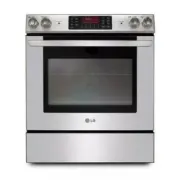 LG LSE3090ST
User Manual
LG LSE3090ST
User Manual
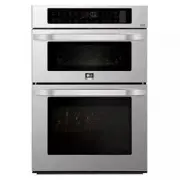 LG LSWC307ST
User Manual
LG LSWC307ST
User Manual
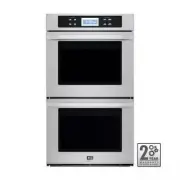 LG LSWD305ST
User Manual
LG LSWD305ST
User Manual
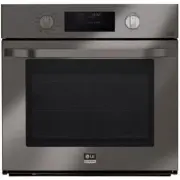 LG LSWS309BD
User Manual
LG LSWS309BD
User Manual
 LG LWC3063BD
User Manual
LG LWC3063BD
User Manual
 LG LWC3063ST
User Manual
LG LWC3063ST
User Manual
 LG LWD3063ST
User Manual
LG LWD3063ST
User Manual
 LG LWS3063BD
User Manual
LG LWS3063BD
User Manual
 LG LWS3063ST
User Manual
LG LWS3063ST
User Manual
 LG LWS3081ST
Manual
LG LWS3081ST
Manual
 LG WCEP6423D
User Manual
LG WCEP6423D
User Manual
 LG WCEP6423F
User Manual
LG WCEP6423F
User Manual
 LG WCEP6427F
User Manual
LG WCEP6427F
User Manual
 LG WDEP9423D
User Manual
LG WDEP9423D
User Manual
 LG WDEP9423F
User Manual
LG WDEP9423F
User Manual
 LG WSEP4723D
User Manual
LG WSEP4723D
User Manual
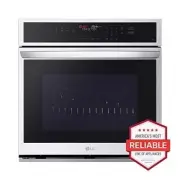 LG WSEP4723F
User Manual
LG WSEP4723F
User Manual