Page 2 - TABLE OF CONTENTS
2 TABLE OF CONTENTS TABLE OF CONTENTS 3 IMPORTANT SAFETY INSTRUCTIONS 12 PRODUCT OVERVIEW 12 Parts 13 Accessories 14 OPERATION 14 Control Panel Overview 15 Getting Started 15 Changing Oven Settings 15 Settings 15 Microwave Quick Start 16 Lockout 16 Date & Time 16 Clock Themes 16 Sabbath Mode 17 ...
Page 3 - IMPORTANT SAFETY INSTRUCTIONS; can result in property damage and/or serious bodily harm or death.; WARNING; in death or serious injury.; CAUTION; minor or moderate injury.
3 IMPORTANT SAFETY INSTRUCTIONS ENGLISH IMPORTANT SAFETY INSTRUCTIONS Read and follow all instructions when using the oven to prevent the risk of fire, electric shock, personal injury, or damage. This guide does not cover all possible conditions that may occur. Always contact your service agent or m...
Page 4 - IMPORTANT SAFETY INSTRUCTIONS (UPPER OVEN)
4 IMPORTANT SAFETY INSTRUCTIONS IMPORTANT SAFETY INSTRUCTIONS (UPPER OVEN) When using electrical appliances basic safety precautions should be followed, including the following: WARNING • To reduce the risk of burns, electric shock, fire, injury to persons or exposure to excessive microwave energy w...
Page 5 - THIS COULD RESULT IN VERY HOT LIQUIDS SUDDENLY BOILING OVER WHEN
5 IMPORTANT SAFETY INSTRUCTIONS ENGLISH WARNING • Do not cover or block any openings on the appliance. • Do not run the oven while it is empty. • Install or locate this appliance only in accordance with the provided installation instructions. • This appliance should be serviced only by qualified ser...
Page 6 - heating. Always stir liquid several times between reheatings.; SAVE THESE INSTRUCTIONS
6 IMPORTANT SAFETY INSTRUCTIONS WARNING • The oven should be cleaned regularly and any food deposits should be removed. - Failure to maintain the oven in a clean condition could lead to deterioration of the surface that could adversely affect the life of the appliance and possibly result in a hazard...
Page 7 - PRECAUTIONS TO AVOID POSSIBLE EXPOSURE TO EXCESSIVE; DO NOT TOUCH HEATING ELEMENTS OR INTERIOR SURFACES OF OVEN.
7 IMPORTANT SAFETY INSTRUCTIONS ENGLISH PRECAUTIONS TO AVOID POSSIBLE EXPOSURE TO EXCESSIVE MICROWAVE ENERGY • Do not attempt to operate this oven with the door open since open-door operation can result in harmful exposure to microwave energy. It is important not to defeat or tamper with the safety ...
Page 8 - FLAMMABLE MATERIALS; ELECTRICAL SAFETY
8 IMPORTANT SAFETY INSTRUCTIONS • Never attempt to dry a pet in the oven. • Never use your appliance for warming or heating the room. • Always use pot holders or oven mitts when removing food from the oven. Cookware will be hot. Use only dry pot holders. Moist or damp pot holders on hot surfaces may...
Page 9 - DO NOT place aluminum foil directly; CHILD SAFETY; Do not leave children alone; ENERGY SAVING TIPS
9 IMPORTANT SAFETY INSTRUCTIONS ENGLISH WARNING Before replacing the oven light bulb, switch off the electrical power to the oven at the main fuse or circuit breaker panel. Failure to do so can result in severe personal injury, death, or electric shock. WARNING • DO NOT place aluminum foil directly ...
Page 10 - Do not use water on grease fires.; SAFETY WHEN CLEANING; Do not use oven cleaners.
10 IMPORTANT SAFETY INSTRUCTIONS • Use caution with the Timed Cook or Delayed Timed Cook features. Use the automatic timer when cooking cured or frozen meats and most fruits and vegetables. Foods that can easily spoil, such as milk, eggs, fish, meat or poultry, should be chilled in the refrigerator ...
Page 11 - DO NOT block the oven vent during operation.; This can
11 IMPORTANT SAFETY INSTRUCTIONS ENGLISH • DO NOT block the oven vent during operation. This can damage the electric parts of the oven. Air must be able to move freely. The metal bottom trim (vent) should be properly assembled on the front bottom of oven before installing the oven door. Metal bottom...
Page 12 - PRODUCT OVERVIEW; Parts
12 PRODUCT OVERVIEW PRODUCT OVERVIEW Parts Make sure to understand the name and function of each part. Control panel Rating label, model and serial number plate Steam feeder tank Broiler pan & grid Standard racks Gliding racks (2) Oven door Gasket Spacer (2) - One on each side NOTE • The model a...
Page 13 - Accessories; Accessories for Upper Oven; Accessories for Lower oven
13 PRODUCT OVERVIEW ENGLISH Accessories Make sure that all parts are included after purchasing this product. Accessories for Upper Oven The turntable rotates in both directions to help food cook more evenly. Do not operate the microwave oven without the glass tray in place. Rack (For the Convection ...
Page 14 - OPERATION; Control Panel Overview; Display Icons
14 OPERATION OPERATION Control Panel Overview 1 5 2 6 3 4 1 Upper Oven Mode Knob2 Upper Temp Knob3 LCD Display On/Off 4 LCD Touchscreen for Oven5 Lower Oven Mode Knob6 Lower Temp Knob Display Icons 1 3 2 4 5 6 7 8 9 10 *Icons appear in display when activated. 1 Lamp Icon (Upper Oven) Touch to turn l...
Page 15 - Getting Started; Settings; Microwave Quick Start
15 OPERATION ENGLISH Getting Started After turning on the range for the first time, adjust the settings to suit your preferences. 1 Touch POWER on the LCD display. 2 After the startup animation, select the desired language and touch NEXT. 3 Scroll the fields up or down to set the correct date, and t...
Page 16 - Lockout
16 OPERATION Lockout The Lockout feature automatically prevents most oven controls from being turned on. It does not disable the clock, timer and the interior oven light. Lock 1 Touch Settings at the center bottom of the Main screen. 2 Touch Lockout on the first Settings screen. 3 When Lockout is tu...
Page 17 - Remote Start
17 OPERATION ENGLISH Wi-Fi Connect the appliance to a home Wi-Fi network to use Remote Start and other smart functions. See the Smart Functions section for more details. Setting Up Wi-Fi 1 Touch Settings at the center bottom of the Main screen, and touch Wi-Fi in the first Settings screen. 2 Follow ...
Page 18 - Language Selection
18 OPERATION Language Selection Set the display language to English, Spanish, or French. Selecting a Language 1 Touch Settings at the center bottom of the Main screen, swipe to the second Settings screen, and touch Language Selection. 2 Select the desired language. 3 Touch OK. Volume Adjust the volu...
Page 20 - Timer
20 OPERATION Timer The oven timers don't affect oven operation or cooking time. Use them as extra kitchen timers. Once the time runs out, the oven chimes and "Timer 1 or 2 finished" appears in the display. Setting the Timer 1 Touch either clock icon at the bottom of the display. 2 Scroll thr...
Page 21 - Using the Upper Oven; Before Using the Upper Oven
21 OPERATION ENGLISH Using the Upper Oven Using the Upper Oven Before Using the Upper Oven NOTE • To avoid risk of personal injury or property damage, do not use stoneware, metal cookware, or metal rimmed cookware in the oven. • To program the oven, make sure you touch the center of each key firmly ...
Page 22 - Microwave Cooking Tips
22 OPERATION Bone and Fat Content of Food Bones conduct heat and fat cooks more quickly than meat. Care must be taken when cooking bony or fatty cuts of meat in order to prevent unevenly cooked or overcooked meat. Quantity of Food The number of microwaves in your oven remains constant regardless of ...
Page 23 - Shielding; Microwave Power Levels
23 OPERATION ENGLISH Using the Upper Oven Shielding Strips of aluminium foil (which block microwaves) can be placed over the corners or edges of square and rectangular foods to prevent those portions from overcooking. Never use too much foil and make sure the foil is secured to the dish or it may ca...
Page 24 - Defrost
24 OPERATION Cooking at High Power Level 1 Turn the Oven Mode knob to select the Microwave mode. 2 Touch numbers to set the cook time. 3 Touch Start to start cooking. • When the cook time is over a melody sounds and End of Cooking displays. Cooking at Lower Power Levels HIGH power cooking does not a...
Page 26 - Sensor Operation
26 OPERATION Defrosting Tips • When using Defrost, the weight to be entered is the net weight in pounds and tenths of pounds (the weight of the food minus the container). • Before starting, remove the metal twist-ties which often come with frozen food bags, and replace them with strings or elastic b...
Page 27 - Using Sensor Cook
27 OPERATION ENGLISH Using the Upper Oven Sensor Cook Table • The Sensor Cook function has preprogrammed settings to automatically sensor reheat certain foods. Category Weight Cookware Food Temp. Instructions 1. Beverage 1-2 cups (240 ml per cup) Mug or microwave- safe cup on the glass tray Room Use...
Page 28 - Convection Bake
28 OPERATION Convection Bake During Convection Bake, a heating element is used to raise the temperature of the air inside the oven. Convection cooking temperature ranges from 100 °F to 450 °F. It is best to preheat the oven when convection cooking. NOTE Reduce oven temperature by 25 °F from the temp...
Page 29 - Speed Cook; Auto Cook
29 OPERATION ENGLISH Using the Upper Oven Speed Cook This feature uses power from a halogen light, heaters, and microwaves simultaneously to allow quick cooking. NOTE Power levels only can be selected from 1 to 4. Each power level gives you heater power and microwave energy for a certain percentage ...
Page 33 - Soften
33 OPERATION ENGLISH Using the Upper Oven Soften The oven uses low power to soften foods such as butter, cream cheese, frosting, and ice cream. See the following table. Setting the Soften Function 1 Turn the Oven Mode knob to select the Soften/ Melt mode. 2 Touch SOFTEN . 3 Set the type of food in t...
Page 34 - Melt
34 OPERATION Melt The oven uses low power to melt foods such as butter, caramel, cheese, chocolate, and marshmallows. See the following table. Setting the Melt Function 1 Turn the Oven Mode knob to select the Soften/ Melt mode. 2 Touch MELT . 3 Set the type of food in the display. 4 Set the weight i...
Page 35 - Warm
35 OPERATION ENGLISH Using the Upper Oven Warm The WARM function maintains an oven temperature of less than 230°F. This function should not be used to reheat cold food. The Warm function keeps cooked food warm for serving up to 3 hours after cooking has finished. After 3 hours the WARM function shut...
Page 36 - Using the Lower Oven; Before Using the Oven; Lower Oven Light; Removing and Replacing Standard
36 OPERATION Using the Lower Oven Before Using the Oven NOTE • The temperature registered by an oven thermometer may differ from the actual set oven temperature. • It is normal for the convection fan to run while preheating during a regular bake cycle. • The convection fan motor may run periodically...
Page 37 - Rack and Pan Placement; Oven Vent
37 OPERATION ENGLISH Using the Lower Oven Rack and Pan Placement If cooking on two racks:Place standard oven racks in positions 2 and 4.Place the cookware as shown below. If baking with more than one pan, place the pans so that each one has at least 1” to 1 ½” of air space around them. 1 2 3 4 5 Mul...
Page 38 - Bake
38 OPERATION Bake Use BAKE to prepare foods such as pastries, breads and casseroles. The oven can be programmed to bake at any temperature from 170°F (80°C) to 550°F (285°C). The default temperature is 350°F (175°C). Setting the BAKE mode 1 Turn the Oven Mode knob to select the Bake mode. 2 Set the ...
Page 39 - Convection Modes
39 OPERATION ENGLISH Using the Lower Oven Convection Modes Convection Bake and Convection Roast use a fan to circulate heat evenly within the oven. This improves heat distribution and allows for even cooking and excellent results whether cooking on one rack or multiple racks.The convection modes on ...
Page 40 - Tips for Convection Roasting
40 OPERATION Tips for Convection Roasting Use a broiler pan and grid when preparing meats for Convection roast, RapidHeat Roast and Broil. The broiler pan catches grease spills and the grid helps prevent grease splatters. 1 Place the oven rack in position 1 or 2. See the Rack and Pan Placement. 2 Pl...
Page 41 - Broil
41 OPERATION ENGLISH Using the Lower Oven Broil Broiling uses an intense, radiant heat to cook food. Both the inner and outer broil elements heat during full broiling. Only the inner broil element heats during center broiling. The element(s) cycle on and off at intervals to maintain the oven tempera...
Page 42 - Recommended Broiling Guide
42 OPERATION Smoking Due to the intense heat associated with broiling, it is normal to experience smoke during the cooking process. This smoke is a natural by-product of searing and should not cause you to worry. If you are experiencing more smoke than you are comfortable with, use the following tip...
Page 44 - Broiling Tips
44 OPERATION Broiling Tips Beef • Steaks and chops should always be allowed to rest for 5 minutes before being cut into and eaten. This allows the heat to distribute evenly through the food and creates a more tender and juicy result. • Pieces of meat that are thicker than two inches should be remove...
Page 45 - Proof
45 OPERATION ENGLISH Using the Lower Oven Proof The Proof feature maintains a warm environment for rising yeast-leavened products before baking. NOTE For best results, cover the dough with a cloth or with plastic wrap. (The plastic may need to be anchored underneath the container so the oven fan doe...
Page 48 - My Recipes
48 OPERATION My Recipes For frequently used cooking menus, you can combine up to three different temperatures and cooking modes into one recipe card. Creating My Recipes • When combining two or more cooking modes, a cooking time or probe temperature must be set before selecting an additional cooking...
Page 49 - Auto Cook Guide
49 OPERATION ENGLISH Using the Lower Oven Auto Cook Guide • Preheat oven first for most items. • Preheat for 5 minutes when broiling. • If using probe, insert after preheating. NOTE • When cooking thin cuts of meat, insert the probe into the thickest part of the meat. If the probe is inserted incorr...
Page 51 - Steam Function
51 OPERATION ENGLISH Using the Lower Oven Steam Function Steam cooking uses the moist heat of steam to cook food. This is an ideal cooking method for delicate food items such as seafood, which can lose nutrients when boiled.The oven provides 3 methods of steam cooking: Gourmet Steam, SousVide and St...
Page 52 - Gourmet Steam Guide
52 OPERATION Once Steam-Combi cooking is started, an indicator on the display shows the status of the steam function. Make sure the steam feeder tank is filled with water before starting the Steam-Combi mode. If the water in the tank runs out during cooking, a chime sounds and a popup appears in the...
Page 53 - Sous Vide
53 OPERATION ENGLISH Using the Lower Oven Sous Vide Sous vide cooking uses steam to cook foods “low and slow.” Use it to cook meat, fish, seafood, poultry or vegetables. Food must be vacuum packced in pouches.It is not necessary to preheat the oven when using sous vide. Refer to the cooking guide fo...
Page 54 - SMART FUNCTIONS; LG ThinQ Application; LG ThinQ Application Features; Models with QR Code
54 SMART FUNCTIONS SMART FUNCTIONS LG ThinQ Application This feature is only available on models with Wi-Fi.The LG ThinQ application allows you to communicate with the appliance using a smartphone. LG ThinQ Application Features • SpeedClean™ − Allows you to set SpeedClean™ alerts, read the instructi...
Page 56 - Smart DiagnosisTM Feature; Using LG ThinQ to Diagnose Issues
56 SMART FUNCTIONS Smart Diagnosis™ Feature Use this feature to help you diagnose and solve problems with your appliance. NFC or Wi-Fi equipped models can also transmit data to a smartphone using the LG ThinQ application. NOTE • For reasons not attributable to LGE ’s negligence, the service may not ...
Page 57 - Open Source Software Notice; Wireless LAN Module Specifications; FCC Statement
57 SMART FUNCTIONS ENGLISH Open Source Software Notice Information To obtain the source code that is contained in this product, under GPL, LGPL, MPL, and other open source licenses that have the obligation to disclose source code, and to access all referred license terms, copyright notices and other...
Page 58 - MAINTENANCE; Caring for the Upper Oven; Cleaning the Interior; Cleaning the Exterior
58 MAINTENANCE MAINTENANCE Caring for the Upper Oven To make sure the microwave oven looks good and works well for a long time, maintain it properly. For proper care, follow these instructions carefully. Cleaning the Interior Wash often with warm, sudsy water and a sponge or soft cloth. Use only mil...
Page 59 - Caring for the Lower Oven; Self Clean; Before Starting Self Clean
59 MAINTENANCE ENGLISH Caring for the Lower Oven Self Clean The Self Clean cycle uses extremely hot temperatures to clean the oven cavity. While running the Self Clean cycle, you may notice smoking or an odor. This is normal, especially if the oven is heavily soiled.During the Self Clean cycle, the ...
Page 60 - Setting Self Clean; During Self Clean
60 MAINTENANCE Setting Self Clean The Self- Clean function has cycle times of 3, 4, or 5 hours. Self Clean Soil Guide Soil Level Cycle Setting Lightly soiled oven cavity 3 Hour Self Clean Moderately soiled oven cavity 4 Hour Self Clean Heavily soiled oven cavity 5 Hour Self Clean 1 Remove all racks ...
Page 61 - Steam Feeder Tank; Hard Water Scale; Cleaning Scale on Oven Bottom
61 MAINTENANCE ENGLISH Steam Feeder Tank The steam feeder tank is used during the steam cooking functions. Use filtered, softened water if possible. NOTE • After using the steam function, the steam feeder tank should be drained. To avoid bacteria or odors, clean and dry the steam feeder tank after e...
Page 62 - When to use SpeedCleanTM
62 MAINTENANCE SpeedClean™ SIGNATURE KITCHEN SUITE'S new oven with SpeedClean™ enamel technology provides two cleaning options for the oven interior. The SpeedClean™ feature takes advantage of SIGNATURE KITCHEN SUITE'S new enamel to help lift soils without harsh chemicals, and it runs using ONLY WAT...
Page 63 - Cleaning Tips
63 MAINTENANCE ENGLISH Cleaning Tips • Allow the oven to cool to room temperature before using the SpeedClean™ cycle. • A plastic spatula can be used as a scraper to scrape off any chunks or debris before and during oven cleaning. • Using the rough side of a non-scratch scouring pad may help to take...
Page 64 - Painted Surfaces
64 MAINTENANCE 8 Clean the oven cavity immediately after the SpeedClean™ cycle by scrubbing with a wet, non-scratch scouring sponge or pad. (The scouring side will not scratch the finish.) Some water may spill into the bottom vents while cleaning, but it will be captured in a pan under the oven cavi...
Page 65 - Oven Door; Broiler Pan and Grid
65 MAINTENANCE ENGLISH Oven Door • Use soapy water to thoroughly clean the oven door. Rinse well. DO NOT immerse the door in water. • You may use a glass cleaner on the outside glass of the oven door. DO NOT spray water or glass cleaner on the door vents. • DO NOT use oven cleaners, cleaning powders...
Page 66 - Changing the Oven Light; Removing and Replacing the Oven; Removing the Oven Door
66 MAINTENANCE Changing the Oven Light The oven light is a standard 25-watt halogen bulb. WARNING • Make sure that the oven and bulb are cool. • Disconnect the electrical power to the oven at the main fuse or circuit breaker panel. Failure to do so can result in severe personal injury, death, or ele...
Page 67 - Replacing the Door; Door Care Instructions
67 MAINTENANCE ENGLISH Replacing the Door 1 Firmly grasp both sides of the door at the top. 2 With the door at the same angle as the removal position, seat the indentation of the hinge cams into the bottom edge of the hinge slots. The notch in the hinge cams must be fully seated into the bottom edge...
Page 68 - TROUBLESHOOTING; FAQs
68 TROUBLESHOOTING TROUBLESHOOTING FAQs My new oven doesn’t cook like my old one. Is there something wrong with the temperature settings? No, Your oven has been factory tested and calibrated. For the first few uses, follow your recipe times and temperatures carefully. If you still think your new ove...
Page 71 - Before Calling for Service
71 TROUBLESHOOTING ENGLISH Before Calling for Service Before you call for service, review this list. It may save you time and expense. The list includes common occurrences that are not the result of defective workmanship or materials in this appliance. Symptoms Possible Causes / Solutions Oven contr...
Page 77 - Customer Information Center; USA
Customer Information Center For inquires or comments, call: 1-855-790-6655 USA Printed in Korea


 LG MA3281GW
User Manual
LG MA3281GW
User Manual
 LG WCES6428F
User Manual
LG WCES6428F
User Manual
 LG WDEP9427F
User Manual
LG WDEP9427F
User Manual
 LG WDES9428F
User Manual
LG WDES9428F
User Manual
 LG WSES4728F
User Manual
LG WSES4728F
User Manual
 LG LSE3090ST
User Manual
LG LSE3090ST
User Manual
 LG LSES302ST
User Manual
LG LSES302ST
User Manual
 LG LSWC307ST
User Manual
LG LSWC307ST
User Manual
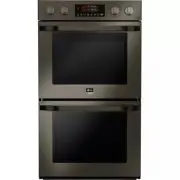 LG LSWD300BD
User Manual
LG LSWD300BD
User Manual
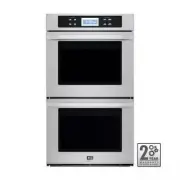 LG LSWD305ST
User Manual
LG LSWD305ST
User Manual
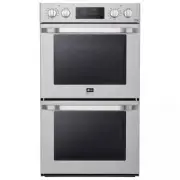 LG LSWD306ST
User Manual
LG LSWD306ST
User Manual
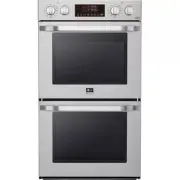 LG LSWD307ST
User Manual
LG LSWD307ST
User Manual
 LG LSWD309BD
User Manual
LG LSWD309BD
User Manual
 LG LSWS300BD
User Manual
LG LSWS300BD
User Manual
 LG LSWS305ST
User Manual
LG LSWS305ST
User Manual
 LG LSWS306ST
User Manual
LG LSWS306ST
User Manual