Page 2 - TABLE OF CONTENTS
TABLE OF CONTENTS 2 TABLE OF CONTENTS 3 IMPORTANT SAFETY INFORMATION 7 PRODUCT OVERVIEW 7 Accessories8 Oven Overview 9 Control Panel Overview 11 FEATURES 11 Clock12 Timer On/Off 13 Special Oven Control Settings13 Setting Convection Auto Conversion13 Adjusting the Oven Temperature14 Selecting the Dis...
Page 3 - ENGLISH; IMPORTANT SAFETY INFORMATION; about problems that you do not understand.; WARNING; SAFETY PRECAUTIONS; All other servicing should be referred to a qualified technician.; DO NOT TOUCH HEATING ELEMENTS OR INTERIOR SURFACES OF OVEN.; surfaces near these openings, oven doors, and windows of oven doors.; Use Care When Opening Door.
IMPORTANT SAFETY INFORMATION 3 ENGLISH IMPORTANT SAFETY INFORMATION Read and follow all instructions before using your oven to prevent the risk of fire, electric shock, personal injury, or damage when using the oven. This guide does not cover all possible conditions that may occur. Always contact yo...
Page 4 - The oven vent could become hot during oven use. Never block; For proper operation vent trim must be installed.
IMPORTANT SAFETY INFORMATION 4 SAFETY PRECAUTIONS (CONT.) • Keep Oven Vent Ducts Unobstructed. The oven vent could become hot during oven use. Never block this vent and never place plastic or heat-sensitive items on or near the vent. Metal bottom trim (Vent) NOTE: For proper operation vent trim must...
Page 5 - ELECTRICAL SAFETY; DO NOT place aluminum foil directly; will melt to the interior surface of the oven.); SAFETY DURING USE; Hot cookware or plates can cause burns.; DO NOT use the broiler pan without the grid.
IMPORTANT SAFETY INFORMATION 5 ENGLISH ELECTRICAL SAFETY • Protective Liners. Do not use aluminum foil or any other material to line the oven bottom. Improper installation of these liners may result in a risk of electric shock or fire. • Do Not allow aluminum foil or the meat probe to contact heatin...
Page 6 - CHILD SAFETY; SAFETY WHEN CLEANING; Make sure oven lights are cool before
IMPORTANT SAFETY INFORMATION 6 CHILD SAFETY WARNING • Children should be kept away from the oven. • Accessory parts will become hot when the broiler is in use. CAUTION • Children should not be left alone or unattended in the area where the appliance is in use. Children should never be allowed to sit...
Page 7 - PRODUCT OVERVIEW; ACCESSORIES; NOTE
PRODUCT OVERVIEW 7 ENGLISH PRODUCT OVERVIEW ACCESSORIES Make sure that all parts are included after purchasing this product. Accessories for Cooking Grid Standard racks (2 ea) Broiler pan Accessories for Installation 6 Wood Screws For Mounting (4 needed for installation and 2 extras) 4X10 Screws (2 ...
Page 8 - OVEN OVERVIEW
PRODUCT OVERVIEW 8 OVEN OVERVIEW Make sure to understand the name and function of each part.* Throughout this manual, the features and appearance may vary depending on your model. Control panel Model & serial number plate Spacer (2 ea) - One on each side Metal bottom trim (vent) Door switch Door...
Page 9 - CONTROL PANEL OVERVIEW
PRODUCT OVERVIEW 9 ENGLISH CONTROL PANEL OVERVIEW READ THE INSTRUCTIONS CAREFULLY BEFORE USING THE OVEN. For satisfactory use of the oven, become familiar with the various features and functions of the oven as described below. Detailed instructions for each feature and function are listed in this ow...
Page 11 - FEATURES; CLOCK; Setting the Clock; Power Outage
FEATURES 11 ENGLISH FEATURES CLOCK The clock must be set to the correct time of day for the automatic oven timing functions to work properly. The time of day cannot be changed during a timed baking or Self Clean cycle. Setting the Clock 1. Press CLOCK once. 2. Press the numbers to enter the correct ...
Page 12 - Cancelling the Timer
FEATURES 12 TIMER ON/OFF The TIMER ON/OFF serves as an extra timer in the kitchen that will beep when the set time has run out. It does not start or stop cooking. The TIMER ON/OFF feature can be used during any of the other oven control functions. Setting the Timer (example to set 5 minutes): 1. Pre...
Page 13 - Setting Convection Auto Conversion
FEATURES 13 ENGLISH SPECIAL OVEN CONTROL SETTINGS The oven has additional settings which can be accessed and adjusted using the Setting button.These additional settings can only be activated while the display is showing the time of day.They remain in the control’s memory until changed.The settings a...
Page 14 - Selecting the Display Language; Adjusting the Preheat Alarm; Adjusting the Beeper Volume; Selecting Fahrenheit or Celsius
FEATURES 14 Selecting the Display Language The oven control is set to display in English but can be changed to display in Spanish or French. 1. Press SETTING four times or until Lng appears in the display. 2. Press 1 for English, 2 for Spanish, or 3 for French. 3. Press START to accept the change. A...
Page 15 - USING THE OVEN; BAKE; Setting the Oven to Bake at 375°F; Displays for the BAKE mode
USING THE OVEN 15 ENGLISH USING THE OVEN BAKE The oven can be programmed to bake at any temperature from 170°F (80°C) to 550°F (288°C). Default temperature is 350°F (177°C). Setting the Oven to Bake at 375°F 1. Press BAKE. 2. Set the oven temperature. (Press 3, 7, and 5.) 3. Press START. The word PR...
Page 17 - TIMED COOK; When Timed Cook Finishes
USING THE OVEN 17 ENGLISH TIMED COOK The oven turns on immediately and cooks for a selected length of time. At the end of the cooking time, the oven turns off automatically. Setting Immediate Cook and Automatic Shutoff (example to set bake at 300°F for 30 minutes.) 1. Set the clock for the correct t...
Page 18 - DELAYED TIMED COOK; When the Delayed Timed Cook Finishes
USING THE OVEN 18 DELAYED TIMED COOK The automatic timer of the Delayed Timed Cook function turns the oven ON and OFF at the time selected. Setting the Oven for Delayed Start (for example, to Bake at 300°F for 30 minutes starting at 4:30 p.m.) 1. Set the clock for the correct time of day. 2. Arrange...
Page 20 - Broiling Chart; CAUTION
USING THE OVEN 20 Broiling Chart Food Quantity and/ or Thickness Shelf Position First Side Time (min.) Second Side Time (min.) Comments Ground Beef 1 lb. (4 patties)1/2 to 3/4” thick E 4–6 3–4 Space evenly. Up to 8 patties may be broiled at once. Beef SteaksRareMediumWell Done 1” thick1 to 1-1/2 lbs...
Page 21 - ROAST; Benefits of Convection Bake; Tips for Convection Bake
USING THE OVEN 21 ENGLISH ROAST Use the Roast feature to cook large cuts of meat. Setting the Oven to Roast (for example, to cook meat at 375°F) 1. Press ROAST. 2. Set the oven temperature. (Press 3, 7 and 5.) 3. Press START. After any cooking cycle has been completed cooling fans operate to protect...
Page 22 - Setting the Oven to Convection Bake; Displays for the CONV. BAKE mode; CRISP CONVECTION; Benefits of Crisp Convection
USING THE OVEN 22 Setting the Oven to Convection Bake 1. Press CONV. BAKE. The display flashes 350 °F. 2. Set the oven temperature. (Press 3, 7 and 5.) 3. Press START. The display shows CONV BAKE and the converted temperature starting at 100°F. As the oven preheats, the display shows increasing temp...
Page 23 - Setting the Oven to Convection Roast; Displays for the CONV. ROAST mode
USING THE OVEN 23 ENGLISH Setting the Oven to Crisp Convection 1. Press CRISP CONV. The display flashes 350 °F. 2. Set the oven temperature. (Press 3, 7 and 5.) 3. Press START. The display shows CONV and the converted temperature starting at 100°F. As the oven preheats, the display shows increasing ...
Page 24 - WARM; Setting the Oven to Warm; Setting Warm after Timed Cooking; Displays for the WARM mode; PROOF; Displays for the PROOF mode
USING THE OVEN 24 WARM The WARM function maintains an oven temperature of less than 200°F. This function should not be used to reheat cold food. The Warm function keeps cooked food warm for serving up to 3 hours after cooking has finished.After 3 hours the WARM function shuts the oven OFF automatica...
Page 26 - SMART FUNCTIONS; LG THINQ APPLICATION; TAG ON FEATURES; Smart Diagnosis®
SMART FUNCTIONS 26 SMART FUNCTIONS LG THINQ APPLICATION This feature is only available on models with the logo.The LG ThinQ application allows you to communicate with the appliance using a smartphone. TAG ON FEATURES The Tag On function can only be used with most smart phones equipped with the NFC (...
Page 27 - SMART DIAGNOSISTM FEATURE
SMART FUNCTIONS 27 ENGLISH SMART DIAGNOSIS™ FEATURE This feature is only available on models with the or icon. Use this feature to help you diagnose and solve problems with your appliance. • For reasons not attributable to LGE’s negligence, the service may not operate due to external factors such as...
Page 28 - MAINTENANCE; Before a Self-Clean Cycle
MAINTENANCE 28 MAINTENANCE SELF-CLEAN The self-clean cycle uses above normal cooking temperatures to clean the oven’s interior automatically. It is normal for smoking to occur during cleaning if the oven is heavily soiled. It is better to clean the oven regularly rather than to wait until there is a...
Page 29 - During the Self-Clean Cycle; Displays for the SELF CLEAN mode
MAINTENANCE 29 ENGLISH Press SELF CLEAN to start a self-clean cycle. Use with the START TIME button to program a delayed self-clean cycle. The Self- Clean function has cycle times of 3, 4, or 5 hours. Before running a self-clean cycle be sure to remove all racks and accessories. NOTE 1. Set the cloc...
Page 30 - After the Self-Clean Cycle
MAINTENANCE 30 If it becomes necessary to stop or interrupt a selfcleaning cycle due to excessive smoke or fire in the oven: 1. Press CLEAR OFF. 2. The door lock automatically releases once the oven has cooled down. When using the self-clean feature: • A self-clean cycle cannot be started if Control...
Page 31 - EasyClean®; BENEFITS OF EasyClean®; CLEANING TIPS
MAINTENANCE 31 ENGLISH EasyClean® LG’s new oven with EasyClean® enamel technology provides two cleaning options for the oven interior. The EasyClean® feature takes advantage of LG’s new enamel to help lift soils without harsh chemicals, and it runs using ONLY WATER for just 10 minutes in low tempera...
Page 32 - EasyClean® INSTRUCTION GUIDE
MAINTENANCE 32 EasyClean® INSTRUCTION GUIDE 1. Remove oven racks and accessories from the oven. 2. Scrape off and remove any burnt-on debris with a plastic scraper. Suggested plastic scrapers: • Hard plastic spatula • Plastic pan scraper • Plastic paint scraper • Old credit card 3. Fill a spray bott...
Page 33 - CHANGING THE OVEN LIGHT; Painted Parts and Trim
MAINTENANCE 33 ENGLISH CHANGING THE OVEN LIGHT The oven light is a standard 25-watt halogen bulb for ovens.Replacing Lamp on Side Wall • Make sure oven and bulb are cool. 1. Unplug oven or disconnect power. 2. Remove oven racks. 3. Slide a flat blade screwdriver between the housing and the glass lig...
Page 34 - Broiler Pan and Grid; Oven Racks
MAINTENANCE 34 Broiler Pan and Grid Do not clean the broiler pan or grid in a self-cleaning mode.After broiling, remove the broiler pan from the oven. Remove the grid from the pan. Carefully pour out the grease from the pan into a proper container. Do not store a soiled broiler pan and grid anywhere...
Page 36 - TROUBLESHOOTING; FAQs; Can I use aluminum foil on the racks?; Should I broil with the door open or closed?
TROUBLESHOOTING 36 TROUBLESHOOTING FAQs My new oven doesn’t cook like my old one. Is there something wrong with the temperature settings? No, Your oven has been factory tested and calibrated. For the first few uses, follow your recipe times and temperatures carefully. If you still think your new ove...
Page 37 - How often should I use EasyClean®?
TROUBLESHOOTING 37 ENGLISH Soils on my oven walls are not coming off.How can I get my walls clean? Soils on the side and rear walls of your oven may be more difficult to fully soak with water. Try repeating the EasyClean® process with more than the 1/5 cup (2 oz or 60 ml) spray recommended. Will Eas...
Page 38 - BEFORE CALLING FOR SERVICE
TROUBLESHOOTING 38 BEFORE CALLING FOR SERVICE Before you call for service, review this list. It may save you time and expense. The list includes common occurrences that are not the result of defective workmanship or materials in this appliance. Problem Possible Causes / Solutions Oven control beeps ...
Page 43 - MANUAL DE PROPIETARIO; HORNO ELÉCTRICO DE CONVECCIÓN EMPOTRADO; Lea detenidamente estas instrucciones antes utilizar y; ESP
LWS3063ST LWS3063BD www.lg.com MANUAL DE PROPIETARIO HORNO ELÉCTRICO DE CONVECCIÓN EMPOTRADO Lea detenidamente estas instrucciones antes utilizar y guárdelas como referencia para el futuro. ESP AÑOL P/No.: MFL51224528 Copyright © 2020 - 2022 LG Electronics Inc. Todos los Derechos Reservados.
Page 44 - ÍNDICE
ÍNDICE 2 ÍNDICE 3 INFORMACIÓN IMPORTANTE DE SEGURIDAD 7 DESCRIPCIÓN GENERAL DE LOS PRODUCTOS 7 Accesorios8 Descripción general de la cocina 9 Descripción general del panel de control 11 CARACTERÍSTICAS 11 Reloj12 Temporizador encendido/apagado 13 Características especiales de los controles del horno...
Page 45 - INFORMACIÓN IMPORTANTE DE SEGURIDAD; ADVERTENCIA; PRECAUCIONES DE SEGURIDAD
INFORMACIÓN IMPORTANTE DE SEGURIDAD 3 ESP AÑOL INFORMACIÓN IMPORTANTE DE SEGURIDAD Lea y siga todas las instrucciones antes de usar su horno para evitar riesgos de incendios, descargas eléctricas, lesiones a las personas o daños al utilizar la cocina. Esta guía no incluye todas las situaciones posib...
Page 47 - SEGURIDAD ELÉCTRICA; provocar un riesgo de descarga eléctrica o de incendio.; NO coloque papel de aluminio; SEGURIDAD DURANTE EL USO; deseada mientras el horno está frío.
INFORMACIÓN IMPORTANTE DE SEGURIDAD 5 ESP AÑOL SEGURIDAD ELÉCTRICA • Revestimientos protectores. No utilice papel de aluminio u otro material para revestir la parte inferior del horno. Una instalación inadecuada de estos revestimientos puede provocar un riesgo de descarga eléctrica o de incendio. • ...
Page 48 - SEGURIDAD PARA NIÑOS; SEGURIDAD DURANTE LA LIMPIEZA
INFORMACIÓN IMPORTANTE DE SEGURIDAD 6 SEGURIDAD PARA NIÑOS ADVERTENCIA • Los niños siempre deben estar alejados del horno. • Los accesorios se calientan cuando la bandeja está en uso. PRECAUCIÓN • No hay que dejar a los niños solos o desatendidos en el área donde se está utilizando el aparato. Nunca...
Page 49 - DESCRIPCIÓN GENERAL DE LOS PRODUCTOS; ACCESORIOS; NOTA
DESCRIPCIÓN GENERAL DE LOS PRODUCTOS 7 ESP AÑOL DESCRIPCIÓN GENERAL DE LOS PRODUCTOS ACCESORIOS Asegúrese de que todas las piezas estén incluidas antes de comprar el producto. Accesorios para cocinar Rejilla Bandejas estándar (2 cada uno) Asadera Accesorios para la instalación 6 tornillos para mader...
Page 50 - DESCRIPCIÓN GENERAL DE LA COCINA
DESCRIPCIÓN GENERAL DE LOS PRODUCTOS 8 DESCRIPCIÓN GENERAL DE LA COCINA Asegúrese de entender los nombres y función de cada pieza.* A lo largo de este manual, las características y apariencia del producto pueden variar dependiendo de su modelo. Panel de control Placa de modelo y número de serie Espa...
Page 51 - DESCRIPCIÓN GENERAL DEL PANEL DE CONTROL
DESCRIPCIÓN GENERAL DE LOS PRODUCTOS 9 ESP AÑOL DESCRIPCIÓN GENERAL DEL PANEL DE CONTROL LEA LAS INSTRUCCIONES CON CUIDADO ANTES DE UTILIZAR EL HORNO. Para un uso satisfactorio de su horno, familiarícese con las diferentes características y funciones del horno descriptas a continuación. Las instrucc...
Page 53 - CARACTERÍSTICAS; RELOJ; Cómo configurar el reloj; Corte de energía
CARACTERÍSTICAS 11 ESP AÑOL CARACTERÍSTICAS RELOJ El reloj debe estar configurado en la hora correcta para que las funciones con temporizador del horno funcionen correctamente. La hora no puede modificarse durante los ciclos de horneado con temporizador o de autolimpieza. Cómo configurar el reloj 1....
Page 55 - Cómo ajustar la temperatura del horno
CARACTERÍSTICAS 13 ESP AÑOL CARACTERÍSTICAS ESPECIALES DE LOS CONTROLES DEL HORNO Los nuevos controles con botones de toque cuentan con características adicionales. Siguientes páginas describen esas características y la manera en que usted puede activarlas. Los modos de características especiales só...
Page 56 - Cómo seleccionar el idioma; Cómo ajustar la alarma de precalentamiento; Cómo ajustar el volumen de la alarma sonora
CARACTERÍSTICAS 14 Cómo seleccionar el idioma El control del horno se encuentra configurado para verse en inglés, pero usted puedo cambiarlo para visualizarlo en español o francés. 1. Pulse el botón SETTING 4 veces. Se mostrará “Lng” en la pantalla. 2. Presione el botón # 1 para inglés, el # 2 para ...
Page 57 - USO DEL HORNO; HORNEAR; Pantallas del modo de HORNEAR
USO DEL HORNO 15 ESP AÑOL USO DEL HORNO HORNEAR El horno puede programarse para hornear a cualquier temperatura desde 170°F (80°C) hasta 550°F (288°C).La temperatura predeterminada es de 350°F (177°C). Para poner el horno en HORNEADO y la temperatura en 375°F 1. Pulse BAKE. 2. Configure la temperatu...
Page 59 - COCCIÓN TEMPORIZADA; Cuando finaliza la cocción temporizada:
USO DEL HORNO 17 ESP AÑOL COCCIÓN TEMPORIZADA El horno se enciende inmediatamente y cocina los alimentos durante un período de tiempo seleccionado. Al finalizar el tiempo de cocción, el horno se apaga automáticamente. Para que el horno comience a cocinar inmediatamente y se apague automáticamente (e...
Page 60 - COCCIÓN TEMPORIZADA DIFERIDA; Cuando la cocción temporizada diferida finaliza:
USO DEL HORNO 18 COCCIÓN TEMPORIZADA DIFERIDA El temporizador automático de la cocción temporizada diferida encenderá y apagará el horno en el tiempo que se selecciona por adelantado. Para configurar el horno para un inicio diferido. (ejemplo para ajustar el horneado a 300 °F durante 30 minutos y po...
Page 62 - Cuadro de Asado a la Parrilla; PRECAUCIÓN
USO DEL HORNO 20 Cuadro de Asado a la Parrilla Alimento Cantidad y/o Grosor Posición de la bandeja Primer lado Tiempo (min.) Segundo lado Tiempo (min.) Comentarios Carne picada 1 lb. (4 hamburguesas)Grosor de 1/2 a 3/4” E 4–6 3–4 Espaciar uniformemente. Pueden asarse hasta 8 hamburguesas al mismo ti...
Page 63 - ROSTIZAR; Beneficios del horneado por convección; Consejos para horneado por convección
USO DEL HORNO 21 ESP AÑOL ROSTIZAR El horno puede programarse para rostizar. Para configurar la característica de rostizado (ejemplo carnes que se cocinan a 375°F): 1. Pulse ROAST. 2. Configure la temperatura del horno. (Presione 3, 7 y 5.) 3. Presione START. Después de finalizado cualquier ciclo de...
Page 64 - Pantallas del modo de convección; CONVECCIÓN TOSTAR; Beneficios de la convección tostar
USO DEL HORNO 22 Para configurar el horno para convección para hornear y temperatura a 375°F 1. Presione CONV. BAKE (convección para hornear). En la pantalla destellará 350 °F. 2. Configure la temperatura del horno. (Presione 3, 7 y 5.) 3. Presione START (iniciar). En la pantalla podrá verse CONV BA...
Page 65 - Pantalla del modo ROSTIZADO por
USO DEL HORNO 23 ESP AÑOL Para configurar el horno para convección tostar y temperatura a 375°F 1. Presione CRISP CONV. (convección tostar). En la pantalla destellará 350 °F. 2. Configure la temperatura del horno. (Presione 3, 7 y 5.) 3. Presione START (iniciar). En la pantalla podrá verse CONV. y l...
Page 66 - Para ajustar la función de calor
USO DEL HORNO 24 WARM (calentar) La función WARM mantendrá la temperatura del horno menor a los 200°F. No utilice esta función para recalentar los alimentos. Esta función mantendrá los alimentos calientes para servirlos hasta 3 horas después de su cocción.Después de 3 horas, la función WARM se apaga...
Page 68 - FUNCIONES; APLICACIÓN LG THINQ; LA FUNCIÓN TAG ON
FUNCIONES INTELIGENTES 26 FUNCIONES INTELIGENTES APLICACIÓN LG THINQ Esta característica solo está disponible en el modelo con el logo .La aplicación LG ThinQ le permite comunicarse con el electrodoméstico usando un teléfono inteligente. LA FUNCIÓN TAG ON La función Tag On solo puede utilizarse con ...
Page 69 - FUNCIÓN SMART DIAGNOSISTM
FUNCIONES INTELIGENTES 27 ESP AÑOL FUNCIÓN SMART DIAGNOSIS™ Esta función solo está disponible en los modelos con el icono o . Utilice esta función como ayuda para diagnosticar y resolver problemas con su electrodoméstico. • Por motivos no atribuibles a la negligencia de LGE, es posible que el servic...
Page 70 - MANTENIMIENTO; Antes de un ciclo de auto-limpieza
MANTENIMIENTO 28 MANTENIMIENTO AUTO-LIMPIEZA El ciclo de auto-limpieza utiliza temperaturas de cocción superiores a lo normal para limpiar automáticamente la parte interior del horno.Si el horno está muy sucio, es normal que se produzca humo durante la limpieza. Es mejor limpiar el horno regularment...
Page 71 - Durante el ciclo de auto-limpieza; Pantalla del modo de AUTOLIMPIEZA
MANTENIMIENTO 29 ESP AÑOL El botón SELF CLEAN se utiliza para iniciar un ciclo de autolimpieza. Al usarlo junto con el botón START TIME, puede programarse también un ciclo de autolimpieza retardado. La función de autolimpieza tiene tiempos de 3, 4 o 5 horas. Antes de realizar un ciclo de autolimpiez...
Page 72 - Después del ciclo de auto-limpieza
MANTENIMIENTO 30 Si es necesario detener o interrumpir un ciclo de autolimpieza debido a la existencia de humo o fuego excesivo en el horno: 1. Pulse CLEAR OFF. 2. Una vez que el horno se ha enfriado, el BLOQUEO DE LA PUERTA se liberará automáticamente permitiéndole abrir la puerta del horno. Cuando...
Page 73 - BENEFICIOS DE EasyClean®; CONSEJOS DE LIMPIEZA
MANTENIMIENTO 31 ESP AÑOL EasyClean® El nuevo horno de LG con tecnología EasyClean® le otorga dos opciones de limpieza para el interior de su estufa. La función EasyClean® toma ventaja de la nueva tecnología de esmalte de LG para ayudar a remover suciedades sin químicos severos, y funciona tan solo ...
Page 74 - GUÍA DE INSTRUCCIÓN EasyClean®
MANTENIMIENTO 32 GUÍA DE INSTRUCCIÓN EasyClean® 1. Retire bandejas y accesorios del horno.2. Talle y remueva cualquier resto quemado con la espátula de plástico. Espátulas de Plástico Sugeridas: • Paleta de plástico duro • Espátula de plástico de cocina • Espátula de plástico para pintura • Tarjeta ...
Page 75 - REEMPLAZO DE LA LUZ DEL HORNO; Piezas pintadas y reborde
MANTENIMIENTO 33 ESP AÑOL REEMPLAZO DE LA LUZ DEL HORNO La luz del horno es una bombilla halógena estándar de 25 vatios para hornos. Para reemplazar las lámparas ubicadas en la pared lateral: • Asegúrese de que el horno y la bombilla no estén calientes. 1. Desenchufe el horno o desconecte la energía...
Page 76 - Asadera y rejilla de la asadera; Bandejas del horno
MANTENIMIENTO 34 Asadera y rejilla de la asadera No limpie la asadera o la rejilla en el modo auto-limpiante.Después de asar, quite la asadera del horno. Quite la rejilla de la asadera. Con cuidado vierta la grasa de la asadera en un recipiente adecuado. No guarde una asadera con rejillas sucias den...
Page 78 - DETECCIÓN DE PROBLEMAS; PREGUNTAS FRECUENTES
DETECCIÓN DE PROBLEMAS 36 DETECCIÓN DE PROBLEMAS PREGUNTAS FRECUENTES Mi nuevo horno no cocina como el viejo. ¿Hay algún problema con la configuración de la temperatura? No, Su horno está previamente probado y calibrado de fabrica. Para los primeros usos, siga los tiempos y temperaturas de sus recet...
Page 79 - ¿Con qué frecuencia debo usar EasyClean®?
DETECCIÓN DE PROBLEMAS 37 ESP AÑOL He intentado tallar mi horno después de ejecutar EasyClean®, pero algunas manchas permanecen intactas. ¿Qué puedo hacer? La función EasyClean® trabaja de la mejor manera cuando la suciedades están completamente saturadas o sumergidas en agua antes de comenzar el ci...
Page 80 - ANTES DE LLAMAR AL SERVICIO TÉCNICO
DETECCIÓN DE PROBLEMAS 38 ANTES DE LLAMAR AL SERVICIO TÉCNICO Antes de llamar al servicio técnico, examine esta lista. Puede ahorrarle tiempo y dinero. La lista incluye situaciones comunes que no son el resultado de mano de obra o materiales defectuosos del aparato. Problema Causas / Soluciones posi...
Page 92 - Register your product Online!
Printed in Korea www.lg.com Register your product Online! LG Customer Information Center 1-800-243-0000 USA, Consumer User 1-888-542-2623 CANADA


 LG WCES6428F
User Manual
LG WCES6428F
User Manual
 LG WDEP9427F
User Manual
LG WDEP9427F
User Manual
 LG WDES9428F
User Manual
LG WDES9428F
User Manual
 LG WSES4728F
User Manual
LG WSES4728F
User Manual
 LG LSE3090ST
User Manual
LG LSE3090ST
User Manual
 LG LSWC307ST
User Manual
LG LSWC307ST
User Manual
 LG LSWD305ST
User Manual
LG LSWD305ST
User Manual
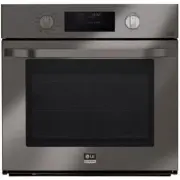 LG LSWS309BD
User Manual
LG LSWS309BD
User Manual
 LG LWC3063BD
User Manual
LG LWC3063BD
User Manual
 LG LWC3063ST
User Manual
LG LWC3063ST
User Manual
 LG LWD3063ST
User Manual
LG LWD3063ST
User Manual
 LG LWS3063ST
User Manual
LG LWS3063ST
User Manual
 LG LWS3081ST
Manual
LG LWS3081ST
Manual
 LG WCEP6423D
User Manual
LG WCEP6423D
User Manual
 LG WCEP6423F
User Manual
LG WCEP6423F
User Manual
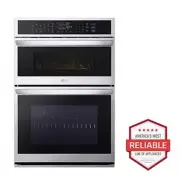 LG WCEP6427F
User Manual
LG WCEP6427F
User Manual
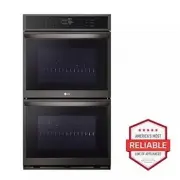 LG WDEP9423D
User Manual
LG WDEP9423D
User Manual
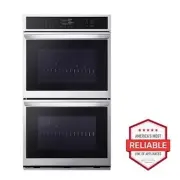 LG WDEP9423F
User Manual
LG WDEP9423F
User Manual
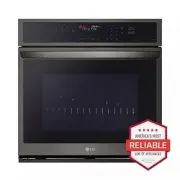 LG WSEP4723D
User Manual
LG WSEP4723D
User Manual
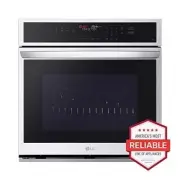 LG WSEP4723F
User Manual
LG WSEP4723F
User Manual