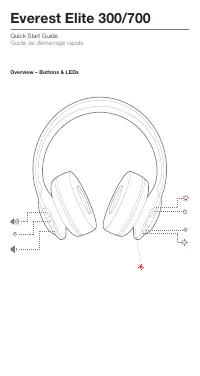
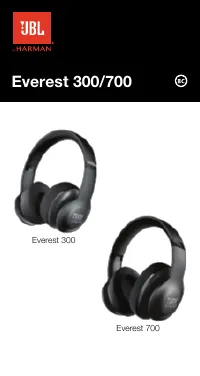
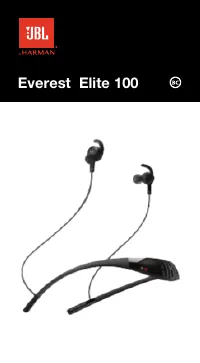
Page 2 - Overview – Buttons & LEDs
Quick Start Guide Guide de démarrage rapide Everest Elite 300/700 Overview – Buttons & LEDs M S
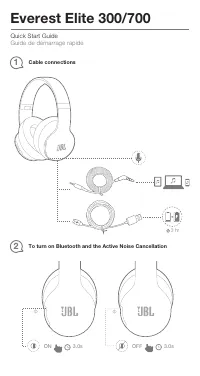
Page 3 - Cable connections; ON
Quick Start Guide Guide de démarrage rapide Everest Elite 300/700 3 hr Cable connections 1 To turn on Bluetooth and the Active Noise Cancellation 2 ON OFF 3.0s 3.0s
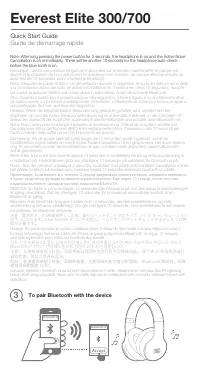
Page 4 - To pair Bluetooth with the device; Quick Start Guide
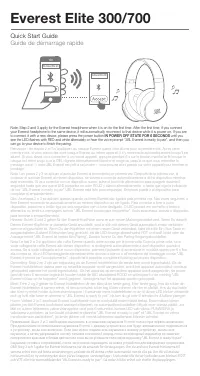
To pair Bluetooth with the device 3 JBL Everest Elite 700 JBL Everest Elite 700 Note: After long pressing the power button for 3 seconds, the headphone is on and the Active Noise Cancellation is on immediately. There will be another 10 seconds for the headphone auto-check before the blue-tooth is on...
Page 6 - To download My JBL Headphones App
Bemærk: Trin 2 og 3 er gældende for Everest-øretelefonen, når den tændes for første gang. Når du efterfølgende forbinder dine Everest-øretelefoner til den samme enhed, genopretter de automatisk forbindelse til den pågældende enhed, når strømmen er tændt. Hvis du vil oprette forbindelse til en ny enh...
Page 7 - Connectors in Everest
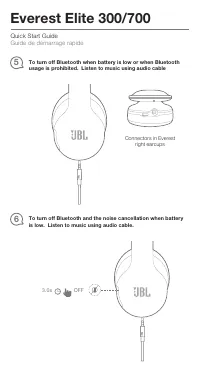
Quick Start Guide Guide de démarrage rapide Everest Elite 300/700 To turn off Bluetooth when battery is low or when Bluetooth usage is prohibited. Listen to music using audio cable 5 To turn off Bluetooth and the noise cancellation when battery is low. Listen to music using audio cable. 6 Connectors...
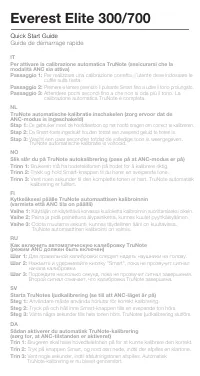
Page 8 - To turn on the TruNote auto calibration; User must wear headphone on the head to correctly calibrate.; modo ANC esté activado); Long press
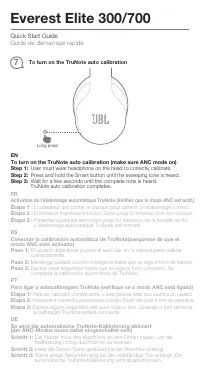
Quick Start Guide Guide de démarrage rapide Everest Elite 300/700 To turn on the TruNote auto calibration 7 EN To turn on the TruNote auto calibration (make sure ANC mode on) Step 1: User must wear headphone on the head to correctly calibrate. Step 2: Press and hold the Smart button until the sweepi...
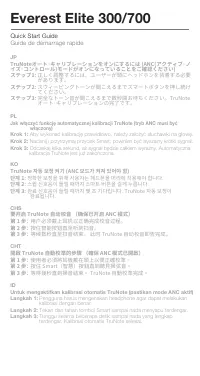
Page 10 - JP; があります。; ステップ2: スウィーピングトーンが聞こえるまでスマートボタンを押し続け; てください。; ステップ3: 完全なトーン音が聞こえるまで数秒間お待ちください。TruNote; オート・キャリブレーションの完了です。; CHS; 使用者必須將耳機戴在頭上以便正確校準。; 단계 3: 완료 신호음이 들릴 때까지 몇 초 기다립니다. TruNote 자동 보정이
Quick Start Guide Guide de démarrage rapide Everest Elite 300/700 JP TruNoteオート・キャリブレーションをオンにするには (ANC(アクティブ・ノ イズ・コントロール)モードがオンになっていることをご確認ください) ステップ1: 正しく調整するには、ユーザーが頭にヘッドホンを装着する必要 があります。 ステップ2: スウィーピングトーンが聞こえるまでスマートボタンを押し続け てください。 ステップ3: 完全なトーン音が聞こえるまで数秒間お待ちください。TruNote オート・キャリブレーションの完了です。 PL Jak ...
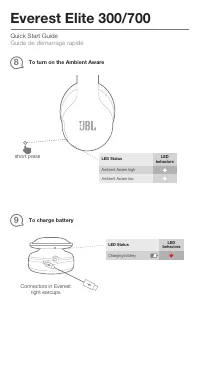
Page 11 - To charge battery; To turn on the Ambient Aware; short press
Quick Start Guide Guide de démarrage rapide Everest Elite 300/700 Connectors in Everest right earcups To charge battery 9 LED Status LED behaviors Charging battery To turn on the Ambient Aware 8 LED Status LED behaviors Ambient Aware high Ambient Aware low short press S
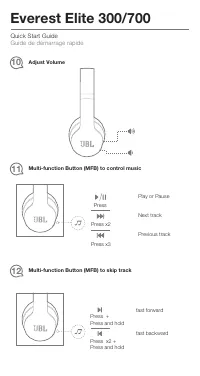
Page 12 - Adjust Volume
Quick Start Guide Guide de démarrage rapide Everest Elite 300/700 Adjust Volume 10 Multi-function Button (MFB) to control music 11 Play or Pause Next track Previous track Press Press x2 Press x3 Multi-function Button (MFB) to skip track 12 fast forward fast backward Press + Press and hold Press x2 +...
Page 13 - Multi-function Button (MFB) to manage 2 calls at the same time
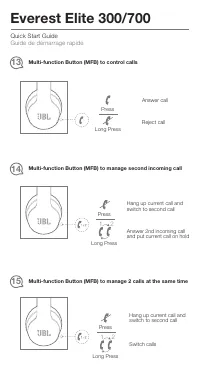
1 2 Press Long Press Multi-function Button (MFB) to manage 2 calls at the same time 15 Switch calls Hang up current call and switch to second call Quick Start Guide Guide de démarrage rapide Everest Elite 300/700 Multi-function Button (MFB) to control calls 13 Answer call Reject call Press Long Pres...
Page 14 - Software Upgrade; durchzuführen
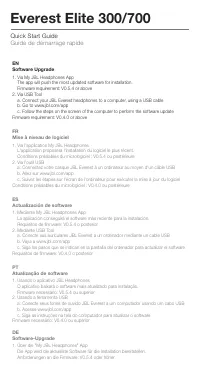
Quick Start Guide Guide de démarrage rapide Everest Elite 300/700 EN Software Upgrade 1. Via My JBL Headphones App The app will push the most updated software for installation. Firmware requirement: V0.5.4 or above2. Via USB Tool a. Connect your JBL Everest headphones to a computer, using a USB cabl...
Page 15 - Aggiornamento Software
Quick Start Guide Guide de démarrage rapide Everest Elite 300/700 DE Software-Upgrade 1. Über die "My JBL Headphones" App Die App wird die aktuellste Software für die Installation bereitstellen. Anforderungen an die Firmware: V0.5.4 oder höher IT Aggiornamento Software 1. Tramite l'App My JB...
Page 16 - Обновление ПО; Через приложение My JBL Headphones; Uppgradering av programvara; JBLヘッドホンアプリ経由でアップデートを行う場合; Aktualizacja oprogramowania
Quick Start Guide Guide de démarrage rapide Everest Elite 300/700 RU Обновление ПО 1. Через приложение My JBL Headphones Приложение загрузит последнюю версию ПО для установки. Требования по прошивке: V0.5.4 или более поздняя версия 2. Через USB a. Подключите наушники JBL Everest к компьютеру с помощ...
Page 17 - Pemutakhiran Perangkat Lunak; 앱에서�최신�업데이트�소프트웨어를�설치합니다.
Quick Start Guide Guide de démarrage rapide Everest Elite 300/700 ID Pemutakhiran Perangkat Lunak 1. Melalui Aplikasi My JBL Headphones Aplikasi ini akan menginstal perangkat lunak terbaru secara langsung. Persyaratan firmware: V0.5.4 atau di atasnya2. Melalui Peralatan USB a. Sambungkan headphone J...
Page 24 - ść
Quick Start Guide Guide de démarrage rapide Everest Elite 300/700 JPJBL Everest Elite 700 • 型:V700NXT • ドライバーサイズ:40mm • ダイナミック周波数特性レンジ:10-22kHz • ドライバー感度:99dB@1kHz、1mW • 最大音圧レベル:114dB • マイクロホン感度:-42dBV/Pa • Bluetooth®トランスミッター出力: 4dBm未満 • Bluetooth®トランスミッター変調: GFSK、π/4、DQPSK、8-DPSK • Bluetooth®仕様:4.0...
Page 27 - The Bluetooth
Quick Start Guide Guide de démarrage rapide Everest Elite 300/700 Торговая марка: JBL Назначение товара: Пользовательские наушники Изготовитель: Харман Интернешнл Индастриз Инкорпорейтед, США, 06901 Коннектикут, г.Стэмфорд, Атлантик Стрит 400, офис 1500 Страна происхождения: Китай Импортер в Россию:...