Page 4 - Table of Contents
- 4 - Table of Contents Box Contents ................................................................................................................. 6Optional Items ................................................................................................................. 6GA-MA770T-UD3/US3 ...
Page 8 - Block Diagram
- 8 - Block Diagram DDR3 1666(O.C.)/1333/1066 MHz Dual Channel Memory PCI CLK (33 MHz) AM3 CPU Hyper Transport 3.0 AMD 770 2 PCI PCI Bus PCI Express Bus 6 SATA 3Gb/s 3 IEEE 1394a 12 USB Ports LPT Port COM Port CPU CLK+/-(200 MHz) TSB43AB23 Center/Subwoofer Speaker Out Line Out MIC Line In S/PDIF In ...
Page 9 - Hardware Installation; Installation Precautions; Do not place the computer system on an uneven surface.; Chapter 1 Hardware Installation
Hardware Installation - 9 - 1-1 Installation Precautions The motherboard contains numerous delicate electronic circuits and components which can becomedamaged as a result of electrostatic discharge (ESD). Prior to installation, carefully read the user'smanual and follow these procedures: • Prior to ...
Page 10 - Product Specifications
GA-MA770T-UD3/US3 Motherboard - 10 - 1-2 Product Specifications C P U Support for Socket AM3 processors (Note 1) : AMD Phenom TM II X4 processor/AMD Phenom TM II X3 processor (Go to GIGABYTE's website for the latest CPU support list.) Hyper Transport Bus 5200 MT/s Chipset North Bridge: AMD 770...
Page 13 - Installing the CPU and CPU Cooler; Read the following guidelines before you begin to install the CPU:
Hardware Installation - 13 - 1-3 Installing the CPU and CPU Cooler Read the following guidelines before you begin to install the CPU: • Make sure that the motherboard supports the CPU.(Go to GIGABYTE's website for the latest CPU support list.) • Always turn off the computer and unplug the power cord...
Page 16 - Installing the Memory
GA-MA770T-UD3/US3 Motherboard - 16 - 1-4 Installing the Memory Read the following guidelines before you begin to install the memory: • Make sure that the motherboard supports the memory. It is recommended that memory ofthe same capacity, brand, speed, and chips be used.(Go to GIGABYTE's website for ...
Page 18 - Installing an Expansion Card; Example: Installing and Removing a PCI Express x16 Graphics Card:
GA-MA770T-UD3/US3 Motherboard - 18 - 1-5 Installing an Expansion Card Read the following guidelines before you begin to install an expansion card: • Make sure the motherboard supports the expansion card. Carefully read the manual thatcame with your expansion card. • Always turn off the computer and ...
Page 19 - Back Panel Connectors; Optical S/PDIF Out Connector
Hardware Installation - 19 - 1-6 Back Panel Connectors • When removing the cable connected to a back panel connector, first remove the cablefrom your device and then remove it from the motherboard. • When removing the cable, pull it straight out from the connector. Do not rock it side to sideto prev...
Page 21 - Internal Connectors
Hardware Installation - 21 - 1-7 Internal Connectors Read the following guidelines before connecting external devices: • First make sure your devices are compliant with the connectors you wish to connect. • Before installing the devices, be sure to turn off the devices and your computer. Unplug thep...
Page 33 - BIOS Setup; Chapter 2 BIOS Setup
- 33 - BIOS Setup Chapter 2 BIOS Setup BIOS (Basic Input and Output System) records hardware parameters of the system in the CMOS on themotherboard. Its major functions include conducting the Power-On Self-Test (POST) during systemstartup, saving system parameters and loading operating system, etc. ...
Page 34 - Startup Screen; The following screens may appear when the computer boots.
GA-MA770T-UD3/US3 Motherboard - 34 - 2-1 Startup Screen The following screens may appear when the computer boots. A. The LOGO Screen (Default) Function Keys:<TAB>: POST SCREEN Press the <Tab> key to show the BIOS POST screen. To show the BIOS POST screen at systemstartup, refer to the in...
Page 35 - The Main Menu; BIOS Setup Program Function Keys
- 35 - BIOS Setup 2-2 The Main Menu Once you enter the BIOS Setup program, the Main Menu (as shown below) appears on the screen. Usearrow keys to move among the items and press <Enter> to accept or enter a sub-menu. (Sample BIOS Version: GA-MA770T-UD3 E1) Main Menu HelpThe onscreen description...
Page 37 - Advanced Clock Calibratioin
- 37 - BIOS Setup 2-3 MB Intelligent Tweaker(M.I.T.) • Whether the system will work stably with the overclock/overvoltage settings you made isdependent on your overall system configurations. Incorrectly doing overclock/overvoltagemay result in damage to CPU, chipset, or memory and reduce the useful ...
Page 39 - DRAM Configuration; Allows you to set memory control mode.; DDR3 Timing Items
- 39 - BIOS Setup DRAM Configuration CMOS Setup Utility-Copyright (C) 1984-2009 Award Software DRAM Configuration : Move Enter: Select +/-/PU/PD: Value F10: Save ESC: Exit F1: General Help F5: Previous Values F6: Fail-Safe Defaults F7: Optimized Defaults Item Help Menu Level CPU Host Clock Co...
Page 42 - Standard CMOS Features; Date
GA-MA770T-UD3/US3 Motherboard - 42 - 2-4 Standard CMOS Features Date Sets the system date. The date format is week (read-only), month, date and y e a r . S e l e c t t h edesired field and use the up arrow or down arrow key to set the date. Time Sets the system time. For example, 1 p.m. is 13:0:0. S...
Page 44 - Advanced BIOS Features; Virtualization; Auto; Hard Disk Boot Priority; Setup
GA-MA770T-UD3/US3 Motherboard - 44 - 2-5 Advanced BIOS Features Virtualization Virtualization allows a platform to run multiple operating systems and applications in independentpartitions. With virtualization, one computer system can function as multiple virtual systems.(Default: Disabled) AMD K8 Co...
Page 45 - Away Mode; PCI Slot
- 45 - BIOS Setup HDD S.M.A.R.T. Capability Enables or disables the S.M.A.R.T. (Self Monitoring and Reporting Technology) capability of yourhard drive. This feature allows your system to report read/write errors of the hard drive and toissue warnings when a third party hardware monitor utility is in...
Page 46 - Integrated Peripherals; OnChip IDE Channel
GA-MA770T-UD3/US3 Motherboard - 46 - 2-6 Integrated Peripherals OnChip IDE Channel Enables or disables the integrated IDE controller. (Default: Enabled) Onboard 1394 Function Enables or disables the onboard IEEE 1394 function. (Default: Enabled) Onboard LAN Function Enables or disables the onboard L...
Page 47 - SMART LAN (LAN Cable Diagnostic Function)
- 47 - BIOS Setup SMART LAN (LAN Cable Diagnostic Function) CMOS Setup Utility-Copyright (C) 1984-2009 Award Software SMART LAN Item Help Menu Level Start detecting at Port.....Part1-2 Status = Open / Length = 0 m Part3-6 Status = Open / Length = 0 m Part4-5 Status = Open / Length = 0 m Part7-8 St...
Page 49 - Parallel Port Mode
- 49 - BIOS Setup Parallel Port Mode Selects an operating mode for the onboard parallel (LPT) port. Options are: SPP (Standard ParallelPort)(default), EPP (Enhanced Parallel Port), ECP (Extended Capabilities Port), ECP+EPP. ECP Mode Use DMA Selects DMA channel for the LPT port in ECP mode. This item...
Page 50 - Power Management Setup; ACPI Suspend Type; Specifies the ACPI sleep state when the system enters suspend.; Soft-Off by Power button; Vista
GA-MA770T-UD3/US3 Motherboard - 50 - 2-7 Power Management Setup ACPI Suspend Type Specifies the ACPI sleep state when the system enters suspend. S1(POS) Enables the system to enter the ACPI S1 (Power on Suspend) sleep state.In S1 sleep state, the system appears suspended and stays in a low powermode...
Page 52 - PC Health Status; Reset Case Open Status
GA-MA770T-UD3/US3 Motherboard - 52 - 2-8 PC Health Status Reset Case Open Status Keeps or clears the record of previous chassis intrusion status. Enabled clears the record ofprevious chassis intrusion status and the Case Opened field will show "No" at next boot. (Default:Disabled) Case Opene...
Page 53 - Current System/CPU Temperature; System Smart FAN Control
- 53 - BIOS Setup Current Voltage(V) Vcore/DDR3 1.5V/+3.3V/+12V Displays the current system voltages. Current System/CPU Temperature Displays current system/CPU temperature. Current CPU/SYSTEM/POWER FAN Speed (RPM) Displays current CPU/system/power fan speed. CPU Warning Temperature Sets the warning...
Page 55 - Supervisor Password
- 55 - BIOS Setup 2-11 Set Supervisor/User Password Press <Enter> on this item and type the password with up to 8 characters and then press <Enter>. Youwill be requested to confirm the password. Type the password again and press <Enter>. The BIOS Setup program allows you to specify...
Page 56 - -13 Exit Without Saving
GA-MA770T-UD3/US3 Motherboard - 56 - 2-12 Save & Exit Setup 2-13 Exit Without Saving Press <Enter> on this item and press the <Y> key. This saves the changes to the CMOS and exits theBIOS Setup program. Press <N> or <Esc> to return to the BIOS Setup Main Menu. Press <E...
Page 57 - Drivers Installation; Chapter 3 Drivers Installation; Installing Chipset Drivers
Drivers Installation - 57 - Chapter 3 Drivers Installation 3-1 Installing Chipset Drivers • Before installing the drivers, first install the operating system. • After installing the operating system, insert the motherboard driver disk into your optical drive.The driver Autorun screen is automaticall...
Page 59 - Contact; This page provides the basic system information.
Drivers Installation - 59 - 3-4 Contact For the detailed contact information of the GIGABYTE Taiwan headquarter or worldwide branch offices,click the URL on this page to link to the GIGABYTE Website. 3-5 System This page provides the basic system information.
Page 60 - Download Center
GA-MA770T-UD3/US3 Motherboard - 60 - 3-6 Download Center To update the BIOS, drivers, or applications, click the Download Center button to link to the GIGABYTEWeb site. The latest version of the BIOS, drivers, or applications will be displayed.
Page 61 - Chapter 4 Unique Features; Xpress Recovery2; Installation and Configuration
Unique Features - 61 - Chapter 4 Unique Features 4-1 Xpress Recovery2 "*" Xpress Recovery2 checks the first physical hard drive in the following sequence: The first PATA IDE connector, the second PATA IDE connector, the first SATA connector, the second SATA connector and so forth. Forexample...
Page 62 - B. Accessing Xpress Recovery2; the following message:; C. Using the Backup Function in Xpress Recovery2
GA-MA770T-UD3/US3 Motherboard - 62 - Step 3:When partitioning your hard drive, make sureto leave unallocated space (10 GB or more isrecommended; actual size requirements vary,depending on the amount of data) and begin theinstallation of the operating system. Step 4:After the operating system is inst...
Page 63 - Unique Features; E. Removing the Backup; Select REBOOT to exit Xpress Recovery2.
Unique Features - 63 - E. Removing the Backup D. Using the Restore Function in Xpress Recovery2 F. Exiting Xpress Recovery2 Select REBOOT to exit Xpress Recovery2. Select RESTORE to restore the backup to your harddrive in case the system breaks down. The RESTOREoption will not be present if no backu...
Page 64 - BIOS Update Utilities; design, which enhances protection; What is DualBIOS
GA-MA770T-UD3/US3 Motherboard - 64 - 4-2-1 Updating the BIOS with the Q-Flash Utility A. Before You Begin: 1 . From GIGABYTE's website, download the latest compressed BIOS update file that matches your motherboard model. 2 . Extract the file and save the new BIOS file (e.g. M77TUD3.F1) to your flopp...
Page 65 - Make sure the BIOS update file matches your motherboard model.
Unique Features - 65 - B. Updating the BIOS When updating the BIOS, choose the location where the BIOS file is saved. The follow procedureassumes that you save the BIOS file to a floppy disk. Step 1:1 . Insert the floppy disk containing the BIOS file into the floppy disk drive. In the main menu of Q...
Page 67 - Update the BIOS without Using the Internet Update Function:; Restart your system after updating the BIOS.; Load BIOS Defaults after BIOS Update:
Unique Features - 67 - 4-2-2 Updating the BIOS with the @BIOS Utility A. Before You Begin: 1 . In Windows, close all applications and TSR (Terminate and Stay Resident) programs. This helps prevent unexpected failures when performing a BIOS update. 2 . During the BIOS update process, ensure the Inter...
Page 68 - EasyTune 6; The EasyTune 6 Interface; Tab
GA-MA770T-UD3/US3 Motherboard - 68 - 4-3 EasyTune 6 GIGABYTE's EasyTune 6 is a simple and easy-to-use interface that allows users to fine-tune theirsystem settings or do overclock/overvoltage in Windows environment. The user-friendly EasyTune 6interface also includes tabbed pages for CPU and memory ...
Page 69 - Easy Energy Saver; Meter Mode - Button Information Table
Unique Features - 69 - 4-4 Easy Energy Saver GIGABYTE Easy Energy Saver is a revolutionary technology that delivers unparalleled power savings with a click of the button. Featuring an advanced proprietary software design, GIGABYTE Easy EnergySaver is able to provide exceptional power savings and enh...
Page 70 - Total Mode - Button Information Table
GA-MA770T-UD3/US3 Motherboard - 70 - Total Mode - Button Information Table B. Total Mode In Total Mode, users are able to see how much total power savings they have accumulated in a setperiod of time since activating Easy Energy Saver for the first time (Note 3) . (Note 1) Maximize system power savi...
Page 71 - Directions for using Q-Share; Options Descriptions
Unique Features - 71 - 4-5 Q-Share Q-Share is an easy and convenient data sharing tool. After configuring your LAN connection settingsand Q-Share, you are able to share your data with computers on the same network, making full use ofInternet resources. Directions for using Q-Share After installing Q...
Page 72 - Time Repair; System Restore
GA-MA770T-UD3/US3 Motherboard - 72 - 4-6 Time Repair Based on the Microsoft Volume Shadow Copy Services technology, Time Repair allows you toquickly back up and restore your system data in the Windows Vista operating system. Time Repairsupports NTFS file system and can restore system data on PATA an...
Page 73 - Appendix; Chapter 5 Appendix; Before you begin; An empty formatted floppy disk.; -1-1 Configuring the Onboard SATA Controller
Appendix - 73 - Chapter 5 Appendix (Note 1) Skip this step if you do not want to create RAID array on the SATA controller.(Note 2) Required when the SATA controller is set to AHCI or RAID mode. 5-1 Configuring SATA Hard Drive(s) To configure SATA hard drive(s), follow the steps below: A . Install SA...
Page 74 - Configuring SATA controller mode in BIOS Setup; Figure 1
GA-MA770T-UD3/US3 Motherboard - 74 - B. Configuring SATA controller mode in BIOS Setup Make sure to configure the SATA controller mode correctly in system BIOS Setup . Step 1:Turn on your computer and press <Delete> to enter BIOS Setup during the POST (Power-On Self-Test).Ensure OnChip SATA Co...
Page 75 - C. Configuring RAID set in RAID BIOS; Figure 2
Appendix - 75 - C. Configuring RAID set in RAID BIOS Enter the RAID BIOS setup utility to configure a RAID array. Skip this step if you do not want to createRAID. Step 1:After the POST memory test begins and before the operating system boot begins, look for a messagewhich says "Press <Ctrl-F&...
Page 76 - Figure 4
GA-MA770T-UD3/US3 Motherboard - 76 - Create Arrays ManuallyTo create a new array, press <2> to enter the Define LD window (Figure 4). The Define LD selectionfrom the Main Menu allows users to begin the process of manually defining the drive elements andRAID levels for one or multiple disk arra...
Page 78 - Figure 9
GA-MA770T-UD3/US3 Motherboard - 78 - Delete an ArrayThe Delete Array menu option allows for deletion of disk array assignments. 1 . To delete an array, press <3> in the Main Menu to enter the Delete LD Menu. Then highlight the array you wish to delete and press the <Delete> key or the &l...
Page 80 - -1-3 Installing the SATA RAID/AHCI Driver and Operating System; A. Installing Windows XP
GA-MA770T-UD3/US3 Motherboard - 80 - Figure 1 Step 2:Then a controller menu similar to Figure 2 below will appear. Select AMD AHCI Compatible RAIDController-x86 platform and press <Enter>. On the next screen, press <Enter> to continue the driverinstallation. After the driver installation...
Page 81 - B. Installing Windows Vista; Figure 3
Appendix - 81 - B. Installing Windows Vista (The procedure below assumes that only one RAID array exists in your system.) Step 1:Restart your system to boot from the Windows Vista setup disk and perform standard OS installationsteps. When a screen similar to that below appears (RAID hard drive will ...
Page 84 - Configuring Audio Input and Output; will appear in the notification area. Double-; click the icon to access the HD Audio Manager.
GA-MA770T-UD3/US3 Motherboard - 84 - 5-2 Configuring Audio Input and Output 5-2-1 Configuring 2/4/5.1/7.1-Channel Audio The motherboard provides six audio jacks on theback panel which support 2/4/5.1/7.1-channel audio.The picture to the right shows the default audiojack assignments. The integrated H...
Page 85 - You may configure an audio environment on the Sound Effects tab.
Appendix - 85 - Step 3:On the Speakers screen, click the Speaker Configu-ration tab. In the Speaker Configuration list, selectStereo, Quadraphonic , 5.1 Speaker, or 7.1 Speakeraccording to the type of speaker configuration you wishto set up. Then the speaker setup is completed. Step 2:Connect an aud...
Page 89 - * Enabling Stereo Mix
Appendix - 89 - Step 5:After completing the settings above, click Start, pointto All Programs , point to Accessories , and thenclick Sound Recorder to begin the sound recording. Step 2:On the Recording tab, right-click on an empty spaceand select Show Disabled Devices . * Enabling Stereo Mix If the ...
Page 90 - . To stop recording audio, click the Stop Recording button; Be sure to save the recorded audio file upon completion.
GA-MA770T-UD3/US3 Motherboard - 90 - Step 4:Now you can access the HD Audio Manager toconfigure Stereo Mix and use Sound Recorder torecord the sound. Step 3:When the Stereo Mix item appears, right-click onthis item and select Enable. Then set it as the defaultd e v i c e . A. Recording Sound: 1 . Ma...
Page 91 - Troubleshooting
Appendix - 91 - 5-3 Troubleshooting 5-3-1 Frequently Asked Questions To read more FAQs for your motherboard, please go to the Support&Downloads\Motherboard\FAQpage on GIGABYTE’s website. Q: In the BIOS Setup program, why are some BIOS options missing?A: Some advanced options are hidden in the BI...
Page 94 - Regulatory Statements; Regulatory Notices
GA-MA770T-UD3/US3 Motherboard - 94 - 5-4 Regulatory Statements Regulatory Notices This document must not be copied without our written permission, and the contents there of must not beimparted to a third party nor be used for any unauthorized purpose. Contravention will be prosecuted.We believe that...
Page 95 - China Restriction of Hazardous Substances Table
Appendix - 95 - Finally, we suggest that you practice other environmentally friendly actions by understanding andusing the energy-saving features of this product (where applicable), recycling the inner and outerpackaging (including shipping containers) this product was delivered in, and by disposing...
Page 99 - Contact Us
Appendix - 99 - Contact Us GIGA-BYTE TECHNOLOGY CO., LTD. Address: No.6, Bau Chiang Road, Hsin-Tien,Taipei 231, Taiwan TEL: +886-2-8912-4000 FAX: +886-2-8912-4003Tech. and Non-Tech. Support (Sales/Marketing) :http://ggts.gigabyte.com.twWEB address (English): http://www.gigabyte.comWEB addre...
Page 100 - GIGABYTE Global Service System
GA-MA770T-UD3/US3 Motherboard - 100 - To s u b m i t a t e c h n i c a l o r n o n - t e c h n i c a l ( S a l e s /Marketing) question, please link to :http://ggts.gigabyte.com.twThen select your language to enter the system. GIGABYTE Global Service System G.B.T. TECHNOLOGY TRADIN...


 Gigabyte 8I845GE RZC
User Manual
Gigabyte 8I845GE RZC
User Manual
 Gigabyte 8S661FXM RZ
User Manual
Gigabyte 8S661FXM RZ
User Manual
 Gigabyte 8VM533M RZ
User Manual
Gigabyte 8VM533M RZ
User Manual
 Gigabyte B650
User Manual
Gigabyte B650
User Manual
 Gigabyte GA 73PVM S2H rev 1 0
User Manual
Gigabyte GA 73PVM S2H rev 1 0
User Manual
 Gigabyte GA 770T D3L rev 1 x
User Manual
Gigabyte GA 770T D3L rev 1 x
User Manual
 Gigabyte GA 770T D3L rev 3 1
User Manual
Gigabyte GA 770T D3L rev 3 1
User Manual
 Gigabyte GA 770TA UD3 rev 1
User Manual
Gigabyte GA 770TA UD3 rev 1
User Manual
 Gigabyte GA 790XT USB3 rev 1
User Manual
Gigabyte GA 790XT USB3 rev 1
User Manual
 Gigabyte GA 790XTA UD4 rev 1
User Manual
Gigabyte GA 790XTA UD4 rev 1
User Manual
 Gigabyte GA 870A UD3 rev 2 2
User Manual
Gigabyte GA 870A UD3 rev 2 2
User Manual
 Gigabyte GA 880G UD3H rev 1 x
User Manual
Gigabyte GA 880G UD3H rev 1 x
User Manual
 Gigabyte GA 880GA UD3H rev 2 2
User Manual
Gigabyte GA 880GA UD3H rev 2 2
User Manual
 Gigabyte GA 8AENXP D
User Manual
Gigabyte GA 8AENXP D
User Manual
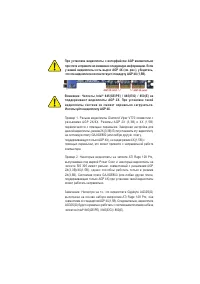 Gigabyte GA 8GE800
User Manual
Gigabyte GA 8GE800
User Manual
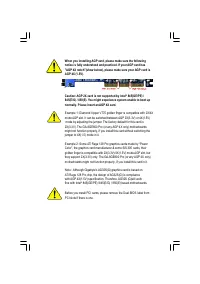 Gigabyte GA 8GE800 Pro
User Manual
Gigabyte GA 8GE800 Pro
User Manual
 Gigabyte GA 8GEM667
User Manual
Gigabyte GA 8GEM667
User Manual
 Gigabyte GA 8GEMT4
User Manual
Gigabyte GA 8GEMT4
User Manual
 Gigabyte GA 8GPNXP Duo
User Manual
Gigabyte GA 8GPNXP Duo
User Manual