Page 2 - Motherboard
Mother Board 8VM533M-RZ Feb. 20, 2004 Motherboard 8VM533M-RZ Feb. 20 ,2004
Page 3 - Preparing Your Computer; whenever the components are separated from the system.; Installing the motherboard to the chassis
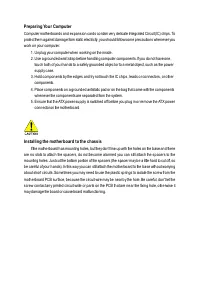
Preparing Your Computer Computer motherboards and expansion cards contain very delicate Integrated Circuit (IC) chips. Toprotect them against damage from static electricity, you should follow some precautions whenever youwork on your computer. 1. Unplug your computer when working on the inside.2. Us...
Page 4 - VM 533M -RZ Series M otherboard; English; Table of Contents
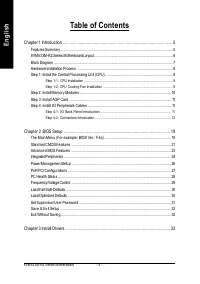
- 4 - 8VM 533M -RZ Series M otherboard English Table of Contents Chapter 1 Introduction ................................................................................................ 5 Features Summary ...................................................................................................
Page 5 - Chapter 1 Introduction; Features Summary
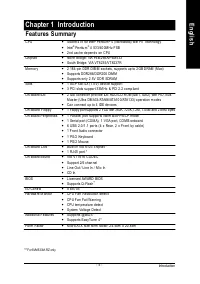
Introduction English - 5 - CPU — Socket 478 for Intel ® Pentium ® 4 (Northwood) with HT Technology — Intel ® Pe ntiu m ® 4 53 3/40 0M Hz F SB — 2n d cac he de pen ds on CPU Ch ip se t — No rth Brid ge: VIA P4M 2 66A/ P4M 5 33 — So uth Bridge: VIA VT823 5/VT823 7R M e m o ry — 2 184- pin DDR DIM M s ...
Page 6 - VM533M-RZ Series Motherboard Layout
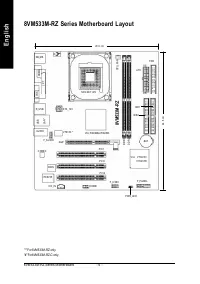
- 6 - 8VM 533M -RZ Series M otherboard English "*" For 8VM533M-RZ only."#" For 8VM533M-RZ-C only. 8VM533M-RZ KB_M S COMA SOC KET 478 CPU_FAN ATX F D D VGA LPT C D _I N F_PAN EL F_U SB1 PW R_LE D A TX_12V F_AU DIO BAT V I A V T82 35/ V T8237R VIA P4M 266A /P4M 533 ID E2 PC I1 PC I2 PC...
Page 7 - MIC
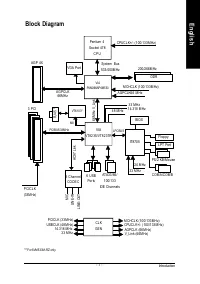
Introduction English - 7 - "*" For 8VM533M-RZ only. Block Diagram MII VIA P4M266A/P4M533 VIA VT82 35/VT8 237R CPUCLK+/- ( 100/133 M Hz) Sy stem Bus 533/400M Hz AGPCLK66 M Hz 33 M Hz 14.318 M Hz 48 M Hz LPC BUS AG P 4X 3 PCI PCICL K (33M Hz) RJ45 * AC97 Link 6 USB Por ts ATA33 /66/ 100/133 ID...
Page 8 - HT fu nct io nal ity re qui rement c ont ent :
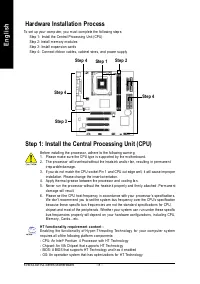
- 8 - 8VM 533M -RZ Series M otherboard English To s et up yo ur co m p ute r, yo u m us t co m plete the fo llowing step s: Step 1- Ins tall the Cen tra l Proc ess ing Un it (CPU)Ste p 2- Ins tall m em ory m odu lesStep 3- Ins tall e xpa nsion car dsStep 4- Con nec t rib bo n c ab les , ca bin et wi...
Page 9 - Har dware Installatio n Proc ess
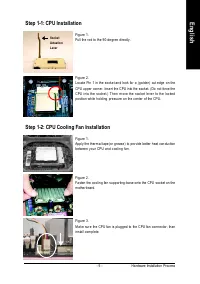
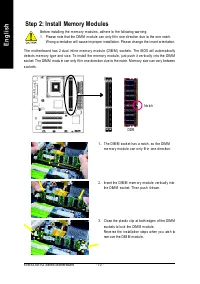
- 9 - Har dware Installatio n Proc ess English Step 1-1: CPU Installation Fig ure 1.Pu ll the r od to th e 9 0-de gree dir ectly. Fig ure 2.Lo cate Pin 1 in th e s ock et an d loo k for a (go lde n) cu t e dge o n theCPU up per corn er. Inse rt the CPU into the soc ket. (Do not for ce theCPU in to t...
Page 11 - Th is con nec tor s upp orts s tan dar d PS/2 ke ybo ard a nd PS/ 2 m ous e.; VGA port; M o nito r ca n b e co nne cted to VGA por t.; USB po rt; Step 3: Install AGP Card
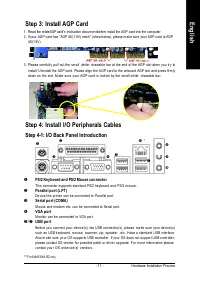
- 1 1 - Har dware Installatio n Proc ess English u PS/2 Keyboard and PS/2 Mouse connector Th is con nec tor s upp orts s tan dar d PS/2 ke ybo ard a nd PS/ 2 m ous e. v Paralle l port (L PT) De vic e like printer ca n b e co nne cte d to Pa rallel por t. w Serial po rt (COMA) M o use and m ode m e t...
Page 12 - LAN is fas t Eth ern et with 10 /10 0M bps sp ee d.; Line In jack; De vices like CD-ROM , walkm an etc. ca n b e con ne ct to L ine In jac k.; Line Out jack; Co nnec t the s tere o s peak ers or ear phon e to th is c onn ecto r.; MIC In jack
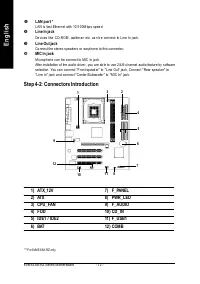
- 1 2 - 8VM 533M -RZ Series M otherboard English Step 4-2: Connectors Introduction z LAN p ort * LAN is fas t Eth ern et with 10 /10 0M bps sp ee d. | Line In jack De vices like CD-ROM , walkm an etc. ca n b e con ne ct to L ine In jac k. } Line Out jack Co nnec t the s tere o s peak ers or ear phon...
Page 16 - Co nnec t CD-ROM or DVD-ROM au dio out to the conn ecto r.
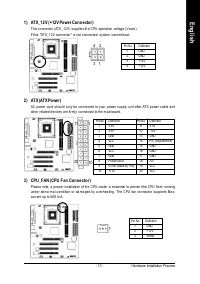
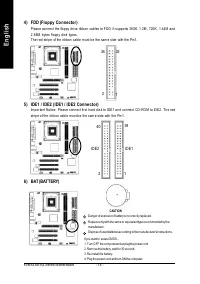
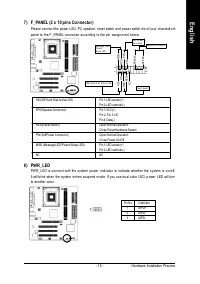
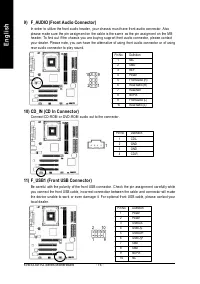
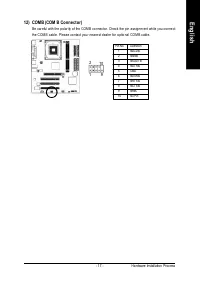
- 1 6 - 8VM 533M -RZ Series M otherboard English Pin No. Definition 1 MIC 2 GND 3 REF 4 Power 5 Front Audio (R) 6 Rear Audio (R) 7 Reserved 8 No Pin 9 Front Audio (L) 10 Rear Audio (L) 9) F_AUDIO (Front Audio Connector) In or der to utiliz e the fron t a udio h eade r, you r c has sis m us t h ave f...
Page 19 - CONT RO L KEYS; Chapter 2 BIOS Setup; Main Menu
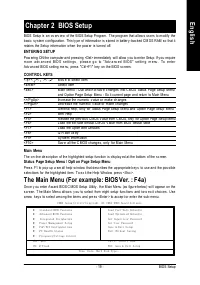
- 19 - BIOS Setup English CONT RO L KEYS < > < >< >< > Mov e to select item <Enter> Select Item <Esc> Main Menu - Q uit and n ot sav e c hanges i nto CMOS Status Pa ge Setup Menuand O ption Pa ge Setup Menu - Ex it curre nt page a nd return to Main Menu <+/P gU...
Page 21 - Date
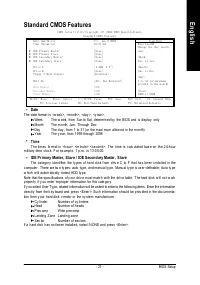
- 21 - BIOS Setup English Standard CMOS Features Date The d ate format is <w eek> , <month>, <day >, <y ear>. Week The w eek, from Sun to Sat, determin ed by the BIOS and is display only Month The m onth, Jan . Through Dec. Day The d ay , from 1 to 31 (or the max i mum allow ...
Page 22 - Flopp y 3 Mode Support (f or Japan Area)
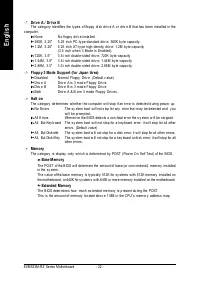
- 22 - 8VM533M-RZ Series Motherboard English Drive A / Dri ve B The catego ry ide ntifie s the ty pes of flo ppy di sk dri v e A o r driv e B th at has been instal led in the compu ter. None No fl oppy dri v e insta lled 360K, 5.25" 5.25 inch PC-ty pe stan dard driv e; 360K b y te capa city . 1....
Page 23 - Passwor d Check
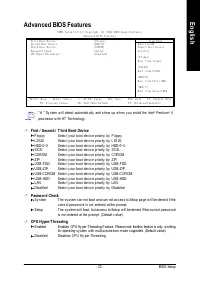
- 23 - BIOS Setup English Advanced BIOS Features First / Second / T hird Boot Device Flo ppy Selec t y our b oot dev ic e priori ty by Fl oppy . LS120 Selec t y our b oot dev i ce prior ity by L S120. HDD- 0~3 Selec t y our b oot dev ic e priority by HDD-0~3. SCSI Select y our boot dev ice pr iority...
Page 24 - OnChi p IDE Channel0
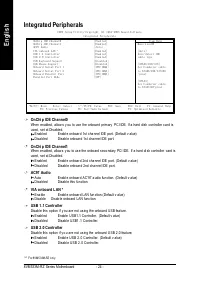
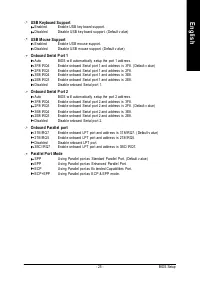
- 24 - 8VM533M-RZ Series Motherboard English Integrated Peripherals OnChi p IDE Channel0 When enabled, allow s y ou to use the onboar d primary PCI IDE. If a hard disk controller ca rd isused, set at Dis abled. Enab led Enabl e onboar d 1st cha nnel IDE port. (Default v alue) Disa bled Disab le onbo...
Page 26 - ACPI Suspend T ype
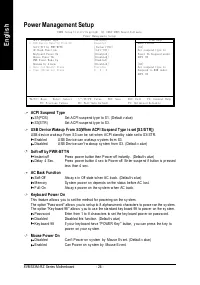
- 26 - 8VM533M-RZ Series Motherboard English Power Management Setup ACPI Suspend T ype S1(P OS) Set A CPI susp end ty pe to S1. (Default v alue) S3(S TR) Set A CPI suspe nd ty pe to S3. USB Device Wakeup From S3(W hen ACPI Su spend T ype is set [S3/ST R]) USB d ev ice w ak eup From S 3 can be set w ...
Page 27 - PME Event Wake Up; PnP/PCI Configurations
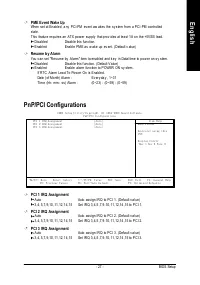
- 27 - BIOS Setup English PME Event Wake Up When set at En abled, a ny PCI-PM ev ent aw akes the sy stem fr om a PCI-PM contr olledsta te.This feature re quires an ATX pow er supply that prov i des at lea st 1A on the +5VSB lead. Disa bled Disabl e this fun ction. Enab led Enabl e PME as w ake up ev...
Page 28 - Curren t CPU T emperature
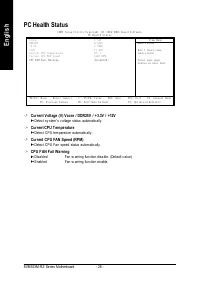
- 28 - 8VM533M-RZ Series Motherboard English PC Health Status Current Voltage (V) Vcore / DDR25V / +3.3V / +12V Detec t sy stem' s v oltage status automatic ally . Curren t CPU T emperature Detec t CPU tem perature automatic ally . Current CPU FAN Speed (RPM) Detec t CPU Fa n speed status a utomatic...
Page 29 - CPU Clock Ratio
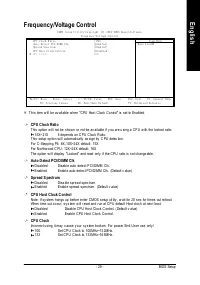
- 29 - BIOS Setup English Frequency/Voltage Control CPU Clock Ratio This option w il l not be show n or not be av a ilable if y ou are u sing a CP U w ith th e locked r atio. 15X~ 21X It de pends on C PU Clock R atio. This setup op tion w ill automati cally as sign by C PU detec tion.For C -Steppin ...
Page 30 - VM533M-RZ Series Motherboard
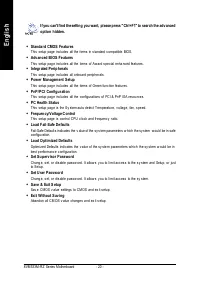
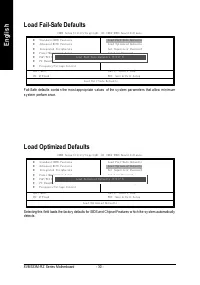
- 30 - 8VM533M-RZ Series Motherboard English Load Fail-Safe Defaults Fail-Safe defaults contai n the m ost appr opriate v alues of the s y stem pa rameter s that a llow min imumsy ste m perform ance. Load Optimized Defaults Selecting this field loads the factory defaults for BIOS and Chipset Feature...
Page 31 - BIOS Setup
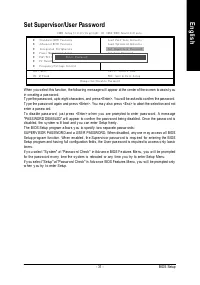
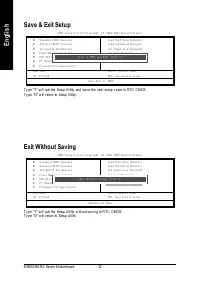
- 31 - BIOS Setup English Set Supervisor/User Password When y ou select this function, the follow ing message w ill appear at the center of the screen to assist y ouin cre ating a pas sw ord.Ty pe the passw ord, up to eight characters, and press <Enter>. You will be asked to confirm the passw ...
Page 33 - Chapter 3 Install Drivers; INSTALL CHIPSET DRIVER; Install Drivers
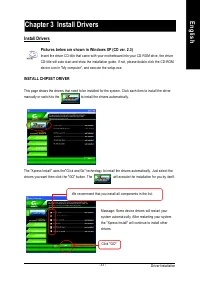
Driver Installation - 33 - English Revision History Chapter 3 Install Drivers Pictures below are shown in Windows XP (CD ver. 2.3) Insert the driver CD-title that came with your motherboard into your CD-ROM drive, the driverCD-title will auto start and show the installation guide. If not, please dou...
Page 34 - Item Description
- 34 - 8VM533M-RZ Series Motherboard English "*" For 8VM533M-RZ only. n VIA 4IN1 Driver For INF, AGP, IDE and DMA Driver. n VIA KM266/P4M266 VGA DriverFor VIA KM266/P4M266 VGA driver. n USB Path for WinXPThis patch driver can help you to resolve the USB device wake up S3 hang up issue in XP....
Page 35 - Contact Us
- 35 - English Contact Us — Taiwan (Headquarters) GIGA-BYTE TECHNOLOGY CO., LTD.Address: No.6, Bau Chiang Road, Hsin-Tien, Taipei Hsien,Taiwan TEL: +886 (2) 8912-4888 FAX: +886 (2) 8912-4003Tech. Support :http://tw.giga-byte.com/TechSupport/ServiceCenter.htmNon-Tech. Support (Sales/Marketing) :http:...