Page 2 - EN; Manual; Pictograms used; Important information
EN Manual EN 3 - EN 45 Pictograms used Important information Tip
Page 3 - YOUR OVEN
EN 3 YOUR OVEN Your oven Introduction 4Control panel 5 Description 6Guide rails/Telescopic guide rails 6 Accessories 7Door 8Cooling fan 8 Main functions 8 Keys 10Navigation 11 Initial use What to do first 13 Operation Selecting your function 16 Function settings mode 16 Progress mode 18 Finish displ...
Page 4 - Introduction; Installation instructions are supplied separately.
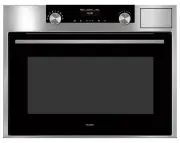
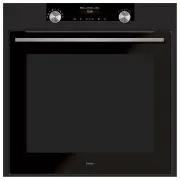
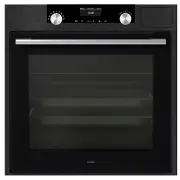
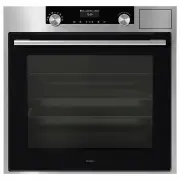
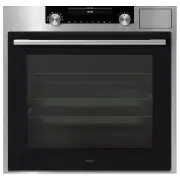
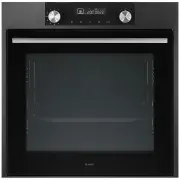
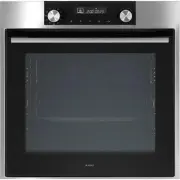
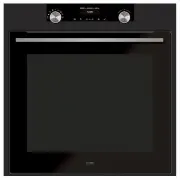
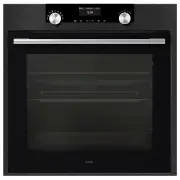
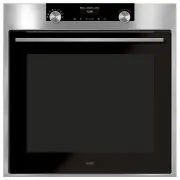
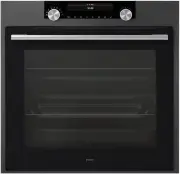
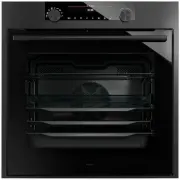
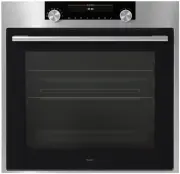
EN 4 Introduction Congratulations on choosing this ASKO steam oven. This product is designed to offer simple operation and optimum user-friendliness. The oven has a wide range of settings, enabling you to select the correct cooking method every time. This manual shows how you can best use this oven....
Page 5 - Control panel
EN 5 Control panel 12 13 14 15 16 17 18 19 1 10 11 6 7 8 9 5 4 3 2 1. Function knob (in ‘Off’ position)2. Defrost3. Programs & Favourites4. Fast preheat5. Oven6. Steam7. Combi steam8. Warming 9. Steam clean 10. Display11. Selection knob12. On/off key and stop key (cancel)13. Light key14. Timer k...
Page 6 - Description; • Place the oven rack, baking tray or steam dish in the gap between; Level 1
EN 6 YOUR OVEN Description 1. Control panel2. Water reservoir cover2. Oven levels3. Oven door4. Door handle Guide rails/Telescopic guide rails • The oven has four or five guide rails (Level 1 to 4/5), depending on the model. Level 1 is mainly used in combination with bottom heat. The two upper level...
Page 7 - Accessories; Note: never place an accessory on the bottom of the oven!
EN 7 Accessories Your appliance is accompanied by a range of accessories, depending on the model. Only use original accessories; they are specially suited to your appliance. Be sure that all the accessories that are being used are able to withstand the temperature settings of the chosen oven functio...
Page 8 - Perforated steam dish; • Note: discolouration may occur at temperatures above 180 °C!; Door; • The door switches interrupt the operation of the steam oven when; Cooling fan; Setting
EN 8 YOUR OVEN Accessories that can be supplied with your appliance (depending on the model) Perforated steam dish; 1/3GN. Perforated steam dish; 1/2GN. • Note: discolouration may occur at temperatures above 180 °C! This will not influence the proper function of the oven. • The steam dishes can be u...
Page 10 - Keys; - To open or exit the plus menu with the extra options
EN 10 YOUR OVEN Keys In the table below you can find the discription of the different keys. Keys Description of the keysStop key:- Press short: cancel operation or go one step back in the menu. - Press long: turn the appliance off or on. Light key: - To turn the cavity light on or off. Egg timer- Th...
Page 11 - Navigation
EN 11 Navigation active area stop key confirm key function knob selection knob navigation keys By turning the function knob away from the 0-position, the icon of the chosen main function is lit. The display will show the icon and name of the activated function for about 1,5 seconds. Next you will se...
Page 13 - INITIAL USE; What to do first; • Clean the oven interior and accessories with hot water and; Setting the language; English; Deutsch; Confirm the setting by pressing the confirm key.; Setting the date; pressing the selection knob.
EN 13 INITIAL USE What to do first • Clean the oven interior and accessories with hot water and washing-up liquid. Do not use aggressive cleaning agents, abrasive sponges and similar. • The oven will emit a particular odor when it is used for the first time; this is normal. Make sure that there is g...
Page 14 - Setting the time; Setting the water hardness; red; Checking the water hardness; with those on the test strip.
EN 14 Setting the time : 00 11 12 13 TIME l HOUR 1. Turn the selection knob and change the hours.2. Confirm this setting by pressing the right navigation key or by pressing the selection knob. 3. Turn the selection knob and change the minutes.4. Confirm this setting by pressing the confirm key. Sett...
Page 15 - • Press and hold the stop key to shut down the appliance manually.
EN 15 Display Test strip number/colour of the bars Type PPM French hardness (°df) German hardness (°dH) 1 4 green bars Very soft water 0 - 90 0 - 9 0 - 5 2 1 red bar Soft water 90 -178 9 - 18 5 - 10 3 2 red bars Rather hard water 178 - 267 18 - 26 10 - 15 4 3 red bars Hard water 267 - 356 26 - 35 15...
Page 16 - Selecting your function; key is blinking if it is possible to start the program).; Function settings mode; The first sub-function setting becomes active.; Confirm the setting by pressing the right navigation key or by; Turn the selection knob and change the setting.; OPERATION
EN 16 Selecting your function Select a function appropriate for the meal you are cooking. Consult the table in chapter ‘Functions table’ to see which functions are available.• Go directly to the progress mode by pressing the confirm key (this key is blinking if it is possible to start the program). ...
Page 17 - Turn the selection knob and change the setting.; with clean water before starting the program.
EN 17 5. Confirm the setting by pressing the right navigation key or by pressing the selection knob. The next sub-function setting becomes active. 210 °C OVEN l COOKING TIME 14:30 ▷ The timer icon shows that there is no timer necessary for this function. Press the confirm key to start the program di...
Page 18 - Progress mode; • Left side on the screen, the temperature is displayed (if the set; Finish display
EN 18 Progress mode • Left side on the screen, the temperature is displayed (if the set temperature is not reached, the temperature will switch between cavity temp (grey) and set temp (white)). If the set temperature is reached a pop-up will appear ‘set temperature is reached’. • Right side on the s...
Page 19 - The previous process is activated again.; Changing settings during the progress
EN 19 OPERATION Add extra time1. Press the right navigation key to select ‘Add extra time’. 2. The time setting becomes active and can be changed directly by rotating the selection knob. 3. Confirm by means of the confirm key. The previous process is activated again. Gratin1. Press the right navigat...
Page 20 - USE; Functions table
EN 20 USE Functions table Consult the table to choose the desired function. Also consult the instructions for preparation on the dish packaging. Function DescriptionOven functions Hot Air• Heating by means of hot air from the back of the oven. • This mode provides uniform heating and is ideal for ba...
Page 21 - Function Description
EN 21 USE Function Description Large Grill• Heating by means of the upper element and grill element. • This mode can be used with dishes and baked goods that require a distinctive bottom crust or browning. Use just before the end of the baking or roasting time. • Place the oven rack in the upper par...
Page 22 - he upper h
EN 22 USE Function Description Top Heat• Heating only by means of the upper heating element. • This mode can be used when you wish to bake/ roast the top part of your dish. • Place the baking tray or oven rack in the middle of the oven. • Suggested temperature: 150 °C 2 Bottom Heat• Heating only by ...
Page 24 - Extra functions
EN 24 USE Function DescriptionCombi steam functions High 3 Medium 2 Low 1 Hot air + Steam density 1 / 2 / 3• Heating by means of hot air in combination with steam. • The steam is sprayed into the oven cavity at regular intervals. • This mode can be used for baking types of pastry such as puff pastry...
Page 25 - • Use this function to defrost frozen dishes.; Steam function; the dish. No odors are released using this cooking method.
EN 25 USE Function Description Defrost• With this function, the air circulates by means of the fan. The air will be heated to a temperature of 30 °C. • Use this function to defrost frozen dishes. Programs and Favourites• Programs: for baking and roasting. Select a dish from a list of pre-programmed ...
Page 28 - Culisensor; completely into the dish.
EN 28 USE Culisensor If the culisensor is plugged in, the culisensor screen will be shown and a small culisensor icon will appear next to the time. The oven operates until the food core reaches the set temperature. The core temperature is measured by means of the temperature probe.1. Remove the rubb...
Page 29 - Settings menu
EN 29 USE Settings menu The settings menu is only available by pressing the ‘plus key’ when the appliance is in standby mode. Setting DescriptionGeneralLanguageTimeDateSound DisplayBrightnessClock sizeNight modeAppliance to stand-by mode CookingDefault program intensitySteamPreheat settings SystemAp...
Page 30 - display set start timer, second display set end time); Plus menu; • To exit the plus menu, press the ‘stop key’ or ‘plus key’ the display
EN 30 USE DisplayYou can set the following from this menu:• Brightness (low, mid, high)• Night mode (start and end time for lower display brightness: first display set start timer, second display set end time) • Clock size (small / large)• Stand-by (auto switch off / manually switch off) Changing to...
Page 32 - This option is only available for the oven functions.
EN 32 Cooking information The cooking info screen will give more information about the chosen function, like the needed equipment and for what kind of purposes the function is used. Fast preheat There are two different ways to use fast preheat:Activate the fast preheat in the settings menu (to be de...
Page 33 - Delayed start; with the confirm key.; Gratin; A small grill icon will appear next to the current time.; Stage cooking; A small icon will appear next to the current time.
EN 33 Delayed start Use the ‘delayed start’ function to start cooking at a later time, by setting the desired finishing time.1. Press the plus key (in the ‘Function settings mode’).2. Select ‘Delayed start’ with the right navigation key. 3. Press the confirm key. The display will show the delay star...
Page 34 - The display will switch to the settings screen.; Go to manual cooking
EN 34 4. To add a stage, choose the second function by pressing the navigation keys or pressing the selection knob. 5. Press the confirm key. The display will switch to the settings screen. 6. Select the desired function, set the temperature and time. 7. Save the stage and return to the stage cookin...
Page 35 - Egg timer; The egg timer is started.; Child lock
EN 35 Favourites (see chapter ‘Finish display’)• You can select your own stored recipes in ‘favourites’. • If there are no saved recipes, a pop-up will appear: ‘No saved dishes’. • The name of the recipe appears in the text bar and the saved oven settings are shown. Egg timer The egg timer can be us...
Page 37 - CLEANING; Cleaning the appliance; cloth and soapy water.; Steam clean; Please note: Do not open the door during the cleaning process.
EN 37 CLEANING Cleaning the appliance Clean the appliance regularly to prevent fat and food particles from accumulating, especially on the surfaces of the interior and the exterior, the door and the seal. • Activate the child lock (to prevent that the appliance is switched on accidentally). • Clean ...
Page 38 - Cleaning the Water Tank Filter; Ensure that the filter touches the base of the water tank.; Descaling; Pour water mixed with descaling agent into the water reservoir.
EN 38 Cleaning the Water Tank Filter If the water tank filter is dirty, you can clean it under the tap.1. Remove the suction tube with the filter.2. Clean it out under the tap and put it back into position. Ensure that the filter touches the base of the water tank. Descaling During the steam process...
Page 39 - Removing and cleaning the guide rails
EN 39 descaling action, it also has a cleansing and anti-bacterial effect, ensuring that the appliance’s internal components are preserved in an optimum hygienic state. Therefore food’s good taste is preserved and the appliance’s service life is extended.• Water is used for the steaming process. Wat...
Page 40 - Replacing the oven light bulb; • Disconnect the appliance from the power supply by removing the; Remove the four screws from the cover panel. Remove the cover
EN 40 Replacing the oven light bulb The lamp in this household appliance is only suitable for illumination of this appliance. The lamp is not suitable for household room illumination. The lamp is a consumer item and therefore not covered by warranty. Replace the defective lamp with a lamp of the sam...
Page 41 - Removing the oven door; • Keep your fingers away from the hinges of the oven door.; The hinges will be locked in the
EN 41 Removing the oven door • Keep your fingers away from the hinges of the oven door. The hinges are spring loaded and can cause injury if they spring back. • Make sure that the hinge latches are applied correctly to lock the hinges. Remove the oven door. 1. Open the door to the fully open positio...
Page 42 - Removing the oven door glass; remove it from the upper support.
EN 42 Removing the oven door glass The inside of the glass in the oven door can be cleaned. For this it must be removed from the oven door. 1. Slightly lift (1) and shift (2) the clamps at the lower left and right of the door to release the glass (A). 2. Grab the glass (A) at the bottom and gently l...
Page 43 - General; • Set the time again.; SOLVING PROBLEMS
EN 43 General If you have problems with your oven, then consult the error overview below. Should the problems persist, then please contact the Customer Services Department. The food stays raw• Check whether the timer has been set and you have pressed the ‘confirm key’. • Is the door closed properly?...
Page 44 - • Consult a service technician if the error persists.
EN 44 Clicking sounds can be heard when the oven is working, particularly in the defrost setting.• This is normal. The circuit breaker switches off regularly.• Consult a service technician. The display gives an error code, ERROR XX ... (XX indicates the number of the error). • There is a fault in th...
Page 45 - Disposal of the appliance and packaging; YOUR OVEN AND THE ENVIRONMENT
EN 45 Disposal of the appliance and packaging This product is made from sustainable materials. However, the appliance must be disposed of responsibly at the end of its useful life. The government can provide you with information about this. The packaging of the appliance can be recycled. The followi...