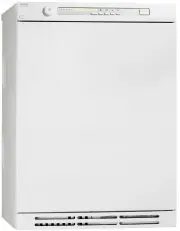
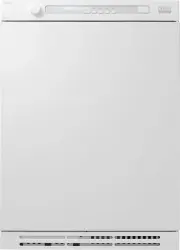
Page 3 - CONTENTS; THIS USER MANUAL; The contents of this user manual describe the; function; and; operation; of the drying; installation and maintenance.
3 CONTENTS THIS USER MANUAL The contents of this user manual describe the function and operation of the drying cabinet and contain instructions for installation and maintenance. Important safety information 4 For a healthy environment 6 Packaging materials 6 Management of end-of-life drying cabinet ...
Page 4 - IMPORTANT SAFETY INFORMATION; Applicable to installation in the EU; The drying cabinet can be used by children over the age; Applicable to installation in countries outside the EU; This appliance is not intended for use by persons (including
4 This drying cabinet complies with applicable safety requirements. Incorrect use may, however, lead to personal injury and damage to objects. This advice on safe operation has been compiled so that you can avoid incorrect use and unnecessary risks of accidents and should be read before the drying c...
Page 5 - Applicable to all installation; The drying cabinet must be installed and kept indoors.
5 Applicable to all installation The drying cabinet must be installed and kept indoors. If the power cord is damaged, it must be immediately re- placed, and this must be done only by the manufacturer, the manufacturer’s service agent or similarly qualifi ed persons in order to prevent danger. Foll...
Page 6 - PACKAGING MATERIALS; FOR A HEALTHY ENVIRONMENT; MANAGEMENT OF END
6 PACKAGING MATERIALS The packaging protecting the drying cabinet against damage in transit has been chosen with concern for the environment in mind and is therefore recyclable. Returning packaging to the material cycle means reduced consumption of raw materials and lower levels of waste. FOR A HEAL...
Page 7 - COMPONENTS
7 COMPONENTS Power cord Air intake Damp air outlet Heater and fan components assembled in a removable fan unit behind the cover panel Bar hanger (Accessory, only on some models) Door hangers Three extendible hanging sections (The illustration shows extended sections) Glove hangers Door right or left...
Page 8 - CONTROL PANEL; START
8 CONTROL PANEL The drying cabinet is equipped with four automatic programmes and four manual programmes for di ff erent types of garments. These programmes are set through programming menus using the buttons on the menu panel. Several languages can be handled. BUTTONS ON/OFF START starts and STOP st...
Page 9 - LANGUAGE
9 Language symbol Display language 0 English 1 Swedish 2 Norwegian 3 Danish 4 Finnish 5 Italian 6 French 7 German 8 Spanish 9 Portuguese 10 Dutch LANGUAGE The following languages can be handled: English, Swedish, Norwegian, Danish, Finnish, Italian, French, German, Portuguese and Dutch. SETTING 1 Ma...
Page 10 - POSITIONG THE DRYING CABINET; Cabinet
A 595 298 100 608 635 10 If the dryer cabinet is to be connected to the exhaust air ventilation this must be available in the premises. An earthed power outlet must be available within 2 m of the top section of the dryer cabinet. The dryer cabinet has a 2 m long earthed cable with plug connected...
Page 11 - UNPACKING; Complete delivery must include:; INSTALLATION
11 Draft stabilizer (1) Hose (1) Spigot (1) Fixing screw for spigot (2) Cover plug, white (4) for adjustable feet Allen key (1) UNPACKING ______________________________________ NOTE: The drying cabinet must be handled carefully if it is only standing on its pallet. RISK OF TIPPING OVER. ____________...
Page 12 - PLACEMENT
12 8 9 3 2 6 4 7 5 1. Pre-drilled holes 2. Plastic plug 3. Wall behind drying cabinet 4. Fixing screws 5. Washer 6. Rear wall of drying cabinet 7. Cover plug 8. Spirit level 9. Cover plug PLACEMENT ______________________________________ The drying cabinet is only intended for use indoors in a dry ar...
Page 13 - two ways
13 EVACUATION / AIR SUPPLY When the cabinet is on, 45 m³ moist air per hour is evacuated. It must therefore be ensured that air can enter the room to replace the moist air that is vented out. CONNECTION TO EVACUATION The drying cabinet is connected to an exhaust ventilation unit in accordance with s...
Page 14 - PERMANENTLY FITTED TO MECHANICAL EXHAUST AIR VENTILATION UNIT; WITH DRAFT STABILIZER
14 PERMANENTLY FITTED TO MECHANICAL EXHAUST AIR VENTILATION UNIT When the cabinet is permanently connected to a ventilation duct, the whole room is ventilated thought the drying cabinet. Connect the hose to the adapter between the hose and ventilation duct. _______________________________ Adapter is...
Page 15 - ELECTRICAL CONNECTION
15 ______________________________________ The drying cabinet should be connected using the connecting cable supplied to an earthed wall socket and must not be permanently wired. ______________________________________ The socket should be positioned so that the plug can be easily pulled out if necess...
Page 16 - BEFORE USING THE DRYING CABINET
16 ______________________________________ Read this User Manual before starting to use the drying cabinet. ______________________________________ BEFORE USING THE DRYING CABINET ______________________________________ CAUTION: Read the safety instructions on page 4 before using the cabinet. _________...
Page 17 - ARRANGING ITEMS FOR DRYING; USER TIPS; OPERATION
17 ARRANGING ITEMS FOR DRYING There are three sets of hangers inside the cabinet. Each set has a number of rails for hanging items to dry, as described below. The most e ffi cient drying results are obtained by hanging the items in this way. Hang the items in the drying cabinet according to how much...
Page 18 - DRYING PROGRAMMES
18 DRYING PROGRAMMES This drying cabinet is equipped with automatic programmes and manual programmes for e ffi cient drying of textiles of di ff erent types. The automatic programmes automatically switch o ff the drying process when the textiles are dry. During the last 10 minutes, the heat is switched ...
Page 19 - CHILD LOCK
19 CHILD LOCK To ensure that the drying process is not halted or started by mistake, a child lock function can be activated. FUNCTION OF THE CHILD LOCK Activation buttons must be held down for at least 3 seconds (the delay time). ACTIVATION/DEACTIVATION OF CHILD LOCK The child lock is activated and ...
Page 20 - ARROW UP; STARTING A MANUAL PROGRAMME; press OK
20 STARTING AN AUTOMATIC PROGRAMME Start the drying cabinet by pressing ON/OFF. The display lights up and shows the last used programme. Ex. AUT 40° Normal dry The text fl ashes. If this is OK - press OK, the process starts. or select a di ff erent programme with ARROW UP ARROW DOWN + OK, the process...
Page 21 - TIPS; OK button; animated symbol; STOP button; STOP
21 TIPS If you have made a mistake or are unsure where you are, you can always press ON/OFF and start selecting drying programme again. If the door is open when a drying programme starts and the OK button is activated, the display will show ‘CLOSE DOOR’ . Close the door, and the selected dryin...
Page 22 - PROGRAMMING MODE; OK; SETTING OF DRYING PROGRAMMES
22 Setting to optimise the drying cabinet’s automatic programmes is done by pressing the buttons on the control panel when the drying cabinet is in programming mode. Adjustments should only be made if you fi nd that the washing does not dry su ffi ciently the washing is over-dried – long drying ...
Page 23 - PARAMETER LIST
23 PARAMETER LIST P a r ameter Name F actor y pr eset Min v alue Max v alue Signi fi es P105 Language 1 0 7 Swedish For setting, see page 14 P115 Child lock On/O ff 0 0 1 O ff Value 1 = Child lock ON P2011 Min drying time Aut40° 35 (min) 10 45 Regardless of moisture level, the drying process runs min ...
Page 25 - ADJUSTMENT
25 ADJUSTMENT Programme Aut 40° Normal is controlled via exhaust air temp. sensor Programme Aut 40° Extra is controlled via exhaust air temp. sensor and a time factor. Programme Aut 60° Normal is controlled via exhaust air temp. sensor. Programme Aut 60° Extra is controlled via exhaust air temp. sen...
Page 26 - PROCEDURE; RESTORING TO FACTORY SETTING
26 PROCEDURE The setting parameters according to the list on page 21 are shown on the display as follows: the current parameter is shown on the top row of the display, e.g. P 2014, the set value of the parameter is shown on the bottom row. 1 Go to programming mode. See page 20. 2 Step through to the...
Page 27 - REPLACEMENT PARTS; CLEANING; Before contacting the service department; CARE
27 DC 7784 REPLACEMENT PARTS If the power cord for any reason is damaged, it must be replaced. A genuine part can obtained from the cabinet dealer. ______________________________________ NOTE: A replacement power cord may only be installed by a quali fi ed electrician. ______________________________...
Page 28 - THERMAL CUT
28 The cabinet is fi tted with a thermal cut-out that is reset automatically when the temperature inside the cabinet has fallen to an acceptable level. The reset delay varies between 10 and 15 minutes from the time when the thermal cut-out was tripped. The cabinet cannot be restarted while the therm...
Page 29 - TROUBLE SHOOTING; HOW TO DEAL WITH MINOR FAULTS YOURSELF; Problem
29 TROUBLE SHOOTING HOW TO DEAL WITH MINOR FAULTS YOURSELF Problem What you can do The drying cabinet does not work 1. Check that the power cord is connected to a wall outlet 2. Check that no fuse has tripped 3. Have you pressed the start button? 4. Is the door closed? The display shows an alarm/err...
Page 30 - TECHNICAL DATA; ENERGY CONSUMPTION AND DRYING TIMES; Setting
30 TECHNICAL DATA MANUFACTURING STANDARD See cabinet rating plate. WIRING DIAGRAM Wiring diagram can be ordered from manufacturer. RATING PLATE See page 30. Capacity: 4 kg of laundry (cotton) Evaporation rate: 17 g/min Electrical supply: Single phase 220 - 240 V, 50-60 Hz Fuse: 10 A Motor: 35 W Heat...