Page 2 - TABLE OF CONTENTS
2 Safety precautions 3 Dryer description 7 Before using the appliance for the fi rst time 8 Installation and connection 9 Advices before drying 16 Drying process, step by step (1 – 7) 18 System settings 26 Cleaning and maintenance 29 Errors – what to do? 35 Servicing 39 Program table 41 Disposal 42 ...
Page 3 - GENERAL; Please do not use the tumble dryer if you have not read and; fl; SAFETY PRECAUTIONS
3 GENERAL Please read the instruction manual and save it for future reference. • Please do not use the tumble dryer if you have not read and understood these instructions or use fi rst. • Failure to observe the instructions for use or inappropriate use of the tumble dryer may result in damage to the...
Page 5 - WARNING! The back of the dryer may get very hot during; CHILD SAFETY; Activate the child lock.
5 SAFETY • Only use the dryer to dry laundry that was washed with water. Do not dry any laundry that was washed or cleaned with fl ammable cleaners or substances (such as gasoline, trichloroethylene etc.) as this may result in an explosion. • If you have cleaned your clothes with industrial cleaners...
Page 6 - the dryer or perform any maintenance tasks without supervision.; SAVE THESE INSTRUCTIONS FOR FUTURE REFERENCE!
6 • Do not let children younger than three years to come near the dryer, unless they are under constant supervision. • The dryer is made in compliance with all relevant safety standards. This dryer may be used by children aged 8 years and above and by persons with reduced physical, sensory or mental...
Page 7 - DRYER DESCRIPTION
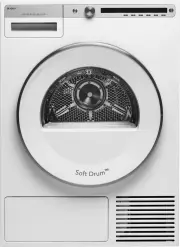
7 DRYER DESCRIPTION 1. Main switch (ON/OFF) 2. Program selector knob 3. Display unit 4. Program selector buttons 5. Button (start/pause) 6. Rating plate with information about the dryer (on the inside of the drying machine door) 7. QR and AUID code (on the inside of the drying machine door) 8. Dryer...
Page 8 - BEFORE USING THE APPLIANCE FOR THE FIRST TIME
8 PACKAGING Remove all packaging. Please sor t the materials in compliance with local recommendations (see chapter "DISPOSAL"). CLEANING Disconnect the dr yer from the power mains and open the door towards you. Clean the dr yer drum with a damp cloth and a mild detergent. No program can be s...
Page 9 - INSTALLATION AND CONNECTION; DRYER PLACEMENT; Free -standing appliance
9 INSTALLATION AND CONNECTION After installation, wait for 24 hours without moving the appliance before using it for the fi rst time. If the dr yer has to be laid down on one of the sides during transpor t or ser vicing, place it with its left side, viewing from the appliance front, downwards. 90° 9...
Page 10 - Stacking on top of a washing machine
10 Opening the door of the dryer (top view). 1189 mm 480 mm 176° Stacking on top of a washing machine To stack the dr yer on top of a washing machine, use the extra vacuum feet and the tipping guard (A+B), supplied in the cardboard box in the dr yer drum. Tipping guard par t B is designed to fi t on...
Page 12 - CHANGING THE DOOR OPENING DIRECTION
12 CHANGING THE DOOR OPENING DIRECTION To change the direction of door opening, proceed as follows. 1 Open the door fully. 2 Undo the screws and remove the door. 3 Use a screwdriver to remove the door lock cover and undo the screw on the door lock. 4 Push the door lock upwards and remove it. Move it...
Page 14 - DRAINING THE CONDENSATE
14 DRAINING THE CONDENSATE The moisture from the laundr y is extracted in the condenser unit and accumulated in the condensate tank. Condensate tank has to be emptied regularly (see chapter "CLEANING AND MAINTENANCE"). To simpli fi ed and avoid emptying and interruption of the dr ying cycle ...
Page 15 - CONNECTING TO THE POWER MAINS; Connection upon delivery
15 CONNECTING TO THE POWER MAINS After installation, the dr yer should stand still for two hours before it is connected to the power mains. Connect the appliance to an ear thed power outlet. After installation, the wall outlet should be freely accessible. The outlet should be fi tted with an ear th ...
Page 16 - ADVICES BEFORE DRYING; LAUNDRY SYMBOLS
16 This chapter includes several advices on how to prepare the laundr y from dr ying. LAUNDRY SORTING Sor t the laundr y according to: • type, • fabric thickness. For the most even dr ying, make sure the laundr y is made of a similar material. CLOTHING 1. Close the buttons, zips, and hook-and-loop f...
Page 17 - Never tumble dry the following:
17 MATERIALS (FABRICS) SUITABLE FOR DRYING IN A TUMBLE DRYER Material is suitable for tumble dr ying. Clothes dried in a tumble dr yer will be softer and lighter than air-dried clothes. The dr yer does not cause any considerable wear of the fabric. The lint collected in the lint fi lter consists of ...
Page 18 - Turning on; Turning off; Press the; OPEN THE DRYER DOOR AND INSERT THE LAUNDRY.; Open the dr yer door towards you.
18 DRYING PROCESS, STEP BY STEP (1 – 7) STEP 1: SORT THE FABRICS See chapter "ADVICES BEFORE DRYING" STEP 2: TURN ON THE MAIN SWITCH. Turning on Press the on/off button. Turning off Press the on/off button. STEP 3: OPEN THE DRYER DOOR AND INSERT THE LAUNDRY. Open the dr yer door towards you....
Page 19 - CHOOSE THE DRYING PROGRAM.; Program
19 STEP 4: CHOOSE THE DRYING PROGRAM. Choose the program by rotating the program selector knob in either direction. The program selector knob can be used when arrows appear on the display. Select the program based on the type and remaining moisture of the laundr y you wish to dr y. Anticipated progr...
Page 21 - CHOOSING THE PROGRAM SETTINGS
21 STEP 5: CHOOSING THE PROGRAM SETTINGS Using the program settings, the dr ying programs can be fur ther adjusted to your wishes. Some program settings may not be available for your selected program. Selected program settings will remain stored after the end of the dr ying cycle and may be changed ...
Page 22 - Start; Pause
22 5. Timed drying First, use the program selector knob to select the Timed Dr y program. Press the button 5 to select a dr ying time from 30 minutes to 4 hours, in 15-minute steps. Time 2 OK 2:15 5 6 Use the button 6 (OK) to con fi rm the selected dr ying time. Press the Start / Pause button to sta...
Page 23 - CLOSE THE DOOR AND START THE DRYING PROCESS.; Remaining time; Pausing, stopping or changing the program
23 STEP 6: CLOSE THE DOOR AND START THE DRYING PROCESS. Close the dr yer door and press the Start /Pause button. Star t (pressed brie fl y – star t /resume) Pause (pressed brie fl y – dr ying temporarily suspended) Cancel (press and hold the button for 3 seconds) Starting 2:20 Remaining time Dependi...
Page 24 - END OF PROGRAM
24 STEP 7: END OF PROGRAM Cycle completed succsessfully new Start After the end of the dr ying program, the display will indicate that the dr ying has been fi nished ("Cycle completed successfully"). Cycle completed succsessfully Anti creasing If you have selected the "anti-crease" o...
Page 25 - Favourite programs; Changing a favourite program
25 Favourite programs Cycle completed succsessfully fav Add new Start 6 After the end of the dr ying program, you can use the button 6 to store the program, including all extra settings, as your favourite program. Make your list of four own favourite programs. Up to 4 favourite programs can be store...
Page 26 - SYSTEM SETTINGS; CHILD LOCK; LANGUAGE
26 SYSTEM SETTINGS Enter System settings 2 In the main menu, use the program selector knob to select System Settings. Con fi rm the selection by pressing the button 2. Then, use the program selector knob to scroll the list of settings that can be changed. • Child Lock • Language • Programs • Display...
Page 27 - PROGRAMS; DISPLAY UNIT; SOUNDS
27 PROGRAMS The main menu includes the entire set of programs that you can choose using the program selector knob. This setting allows only displaying the selected program in the main menu. Sports wear Programs Back Info 1 3 6 Press the button 1 for to appear. Use the program selector knob or the bu...
Page 28 - RESET; Con; ect the dr yer operation.
28 RESET This means that all settings will return to the default settings and your own settings will be deleted. Reset Back Info Yes 3 6 Con fi rm the selection by pressing the button 3 (YES). Press the button 6 to return to System Settings. SOUNDS In the initial stage of dr ying or during dr ying, ...
Page 29 - CLEANING AND MAINTENANCE; CLEANING THE DOOR NET FILTER IN THE DOOR; Clean the door net filter after each drying cycle.
29 CLEANING AND MAINTENANCE Before cleaning, make sure to switch o ff the appliance and disconnect it from the power mains (unplug the power cord from the outlet). CLEANING THE DOOR NET FILTER IN THE DOOR 1 Open the fi lter housing. 2 Pull out the net fi lter. 3 Gently scrape the fi lter to remove th...
Page 30 - EMPTYING THE CONDENSATE TANK
30 EMPTYING THE CONDENSATE TANK After each dr ying cycle, empty the condensate tank. If the condensate tank is over fl owing the dr ying program will be paused automatically. A warning will appear on the display unit that the condensate tank has to be emptied. (Disregard this warning if you fed the ...
Page 31 - CLEANING THE HEAT PUMP FILTER
31 CLEANING THE HEAT PUMP FILTER 1 During cleaning, some water may be spilled. It is therefore recommended to place an absorbent cloth on the fl oor. Open the outer cover. 2 Hold the levers on the inside cover and rotate them upwards. Remove the inside cover. 3 Use the handle to pull out the heat pu...
Page 33 - entire
33 ADDITIONAL INFORMATION REGARDING CLEANING If you have inadver tently removed the entire net fi lter housing in the dr yer door, reinstall it in the same position. Opening on the lower side of the door should occasionally be cleaned with a vacuum cleaner. If necessar y, clean the fi lter housing a...
Page 34 - CLEANING THE APPLIANCE EXTERIOR; warnings provided by the manufacturers of the cleaning agents).
34 CLEANING THE APPLIANCE EXTERIOR Wipe the dr yer exterior using a soft damp cotton cloth and mild detergent. Do not use any cleaning agents that could damage the dr yer (please obser ve the recommendations and warnings provided by the manufacturers of the cleaning agents). Wipe all par ts of the d...
Page 37 - FAILURE DISPLAY; error
37 FAILURE DISPLAY In case of a failure while a program is in progress, the relevant Error X is indicated on the display unit. Info EXIT Error 3 5 Press and hold the INFO button to display the error description. Press the 6 EXIT button to return to Main Menu. Switch o ff the dr yer and turn it back o...
Page 39 - SERVICING; BEFORE CALLING A SERVICE TECHNICIAN
39 SERVICING BEFORE CALLING A SERVICE TECHNICIAN See the chapters "TROUBLESHOOTING and "CLEANING AND MAINTENANCE" and see if you can resolve the problem yourself. When you contact a ser vice centre, please state the model (1), type (2), and serial number (3) of your dr yer. Model, type, ...
Page 41 - PROGRAM TABLE
41 PROGRAM TABLE The following table lists the power consumption and duration for several programs. The table shows the e ff ect on dr ying parameters at var ying spinning speeds during the washing cycle. Actual consumption can var y depending on the room temperature, humidity, load, changes in power...
Page 42 - Disposal / recycling of packaging; and electronic equipment processing.; DISPOSAL
42 Disposal / recycling of packaging Our product packaging is made of environmentally friendly materials that can be recycled, disposed of, or destroyed without any hazard to the environment. To this end, packaging materials are labelled appropriately. The symbol on the product or its packaging indi...
Page 43 - QUICK GUIDE; We reserve the right to modi
43 QUICK GUIDE 3. 2. 4. 6. 5. 7. 1. SORT THE FABRICS Sort the fabric by type and by how heavily soiled the laundry is. Observe the drying symbols on the laundry labels. Close the zippers, hook-and-loop fasteners and buttons. SWITCH ON THE MAIN ON/OFF SWITCH ( ON/OFF ) OPEN THE DRYER DOOR AND INSERT ...