Page 2 - Contents
3 Safety instructions 3 Safety 3 Interrupting a program 3 Packing material 3 Recycling 4 To minimize the risk of fire in adryer cabinet, the following shouldbe observed: 5 Description of the dryer cabinet 6 Control panel 7 Assembly area 8 Electrical requirement 8 User liability 8 Electrical connecti...
Page 3 - Safety instructions
Read the operating instructions andkeep them in a safe place! • Electrical installation, if required, should be carried out by a qualified electrician. • The dryer cabinet should only be used for drying as described in these instructions. • The dryer cabinet must be installed or stored indoors. • Re...
Page 5 - Description of the dryer cabinet
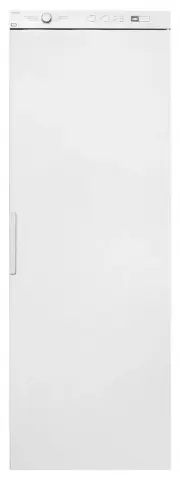
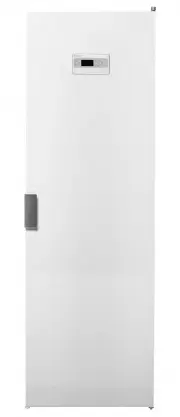
1 2 4 5 6 7 8 9 10 11 3 7. Door hanger for light goods 1. Connector 8. Middle hanger section 2. Control panel 9. Glove hanger 3. Hanging hooks 10. Lower hanger section 4. Type plate (inside) 11. Shoe rack (accessory) 5. Upper hanger section 6. Door 5 Description of the dryer cabinet
Page 6 - Control panel
1 2 3 4 5 6 Display window 4 Main power switch 1 Start 5 Program selector 2 Stop 6 Options buttons 3 6 Control panel
Page 7 - Assembly area
• If the dryer cabinet is to be connected to the exhaust air ventilation this must be availablein the premises. • An earthed power outlet must be available within 2 m of the top section of the dryercabinet. The dryer cabinet has a 2 m longearthed cable with plug connected at the top.The power outlet...
Page 8 - Electrical requirement
User liability It is the responsibility of the user to contact aqualified electrician if a power outlet as describedin this manual is not available. WARNING! • Connect to a power outlet with a protective earth. • Do not remove the earth connection.• Do not use an adapter.• Do not use an extension co...
Page 9 - Connect to the ventilation
Evacuation of the moist air can beperformed in two ways: • Waste air from the dryer cabinet is led to an evacuation duct or an outlet in the wall usingthe vent hose supplied. Recommended! • Ventilation out into the room where the dryer cabinet is positioned. Ventilation out into the room where thedr...
Page 11 - Installation
Unpacking WARNING! • The cabinet can easily tip over if not screwed in position. At least two persons should handlethe dryer cabinet. • Packing material such as plastic and cellular plastic should be kept inaccessible to children.Observe the risk of suffocation to smallchildren when they come into c...
Page 12 - Assembly set
Assembly set 1 2 3 4 5 5 7 6 7 8 1. Draught check (some markets) x 12. Ventilation hose (some markets) x 13. Connector with two securing screws x 14. Securing screws for securing against the wall x 2 5. Plastic plug x 26. Cover plug for the cabinet feet x 47. Allen key x 18. Cover plug for the secur...
Page 14 - Installing in a built-in cabinet
DC75731500-1525 DC7583 1640-1665 A=B-600 B 2 1 Figure 1 The dryer cabinet has a depth of 600 mm. Use screws and possibly plugs of a suitable lengthto match the material of the built-in cabinet’s rearwall. 1. Measure the assembly depth “B” where the dryer cabinet is to be mounted (see figure 1). 2. I...
Page 16 - Rehanging the door; Door hanging
WARNING! Be aware of the risk of strain injuries. At least twopersons should handle the dryer cabinet. Rehanging the door 1. Place the dryer cabinet on its back.2. Loosen the hinge plate, see figure 1.3. Lift off the door, loosen the glove hanger and the switch plate from the main power switch. Turn...
Page 17 - Operation
1 Sort the garments • Remove any dry garments from the dryer cabinet to reduce the drying time for theremaining garments. • Attempt to dry garments of the same type of fabric to produce an even dryingresult. Otherwise, with a mixed load,there is a risk that the garments will notbe dry. 2 Garment pla...
Page 19 - Press the Start button; Drying program finished
Time saver The program is shortened by about 12 minutes.You can choose Time saver with all programsexcept Revitalise.• Press the button by the symbol.• The lamp by the symbol lights when Time saver is selected. Delayed Start First select which program you want to use andthen select Delayed Start by ...
Page 20 - Cleaning; When the dryer cabinet is not used; Care
Cleaning High-pressure washers must not be used!• The cabinet panels can be cleaned using a mild soap solution and damp cloth. • Dust collects easily around the air intake on top of the cabinet. This can cause disturbanceswhich in turn can result in downtime. • In order to avoid these problems vacuu...
Page 21 - Troubleshooting
The machine will not start Check• that the door is closed correctly.• that the main power switch is on.• that the machine is not programmed to start at a specific time (e.g. 13.30) • that the plug is connected.• that the fuses (circuit breakers) in your house are intact. Swap two circuit breakers ov...
Page 22 - Service
Make sure you know the model designation, typedesignation, and serial number before contactingservice. The model designation and serial number can befound on the type plate, which is placed on theinside of the cabinet. 1 Article no. xxxxxxxxSerial no. xxxxxxxx Model xxxxxx 2 3 4 1. Type plate (on th...
Page 23 - Technical data; Technical information
Technical data approx. 3,5 kg wash (cotton) Capacity: Up to 21 gram/min Drainage capacity: 1-Phase, 220-240V, 50-60Hz, 10A Electrical connection: 35 W Motor: 2000W Heater output: Yes Overheating protection: 180 m 3 /hour Fan capacity 16 m Hanger length: Size: DC7573: 1700 mmDC7583: 1840 mm Height DC...
Page 24 - Energy consumption and drying times; Evacuation/Supply air; Manufacturing standards; Air gap when in-built
Energy consumption and drying times Drying of sup wash *) Heat Drying time inhrs:min Energy consumption Settings normal temperature 1:10 0.6 kWh/kg Auto normal dry, normal tempera-ture. low temperature 1:00 0.3 kWh/kg Auto normal dry, low temperature. - 8:00 0.06 kWh/kg Cold dry *) Stated values app...
Page 25 - Your notes
Page 28 - Quick guide
1 Fabrics • Sort and hang fabrics of the same type together to ensure that they dry asevenly as possible. 2 Turn on the main power switch 3 Hang up the laundry • Close the door. 4 Select a program and anyoptions • Turn the program selector to the required program. • Select any options and settings. ...