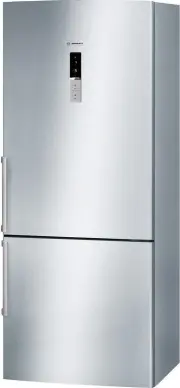
Page 2 - en Table of Contents
en Table of Contents Safety and warning information ........... 3Information concerning disposal ......... 6Scope of delivery ................................... 6Ambient temperature and ventilation . 7Connecting the appliance .................... 7Getting to know your appliance .......... 8Switchin...
Page 3 - Safety and warning; Before you switch ON the
en 3 enTable of Contents enInstruction for Use Safety and warning information Before you switch ON the appliance Please read the operating and installation instructions carefully! They contain important information on how to install, use and maintain the appliance.The manufacturer is not liable if y...
Page 6 - Disposal of packaging; Scope of delivery
en 6 Information concerning disposal * Disposal of packaging The packaging protects your appliance from damage during transit. All utilised materials are environmentally safe and recyclable. Please help us by disposing of the packaging in an environmentally friendly manner.Please ask your dealer or ...
Page 7 - Ambient temperature; Ventilation; Connecting; Electrical connection
en 7 Ambient temperature and ventilation Ambient temperature The appliance is designed for a specific climate class. Depending on the climate class, the appliance can be operated at the following temperatures.The climate class can be found on the rating plate. Fig. . Note The appliance is fully func...
Page 8 - Controls
en 8 Getting to know your appliance Please fold out the illustrated last page. These operating instructions refer to several models.The features of the models may vary.The diagrams may differ.Fig. ! * Not all models. Controls Fig. " A Refrigerator compartment B Freezer compartment 1 - 10 Control...
Page 9 - Operating tips; Setting; Refrigerator compartment
en 9 Switching the appliance on Fig. " Switch on the appliance with the On/Off button ! /11. A warning signal sounds. The temperature display 3 flashes and the alarm display 5 is lit.Press the “alarm” button 5. The warning signal switches off and the temperature display 3 stops flashing.Display ...
Page 10 - Door opening alarm; Switching off the alarm
en 10 Energy saving mode When the appliance is not used, the display on the controls switches to energy saving mode. ■ Energy saving mode display, Fig. " / 6, illuminates. ■ The luminosity of the temperature displays is reduced. ■ When the “Super” function is switched on, the corresponding super...
Page 12 - Super cooling; Max. freezing capacity
en 12 Vegetable container Fig. ! /16 A high air humidity keeps leafy vegetables fresh for longer. Vegetables and fruit should be stored at a slightly lower air humidity.The air humidity in the vegetable drawer depends on the amount of stored food. Note If the air humidity is too high, drips may form...
Page 13 - Purchasing frozen food; Storing frozen food; Freezing fresh food
en 13 Freezing and storing food Purchasing frozen food ■ Packaging must not be damaged. ■ Use by the “use by” date. ■ Temperature in the supermarket freezer must be -18 °C or lower. ■ If possible, transport deep-frozen food in an insulated bag and place quickly in the freezer compartment. Note when ...
Page 14 - Packing frozen food; Shelf life of frozen food; Super freezing; Switching on and off
en 14 Packing frozen food To prevent food from losing its flavour or drying out, place in airtight containers.1. Place food in packaging.2. Remove air.3. Seal the wrapping.4. Label packaging with contents and date of freezing. Suitable packaging: Plastic film, tubular film made of polyethylene, alum...
Page 15 - Thawing frozen food; Interior fittings; Glass shelves
en 15 Thawing frozen food Depending on the type and application, select one of the following options: ■ at room temperature ■ in the refrigerator ■ in an electric oven, with/without fan assisted hot-air ■ in the microwave m Caution Do not refreeze thawing or thawed food. Only ready meals (boiled or ...
Page 17 - Cleaning the appliance
en 17 Cleaning the appliance m Caution Do not use abrasive, chloride or acidic cleaning agents or solvents. m Caution Do not use scouring or abrasive sponges. The metallic surfaces could corrode. m Caution Never clean shelves and containers in the dishwasher. The parts may become deformed! Proceed a...
Page 18 - Quite normal noises
en 18 Light (LED) Your appliance features a maintenance- free LED light.These lights may be repaired by customer service or authorised technicians only. Tips for saving energy ■ Install the appliance in a dry, well ventilated room! The appliance should not be installed in direct sunlight or near a h...
Page 19 - Eliminating minor faults yourself
en 19 Eliminating minor faults yourself Before you call customer service:Please check whether you can eliminate the fault yourself based on the following information.Customer service will charge you for advice – even if the appliance is still under guarantee! Fault Possible cause Remedial action Tem...
Page 20 - Customer service; Repair order and advice
en 20 Customer service Your local customer service can be found in the telephone directory or in the customer-service index. Please provide customer service with the appliance product number (E-Nr.) and production number (FD).These specifications can be found on the rating plate. Fig. . To prevent u...