Page 2 - AUSTRALIA ONLY; The terms HDMI
AUSTRALIA ONLY Our goods come with guarantees that cannot be excluded under the Australian Consumer Law. You are entitled to a replacement or refund for a major failure and compensation for any other reasonably foreseeable loss or damage caused by our goods. You are also entitled to have the goods r...
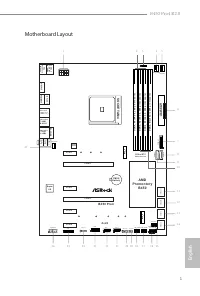
Page 3 - English; Motherboard Layout
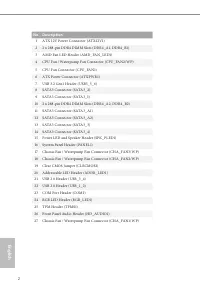
B450 Pro4 R2.0 1 English Motherboard Layout 3 4 2 6 5 7 8 1 0 1 1 1 1 5 1 6 1 8 1 7 1 3 1 2 1 9 1 4 2 1 2 0 2 2 2 5 B I O S R O M ATXPWR1 S u p e r I / O C L R C M O S 2 1 1 U S B _ 3 _ 4 H D _ A U D I O 1 1 T o p : L IN E IN C e n te r: F R O N T B o tt o m : M IC IN R J- 45 L A N SOCKE TA M4 1 C O...
Page 5 - Speed LED
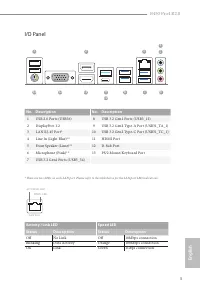
B450 Pro4 R2.0 3 English I/O Panel 1 8 7 9 11 13 3 6 5 4 10 12 2 No. Description No. Description 1 USB 2.0 Ports (USB56) 8 USB 3.2 Gen1 Ports (USB3_12) 2 DisplayPort 1.2 9 USB 3.2 Gen2 Type-A Port (USB31_TA_1) 3 LAN RJ-45 Port* 10 USB 3.2 Gen2 Type-C Port (USB31_TC_1) 4 Line In (Light Blue)** 11 HDM...
Page 6 - Port; Rear Speaker Out
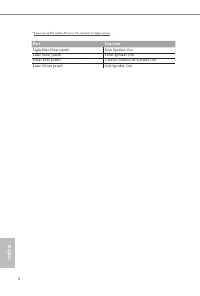
English 4 ** Function of the Audio Ports in 7.1-channel Configuration : Port Function Light Blue (Rear panel) Rear Speaker Out Lime (Rear panel) Front Speaker Out Pink (Rear panel) Central /Subwoofer Speaker Out Lime (Front panel) Side Speaker Out
Page 7 - Chapter 1 Introduction; Package Contents; ASRock B450 Pro4 R2.0 Quick Installation Guide
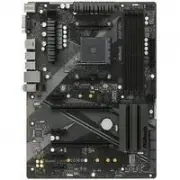
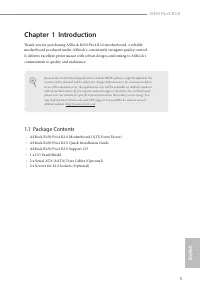
B450 Pro4 R2.0 5 English Chapter 1 Introduction Thank you for purchasing ASRock B450 Pro4 R2.0 motherboard, a reliable motherboard produced under ASRock’s consistently stringent quality control. It delivers excellent performance with robust design conforming to ASRock’s commitment to quality and end...
Page 8 - Platform
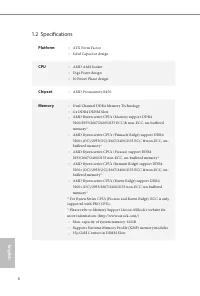
English 6 1.2 Specifications Platform • ATX Form Factor • Solid Capacitor design CPU • AMD AM4 Socket • Digi Power design • 10 Power Phase design Chipset • AMD Promontory B450 Memory • Dual Channel DDR4 Memory Technology • 4 x DDR4 DIMM Slots • AMD Ryzen series CPUs (Matisse) support DDR4 3200/2933/...
Page 9 - AMD Athlon series CPUs; x PCI Express 2.0 x1 Slots; and CrossFireX; Graphics; Integrated AMD Radeon; Vega Series Graphics in Ryzen; * Actual support may vary by CPU
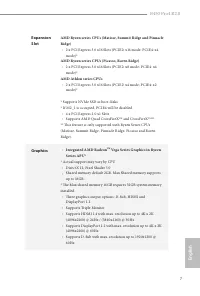
B450 Pro4 R2.0 7 English Expansion Slot AMD Ryzen series CPUs (Matisse, Summit Ridge and Pinnacle Ridge) • 2 x PCI Express 3.0 x16 Slots (PCIE2: x16 mode; PCIE4: x4 mode)* AMD Ryzen series CPUs (Picasso, Raven Ridge) • 2 x PCI Express 3.0 x16 Slots (PCIE2: x8 mode; PCIE4: x4 mode)* AMD Athlon series...
Page 10 - Audio
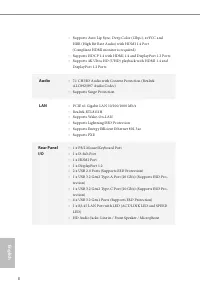
English 8 • Supports Auto Lip Sync, Deep Color (12bpc), xvYCC and HBR (High Bit Rate Audio) with HDMI 1.4 Port (Compliant HDMI monitor is required) • Supports HDCP 1.4 with HDMI 1.4 and DisplayPort 1.2 Ports • Supports 4K Ultra HD (UHD) playback with HDMI 1.4 and DisplayPort 1.2 Ports Audio • 7.1 CH...
Page 11 - Storage
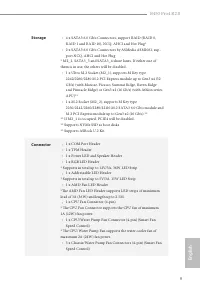
B450 Pro4 R2.0 9 English Storage • 4 x SATA3 6.0 Gb/s Connectors, support RAID (RAID 0, RAID 1 and RAID 10), NCQ, AHCI and Hot Plug* • 2 x SATA3 6.0 Gb/s Connectors by ASMedia ASM1061, sup-port NCQ, AHCI and Hot Plug * M2_2, SATA3_3 and SATA3_4 share lanes. If either one of them is in use, the other...
Page 12 - OS
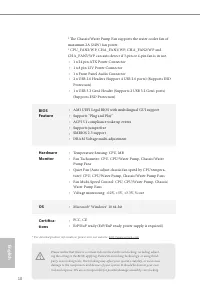
English 10 * The Chassis/Water Pump Fan supports the water cooler fan of maximum 2A (24W) fan power. * CPU_FAN2/WP, CHA_FAN1/WP, CHA_FAN2/WP and CHA_FAN3/WP can auto detect if 3-pin or 4-pin fan is in use. • 1 x 24 pin ATX Power Connector • 1 x 8 pin 12V Power Connector • 1 x Front Panel Audio Conne...
Page 13 - Pre-installation Precautions; Hold components by the edges and do not touch the ICs.; Chapter 2 Installation
B450 Pro4 R2.0 11 English This is an ATX form factor motherboard. Before you install the motherboard, study the configuration of your chassis to ensure that the motherboard fits into it. Pre-installation Precautions Take note of the following precautions before you install motherboard components or ...
Page 14 - Installing the CPU
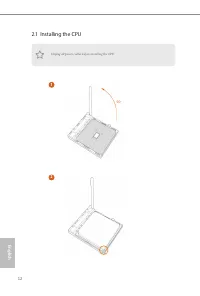
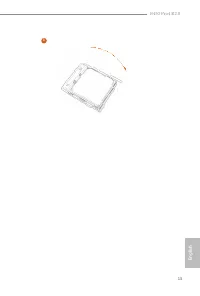
English 12 2.1 Installing the CPU Unplug all power cables before installing the CPU. 2 1 90 o
Page 16 - Installing the CPU Fan and Heatsink
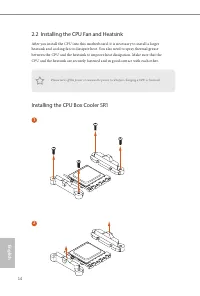
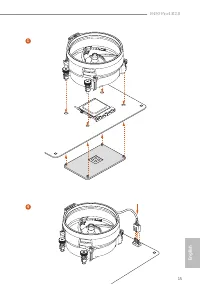
English 14 2.2 Installing the CPU Fan and Heatsink After you install the CPU into this motherboard, it is necessary to install a larger heatsink and cooling fan to dissipate heat. You also need to spray thermal grease between the CPU and the heatsink to improve heat dissipation. Make sure that the C...
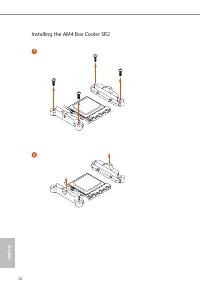
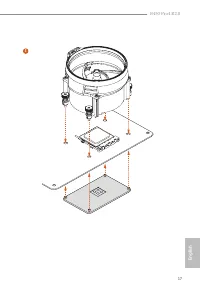
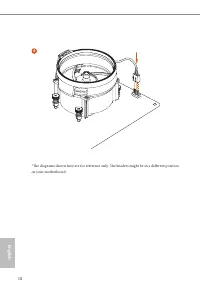
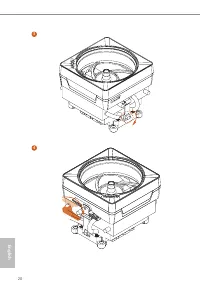
Page 18 - Installing the AM4 Box Cooler SR2
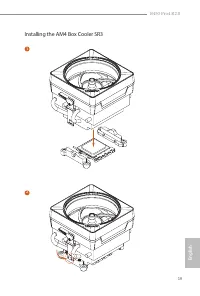
Page 21 - Installing the AM4 Box Cooler SR3
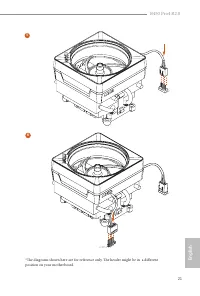
B450 Pro4 R2.0 19 English Installing the AM4 Box Cooler SR3 1 2 *The diagrams shown here are for reference only. The headers might be in a different position on your motherboard.
Page 24 - AMD non-XMP Memory Frequency Support; UDIMM Memory Slot
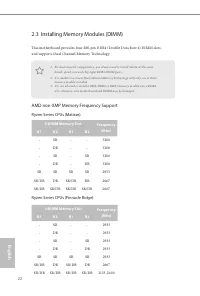
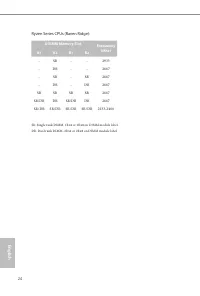
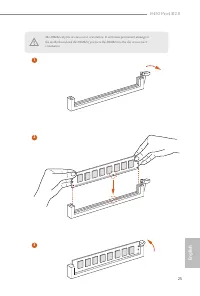
English 22 2.3 Installing Memory Modules (DIMM) This motherboard provides four 288-pin DDR4 (Double Data Rate 4) DIMM slots, and supports Dual Channel Memory Technology. AMD non-XMP Memory Frequency Support Ryzen Series CPUs (Matisse): Ryzen Series CPUs (Pinnacle Ridge): 1. For dual channel configur...
Page 26 - DR
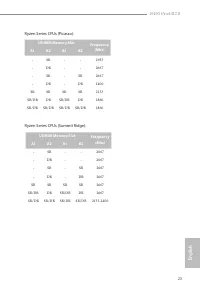
English 24 Ryzen Series CPUs (Raven Ridge): SR: Single rank DIMM, 1Rx4 or 1Rx8 on DIMM module labelDR: Dual rank DIMM, 2Rx4 or 2Rx8 on DIMM module label UDIMM Memory Slot Frequency (Mhz) A1 A2 B1 B2 - SR - - 2933 - DR - - 2667 - SR - SR 2667 - DR - DR 2667 SR SR SR SR 2667 SR/DR DR SR/DR DR 2667 SR/...
Page 28 - There are 6 PCI Express slots on the motherboard.; PCIe Slot Configurations; Athlon Series CPUs
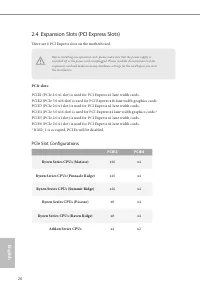
English 26 2.4 Expansion Slots (PCI Express Slots) There are 6 PCI Express slots on the motherboard. PCIe slots: PCIE1 (PCIe 2.0 x1 slot) is used for PCI Express x1 lane width cards. PCIE2 (PCIe 3.0 x16 slot) is used for PCI Express x16 lane width graphics cards. PCIE3 (PCIe 2.0 x1 slot) is used for...
Page 30 - Onboard Headers and Connectors
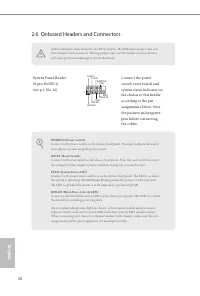
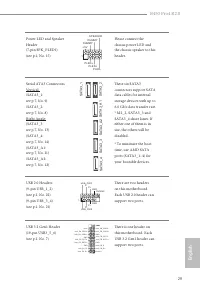
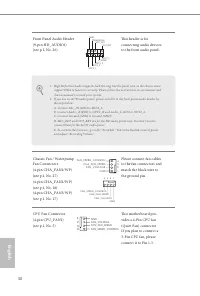
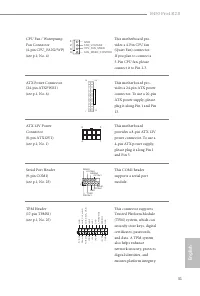
English 28 2.6 Onboard Headers and Connectors System Panel Header(9-pin PANEL1)(see p.1, No. 16) G N D R E S E T # P W R B T N # P L E D - P L E D + G N D H D L E D - H D L E D + 1 G N D Connect the power switch, reset switch and system status indicator on the chassis to this header according to the...
Page 34 - Never install the FAN; Never install the
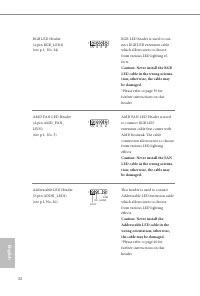
English 32 RGB LED Header(4-pin RGB_LED1)(see p.1, No. 24) 12V G R B 1 RGB LED header is used to con-nect RGB LED extension cable which allows users to choose from various LED lighting ef-fects. Caution: Never install the RGB LED cable in the wrong orienta-tion; otherwise, the cable may be damaged. ...
Page 35 - Nut Location
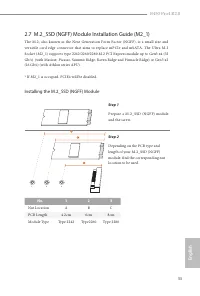
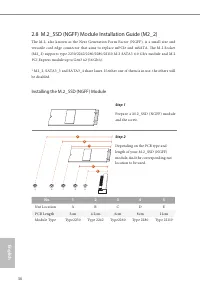
B450 Pro4 R2.0 33 English 2.7 M.2_SSD (NGFF) Module Installation Guide (M2_1) The M.2, also known as the Next Generation Form Factor (NGFF), is a small size and versatile card edge connector that aims to replace mPCIe and mSATA. The Ultra M.2 Socket (M2_1) supports type 2242/2260/2280 M.2 PCI Expres...
Page 36 - if you
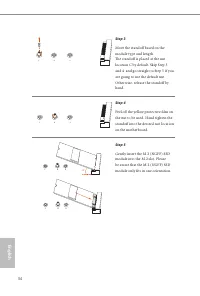
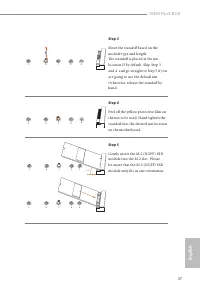
English 34 Step 3 Move the standoff based on the module type and length. The standoff is placed at the nut location C by default. Skip Step 3 and 4 and go straight to Step 5 if you are going to use the default nut. Otherwise, release the standoff by hand. Step 4 Peel off the yellow protective film o...
Page 37 - Vendor
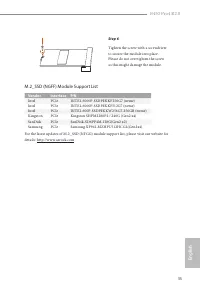
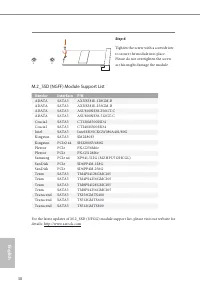
B450 Pro4 R2.0 35 English Step 6 Tighten the screw with a screwdriver to secure the module into place. Please do not overtighten the screw as this might damage the module. M.2_SSD (NGFF) Module Support List For the latest updates of M.2_SSD (NFGG) module support list, please visit our website for de...
Page 41 - ASRock Polychrome LED; Connecting the LED Strip; Connect your RGB LED strip to the
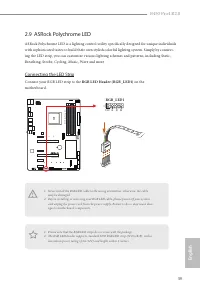
B450 Pro4 R2.0 39 English IN Gen1 B 45 0 G am in g K 4 B450 Pro4 2.9 ASRock Polychrome LED ASRock Polychrome LED is a lighting control utility specifically designed for unique individuals with sophisticated tastes to build their own stylish colorful lighting system. Simply by connect-ing the LED str...
Page 42 - Connecting the Addressable RGB LED Strip; Connect your Addressable RGB LED strip to the
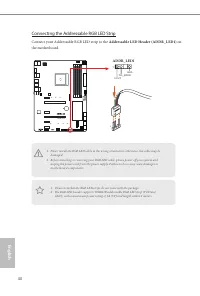
English 40 Connecting the Addressable RGB LED Strip Connect your Addressable RGB LED strip to the Addressable LED Header (ADDR_LED1) on the motherboard. B450 Pro4 1. Never install the RGB LED cable in the wrong orientation; otherwise, the cable may be damaged. 2. Before installing or removing your R...
Page 43 - ASRock Polychrome LED Utility
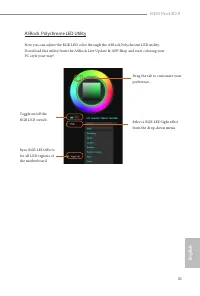
B450 Pro4 R2.0 41 English ASRock Polychrome LED Utility Now you can adjust the RGB LED color through the ASRock Polychrome LED utility. Download this utility from the ASRock Live Update & APP Shop and start coloring your PC style your way! Toggle on/off the RGB LED switch Sync RGB LED effects fo...
Page 44 - Deutsch; Einleitung; ASRock B450 Pro4 R2.0-Schnellinstallationsanleitung
42 Deutsch 1 Einleitung Vielen Dank, dass Sie sich für das B450 Pro4 R2.0 von ASRock entschieden haben – ein zuverlässiges Motherboard, das konsequent unter der strengen Qualitätskontrolle von ASRock hergestellt wurde. Es liefert ausgezeichnete Leistung mit robustem Design, das ASRock Streben nach Q...
Page 45 - Technische Daten; Plattform; Feststoffkondensator-Design; Prozessor; Digi Power design; Chipsatz
B450 Pro4 R2.0 43 Deutsch 1.2 Technische Daten Plattform • ATX-Formfaktor • Feststoffkondensator-Design Prozessor • AMD-AM4-Sockel • Digi Power design • 10-Leistungsphasendesign • Unterstützt 105-W-Wasserkühlung (Pinnacle Ridge); unterstützt 95-W-Wasserkühlung (Summit Ridge); unterstützt 65-W-Wasser...
Page 46 - Unterstützt AMD Quad CrossFireX; und CrossFireX; Grafikkarte; Integrierte Grafikkarte der AMD-Radeon; * Tatsächliche Unterstützung kann je nach Prozessor variieren
44 Deutsch Erweiterungs steckplatz Prozessoren der AMD-Ryzen-Serie (Matisse, Summit Ridge und Pinnacle Ridge) • 2 x PCI-Express 3.0-x16-Steckplätze (PCIE2: x16-Modus; PCIE4: x4-Modus)* Prozessoren der AMD-Ryzen-Serie (Picasso, Raven Ridge) • 2 x PCI-Express 3.0-x16-Steckplätze (PCIE2: x8-Modus; PCIE...
Page 47 - Unterstützt Überspannungsschutz; LAN; Unterstützt energieeffizientes Ethernet 802.3az
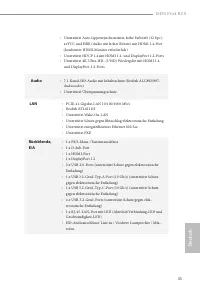
B450 Pro4 R2.0 45 Deutsch • Unterstützt Auto-Lippensynchronizität, hohe Farbtiefe (12 bpc), xvYCC und HBR (Audio mit hoher Bitrate) mit HDMI 1.4-Port (konformer HDMI-Monitor erforderlich) • Unterstützt HDCP 1.4 mit HDMI 1.4- und DisplayPort 1.2-Ports • Unterstützt 4K-Ultra-HD- (UHD) Wiedergabe mit H...
Page 48 - Speicher
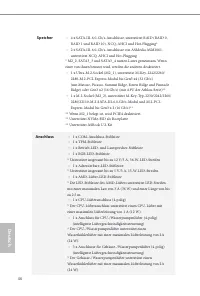
46 Deutsch Speicher • 4 x SATA-III-6,0-Gb/s-Anschlüsse, unterstützt RAID (RAID 0, RAID 1 und RAID 10), NCQ, AHCI und Hot-Plugging* • 2 x SATA-III-6,0-Gb/s-Anschlüsse von ASMedia ASM1061, unterstützt NCQ, AHCI und Hot-Plugging * M2_2, SATA3_3 und SATA3_4 nutzen Lanes gemeinsam. Wenn einer von ihnen b...
Page 49 - x Audioanschluss an Frontblende
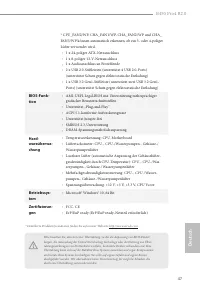
B450 Pro4 R2.0 47 Deutsch * CPU_FAN2/WP, CHA_FAN1/WP, CHA_FAN2/WP und CHA_FAN3/WP können automatisch erkennen, ob ein 3- oder 4-poliger Lüfter verwendet wird. • 1 x 24-poliger ATX-Netzanschluss • 1 x 8-poliger 12-V-Netzanschluss • 1 x Audioanschluss an Frontblende • 2 x USB 2.0-Stiftleisten (unterst...
Page 50 - Jumpereinstellung
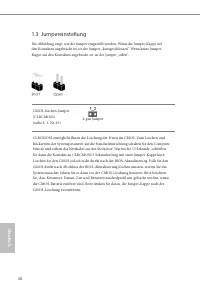
48 Deutsch 1.3 Jumpereinstellung Die Abbildung zeigt, wie die Jumper eingestellt werden. Wenn die Jumper-Kappe auf den Kontakten angebracht ist, ist der Jumper „kurzgeschlossen“. Wenn keine Jumper-Kappe auf den Kontakten angebracht ist, ist der Jumper „offen“. CMOS-löschen-Jumper(CLRCMOS2)(siehe S. ...
Page 51 - Integrierte Stiftleisten und Anschlüsse
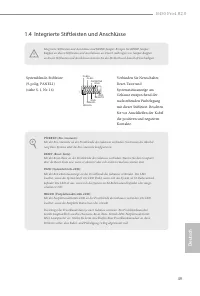
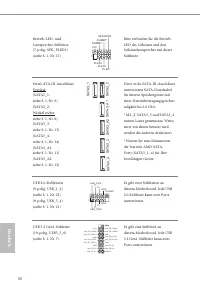
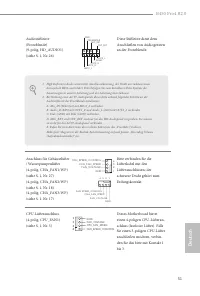
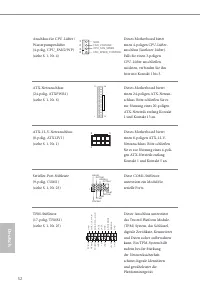
B450 Pro4 R2.0 49 Deutsch 1.4 Integrierte Stiftleisten und Anschlüsse Systemblende-Stiftleiste(9-polig, PANEL1)(siehe S. 1, Nr. 16) G N D R E S E T # P W R B T N # P L E D - P L E D + G N D H D L E D - H D L E D + 1 G N D Verbinden Sie Netzschalter, Reset-Taste und Systemstatusanzeige am Gehäuse ent...
Page 55 - Installieren Sie das
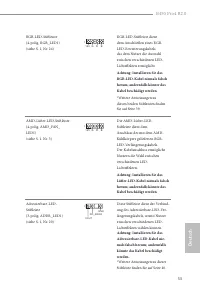
B450 Pro4 R2.0 53 Deutsch RGB-LED-Stiftleiste(4-polig, RGB_LED1)(siehe S. 1, Nr. 24) 12V G R B 1 RGB-LED-Stiftleiste dient dem Anschließen eines RGB-LED-Erweiterungskabels, das dem Nutzer die Auswahl zwischen verschiedenen LED-Lichteffekten ermöglicht. Achtung: Installieren Sie das RGB-LED-Kabel nie...
Page 56 - Introduction; Contenu de l’emballage; Guide d’installation rapide ASRock B450 Pro4 R2.0
54 Fr ançais Français 1 Introduction Nous vous remercions d’avoir acheté cette carte mère ASRock B450 Pro4 R2.0, une carte mère fiable fabriquée conformément au contrôle de qualité rigoureux et constant appliqué par ASRock. Fidèle à son engagement de qualité et de durabilité, ASRock vous garantit un...
Page 57 - Plateforme
B450 Pro4 R2.0 55 Fr ançais Français 1.2 Spécifications Plateforme • Facteur de forme ATX • Conception à condensateurs solides Processeur • Socket AMD AM4 • Digi Power design • Alimentation à 10 phases • Prend en charge le refroidissement par eau 105 W (Pinnacle Ridge) ; Prend en charge le refroidis...
Page 58 - Processeurs AMD Athlon série; Graphiques; Carte graphique AMD Radeon; série Vega intégrée dans APU
56 Fr ançais Français Fente d’expansion Processeurs AMD série Ryzen (Matisse, Summit Ridge et Pinnacle Ridge) • 2 x fentes PCI Express 3.0 x 16 (PCIE2 : mode x 16 ; PCIE4 : mode x 4)* Processeurs AMD série Ryzen (Picasso, Raven Ridge) • 2 x fentes PCI Express 3.0 x 16 (PCIE2 : mode x 8 ; PCIE4 : mod...
Page 59 - Prend en charge HDCP 1.4 via ports HDMI 1.4 et DisplayPort 1.2; Prend en charge la protection contre les surtensions; Réseau; Prend en charge la fonction Wake-On-LAN
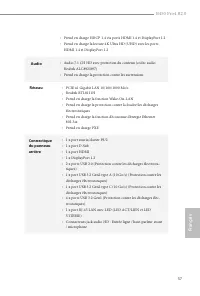
B450 Pro4 R2.0 57 Fr ançais Français • Prend en charge HDCP 1.4 via ports HDMI 1.4 et DisplayPort 1.2 • Prend en charge la lecture 4K Ultra HD (UHD) avec les ports HDMI 1.4 et DisplayPort 1.2 Audio • Audio 7.1 CH HD avec protection du contenu (codec audio Realtek ALC892/897) • Prend en charge la pro...
Page 60 - Stockage
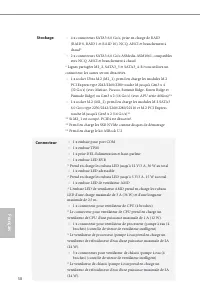
58 Fr ançais Français Stockage • 4 x connecteurs SATA3 6,0 Go/s, prise en charge de RAID (RAID 0, RAID 1 et RAID 10), NCQ, AHCI et branchement à chaud* • 2 x connecteurs SATA3 6,0 Go/s ASMedia ASM1061, compatibles avec NCQ, AHCI et branchement à chaud * Lignes partagées M2_2, SATA3_3 et SATA3_4. Si ...
Page 61 - Certifications
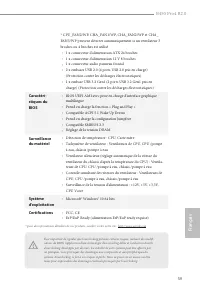
B450 Pro4 R2.0 59 Fr ançais Français * CPU_FAN2/WP, CHA_FAN1/WP, CHA_FAN2/WP et CHA_FAN3/WP peuvent détecter automatiquement si un ventilateur 3 broches ou 4 broches est utilisé. • 1 x connecteur d’alimentation ATX 24 broches • 1 x connecteur d’alimentation 12 V 8 broches • 1 x connecteur audio pann...
Page 63 - Embases et connecteurs de la carte mère
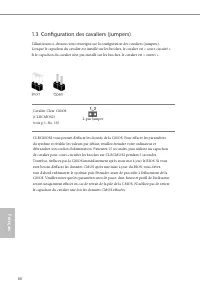
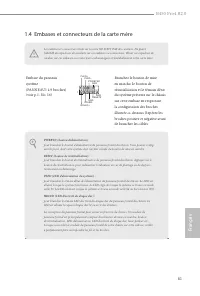
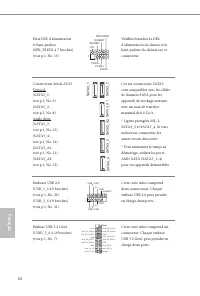
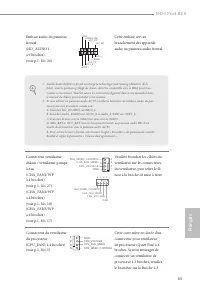
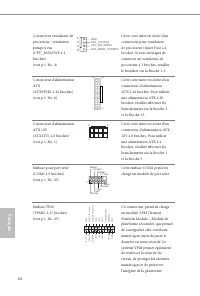
B450 Pro4 R2.0 61 Fr ançais Français 1.4 Embases et connecteurs de la carte mère Embase du panneau système(PANNEAU1 à 9 broches)(voir p.1, No. 16) G N D R E S E T # P W R B T N # P L E D - P L E D + G N D H D L E D - H D L E D + 1 G N D Branchez le bouton de mise en marche, le bouton de réinitialisa...
Page 67 - N'installez jamais le; N’installez jamais
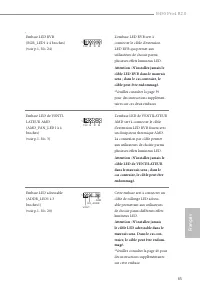
B450 Pro4 R2.0 65 Fr ançais Français Embase LED RVB(RGB_LED1 à 4 broches)(voir p.1, No. 24) 12V G R B 1 L'embase LED RVB sert à connecter le câble d'extension LED RVB qui permet aux utilisateurs de choisir parmi plusieurs effets lumineux LED. Attention : N'installez jamais le câble LED RVB dans le m...
Page 68 - Introduzione; Contenuto della confezione; Guida all'installazione rapida di ASRock B450 Pro4 R2.0
66 Italiano Italiano 1 Introduzione Congratulazioni per l’acquisto della scheda madre ASRock B450 Pro4 R2.0, una scheda madre affidabile prodotta secondo i severissimi controlli di qualità ASRock. La scheda madre offre eccellenti prestazioni con un design robusto che si adatta all'impegno di ASRock ...
Page 69 - Piattaforma
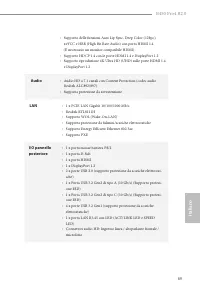
B450 Pro4 R2.0 67 Italiano Italiano 1.2 Specifiche Piattaforma • Fattore di forma ATX • Design condensatore solido CPU • Socket AMD AM4 • Digi Power design • Potenza a 10 fasi • Supporto di raffreddamento ad acqua 105W (Pinnacle Ridge); supporto di raffreddamento ad acqua 95W (Summit Ridge); support...
Page 70 - CPU serie AMD Ryzen (Matisse, Summit Ridge e Pinnacle Ridge); x Alloggi PCI Express 2.0 x1; e CrossFireX; Grafica; Grafica AMD Radeon; serie Vega integrata nelle APU serie; * Il supporto effettivo può variare in base alla CPU
68 Italiano Italiano Alloggio d’espansione CPU serie AMD Ryzen (Matisse, Summit Ridge e Pinnacle Ridge) • 2 x Alloggi PCI Express 3.0 x 16 (PCIE2: modalità x 16; PCIE4: modalità x 4)* CPU serie AMD Ryzen (Picasso, Raven Ridge) • 2 x Alloggi PCI Express 3.0 x 16 (PCIE2: modalità x 8; PCIE4: modalità ...
Page 72 - Archiviazione
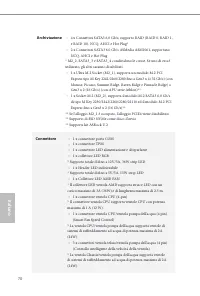
70 Italiano Italiano Archiviazione • 4 x Connettori SATA3 6,0 Gb/s, supporto RAID (RAID 0, RAID 1, e RAID 10), NCQ, AHCI e Hot Plug* • 2 x Connettori SATA3 6,0 Gb/s ASMedia ASM1061, supportano NCQ, AHCI e Hot Plug * M2_2, SATA3_3 e SATA3_4 condividono le corsie. Se uno di essi è utilizzato, gli altr...
Page 73 - SO
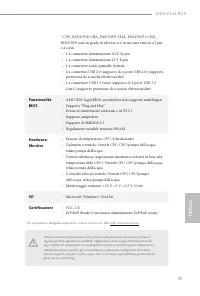
B450 Pro4 R2.0 71 Italiano Italiano * CPU_FAN2/WP, CHA_FAN1/WP, CHA_FAN2/WP e CHA_FAN3/WP sono in grado di rilevare se è in uso una ventola a 3 pin o 4 a pin. • 1 x connettore alimentazione ATX 24 pin • 1 x connettore alimentazione 12 V 8-pin • 1 x connettore audio pannello frontale • 2 x connettori...
Page 74 - Impostazione jumper
72 Italiano Italiano 1.3 Impostazione jumper L'illustrazione mostra in che modo vengono impostati i jumper. Quando il cappuccio del jumper è posizionato sui pin, il jumper è "cortocircuitato". Se sui pin non è posizionato alcun cappuccio del jumper, il jumper è "aperto". Jumper per a...
Page 75 - Header e connettori su scheda
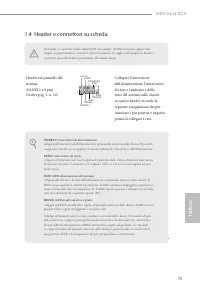
B450 Pro4 R2.0 73 Italiano Italiano 1.4 Header e connettori su scheda Header sul pannello del sistema(PANEL1 a 9 pin)(vedere pag. 1, n. 16) G N D R E S E T # P W R B T N # P L E D - P L E D + G N D H D L E D - H D L E D + 1 G N D Collegare l'interruttore dell'alimentazione, l'interruttore di reset e...
Page 76 - l’altoparlante a questo connet-
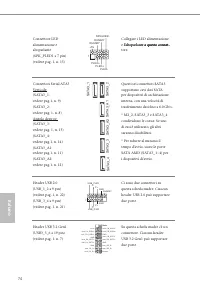
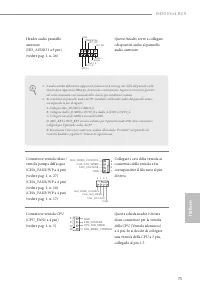
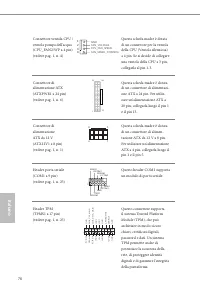
74 Italiano Italiano Connettore LED alimentazione e altoparlante(SPK_PLED1 a 7 pin)(vedere pag. 1, n. 15) 1 +5V DUMMY PLED+ PLED+ PLED- DUMMY SPEAKER Collegare i LED alimentazione e l’altoparlante a questo connet- l’altoparlante a questo connet- a questo connet- tore. Connettori Serial ATA3Verticale...
Page 79 - Non installare il; Non installare mai
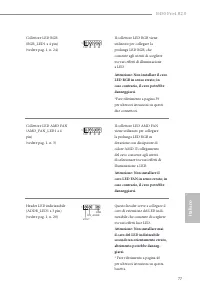
B450 Pro4 R2.0 77 Italiano Italiano Collettore LED RGB(RGB_LED1 a 4 pin)(vedere pag. 1, n. 24) 12V G R B 1 Il collettore LED RGB viene utilizzato per collegare la prolunga LED RGB, che consente agli utenti di scegliere tra vari effetti di illuminazione a LED. Attenzione: Non installare il cavo LED R...
Page 80 - Español; Introducción; Contenido del paquete; Guía de instalación rápida de ASRock B450 Pro4 R2.0
78 Español 1 Introducción Gracias por comprar la placa base ASRock B450 Pro4 R2.0, una placa base fiable fabricada según el rigurosísimo control de calidad de ASRock. Ofrece un rendimiento excelente con un diseño resistente de acuerdo con el compromiso de calidad y resistencia de ASRock. 1.1 Conteni...
Page 81 - Especificaciones; Plataforma
B450 Pro4 R2.0 79 Español 1.2 Especificaciones Plataforma • Factor de forma ATX • Diseño de condensador sólido CPU • Zócalo AMD AM4 • Digi Power design • Diseño de 10 fases de alimentación • Admite refrigeración por agua de 105 W (Pinnacle Ridge); admite refrigeración por agua de 95 W (Summit Ridge)...
Page 82 - CPU de la serie AMD Athlon; Gráficos; Tarjeta gráfica de la serie AMD Radeon; Vega integrada en
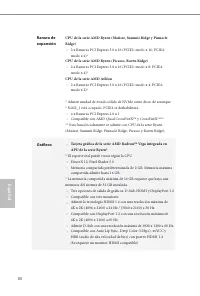
80 Español Ranura de expansión CPU de la serie AMD Ryzen (Matisse, Summit Ridge y Pinnacle Ridge) • 2 x Ranuras PCI Express 3.0 x 16 (PCIE2: modo x 16; PCIE4: modo x 4)* CPU de la serie AMD Ryzen (Picasso, Raven Ridge) • 2 x Ranuras PCI Express 3.0 x 16 (PCIE2: modo x 8; PCIE4: modo x 4)* CPU de la ...
Page 83 - Admite protección contra sobretensiones; Admite la función Reactivación de LAN
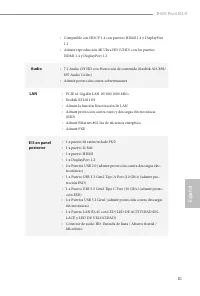
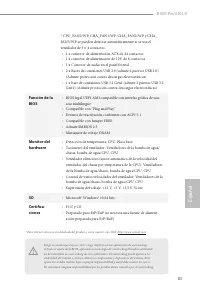
B450 Pro4 R2.0 81 Español • Compatible con HDCP 1.4 con puertos HDMI 1.4 y DisplayPort 1.2 • Admite reproducción 4K Ultra HD (UHD) con los puertos HDMI 1.4 y DisplayPort 1.2 Audio • 7.1 Audio CH HD con Protección de contenido (Realtek ALC892/ 897 Audio Codec) • Admite protección contra sobretensione...
Page 84 - Conector
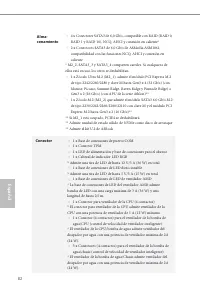
82 Español Alma-cenamiento • 4 x Conectores SATA3 de 6,0 Gb/s, compatible con RAID (RAID 0, RAID 1 y RAID 10), NCQ, AHCI y conexión en caliente* • 2 x Conectores SATA3 de 6,0 Gb/s de ASMedia ASM1061, compatibilidad con las funciones NCQ, AHCI y conexión en caliente * M2_2, SATA3_3 y SATA3_4 comparte...
Page 86 - Instalación de los puentes
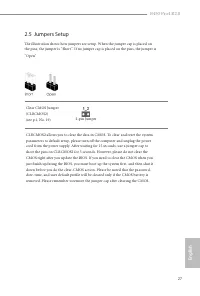
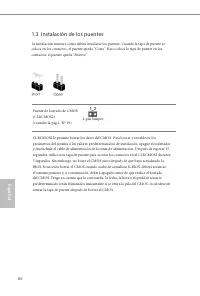
84 Español 1.3 Instalación de los puentes La instalación muestra cómo deben instalarse los puentes. Cuando la tapa de puente se coloca en los contactos, el puente queda “Corto”. Si no coloca la tapa de puente en los contactos, el puente queda “Abierto”. Puente de borrado de CMOS(CLRCMOS2)(consulte l...
Page 87 - Conectores y cabezales incorporados
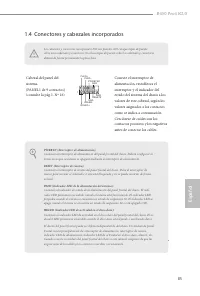
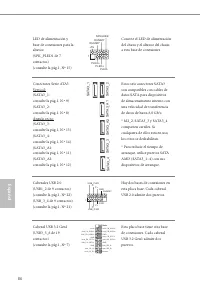
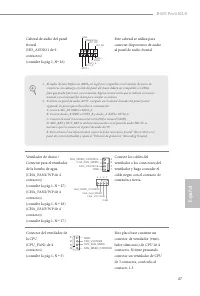
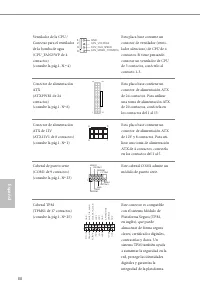
B450 Pro4 R2.0 85 Español 1.4 Conectores y cabezales incorporados Cabezal del panel del sistema(PANEL1 de 9 contactos)(consulte la pág.1, Nº 16) G N D R E S E T # P W R B T N # P L E D - P L E D + G N D H D L E D - H D L E D + 1 G N D Conecte el interruptor de alimentación, restablezca el interrupto...
Page 91 - Nunca instale el
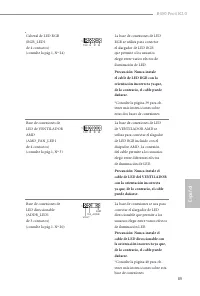
B450 Pro4 R2.0 89 Español Cabezal de LED RGB(RGB_LED1 de 4 contactos)(consulte la pág.1, Nº 24) 12V G R B 1 La base de conexiones de LED RGB se utiliza para conectar el alargador de LED RGB que permite a los usuarios elegir entre varios efectos de iluminación de LED. Precaución: Nunca instale el cab...
Page 92 - Комплект поставки; Краткое руководство по установке ASRock B450 Pro4 R2.0
90 Ру сский 1. Введение Благодарим вас за приобретение надежной материнской платы ASRock B450 Pro4 R2.0, выпускаемой под постоянным строгим контролем компании ASRock. Эта материнская плата обеспечивает великолепную производительность и отличается надежной конструкцией в соответствии с требованиями к...
Page 93 - Технические характеристики; Платформа
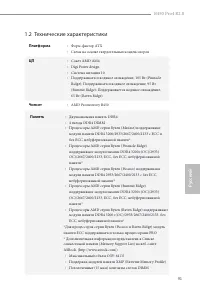
B450 Pro4 R2.0 91 Ру сский 1.2 Технические характеристики Платформа • Форм-фактор ATX • Схема на основе твердотельных конденсаторов ЦП • Сокет AMD AM4 • Digi Power design • Система питания 10 • Поддерживается водяное охлаждение, 105 Вт (Pinnacle Ridge); Поддерживается водяное охлаждение, 95 Вт (Summ...
Page 94 - Процессоры AMD серии Athlon; слота PCI Express 2.0 x 1; и CrossFireX; Встроенный видеоадаптер AMD Radeon; серии Vega в; *Фактическая поддержка зависит от процессора
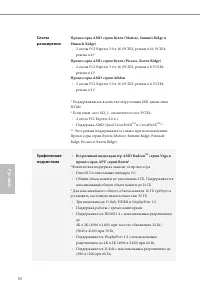
92 Ру сский Слоты расширения Процессоры AMD серии Ryzen (Matisse, Summit Ridge и Pinnacle Ridge) • 2 слоты PCI Express 3.0 x 16 (PCIE2: режим x 16; PCIE4: режим x 4)* Процессоры AMD серии Ryzen (Picasso, Raven Ridge) • 2 слоты PCI Express 3.0 x 16 (PCIE2: режим x 8; PCIE4: режим x 4)* Процессоры AMD...
Page 95 - Звук
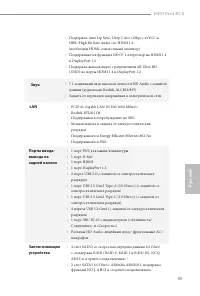
B450 Pro4 R2.0 93 Ру сский • Поддержка Auto Lip Sync, Deep Color (12bpc), xvYCC и HBR (High Bit Rate Audio) по HDMI 1.4 (необходим HDMI-совместимый монитор) • Поддерживается функция HDCP 1.4 через порты HDMI 1.4 и DisplayPort 1.2 • Поддержка вывода видео с разрешением 4K Ultra HD (UHD) на порты HDMI...
Page 96 - Разъемы
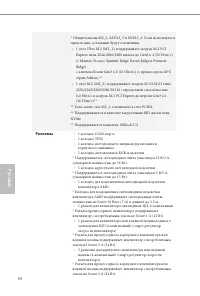
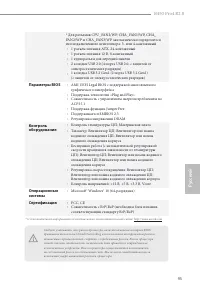
94 Ру сский * Общие каналы M2_2, SATA3_3 и SATA3_4. Если используется один из них, остальные будут отключены. • 1 слот Ultra M.2 (M2_1), поддерживает модуль M.2 PCI Express типа 2242/2260/2280 вплоть до Gen3 x 4 (32 Гбит/с) (с Matisse, Picasso, Summit Ridge, Raven Ridge и Pinnacle Ridge) с ключом М ...
Page 98 - Установка перемычек
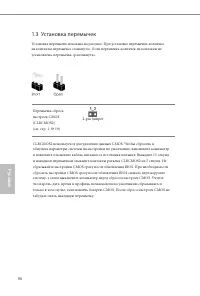
96 Ру сский 1.3 Установка перемычек Установка перемычек показана на рисунке. При установке перемычки-колпачка на контакты перемычка «замкнута». Если перемычка-колпачок на контакты не установлена, перемычка «разомкнута». Перемычка сброса настроек CMOS(CLRCMOS2)(см. стр. 1, № 19) CLRCMOS2 используется...
Page 99 - Колодки и разъемы, расположенные на системной
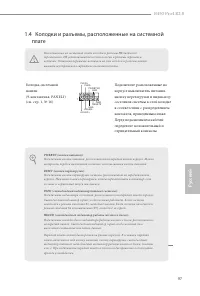
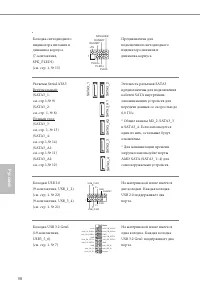
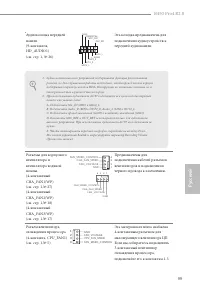
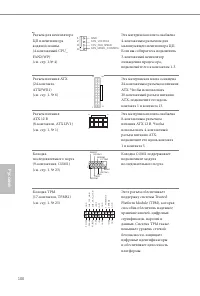
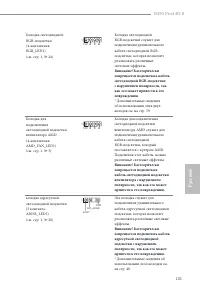
B450 Pro4 R2.0 97 Ру сский 1.4 Колодки и разъемы, расположенные на системной плате Колодка системной панели(9-контактная, PANEL1)(см. стр. 1, № 16) G N D R E S E T # P W R B T N # P L E D - P L E D + G N D H D L E D - H D L E D + 1 G N D Подключите расположенные на корпусе выключатель питания, кнопк...
Page 104 - Introdução; Conteúdo da embalagem; Guia de Instalação Rápida ASRock B450 Pro4 R2.0
102 Por tuguês 1 Introdução Obrigado por adquirir a placa mãe ASRock B450 Pro4 R2.0, uma confiável placa mãe ASRock produzida sob rigoroso controle de qualidade consistente. Esta placa principal oferece um excelente desempenho com um design robusto em conformidade com o compromisso da ASRock em fabr...
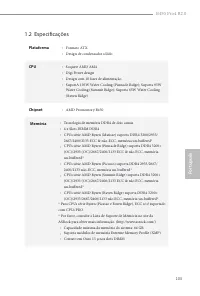
Page 106 - CPUs série AMD Ryzen (Matisse, Summit Ridge e Pinnacle Ridge); AMD Radeon; Integrado Série Vega Gráficas na Série Ryzen
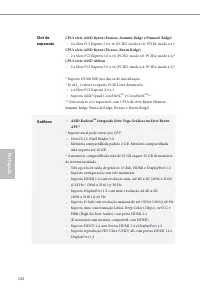
104 Por tuguês Slot de expansão CPUs série AMD Ryzen (Matisse, Summit Ridge e Pinnacle Ridge) • 2 x Slots PCI Express 3.0 x 16 (PCIE2: modo x 16; PCIE4: modo x 4)* CPUs série AMD Ryzen (Picasso, Raven Ridge) • 2 x Slots PCI Express 3.0 x 16 (PCIE2: modo x 8; PCIE4: modo x 4)* CPUs série AMD Athlon •...
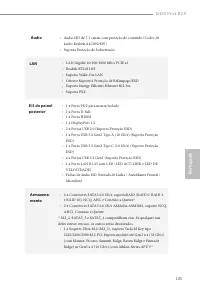
Page 107 - Áudio; Suporta Proteção de Sobretensão; Oferece Suporte à Proteção de Relâmpago/ESD
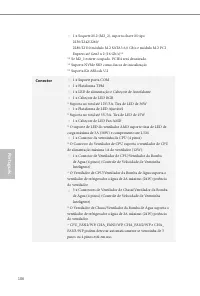
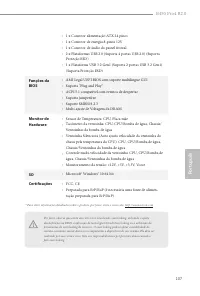
B450 Pro4 R2.0 105 Por tuguês Áudio • Áudio HD de 7.1 canais com proteção de conteúdo (Codec de áudio Realtek ALC892/897) • Suporta Proteção de Sobretensão LAN • LAN Gigabit 10/100/1000 Mb/s PCIE x1 • Realtek RTL8111H • Suporta Wake-On-LAN • Oferece Suporte à Proteção de Relâmpago/ESD • Suporta Ener...
Page 110 - Configuração dos jumpers
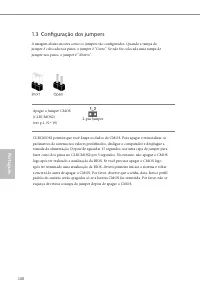
108 Por tuguês 1.3 Configuração dos jumpers A imagem abaixo mostra como os jumpers são configurados. Quando a tampa do jumper é colocada nos pinos, o jumper é "Curto". Se não for colocada uma tampa de jumper nos pinos, o jumper é "Aberto". Apagar o Jumper CMOS(CLRCMOS2)(ver p.1, N.º ...
Page 111 - Suportes e conectores onboard
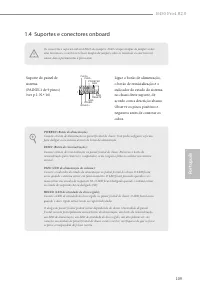
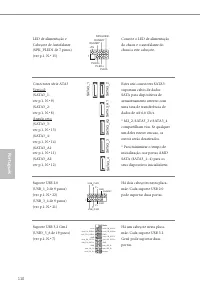
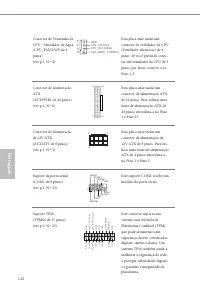
B450 Pro4 R2.0 109 Por tuguês 1.4 Suportes e conectores onboard Suporte do painel de sistema(PAINEL1 de 9 pinos)(ver p.1, N.º 16) G N D R E S E T # P W R B T N # P L E D - P L E D + G N D H D L E D - H D L E D + 1 G N D Ligue o botão de alimentação, o botão de reinicialização e o indicador do estado...
Page 115 - Nunca instale o cabo; Nunca instale o cabo de
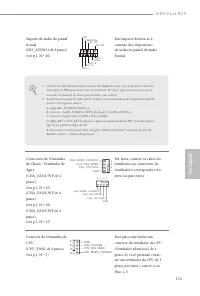
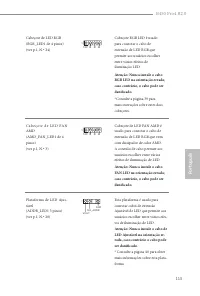
B450 Pro4 R2.0 113 Por tuguês Cabeçote de LED RGB(RGB_LED1 de 4 pinos)(ver p.1, N.º 24) 12V G R B 1 Cabeçote RGB LED é usado para conectar o cabo de extensão de LED RGB que permite aos usuários escolher entre vários efeitos de iluminação LED. Atenção: Nunca instale o cabo RGB LED na orientação errad...
Page 116 - Polsk; Wprowadzenie; Zawartość opakowania; Płyta główna ASRock B450 Pro4 R2.0 (Współczynnik kształtu ATX)
114 Polsk i Polski 1 Wprowadzenie Dziękujemy za zakupienie płyty głównej ASRock B450 Pro4 R2.0, niezawodnej płyty głównej produkowanej z konsekwentnie wykonywaną przez firmę ASRock, rygorystyczną kontrolą jakości. Płyta ta zapewnia doskonałą jakość działania i solidną konstrukcję, spełniającą zobowi...
Page 117 - Platforma
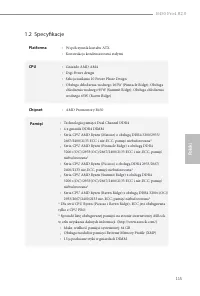
B450 Pro4 R2.0 115 Polsk i Polski 1.2 Specyfikacje Platforma • Współczynnik kształtu ATX • Konstrukcja kondensatorami stałymi CPU • Gniazdo AMD AM4 • Digi Power design • Sekcja zasilania 10 Power Phase Design • Obsługa chłodzenia wodnego 105W (Pinnacle Ridge); Obsługa chłodzenia wodnego 95W (Summit ...
Page 118 - Seria CPU AMD Athlon; x gniazda PCI Express 2.0 x 1; i CrossFireX; Grafika; Zintegrowana karta graficzna AMD Radeon; serii Vega w APU; * Rzeczywista obsługa zależy od CPU
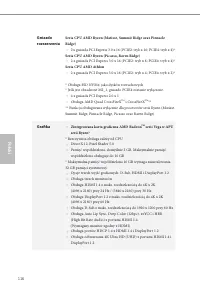
116 Polsk i Polski Gniazdo rozszerzenia Seria CPU AMD Ryzen (Matisse, Summit Ridge oraz Pinnacle Ridge) • 2 x gniazda PCI Express 3.0 x 16 (PCIE2: tryb x 16; PCIE4: tryb x 4)* Seria CPU AMD Ryzen (Picasso, Raven Ridge) • 2 x gniazda PCI Express 3.0 x 16 (PCIE2: tryb x 8; PCIE4: tryb x 4)* Seria CPU ...
Page 119 - Obsługa zabezpieczenia przed przepięciami; Obsługa Energy Efficient Ethernet 802.3az
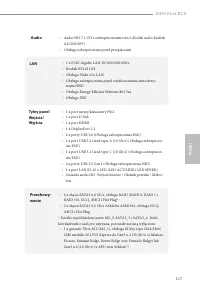
B450 Pro4 R2.0 117 Polsk i Polski Audio • Audio HD 7.1 CH z zabezpieczeniem treści (Kodek audio Realtek ALC892/897) • Obsługa zabezpieczenia przed przepięciami LAN • 1 x PCIE Gigabit LAN 10/100/1000 Mb/s • Realtek RTL8111H • Obsługa Wake-On-LAN • Obsługa zabezpieczenia przed wyładowaniami atmosferyc...
Page 120 - Złącze
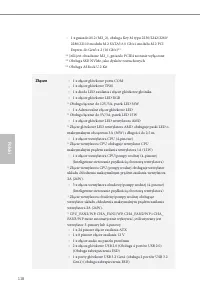
118 Polsk i Polski • 1 x gniazdo M.2 (M2_2), obsługa Key M typu 2230/2242/2260/ 2280/22110 modułu M.2 SATA3 6,0 Gb/s i modułu M.2 PCI Express do Gen3 x 2 (16 Gb/s)** ** Jeśli jest obsadzone M2_1, gniazdo PCIE4 zostanie wyłączone.** Obsługa SSD NVMe, jako dysków rozruchowych** Obsługa ASRock U.2 Kit ...
Page 121 - Funkcja BIOS
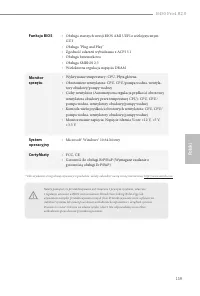
B450 Pro4 R2.0 119 Polsk i Polski Funkcja BIOS • Obsługa starszych wersji BIOS AMI UEFI z wielojęzycznym GUI • Obsługa “Plug and Play” • Zgodność zdarzeń wybudzania z ACPI 5.1 • Obsługa bezzworkowa • Obsługa SMBIOS 2.3 • Wielokrotna regulacja napięcia DRAM Monitor sprzętu • Wykrywanie temperatury: C...
Page 122 - Ustawienia zworek
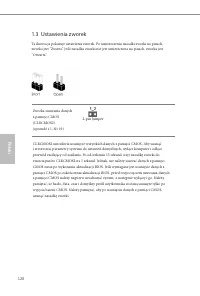
120 Polsk i Polski 1.3 Ustawienia zworek Ta ilustracja pokazuje ustawienia zworek. Po umieszczeniu nasadki zworki na pinach, zworka jest “Zwarta”. Jeśli nasadka zworki nie jest umieszczona na pinach, zworka jest “Otwarta”. Zworka usuwania danych z pamięci CMOS(CLRCMOS2)(sprawdź s.1, Nr 19) CLRCMOS2 ...
Page 123 - Wbudowane złącza główkowe i inne złącza
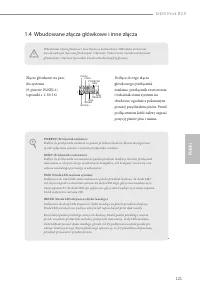
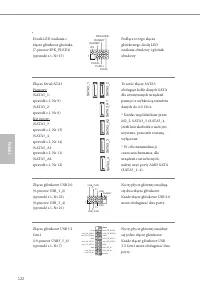
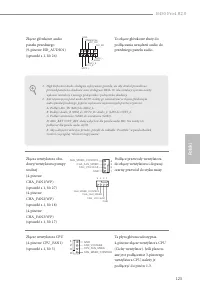
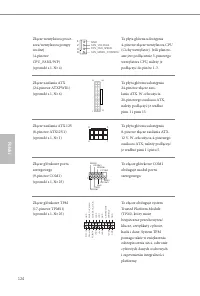
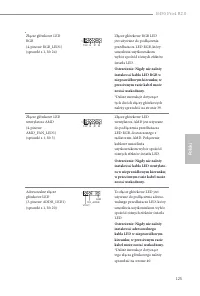
B450 Pro4 R2.0 121 Polsk i Polski 1.4 Wbudowane złącza główkowe i inne złącza Złącze główkowe na pan-elu systemu(9-pinowe PANEL1)(sprawdź s.1, Nr 16) G N D R E S E T # P W R B T N # P L E D - P L E D + G N D H D L E D - H D L E D + 1 G N D Podłącz do tego złącza główkowego przełącznik zasilania, prz...
Page 128 - 한 국 어; 개요; ASRock; 포장; CD
126 한 국 어 1 개요 ASRock B450 Pro4 R2.0 마더보드를 구입해 주셔서 감사합니다 . 이 마더보드는 ASRock 의 일관되고 엄격한 품질관리 하에 생산되어 신뢰성이 우수합니다 . 품질 과 내구성에 대한 ASRock 의 기준에 부합하는 우수한 성능과 견고한 설계를 제공 합니다 . 1.1 포장 내용물 • ASRock B450 Pro4 R2.0 마더보드 (ATX 폼 팩터 ) • ASRock B450 Pro4 R2.0 간편 설치 안내서 • ASRock B450 Pro4 R2.0 지원 CD • I/O 패널 실드 1 개 •...
Page 129 - 규격; 플랫폼; 칩세트
B450 Pro4 R2.0 127 한 국 어 1.2 규격 플랫폼 • ATX 폼 팩터 • 솔리드 콘덴서 구조 CPU • AMD AM4 Socket • Digi Power design • 10 개 전원 위상 구조 • 105W 워터 쿨링 (Pinnacle Ridge) 지원 , 95W 워터 쿨링 (Summit Ridge) 지원 , 65W 워터 쿨링 (Raven Ridge) 지원 칩세트 • AMD Promontory B450 메모리 • 듀얼 채널 DDR4 메모리 기술 • DDR4 DIMM 슬롯 4 개 • AMD Ryzen 시리즈 CPU (M...
Page 130 - 확장; 시리즈; 그래픽; 통합형; 그래
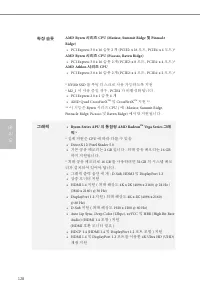
128 한 국 어 확장 슬롯 AMD Ryzen 시리즈 CPU (Matisse, Summit Ridge 및 Pinnacle Ridge) • PCI Express 3.0 x 16 슬롯 2 개 (PCIE2: x 16 모드 , PCIE4: x 4 모드 )* AMD Ryzen 시리즈 CPU (Picasso, Raven Ridge) • PCI Express 3.0 x 16 슬롯 2 개 (PCIE2: x 8 모드 , PCIE4: x 4 모드 )* AMD Athlon 시리즈 CPU • PCI Express 3.0 x 16 슬롯 2 개 (PCIE2...
Page 131 - 오디오; 후면
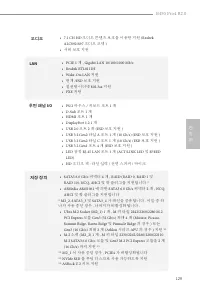
B450 Pro4 R2.0 129 한 국 어 오디오 • 7.1 CH HD 오디오 콘텐츠 보호를 이용한 지원 (Realtek ALC892/897 오디오 코덱 ) • 서비 보호 지원 LAN • PCIE 1 개 , Gigabit LAN 10/100/1000 Mb/s • Realtek RTL8111H • Wake-On-LAN 지원 • 번개 /ESD 보호 지원 • 절전형 이더넷 802.3az 지원 • PXE 지원 후면 패널 I/O • PS/2 마우스 / 키보드 포트 1 개 • D-Sub 포트 1 개 • HDMI 포트 1 개 • Display...
Page 132 - 커넥터; 기능
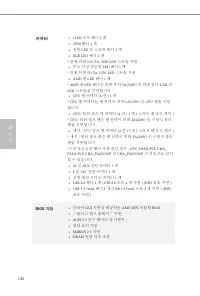
130 한 국 어 커넥터 • COM 포트 헤더 1 개 • TPM 헤더 1 개 • 전원 LED 및 스피커 헤더 1 개 • RGB LED 헤더 1 개 * 전체 최대 12V/3A, 36W LED 스트립 지원 • 주소 지정 가능한 LED 헤더 1 개 * 전체 최대 5V/3A, 15W LED 스트립 지원 • AMD 팬 LED 헤더 1 개 * AMD 팬 LED 헤더는 최대 부하 3A(36W) 및 최대 길이 2.5M 의 LED 스트립을 지원합니다 . • CPU 팬 커넥터 (4 핀 ) 1 개 * CPU 팬 커넥터는 팬 전력이 최대 1A(12W) ...
Page 133 - 하드웨어; Microsoft® Windows® 10 64-; 인증
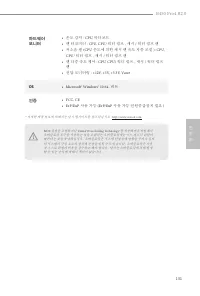
B450 Pro4 R2.0 131 한 국 어 하드웨어 모니터 • 온도 감지 : CPU, 마더보드 • 팬 타코미터 : CPU, CPU/ 워터 펌프 , 섀시 / 워터 펌프 팬 • 저소음 팬 (CPU 온도에 의한 섀시 팬 속도 자동 조절 ): CPU, CPU/ 워터 펌프 , 섀시 / 워터 펌프 팬 • 팬 다중 속도 제어 : CPU, CPU/ 워터 펌프 , 섀시 / 워터 펌프 팬 • 전압 모니터링 : +12V, +5V, +3.3V, Vcore OS • Microsoft® Windows® 10 64- 비트 인증 • FCC, CE • ErP/...
Page 134 - 점퍼
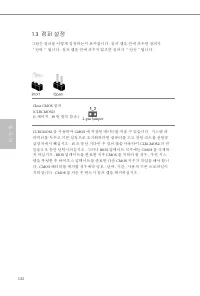
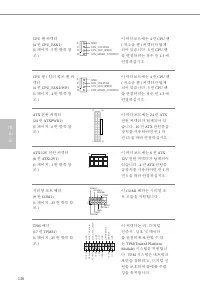
132 한 국 어 1.3 점퍼 설정 그림은 점퍼를 어떻게 설정하는지 보여줍니다 . 점퍼 캡을 핀에 씌우면 점퍼가 “단락” 됩니다 . 점퍼 캡을 핀에 씌우지 않으면 점퍼가 “단선”됩니다 . Clear CMOS 점퍼 (CLRCMOS2)(1 페이지 , 19 번 항목 참조 ) CLRCMOS2 을 사용하여 CMOS 에 저장된 데이터를 지울 수 있습니다 . 시스템 파 라미터를 지우고 기본 설정으로 초기화하려면 컴퓨터를 끄고 전원 코드를 전원공 급장치에서 빼십시오 . 15 초 동안 기다린 후 점퍼 캡을 사용하여 CLRCMOS2 의 핀 들을 5 ...
Page 135 - 온보드
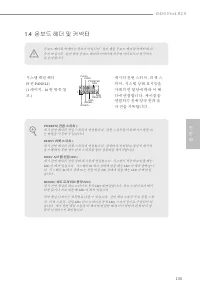
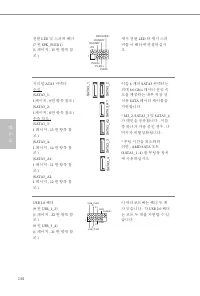
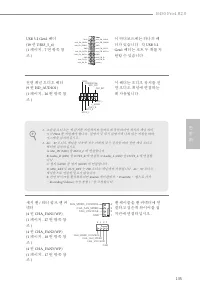
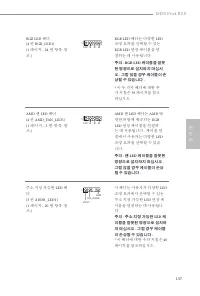
B450 Pro4 R2.0 133 한 국 어 1.4 온보드 헤더 및 커넥터 시스템 패널 헤더 (9 핀 PANEL1) (1 페이지 , 16 번 항목 참 조 ) G N D R E S E T # P W R B T N # P L E D - P L E D + G N D H D L E D - H D L E D + 1 G N D 섀시의 전원 스위치 , 리셋 스 위치 , 시스템 상태 표시등을 아래의 핀 할당에 따라 이 헤 더에 연결합니다 . 케이블을 연결하기 전에 양극 핀과 음 극 핀을 기록합니다 . PWRBTN( 전원 스위치 ): 섀시 전면 패...
Page 140 - 日本語; はじめに; パッケージの内容; ATX; ユーザーマニュアル
138 日本語 1 はじめに ASRock B450 Pro4 R2.0 マザーボードをお買い上げ頂きありがとうございます。 ASRock の製品は一貫した厳格な品質管理の下で製造されております。優れた品 質と耐久性を兼ね備えつつ、優れたパフォーマンスを提供致します。 1.1 パッケージの内容 • ASRock B450 Pro4 R2.0 マザーボード( ATX フォームファクター) • ASRock B450 Pro4 R2.0 クイックインストールガイド • ASRock B450 Pro4 R2.0 サポート CD • 1 x I/O パネルシールド • 2 x シリアル ATA ( ...
Page 141 - 仕様; プラット
B450 Pro4 R2.0 139 日本語 1.2 仕様 プラット フォーム • ATX フォームファクタ • 固体コンデンサ設計 CPU • AMD AM4 ソケット • Digi Power design • 10 電源フェーズ設計 • 105W 水冷( Pinnacle Ridge )に対応。 95W 水冷( Summit Ridge )に対応。 65W 水冷( Raven Ridge )に対応 チップセット • AMD Promontory B450 メモリ • デュアルチャンネル DDR4 メモリ機能 • 4 x DDR4 DIMM スロット • AMD Ryzen シリーズ CP...
Page 142 - 拡張スロット
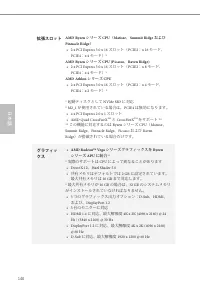
140 日本語 拡張スロット AMD Ryzen シリーズ CPU ( Matisse 、 Summit Ridge および Pinnacle Ridge ) • 2 x PCI Express 3.0 x 16 スロット( PCIE2 : x 16 モード、 PCIE4 : x 4 モード) * AMD Ryzen シリーズ CPU (Picasso 、 Raven Ridge) • 2 x PCI Express 3.0 x 16 スロット( PCIE2 : x 8 モード、 PCIE4 : x 4 モード) * AMD Athlon シリーズ CPU • 2 x PCI Express ...
Page 143 - オーディオ
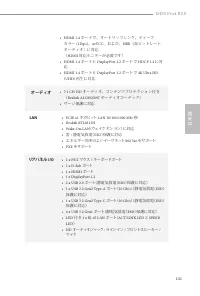
B450 Pro4 R2.0 141 日本語 • HDMI 1.4 ポートで、オートリップシンク、ディープ カラー (12bpc) 、 xvYCC 、および、 HBR (高ビットレート オーディオ)に対応 ( HDMI 対応モニターが必要です) • HDMI 1.4 ポートと DisplayPort 1.2 ポートで HDCP 1.4 に対 応 • HDMI 1.4 ポートと DisplayPort 1.2 ポートで 4K Ultra HD (UHD) 再生に対応 オーディオ • 7.1 CH HD オーディオ、コンテンツプロテクション付き ( Realtek ALC892/897 オーディオ...
Page 144 - ストレージ
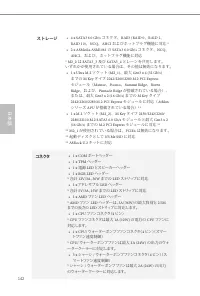
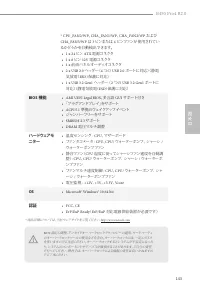
142 日本語 ストレージ • 4 x SATA3 6.0 Gb/s コネクタ、 RAID (RAID 0 、 RAID 1 、 RAID 10) 、 NCQ 、 AHCI およびホットプラグ機能に対応 * • 2 x ASMedia ASM1061 の SATA3 6.0 Gb/s コネクタ、 NCQ 、 AHCI 、および、ホットプラグ機能に対応 * M2_2 は SATA3_3 及び SATA3_4 とレーンを共用します。 いずれかが使用されている場合は、その他は無効になります。 • 1 x Ultra M.2 ソケット (M2_1) 、最大 Gen3 x 4 (32 Gb/s) までの...
Page 146 - ジャンパー設定
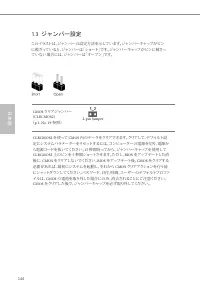
144 日本語 1.3 ジャンパー設定 このイラストは、ジャンパーの設定方法を示しています。ジャンパーキャップがピン に被さっていると、ジャンパーは「ショート」です。ジャンパーキャップがピンに被さっ ていない場合には、ジャンパーは「オープン」です。 CMOS クリアジャンパー (CLRCMOS2) ( p.1 、 No. 19 参照) CLRCMOS2 を使って CMOS 内のデータをクリアできます。クリアして、デフォルト設 定にシステムパラメーターをリセットするには、コンピューターの電源を切り、電源か ら電源コードを抜いてください。 15 秒間待ってから、ジャンパーキャップを使用して CLR...
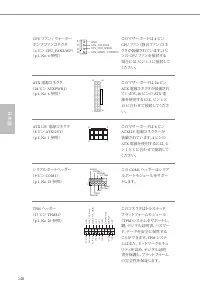
Page 147 - オンボードのヘッダーとコネクタ; システムパネルヘッダー; り当てに従って、シャーシのシ
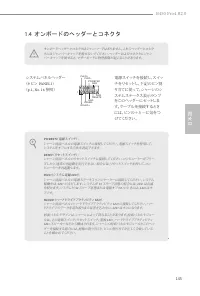
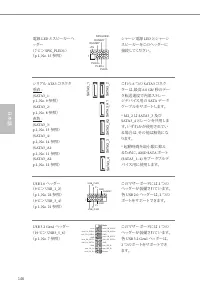
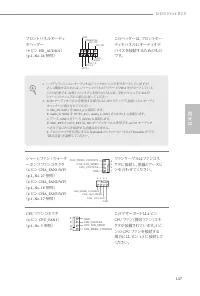
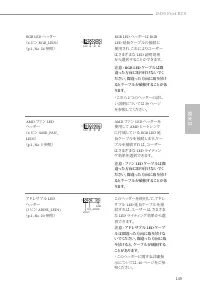
B450 Pro4 R2.0 145 日本語 1.4 オンボードのヘッダーとコネクタ システムパネルヘッダー ( 9 ピン PANEL1 ) ( p.1 、 No. 16 参照) G N D R E S E T # P W R B T N # P L E D - P L E D + G N D H D L E D - H D L E D + 1 G N D 電源スイッチを接続し、スイッチをリセットし、下記のピン割 り当てに従って、シャーシのシ ステムステータス表示ランプをこのヘッダーにセットしま す。ケーブルを接続するときには、ピンの+と−に気をつけてください。 PWRBTN (電源スイッチ)...
Page 152 - 简介; 包装清单
150 � 简 体 中 文 � 简体中文 1 简介 感谢您购买华擎 B450 Pro4 R2.0 主板,这是按照华擎一贯严格质量控制标准生 产的性能可靠的主板。它提供符合华擎质量和耐久性承诺的精良设计和卓越性能。 1.1 包装清单 • 华擎 B450 Pro4 R2.0 主板( ATX 规格尺寸) • 华擎 B450 Pro4 R2.0 快速安装指南 • 华擎 B450 Pro4 R2.0 支持光盘 • 1 x I/O 面板 • 2 x 串行 ATA (SATA) 数据线(选购) • 2 x 螺丝(供 M.2 插座使用)(选购) 由于主板规格和 BIOS 软件可能已更新,因此,本手册的内容可能...
Page 153 - 规格; 平台; 芯片集
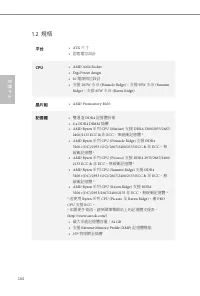
B450 Pro4 R2.0 151 � 简 体 中 文 � 简体中文 1.2 规格 平台 • ATX 规格尺寸 • 稳固的电容器设计 CPU • AMD AM4 Socket • Digi Power design • 10 电源相设计 • 支持 105W 水冷散热 (Pinnacle Ridge) ;支持 95W 水冷散热 (Summit Ridge) ;支持 65W 水冷散热 (Raven Ridge) 芯片集 • AMD Promontory B450 内存 • 双通道 DDR4 内存技术 • 4 x DDR4 DIMM 槽 • AMD Ryzen 系列 CPU (Matisse) 支...
Page 154 - 扩充槽; 图形; 音频
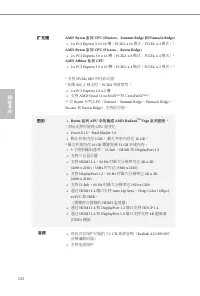
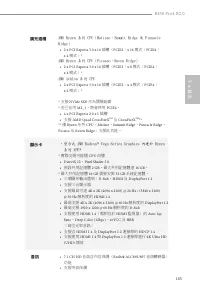
152 � 简 体 中 文 � 简体中文 扩充槽 AMD Ryzen 系列 CPU (Matisse 、 Summit Ridge 和 Pinnacle Ridge) • 2 x PCI Express 3.0 x 16 槽( PCIE2: x 16 模式; PCIE4: x 4 模式) * AMD Ryzen 系列 CPU (Picasso 、 Raven Ridge) • 2 x PCI Express 3.0 x 16 槽( PCIE2: x 8 模式; PCIE4: x 4 模式) * AMD Athlon 系列 CPU • 2 x PCI Express 3.0 x 16 槽( PC...
Page 155 - 后面板
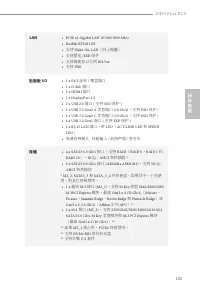
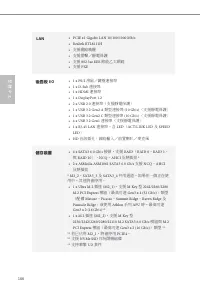
B450 Pro4 R2.0 153 � 简 体 中 文 � 简体中文 LAN • PCIE x1 Gigabit LAN 10/100/1000 Mb/s • Realtek RTL8111H • 支持 Wake-On-LAN (网上唤醒) • 支持雷电 /ESD 保护 • 支持高能效以太网 802.3az • 支持 PXE 后面板 I/O • 1 x PS/2 鼠标 / 键盘端口 • 1 x D-Sub 端口 • 1 x HDMI 端口 • 1 x DisplayPort 1.2 • 2 x USB 2.0 端口 ( 支持 ESD 保护 ) • 1 x USB 3.2 Gen2 A 类型端...
Page 156 - 接口; 功能特点
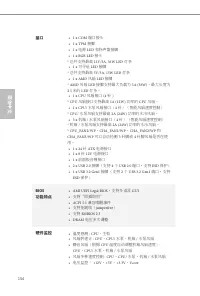
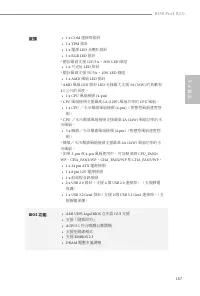
154 � 简 体 中 文 � 简体中文 接口 • 1 x COM 端口接头 • 1 x TPM 接脚 • 1 x 电源 LED 和扬声器接脚 • 1 x RGB LED 接头 * 总共支持最高 12V/3A, 36W LED 灯条 • 1 x 可寻址 LED 接脚 * 总共支持最高 5V/3A, 15W LED 灯条 • 1 x AMD 风扇 LED 接脚 * AMD 风扇 LED 接脚支持最大负载为 3A (36W) 、最大长度为 2.5 米的 LED 灯条。 • 1 x CPU 风扇接口 (4 针 ) * CPU 风扇接口支持最高 1A (12W) 功率的 CPU 风扇。 • 1 x C...
Page 157 - 操作系统; Microsoft® Windows® 10 64-bit; 认证; FCC
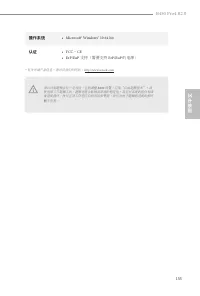
B450 Pro4 R2.0 155 � 简 体 中 文 � 简体中文 操作系统 • Microsoft® Windows® 10 64-bit 认证 • FCC 、 CE • ErP/EuP 支持(需要支持 ErP/EuP 的电源) * 有关详细产品信息,请访问我们的网站: http://www.asrock.com 须认识到超频会有一定风险,包括调整 BIOS 设置,应用 “ 自由超频技术 ” ,或 使用第三方超频工具。超频可能会影响到系统的稳定性,甚至对系统的组件和设备造成损坏。执行这项工作您应自担风险和费用。我们对由于超频而造成的损坏概不负责。
Page 158 - 跳线设置
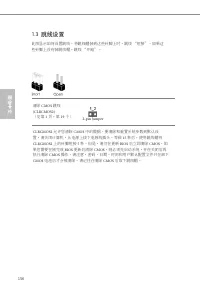
156 � 简 体 中 文 � 简体中文 1.3 跳线设置 此图显示如何设置跳线。将跳线帽装到这些针脚上时,跳线 “ 短接 ” 。如果这 些针脚上没有装跳线帽,跳线 “ 开路 ” 。 清除 CMOS 跳线 (CLRCMOS2) (见第 1 页,第 19 个) CLRCMOS2 允许您清除 CMOS 中的数据。要清除和重置系统参数到默认设 置,请关闭计算机,从电源上拔下电源线插头。等候 15 秒后,使用跳线帽将 CLRCMOS2 上的针脚短接 5 秒。但是,请勿在更新 BIOS 后立即清除 CMOS 。如 果您需要在刚完成 BIOS 更新后清除 CMOS ,则必须先启动系统,并在关闭后再 执行清...
Page 159 - 板载接脚和接口; 系统面板接脚
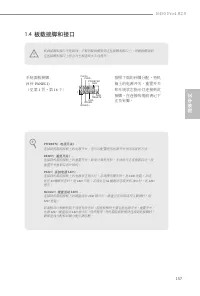
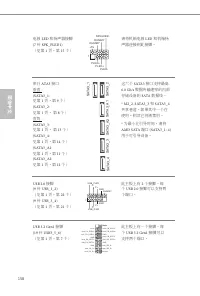
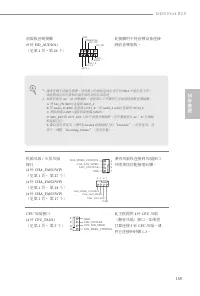
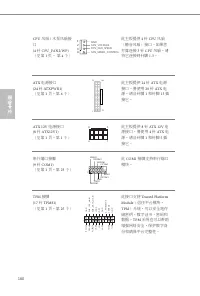
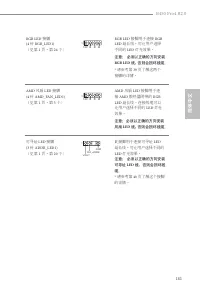
B450 Pro4 R2.0 157 � 简 体 中 文 � 简体中文 1.4 板载接脚和接口 系统面板接脚 (9 针 PANEL1) (见第 1 页,第 16 个) G N D R E S E T # P W R B T N # P L E D - P L E D + G N D H D L E D - H D L E D + 1 G N D 按照下面的针脚分配,将机箱上的电源开关、重置开关和系统状态指示灯连接到此接脚。在连接线缆前请记下正负针脚。 PWRBTN (电源开关) : 连接到机箱前面板上的电源开关。您可以配置使用电源开关关闭系统的方式。 RESET (重置开关) : 连接到机箱前...
Page 164 - 电子信息产品污染控制标示; 依据中国发布的「电子信息产品污染控制管理办法」及; 有毒有害物质或元素的名称及含量说明; X O O O O O
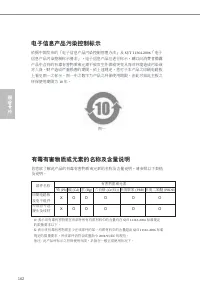
162 � 简 体 中 文 � 简体中文 电子信息产品污染控制标示 依据中国发布的「电子信息产品污染控制管理办法」及 SJ/T 11364-2006 「电子 信息产品污染控制标示要求」,电子信息产品应进行标示,藉以向消费者揭露产品中含有的有毒有害物质或元素不致发生外泄或突变从而对环境造成污染或对人身、财产造成严重损害的期限。依上述规定,您可于本产品之印刷电路板上看见图一之标示。图一中之数字为产品之环保使用期限。由此可知此主板之环保使用期限为 10 年。 图一 有毒有害物质或元素的名称及含量说明 若您欲了解此产品的有毒有害物质或元素的名称及含量说明,请参照以下表格及说明。 有害物质或元素 铅 (...
Page 165 - 繁體中文; 簡介; 包裝內容
B450 Pro4 R2.0 163 繁體中文 1 簡介 感謝您購買華擎 B450 Pro4 R2.0 主機板,本主機板經華擎嚴格品管製作,是一 套讓人信賴的可靠產品。本產品採耐用設計所展現的優異效能,完全符合華擎對品質及耐用度的承諾。 1.1 包裝內容 • 華擎 B450 Pro4 R2.0 主機板( ATX 尺寸) • 華擎 B450 Pro4 R2.0 快速安裝指南 • 華擎 B450 Pro4 R2.0 支援光碟 • 1 x I/O 面板外罩 • 2 x Serial ATA (SATA) 資料纜線(選用) • 2 x 螺絲(適用於 M.2 插座)(選用) 由於主機板規格及 BIOS ...
Page 166 - 規格; 晶片組
164 繁體中文 1.2 規格 平台 • ATX 尺寸 • 固態電容設計 CPU • AMD AM4 Socket • Digi Power design • 10 電源相位設計 • 支援 105W 水冷 (Pinnacle Ridge) ;支援 95W 水冷 (Summit Ridge) ;支援 65W 水冷 (Raven Ridge) 晶片組 • AMD Promontory B450 記憶體 • 雙通道 DDR4 記憶體技術 • 4 x DDR4 DIMM 插槽 • AMD Ryzen 系列 CPU (Matisse) 支援 DDR4 3200/2933/2667/ 2400/2133 ...
Page 167 - 擴充插槽; AMD Ryzen 系列 CPU(Matisse、Summit Ridge 及 Pinnacle; 顯示卡; • 整合式 AMD Radeon; Vega Series Graphics 內建於 Ryzen; 音訊
B450 Pro4 R2.0 165 繁體中文 擴充插槽 AMD Ryzen 系列 CPU(Matisse、Summit Ridge 及 Pinnacle Ridge) • 2 x PCI Express 3.0 x 16 插槽( PCIE2 : x 16 模式; PCIE4 : x 4 模式) * AMD Ryzen 系列 CPU (Picasso、Raven Ridge) • 2 x PCI Express 3.0 x 16 插槽( PCIE2 : x 8 模式; PCIE4 : x 4 模式) * AMD Athlon 系列 CPU • 2 x PCI Express 3.0 x 16 ...
Page 168 - 後面板
166 繁體中文 LAN • PCIE x1 Gigabit LAN 10/100/1000 Mb/s • Realtek RTL8111H • 支援網路喚醒 • 支援雷擊/靜電保護 • 支援 802.3az EEE 節能乙太網路 • 支援 PXE 後面板 I/O • 1 x PS/2 滑鼠/鍵盤連接埠 • 1 x D-Sub 連接埠 • 1 x HDMI 連接埠 • 1 x DisplayPort 1.2 • 2 x USB 2.0 連接埠(支援靜電保護) • 1 x USB 3.2 Gen2 A 類型連接埠 (10 Gb/s) (支援靜電保護) • 1 x USB 3.2 Gen2 C 類...
Page 169 - 接頭; 功能
B450 Pro4 R2.0 167 繁體中文 接頭 • 1 x COM 連接埠排針 • 1 x TPM 排針 • 1 x 電源 LED 及喇叭排針 • 1 x RGB LED 排針 * 總計最高支援 12V/3A , 36W LED 條燈 • 1 x 可定址 LED 排針 * 總計最高支援 5V/3A , 15W LED 條燈 • 1 x AMD 風扇 LED 排針 * AMD 風扇 LED 排針 LED 光條最大支援 3A (36W) 的負載和 2.5 公尺的長度。 • 1 x CPU 風扇接頭 (4-pin) * CPU 風扇接頭支援最高 1A (12W) 風扇功率的 CPU 風扇。 •...
Page 170 - 硬體監視器
168 繁體中文 硬體監視器 • 溫度感應: CPU 、主機板 • 風扇轉速計: CPU 、 CPU / 水冷幫浦、機殼 / 水冷幫浦風 扇 • 靜音風扇(依 CPU 溫度自動調整機殼風扇速度): CPU 、 CPU / 水冷幫浦、機殼 / 水冷幫浦風扇 • 風扇多重速度控制: CPU 、 CPU / 水冷幫浦、機殼 / 水冷 幫浦風扇 • 電壓監控: +12V 、 +5V 、 +3.3V 、 Vcore 作業系統 • Microsoft® Windows® 10 64-bit 認證 • FCC 、 CE • ErP/EuP ready (須具備 ErP/EuP ready 電源供應器) * ...
Page 171 - 跳線設定
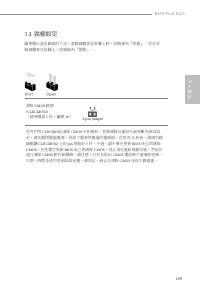
B450 Pro4 R2.0 169 繁體中文 1.3 跳線設定 圖例顯示設定跳線的方式。當跳線帽套在針腳上時,該跳線為「短路」。若沒有跳線帽套在針腳上,該跳線為「開啟」。 清除 CMOS 跳線 (CLRCMOS2) (請參閱第 1 頁,編號 19 ) 您可利用 CLRCMOS2 清除 CMOS 中的資料。若要清除及重設系統參數為預設設 定,請先關閉電腦電源,再拔下電源供應器的電源線。在等待 15 秒後,請使用跳 線帽讓 CLRCMOS2 上的 pin 短路約 5 秒。不過,請不要在更新 BIOS 後立即清除 CMOS 。若您需在更新 BIOS 後立即清除 CMOS ,則必須先重新啟動系統,然...
Page 172 - 板載排針及接頭; 系統面板排針
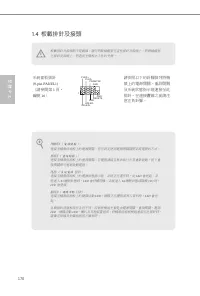
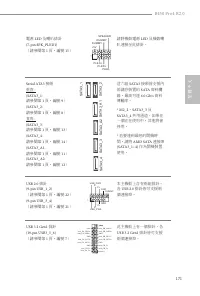
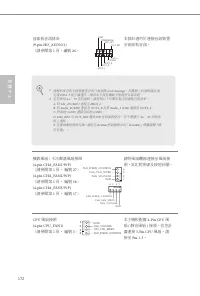
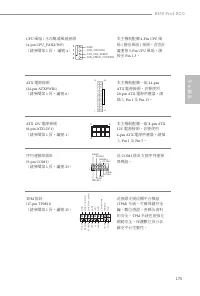
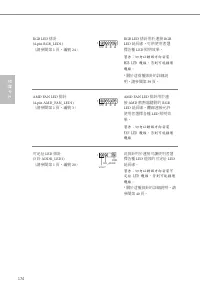
170 繁體中文 1.4 板載排針及接頭 系統面板排針 (9-pin PANEL1) (請參閱第 1 頁, 編號 16 ) 請依照以下的針腳排列將機殼上的電源開關、重設開關及系統狀態指示燈連接至此排針。在連接纜線之前請注意正負針腳。 G N D R E S E T # P W R B T N # P L E D - P L E D + G N D H D L E D - H D L E D + 1 G N D PWRBTN ( 電源開關 ): 連接至機殼前面板上的電源開關。您可設定使用電源開關關閉系統電源的方式。 RESET ( 重設開關 ): 連接至機殼前面板上的重設開關。若電腦凍結且無法執...
Page 177 - Spesifikasi
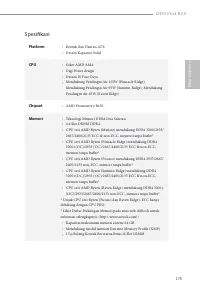
B450 Pro4 R2.0 175 Bahasa I ndonesia Spesifikasi Platform • Bentuk dan Ukuran ATX • Desain Kapasitor Solid CPU • Soket AMD AM4 • Digi Power design • Desain 10 Fase Daya • Mendukung Pendingin Air 105W (Pinnacle Ridge); Mendukung Pendingin Air 95W (Summit Ridge); Mendukung Pendingin Air 65W (Raven Rid...
Page 178 - Slot Ekspansi; CPU seri AMD Athlon; Grafis; Grafis AMD Radeon; Terpadu Seri Vega dalam APU Seri
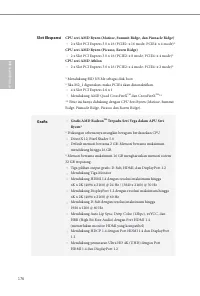
176 Bahasa I ndonesia Slot Ekspansi CPU seri AMD Ryzen (Matisse, Summit Ridge, dan Pinnacle Ridge) • 2 x Slot PCI Express 3.0 x 16 (PCIE2: x 16 mode; PCIE4: x 4 mode)* CPU seri AMD Ryzen (Picasso, Raven Ridge) • 2 x Slot PCI Express 3.0 x 16 (PCIE2: x 8 mode; PCIE4: x 4 mode)* CPU seri AMD Athlon • ...
Page 179 - Mendukung Perlindungan dari Lonjakan Arus; Mendukung Perlindungan dari Petir/ESD; Penyimpanan
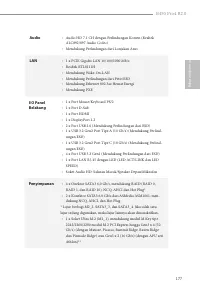
B450 Pro4 R2.0 177 Bahasa I ndonesia Audio • Audio HD 7.1 CH dengan Perlindungan Konten (Realtek ALC892/897 Audio Codec) • Mendukung Perlindungan dari Lonjakan Arus LAN • 1 x PCIE Gigabit LAN 10/100/1000 Mb/s • Realtek RTL8111H • Mendukung Wake-On-LAN • Mendukung Perlindungan dari Petir/ESD • Menduk...
Page 180 - Konektor
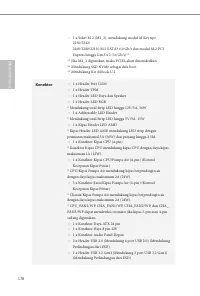
178 Bahasa I ndonesia • 1 x Soket M.2 (M2_2), mendukung modul M Key tipe 2230/2242/ 2260/2280/22110 M.2 SATA3 6,0 Gb/s dan modul M.2 PCI Express hingga Gen3 x 2 (16 Gb/s)** ** Jika M2_1 digunakan, maka PCIE4 akan dinonaktifkan.** Mendukung SSD NVMe sebagai disk boot** Mendukung Kit ASRock U.2 Konekt...
Page 181 - Fitur BIOS
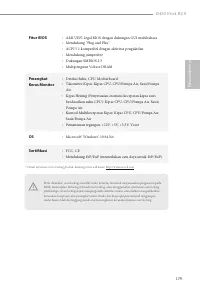
B450 Pro4 R2.0 179 Bahasa I ndonesia Fitur BIOS • AMI UEFI Legal BIOS dengan dukungan GUI multibahasa • Mendukung “Plug and Play” • ACPI 5.1 kompatibel dengan aktivitas pengaktifan • Mendukung jumperfree • Dukungan SMBIOS 2.3 • Multipengatur Voltase DRAM Perangkat Keras Monitor • Deteksi Suhu: CPU, ...
Page 182 - Contact Information; ASRock Incorporation; The Netherlands
Contact Information If you need to contact ASRock or want to know more about ASRock, you’re welcome to visit ASRock’s website at http://www.asrock.com; or you may contact your dealer for further information. For technical questions, please submit a support request form at https://event.asrock.com/ts...
Page 183 - DECLARATION OF CONFORMITY; Responsible Party Name:; Product Name : Motherboard; Supplementary Information:
DECLARATION OF CONFORMITY Per FCC Part 2 Section 2.1077(a) Responsible Party Name: ASRock Incorporation Address: 13848 Magnolia Ave, Chino, CA91710 +1-909-590-8308/+1-909-590-1026 Phone/Fax No: hereby declares that the product Product Name : Motherboard Model Number : Conforms to the following speci...
Page 184 - EU Declaration of Conformity; For the following equipment:; Motherboard
EU Declaration of Conformity For the following equipment: Motherboard (Product Name) B450 Pro4 R2.0 / ASRock (Model Designation / Trade Name) ASRock Incorporation (Manufacturer Name) 2F., No.37, Sec. 2, Jhongyang S. Rd., Beitou District, Taipei City 112, Taiwan (R.O.C.) (Manufacturer Address) ASRock...









 Asrock A520M-HVS User Manual
 Asrock A520M-ITX/ac User Manual
 Asrock A520M Pro4 User Manual
 Asrock B365 User Manual
 Asrock B450 User Manual
 Asrock B450M-HDV R4.0 User Manual
 Asrock B550 User Manual
 Asrock B550 PG User Manual
 Asrock B550 Pro4 User Manual
 Asrock B550M User Manual
 Asrock B550M PG User Manual
 Asrock B550M Pro4 User Manual
 Asrock B560 User Manual
 Asrock B560M User Manual
 Asrock B650 User Manual
 Asrock B660 User Manual