Page 2 - AUSTRALIA ONLY; International call charges apply)
AUSTRALIA ONLY Our goods come with guarantees that cannot be excluded under the Australian Consumer Law. You are entitled to a replacement or refund for a major failure and compensation for any other reasonably foreseeable loss or damage caused by our goods. You are also entitled to have the goods r...
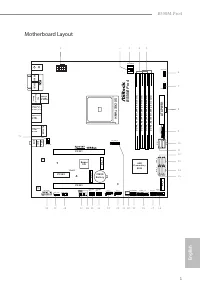
Page 3 - English; Motherboard Layout
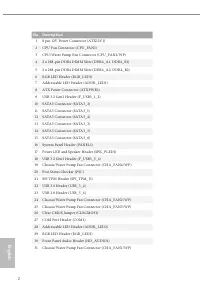
English 1 B550M Pro4 Motherboard Layout 4 3 8 5 9 1 1 1 3 1 4 1 1 8 1 9 1 6 1 5 2 2 1 7 A T X P W R 1 S u p e r I / O C L R C M O S 1 1 P C I E 1 H D _ A U D I O 1 1 C P U _ FA N 2 / W P SOCKE TA M4 F _ U S B 3 _ 1 _ 2 1 C H A _ FA N 1 / W P 1 R o H S S P K _ P L E D 1 1 D D R 4 _ A 1 ( 6 4 b it , 2...
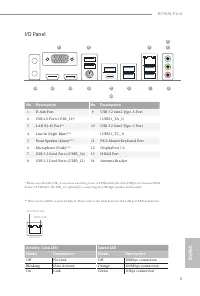
Page 5 - Speed LED
English 3 B550M Pro4 I/O Panel No. Description No. Description 1 D-Sub Port 9 USB 3.2 Gen2 Type-A Port 2 USB 2.0 Ports (USB_12)* (USB31_TA_1) 3 LAN RJ-45 Port** 10 USB 3.2 Gen2 Type-C Port 4 Line In (Light Blue)*** (USB31_TC_1) 5 Front Speaker (Lime)*** 11 PS/2 Mouse/Keyboard Port 6 Microphone (Pink...
Page 6 - Port; Chapter 1 Introduction; Package Contents
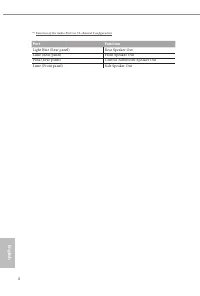
English 4 *** Function of the Audio Ports in 7.1-channel Configuration : Port Function Light Blue (Rear panel) Rear Speaker Out Lime (Rear panel) Front Speaker Out Pink (Rear panel) Central /Subwoofer Speaker Out Lime (Front panel) Side Speaker Out Chapter 1 Introduction Thank you for purchasing ASR...
Page 7 - ASRock B550M Pro4 Motherboard (Micro ATX Form Factor)
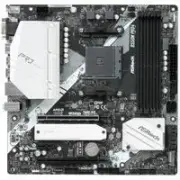
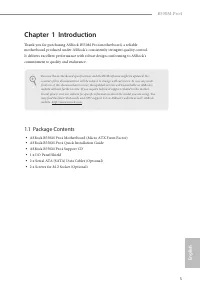
English 5 B550M Pro4 Chapter 1 Introduction Thank you for purchasing ASRock B550M Pro4 motherboard, a reliable motherboard produced under ASRock’s consistently stringent quality control. It delivers excellent performance with robust design conforming to ASRock’s commitment to quality and endurance. ...
Page 8 - Platform; Chipset
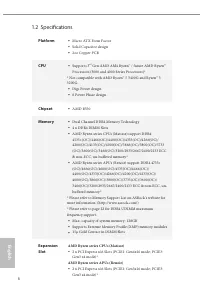
English 6 1.2 Specifications Platform • Micro ATX Form Factor • Solid Capacitor design • 2oz Copper PCB CPU • Supports 3 rd Gen AMD AM4 Ryzen™ / future AMD Ryzen™ Processors (3000 and 4000 Series Processors)* * Not compatible with AMD Ryzen™ 5 3400G and Ryzen™ 3 3200G. • Digi Power design • 8 Power ...
Page 9 - Graphics; Audio
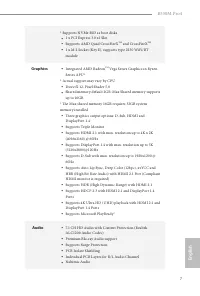
English 7 B550M Pro4 * Supports NVMe SSD as boot disks • 1 x PCI Express 3.0 x1 Slot • Supports AMD Quad CrossFireX TM and CrossFireX TM • 1 x M.2 Socket (Key E), supports type 2230 WiFi/BT module Graphics • Integrated AMD Radeon TM Vega Series Graphics in Ryzen Series APU* * Actual support may vary...
Page 10 - LAN; Supports Lightning/ESD Protection; Storage
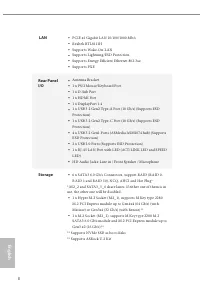
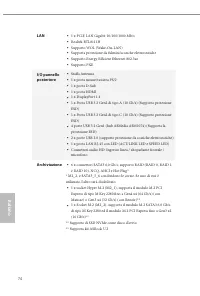
English 8 LAN • PCIE x1 Gigabit LAN 10/100/1000 Mb/s • Realtek RTL8111H • Supports Wake-On-LAN • Supports Lightning/ESD Protection • Supports Energy Efficient Ethernet 802.3az • Supports PXE Rear Panel I/O • Antenna Bracket • 1 x PS/2 Mouse/Keyboard Port • 1 x D-Sub Port • 1 x HDMI Port • 1 x Displa...
Page 11 - Connector
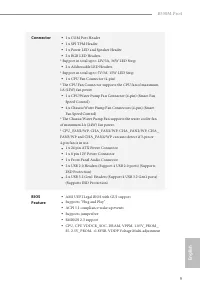
English 9 B550M Pro4 Connector • 1 x COM Port Header • 1 x SPI TPM Header • 1 x Power LED and Speaker Header • 2 x RGB LED Headers * Support in total up to 12V/3A, 36W LED Strip • 2 x Addressable LED Headers * Support in total up to 5V/3A, 15W LED Strip • 1 x CPU Fan Connector (4-pin) * The CPU Fan ...
Page 12 - OS; Microsoft® Windows® 10 64-bit
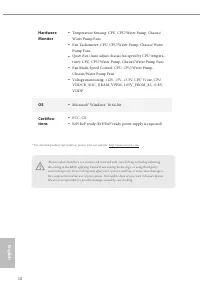
English 10 Hardware Monitor • Temperature Sensing: CPU, CPU/Water Pump, Chassis/Water Pump Fans • Fan Tachometer: CPU, CPU/Water Pump, Chassis/Water Pump Fans • Quiet Fan (Auto adjust chassis fan speed by CPU tempera-ture): CPU, CPU/Water Pump, Chassis/Water Pump Fans • Fan Multi-Speed Control: CPU,...
Page 13 - Pre-installation Precautions; Hold components by the edges and do not touch the ICs.; Chapter 2 Installation
English 11 B550M Pro4 This is a Micro ATX form factor motherboard. Before you install the motherboard, study the configuration of your chassis to ensure that the motherboard fits into it. Pre-installation Precautions Take note of the following precautions before you install motherboard components or...
Page 14 - Installing the CPU
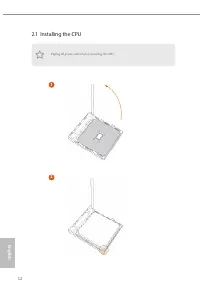
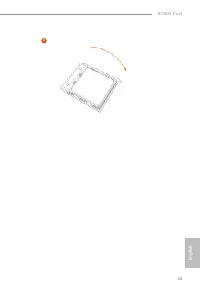
English 12 2.1 Installing the CPU Unplug all power cables before installing the CPU. 2 1
Page 16 - Installing the CPU Fan and Heatsink
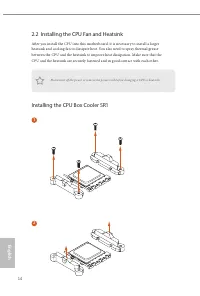
English 14 2.2 Installing the CPU Fan and Heatsink After you install the CPU into this motherboard, it is necessary to install a larger heatsink and cooling fan to dissipate heat. You also need to spray thermal grease between the CPU and the heatsink to improve heat dissipation. Make sure that the C...
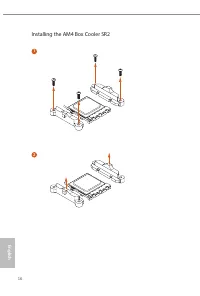
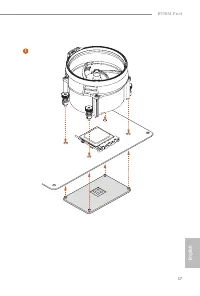
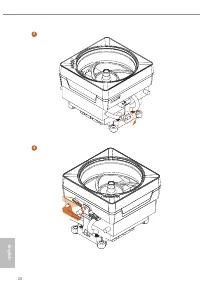
Page 18 - Installing the AM4 Box Cooler SR2
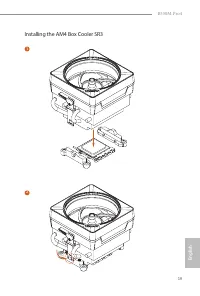
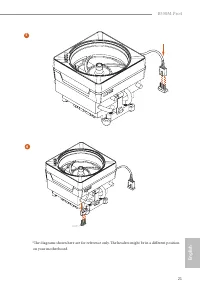
Page 21 - Installing the AM4 Box Cooler SR3
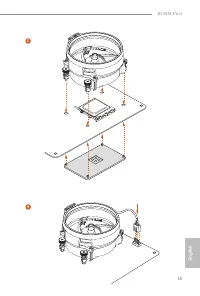
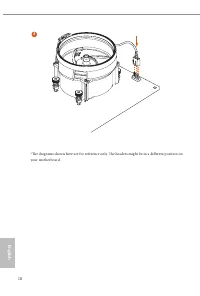
English 19 B550M Pro4 *The diagrams shown here are for reference only. The headers might be in a different position on your motherboard. Installing the AM4 Box Cooler SR3 1 2
Page 24 - AMD non-XMP Memory Frequency Support; UDIMM Memory Slot; DR
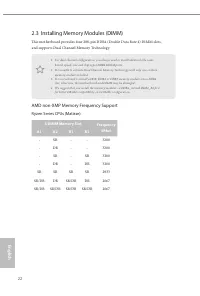
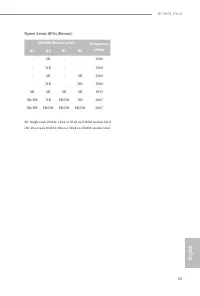
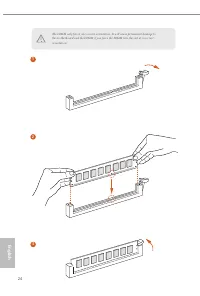
English 22 2.3 Installing Memory Modules (DIMM) This motherboard provides four 288-pin DDR4 (Double Data Rate 4) DIMM slots, and supports Dual Channel Memory Technology. AMD non-XMP Memory Frequency Support Ryzen Series CPUs (Matisse): 1. For dual channel configuration, you always need to install id...
Page 27 - There are 3 PCI Express slots on the motherboard.; PCIe Slot Configurations
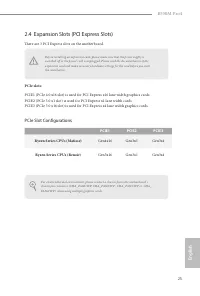
English 25 B550M Pro4 2.4 Expansion Slots (PCI Express Slots) There are 3 PCI Express slots on the motherboard. PCIe slots: PCIE1 (PCIe 4.0 x16 slot) is used for PCI Express x16 lane width graphics cards. PCIE2 (PCIe 3.0 x1 slot) is used for PCI Express x1 lane width cards. PCIE3 (PCIe 3.0 x16 slot)...
Page 29 - Onboard Headers and Connectors
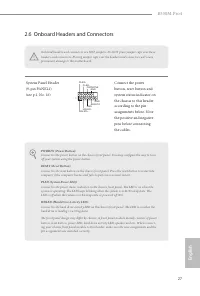
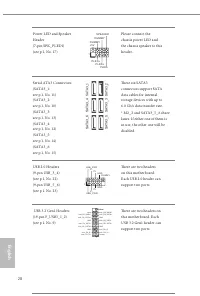
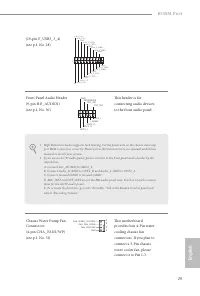
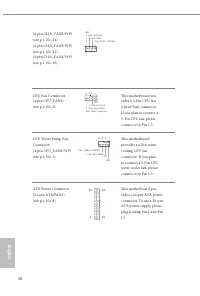
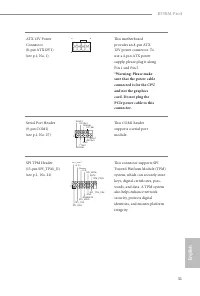
English 27 B550M Pro4 2.6 Onboard Headers and Connectors System Panel Header(9-pin PANEL1)(see p.1, No. 16) Connect the power button, reset button and system status indicator on the chassis to this header according to the pin assignments below. Note the positive and negative pins before connecting t...
Page 34 - Never install the RGB
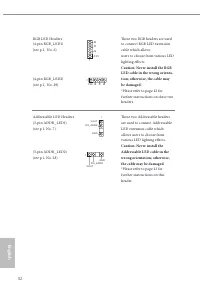
English 32 RGB LED Headers(4-pin RGB_LED1)(see p.1, No. 6) (4-pin RGB_LED2)(see p.1, No. 29) These two RGB headers are used to connect RGB LED extension cable which allows users to choose from various LED lighting effects. Caution: Never install the RGB LED cable in the wrong orienta-tion; otherwise...
Page 35 - Post Status Checker
English 33 B550M Pro4 2.7 Post Status Checker Post Status Checker (PSC) diagnoses the computer when users power on the machine. It emits a red light to indicate whether the CPU, memory, VGA or stor-age is dysfunctional. The lights go off if the four mentioned above are functioning normally.
Page 36 - Installing the WiFi/BT module; Find the nut location to be used.
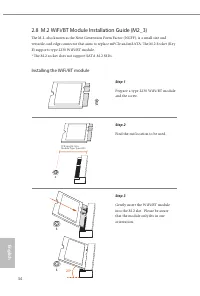
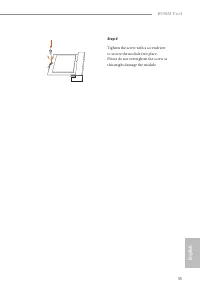
English 34 2.8 M.2 WiFi/BT Module Installation Guide (M2_3) The M.2, also known as the Next Generation Form Factor (NGFF), is a small size and versatile card edge connector that aims to replace mPCIe and mSATA. The M.2 Socket (Key E) supports type 2230 WiFi/BT module. * The M.2 socket does not suppo...
Page 38 - Nut Location
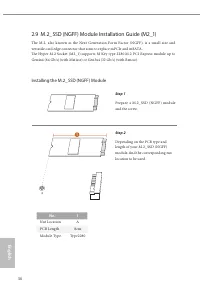
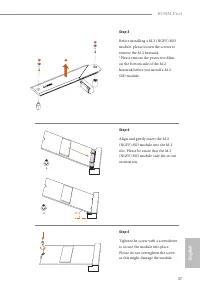
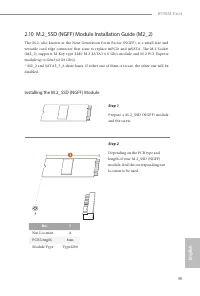
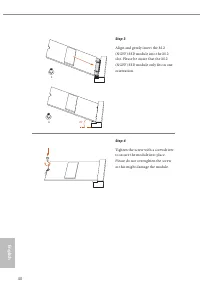
English 36 2.9 M.2_SSD (NGFF) Module Installation Guide (M2_1) The M.2, also known as the Next Generation Form Factor (NGFF), is a small size and versatile card edge connector that aims to replace mPCIe and mSATA. The Hyper M.2 Socket (M2_1) supports M Key type 2280 M.2 PCI Express module up to Gen4...
Page 40 - Vendor
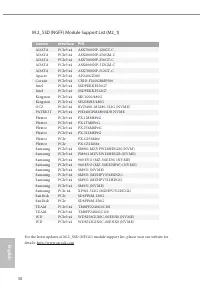
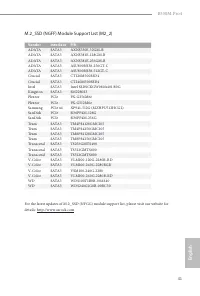
English 38 M.2_SSD (NGFF) Module Support List (M2_1) Vendor Interface P/N ADATA PCIe3 x4 ASX7000NP-128GT-C ADATA PCIe3 x4 ASX8000NP-256GM-C ADATA PCIe3 x4 ASX7000NP-256GT-C ADATA PCIe3 x4 ASX8000NP-512GM-C ADATA PCIe3 x4 ASX7000NP-512GT-C Apacer PCIe3 x4 AP240GZ280 Corsair PCIe3 x4 CSSD-F240GBMP500 ...
Page 44 - ASRock Polychrome SYNC; Connecting the LED Strip; Connect your RGB LED strips to the
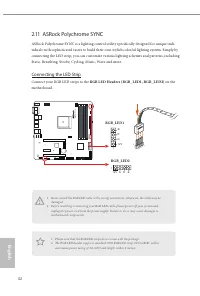
English 42 2.11 ASRock Polychrome SYNC ASRock Polychrome SYNC is a lighting control utility specifically designed for unique indi-viduals with sophisticated tastes to build their own stylish colorful lighting system. Simply by connecting the LED strip, you can customize various lighting schemes and ...
Page 45 - Connecting the Addressable RGB LED Strip; Connect your Addressable RGB LED strips to the
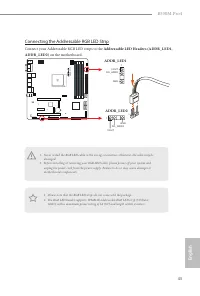
English 43 B550M Pro4 Connecting the Addressable RGB LED Strip Connect your Addressable RGB LED strips to the Addressable LED Headers (ADDR_LED1, ADDR_LED2) on the motherboard. B5 50 M P ro 4 1. Never install the RGB LED cable in the wrong orientation; otherwise, the cable may be damaged. 2. Before ...
Page 46 - ASRock Polychrome SYNC Utility
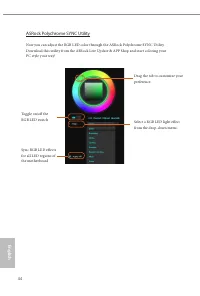
English 44 ASRock Polychrome SYNC Utility Now you can adjust the RGB LED color through the ASRock Polychrome SYNC Utility. Download this utility from the ASRock Live Update & APP Shop and start coloring your PC style your way! Toggle on/off the RGB LED switch Sync RGB LED effects for all LED reg...
Page 47 - Deutsch; Einleitung; ASRock B550M Pro4-Schnellinstallationsanleitung
45 B550M Pro4 Deutsch 1 Einleitung Vielen Dank, dass Sie sich für das B550M Pro4 von ASRock entschieden haben – ein zuverlässiges Motherboard, das konsequent unter der strengen Qualitätskontrolle von ASRock hergestellt wurde. Es liefert ausgezeichnete Leistung mit robustem Design, das ASRock Streben...
Page 48 - Technische Daten; Plattform; Feststoffkondensator-Design; Prozessor; Digi Power design; Chipsatz
46 Deutsch 1.2 Technische Daten Plattform • Micro-ATX-Formfaktor • Feststoffkondensator-Design • Platine mit zwei Unzen Kupfergehalt Prozessor • Unterstützt AMD AM4 Ryzen™ der 3. Generation / AMD Ryzen™-Prozessoren und höher (Prozessoren der 3000er- und 4000er-Serie)* * Nicht kompatibel mit AMD Ryze...
Page 49 - Grafikkarte
47 B550M Pro4 Deutsch * Unterstützt NVMe-SSD als Bootplatte • 1 x PCI-Express 3.0-x1-Steckplatz • Unterstützt AMD Quad CrossFireX TM und CrossFireX TM • 1 x M.2-Sockel (Key E), unterstützt Typ-2230-Wi-Fi-/-BT-Modul Grafikkarte • Integrierte Grafikkarte der AMD-Radeon TM -Vega-Serie in APU der Ryzen-...
Page 50 - Unterstützt energieeffizientes Ethernet 802.3az; Speicher
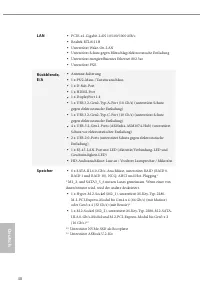
48 Deutsch LAN • PCIE-x1-Gigabit-LAN 10/100/1000 Mb/s • Realtek RTL8111H • Unterstützt Wake-On-LAN • Unterstützt Schutz gegen Blitzschlag/elektrostatische Entladung • Unterstützt energieeffizientes Ethernet 802.3az • Unterstützt PXE Rückblende, E/A • Antenne-halterung • 1 x PS/2-Maus-/Tastaturanschl...
Page 51 - Anschluss; x Audioanschluss an Frontblende
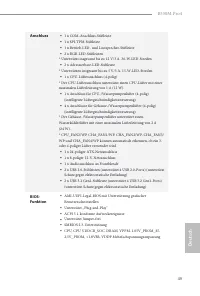
49 B550M Pro4 Deutsch Anschluss • 1 x COM-Anschluss-Stiftleiste • 1 x SPI-TPM-Stiftleiste • 1 x Betrieb-LED- und Lautsprecher-Stiftleiste • 2 x RGB-LED-Stiftleisten * Unterstützt insgesamt bis zu 12 V/3 A, 36-W-LED-Streifen • 2 x Adressierbare-LED-Stiftleiste * Unterstützen insgesamt bis zu 5 V/3 A,...
Page 52 - Microsoft® Windows® 10, 64 Bit
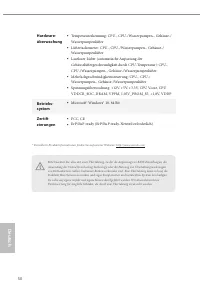
50 Deutsch Hardware- überwachung • Temperaturerkennung: CPU-, CPU-/Wasserpumpen-, Gehäuse-/Wasserpumpenlüfter • Lüftertachometer: CPU-, CPU-/Wasserpumpen-, Gehäuse-/Wasserpumpenlüfter • Lautloser Lüfter (automatische Anpassung der Gehäuselüftergeschwindigkeit durch CPU-Temperatur): CPU-, CPU-/Wasser...
Page 53 - Jumpereinstellung; Jumper
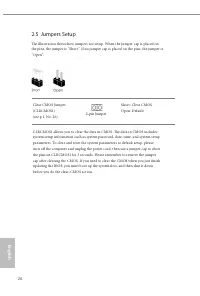
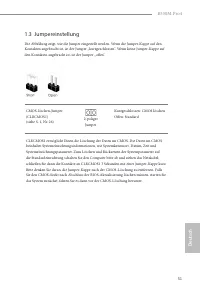
51 B550M Pro4 Deutsch 1.3 Jumpereinstellung Die Abbildung zeigt, wie die Jumper eingestellt werden. Wenn die Jumper-Kappe auf den Kontakten angebracht ist, ist der Jumper „kurzgeschlossen“. Wenn keine Jumper-Kappe auf den Kontakten angebracht ist, ist der Jumper „offen“. CMOS-löschen-Jumper(CLRCMOS1...
Page 54 - Integrierte Stiftleisten und Anschlüsse
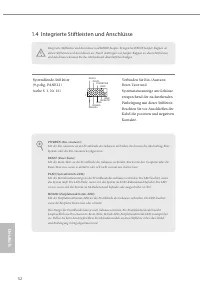
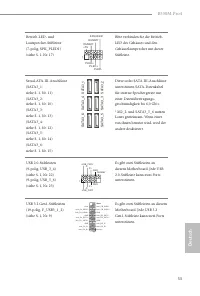
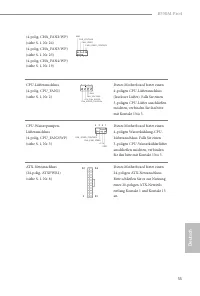
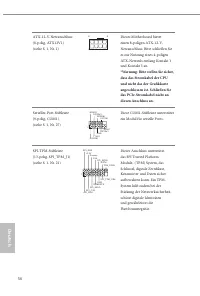
52 Deutsch 1.4 Integrierte Stiftleisten und Anschlüsse Integrierte Stiftleisten und Anschlüsse sind KEINE Jumper. Bringen Sie KEINE Jumper-Kappen an diesen Stiftleisten und Anschlüssen an. Durch Anbringen von Jumper-Kappen an diesen Stiftleisten und Anschlüssen können Sie das Motherboard dauerhaft b...
Page 59 - Installieren Sie das
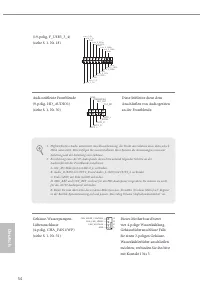
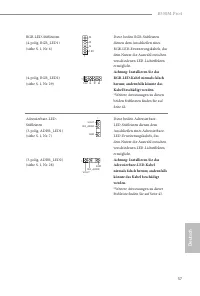
57 B550M Pro4 Deutsch RGB-LED-Stiftleisten(4-polig, RGB_LED1)(siehe S. 1, Nr. 6) (4-polig, RGB_LED2)(siehe S. 1, Nr. 29) 12V G R B 1 12V G R B 1 Diese beiden RGB-Stiftleisten dienen dem Anschließen eines RGB-LED-Erweiterungskabels, das dem Nutzer die Auswahl zwischen verschiedenen LED-Lichteffekten ...
Page 60 - Introduction; Contenu de l’emballage; Carte mère ASRock B550M Pro4 (facteur de forme Micro ATX)
58 Fr ançais Français 1 Introduction Nous vous remercions d’avoir acheté cette carte mère ASRock B550M Pro4, une carte mère fiable fabriquée conformément au contrôle de qualité rigoureux et constant appliqué par ASRock. Fidèle à son engagement de qualité et de durabilité, ASRock vous garantit une ca...
Page 61 - Plateforme
59 B550M Pro4 Fr ançais Français 1.2 Spécifications Plateforme • Facteur de forme Micro ATX • Conception à condensateurs solides • PCB cuivre 2 onces Processeur • Prend en charge la 3 ème AMD AM4 Ryzen™ / AMD Ryzen™ prochaine génération (processeurs séries 3000 et 4000)* * Non compatible avec AMD Ry...
Page 62 - Graphiques
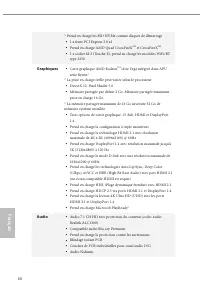
60 Fr ançais Français * Prend en charge les SSD NVMe comme disques de démarrage • 1 x fente PCI Express 3.0 x1 • Prend en charge AMD Quad CrossFireX TM et CrossFireX TM • 1 x socket M.2 (Touche E), prend en charge les modules WiFi/BT type 2230 Graphiques • Carte graphique AMD Radeon TM série Vega in...
Page 63 - Réseau; Prend en charge la fonction d’économie d’énergie Ethernet 802.3az; Stockage
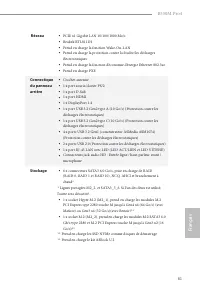
61 B550M Pro4 Fr ançais Français Réseau • PCIE x1 Gigabit LAN 10/100/1000 Mo/s • Realtek RTL8111H • Prend en charge la fonction Wake-On-LAN • Prend en charge la protection contre la foudre/les décharges électrostatiques • Prend en charge la fonction d’économie d’énergie Ethernet 802.3az • Prend en c...
Page 64 - Connecteur
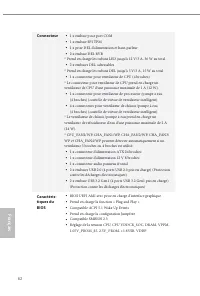
62 Fr ançais Français Connecteur • 1 x embase pour port COM • 1 x embase SPI TPM • 1 x prise DEL d’alimentation et haut-parleur • 2 x embase DEL RVB * Prend en charge les rubans LED jusqu'à 12 V/3 A, 36 W au total • 2 x embases DEL adressables * Prend en charge les rubans DEL jusqu'à 5 V/3 A, 15 W a...
Page 65 - Microsoft® Windows® 10 64 bits; Certifications
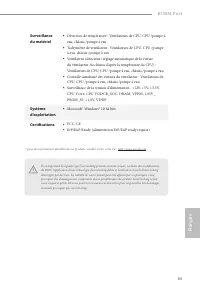
63 B550M Pro4 Fr ançais Français Surveillance du matériel • Détection de température : Ventilateurs de CPU, CPU /pompe à eau, châssis /pompe à eau • Tachymètre de ventilateur : Ventilateurs de CPU, CPU /pompe à eau, châssis /pompe à eau • Ventilateur silencieux (réglage automatique de la vitesse du ...
Page 66 - broches
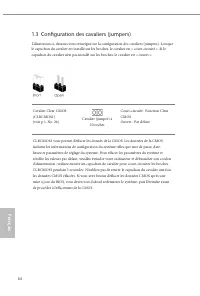
64 Fr ançais Français 1.3 Configuration des cavaliers (jumpers) L’illustration ci-dessous vous renseigne sur la configuration des cavaliers (jumpers). Lorsque le capuchon du cavalier est installé sur les broches, le cavalier est « court-circuité ». Si le capuchon du cavalier n’est pas installé sur l...
Page 67 - Embases et connecteurs de la carte mère
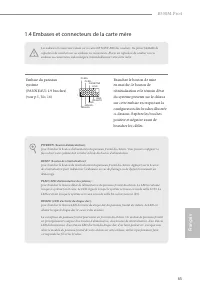
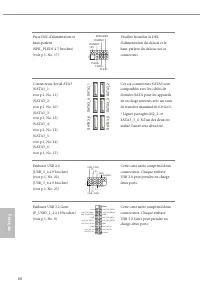
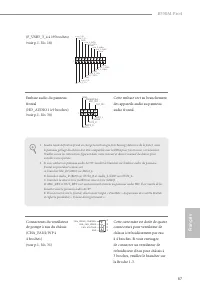
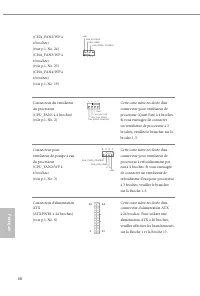
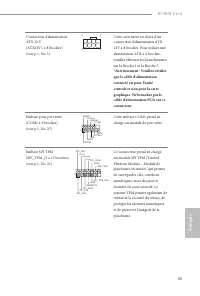
65 B550M Pro4 Fr ançais Français 1.4 Embases et connecteurs de la carte mère Les embases et connecteurs situés sur la carte NE SONT PAS des cavaliers. Ne placez JAMAIS de capuchons de cavaliers sur ces embases ou connecteurs. Placer un capuchon de cavalier sur ces embases ou connecteurs endommagera ...
Page 72 - N'installez jamais le; N’installez jamais
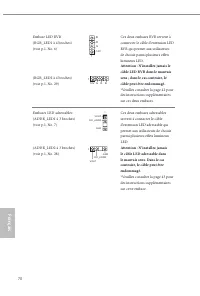
70 Fr ançais Français Embase LED RVB(RGB_LED1 à 4 broches)(voir p.1, No. 6) (RGB_LED2 à 4 broches)(voir p.1, No. 29) 12V G R B 1 12V G R B 1 Ces deux embases RVB servent à connecter le câble d'extension LED RVB qui permet aux utilisateurs de choisir parmi plusieurs effets lumineux LED. Attention : N...
Page 73 - Introduzione; Contenuto della confezione; Scheda madre B550M Pro4 ASRock (fattore di forma Micro ATX)
71 B550M Pro4 Italiano Italiano 1 Introduzione Congratulazioni per l’acquisto della scheda madre ASRock B550M Pro4, una scheda madre affidabile prodotta secondo i severissimi controlli di qualità ASRock. La scheda madre offre eccellenti prestazioni con un design robusto che si adatta all'impegno di ...
Page 74 - Piattaforma
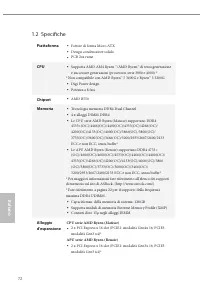
72 Italiano Italiano 1.2 Specifiche Piattaforma • Fattore di forma Micro ATX • Design condensatore solido • PCB 2oz rame CPU • Supporta AMD AM4 Ryzen ™/AMD Ryzen™ di terza generazione e successive generazioni (processori serie 3000 e 4000) * * Non compatibile con AMD Ryzen™ 5 3400G e Ryzen™ 3 3200G....
Page 75 - Grafica
73 B550M Pro4 Italiano Italiano * Supporto di SSD NVMe come disco d’avvio • 1 x alloggio PCI Express 3.0 x1 • Supporta AMD Quad CrossFireX TM e CrossFireX TM • 1 Socket M.2 (tastoE), supporta moduli di tipo 2230 WiFi/BT Grafica • Grafica AMD Radeon TM serie Vega integrata nelle APU serie Ryzen* * Il...
Page 77 - Connettore
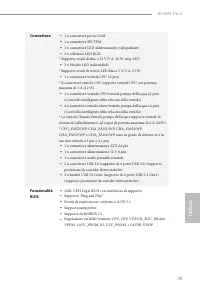
75 B550M Pro4 Italiano Italiano Connettore • 1 x connettore porta COM • 1 x connettore SPI TPM • 1 x connettore LED alimentazione e altoparlante • 2 x collettore LED RGB * Supporto totale di fino a 12 V/3 A, 36 W strip LED • 2 x Header LED indirizzabili * Supporto totale di strisce LED fino a 5 V/3 ...
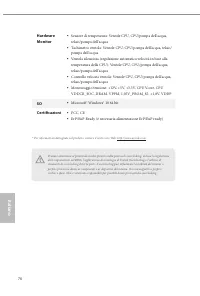
Page 78 - SO; Microsoft® Windows® 10 64 bit; Certificazioni
76 Italiano Italiano Hardware Monitor • Sensore di temperatura: Ventole CPU, CPU/pompa dell'acqua, telaio/pompa dell'acqua • Tachimetro ventola: Ventole CPU, CPU/pompa dell'acqua, telaio/pompa dell'acqua • Ventola silenziosa (regolazione automatica velocità in base alla temperatura della CPU): Vento...
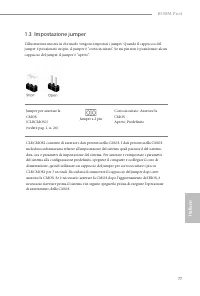
Page 79 - Impostazione jumper; Jumper a 2 pin
77 B550M Pro4 Italiano Italiano 1.3 Impostazione jumper L'illustrazione mostra in che modo vengono impostati i jumper. Quando il cappuccio del jumper è posizionato sui pin, il jumper è “cortocircuitato”. Se sui pin non è posizionato alcun cappuccio del jumper, il jumper è “aperto”. Jumper per azzera...
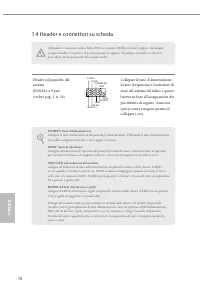
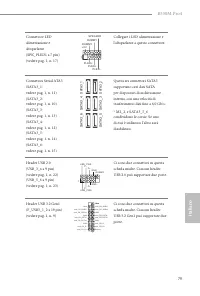
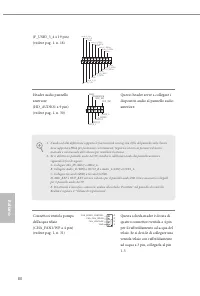
Page 80 - Header e connettori su scheda
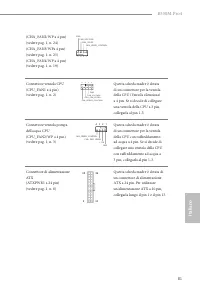
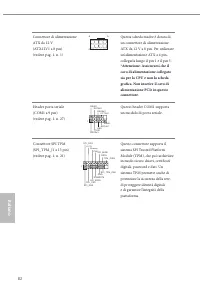
78 Italiano Italiano 1.4 Header e connettori su scheda Gli header e i connettori sulla scheda NON sono jumper. NON posizionare cappucci del jumper su questi header e connettori. Il posizionamento di cappucci del jumper su header e connettori provocherà danni permanenti alla scheda madre. Header sul ...
Page 85 - Non installare il cavo; Non installare mai
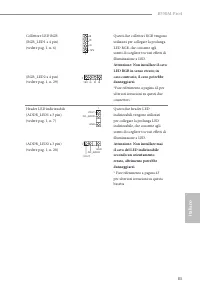
83 B550M Pro4 Italiano Italiano Collettore LED RGB(RGB_LED1 a 4 pin)(vedere pag. 1, n. 6) (RGB_LED2 a 4 pin)(vedere pag. 1, n. 29) 12V G R B 1 12V G R B 1 Questi due collettori RGB vengono utilizzati per collegare la prolunga LED RGB, che consente agli utenti di scegliere tra vari effetti di illumin...
Page 86 - Español; Introducción; Contenido del paquete; Placa base ASRock B550M Pro4 (Factor de forma Micro ATX)
84 Español 1 Introducción Gracias por comprar la placa base ASRock B550M Pro4, una placa base fiable fabricada según el rigurosísimo control de calidad de ASRock. Ofrece un rendimiento excelente con un diseño resistente de acuerdo con el compromiso de calidad y resistencia de ASRock. Ya que las espe...
Page 87 - Especificaciones; Plataforma
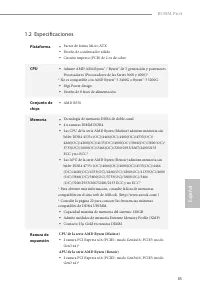
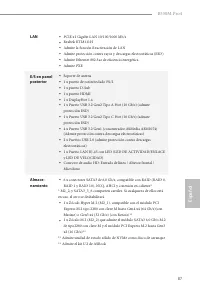
85 B550M Pro4 Español 1.2 Especificaciones Plataforma • Factor de forma Micro ATX • Diseño de condensador sólido • Circuito impreso (PCB) de 2 oz de cobre CPU • Admite AMD AM4 Ryzen™ / Ryzen™ de 3 ª generación y posteriores Procesadores (Procesadores de las Series 3000 y 4000)* * No es compatible co...
Page 88 - Gráficos
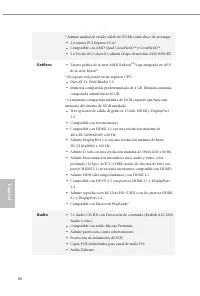
86 Español * Admite unidad de estado sólido de NVMe como disco de arranque • 1 x ranura PCI Express 3.0 x1 • Compatible con AMD Quad CrossFireX TM y CrossFireX TM • 1 x Zócalo M.2 (clave E), admite el tipo de módulo 2230 WiFi/BT Gráficos • Tarjeta gráfica de la serie AMD Radeon TM Vega integrada en ...
Page 90 - Conector
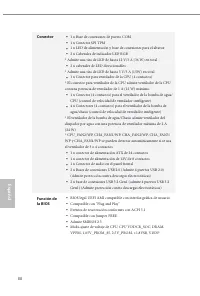
88 Español Conector • 1 x Base de conexiones de puerto COM • 1 x Conector SPI TPM • 1 x LED de alimentación y base de conexiones para el altavoz • 2 x Cabezales de indicador LED RGB * Admite una tira de LED de hasta 12 V/3 A (36 W) en total • 2 x cabezales de LED direccionables * Admite una tira de ...
Page 92 - Instalación de los puentes; Puente de 2 contactos
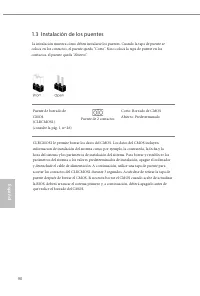
90 Español 1.3 Instalación de los puentes La instalación muestra cómo deben instalarse los puentes. Cuando la tapa de puente se coloca en los contactos, el puente queda “Corto”. Si no coloca la tapa de puente en los contactos, el puente queda “Abierto”. Puente de borrado de CMOS(CLRCMOS1)(consulte l...
Page 93 - Conectores y cabezales incorporados
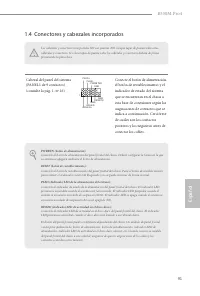
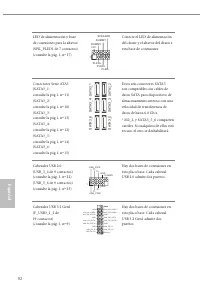
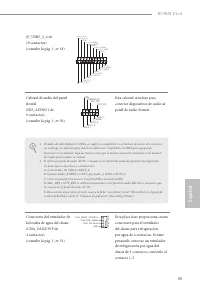
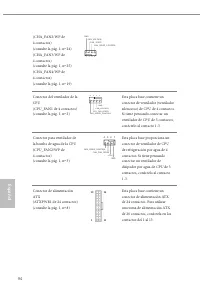
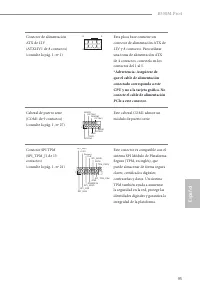
91 B550M Pro4 Español 1.4 Conectores y cabezales incorporados Los cabezales y conectores incorporados NO son puentes. NO coloque tapas de puente sobre estos cabezales y conectores. Si coloca tapas de puente sobre los cabezales y conectores dañará de forma permanente la placa base. Cabezal del panel ...
Page 98 - Nunca instale; Nunca instale el
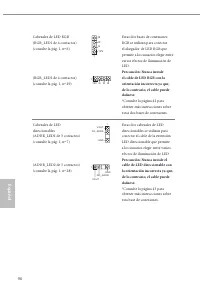
96 Español Cabezales de LED RGB(RGB_LED1 de 4 contactos)(consulte la pág. 1, nº 6) (RGB_LED2 de 4 contactos)(consulte la pág. 1, nº 29) 12V G R B 1 12V G R B 1 Estas dos bases de conexiones RGB se utilizan para conectar el alargador de LED RGB que permite a los usuarios elegir entre varios efectos d...
Page 99 - Введение; Комплект поставки; Краткое руководство по установке ASRock B550M Pro4
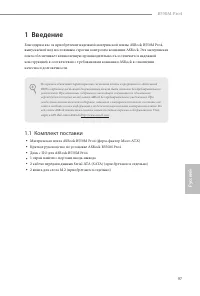
97 B550M Pro4 Ру сский 1 Введение Благодарим вас за приобретение надежной материнской платы ASRock B550M Pro4, выпускаемой под постоянным строгим контролем компании ASRock. Эта материнская плата обеспечивает великолепную производительность и отличается надежной конструкцией в соответствии с требован...
Page 100 - Технические характеристики; Платформа; Гибридные процессоры AMD серии Ryzen (Renoir)
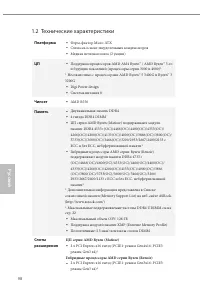
98 Ру сский 1.2 Технические характеристики Платформа • Форм-фактор Micro ATX • Схема на основе твердотельных конденсаторов • Медная печатная плата (2 унции) ЦП • Поддержка процессоров AMD AM4 Ryzen™ / AMD Ryzen™ 3-го и будущих поколений (процессоры серии 3000 и 4000)* * Несовместимо с процессорами A...
Page 101 - Звук
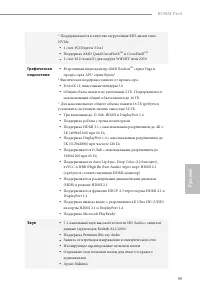
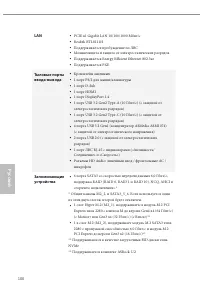
99 B550M Pro4 Ру сский * Поддерживаются в качестве загрузочных SSD-диски типа NVMe • 1 слот PCI Express 3.0 x1 • Поддержка AMD Quad CrossFireX TM и CrossFireX TM • 1 слот M.2 (ключ E) для модуля WiFi/BT типа 2230 Графическая подсистема • Встроенный видеоадаптер AMD Radeon TM серии Vega в процессорах...
Page 103 - Разъемы
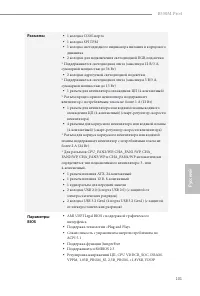
101 B550M Pro4 Ру сский Разъемы • 1 колодка СОМ-порта • 1 колодка SPI ТРМ • 1 колодка светодиодного индикатора питания и корпусного динамика • 2 колодки для подключения светодиодной RGB-подсветки * Поддерживается светодиодная лента (максимум 12 В/3 А, суммарной мощностью до 36 Вт) • 2 колодки адресу...
Page 104 - Сертификация
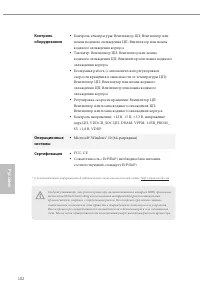
102 Ру сский Контроль оборудования • Контроль температуры: Вентилятор ЦП; Вентилятор или помпа водяного охлаждения ЦП; Вентилятор или помпа водяного охлаждения корпуса • Тахометр: Вентилятор ЦП; Вентилятор или помпа водяного охлаждения ЦП; Вентилятор или помпа водяного охлаждения корпуса • Бесшумная...
Page 105 - Установка перемычек; перемычка
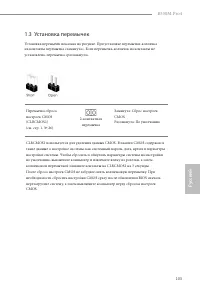
103 B550M Pro4 Ру сский 1.3 Установка перемычек Установка перемычек показана на рисунке. При установке перемычки-колпачка на контакты перемычка «замкнута». Если перемычка-колпачок на контакты не установлена, перемычка «разомкнута». Перемычка сброса настроек CMOS(CLRCMOS1)(см. стр. 1, № 26) 2-контакт...
Page 106 - Колодки и разъемы, расположенные на системной
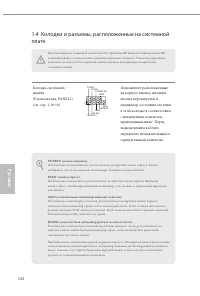
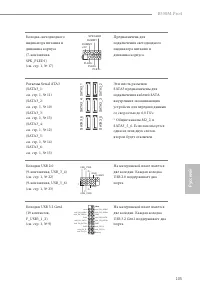
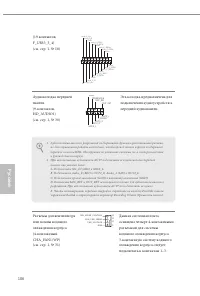
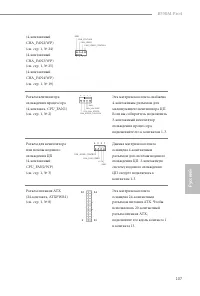
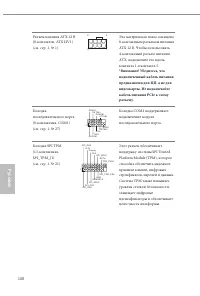
104 Ру сский 1.4 Колодки и разъемы, расположенные на системной плате Расположенные на системной плате колодки и разъемы НЕ являются перемычками. НЕ устанавливайте на эти колодки и разъемы перемычки-колпачки. Установка перемычек-колпачков на эти колодки и разъемы может вызвать неустранимое повреждени...
Page 111 - Категорически
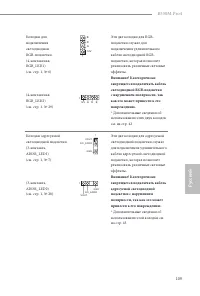
109 B550M Pro4 Ру сский Колодки для подключения светодиодной RGB-подсветки.(4-контактная, RGB_LED1)(см. стр. 1, № 6) (4-контактная, RGB_LED2)(см. стр. 1, № 29) 12V G R B 1 12V G R B 1 Эти две колодки для RGB-подсветки служат для подключения удлинительного кабеля светодиодной RGB-подсветки, которая п...
Page 112 - Introdução; Conteúdo da embalagem; Guia de Instalação Rápida da ASRock B550M Pro4
110 Por tuguês 1 Introdução Obrigado por adquirir a placa mãe ASRock B550M Pro4, uma confiável placa mãe ASRock produzida sob rigoroso controle de qualidade consistente. Esta placa principal oferece um excelente desempenho com um design robusto em conformidade com o compromisso da ASRock em fabricar...
Page 114 - Áudio
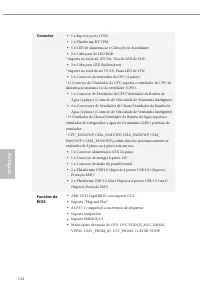
112 Por tuguês * Suporta NVMe SSD nos discos de inicialização • 1 x slots PCI Express 3.0 x1 • Suporta AMD Quad CrossFireX TM e CrossFireX TM • 1 x soquete M.2 (Chave E), suporta Módulo tipo 2230 WiFi/BT Gráficos • AMD Radeon TM Integrado Série Vega Gráficas na Série Ryzen APU* * Suporte atual pode ...
Page 115 - Oferece Suporte à Proteção de Relâmpago/ESD
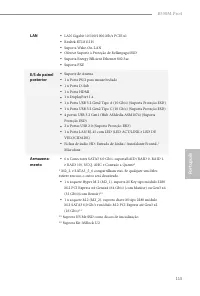
113 B550M Pro4 Por tuguês LAN • LAN Gigabit 10/100/1000 Mb/s PCIE x1 • Realtek RTL8111H • Suporta Wake-On-LAN • Oferece Suporte à Proteção de Relâmpago/ESD • Suporta Energy Efficient Ethernet 802.3az • Suporta PXE E/S do painel posterior • Suporte de Antena • 1 x Porta PS/2 para mouse/teclado • 1 x ...
Page 117 - Certificações
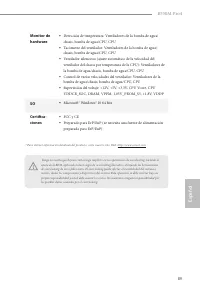
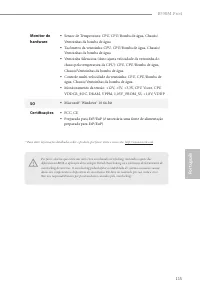
115 B550M Pro4 Por tuguês Monitor de hardware • Sensor de Temperatura: CPU, CPU/Bomba de água, Chassis/Ventoinhas da bomba de água • Tacômetro da ventoinha: CPU, CPU/Bomba de água, Chassis/Ventoinhas da bomba de água • Ventoinha Silenciosa (Auto ajusta velocidade da ventoinha do chassi pela temperat...
Page 118 - Configuração dos jumpers; Jumper de 2 pinos
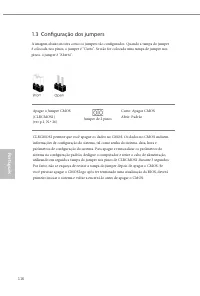
116 Por tuguês 1.3 Configuração dos jumpers A imagem abaixo mostra como os jumpers são configurados. Quando a tampa do jumper é colocada nos pinos, o jumper é “Curto”. Se não for colocada uma tampa de jumper nos pinos, o jumper é “Aberto”. Apagar o Jumper CMOS(CLRCMOS1)(ver p.1, N.º 26) Jumper de 2 ...
Page 119 - Suportes e conectores onboard
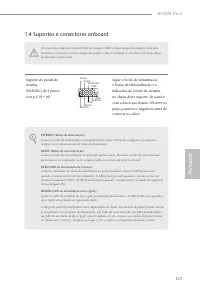
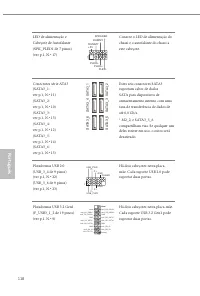
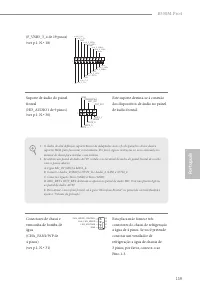
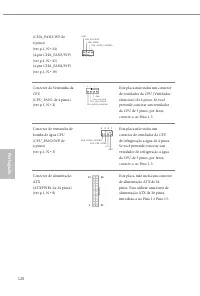
117 B550M Pro4 Por tuguês 1.4 Suportes e conectores onboard Os conectores e suportes onboard NÃO são jumpers. NÃO coloque tampas de jumpers sobre estes terminais e conectores. Colocar tampas de jumpers sobre os terminais e conectores irá causar danos permanentes à placa-mãe. Suporte do painel de sis...
Page 124 - Nunca instale o cabo
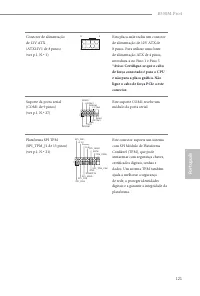
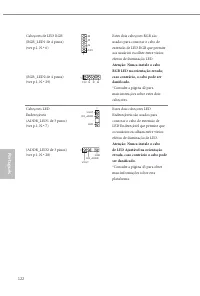
122 Por tuguês Cabeçotes de LED RGB(RGB_LED1 de 4 pinos)(ver p.1, N.º 6) (RGB_LED2 de 4 pinos)(ver p.1, N.º 29) 12V G R B 1 12V G R B 1 Estes dois cabeçotes RGB são usados para conectar o cabo de extensão de LED RGB que permite aos usuários escolher entre vários efeitos de iluminação LED. Atenção: N...
Page 125 - Polsk; Wprowadzenie; Zawartość opakowania; Płyta główna ASRock B550M Pro4 (Współczynnik kształtu Micro ATX)
123 B550M Pro4 Polsk i Polski 1 Wprowadzenie Dziękujemy za zakupienie płyty głównej ASRock B550M Pro4, niezawodnej płyty głównej produkowanej z konsekwentnie wykonywaną przez firmę ASRock, rygorystyczną kontrolą jakości. Płyta ta zapewnia doskonałą jakość działania i solidną konstrukcję, spełniającą...
Page 126 - Platforma
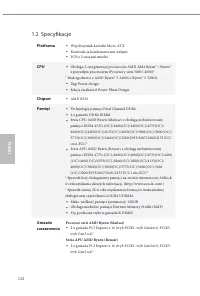
124 Polsk i Polski 1.2 Specyfikacje Platforma • Współczynnik kształtu Micro ATX • Konstrukcja kondensatorami stałymi • PCB z 2 uncjami miedzi CPU • Obsługa 3-ciej generacji procesorów AMD AM4 Ryzen™ / Ryzen™ z przyszłym procesorem (Procesory serii 3000 i 4000)* * Brak zgodności z AMD Ryzen™ 5 3400G ...
Page 127 - Grafika
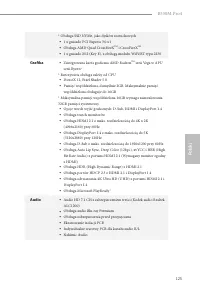
125 B550M Pro4 Polsk i Polski * Obsługa SSD NVMe, jako dysków rozruchowych • 1 x gniazdo PCI Express 3.0 x1 • Obsługa AMD Quad CrossFireX TM i CrossFireX TM • 1 x gniazdo M.2 (Key E), z obsługą modułu WiFi/BT typu 2230 Grafika • Zintegrowana karta graficzna AMD Radeon TM serii Vega w APU serii Ryzen...
Page 128 - Obsługa Energy Efficient Ethernet 802.3az
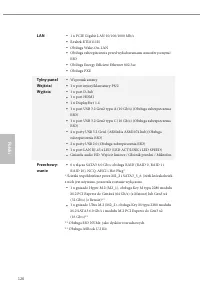
126 Polsk i Polski LAN • 1 x PCIE Gigabit LAN 10/100/1000 Mb/s • Realtek RTL8111H • Obsługa Wake-On-LAN • Obsługa zabezpieczenia przed wyładowaniami atmosferycznymi/ESD • Obsługa Energy Efficient Ethernet 802.3az • Obsługa PXE Tylny panel Wejścia/Wyjścia • Wspornik anteny • 1 x port myszy/klawiatury...
Page 129 - Złącze
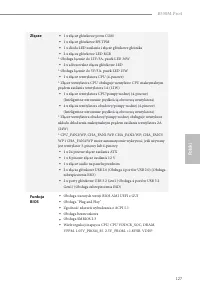
127 B550M Pro4 Polsk i Polski Złącze • 1 x złącze główkowe portu COM • 1 x złącze główkowe SPI TPM • 1 x dioda LED zasilania i złącze główkowe głośnika • 2 x złącza główkowe LED RGB * Obsługa łącznie do 12V/3A, pasek LED 36W • 2 x adresowalne złącza główkowe LED * Obsługa łącznie do 5V/3A, pasek LED...
Page 130 - Microsoft® Windows® 10 64-bitowy; Certyfikaty
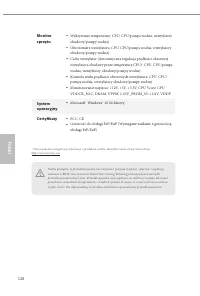
128 Polsk i Polski Monitor sprzętu • Wykrywanie temperatury: CPU, CPU/pompa wodna, wentylatory obudowy/pompy wodnej • Obrotomierz wentylatora: CPU, CPU/pompa wodna, wentylatory obudowy/pompy wodnej • Cichy wentylator (Automatyczna regulacja prędkości obrotowej wentylatora obudowy przez temperaturę C...
Page 131 - Ustawienia zworek
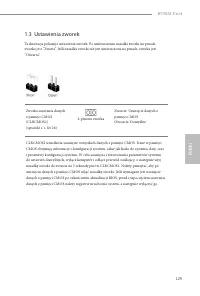
129 B550M Pro4 Polsk i Polski 1.3 Ustawienia zworek Ta ilustracja pokazuje ustawienia zworek. Po umieszczeniu nasadki zworki na pinach, zworka jest “Zwarta”. Jeśli nasadka zworki nie jest umieszczona na pinach, zworka jest “Otwarta”. Zworka usuwania danych z pamięci CMOS(CLRCMOS1)(sprawdź s.1, Nr 26...
Page 132 - Wbudowane złącza główkowe i inne złącza
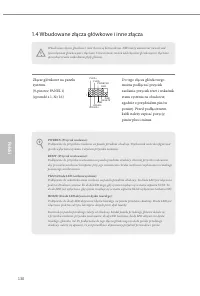
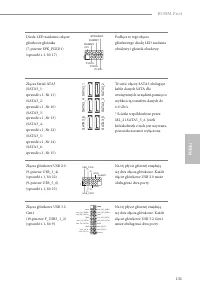
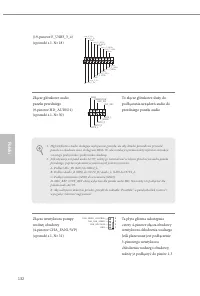
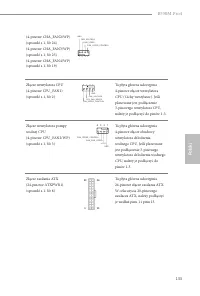
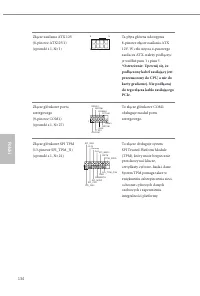
130 Polsk i Polski 1.4 Wbudowane złącza główkowe i inne złącza Wbudowane złącza główkowe i inne złącza są bezzworkowe. NIE należy umieszczać zworek nad tymi złączami główkowymi i złączami. Umieszczanie zworek nad złączami główkowymi i złączami spowoduje trwałe uszkodzenie płyty głównej. Złącze główk...
Page 137 - Nigdy nie należy
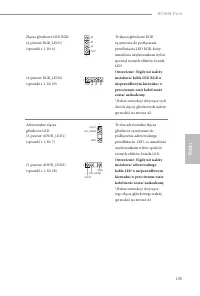
135 B550M Pro4 Polsk i Polski Złącza główkowe LED RGB(4-pinowe RGB_LED1)(sprawdź s.1, Nr 6) (4-pinowe RGB_LED2)(sprawdź s.1, Nr 29) 12V G R B 1 12V G R B 1 Te złącza główkowe RGB są używane do podłączenia przedłużacza LED RGB, który umożliwia użytkownikom wybór spośród różnych efektów światła LED. O...
Page 138 - 한 국 어; 개요; ASRock; 포장; CD
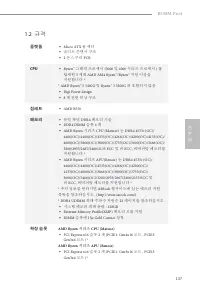
136 한 국 어 1 개요 ASRock B550M Pro4 마더보드를 구입해 주셔서 감사합니다 . 이 마더보드는 ASRock 의 일관되고 엄격한 품질관리 하에 생산되어 신뢰성이 우수합니다 . 품질과 내구성에 대한 ASRock 의 기준에 부합하는 우수한 성능과 견고한 설계를 제공합니다 . 마더보드 규격과 BIOS 소프트웨어를 업데이트할 수도 있기 때문에 , 이 문서의 내용은 예고 없이 변경될 수 있습니다 . 이 설명서가 변경될 경우 , 업데이트된 버전은 ASRock 의 웹사이트에서 추가 통지 없이 제공됩니다 . 이 마더보드와 관련하여...
Page 139 - 규격; 플랫폼; 칩세트; AMD Ryzen; 시리즈
137 B550M Pro4 한 국 어 1.2 규격 플랫폼 • Micro ATX 폼 팩터 • 솔리드 콘덴서 구조 • 2 온스 구리 PCB CPU • Ryzen ™ 그래픽 프로세서 (3000 및 4000 시리즈 프로세서 ) 를 탑재한 3 세대 AMD AM4 Ryzen ™ /Ryzen ™ 지원 이상을 지원합니다 * * AMD Ryzen ™ 5 3400G 및 Ryzen ™ 3 3200G 와 호환되지 않음 • Digi Power design • 8 개 전원 위상 구조 칩세트 • AMD B550 메모리 • 듀얼 채널 DDR4 메모리 기술 • ...
Page 140 - 그래픽; 오디오
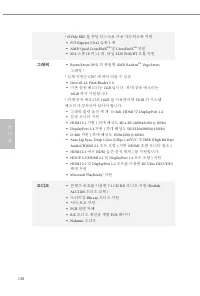
138 한 국 어 * NVMe SSD 를 부팅 디스크로 사용 가능하도록 지원 • PCI Express 3.0 x1 슬롯 1 개 • AMD Quad CrossFireX TM 및 CrossFireX TM 지원 • M.2 소켓 (E 키 ) 1 개 , 타입 2230 WiFi/BT 모듈 지원 그래픽 • Ryzen Series APU 의 통합형 AMD Radeon TM Vega Series 그래픽 * * 실제 지원은 CPU 에 따라 다를 수 있음 • DirectX 12, Pixel Shader 5.0 • 기본 공유 메모리는 2GB 입니다 . ...
Page 141 - 후면
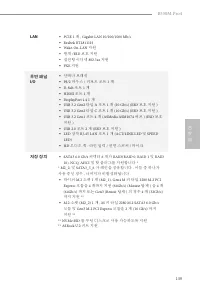
139 B550M Pro4 한 국 어 LAN • PCIE 1 개 , Gigabit LAN 10/100/1000 Mb/s • Realtek RTL8111H • Wake-On-LAN 지원 • 번개 /ESD 보호 지원 • 절전형 이더넷 802.3az 지원 • PXE 지원 후면 패널 I/O • 안테나 브래킷 • PS/2 마우스 / 키보드 포트 1 개 • D-Sub 포트 1 개 • HDMI 포트 1 개 • DisplayPort 1.4 1 개 • USB 3.2 Gen2 타입 A 포트 1 개 (10 Gb/s) (ESD 보호 지원 ) • USB ...
Page 142 - 커넥터; 기능
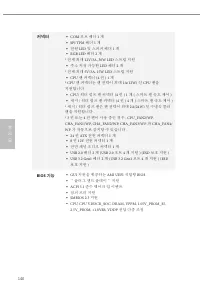
140 한 국 어 커넥터 • COM 포트 헤더 1 개 • SPI TPM 헤더 1 개 • 전원 LED 및 스피커 헤더 1 개 • RGB LED 헤더 2 개 * 전체 최대 12V/3A, 36W LED 스트립 지원 • 주소 지정 가능한 LED 헤더 2 개 * 전체 최대 5V/3A, 15W LED 스트립 지원 • CPU 팬 커넥터 (4 핀 ) 1 개 * CPU 팬 커넥터는 팬 전력이 최대 1A(12W) 인 CPU 팬을 지원합니다 . • CPU/ 워터 펌프 팬 커넥터 (4 핀 ) 1 개 ( 스마트 팬 속도 제어 ) • 섀시 / 워터 펌프 팬...
Page 143 - 하드웨어; 인증
141 B550M Pro4 한 국 어 하드웨어 모니터 • 온도 감지 : CPU, CPU/ 워터 펌프 , 섀시 / 워터 펌프 팬 • 팬 타코미터 : CPU, CPU/ 워터 펌프 , 섀시 / 워터 펌프 팬 • 저소음 팬 (CPU 온도에 의한 섀시 팬 속도 자동 조절 ): CPU, CPU/ 워터 펌프 , 섀시 / 워터 펌프 팬 • 팬 다중 속도 제어 : CPU, CPU/ 워터 펌프 , 섀시 / 워터 펌프 팬 • 전압 모니터링 : +12V, +5V, +3.3V, CPU Vcore, CPU VDDCR_SOC, DRAM, VPPM, 1.05V...
Page 144 - 점퍼
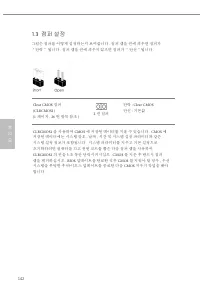
142 한 국 어 1.3 점퍼 설정 그림은 점퍼를 어떻게 설정하는지 보여줍니다 . 점퍼 캡을 핀에 씌우면 점퍼가 “단락” 됩니다 . 점퍼 캡을 핀에 씌우지 않으면 점퍼가 “단선”됩니다 . Clear CMOS 점퍼 (CLRCMOS1)(1 페이지 , 26 번 항목 참조 ) 2 핀 점퍼 단락 : Clear CMOS 단선 : 기본값 CLRCMOS1 을 사용하여 CMOS 에 저장된 데이터를 지울 수 있습니다 . CMOS 에 저장된 데이터에는 시스템 암호 , 날짜 , 시간 및 시스템 설정 파라미터와 같은 시스템 설정 정보가 포함됩니다 . 시스...
Page 145 - 온보드
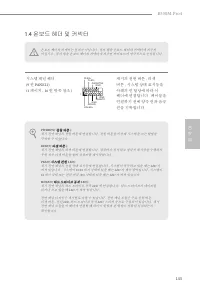
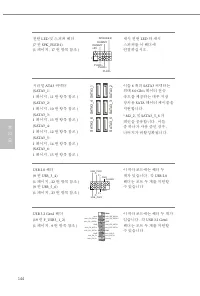
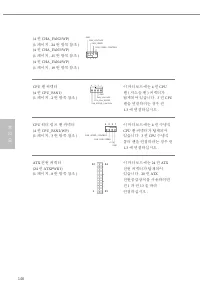
143 B550M Pro4 한 국 어 1.4 온보드 헤더 및 커넥터 온보드 헤더와 커넥터는 점퍼가 아닙니다 . 점퍼 캡을 온보드 헤더와 커넥터에 씌우지 마십시오 . 점퍼 캡을 온보드 헤더와 커넥터에 씌우면 마더보드가 영구적으로 손상됩니다 . 시스템 패널 헤더 (9 핀 PANEL1) (1 페이지 , 16 번 항목 참조 ) G N D R E S E T # P W R B T N # P L E D - P L E D + G N D H D L E D - H D L E D + 1 G N D 섀시의 전원 버튼 , 리셋 버튼 , 시스템 상태 표시등...
Page 149 - ATX; SPI TPM; SPI
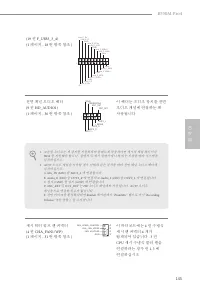
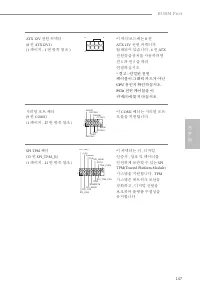
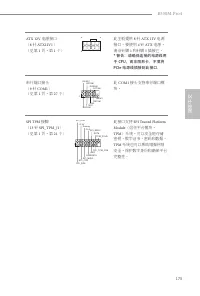
147 B550M Pro4 한 국 어 ATX 12V 전원 커넥터 (8 핀 ATX12V1) (1 페이지 , 1 번 항목 참조 ) 4 1 8 5 이 마더보드에는 8 핀 ATX 12V 전원 커넥터가 탑재되어 있습니다 . 4 핀 ATX 전원공급장치를 사용하려면 핀 1 과 핀 5 을 따라 연결하십시오 . * 경고 : 연결된 전원 케이블이 그래픽 카드가 아닌 CPU 용인지 확인하십시오 . PCIe 전원 케이블을 이 커넥터에 꽂지 마십시오 . 시리얼 포트 헤더 (9 핀 COM1) (1 페이지 , 27 번 항목 참조 ) C C T S # 1 R ...
Page 150 - RGB LED
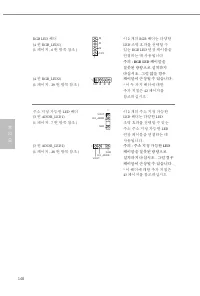
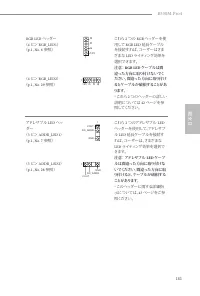
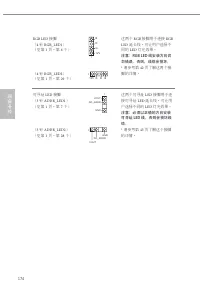
148 한 국 어 RGB LED 헤더 (4 핀 RGB_LED1) (1 페이지 , 6 번 항목 참조 ) (4 핀 RGB_LED2) (1 페이지 , 29 번 항목 참조 ) 12V G R B 1 12V G R B 1 이 2 개의 RGB 헤더는 다양한 LED 조명 효과를 선택할 수 있는 RGB LED 연장 케이블을 연결하는 데 사용됩니다 . 주의 : RGB LED 케이블을 잘못된 방향으로 설치하지 마십시오 . 그럴 않을 경우 케이블이 손상될 수 있습니다 . * 이 두 가지 헤더에 대한 추가 지침은 42 페이지를 참조하십시오 . 주소 지정 ...
Page 151 - 日本語; はじめに; パッケージの内容
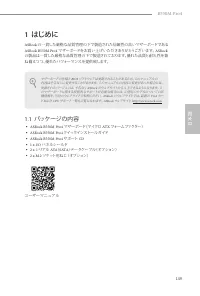
149 B550M Pro4 日本語 1 はじめに ASRock の一貫した厳格な品質管理の下で製造された信頼性の高いマザーボードである ASRock B550M Pro4 マザーボードをお買い上げいただきありがとうございます。 ASRock の製品は一貫した厳格な品質管理の下で製造されております。優れた品質と耐久性を兼ね備えつつ、優れたパフォーマンスを提供致します。 マザーボードの仕様と BIOS ソフトウェアは更新されることがあるため、このマニュアルの 内容は予告なしに変更することがあります。 このマニュアルの内容に変更があった場合には、 更新されたバージョンは、予告なく ASRock の...
Page 152 - 仕様
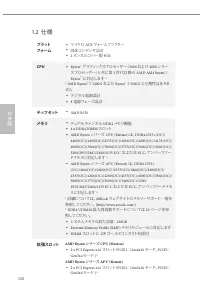
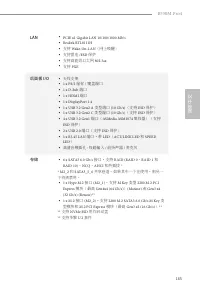
150 日本語 1.2 仕様 プラットフォーム • マイクロ ATX フォームファクター • 固体コンデンサ設計 • 2 オンスのコパー製 PCB CPU • Ryzen ™ グラフィックスプロセッサー( 3000 および 4000 シリー ズプロセッサー)と共に第 3 世代以降の AMD AM4 Ryzen ™ / Ryzen ™ に対応します * * AMD Ryzen ™ 5 3400G および Ryzen ™ 3 3200G と互換性はありま せん • デジタル電源設計 • 8 電源フェーズ設計 チップセット • AMD B550 メモリ • デュアルチャンネル DDR4 メモリ機能 ...
Page 153 - グラフィックス; オーディオ
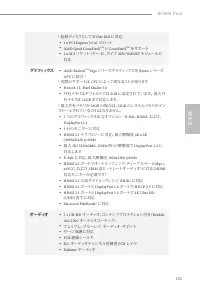
151 B550M Pro4 日本語 * 起動ディスクとして NVMe SSD に対応 • 1 x PCI Express 3.0 x1 スロット • AMD Quad CrossFireX TM と CrossFireX TM をサポート • 1 x M.2 ソケット (キー E )、タイプ 2230 WiFi/BT モジュールに 対応 グラフィックス • AMD Radeon TM Vega シリーズグラフィックスを Ryzen シリーズ APU に統合 * * 実際のサポートは CPU によって異なることがあります • DirectX 12 、 Pixel Shader 5.0 • 共有...
Page 155 - コネクタ
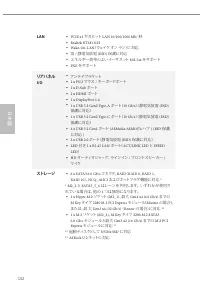
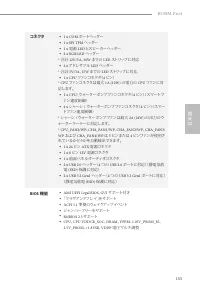
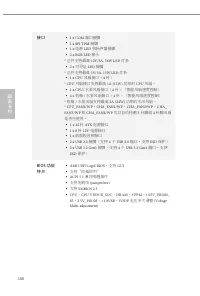
153 B550M Pro4 日本語 コネクタ • 1 x COM ポートヘッダー • 1 x SPI TPM ヘッダー • 1 x 電源 LED とスピーカーヘッダー • 2 x RGB LED ヘッダー * 合計 12V/3A 、 36W までの LED ストリップに対応 • 2 x アドレサブル LED ヘッダー * 合計 5V/3A 、 15W までの LED ストリップに対応 • 1 x CPU ファンコネクタ( 4 ピン) * CPU ファンコネクタは最大 1A (12W) の電力の CPU ファンに対 応します。 • 1 x CPU/ ウォーターポンプファンコネクタ( 4 ピン)...
Page 156 - ハードウェア
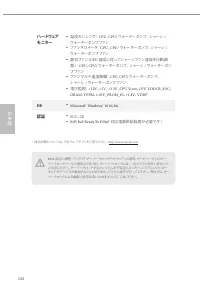
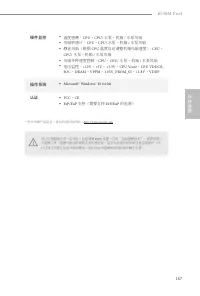
154 日本語 ハードウェア モニター • 温度センシング: CPU 、 CPU/ ウォーターポンプ、 シャーシ / ウォーターポンプファン • ファンタコメータ: CPU 、 CPU/ ウォーターポンプ、 シャーシ / ウォーターポンプファン • 静音ファン( CPU 温度に従ってシャーシファン速度を自動調 整) : CPU 、 CPU/ ウォーターポンプ、 シャーシ / ウォーターポン プファン • ファンマルチ速度制御: CPU 、 CPU/ ウォーターポンプ、 シャーシ / ウォーターポンプファン • 電圧監視: +12V 、 +5V 、 +3.3V 、 CPU Vcore 、 CPU...
Page 157 - ジャンパー設定; ピンジャンパー
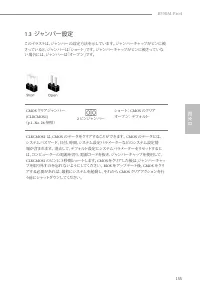
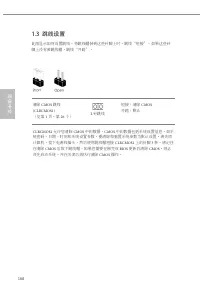
155 B550M Pro4 日本語 1.3 ジャンパー設定 このイラストは、ジャンパーの設定方法を示しています。 ジャンパーキャップがピンに被 さっていると、ジャンパーは「ショート」です。 ジャンパーキャップがピンに被さっていな い場合には、ジャンパーは「オープン」です。 CMOS クリアジャンパー (CLRCMOS1) ( p.1 、 No. 26 参照) 2 ピンジャンパー ショート: CMOS のクリア オープン: デフォルト CLRCMOS1 は、 CMOS のデータをクリアすることができます。 CMOS のデータには、 システムパスワード、日付、時間、システム設定パラメーターなどの...
Page 158 - オンボードのヘッダーとコネクタ
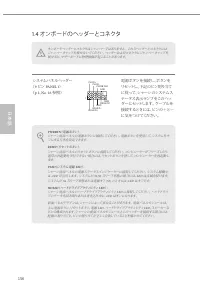
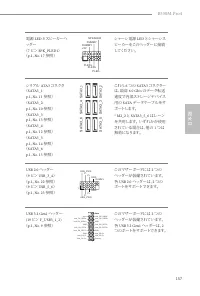
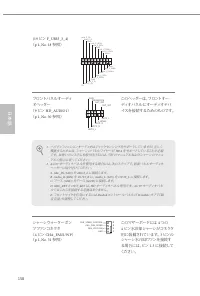
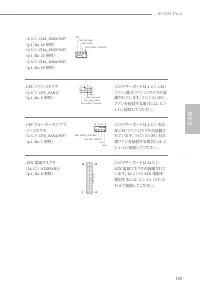
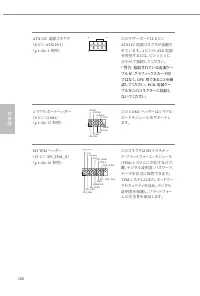
156 日本語 1.4 オンボードのヘッダーとコネクタ オンボードヘッダーとコネクタはジャンパーではありません。 これらヘッダーとコネクタには ジャンパーキャップを被せないでください。 ヘッダーおよびコネクタにジャンパーキャップを 被せると、マザーボードに物理損傷が起こることがあります。 システムパネルヘッダー ( 9 ピン PANEL1 ) ( p.1 、 No. 16 参照) 電源ボタンを接続し、ボタンを リセットし、下記のピン割り当て に従って、シャーシのシステムステータス表示ランプをこのヘッ ダーにセットします。 ケーブルを 接続するときには、ピンの+と−に気をつけてください。 G N...
Page 164 - Micro ATX
162 简体中文 简体中文 1 简介 感谢您购买华擎 B550M Pro4 主板,这是按照华擎 一贯严格质量控制标准生产的性能 可靠的主板。它提供符合华擎质量和耐久性承诺的精良设计和卓越性能。 由于主板规格和 BIOS 软件可能已更新,因此,本文档的内容可能会随时更改,恕不另行 通知。如果本文档有任何修改,则更新的版本将发布在华擎网站上,我们不会另外进行通知。如果您需要与此主板相关的技术支持,请访问我们的网站以具体了解所用型号的信息。您也可以在华擎网站上找到最新 VGA 卡和 CPU 支持列表。华擎网站 http://www.asrock.com 。 1.1 包装清单 • 华擎 B550M P...
Page 165 - 平台
163 B550M Pro4 简体中文 简体中文 1.2 规格 平台 • Micro ATX 规格尺寸 • 稳固的电容器设计 • 2 盎司纯铜电路板 CPU • 支持第 3 代 AMD AM4 Ryzen ™ / 将来的 AMD Ryzen ™ 处理器 ( 3000 和 4000 系列处理器) * * 不兼容 AMD Ryzen ™ 5 3400G 和 Ryzen ™ 3 3200G • Digi Power design • 8 电源相设计 芯片集 • AMD B550 内存 • 双通道 DDR4 内存技术 • 4 x DDR4 DIMM 槽 • AMD Ryzen 系列 CPU (Mati...
Page 166 - 图形; 音频
164 简体中文 简体中文 * 支持 NVMe SSD 用作启动盘 • 1 x PCI Express 3.0 x1 槽 • 支持 AMD Quad CrossFireX TM 和 CrossFireX TM • 1 x M.2 Socket (Key E) ,支持类型 2230 WiFi/BT 模块 图形 • Ryzen 系列 APU 中的集成 AMD Radeon TM Vega 系列图形 * * 实际支持可能视 CPU 而变化 • DirectX 12 、 Pixel Shader 5.0 • 默认共享内存 2GB 。最大共享内存达 16GB 。 * 最大共享内存 16GB 需要安装 3...
Page 168 - 接口
166 简体中文 简体中文 接口 • 1 x COM 端口接脚 • 1 x SPI TPM 接脚 • 1 x 电源 LED 和扬声器接脚 • 2 x RGB LED 接头 * 总共支持最高 12V/3A, 36W LED 灯条 • 2 x 可寻址 LED 接脚 * 总共支持最高 5V/3A, 15W LED 灯条 • 1 x CPU 风扇接口( 4 针) * CPU 风扇接口支持最高 1A (12W) 功率的 CPU 风扇。 • 1 x CPU/ 水泵风扇接口( 4 针)(智能风扇速度控制) • 4 x 机箱 / 水泵风扇接口( 4 针)(智能风扇速度控制) * 机箱 / 水泵风扇支持最高 2...
Page 169 - 硬件监控
167 B550M Pro4 简体中文 简体中文 硬件监控 • 温度感测: CPU 、 CPU/ 水泵、机箱 / 水泵风扇 • 风扇转速计: CPU 、 CPU/ 水泵、机箱 / 水泵风扇 • 静音风扇(根据 CPU 温度自动调整机箱风扇速度) : CPU 、 CPU/ 水泵、机箱 / 水泵风扇 • 风扇多种速度控制: CPU 、 CPU/ 水泵、机箱 / 水泵风扇 • 电压监控: +12V 、 +5V 、 +3.3V 、 CPU Vcore 、 CPU VDDCR_ SOC 、 DRAM 、 VPPM 、 1.05V_PROM_S5 、 +1.8V 、 VDDP 操作系统 • Microso...
Page 170 - 针跳线
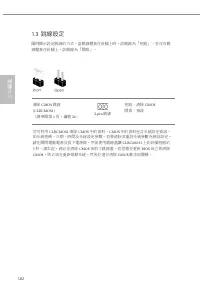
168 简体中文 简体中文 1.3 跳线设置 此图显示如何设置跳线。将跳线帽装到这些针脚上时,跳线“短接”。如果这些针脚上没有装跳线帽,跳线“开路”。 清除 CMOS 跳线 (CLRCMOS1) (见第 1 页,第 26 个) 2 针跳线 短接:清除 CMOS 开路:默认 CLRCMOS1 允许您清除 CMOS 中的数据。 CMOS 中的数据包括系统设置信息,如系 统密码、日期、时间和系统设置参数。要清除和重置系统参数为默认设置,请关闭计算机,拔下电源线插头,然后使用跳线帽短接 CLRCMOS1 上的针脚 3 秒。请记住 在清除 CMOS 后取下跳线帽。如果您需要在刚完成 BIOS 更新后清除...
Page 171 - PANEL1
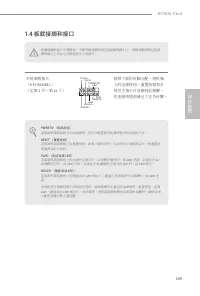
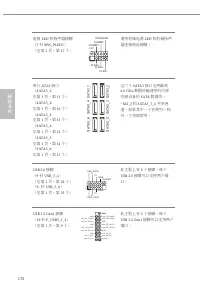
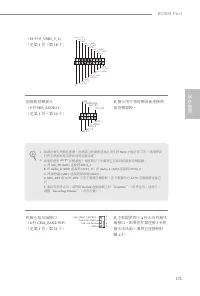
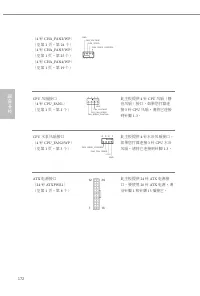
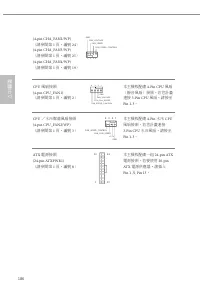
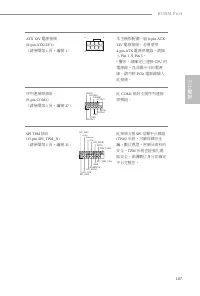
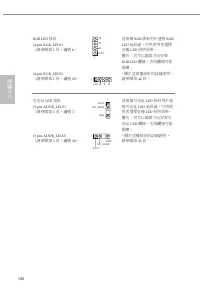
169 B550M Pro4 简体中文 简体中文 1.4 板载接脚和接口 板载接脚和接口不是跳线。不要将跳线帽装到这些接脚和接口上。将跳线帽装到这些接脚和接口上将会对主板造成永久性损坏。 系统面板接头( 9 针 PANEL1 ) (见第 1 页,第 16 个) G N D R E S E T # P W R B T N # P L E D - P L E D + G N D H D L E D - H D L E D + 1 G N D 按照下面的针脚分配,将机箱上的电源按钮、重置按钮和系统状态指示灯连接到此接脚。在连接线缆前请记下正负针脚。 PWRBTN (电源按钮): 连接到机箱前面板上的...
Page 177 - 电子信息产品污染控制标示; 依据中国发布的「电子信息产品污染控制管理办法」及; 有毒有害物质或元素的名称及含量说明; X O O O O O
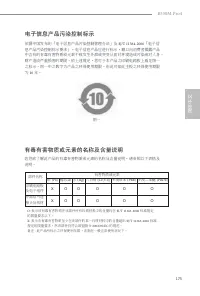
175 B550M Pro4 简体中文 简体中文 有害物质或元素 铅 (Pb) 镉 (Cd) 汞 (Hg) 六价铬 (Cr(VI)) 多溴联苯 (PBB) 多溴二苯醚 (PBDE) 印刷电路板 及电子组件 外部信号连 接头及线材 电子信息产品污染控制标示 依据中国发布的「电子信息产品污染控制管理办法」及 SJ/T 11364-2006 「电子信 息产品污染控制标示要求」,电子信息产品应进行标示,藉以向消费者揭露产品中含有的有毒有害物质或元素不致发生外泄或突变从而对环境造成污染或对人身、财产造成严重损害的期限。依上述规定,您可于本产品之印刷电路板上看见图一之标示。图一中之数字为产品之环保使用期限...
Page 178 - 繁體中文; 簡介; 包裝內容
176 繁體中文 1 簡介 感謝您購買華擎 B550M Pro4 主機板,本主機板經華擎嚴格品管製作,是一套讓人信 賴的可靠產品。本產品採耐用設計所展現的優異效能,完全符合華擎對品質及耐用度的承諾。 由於主機板規格及 BIOS 軟體可能會更新,所以本文件內容如有變更,恕不另行通知。 如本文件有任何修改,可至華擎網站逕行取得更新版本,不另外通知。若您需要與本主機板相關的技術支援,請上我們的網站瞭解有關您使用機型的特定資訊。您也可以在華擎網站找到最新的 VGA 卡及 CPU 支援清單。華擎網站 http://www.asrock.com 。 1.1 包裝內容 • 華擎 B550M Pro4 主機板...
Page 179 - 規格
177 B550M Pro4 繁體中文 1.2 規格 平台 • Micro ATX 尺寸 • 固態電容設計 • 2oz 銅製 PCB CPU • 支援第 3 代 AMD AM4 Ryzen ™ / 未來的 AMD Ryzen ™ 處理器 ( 3000 與 4000 系列處理器) * * 不相容於 AMD Ryzen ™ 5 3400G 與 Ryzen ™ 3 3200G • Digi Power design • 8 電源相位設計 晶片組 • AMD B550 記憶體 • 雙通道 DDR4 記憶體技術 • 4 x DDR4 DIMM 插槽 • AMD Ryzen 系列 CPU (Matisse...
Page 180 - 顯示卡; 音訊
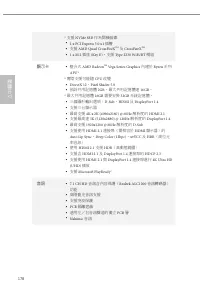
178 繁體中文 * 支援 NVMe SSD 作為開機磁碟 • 1 x PCI Express 3.0 x1 插槽 • 支援 AMD Quad CrossFireX TM 及 CrossFireX TM • 1 x M.2 插座 (Key E) ,支援 Type 2230 WiFi/BT 模組 顯示卡 • 整合式 AMD Radeon TM Vega Series Graphics 內建於 Ryzen 系列 APU* * 實際支援可能隨 CPU 改變 • DirectX 12 、 Pixel Shader 5.0 • 預設共用記憶體 2GB 。最大共用記憶體達 16GB 。 * 最大共用記憶體...
Page 182 - 接頭
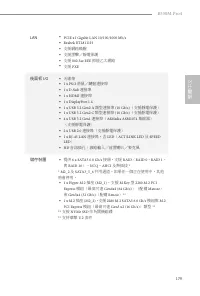
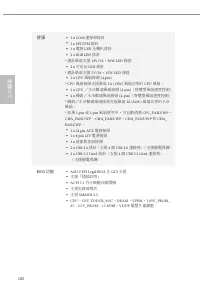
180 繁體中文 接頭 • 1 x COM 連接埠排針 • 1 x SPI TPM 排針 • 1 x 電源 LED 及喇叭排針 • 2 x RGB LED 排針 * 總計最高支援 12V/3A , 36W LED 條燈 • 2 x 可定址 LED 排針 * 總計最高支援 5V/3A , 15W LED 條燈 • 1 x CPU 風扇接頭 (4-pin) * CPU 風扇接頭支援最高 1A (12W) 風扇功率的 CPU 風扇。 • 1 x CPU /水冷幫浦風扇接頭 (4-pin) (智慧型風扇速度控制) • 4 x 機殼/水冷幫浦風扇接頭 (4-pin) (智慧型風扇速度控制) * 機殼/水...
Page 183 - 硬體顯示器
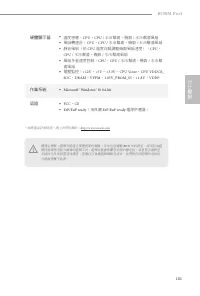
181 B550M Pro4 繁體中文 硬體顯示器 • 溫度感應: CPU 、 CPU / 水冷幫浦、機殼 / 水冷幫浦風扇 • 風扇轉速計: CPU 、 CPU / 水冷幫浦、機殼 / 水冷幫浦風扇 • 靜音風扇(依 CPU 溫度自動調整機殼風扇速度): CPU 、 CPU / 水冷幫浦、機殼 / 水冷幫浦風扇 • 風扇多重速度控制: CPU 、 CPU / 水冷幫浦、機殼 / 水冷幫 浦風扇 • 電壓監控: +12V 、 +5V 、 +3.3V 、 CPU Vcore 、 CPU VDDCR_ SOC 、 DRAM 、 VPPM 、 1.05V_PROM_S5 、 +1.8V 、 VDDP...
Page 184 - 跳線設定; 跳線
182 繁體中文 1.3 跳線設定 圖例顯示設定跳線的方式。當跳線帽套在針腳上時,該跳線為「短路」。若沒有跳線帽套在針腳上,該跳線為「開啟」。 清除 CMOS 跳線 (CLRCMOS1) (請參閱第 1 頁,編號 26 ) 2-pin 跳線 短路:清除 CMOS 開啟:預設 您可利用 CLRCMOS1 清除 CMOS 中的資料。 CMOS 中的資料包含系統設定資訊, 如系統密碼、日期、時間及系統設定參數。若要清除並重設系統參數為預設設定,請先關閉電腦電源及拔下電源線,然後使用跳線蓋讓 CLRCMOS1 上的針腳短路約 3 秒。請牢記,務必在清除 CMOS 後取下跳線蓋。若您需在更新 BIOS ...
Page 185 - 板載排針及接頭; 系統面板排針
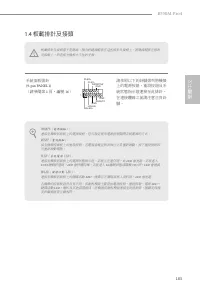
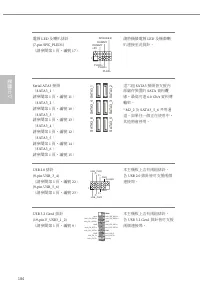
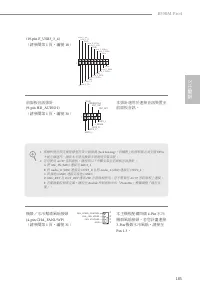
183 B550M Pro4 繁體中文 1.4 板載排針及接頭 板載排針及接頭都不是跳線。請勿將跳線帽套在這些排針及接頭上。將跳線帽套在排針及接頭上,將造成主機板永久性的受損。 系統面板排針 (9-pin PANEL1) (請參閱第 1 頁,編號 16 ) G N D R E S E T # P W R B T N # P L E D - P L E D + G N D H D L E D - H D L E D + 1 G N D 請依照以下的針腳排列將機殼上的電源按鈕、重設按鈕及系統狀態指示燈連接至此排針。在連接纜線之前請注意正負針腳。 PWRBTN(電源按鈕): 連接至機殼前面板上的電源...
Page 191 - Spesifikasi
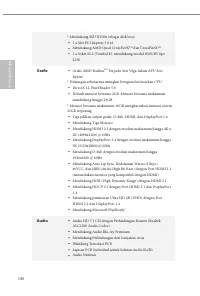
189 B550M Pro4 Bahasa I ndonesia Spesifikasi Platform • Bentuk dan Ukuran Micro ATX • Desain Kapasitor Solid • PCB Tembaga 2oz CPU • Mendukung AMD AM4 Ryzen™ Gen 3 / AMD Ryzen™ Prosesor masa depan (Prosesor Seri 3000 dan 4000)* * Tidak kompatibel dengan AMD Ryzen™ 5 3400G dan Ryzen™ 3 3200G • Desain...
Page 192 - Grafis
190 Bahasa I ndonesia * Mendukung SSD NVMe sebagai disk boot • 1 x Slot PCI Express 3.0 x1 • Mendukung AMD Quad CrossFireX TM dan CrossFireX TM • 1 x Soket M.2 (Tombol E), mendukung modul WiFi/BT tipe 2230 Grafis • Grafis AMD Radeon TM Terpadu Seri Vega dalam APU Seri Ryzen* * Dukungan sebenarnya mu...
Page 193 - Mendukung Perlindungan dari Petir/ESD; Penyimpanan
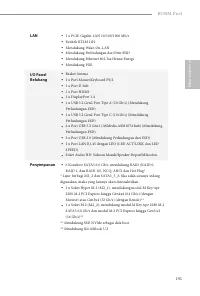
191 B550M Pro4 Bahasa I ndonesia LAN • 1 x PCIE Gigabit LAN 10/100/1000 Mb/s • Realtek RTL8111H • Mendukung Wake-On-LAN • Mendukung Perlindungan dari Petir/ESD • Mendukung Ethernet 802.3az Hemat Energi • Mendukung PXE I/O Panel Belakang • Braket Antena • 1 x Port Mouse/Keyboard PS/2 • 1 x Port D-Sub...
Page 194 - Konektor
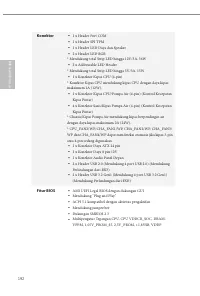
192 Bahasa I ndonesia Konektor • 1 x Header Port COM • 1 x Header SPI TPM • 1 x Header LED Daya dan Speaker • 2 x Header LED RGB * Mendukung total Strip LED hingga 12V/3A, 36W • 2 x Addressable LED Header * Mendukung total Strip LED hingga 5V/3A, 15W • 1 x Konektor Kipas CPU (4-pin) * Konektor Kipas...
Page 195 - Sertifikasi
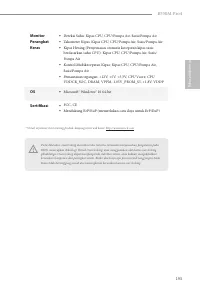
193 B550M Pro4 Bahasa I ndonesia Monitor Perangkat Keras • Deteksi Suhu: Kipas CPU, CPU/Pompa Air, Sasis/Pompa Air • Takometer Kipas: Kipas CPU, CPU/Pompa Air, Sasis/Pompa Air • Kipas Hening (Penyesuaian otomatis kecepatan kipas sasis berdasarkan suhu CPU): Kipas CPU, CPU/Pompa Air, Sasis/Pompa Air ...
Page 196 - Contact Information; ASRock Incorporation; The Netherlands
Contact Information If you need to contact ASRock or want to know more about ASRock, you’re welcome to visit ASRock’s website at http://www.asrock.com; or you may contact your dealer for further information. For technical questions, please submit a support request form at http://www.asrock.com/suppo...
Page 197 - DECLARATION OF CONFORMITY; Responsible Party Name:; Product Name : Motherboard; Supplementary Information:
DECLARATION OF CONFORMITY Per FCC Part 2 Section 2.1077(a) Responsible Party Name: ASRock Incorporation Address: 13848 Magnolia Ave, Chino, CA91710 +1-909-590-8308/+1-909-590-1026 Phone/Fax No: hereby declares that the product Product Name : Motherboard Model Number : Conforms to the following speci...
Page 198 - EU Declaration of Conformity; For the following equipment:; Motherboard
EU Declaration of Conformity For the following equipment: Motherboard (Product Name) B550M Pro4 / ASRock (Model Designation / Trade Name) ASRock Incorporation (Manufacturer Name) 2F., No.37, Sec. 2, Jhongyang S. Rd., Beitou District, Taipei City 112, Taiwan (R.O.C.) (Manufacturer Address) ASRock EUR...






 Asrock B550 User Manual
 Asrock B550 PG User Manual
 Asrock B550 Pro4 User Manual
 Asrock B550M User Manual
 Asrock B550M PG User Manual
 Asrock B560 User Manual
 Asrock B560M User Manual
 Asrock B650 User Manual
 Asrock B660 User Manual
 Asrock B660 Pro RS User Manual
 Asrock B660M User Manual
 Asrock B660M-HDV User Manual
 Asrock B660M Pro RS User Manual
 Asrock B760 User Manual
 Asrock H310 User Manual