Page 2 - AUSTRALIA ONLY; The terms HDMI
AUSTRALIA ONLY Our goods come with guarantees that cannot be excluded under the Australian Consumer Law. You are entitled to a replacement or refund for a major failure and compensation for any other reasonably foreseeable loss or damage caused by our goods. You are also entitled to have the goods r...
Page 3 - ES OF ANY KIND WHETHER UNDER THIS AGREEMENT OR OTHERWISE, EVEN
ES OF ANY KIND WHETHER UNDER THIS AGREEMENT OR OTHERWISE, EVEN IF INTEL HAS BEEN ADVISED OF THE POSSIBILITY OF SUCH DAMAGES.LICENSE TO USE COMMENTS AND SUGGESTIONS. This Agreement does NOT obligate Licensee to provide Intel with comments or suggestions regarding the Software. However, if Licensee pr...
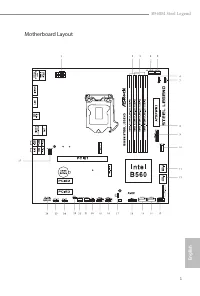
Page 5 - English; Motherboard Layout
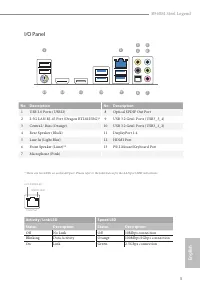
Page 7 - Speed LED
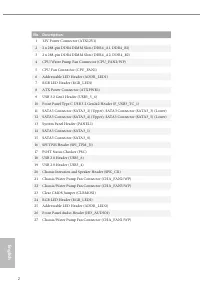
English 3 B560M Steel Legend No. Description No. Description 1 USB 2.0 Ports (USB12) 8 Optical SPDIF Out Port 2 2.5G LAN RJ-45 Port (Dragon RTL8125BG)* 9 USB 3.2 Gen1 Ports (USB3_3_4) 3 Central / Bass (Orange) 10 USB 3.2 Gen1 Ports (USB3_1_2) 4 Rear Speaker (Black) 11 DisplayPort 1.4 5 Line In (Ligh...
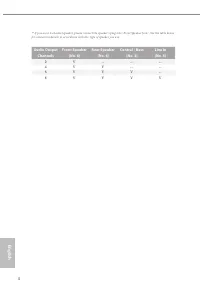
Page 8 - Audio Output
English 4 ** If you use a 2-channel speaker, please connect the speaker’s plug into “Front Speaker Jack”. See the table below for connection details in accordance with the type of speaker you use. Audio Output Channels Front Speaker (No. 6) Rear Speaker (No. 4) Central / Bass (No. 3) Line In (No. 5)...
Page 9 - Chapter 1 Introduction; Package Contents; ASRock B560M Steel Legend Motherboard (Micro ATX Form Factor)
English 5 B560M Steel Legend Chapter 1 Introduction Thank you for purchasing ASRock B560M Steel Legend motherboard, a reliable motherboard produced under ASRock’s consistently stringent quality control. It delivers excellent performance with robust design conforming to ASRock’s commitment to quality...
Page 10 - Platform; Gen Intel® Core; Processors; Processors
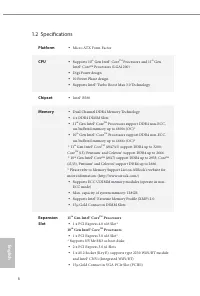
English 6 1.2 Specifications Platform • Micro ATX Form Factor CPU • Supports 10 th Gen Intel® Core TM Processors and 11 th Gen Intel® Core TM Processors (LGA1200) • Digi Power design • 10 Power Phase design • Supports Intel® Turbo Boost Max 3.0 Technology Chipset • Intel® B560 Memory • Dual Channel ...
Page 11 - Graphics; Audio
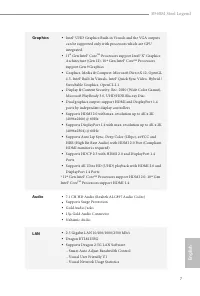
English 7 B560M Steel Legend Graphics • Intel® UHD Graphics Built-in Visuals and the VGA outputs can be supported only with processors which are GPU integrated. • 11 th Gen Intel® Core TM Processors support Intel® X e Graphics Architecture (Gen 12). 10 th Gen Intel® Core TM Processors support Gen 9 ...
Page 12 - Storage
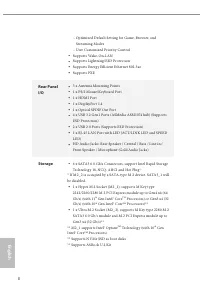
English 8 - Optimized Default Setting for Game, Browser, and Streaming Modes - User Customized Priority Control • Supports Wake-On-LAN • Supports Lightning/ESD Protection • Supports Energy Efficient Ethernet 802.3az • Supports PXE Rear Panel I/O • 3 x Antenna Mounting Points • 1 x PS/2 Mouse/Keyboar...
Page 13 - Connector
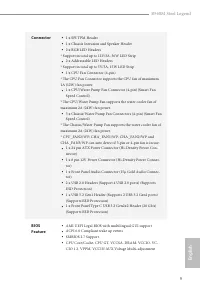
English 9 B560M Steel Legend Connector • 1 x SPI TPM Header • 1 x Chassis Intrusion and Speaker Header • 2 x RGB LED Headers * Support in total up to 12V/3A, 36W LED Strip • 2 x Addressable LED Headers * Support in total up to 5V/3A, 15W LED Strip • 1 x CPU Fan Connector (4-pin) * The CPU Fan Connec...
Page 14 - CASE OPEN detection; OS; Microsoft® Windows® 10 64-bit
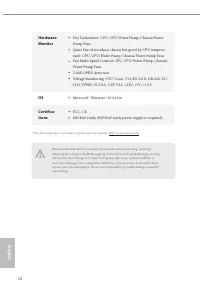
English 10 Hardware Monitor • Fan Tachometer: CPU, CPU/Water Pump, Chassis/Water Pump Fans • Quiet Fan (Auto adjust chassis fan speed by CPU tempera-ture): CPU, CPU/Water Pump, Chassis/Water Pump Fans • Fan Multi-Speed Control: CPU, CPU/Water Pump, Chassis/Water Pump Fans • CASE OPEN detection • Vol...
Page 15 - Pre-installation Precautions; Hold components by the edges and do not touch the ICs.; Chapter 2 Installation
English 11 B560M Steel Legend This is a Micro ATX form factor motherboard. Before you install the motherboard, study the configuration of your chassis to ensure that the motherboard fits into it. Pre-installation Precautions Take note of the following precautions before you install motherboard compo...
Page 16 - Installing the CPU
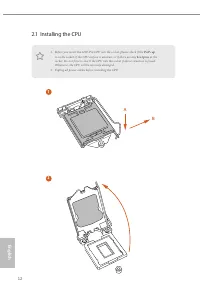
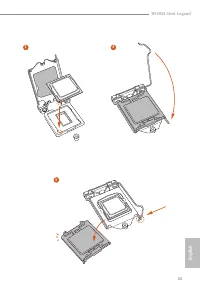
English 12 2.1 Installing the CPU 1. Before you insert the 1200-Pin CPU into the socket, please check if the PnP cap is on the socket, if the CPU surface is unclean, or if there are any bent pins in the socket. Do not force to insert the CPU into the socket if above situation is found. Otherwise, th...
Page 19 - Installing the CPU Fan and Heatsink
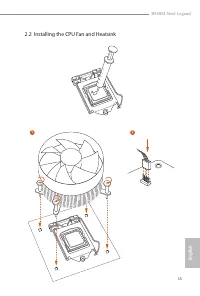
English 15 B560M Steel Legend 2.2 Installing the CPU Fan and Heatsink 1 2 CPU_F AN
Page 20 - Dual Channel Memory Configuration; Priority
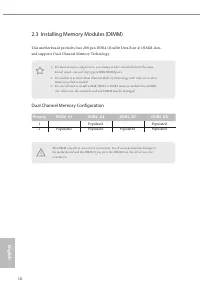
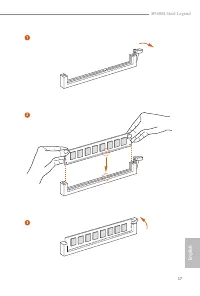
English 16 2.3 Installing Memory Modules (DIMM) This motherboard provides four 288-pin DDR4 (Double Data Rate 4) DIMM slots, and supports Dual Channel Memory Technology. Dual Channel Memory Configuration The DIMM only fits in one correct orientation. It will cause permanent damage to the motherboard...
Page 22 - There are 3 PCI Express slots on the motherboard.
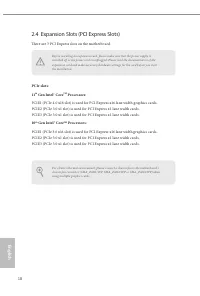
English 18 2.4 Expansion Slots (PCI Express Slots) There are 3 PCI Express slots on the motherboard. PCIe slots: 11 th Gen Intel® Core TM Processors: PCIE1 (PCIe 4.0 x16 slot) is used for PCI Express x16 lane width graphics cards. PCIE2 (PCIe 3.0 x1 slot) is used for PCI Express x1 lane width cards....
Page 24 - Onboard Headers and Connectors
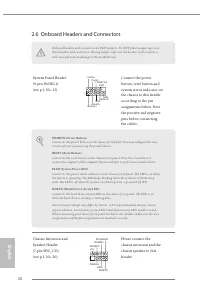
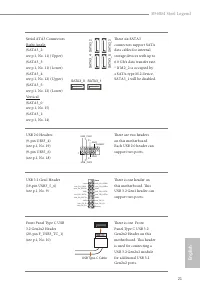
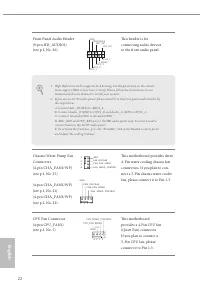
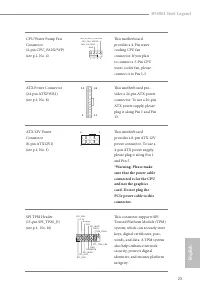
English 20 2.6 Onboard Headers and Connectors System Panel Header(9-pin PANEL1)(see p.1, No. 13) Connect the power button, reset button and system status indicator on the chassis to this header according to the pin assignments below. Note the positive and negative pins before connecting the cables. ...
Page 28 - Never install the RGB
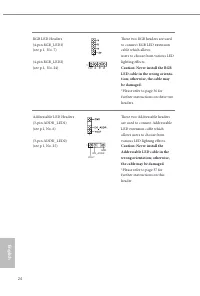
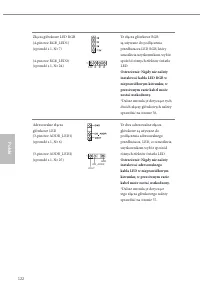
English 24 RGB LED Headers(4-pin RGB_LED1)(see p.1, No. 7) (4-pin RGB_LED2)(see p.1, No. 24) These two RGB headers are used to connect RGB LED extension cable which allows users to choose from various LED lighting effects. Caution: Never install the RGB LED cable in the wrong orienta-tion; otherwise...
Page 29 - Post Status Checker
English 25 B560M Steel Legend 2.7 Post Status Checker Post Status Checker (PSC) diagnoses the computer when users power on the machine. It emits a red light to indicate whether the CPU, memory, VGA or storage is dysfunctional. The lights go off if the four mentioned above are functioning normally.
Page 30 - Installation Guide; Find the nut location to be used.
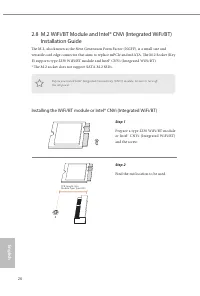
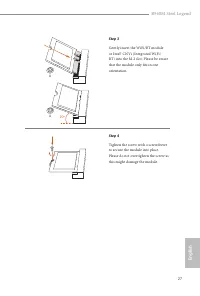
English 26 2.8 M.2 WiFi/BT Module and Intel® CNVi (Integrated WiFi/BT) Installation Guide The M.2, also known as the Next Generation Form Factor (NGFF), is a small size and versatile card edge connector that aims to replace mPCIe and mSATA. The M.2 Socket (Key E) supports type 2230 WiFi/BT module an...
Page 32 - Gen Intel® Core; Nut Location
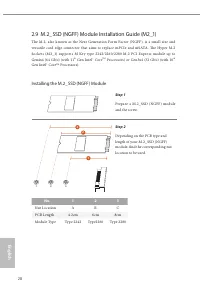
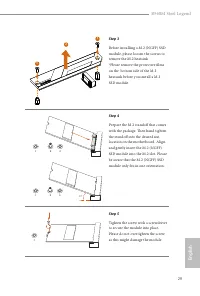
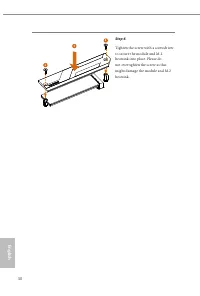
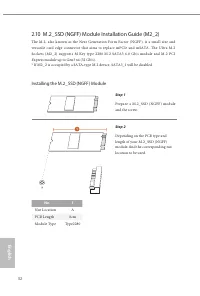
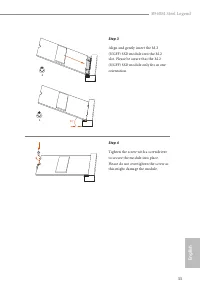
English 28 2.9 M.2_SSD (NGFF) Module Installation Guide (M2_1) The M.2, also known as the Next Generation Form Factor (NGFF), is a small size and versatile card edge connector that aims to replace mPCIe and mSATA. The Hyper M.2 Sockets (M2 _1) supports M Key ty pe 2242/2260/2280 M.2 PCI Express modu...
Page 35 - Vendor
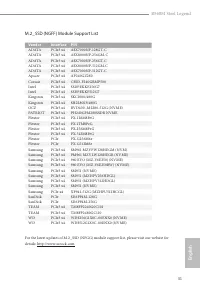
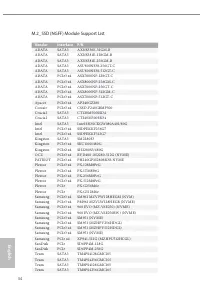
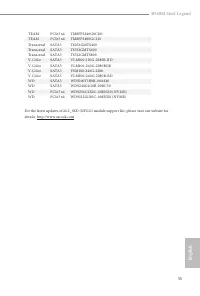
English 31 B560M Steel Legend M.2_SSD (NGFF) Module Support List Vendor Interface P/N ADATA PCIe3 x4 ASX7000NP-128GT-C ADATA PCIe3 x4 ASX8000NP-256GM-C ADATA PCIe3 x4 ASX7000NP-256GT-C ADATA PCIe3 x4 ASX8000NP-512GM-C ADATA PCIe3 x4 ASX7000NP-512GT-C Apacer PCIe3 x4 AP240GZ280 Corsair PCIe3 x4 CSSD-...
Page 40 - ASRock Polychrome SYNC; Connecting the LED Strip; Connect your RGB LED strips to the
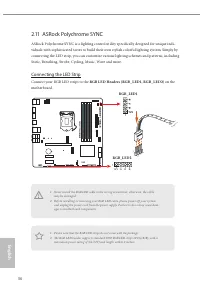
English 36 2.11 ASRock Polychrome SYNC ASRock Polychrome SYNC is a lighting control utility specifically designed for unique indi-viduals with sophisticated tastes to build their own stylish colorful lighting system. Simply by connecting the LED strip, you can customize various lighting schemes and ...
Page 41 - Connecting the Addressable RGB LED Strip; Connect your Addressable RGB LED strips to the
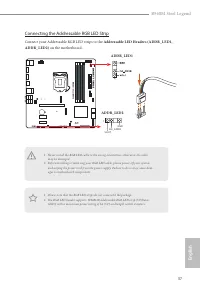
English 37 B560M Steel Legend Connecting the Addressable RGB LED Strip Connect your Addressable RGB LED strips to the Addressable LED Headers (ADDR_LED1, ADDR_LED2) on the motherboard. 1. Never install the RGB LED cable in the wrong orientation; otherwise, the cable may be damaged. 2. Before install...
Page 42 - ASRock Polychrome SYNC Utility
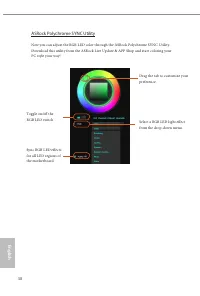
English 38 ASRock Polychrome SYNC Utility Now you can adjust the RGB LED color through the ASRock Polychrome SYNC Utility. Download this utility from the ASRock Live Update & APP Shop and start coloring your PC style your way! Toggle on/off the RGB LED switch Sync RGB LED effects for all LED reg...
Page 43 - Deutsch; Einleitung; ASRock B560M Steel Legend-Schnellinstallationsanleitung
B560M Steel Legend 39 Deutsch 1 Einleitung Vielen Dank, dass Sie sich für das B560M Steel Legend von ASRock entschieden haben – ein zuverlässiges Motherboard, das konsequent unter der strengen Qualitätskontrolle von ASRock hergestellt wurde. Es liefert ausgezeichnete Leistung mit robustem Design, da...
Page 44 - Technische Daten; Plattform
40 Deutsch 1.2 Technische Daten Plattform • Micro-ATX-Formfaktor Prozessor • Unterstützt Intel® Core TM -Prozessoren der 10. Generation und Intel® Core TM -Prozessoren der 11. Generation (LGA1200) • Digi Power design • 10-Leistungsphasendesign • Unterstützt Intel® Turbo Boost Max Technology 3.0 Chip...
Page 45 - Grafikkarte
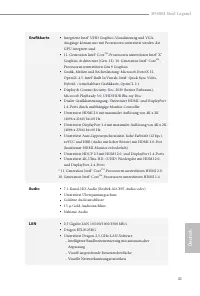
B560M Steel Legend 41 Deutsch Grafikkarte • Integrierte Intel® UHD Graphics-Visualisierung und VGA-Ausgänge können nur mit Prozessoren unterstützt werden, die GPU-integriert sind. • 11. Generation Intel® Core TM -Prozessoren unterstützen Intel® X e Graphics Architecture (Gen. 12). 10. Generation Int...
Page 46 - - Nutzerangepasste Prioritätssteuerung; Speicher
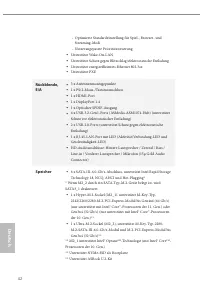
42 Deutsch - Optimierte Standardeinstellung für Spiel-, Browser- und Streaming-Modi - Nutzerangepasste Prioritätssteuerung • Unterstützt Wake-On-LAN • Unterstützt Schutz gegen Blitzschlag/elektrostatische Entladung • Unterstützt energieeffizientes Ethernet 802.3az • Unterstützt PXE Rückblende, E/A •...
Page 47 - Anschluss; x Gehäuseeingriff- und Lautsprecher-Stiftleiste
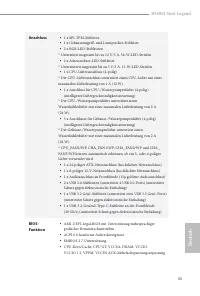
B560M Steel Legend 43 Deutsch Anschluss • 1 x SPI-TPM-Stiftleiste • 1 x Gehäuseeingriff- und Lautsprecher-Stiftleiste • 2 x RGB-LED-Stiftleisten * Unterstützt insgesamt bis zu 12 V/3 A, 36-W-LED-Streifen • 2 x Adressierbare-LED-Stiftleiste * Unterstützen insgesamt bis zu 5 V/3 A, 15-W-LED-Streifen •...
Page 48 - Microsoft® Windows® 10, 64 Bit
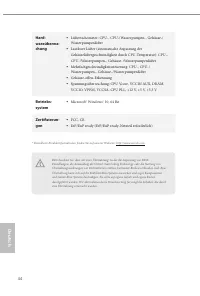
44 Deutsch Hard-wareüberwa-chung • Lüftertachometer: CPU-, CPU-/Wasserpumpen-, Gehäuse-/Wasserpumpenlüfter • Lautloser Lüfter (automatische Anpassung der Gehäuselüftergeschwindigkeit durch CPU-Temperatur): CPU-, CPU-/Wasserpumpen-, Gehäuse-/Wasserpumpenlüfter • Mehrfachgeschwindigkeitssteuerung: CPU...
Page 49 - Jumpereinstellung; Jumper
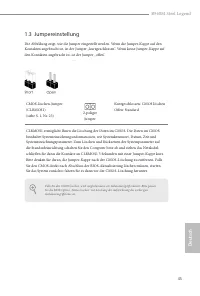
B560M Steel Legend 45 Deutsch 1.3 Jumpereinstellung Die Abbildung zeigt, wie die Jumper eingestellt werden. Wenn die Jumper-Kappe auf den Kontakten angebracht ist, ist der Jumper „kurzgeschlossen“. Wenn keine Jumper-Kappe auf den Kontakten angebracht ist, ist der Jumper „offen“. CMOS-löschen-Jumper(...
Page 50 - Integrierte Stiftleisten und Anschlüsse
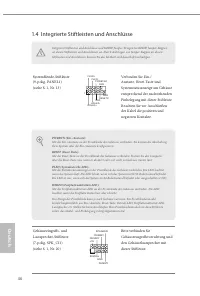
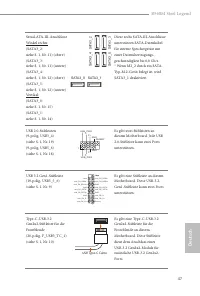
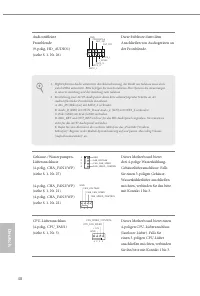
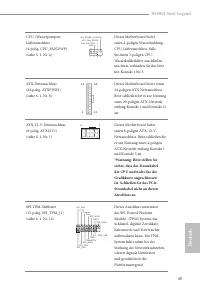
46 Deutsch 1.4 Integrierte Stiftleisten und Anschlüsse Systemblende-Stiftleiste(9-polig, PANEL1)(siehe S. 1, Nr. 13) Verbinden Sie Ein-/Austaste, Reset-Taste und Systemstatusanzeige am Gehäuse entsprechend der nachstehenden Pinbelegung mit dieser Stiftleiste. Beachten Sie vor Anschließen der Kabel d...
Page 54 - Installieren Sie das
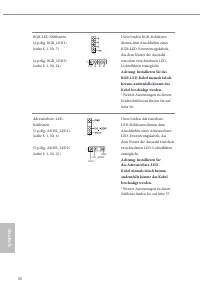
50 Deutsch RGB-LED-Stiftleisten(4-polig, RGB_LED1)(siehe S. 1, Nr. 7) (4-polig, RGB_LED2)(siehe S. 1, Nr. 24) Diese beiden RGB-Stiftleisten dienen dem Anschließen eines RGB-LED-Erweiterungskabels, das dem Nutzer die Auswahl zwischen verschiedenen LED-Lichteffekten ermöglicht. Achtung: Installieren S...
Page 55 - ançais; Introduction; Contenu de l’emballage; Carte mère ASRock B560M Steel Legend (facteur de forme Micro ATX)
B560M Steel Legend 51 Fr ançais 1 Introduction Nous vous remercions d’avoir acheté cette carte mère ASRock B560M Steel Legend, une carte mère fiable fabriquée conformément au contrôle de qualité rigoureux et constant appliqué par ASRock. Fidèle à son engagement de qualité et de durabilité, ASRock vo...
Page 56 - Français; Plateforme; Gén de processeurs Intel® Core
52 Français 1.2 Spécifications Plateforme • Facteur de forme Micro ATX Processeur • Prend en charge les processeurs Intel® Core TM 10 ème Gén et les processeurs Intel® Core TM 11 ème Gén (LGA1200) • Digi Power design • Alimentation à 10 phases • Prend en charge la technologie Intel® Turbo Boost Max ...
Page 57 - Graphiques
B560M Steel Legend 53 Fr ançais Graphiques • La technologie Intel® UHD Graphics Built-in Visuals et les sorties VGA sont uniquement prises en charge par les processeurs intégrant un contrôleur graphique. • 11 ème Gén de processeurs Intel® Core TM prennent en charge l’architecture graphique Intel® X ...
Page 58 - Stockage
54 Français • Prend en charge la fonction Wake-On-LAN • Prend en charge la protection contre la foudre/les décharges électrostatiques • Prend en charge la fonction d’économie d’énergie Ethernet 802.3az • Prend en charge PXE Connectique du panneau arrière • 3 x points de montage d’antenne • 1 x port ...
Page 59 - Connecteur
B560M Steel Legend 55 Fr ançais Connecteur • 1 x embase SPI TPM • 1 x prise LED d’alimentation et emplacement sur châssis • 2 x embase LED RVB * Prend en charge les rubans LED jusqu'à 12 V/3 A, 36 W au total • 2 x embases LED adressables * Prend en charge les rubans LED jusqu'à 5 V/3 A, 15 W au tota...
Page 60 - Détection CHÂSSIS OUVERT; Certifications
56 Français Surveillance du matériel • Tachymètre de ventilateur : Ventilateurs de CPU, CPU /pompe à eau, châssis /pompe à eau • Ventilateur silencieux (réglage automatique de la vitesse du ventilateur du châssis d’après la température du CPU) : Ventilateurs de CPU, CPU /pompe à eau, châssis /pompe ...
Page 61 - broches
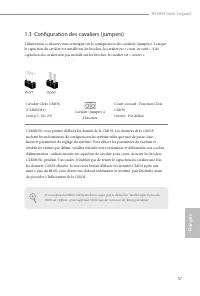
B560M Steel Legend 57 Fr ançais 1.3 Configuration des cavaliers (jumpers) L’illustration ci-dessous vous renseigne sur la configuration des cavaliers (jumpers). Lorsque le capuchon du cavalier est installé sur les broches, le cavalier est « court-circuité ». Si le capuchon du cavalier n’est pas inst...
Page 62 - Embases et connecteurs de la carte mère
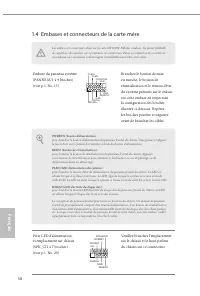
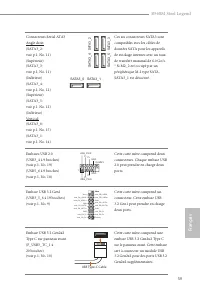
58 Français 1.4 Embases et connecteurs de la carte mère Les embases et connecteurs situés sur la carte NE SONT PAS des cavaliers. Ne placez JAMAIS de capuchons de cavaliers sur ces embases ou connecteurs. Placer un capuchon de cavalier sur ces embases ou connecteurs endommagera irrémédiablement votr...
Page 65 - que le câble d'alimentation
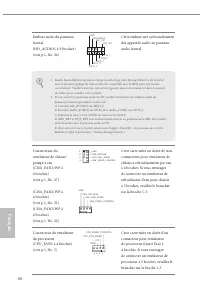
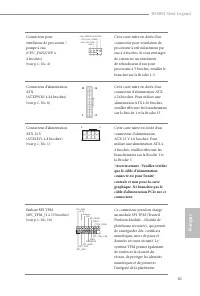
B560M Steel Legend 61 Fr ançais Connecteur pour ventilateur de processeur /pompe à eau (CPU_FAN2/WP à 4 broches)(voir p.1, No. 4) FAN_VOLTAGE GND CPU_FAN_SPEED FAN_SPEED_CONTROL 1 2 3 4 Cette carte mère est dotée d’un connecteur pour ventilateur de processeur à refroidissement par eau à 4 broches. S...
Page 66 - N'installez jamais le
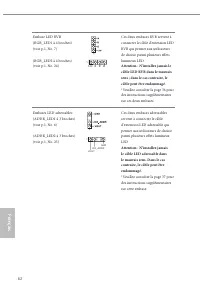
62 Français Embase LED RVB(RGB_LED1 à 4 broches)(voir p.1, No. 7) (RGB_LED2 à 4 broches)(voir p.1, No. 24) Ces deux embases RVB servent à connecter le câble d'extension LED RVB qui permet aux utilisateurs de choisir parmi plusieurs effets lumineux LED. Attention : N'installez jamais le câble LED RVB...
Page 67 - Italiano; Introduzione; Contenuto della confezione; Scheda madre B560M Steel Legend ASRock (fattore di forma Micro ATX)
B560M Steel Legend 63 Italiano 1 Introduzione Congratulazioni per l’acquisto della scheda madre ASRock B560M Steel Legend, una scheda madre affidabile prodotta secondo i severissimi controlli di qualità ASRock. La scheda madre offre eccellenti prestazioni con un design robusto che si adatta all'impe...
Page 68 - Piattaforma
64 Italiano 1.2 Specifiche Piattaforma • Fattore di forma Micro ATX CPU • Supporta processori 10 a Gen Intel® Core TM e processori 11 a Gen Intel® Core TM (LGA1200) • Digi Power design • Potenza a 10 fasi • Supporta la tecnologia Intel® Turbo Boost Max 3.0 Chipset • Intel® B560 Memoria • Tecnologia ...
Page 69 - Grafica
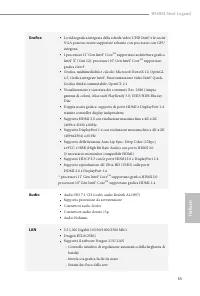
B560M Steel Legend 65 Italiano Grafica • La videografica integrata della scheda video UHD Intel® e le uscite VGA possono essere supportate soltanto con processori con GPU integrata. • I processori 11 a Gen Intel® Core TM supportano architettura grafica Intel® X e (Gen 12). processori 10 a Gen Intel®...
Page 70 - Archiviazione
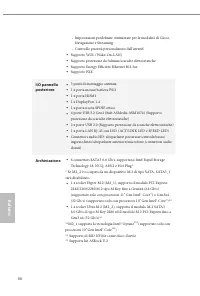
66 Italiano - Impostazioni predefinite ottimizzate per le modalità di Gioco, Navigazione e Streaming - Controllo priorità personalizzato dall’utentel • Supporto WOL (Wake-On-LAN) • Supporta protezione da fulmini/scariche elettrostatiche • Supporto Energy Efficient Ethernet 802.3az • Supporto PXE I/O...
Page 71 - Connettore
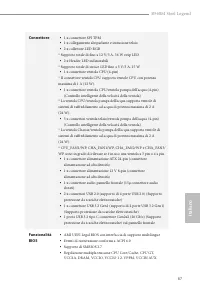
B560M Steel Legend 67 Italiano Connettore • 1 x connettore SPI TPM • 1 x collegamento altoparlante e intrusione telaio • 2 x collettore LED RGB * Supporto totale di fino a 12 V/3 A, 36 W strip LED • 2 x Header LED indirizzabili * Supporto totale di strisce LED fino a 5 V/3 A, 15 W • 1 x connettore v...
Page 72 - Rilevamento CASE OPEN; SO; Microsoft® Windows® 10 64 bit; Certificazioni
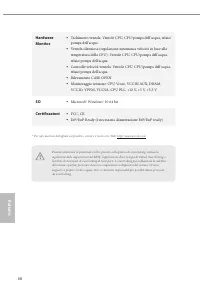
68 Italiano Hardware Monitor • Tachimetro ventola: Ventole CPU, CPU/pompa dell'acqua, telaio/pompa dell'acqua • Ventola silenziosa (regolazione automatica velocità in base alla temperatura della CPU): Ventole CPU, CPU/pompa dell'acqua, telaio/pompa dell'acqua • Controllo velocità ventola: Ventole CP...
Page 73 - Impostazione jumper; Jumper a 2 pin
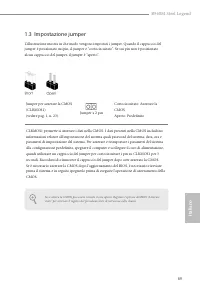
B560M Steel Legend 69 Italiano 1.3 Impostazione jumper L'illustrazione mostra in che modo vengono impostati i jumper. Quando il cappuccio del jumper è posizionato sui pin, il jumper è "cortocircuitato". Se sui pin non è posizionato alcun cappuccio del jumper, il jumper è "aperto". Ju...
Page 74 - Header e connettori su scheda
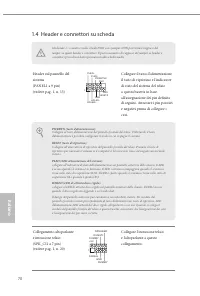
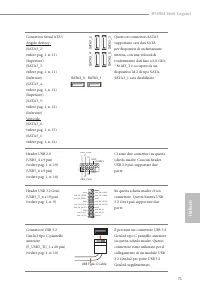
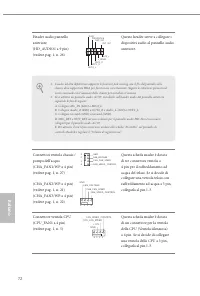
70 Italiano 1.4 Header e connettori su scheda Gli header e i connettori sulla scheda NON sono jumper. NON posizionare cappucci del jumper su questi header e connettori. Il posizionamento di cappucci del jumper su header e connettori provocherà danni permanenti alla scheda madre. Header sul pannello ...
Page 78 - Non installare il cavo
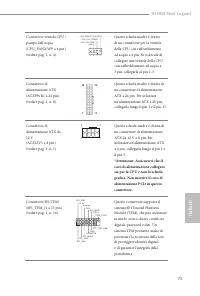
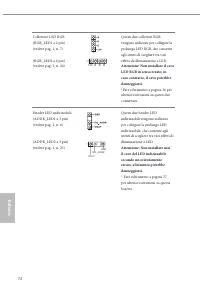
74 Italiano Collettore LED RGB(RGB_LED1 a 4 pin)(vedere pag. 1, n. 7) (RGB_LED2 a 4 pin)(vedere pag. 1, n. 24) Questi due collettori RGB vengono utilizzati per collegare la prolunga LED RGB, che consente agli utenti di scegliere tra vari effetti di illuminazione a LED. Attenzione: Non installare il ...
Page 79 - Español; Introducción; Contenido del paquete; Placa base ASRock B560M Steel Legend (Factor de forma Micro ATX)
B560M Steel Legend 75 Español 1 Introducción Gracias por comprar la placa base ASRock B560M Steel Legend, una placa base fiable fabricada según el rigurosísimo control de calidad de ASRock. Ofrece un rendimiento excelente con un diseño resistente de acuerdo con el compromiso de calidad y resistencia...
Page 80 - Especificaciones; Plataforma
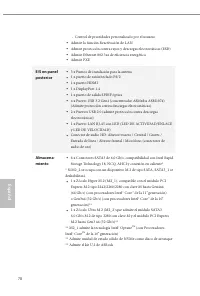
76 Español 1.2 Especificaciones Plataforma • Factor de forma Micro ATX CPU • Admite procesadores Intel® Core TM de la 10 a generación y procesadores Gen Intel® Core TM de la 11 a generación (LGA1200) • Digi Power design • Diseño de 10 fases de alimentación • Admite Intel® Turbo Boost Technology 3.0 ...
Page 81 - Gráficos
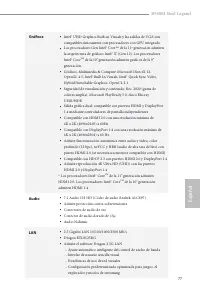
B560M Steel Legend 77 Español Gráficos • Intel® UHD Graphics Built-in Visuals y las salidas de VGA son compatibles únicamente con procesadores con GPU integrado. • Los procesadores Gen Intel® Core TM de la 11 a generación admiten la arquitectura de gráficos Intel® X e (Gen 12). Los procesadores Inte...
Page 83 - Conector
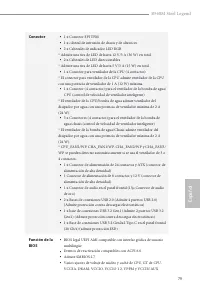
B560M Steel Legend 79 Español Conector • 1 x Conector SPI TPM • 1 x cabezal de intrusión de chasis y de altavoces • 2 x Cabezales de indicador LED RGB * Admite una tira de LED de hasta 12 V/3 A (36 W) en total • 2 x Cabezales de LED direccionables * Admite una tira de LED de hasta 5 V/3 A (15 W) en ...
Page 84 - Detección de CARCASA ABIERTA; Microsoft® Windows® 10 64 bits
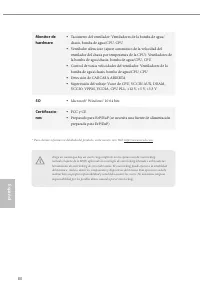
80 Español Monitor de hardware • Tacómetro del ventilador: Ventiladores de la bomba de agua/chasis, bomba de agua/CPU, CPU • Ventilador silencioso (ajuste automático de la velocidad del ventilador del chasis por temperatura de la CPU): Ventiladores de la bomba de agua/chasis, bomba de agua/CPU, CPU ...
Page 85 - Instalación de los puentes; Puente de
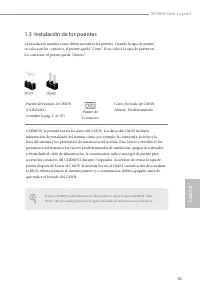
B560M Steel Legend 81 Español 1.3 Instalación de los puentes La instalación muestra cómo deben instalarse los puentes. Cuando la tapa de puente se coloca en los contactos, el puente queda “Corto”. Si no coloca la tapa de puente en los contactos, el puente queda “Abierto”. Puente de borrado de CMOS(C...
Page 86 - Conectores y cabezales incorporados
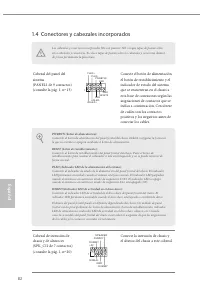
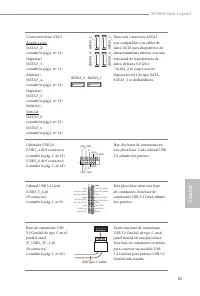
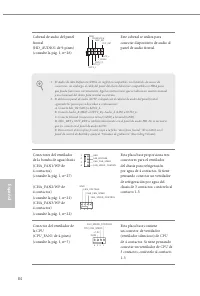
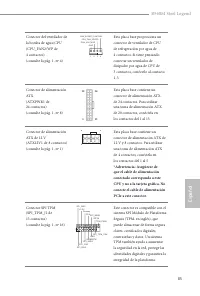
82 Español 1.4 Conectores y cabezales incorporados Los cabezales y conectores incorporados NO son puentes. NO coloque tapas de puente sobre estos cabezales y conectores. Si coloca tapas de puente sobre los cabezales y conectores dañará de forma permanente la placa base. Cabezal del panel del sistema...
Page 90 - Nunca instale
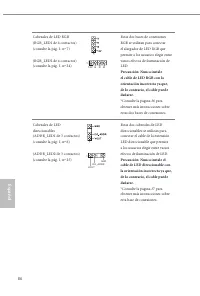
86 Español Cabezales de LED RGB(RGB_LED1 de 4 contactos)(consulte la pág. 1, nº 7) (RGB_LED2 de 4 contactos)(consulte la pág. 1, nº 24) Estas dos bases de conexiones RGB se utilizan para conectar el alargador de LED RGB que permite a los usuarios elegir entre varios efectos de iluminación de LED. Pr...
Page 91 - Введение; Комплект поставки; Краткое руководство по установке ASRock B560M Steel Legend
B560M Steel Legend 87 Ру сский 1 Введение Благодарим вас за приобретение надежной материнской платы ASRock B560M Steel Legend, выпускаемой под постоянным строгим контролем компании ASRock. Эта материнская плата обеспечивает великолепную производительность и отличается надежной конструкцией в соответ...
Page 92 - Технические характеристики; Платформа; поколения Intel® Core
88 Ру сский 1.2 Технические характеристики Платформа • Форм-фактор Micro ATX ЦП • Поддерживаются процессоры Gen Intel® Core TM 10 поколения и процессоры Gen Intel® Core TM 11 поколения (LGA1200) • Digi Power design • Система питания 10 • Поддерживается технология Intel® Turbo Boost Max 3.0 Чипсет • ...
Page 93 - Звук
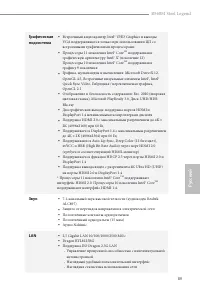
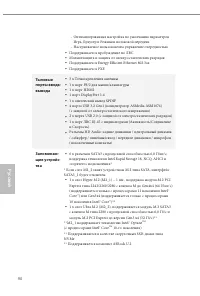
B560M Steel Legend 89 Ру сский Графическая подсистема • Встроенный видеоадаптер Intel® UHD Graphics и выходы VGA поддерживаются только при использовании ЦП со встроенными графическими процессорами. • Процессоры 11 поколения Intel® Core TM поддерживают графическую архитектуру Intel® X e (поколение 12...
Page 95 - Разъемы; x колодка SPI ТРМ
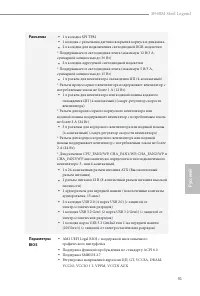
B560M Steel Legend 91 Ру сский Разъемы • 1 x колодка SPI ТРМ • 1 колодка с разъемами датчика вскрытия корпуса и динамика • 2 x колодки для подключения светодиодной RGB-подсветки * Поддерживается светодиодная лента (максимум 12 В/3 А, суммарной мощностью до 36 Вт) • 2 x колодки адресуемой светодиодно...
Page 96 - Датчик вскрытия корпуса
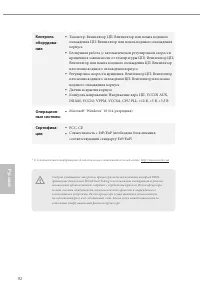
92 Ру сский Контроль оборудова-ния • Тахометр: Вентилятор ЦП; Вентилятор или помпа водяного охлаждения ЦП; Вентилятор или помпа водяного охлаждения корпуса • Бесшумная работа (с автоматической регулировкой скорости вращения в зависимости от температуры ЦП): Вентилятор ЦП; Вентилятор или помпа водяно...
Page 97 - Установка перемычек; перемычка
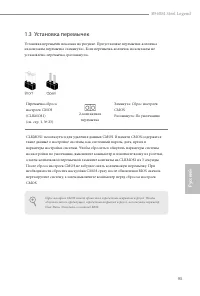
B560M Steel Legend 93 Ру сский 1.3 Установка перемычек Установка перемычек показана на рисунке. При установке перемычки-колпачка на контакты перемычка «замкнута». Если перемычка-колпачок на контакты не установлена, перемычка «разомкнута». Перемычка сброса настроек CMOS(CLRMOS1)(см. стр. 1, № 23) Зам...
Page 98 - Колодки и разъемы, расположенные на системной
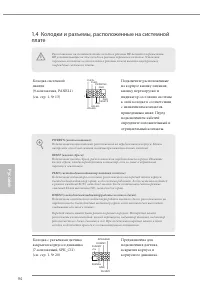
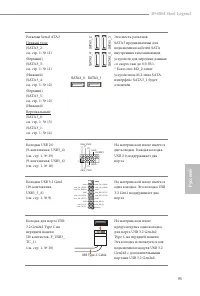
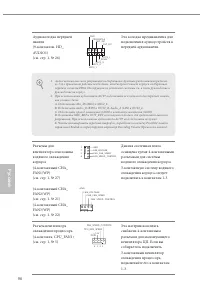
94 Ру сский 1.4 Колодки и разъемы, расположенные на системной плате Расположенные на системной плате колодки и разъемы НЕ являются перемычками. НЕ устанавливайте на эти колодки и разъемы перемычки-колпачки. Установка перемычек-колпачков на эти колодки и разъемы может вызвать неустранимое повреждение...
Page 101 - что подключенный кабель
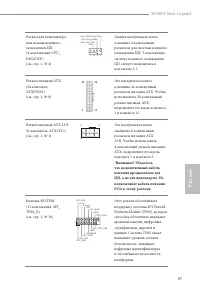
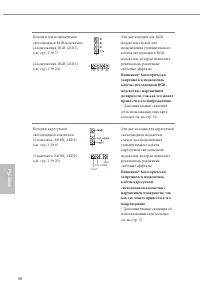
B560M Steel Legend 97 Ру сский Разъем для вентилятора или помпы водяного охлаждения ЦП (4-контактный CPU_FAN2/WP)(см. стр. 1, № 4) FAN_VOLTAGE GND CPU_FAN_SPEED FAN_SPEED_CONTROL 1 2 3 4 Данная материнская плата оснащена 4-контактным разъемом для системы водяного охлаждения ЦП. 3-контактную систему ...
Page 103 - Introdução; Conteúdo da embalagem; Guia de Instalação Rápida da ASRock B560M Steel Legend
B560M Steel Legend 99 Por tuguês 1 Introdução Obrigado por adquirir a placa mãe ASRock B560M Steel Legend, uma confiável placa mãe ASRock produzida sob rigoroso controle de qualidade consistente. Esta placa principal oferece um excelente desempenho com um design robusto em conformidade com o comprom...
Page 104 - Processadores 11; Processadores 10
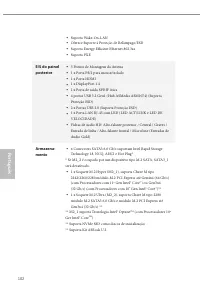
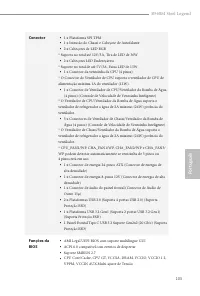
100 Por tuguês 1.2 Especificações Plataforma • Micro ATX Form Factor CPU • Suporta Processadores de 10 a Gen Intel® Core TM e Processadores 11 a Gen Intel® Core TM (LGA1200) • Digi Power design • Design com 10 fases de alimentação • Suporta Tecnologia Intel® Turbo Boost Max 3.0 Chipset • Intel® B560...
Page 105 - Áudio
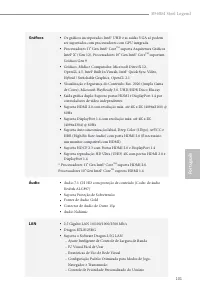
B560M Steel Legend 101 Por tuguês Gráficos • Os gráficos incorporados Intel® UHD e as saídas VGA só podem ser suportados com processadores com GPU integrada. • Processadores 11 a Gen Intel® Core TM suporta Arquitetura Gráficos Intel® X e (Gen 12). Processadores 10 a Gen Intel® Core TM suportam Gráfi...
Page 108 - Detecção de ABERTURA da CAIXA; Certificações
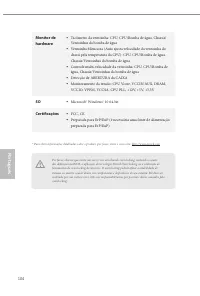
104 Por tuguês Monitor de hardware • Tacômetro da ventoinha: CPU, CPU/Bomba de água, Chassis/Ventoinhas da bomba de água • Ventoinha Silenciosa (Auto ajusta velocidade da ventoinha do chassi pela temperatura da CPU): CPU, CPU/Bomba de água, Chassis/Ventoinhas da bomba de água • Controle multi-veloci...
Page 109 - Configuração dos jumpers; Jumper de 2 pinos
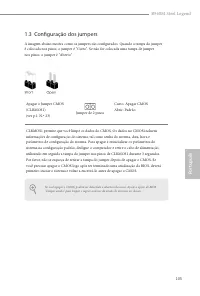
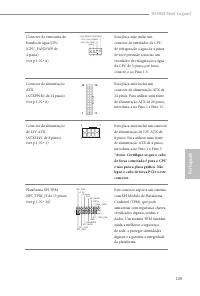
B560M Steel Legend 105 Por tuguês 1.3 Configuração dos jumpers A imagem abaixo mostra como os jumpers são configurados. Quando a tampa do jumper é colocada nos pinos, o jumper é "Curto". Se não for colocada uma tampa de jumper nos pinos, o jumper é "Aberto". Apagar o Jumper CMOS(CLRM...
Page 110 - Suportes e conectores onboard
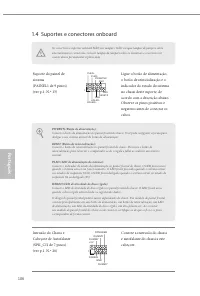
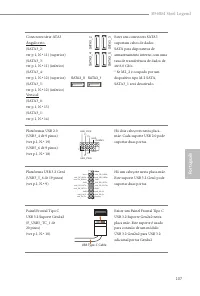
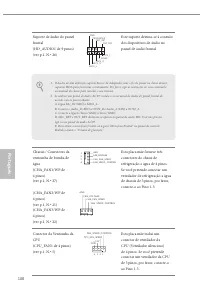
106 Por tuguês 1.4 Suportes e conectores onboard Os conectores e suportes onboard NÃO são jumpers. NÃO coloque tampas de jumpers sobre estes terminais e conectores. Colocar tampas de jumpers sobre os terminais e conectores irá causar danos permanentes à placa-mãe. Suporte do painel de sistema(PAINEL...
Page 114 - Nunca instale o cabo
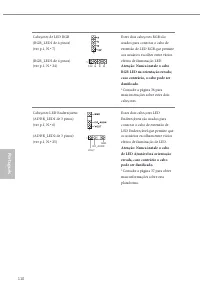
110 Por tuguês Cabeçotes de LED RGB(RGB_LED1 de 4 pinos)(ver p.1, N.º 7) (RGB_LED2 de 4 pinos)(ver p.1, N.º 24) Estes dois cabeçotes RGB são usados para conectar o cabo de extensão de LED RGB que permite aos usuários escolher entre vários efeitos de iluminação LED. Atenção: Nunca instale o cabo RGB ...
Page 115 - Polsk; Wprowadzenie; Zawartość opakowania; Skrócona instrukcja instalacji ASRock B560M Steel Legend
B560M Steel Legend 111 Polsk i 1 Wprowadzenie Dziękujemy za zakupienie płyty głównej ASRock B560M Steel Legen, niezawodnej płyty głównej produkowanej z konsekwentnie wykonywaną przez firmę ASRock, rygorystyczną kontrolą jakości. Płyta ta zapewnia doskonałą jakość działania i solidną konstrukcję, spe...
Page 116 - generacji procesory Intel® Core
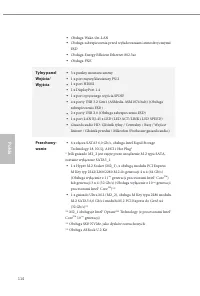
112 Polski 1.2 Specyfikacje Platforma • Współczynnik kształtu Micro ATX CPU • Obsługa 10 -tej generacji procesorów Intel® Core TM i 11 -tej generacji procesorów Intel® Core TM (LGA1200) • Digi Power design • Sekcja zasilania 10 Power Phase Design • Obsługa technologii Intel® Turbo Boost Max 3.0 Chip...
Page 117 - Grafika
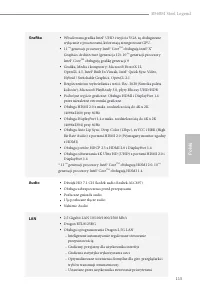
B560M Steel Legend 113 Polsk i Grafika • Wbudowana grafika Intel® UHD i wyjścia VGA są obsługiwane wyłącznie z procesorami, które mają zintegrowane GPU. • 11 -tej generacji procesory Intel® Core TM obsługują Intel® X e Graphics Architecture (generacja 12). 10 -tej generacji procesory Intel® Core TM ...
Page 119 - Złącze
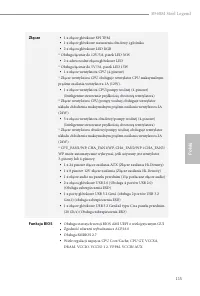
B560M Steel Legend 115 Polsk i Złącze • 1 x złącze główkowe SPI TPM • 1 x złącze główkowe naruszenia obudowy i głośnika • 2 x złącza główkowe LED RGB * Obsługa łącznie do 12V/3A, pasek LED 36W • 2 x adresowalne złącza główkowe LED * Obsługa łącznie do 5V/3A, pasek LED 15W • 1 x złącze wentylatora CP...
Page 120 - Certyfikaty
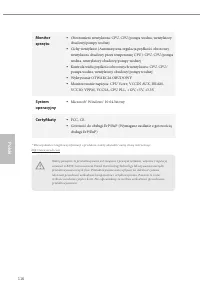
116 Polski Monitor sprzętu • Obrotomierz wentylatora: CPU, CPU/pompa wodna, wentylatory obudowy/pompy wodnej • Cichy wentylator (Automatyczna regulacja prędkości obrotowej wentylatora obudowy przez temperaturę CPU): CPU, CPU/pompa wodna, wentylatory obudowy/pompy wodnej • Kontrola wielu prędkości ob...
Page 121 - Ustawienia zworek; zworka
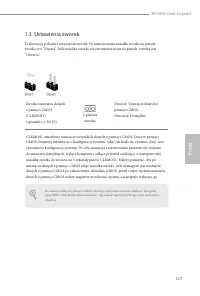
B560M Steel Legend 117 Polsk i 1.3 Ustawienia zworek Ta ilustracja pokazuje ustawienia zworek. Po umieszczeniu nasadki zworki na pinach, zworka jest “Zwarta”. Jeśli nasadka zworki nie jest umieszczona na pinach, zworka jest “Otwarta”. Zworka usuwania danych z pamięci CMOS(CLRMOS1)(sprawdź s.1, Nr 23...
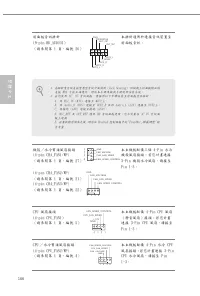
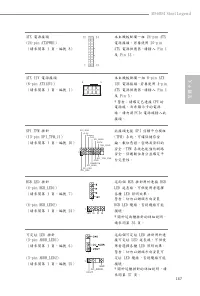
Page 122 - Wbudowane złącza główkowe i inne złącza
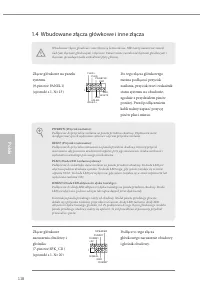
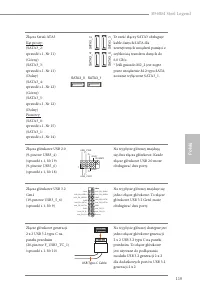
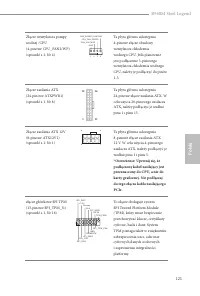
118 Polski 1.4 Wbudowane złącza główkowe i inne złącza Wbudowane złącza główkowe i inne złącza są bezzworkowe. NIE należy umieszczać zworek nad tymi złączami główkowymi i złączami. Umieszczanie zworek nad złączami główkowymi i złączami spowoduje trwałe uszkodzenie płyty głównej. Złącze główkowe na p...
Page 127 - 한 국 어; 개요; 포장; ASRock B560M Steel Legend 마더보드 (Micro ATX 폼 팩터 )
B560M Steel Legend 123 한 국 어 1 개요 ASRock B560M Steel Legend 마더보드를 구입해 주셔서 감사합니다 . 이 마더보드는 ASRock 의 일관되고 엄격한 품질관리 하에 생산되어 신뢰성이 우수합니다 . 품질과 내구성에 대한 ASRock 의 기준에 부합하는 우수한 성능과 견고한 설계를 제공합니다 . 1.1 포장 내용물 • ASRock B560M Steel Legend 마더보드 (Micro ATX 폼 팩터 ) • ASRock B560M Steel Legend 간편 설치 안내서 • ASRock B56...
Page 128 - 규격; 플랫폼; 프로세서
124 한 국 어 1.2 규격 플랫폼 • Micro ATX 폼 팩터 CPU • 10 th Gen Intel ® Core TM 프로세서 및 11 th Gen Intel ® Core TM 프로세서 (LGA1200) 지원 • Digi Power design • 10 개 전원 위상 구조 • Intel® Turbo Boost Max Technology 3.0 지원 칩세트 • Intel ® B560 메모리 • 듀얼 채널 DDR4 메모리 기술 • DDR4 DIMM 슬롯 4 개 • 11 th Gen Intel ® Core TM 프로세서는 DDR4...
Page 129 - 그래픽; Intel; Gen Intel; Gen Intel; 오디오
B560M Steel Legend 125 한 국 어 그래픽 • Intel ® UHD 그래픽스 빌트 - 인 비주얼과 VGA 출력은 GPU 통합 프로세서로만 지원할 수 있습니다 . • 11 th Gen Intel ® Core TM 프로세서는 Intel ® X e Graphics Architecture(Gen 12) 를 지원합니다 . 10 th Gen Intel ® Core TM 프로세서는 Gen 9 Graphics 를 지원합니다 . • 그래픽 , 미디어 & 컴퓨팅 : Microsoft DirectX 12, OpenGL 4.5, ...
Page 130 - 저장 장치
126 한 국 어 • Wake-On-LAN 지원 • 번개 /ESD 보호 지원 • 절전형 이더넷 802.3az 지원 • PXE 지원 후면 패널 I/O • 안테나 장착부 3 개 • PS/2 마우스 / 키보드 포트 1 개 • HDMI 포트 1 개 • DisplayPort 1.4 1 개 • 광학 SPDIF 출력 포트 1 개 • USB 3.2 Gen1 포트 4 개 (ASMedia ASM1074 허브 ) (ESD 보호 지원 ) • USB 2.0 포트 2 개 (ESD 보호 지원 ) • LED 장착 RJ-45 LAN 포트 1 개 (ACT/LINK...
Page 131 - 커넥터
B560M Steel Legend 127 한 국 어 커넥터 • SPI TPM 헤더 1 개 • 섀시 침입 및 스피커 헤더 1 개 • RGB LED 헤더 2 개 * 전체 최대 12V/3A, 36W LED 스트립 지원 • 주소 지정 가능한 LED 헤더 2 개 * 전체 최대 5V/3A, 15W LED 스트립 지원 • CPU 팬 커넥터 (4 핀 ) 1 개 * CPU 팬 커넥터는 팬 전력이 최대 1A(12W) 인 CPU 팬을 지원합니다 . • CPU/ 워터 펌프 팬 커넥터 (4 핀 ) 1 개 ( 스마트 팬 속도 제어 ) * CPU/ 워터 펌프...
Page 132 - 케이스 열림 감지; Microsoft; 인증
128 한 국 어 하드웨어 모니터 • 팬 타코미터 : CPU, CPU/ 워터 펌프 , 섀시 / 워터 펌프 팬 • 저소음 팬 (CPU 온도에 의한 섀시 팬 속도 자동 조절 ): CPU, CPU/ 워터 펌프 , 섀시 / 워터 펌프 팬 • 팬 다중 속도 제어 : CPU, CPU/ 워터 펌프 , 섀시 / 워터 펌프 팬 • 케이스 열림 감지 • 전압 모니터링 : CPU Vcore, VCCIN AUX, , DRAM, VCCIO, VPPM, VCCSA, CPU PLL, +12V, +5V, +3.3V OS • Microsoft ® Windows ...
Page 133 - 점퍼 설정
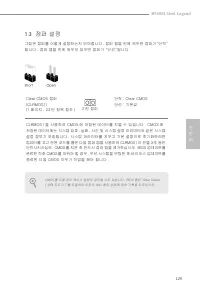
B560M Steel Legend 129 한 국 어 1.3 점퍼 설정 그림은 점퍼를 어떻게 설정하는지 보여줍니다 . 점퍼 캡을 핀에 씌우면 점퍼가 “단락” 됩니다 . 점퍼 캡을 핀에 씌우지 않으면 점퍼가 “단선”됩니다 . Clear CMOS 점퍼(CLRMOS1)(1 페이지 , 23 번 항목 참조 ) 단락 : Clear CMOS단선 : 기본값 CLRMOS1 을 사용하여 CMOS 에 저장된 데이터를 지울 수 있습니다 . CMOS 에 저장된 데이터에는 시스템 암호 , 날짜 , 시간 및 시스템 설정 파라미터와 같은 시스템 설정 정보가 포함...
Page 134 - 온보드 헤더 및 커넥터
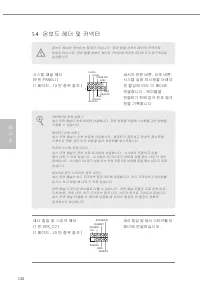
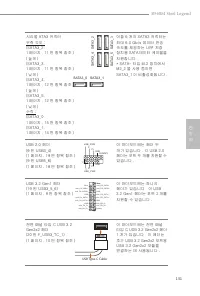
130 한 국 어 1.4 온보드 헤더 및 커넥터 온보드 헤더와 커넥터는 점퍼가 아닙니다 . 점퍼 캡을 온보드 헤더와 커넥터에 씌우지 마십시오 . 점퍼 캡을 온보드 헤더와 커넥터에 씌우면 마더보드가 영구적으로 손상됩니다 . 시스템 패널 헤더(9 핀 PANEL1)(1 페이지 , 13 번 항목 참조 ) 섀시의 전원 버튼 , 리셋 버튼 , 시스템 상태 표시등을 아래의 핀 할당에 따라 이 헤더에 연결합니다 . 케이블을 연결하기 전에 양극 핀과 음극 핀을 기록합니다 . 섀시 침입 및 스피커 헤더(7 핀 SPK_CI1)(1 페이지 , 20 번 ...
Page 138 - RGB LED 케이블을
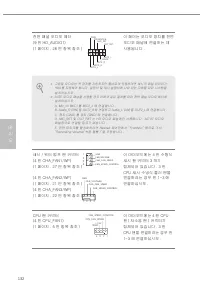
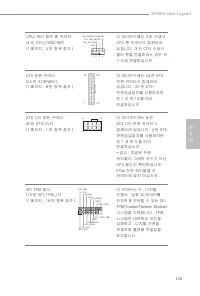
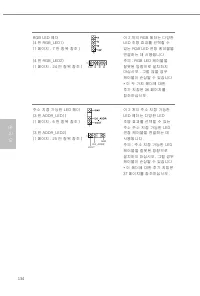
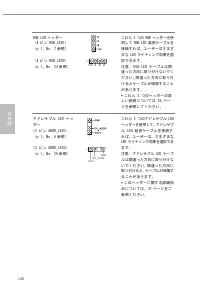
134 한 국 어 RGB LED 헤더(4 핀 RGB_LED1)(1 페이지 , 7 번 항목 참조 ) (4 핀 RGB_LED2)(1 페이지 , 24 번 항목 참조 ) 이 2 개의 RGB 헤더는 다양한 LED 조명 효과를 선택할 수 있는 RGB LED 연장 케이블을 연결하는 데 사용됩니다 . 주의 : RGB LED 케이블을 잘못된 방향으로 설치하지 마십시오 . 그럴 않을 경우 케이블이 손상될 수 있습니다 . * 이 두 가지 헤더에 대한 추가 지침은 36 페이지를 참조하십시오 . 주소 지정 가능한 LED 헤더(3 핀 ADDR_LED1)(1...
Page 139 - 日本語; はじめに; パッケージの内容
B560M Steel Legend 135 日本語 1 はじめに ASRock の一貫した厳格な品質管理の下で製造された信頼性の高いマザーボードである ASRock B560M Steel Legend マザーボードをお買い上げいただきありがとうございます。 ASRock の製品は一貫した厳格な品質管理の下で製造されております。優れた品質と耐 久性を兼ね備えつつ、優れたパフォーマンスを提供致します。 1.1 パッケージの内容 • ASRock B560M Steel Legend マザーボード(マイクロ ATX フォームファクター) • ASRock B560M Steel Legend ク...
Page 140 - 仕様; プラット; 世代 Intel® Core; プロセッサ
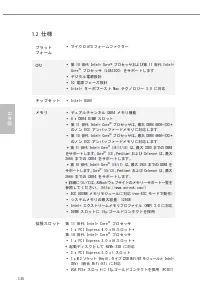
136 日本語 1.2 仕様 プラット フォーム • マイクロ ATX フォームファクター CPU • 第 10 世代 Intel® Core TM プロセッサおよび第 11 世代 Intel® Core TM プロセッサ (LGA1200) をサポートします • デジタル電源設計 • 10 電源フェーズ設計 • Intel® ターボブースト Max テクノロジー 3.0 に対応 チップセット • Intel® B560 メモリ • デュアルチャンネル DDR4 メモリ機能 • 4 x DDR4 DIMM スロット • 第 11 世代 Intel® Core TM プロセッサは、最大 DDR4...
Page 141 - グラフィックス; オーディオ
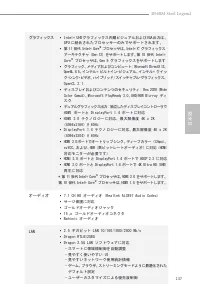
B560M Steel Legend 137 日本語 グラフィックス • Intel® UHD グラフィックス内蔵ビジュアルおよび VGA 出力は、 GPU に統合されたプロセッサーのみでサポートされます。 • 第 11 世代 Intel® Core TM プロセッサは、Intel® X e グラフィックス アーキテクチャ (Gen 12) をサポートします。第 10 世代 Intel® Core TM プロセッサは、Gen 9 グラフィックスをサポートします • グラフィック、メディアおよびコンピュート: Microsoft DirectX 12、 OpenGL 4.5、インテル® ビルトイ...
Page 142 - リアパネル
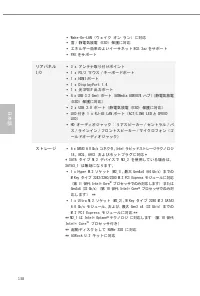
138 日本語 • Wake-On-LAN(ウェイク オン ラン)に対応 • 雷 / 静電気放電 (ESD) 保護に対応 • エネルギー効率のよいイーサネット 802.3az をサポート • PXE をサポート リアパネル I/O • 3 x アンテナ取り付けポイント • 1 x PS/2 マウス / キーボードポート • 1 x HDMI ポート • 1 x DisplayPort 1.4 • 1 x 光 SPDIF 出力ポート • 4 x USB 3.2 Gen1 ポート (ASMedia ASM1074 ハブ )(静電気放電 (ESD) 保護に対応) • 2 x USB 2.0 ポート(...
Page 143 - コネクタ
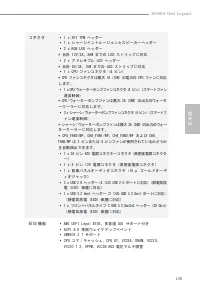
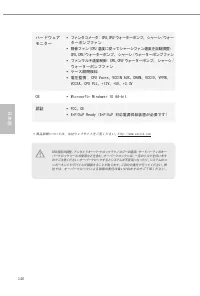
B560M Steel Legend 139 日本語 コネクタ • 1 x SPI TPM ヘッダー • 1 x シャーシイントルージョンとスピーカーヘッダー • 2 x RGB LED ヘッダー * 合計 12V/3A、36W までの LED ストリップに対応 • 2 x アドレサブル LED ヘッダー * 合計 5V/3A、15W までの LED ストリップに対応 • 1 x CPU ファンコネクタ(4 ピン) * CPU ファンコネクタは最大 1A (12W) の電力の CPU ファンに対応 します。 • 1 x CPU/ウォーターポンプファンコネクタ(4 ピン) (スマートファン 速度...
Page 145 - ジャンパー設定; ピンジャンパー
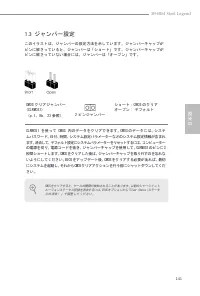
B560M Steel Legend 141 日本語 1.3 ジャンパー設定 このイラストは、ジャンパーの設定方法を示しています。ジャンパーキャップが ピンに被さっていると、ジャンパーは「ショート」です。ジャンパーキャップが ピンに被さっていない場合には、ジャンパーは「オープン」です。 CMOS クリアジャンパー (CLRMOS1) (p.1、No. 23 参照) ショート:CMOS のクリア オープン : デフォルト CLRMOS1 を使って CMOS 内のデータをクリアできます。CMOS のデータには、システ ムパスワード、日付、時間、システム設定パラメーターなどのシステム設定情報が含まれ...
Page 146 - オンボードのヘッダーとコネクタ
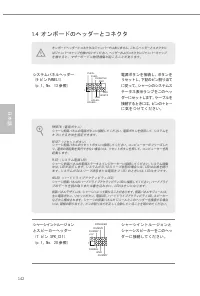
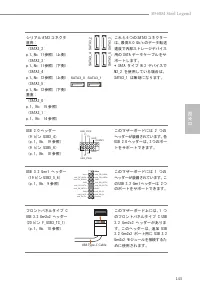
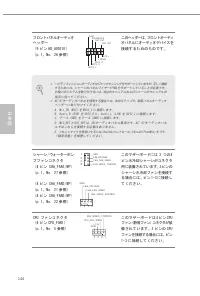
142 日本語 1.4 オンボードのヘッダーとコネクタ オンボードヘッダーとコネクタはジャンパーではありません。これらヘッダーとコネクタにはジャンパーキャップを被せないでください。ヘッダーおよびコネクタにジャンパーキャップを被せると、マザーボードに物理損傷が起こることがあります。 システムパネルヘッダー (9 ピン PANEL1) (p.1、No. 13 参照) G N D R E S E T # P W R B T N # P L E D - P L E D + G N D H D L E D - H D L E D + 1 G N D 電源ボタンを接続し、ボタンを リセットし、下記のピン割...
Page 149 - ケーブルが、グラフィックスカー
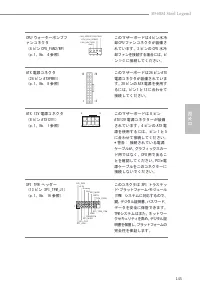
B560M Steel Legend 145 日本語 CPU/ ウォーターポンプフ ァンコネクタ (4 ピン CPU_FAN2/WP) (p.1、No. 4 参照) FAN_VOLTAGE GND CPU_FAN_SPEED FAN_SPEED_CONTROL 1 2 3 4 このマザーボードは 4 ピン水冷 却 CPU ファンコネクタが装備さ れています。3 ピンの CPU 水冷 却ファンを接続する場合には、ピ ン 1-3 に接続してください。 ATX 電源コネクタ (24 ピン ATXPWR1) (p.1、No. 8 参照) 12 1 24 13 このマザーボードは 24 ピン ATX 電...
Page 151 - 简介; 包装清单; Micro ATX
B560M Steel Legend 147 簡 体 中 文 1 简介 感谢您购买华擎 B560M Steel Legend 主板,这是按照华擎 一贯严格质量控制标准生产 的性能可靠的主板。它提供符合华擎质量和耐久性承诺的精良设计和卓越性能。 1.1 包装清单 • 华擎 B560M Steel Legend 主板( Micro ATX 规格尺寸) • 华擎 B560M Steel Legend 快速安装指南 • 华擎 B560M Steel Legend 支持光盘 • 2 x 串行 ATA (SATA) 数据线(选购) • 1 x I/O 面板 • 3 x 螺丝(供 M.2 插座使用)(选购)...
Page 152 - 规格; 平台
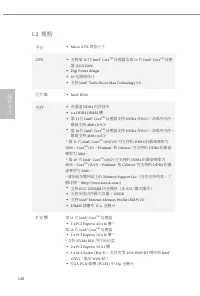
148 簡 体 中 文 1.2 规格 平台 • Micro ATX 规格尺寸 CPU • 支持第 10 代 Intel® Core TM 处理器及第 11 代 Intel® Core TM 处理 器 (LGA1200) • Digi Power design • 10 电源相设计 • 支持 Intel® Turbo Boost Max Technology 3.0 芯片集 • Intel® B560 内存 • 双通道 DDR4 内存技术 • 4 x DDR4 DIMM 槽 • 第 11 代 Intel® Core TM 处理器支持 DDR4 非 ECC 、非缓冲内存, 最高支持 4800+(O...
Page 153 - 图形; 音频
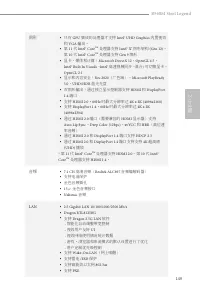
B560M Steel Legend 149 簡 体 中 文 图形 • 只有 GPU 集成的处理器才支持 Intel® UHD Graphics 内置视效 和 VGA 输出。 • 第 11 代 Intel® Core TM 处理器支持 Intel® X e 图形架构 (Gen 12) 。 第 10 代 Intel® Core TM 处理器支持 Gen 9 图形 • 显卡、媒体和计算: Microsoft DirectX 12 、 OpenGL 4.5 、 Intel® Built In Visuals 、 Intel® 高速视频同步、混合 / 可切换显卡、 OpenCL 2.1 • 显示和内容...
Page 154 - 接口
150 簡 体 中 文 后面板 I/O • 3 x 天线安装点 • 1 x PS/2 鼠标 / 键盘端口 • 1 x HDMI 端口 • 1 x DisplayPort 1.4 • 1 x 光学 SPDIF 输出端口 • 4 x USB 3.2 Gen1 端口( ASMedia ASM1074 集线器) (支持 ESD 保护) • 2 x USB 2.0 端口(支持 ESD 保护) • 1 x RJ-45 LAN 端口,带 LED ( ACT/LINK LED 和 SPEED LED ) • 高清音频插孔:后扬声器 / 中央 / 低音 / 线路输入 / 前扬声器 / 麦克风(金色音频插孔) 存...
Page 156 - 跳线设置; 针跳线
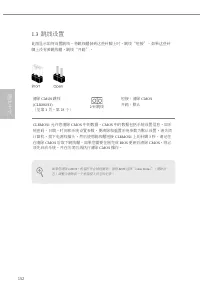
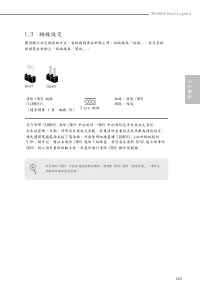
152 簡 体 中 文 1.3 跳线设置 此图显示如何设置跳线。将跳线帽装到这些针脚上时,跳线 “ 短接 ” 。如果这些针 脚上没有装跳线帽,跳线 “ 开路 ” 。 清除 CMOS 跳线 (CLRMOS1) (见第 1 页,第 23 个) 短接:清除 CMOS 开路:默认 CLRMOS1 允许您清除 CMOS 中的数据。 CMOS 中的数据包括系统设置信息,如系 统密码、日期、时间和系统设置参数。要清除和重置系统参数为默认设置,请关闭计算机,拔下电源线插头,然后使用跳线帽短接 CLRMOS1 上的针脚 3 秒。请记住 在清除 CMOS 后取下跳线帽。如果您需要在刚完成 BIOS 更新后清除 C...
Page 157 - 板载接脚和接口; (见第
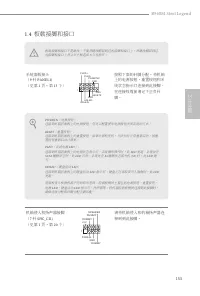
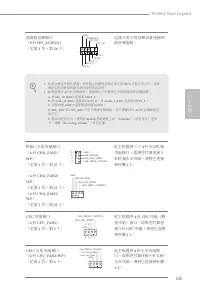
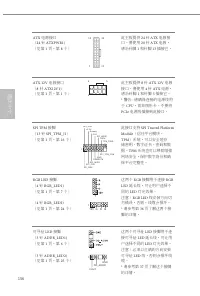
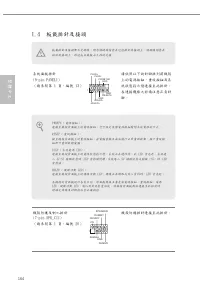
B560M Steel Legend 153 簡 体 中 文 1.4 板载接脚和接口 板载接脚和接口不是跳线。不要将跳线帽装到这些接脚和接口上。将跳线帽装到这些接脚和接口上将会对主板造成永久性损坏。 系统面板接头( 9 针 PANEL1) (见第 1 页,第 13 个) G N D R E S E T # P W R B T N # P L E D - P L E D + G N D H D L E D - H D L E D + 1 G N D 按照下面的针脚分配,将机箱上的电源按钮、重置按钮和系统状态指示灯连接到此接脚。在连接线缆前请记下正负针脚。 机箱侵入和扬声器接脚( 7 针 SPK_...
Page 158 - SATA3; USB
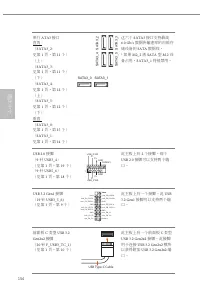
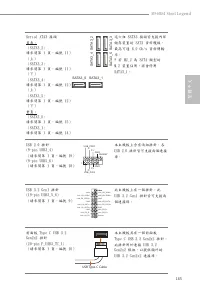
154 簡 体 中 文 串行 ATA3 接口 直角 : ( SATA3_2: 见第 1 页,第 11 个) (上)( SATA3_3: 见第 1 页,第 11 个) (下)( SATA3_4: 见第 1 页,第 12 个) (上)( SATA3_5: 见第 1 页,第 12 个) (下)垂直 : ( SATA3_0: 见第 1 页,第 15 个) ( SATA3_1: 见第 1 页,第 14 个) SA TA3_4 SA TA3_5 SATA3_1 SA TA3_2 SA TA3_3 SATA3_0 这六个 SATA3 接口支持最高 6.0 Gb/s 数据传输速率的内部存 储设备的 SATA ...
Page 161 - 电子信息产品污染控制标示; 依据中国发布的「电子信息产品污染控制管理办法」及; 有毒有害物质或元素的名称及含量说明; X O O O O O
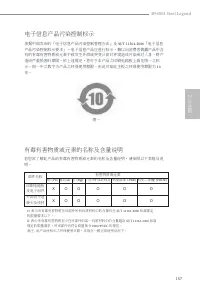
B560M Steel Legend 157 簡 体 中 文 有害物质或元素 铅 (Pb) 镉 (Cd) 汞 (Hg) 六价铬 (Cr(VI)) 多溴联苯 (PBB) 多溴二苯醚 (PBDE) 印刷电路板 及电子组件 外部信号连 接头及线材 电子信息产品污染控制标示 依据中国发布的「电子信息产品污染控制管理办法」及 SJ/T 11364-2006 「电子信息 产品污染控制标示要求」,电子信息产品应进行标示,藉以向消费者揭露产品中含有的有毒有害物质或元素不致发生外泄或突变从而对环境造成污染或对人身、财产造成严重损害的期限。依上述规定,您可于本产品之印刷电路板上看见图一之标示。图一中之数字为产品之...
Page 162 - 繁體中文
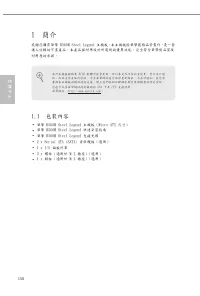
158 繁體中文 1 簡介 感謝您購買華擎 B560M Steel Legend 主機板,本主機板經華擎嚴格品管製作,是一套 讓人信賴的可靠產品。本產品採耐用設計所展現的優異效能,完全符合華擎對品質及 耐用度的承諾。 1.1 包裝內容 • 華擎 B560M Steel Legend 主機板(Micro ATX 尺寸) • 華擎 B560M Steel Legend 快速安裝指南 • 華擎 B560M Steel Legend 支援光碟 • 2 x Serial ATA (SATA) 資料纜線(選用) • 1 x I/O 面板外罩 • 3 x 螺絲(適用於 M.2 插座)(選用) • 1 x 銅...
Page 163 - 代 Intel® Core; 處理器
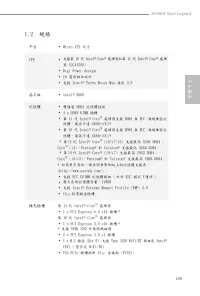
B560M Steel Legend 159 繁體中文 1.2 規格 平台 • Micro ATX 尺寸 CPU • 支援第 10 代 Intel® Core TM 處理器和第 11 代 Intel® Core TM 處理 器 (LGA1200) • Digi Power design • 10 電源相位設計 • 支援 Intel® Turbo Boost Max 技術 3.0 晶片組 • Intel® B560 記憶體 • 雙通道 DDR4 記憶體技術 • 4 x DDR4 DIMM 插槽 • 第 11 代 Intel® Core TM 處理器支援 DDR4 無 ECC、無緩衝區記 憶體,最...
Page 164 - 顯示卡; 音訊
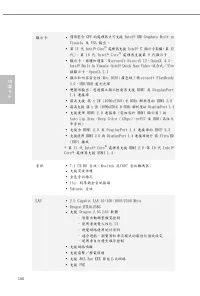
160 繁體中文 顯示卡 • 僅限整合 GPU 的處理器才可支援 Intel® UHD Graphics Built-in Visuals 及 VGA 輸出。 • 第 11 代 Intel® Core TM 處理器支援 Intel® X e 顯示卡架構(第 12 代)。第 10 代 Intel® Core TM 處理器支援第 9 代顯示卡 • 顯示卡、媒體和運算:Microsoft DirectX 12、OpenGL 4.5、Intel® Built In Visuals、Intel® Quick Sync Video、混合式/可切 換顯示卡、OpenCL 2.1 • 顯示和內容安全性:Rec...
Page 165 - 儲存裝置; 接頭
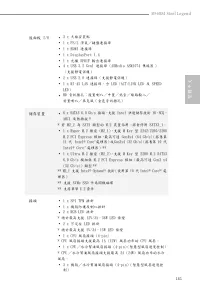
B560M Steel Legend 161 繁體中文 後面板 I/O • 3 x 天線安裝點 • 1 x PS/2 滑鼠/鍵盤連接埠 • 1 x HDMI 連接埠 • 1 x DisplayPort 1.4 • 1 x 光纖 SPDIF 輸出連接埠 • 4 x USB 3.2 Gen1 連接埠 (ASMedia ASM1074 集線器 ) (支援靜電保護) • 2 x USB 2.0 連接埠(支援靜電保護) • 1 x RJ-45 LAN 連接埠,含 LED(ACT/LINK LED 及 SPEED LED) • HD 音訊插孔:後置喇叭/中置/低音/線路輸入/ 前置喇叭/麥克風(金色音訊插...
Page 166 - BIOS 功能
162 繁體中文 * 機殼/水冷幫浦風扇接頭支援最高 2A (24W) 風扇功率的水冷 風扇。 * 如果 3-pin 或 4-pin 風扇使用中,可自動偵測 CPU_FAN2/ WP、CHA_FAN1/WP、CHA_FAN2/WP 和 CHA_FAN3/WP。 • 1 x 24 pin ATX 電源接頭(高密度電源連接埠) • 1 x 8 pin 12V 電源接頭(高密度電源接頭) • 1 x 前面板音訊接頭(15μ 金色音訊接頭) • 2 x USB 2.0 排針(支援 4 個 USB 2.0 連接埠)(支援靜電 保護) • 1 x USB 3.2 Gen1 排針(支援 2 個 USB 3....
Page 172 - Spesifikasi; Prosesor Intel® Core
168 Bahasa I ndonesia Spesifikasi Platform • Bentuk dan Ukuran Micro ATX CPU • Mendukung Prosesor Intel® Core TM Gen 10 dan Prosesor Intel® Core TM Gen 11 (LGA1200) • Desain Digi Power • Desain 10 Fase Daya • Mendukung Teknologi Intel® Turbo Boost Max 3.0 Chipset • Intel® B560 Memori • Teknologi Mem...
Page 173 - Grafis
B560M Steel Legend 169 Bahasa I ndonesia Grafis • Intel® UHD Graphics Built-in Visuals dan output VGA hanya didukung dengan prosesor yang terintegrasi GPU. • Prosesor Intel® Core TM Gen 11 mendukung Arsitektur Grafis Intel® X e (Gen 12). Prosesor Intel® Core TM Gen 10 mendukung Grafis Gen 9 • Grafik...
Page 174 - Penyimpanan
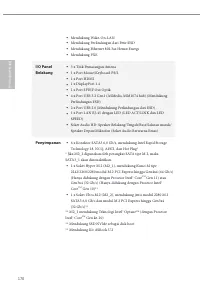
170 Bahasa I ndonesia • Mendukung Wake-On-LAN • Mendukung Perlindungan dari Petir/ESD • Mendukung Ethernet 802.3az Hemat Energi • Mendukung PXE I/O Panel Belakang • 3 x Titik Pemasangan Antena • 1 x Port Mouse/Keyboard PS/2 • 1 x Port HDMI • 1 x DisplayPort 1.4 • 1 x Port SPDIF Out Optik • 4 x Port ...
Page 175 - Konektor
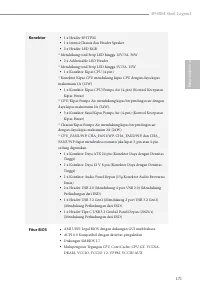
B560M Steel Legend 171 Bahasa I ndonesia Konektor • 1 x Header SPI TPM • 1 x Intrusi Chassis dan Header Speaker • 2 x Header LED RGB * Mendukung total Strip LED hingga 12V/3A, 36W • 2 x Addressable LED Header * Mendukung total Strip LED hingga 5V/3A, 15W • 1 x Konektor Kipas CPU (4-pin) * Konektor K...
Page 176 - Sertifikasi
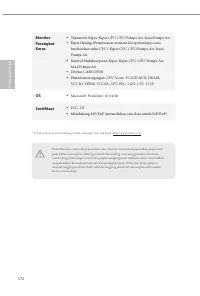
172 Bahasa I ndonesia Monitor Perangkat Keras • Takometer Kipas: Kipas CPU, CPU/Pompa Air, Sasis/Pompa Air • Kipas Hening (Penyesuaian otomatis kecepatan kipas sasis berdasarkan suhu CPU): Kipas CPU, CPU/Pompa Air, Sasis/Pompa Air • Kontrol Multikecepatan Kipas: Kipas CPU, CPU/Pompa Air, Sasis/Pompa...
Page 177 - Contact Information; ASRock Incorporation; The Netherlands
Contact Information If you need to contact ASRock or want to know more about ASRock, you’re welcome to visit ASRock’s website at http://www.asrock.com; or you may contact your dealer for further information. For technical questions, please submit a support request form at http://www.asrock.com/suppo...
Page 178 - DECLARATION OF CONFORMITY; Responsible Party Name:; Product Name : Motherboard; Supplementary Information:
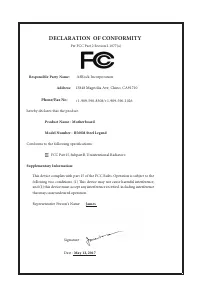
DECLARATION OF CONFORMITY Per FCC Part 2 Section 2.1077(a) Responsible Party Name: ASRock Incorporation Address: 13848 Magnolia Ave, Chino, CA91710 +1-909-590-8308/+1-909-590-1026 Phone/Fax No: hereby declares that the product Product Name : Motherboard Model Number : Conforms to the following speci...
Page 179 - EU Declaration of Conformity; For the following equipment:; Motherboard
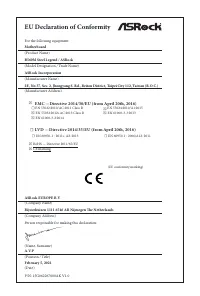
EU Declaration of Conformity For the following equipment: Motherboard (Product Name) B560M Steel Legend / ASRock (Model Designation / Trade Name) ASRock Incorporation (Manufacturer Name) 2F., No.37, Sec. 2, Jhongyang S. Rd., Beitou District, Taipei City 112, Taiwan (R.O.C.) (Manufacturer Address) AS...




 Asrock B550 PG User Manual
 Asrock B550 Pro4 User Manual
 Asrock B550M User Manual
 Asrock B550M PG User Manual
 Asrock B550M Pro4 User Manual
 Asrock B560 User Manual
 Asrock B650 User Manual
 Asrock B660 User Manual
 Asrock B660 Pro RS User Manual
 Asrock B660M User Manual
 Asrock B660M-HDV User Manual
 Asrock B660M Pro RS User Manual
 Asrock B760 User Manual
 Asrock H310 User Manual
 Asrock H310CM-DVS User Manual