Page 2 - AUSTRALIA ONLY; International call charges apply)
AUSTRALIA ONLY Our goods come with guarantees that cannot be excluded under the Australian Consumer Law. You are entitled to a replacement or refund for a major failure and compensation for any other reasonably foreseeable loss or damage caused by our goods. You are also entitled to have the goods r...
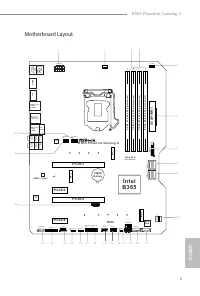
Page 3 - English; I n t e l; Motherboard Layout
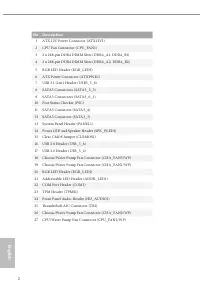
English 1 B365 Phantom Gaming 4 I n t e l B 3 6 5 D D R 4 _ A 2 ( 6 4 b it , 2 8 8 -p in m o d u le ) D D R 4 _ A 1 ( 6 4 b it , 2 8 8 -p in m o d u le ) D D R 4 _ B 2 ( 6 4 b it , 2 8 8 -p in m o d u le ) D D R 4 _ B 1 ( 6 4 b it , 2 8 8 -p in m o d u le ) AT X 1 2 V 1 P C I E 1 To p :R J - 4 5 T o...
Page 5 - HDMI Port
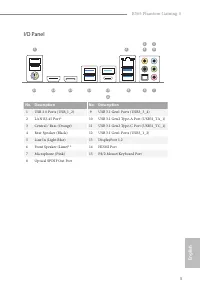
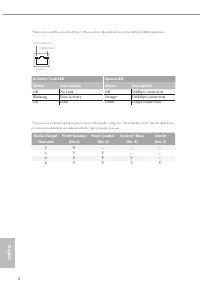
English 3 B365 Phantom Gaming 4 I/O Panel No. Description No. Description 1 USB 2.0 Ports (USB _ 1_2) 9 USB 3.1 Gen1 Ports (USB3_3_4) 2 LAN RJ-45 Port* 10 USB 3.1 Gen2 Type-A Port (USB31_TA_1) 3 Central / Bass (Orange) 11 USB 3.1 Gen2 Type-C Port (USB31_TC_1) 4 Rear Speaker (Black) 12 USB 3.1 Gen1 P...
Page 6 - Chapter 1 Introduction; Package Contents
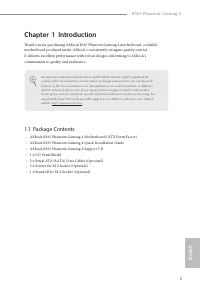
English 4 Chapter 1 Introduction Thank you for purchasing ASRock B365 Phantom Gaming 4 motherboard, a reliable motherboard produced under ASRock’s consistently stringent quality control. It delivers excellent performance with robust design conforming to ASRock’s commitment to quality and endurance. ...
Page 7 - ASRock B365 Phantom Gaming 4 Motherboard (ATX Form Factor)
English 5 B365 Phantom Gaming 4 Chapter 1 Introduction Thank you for purchasing ASRock B365 Phantom Gaming 4 motherboard, a reliable motherboard produced under ASRock’s consistently stringent quality control. It delivers excellent performance with robust design conforming to ASRock’s commitment to q...
Page 8 - Platform; Chipset; Graphics
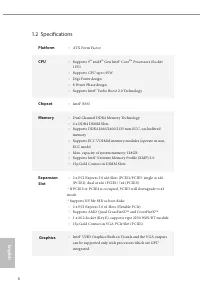
English 6 1.2 Specifications Platform • ATX Form Factor CPU • Supports 9 th and 8 th Gen Intel® Core TM Processors (Socket 1151) • Supports CPU up to 95W • Digi Power design • 8 Power Phase design • Supports Intel® Turbo Boost 2.0 Technology Chipset • Intel® B365 Memory • Dual Channel DDR4 Memory Te...
Page 9 - Audio
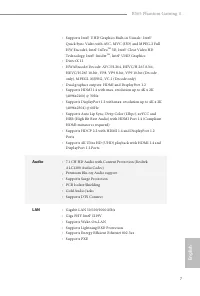
English 7 B365 Phantom Gaming 4 • Supports Intel® UHD Graphics Built-in Visuals : Intel® Quick Sync Video with AVC, MVC (S3D) and MPEG-2 Full HW Encode1, Intel® InTru TM 3D, Intel® Clear Video HD Technology, Intel® Insider TM , Intel® UHD Graphics • DirectX 12 • HWAEncode/Decode: AVC/H.264, HEVC/H.2...
Page 10 - Storage; Connector
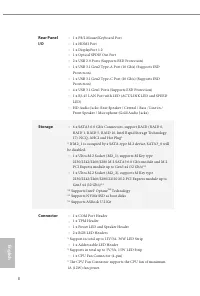
English 8 Rear Panel I/O • 1 x PS/2 Mouse/Keyboard Port • 1 x HDMI Port • 1 x DisplayPort 1.2 • 1 x Optical SPDIF Out Port • 2 x USB 2.0 Ports (Supports ESD Protection) • 1 x USB 3.1 Gen2 Type-A Port (10 Gb/s) (Supports ESD Protection) • 1 x USB 3.1 Gen2 Type-C Port (10 Gb/s) (Supports ESD Protectio...
Page 11 - OS
English 9 B365 Phantom Gaming 4 • 1 x CPU/Water Pump Fan Connector (4-pin) (Smart Fan Speed Control) * The CPU/Water Pump Fan supports the water cooler fan of maximum 2A (24W) fan power. • 3 x Chassis/Water Pump Fan Connectors (4-pin) (Smart Fan Speed Control) * The Chassis/Water Pump Fan supports t...
Page 12 - Pre-installation Precautions; Hold components by the edges and do not touch the ICs.; Chapter 2 Installation
English 10 This is a ATX form factor motherboard. Before you install the motherboard, study the configuration of your chassis to ensure that the motherboard fits into it. Pre-installation Precautions Take note of the following precautions before you install motherboard components or change any mothe...
Page 13 - Installing the CPU
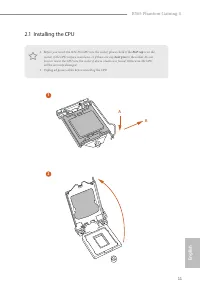
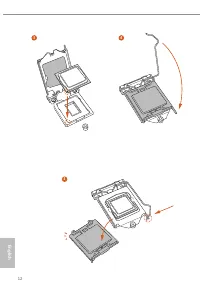
English 11 B365 Phantom Gaming 4 2.1 Installing the CPU 1. Before you insert the 1151-Pin CPU into the socket, please check if the PnP cap is on the socket, if the CPU surface is unclean, or if there are any bent pins in the socket. Do not force to insert the CPU into the socket if above situation i...
Page 16 - Installing the CPU Fan and Heatsink
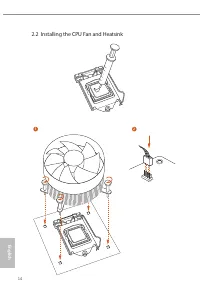
English 14 2.2 Installing the CPU Fan and Heatsink 1 2 CPU _FA N
Page 17 - Dual Channel Memory Configuration; Priority
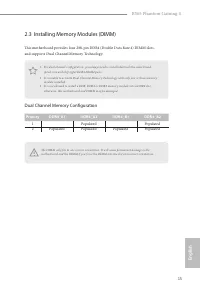
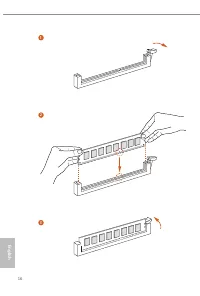
English 15 B365 Phantom Gaming 4 2.3 Installing Memory Modules (DIMM) This motherboard provides four 288-pin DDR4 (Double Data Rate 4) DIMM slots, and supports Dual Channel Memory Technology. Dual Channel Memory Configuration The DIMM only fits in one correct orientation. It will cause permanent dam...
Page 19 - There are 4 PCI Express slots on the motherboard.; PCIe Slot Configurations; Single Graphics Card; Mode
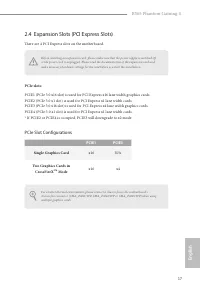
English 17 B365 Phantom Gaming 4 2.4 Expansion Slots (PCI Express Slots) There are 4 PCI Express slots on the motherboard. PCIe slots: PCIE1 (PCIe 3.0 x16 slot) is used for PCI Express x16 lane width graphics cards. PCIE2 (PCIe 3.0 x1 slot) is used for PCI Express x1 lane width cards. PCIE3 (PCIe 3....
Page 21 - Onboard Headers and Connectors
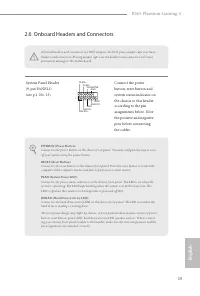
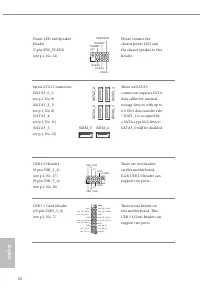
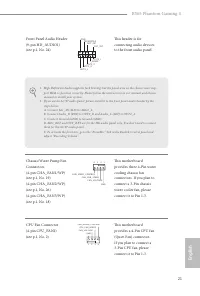
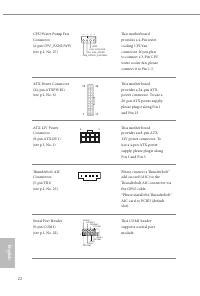
English 19 B365 Phantom Gaming 4 2.6 Onboard Headers and Connectors System Panel Header(9-pin PANEL1)(see p.1, No. 13) Connect the power button, reset button and system status indicator on the chassis to this header according to the pin assignments below. Note the positive and negative pins before c...
Page 25 - Never install the RGB
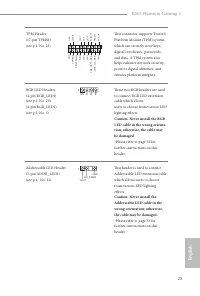
English 23 B365 Phantom Gaming 4 TPM Header(17-pin TPMS1)(see p.1, No. 23) This connector supports Trusted Platform Module (TPM) system, which can securely store keys, digital certificates, passwords, and data. A TPM system also helps enhance network security, protects digital identities, and ensure...
Page 26 - Post Status Checker
English 24 2.7 Post Status Checker Post Status Checker (PSC) diagnoses the computer when users power on the machine. It emits a red light to indicate whether the CPU, memory, VGA or stor-age is dysfunctional. The lights go off if the four mentioned above are functioning normally.
Page 27 - Installing the WiFi/BT module; Find the nut location to be used.
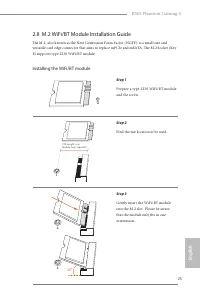
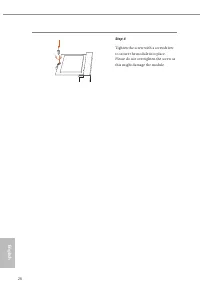
English 25 B365 Phantom Gaming 4 2.8 M.2 WiFi/BT Module Installation Guide The M.2, also known as the Next Generation Form Factor (NGFF), is a small size and versatile card edge connector that aims to replace mPCIe and mSATA. The M.2 Socket (Key E) supports type 2230 WiFi/BT module. Installing the W...
Page 29 - Nut Location
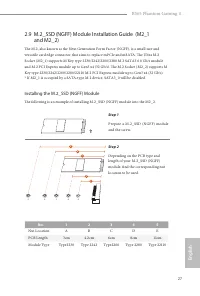
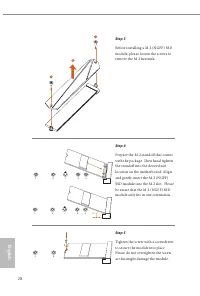
English 27 B365 Phantom Gaming 4 2.9 M.2_SSD (NGFF) Module Installation Guide (M2_1 and M2_2) The M.2, also known as the Next Generation Form Factor (NGFF), is a small size and versatile card edge connector that aims to replace mPCIe and mSATA. The Ultra M.2 Socket (M2_1) supports M Key type 2230/22...
Page 31 - Vendor
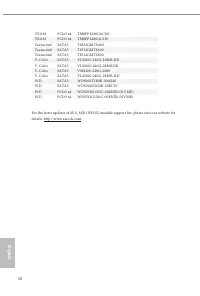
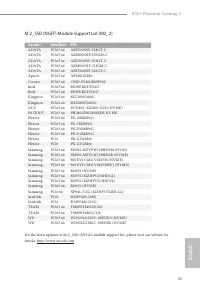
English 29 B365 Phantom Gaming 4 M.2_SSD (NGFF) Module Support List (M2_1) Vendor Interface P/N ADATA SATA3 AXNS330E-32GM-B ADATA SATA3 AXNS381E-128GM-B ADATA SATA3 AXNS381E-256GM-B ADATA SATA3 ASU800NS38-256GT-C ADATA SATA3 ASU800NS38-512GT-C ADATA PCIe3 x4 ASX7000NP-128GT-C ADATA PCIe3 x4 ASX8000N...
Page 34 - ASRock RGB LED; Connecting the LED Strip
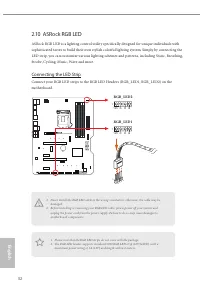
English 32 2.10 ASRock RGB LED ASRock RGB LED is a lighting control utility specifically designed for unique individuals with sophisticated tastes to build their own stylish colorful lighting system. Simply by connecting the LED strip, you can customize various lighting schemes and patterns, includi...
Page 35 - Connecting the Addressable RGB LED Strip; Connect your Addressable RGB LED strip to the
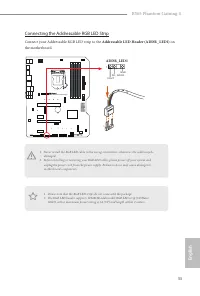
English 33 B365 Phantom Gaming 4 Connecting the Addressable RGB LED Strip Connect your Addressable RGB LED strip to the Addressable LED Header (ADDR_LED1) on the motherboard. B 3 6 5 P h a n t o m G a m i n g 4 1. Never install the RGB LED cable in the wrong orientation; otherwise, the cable may be ...
Page 36 - ASRock RGB LED Utility
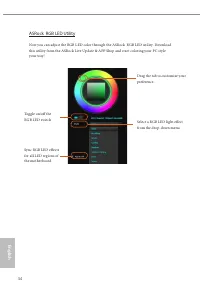
English 34 ASRock RGB LED Utility Now you can adjust the RGB LED color through the ASRock RGB LED utility. Download this utility from the ASRock Live Update & APP Shop and start coloring your PC style your way! Toggle on/off the RGB LED switch Sync RGB LED effects for all LED regions of the moth...
Page 37 - Deutsch; Einleitung; ASRock B365 Phantom Gaming 4-Schnellinstallationsanleitung
35 B365 Phantom Gaming 4 Deutsch 1 Einleitung Vielen Dank, dass Sie sich für das ASRock B365 Phantom Gaming 4 entschieden haben – ein zuverlässiges Motherboard, das konsequent unter der strengen Qualitätskontrolle von ASRock hergestellt wurde. Es liefert ausgezeichnete Leistung mit robustem Design, ...
Page 38 - Technische Daten; Plattform; Chipsatz; Grafikkarte
36 Deutsch 1.2 Technische Daten Plattform • ATX-Formfaktor Prozessor • Unterstützt Intel® Core TM -Prozessoren (Sockel 1151) der 8 ten & 9 ten Generation • Unterstützt CPU bis 95 W • Digi Power design • 8-Leistungsphasendesign • Unterstützt Intel® Turbo Boost 2.0-Technologie Chipsatz • Intel® B3...
Page 40 - x Optischer SPDIF-Ausgang; Speicher; Anschluss
38 Deutsch Rückblende, E/A • 1 x PS/2-Maus-/Tastaturanschluss • 1 x HDMI-Port • 1 x DisplayPort 1.2 • 1 x Optischer SPDIF-Ausgang • 2 x USB-2.0-Ports (unterstützt Schutz gegen elektrostatische Entladung) • 1 x USB 3.1-Gen2-Typ-A-Port (10 Gb/s) (unterstützt Schutz gegen elektrostatische Entladung) • ...
Page 41 - x Audioanschluss an Frontblende
39 B365 Phantom Gaming 4 Deutsch • 1 x Anschluss für CPU-/Wasserpumpenlüfter (4-polig) (intelli-gente Lüftergeschwindigkeitssteuerung) * Der CPU-/Wasserpumpenlüfter unterstützt einen Wasserkühler-lüfter mit einer maximalen Lüfterleistung von 2A (24 W). • 3 x Anschlusse für Gehäuse-/Wasserpumpenlüfte...
Page 43 - Jumpereinstellung
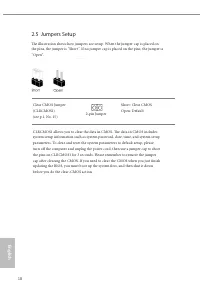
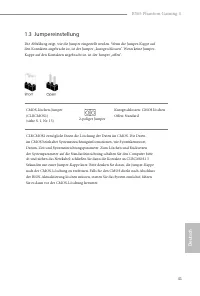
41 B365 Phantom Gaming 4 Deutsch 1.3 Jumpereinstellung Die Abbildung zeigt, wie die Jumper eingestellt werden. Wenn die Jumper-Kappe auf den Kontakten angebracht ist, ist der Jumper „kurzgeschlossen“. Wenn keine Jumper-Kappe auf den Kontakten angebracht ist, ist der Jumper „offen“. CMOS-löschen-Jump...
Page 44 - Integrierte Stiftleisten und Anschlüsse
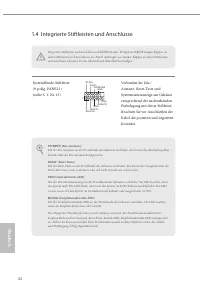
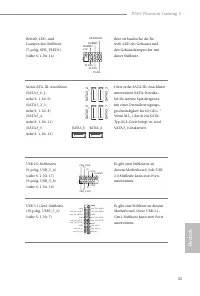
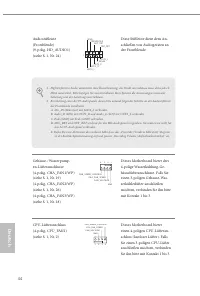
42 Deutsch 1.4 Integrierte Stiftleisten und Anschlüsse Systemblende-Stiftleiste(9-polig, PANEL1)(siehe S. 1, Nr. 13) Verbinden Sie Ein-/Austaste, Reset-Taste und Systemstatusanzeige am Gehäuse entsprechend der nachstehenden Pinbelegung mit dieser Stiftleiste. Beachten Sie vor Anschließen der Kabel d...
Page 48 - Installieren Sie das
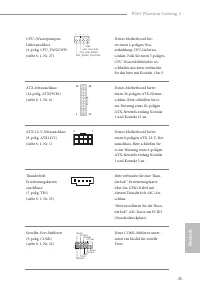
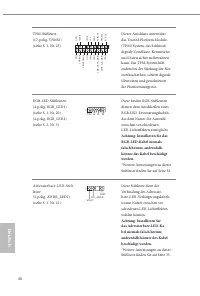
46 Deutsch TPM-Stiftleiste(17-polig, TPMS1)(siehe S. 1, Nr. 23) Dieser Anschluss unterstützt das Trusted Platform Module- (TPM) System, das Schlüssel, digitale Zertifikate, Kennwörter und Daten sicher aufbewahren kann. Ein TPM-System hilft zudem bei der Stärkung der Net-zwerksicherheit, schützt digi...
Page 49 - Introduction; Contenu de l’emballage; Carte mère ASRock B365 Phantom Gaming 4 (facteur de forme ATX)
47 B365 Phantom Gaming 4 Fr ançais Français 1 Introduction Nous vous remercions d’avoir acheté cette carte mère ASRock B365 Phantom Gaming 4, une carte mère fiable fabriquée conformément au contrôle de qualité rigoureux et constant appliqué par ASRock. Fidèle à son engagement de qualité et de durabi...
Page 50 - Plateforme; Graphiques
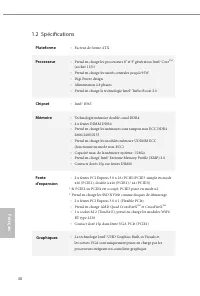
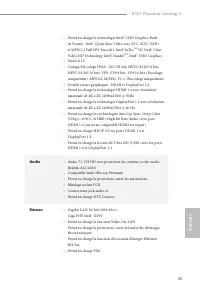
48 Fr ançais Français 1.2 Spécifications Plateforme • Facteur de forme ATX Processeur • Prend en charge les processeurs 8 e et 9 e génération Intel® Core TM (socket 1151) • Prend en charge les unités centrales jusqu’à 95W • Digi Power design • Alimentation à 8 phases • Prend en charge la technologie...
Page 52 - Stockage; Connecteur
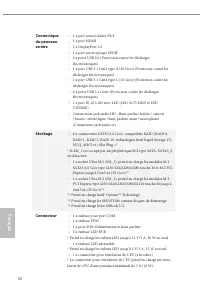
50 Fr ançais Français Connectique du panneau arrière • 1 x port souris/clavier PS/2 • 1 x port HDMI • 1 x DisplayPort 1.2 • 1 x port sortie optique SPDIF • 2 x ports USB 2.0 (Protection contre les décharges électrostatiques) • 1 x port USB 3.1 Gen2 type A (10 Go/s) (Protection contre les décharges é...
Page 56 - Embases et connecteurs de la carte mère
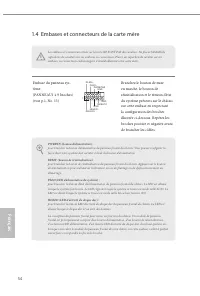
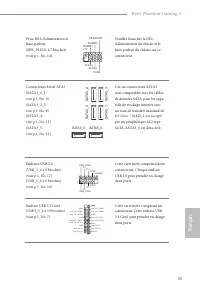
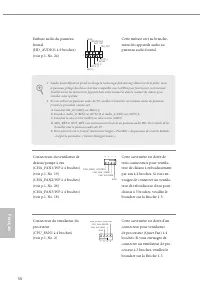
54 Fr ançais Français 1.4 Embases et connecteurs de la carte mère Embase du panneau sys-tème(PANNEAU1 à 9 broches)(voir p.1, No. 13) Branchez le bouton de mise en marche, le bouton de réinitialisation et le témoin d’état du système présents sur le châssis sur cette embase en respectant la configurat...
Page 60 - N’installez jamais
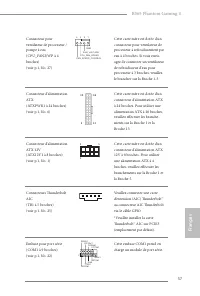
58 Fr ançais Français Embase TPM(TPMS1 à 17 broches)(voir p.1, No. 23) Ce connecteur prend en charge un module TPM (Trusted Platform Module – Module de plateforme sécurisée), qui per-met de sauvegarder clés, certifi-cats numériques, mots de passe et données en toute sécurité. Le système TPM permet é...
Page 61 - Introduzione; Contenuto della confezione; Scheda madre ASRock B365 Phantom Gaming 4 (Form Factor ATX)
59 B365 Phantom Gaming 4 Italiano Italiano 1 Introduzione Congratulazioni per l’acquisto della scheda madre ASRock B365 Phantom Gaming 4, una scheda madre affidabile prodotta secondo i severissimi controlli di qualità ASRock. La scheda madre offre eccellenti prestazioni con un design robusto che si ...
Page 62 - Piattaforma; Grafica
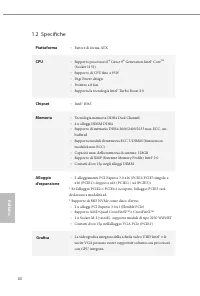
60 Italiano Italiano 1.2 Specifiche Piattaforma • Fattore di forma ATX CPU • Supporta processori 8 th Gen e 9 th Generation Intel® Core TM (Socket 1151) • Supporto di CPU fino a 95W • Digi Power design • Potenza a 8 fasi • Supporta la tecnologia Intel® Turbo Boost 2.0 Chipset • Intel® B365 Memoria •...
Page 64 - Archiviazione; Connettore
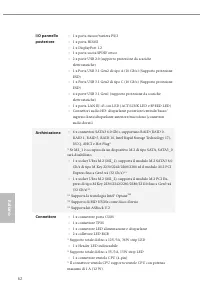
62 Italiano Italiano I/O pannello posteriore • 1 x porta mouse/tastiera PS/2 • 1 x porta HDMI • 1 x DisplayPort 1.2 • 1 x porta uscita SPDIF ottico • 2 x porte USB 2.0 (supporto protezione da scariche elettrostatiche) • 1 x Porta USB 3.1 Gen2 di tipo A (10 Gb/s) (Supporto protezione ESD) • 1 x Porta...
Page 65 - SO
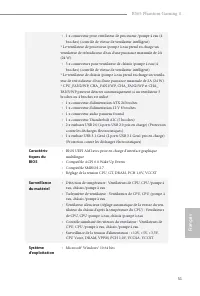
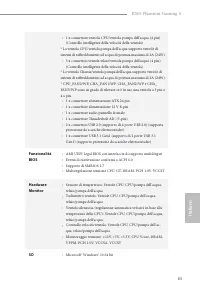
63 B365 Phantom Gaming 4 Italiano Italiano • 1 x connettore ventola CPU/ventola pompa dell’acqua (4 pin) (Controllo intelligente della velocità della ventola) * La ventola CPU/ventola pompa dell’acqua supporta ventole di sistemi di raffreddamento ad acqua di potenza massima di 2A (24W). • 3 x connet...
Page 66 - Certificazioni
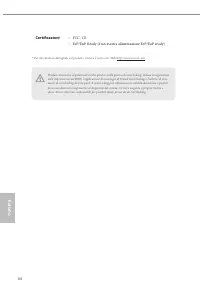
64 Italiano Italiano Certificazioni • FCC, CE • ErP/EuP Ready (è necessaria alimentazione ErP/EuP ready) Prestare attenzione al potenziale rischio previsto nella pratica di overclocking, inclusa la regolazione delle impostazioni nel BIOS, l'applicazione di tecnologia di Untied Overclocking o l'utili...
Page 67 - Impostazione jumper; Jumper a 2 pin
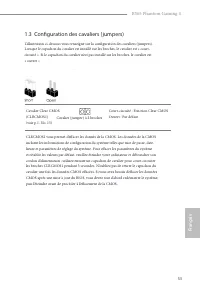
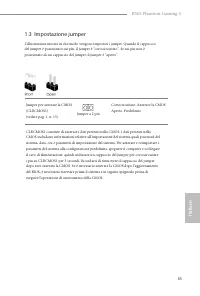
65 B365 Phantom Gaming 4 Italiano Italiano 1.3 Impostazione jumper L'illustrazione mostra in che modo vengono impostati i jumper. Quando il cappuccio del jumper è posizionato sui pin, il jumper è "cortocircuitato". Se sui pin non è posizionato alcun cappuccio del jumper, il jumper è "ape...
Page 68 - Header e connettori su scheda
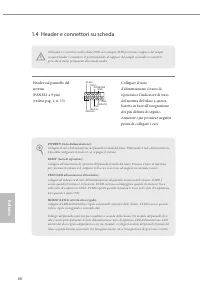
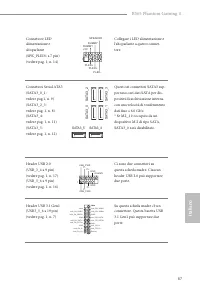
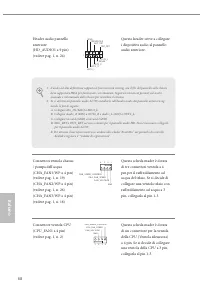
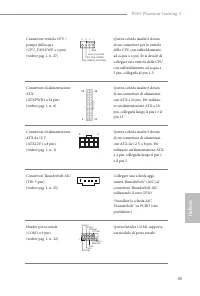
66 Italiano Italiano 1.4 Header e connettori su scheda Header sul pannello del sistema(PANEL1 a 9 pin)(vedere pag. 1, n. 13) Collegare il tasto d'alimentazione, il tasto di ripristino e l'indicatore di stato del sistema del telaio a questa basetta in base all'assegnazione dei pin definita di seguito...
Page 72 - Non installare il
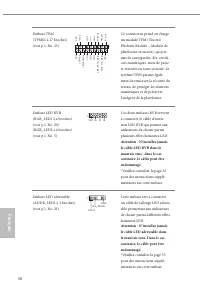
70 Italiano Italiano Header TPM(TPMS1 a 17 pin)(vedere pag. 1, n. 23) Questo connettore supporta il sistema Trusted Platform Mod-ule (TPM), che può archiviare in modo sicuro chiavi, certificati digitali, password e dati. Un sistema TPM permette anche di potenziare la sicurezza della rete, di protegg...
Page 73 - Español; Introducción; Contenido del paquete; Placa base ASRock B365 Phantom Gaming 4 (Factor de forma ATX)
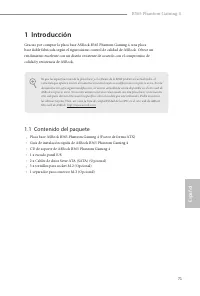
71 B365 Phantom Gaming 4 Español 1 Introducción Gracias por comprar la placa base ASRock B365 Phantom Gaming 4, una placa base fiable fabricada según el rigurosísimo control de calidad de ASRock. Ofrece un rendimiento excelente con un diseño resistente de acuerdo con el compromiso de calidad y resis...
Page 74 - Especificaciones; Plataforma; Memoria; Gráficos
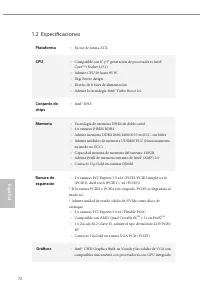
72 Español 1.2 Especificaciones Plataforma • Factor de forma ATX CPU • Compatible con 8 a y 9 a generación de procesadores Intel® Core TM (Socket 1151) • Admite CPU de hasta 95 W. • Digi Power design • Diseño de 8 fases de alimentación • Admite la tecnología Intel® Turbo Boost 2.0 Conjunto de chips ...
Page 76 - Conector
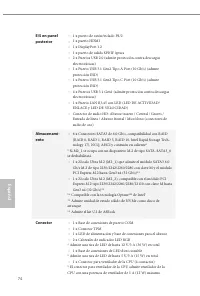
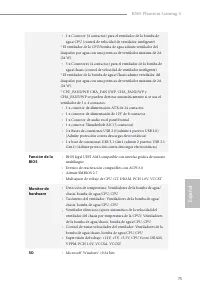
74 Español E/S en panel posterior • 1 x puerto de ratón/teclado PS/2 • 1 x puerto HDMI • 1 x DisplayPort 1.2 • 1 x puerto de salida SPDIF óptica • 2 x Puertos USB 2.0 (admite protección contra descargas electrostáticas) • 1 x Puerto USB 3.1 Gen2 Tipo A Port (10 Gb/s) (admite protección ESD) • 1 x Pu...
Page 78 - FCC y CE
76 Español Certifica-ciones • FCC y CE • Preparado para ErP/EuP (se necesita una fuente de alimentac-ión preparada para ErP/EuP) Tenga en cuenta que hay un cierto riesgo implícito en las operaciones de overclocking, incluido el ajuste de la BIOS, aplicando la tecnología de overclocking liberada o ut...
Page 79 - Instalación de los puentes; Puente de 2 contactos
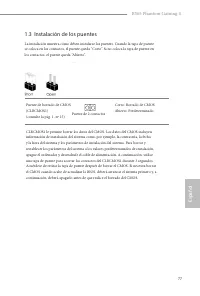
77 B365 Phantom Gaming 4 Español 1.3 Instalación de los puentes La instalación muestra cómo deben instalarse los puentes. Cuando la tapa de puente se coloca en los contactos, el puente queda “Corto”. Si no coloca la tapa de puente en los contactos, el puente queda “Abierto”. Puente de borrado de CMO...
Page 80 - Conectores y cabezales incorporados
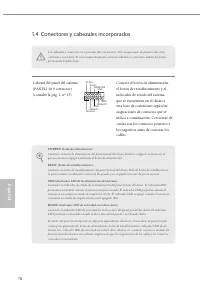
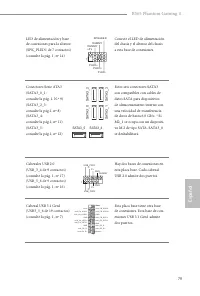
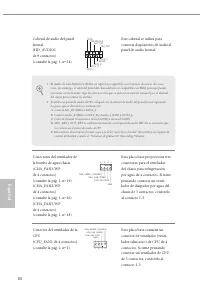
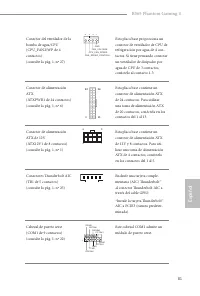
78 Español 1.4 Conectores y cabezales incorporados Cabezal del panel del sistema(PANEL1 de 9 contactos)(consulte la pág. 1, nº 13) Conecte el botón de alimentación, el botón de restablecimiento y el indicador de estado del sistema que se encuentran en el chasis a esta base de conexiones según las as...
Page 84 - Nunca instale
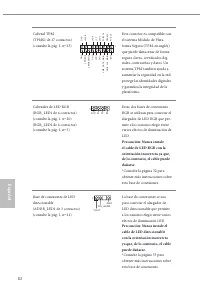
82 Español Cabezal TPM(TPMS1 de 17 contactos)(consulte la pág. 1, nº 23) Este conector es compatible con el sistema Módulo de Plata-forma Segura (TPM, en inglés), que puede almacenar de forma segura claves, certificados dig-itales, contraseñas y datos. Un sistema TPM también ayuda a aumentar la segu...
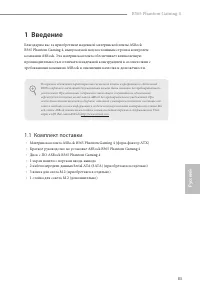
Page 85 - Введение; Комплект поставки; Материнская плата ASRock B365 Phantom Gaming 4 (форм-фактор ATX)
83 B365 Phantom Gaming 4 Ру сский 1 Введение Благодарим вас за приобретение надежной материнской платы ASRock B365 Phantom Gaming 4, выпускаемой под постоянным строгим контролем компании ASRock. Эта материнская плата обеспечивает великолепную производительность и отличается надежной конструкцией в с...
Page 86 - Технические характеристики; Платформа; Чипсет
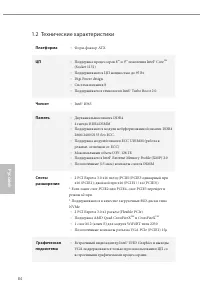
84 Ру сский 1.2 Технические характеристики Платформа • Форм-фактор ATX ЦП • Поддержка процессоров 8 го и 9 го поколения Intel® Core TM (Socket 1151) • Поддерживаются ЦП мощностью до 95 Вт. • Digi Power design • Система питания 8 • Поддерживается технология Intel® Turbo Boost 2.0 Чипсет • Intel® B365...
Page 87 - Звук
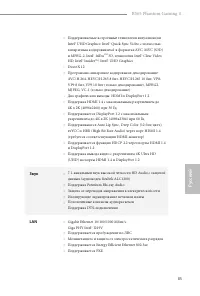
85 B365 Phantom Gaming 4 Ру сский • Поддерживаемые встроенные технологии визуализации Intel® UHD Graphics: Intel® Quick Sync Video с полностью аппаратным кодированием1 в форматах AVC, MVC (S3D) и MPEG-2, Intel® InTru TM 3D, технология Intel® Clear Video HD, Intel® Insider TM , Intel® UHD Graphics • ...
Page 88 - вывода на; Разъемы
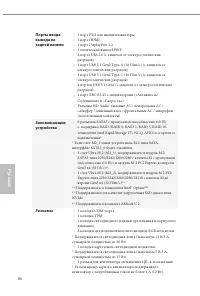
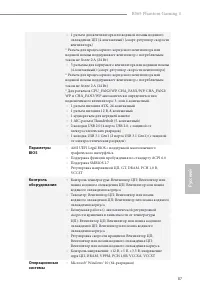
86 Ру сский Порты ввода- вывода на задней панели • 1 порт PS/2 для мыши/клавиатуры • 1 порт HDMI • 1 порт DisplayPort 1.2 • 1 оптический выход SPDIF • 2 порта USB 2.0 (с защитой от электростатических разрядов) • 1 порт USB 3.1 Gen2 Type-A (10 Гбит/с) (с защитой от электростатических разрядов) • 1 по...
Page 90 - Сертификация
88 Ру сский Сертификация • FCC, CE • Совместимость с ErP/EuP (необходим блок питания, соответствующий стандарту ErP/EuP) Следует учитывать, что разгон процессора, включая изменение настроек BIOS, применение технологии Untied Overclocking и использование инструментов разгона независимых производителе...
Page 91 - Установка перемычек; -контактная перемычка
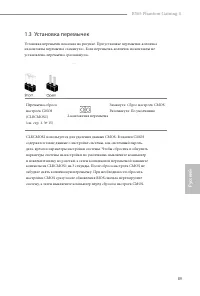
89 B365 Phantom Gaming 4 Ру сский * С дополнительной информацией об изделии можно ознакомиться на веб-сайте:http://www.asrock.com 1.3 Установка перемычек Установка перемычек показана на рисунке. При установке перемычки-колпачка на контакты перемычка «замкнута». Если перемычка-колпачок на контакты не...
Page 92 - Колодки и разъемы, расположенные на системной
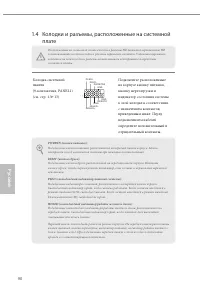
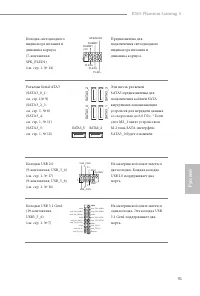
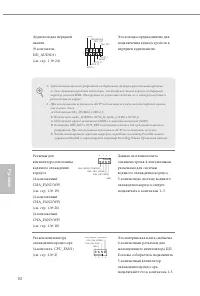
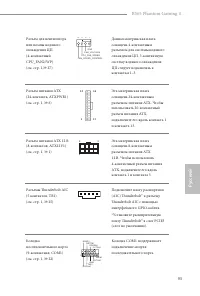
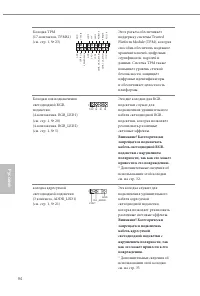
90 Ру сский 1.4 Колодки и разъемы, расположенные на системной плате Колодка системной панели(9-контактная, PANEL1)(см. стр. 1,№ 13) Подключите расположенные на корпусе кнопку питания, кнопку перезагрузки и индикатор состояния системы к этой колодке в соответствии с назначением контактов, приведенным...
Page 97 - Introdução; Conteúdo da embalagem; Placa Mãe ASRock B365 Phantom Gaming 4 (Fator de Forma ATX)
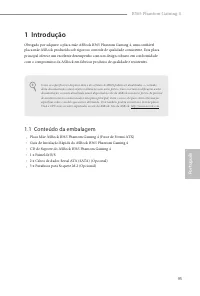
95 B365 Phantom Gaming 4 Por tuguês 1 Introdução Obrigado por adquirir a placa mãe ASRock B365 Phantom Gaming 4, uma confiável placa mãe ASRock produzida sob rigoroso controle de qualidade consistente. Esta placa principal oferece um excelente desempenho com um design robusto em conformidade com o c...
Page 99 - Áudio
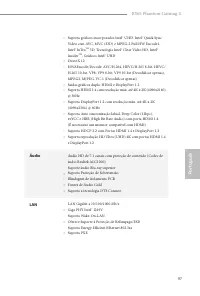
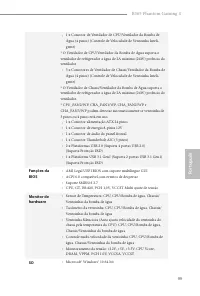
97 B365 Phantom Gaming 4 Por tuguês • Suporta gráficos incorporados Intel® UHD: Intel® Quick Sync Video com AVC, MVC (S3D) e MPEG-2 Full HW Encode1, Intel® InTru TM 3D, Tecnologia Intel® Clear Video HD, Intel® Insider TM , Gráficos Intel® UHD • DirectX 12 • HWAEncode/Decode: AVC/H.264, HEVC/H.265 8-...
Page 103 - Configuração dos jumpers; Jumper de 2 pinos
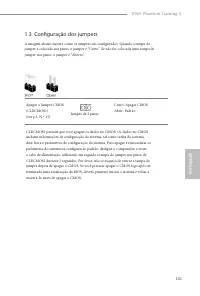
101 B365 Phantom Gaming 4 Por tuguês 1.3 Configuração dos jumpers A imagem abaixo mostra como os jumpers são configurados. Quando a tampa do jumper é colocada nos pinos, o jumper é "Curto". Se não for colocada uma tampa de jumper nos pinos, o jumper é "Aberto". Apagar o Jumper CMOS(C...
Page 104 - Suportes e conectores onboard
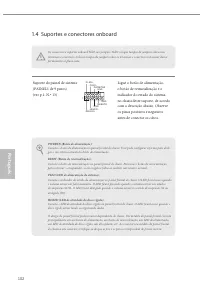
102 Por tuguês 1.4 Suportes e conectores onboard Suporte do painel de sistema(PAINEL1 de 9 pinos)(ver p.1, N.º 13) Ligue o botão de alimentação, o botão de reinicialização e o indicador do estado do sistema no chassi deste suporte, de acordo com a descrição abaixo. Observe os pinos positivos e negat...
Page 108 - Nunca instale o
106 Por tuguês Suporte TPM(TPMS1 de 17 pinos)(ver p.1, N.º 23) Este conector suporta um siste-ma com Módulo de Plataforma Confiável (TPM), que pode armazenar com segurança chaves, certificados digitais, senhas e dados. Um sistema TPM também ajuda a melhorar a segurança de rede, a proteger identidade...
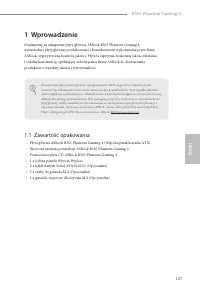
Page 109 - Polsk; Wprowadzenie; Zawartość opakowania; Skrócona instrukcja instalacji ASRock B365 Phantom Gaming 4
107 B365 Phantom Gaming 4 Polsk i Polski 1 Wprowadzenie Dziękujemy za zakupienie płyty głównej ASRock B365 Phantom Gaming 4, niezawodnej płyty głównej produkowanej z konsekwentnie wykonywaną przez firmę ASRock, rygorystyczną kontrolą jakości. Płyta ta zapewnia doskonałą jakość działania i solidną ko...
Page 110 - Platforma; Grafika
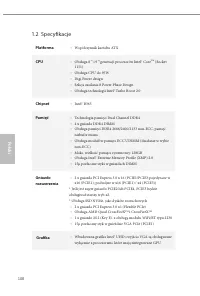
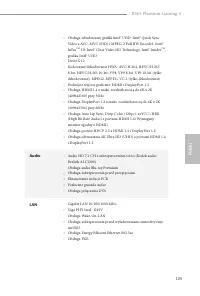
108 Polsk i Polski 1.2 Specyfikacje Platforma • Współczynnik kształtu ATX CPU • Obsługa 8 -ej i 9 -ej generacji procesorów Intel® Core TM (Socket 1151) • Obsługa CPU do 95W • Digi Power design • Sekcja zasilania 8 Power Phase Design • Obsługa technologii Intel® Turbo Boost 2.0 Chipset • Intel® B365 ...
Page 112 - Złącze
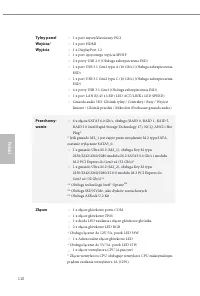
110 Polsk i Polski Tylny panel Wejścia/ Wyjścia • 1 x port myszy/klawiatury PS/2 • 1 x port HDMI • 1 x DisplayPort 1.2 • 1 x port optycznego wyjścia SPDIF • 2 x porty USB 2.0 (Obsługa zabezpieczenia ESD) • 1 x port USB 3.1 Gen2 typu A (10 Gb/s) (Obsługa zabezpieczenia ESD) • 1 x port USB 3.1 Gen2 ty...
Page 113 - x 24 pinowe złącze zasilania ATX; Funkcja BIOS; Zgodność zdarzeń wybudzania z ACPI 6.0
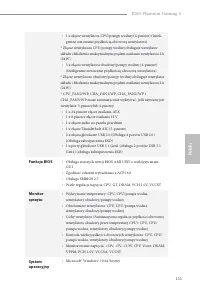
111 B365 Phantom Gaming 4 Polsk i Polski • 1 x złącze wentylatora CPU/pompy wodnej (4-pinowe) (Inteli-gentne sterowanie prędkością obrotową wentylatora) * Złącze wentylatora CPU/pompy wodnej obsługuje wentylator układu chłodzenia maksymalnym prądem zasilania wentylatora 2A (24W). • 3 x złącza wentyl...
Page 115 - Ustawienia zworek
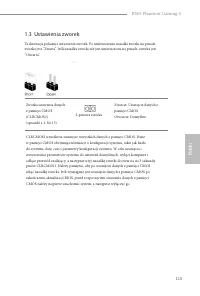
113 B365 Phantom Gaming 4 Polsk i Polski 1.3 Ustawienia zworek Ta ilustracja pokazuje ustawienia zworek. Po umieszczeniu nasadki zworki na pinach, zworka jest “Zwarta”. Jeśli nasadka zworki nie jest umieszczona na pinach, zworka jest “Otwarta”. Zworka usuwania danych z pamięci CMOS(CLRCMOS1)(sprawdź...
Page 116 - Wbudowane złącza główkowe i inne złącza
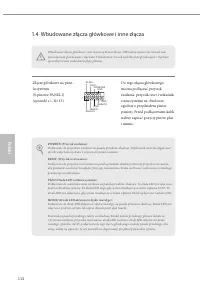
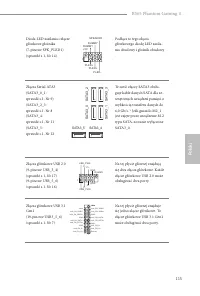
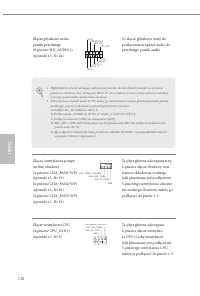
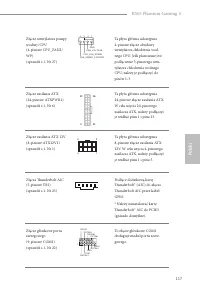
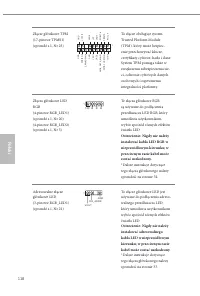
114 Polsk i Polski 1.4 Wbudowane złącza główkowe i inne złącza Złącze główkowe na pane-lu systemu(9-pinowe PANEL1)(sprawdź s.1, Nr 13) Do tego złącza główkowego można podłączać przycisk zasilania, przycisk reset i wskaźnik stanu systemu na obudowie, zgodnie z przydziałem pinów poniżej. Przed podłącz...
Page 120 - Nigdy nie należy
118 Polsk i Polski Złącze główkowe TPM(17-pinowe TPMS1)(sprawdź s.1, Nr 23) To złącze obsługuje system Trusted Platform Module (TPM), który może bezpiec-znie przechowywać klucze, certyfikaty cyfrowe, hasła i dane. System TPM pomaga także w zwiększeniu zabezpieczenia sie-ci, ochronie cyfrowych danych...
Page 121 - 한 국 어; 개요; 포장
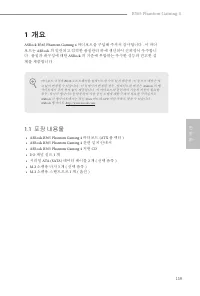
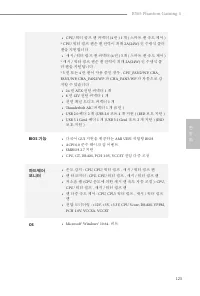
119 B365 Phantom Gaming 4 한 국 어 1 개요 ASRock B365 Phantom Gaming 4 마더보드를 구입해 주셔서 감사합니다 . 이 마더 보드는 ASRock 의 일관되고 엄격한 품질관리 하에 생산되어 신뢰성이 우수합니 다 . 품질과 내구성에 대한 ASRock 의 기준에 부합하는 우수한 성능과 견고한 설 계를 제공합니다 . 1.1 포장 내용물 • ASRock B365 Phantom Gaming 4 마더보드 (ATX 폼 팩터 ) • ASRock B365 Phantom Gaming 4 간편 설치 안내서 • A...
Page 122 - 규격
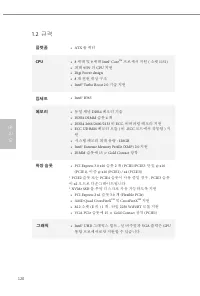
120 한 국 어 1.2 규격 플랫폼 • ATX 폼 팩터 CPU • 8 세대 및 9 세대 Intel® Core TM 프로세서 지원 ( 소켓 1151) • 최대 95W 의 CPU 지원 • Digi Power design• 8 개 전원 위상 구조 • Intel® Turbo Boost 2.0 기술 지원 칩세트 • Intel® B365 메모리 • 듀얼 채널 DDR4 메모리 기술 • DDR4 DIMM 슬롯 4 개 • DDR4 2666/2400/2133 비 ECC, 비버퍼링 메모리 지원 • ECC UDIMM 메모리 모듈 ( 비 -ECC 모드에...
Page 123 - 오디오; LAN
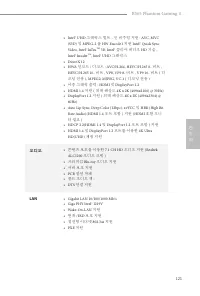
121 B365 Phantom Gaming 4 한 국 어 • Intel® UHD 그래픽스 빌트 - 인 비주얼 지원 : AVC, MVC (S3D) 및 MPEG-2 풀 HW Encode1 지원 Intel® Quick Sync Video, Intel® InTru TM 3D, Intel® 클리어 비디오 HD 기술 , Intel® Insider TM , Intel® UHD 그래픽스 • DirectX 12• HWA 인코드 / 디코드 : AVC/H.264, HEVC/H.265 8- 비트 , HEVC/H.265 10- 비트 , VP8, VP9 8...
Page 124 - 후면; 커넥터
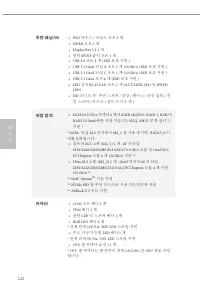
122 한 국 어 후면 패널 I/O • PS/2 마우스 / 키보드 포트 1 개 • HDMI 포트 1 개 • DisplayPort 1.2 1 개 • 광학 SPDIF 출력 포트 1 개 • USB 2.0 포트 2 개 (ESD 보호 지원 ) • USB 3.1 Gen2 타입 A 포트 1 개 (10 Gb/s) (ESD 보호 지원 ) • USB 3.1 Gen2 타입 C 포트 1 개 (10 Gb/s) (ESD 보호 지원 ) • USB 3.1 Gen1 포트 4 개 (ESD 보호 지원 ) • LED 장착 RJ-45 LAN 포트 1 개 (ACT/LIN...
Page 125 - BIOS; 기능
123 B365 Phantom Gaming 4 한 국 어 • CPU/ 워터 펌프 팬 커넥터 (4 핀 ) 1 개 ( 스마트 팬 속도 제어 ) * CPU/ 워터 펌프 팬은 팬 전력이 최대 2A(24W) 인 수냉식 쿨러 팬을 지원합니다 . • 섀시 / 워터 펌프 팬 커넥터 (4 핀 ) 3 개 ( 스마트 팬 속도 제어 ) * 섀시 / 워터 펌프 팬은 팬 전력이 최대 2A(24W) 인 수냉식 쿨 러 팬을 지원합니다 . * 3 핀 또는 4 핀 팬이 사용 중인 경우 , CPU_FAN2/WP, CHA_ FAN1/WP, CHA_FAN2/WP 과 C...
Page 126 - 인증
124 한 국 어 인증 • FCC, CE• ErP/EuP 사용 가능 (ErP/EuP 사용 가능 전원공급장치 필요 ) BIOS 설정을 조정하거나 Untied Overclocking Technology 를 적용하거나 타업체의 오버클로 킹 도구를 사용하는 것을 포함하는 오버클로킹에는 어느 정도의 위험이 따른다는 것을 유 념하십시오 . 오버클로킹은 시스템 안정성에 영향을 주거나 심지어 시스템의 구성 요소와 장치에 손상을 입힐 수도 있습니다 . 오버클로킹은 사용자 스스로 위험과 비용을 감수하고 해야 합니다 . 당사는 오버클로킹에 의해 발생할...
Page 127 - 점퍼
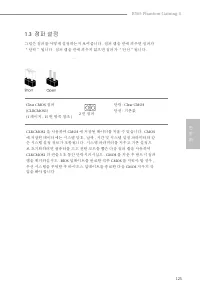
125 B365 Phantom Gaming 4 한 국 어 1.3 점퍼 설정 그림은 점퍼를 어떻게 설정하는지 보여줍니다 . 점퍼 캡을 핀에 씌우면 점퍼가 “단락” 됩니다 . 점퍼 캡을 핀에 씌우지 않으면 점퍼가 “단선”됩니다 . Clear CMOS 점퍼 (CLRCMOS1)(1 페이지 , 15 번 항목 참조 ) 단락 : Clear CMOS 단선 : 기본값 CLRCMOS1 을 사용하여 CMOS 에 저장된 데이터를 지울 수 있습니다 . CMOS 에 저장된 데이터에는 시스템 암호 , 날짜 , 시간 및 시스템 설정 파라미터와 같 은 시스템 설...
Page 128 - 온보드
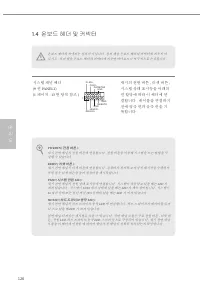
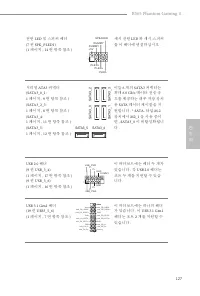
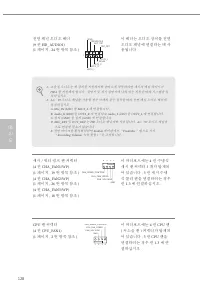
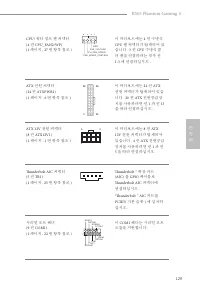
126 한 국 어 1.4 온보드 헤더 및 커넥터 시스템 패널 헤더 (9 핀 PANEL1) (1 페이지 , 13 번 항목 참조 ) 섀시의 전원 버튼 , 리셋 버튼 , 시스템 상태 표시등을 아래의 핀 할당에 따라 이 헤더에 연 결합니다 . 케이블을 연결하기 전에 양극 핀과 음극 핀을 기 록합니다 . G N D R E S E T # P W R B T N # P L E D - P L E D + G N D H D L E D - H D L E D + 1 G N D 온보드 헤더와 커넥터는 점퍼가 아닙니다 . 점퍼 캡을 온보드 헤더와 커넥터에 씌...
Page 132 - RGB LED
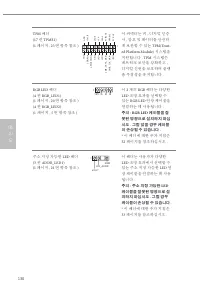
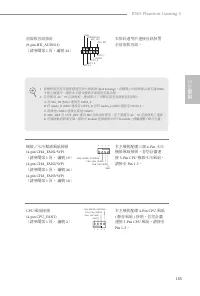
130 한 국 어 TPM 헤더 (17 핀 TPMS1) (1 페이지 , 23 번 항목 참조 ) 이 커넥터는 키 , 디지털 인증 서 , 암호 및 데이터를 안전하 게 보관할 수 있는 TPM(Trust- ed Platform Module) 시스템을 지원합니다 . TPM 시스템은 네트워크 보안을 강화하고 , 디지털 신원을 보호하며 플랫 폼 무결성을 유지합니다 . RGB LED 헤더 (4 핀 RGB_LED1) (1 페이지 , 20 번 항목 참조 ) (4 핀 RGB_LED2) (1 페이지 , 5 번 항목 참조 ) 이 2 개의 RGB 헤더는 다양...
Page 133 - 日本語; はじめに
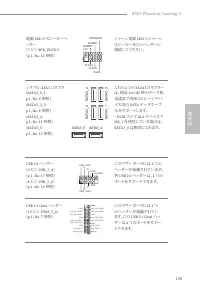
131 B365 Phantom Gaming 4 日本語 1 はじめに ASRock B365 Phantom Gaming 4 マザーボードをお買い上げ頂きありがとうござい ます。 ASRock の製品は一貫した厳格な品質管理の下で製造されております。優れ た品質と耐久性を兼ね備えつつ、優れたパフォーマンスを提供致します。 1.1 パッケージの内容 • ASRock B365 Phantom Gaming 4 マザーボード( ATX フォームファクター) • ASRock B365 Phantom Gaming 4 クイックインストールガイド • ASRock B365 Phantom G...
Page 135 - オーディオ
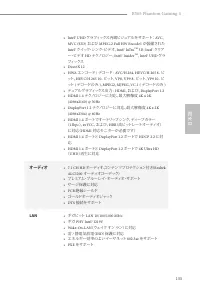
133 B365 Phantom Gaming 4 日本語 • Intel® UHD グラフィックス内蔵ビジュアルをサポート: AVC 、 MVC (S3D) および MPEG-2 Full HW Encode1 が装備された Intel® クイック・シンク・ビデオ、 Intel® InTru TM 3D 、 Intel® クリア ー・ビデオ HD テクノロジー、 Intel® Insider TM 、 Intel® UHD グラ フィックス • DirectX 12• HWA エンコード / デコード : AVC/H.264 、 HEVC/H.265 8- ビ ット、 HEVC/H.265 ...
Page 136 - リアパネル; コネクタ
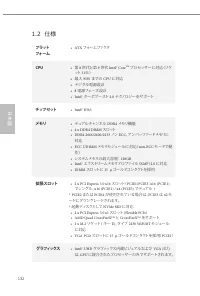
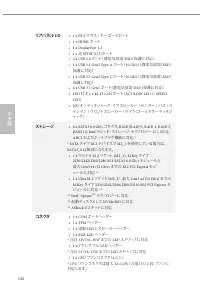
134 日本語 リアパネル I/O • 1 x PS/2 マウス / キーボードポート • 1 x HDMI ポート • 1 x DisplayPort 1.2• 1 x 光 SPDIF 出力ポート • 2 x USB 2.0 ポート(静電気放電( ESD )保護に対応) • 1 x USB 3.1 Gen2 Type-A ポート( 10 Gb/s ) (静電気放電( ESD ) 保護に対応) • 1 x USB 3.1 Gen2 Type-C ポート( 10 Gb/s ) (静電気放電( ESD ) 保護に対応) • 4 x USB 3.1 Gen1 ポート(静電気放電( ESD )保護に対...
Page 138 - 認証; • FCC
136 日本語 認証 • FCC 、 CE • ErP/EuP Ready ( ErP/EuP 対応電源供給装置が必要です) BIOS 設定の調整、アンタイドオーバークロックテクノロジーの適用、サードパーティのオー バークロックツールの使用などを含む、オーバークロックには、一定のリスクを伴いますので ご注意ください。オーバークロックするとシステムが不安定になったり、システムのコンポー ネントやデバイスが破損することがあります。ご自分の責任で行ってください。弊社では、オーバークロックによる破損の責任は負いかねますのでご了承ください。 * 商品詳細については、当社ウェブサイトをご覧ください。 ht...
Page 139 - ピンジャンパー
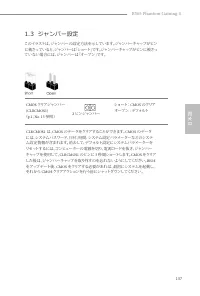
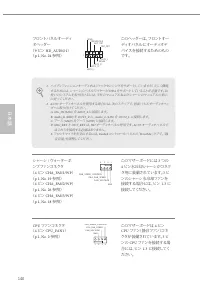
137 B365 Phantom Gaming 4 日本語 1.3 ジャンパー設定 このイラストは、ジャンパーの設定方法を示しています。ジャンパーキャップがピン に被さっていると、ジャンパーは「ショート」です。ジャンパーキャップがピンに被さっ ていない場合には、ジャンパーは「オープン」です。 CMOS クリアジャンパー (CLRCMOS1) ( p.1 、 No. 15 参照) ショート: CMOS のクリア オープン : デフォルト CLRCMOS1 は、 CMOS のデータをクリアすることができます。 CMOS のデータ には、システムパスワード、日付、時間、システム設定パラメーターなどの...
Page 145 - ATX
143 B365 Phantom Gaming 4 简体中文 简体中文 1 简介 感谢您购买华擎 B365 Phantom Gaming 4 主板,这是按照华擎一贯严格质量控 制标准生产的性能可靠的主板。它提供符合华擎质量和耐久性承诺的精良设计和卓越性能。 1.1 包装清单 • 华擎 B365 Phantom Gaming 4 主板( ATX 规格尺寸) • 华擎 B365 Phantom Gaming 4 快速安装指南 • 华擎 B365 Phantom Gaming 4 支持光盘 • 1 x I/O 面板 • 2 x 串行 ATA (SATA) 数据线(选购) • 3 x 螺丝(供 M.2...
Page 146 - 平台; 芯片集; 图形
144 简体中文 简体中文 1.2 规格 平台 • ATX 规格尺寸 CPU • 支持第 8 代和第 9 代 Intel® Core TM 处理器(插座 1151 ) • 支持最高 95W 的 CPU • Digi Power design• 8 电源相设计 • 支持 Intel® Turbo Boost 2.0 技术 芯片集 • Intel® B365 内存 • 双通道 DDR4 内存技术 • 4 x DDR4 DIMM 槽 • 支持 DDR4 2666/2400/2133 非 ECC ,非缓冲内存 • 支持 ECC UDIMM 内存模块(非 ECC 模式操作) • 支持系统内存最大容量: ...
Page 147 - 音频
145 B365 Phantom Gaming 4 简体中文 简体中文 • 支持 Intel® UHD Graphics 内置视效 : Intel® 快速同步视频, 采用 AVC 、 MVC (S3D) 和 MPEG-2 Full HW Encode1 、 Intel® InTru TM 3D 、 Intel® Clear Video HD 技术、 Intel® Insider TM 、 Intel® UHD Graphics • DirectX 12• HWA 编码 / 解码 : AVC/H.264 、 HEVC/H.265 8-bit 、 HEVC/ H.265 10-bit 、 VP8 ...
Page 148 - 存储; 接口
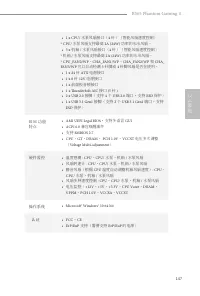
146 简体中文 简体中文 后面板 I/O • 1 x PS/2 鼠标 / 键盘端口 • 1 x HDMI 端口 • 1 x DisplayPort 1.2• 1 x 光学 SPDIF 输出端口 • 2 x USB 2.0 端口 ( 支持 ESD 保护 ) • 1 x USB 3.1 Gen2 A 类型端口 (10 Gb/s) (支持 ESD 保护) • 1 x USB 3.1 Gen2 C 类型端口 (10 Gb/s) (支持 ESD 保护) • 4 x USB 3.1 Gen1 端口 ( 支持 ESD 保护 ) • 1 x RJ-45 LAN 端口,带 LED ( ACT/LINK LED...
Page 149 - BIOS 功能
147 B365 Phantom Gaming 4 简体中文 简体中文 • 1 x CPU/ 水泵风扇接口( 4 针)(智能风扇速度控制) * CPU/ 水泵风扇支持最高 2A (24W) 功率的水冷风扇。 • 3 x 机箱 / 水泵风扇接口( 4 针)(智能风扇速度控制) * 机箱 / 水泵风扇支持最高 2A (24W) 功率的水冷风扇。 * CPU_FAN2/WP 、 CHA_FAN1/WP 、 CHA_FAN2/WP 和 CHA_ FAN3/WP 可以自动检测 3 针脚或 4 针脚风扇是否在使用。 • 1 x 24 针 ATX 电源接口 • 1 x 8 针 12V 电源接口 • 1 x ...
Page 151 - 针跳线
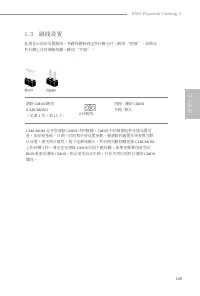
149 B365 Phantom Gaming 4 简体中文 简体中文 1.3 跳线设置 此图显示如何设置跳线。将跳线帽装到这些针脚上时,跳线 “短接”。如果这 些针脚上没有装跳线帽,跳线 “开路”。 清除 CMOS 跳线 (CLRCMOS1) (见第 1 页,第 15 个) 短接 : 清除 CMOS 开路 : 默认 CLRCMOS1 允许您清除 CMOS 中的数据。 CMOS 中的数据包括系统设置信 息,如系统密码、日期、时间和系统设置参数。要清除和重置系统参数为默认设置,请关闭计算机,拔下电源线插头,然后使用跳线帽短接 CLRCMOS1 上的针脚 3 秒。请记住在清除 CMOS 后取下跳线...
Page 152 - 系统面板接脚
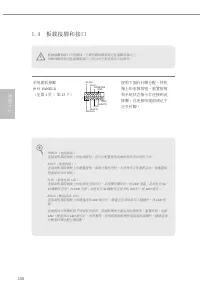
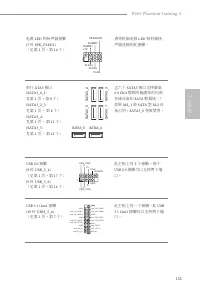
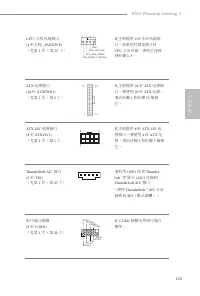
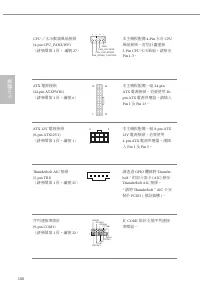
150 简体中文 简体中文 1.4 板载接脚和接口 系统面板接脚 (9 针 PANEL1) (见第 1 页, 第 13 个) 按照下面的针脚分配,将机箱上的电源按钮、重置按钮和系统状态指示灯连接到此接脚。在连接线缆前请记下正负针脚。 G N D R E S E T # P W R B T N # P L E D - P L E D + G N D H D L E D - H D L E D + 1 G N D 板载接脚和接口不是跳线。不要将跳线帽装到这些接脚和接口上。 将跳线帽装到这些接脚和接口上将会对主板造成永久性损坏。 PWRBTN(电源按钮): 连接到机箱前面板上的电源按钮。您可以配置使...
Page 156 - 注意:RGB LED 线安装方向
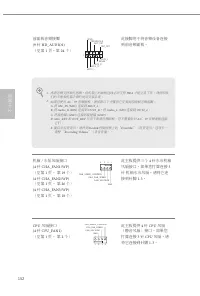
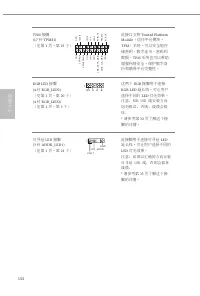
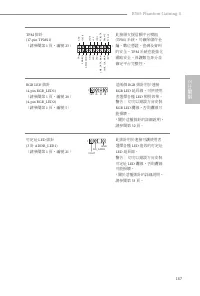
154 简体中文 简体中文 TPM 接脚 (17 针 TPMS1) (见第 1 页,第 23 个) 此接口支持 Trusted Platform Module (信任平台模块, TPM )系统,可以安全地存 储密钥、数字证书、密码和数据。 TPM 系统也可以帮助 增强网络安全,保护数字身份和确保平台完整性。 RGB LED 接脚 (4 针 RGB_LED1) (见第 1 页,第 20 个) (4 针 RGB_LED2) (见第 1 页,第 5 个) 这两个 RGB 接脚用于连接 RGB LED 延长线,可让用户 选择不同的 LED 灯光效果。 注意:RGB LED 线安装方向 切勿错误,否则,...
Page 157 - 电子信息产品污染控制标示; 依据中国发布的「电子信息产品污染控制管理办法」及; 有毒有害物质或元素的名称及含量说明; X O O O O O
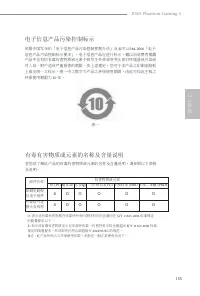
155 B365 Phantom Gaming 4 简体中文 简体中文 电子信息产品污染控制标示 依据中国发布的「电子信息产品污染控制管理办法」及 SJ/T 11364-2006 「电子 信息产品污染控制标示要求」,电子信息产品应进行标示,藉以向消费者揭露产品中含有的有毒有害物质或元素不致发生外泄或突变从而对环境造成污染或对人身、财产造成严重损害的期限。依上述规定,您可于本产品之印刷电路板上看见图一之标示。图一中之数字为产品之环保使用期限。由此可知此主板之环保使用期限为 10 年。 图一 有毒有害物质或元素的名称及含量说明 若您欲了解此产品的有毒有害物质或元素的名称及含量说明,请参照以下表格及...
Page 158 - 繁體中文; 簡介
156 繁體中文 1 簡介 感謝您購買華擎 B365 Phantom Gaming 4 主機板,本主機板經華擎嚴格品管製 作,是一套讓人信賴的可靠產品。本產品採耐用設計所展現的優異效能,完全符合華擎對品質及耐用度的承諾。 1.1 包裝內容 • 華擎 B365 Phantom Gaming 4 主機板( ATX 尺寸) • 華擎 B365 Phantom Gaming 4 快速安裝指南 • 華擎 B365 Phantom Gaming 4 支援光碟 • 1 x I/O 面板外罩 • 2 x Serial ATA (SATA) 資料纜線(選用) • 3 x 螺絲(適用於 M.2 插座)(選用) •...
Page 159 - 規格
157 B365 Phantom Gaming 4 繁體中文 1.2 規格 平台 • ATX 尺寸 CPU • 支援第 9 代及第 8 代 Intel® Core TM 處理器 (Socket 1151) • 支援最高 95W CPU • Digi Power design• 8 電源相位設計 • 支援 Intel® Turbo Boost 2.0 技術 晶片組 • Intel® B365 記憶體 • 雙通道 DDR4 記憶體技術 • 4 x DDR4 DIMM 插槽 • 支援 DDR4 2666/2400/2133 非 ECC 無緩衝記憶體 • 支援 ECC UDIMM 記憶體模組 ( 於非...
Page 163 - 認證
161 B365 Phantom Gaming 4 繁體中文 認證 • FCC 、 CE • ErP/EuP ready (須具備 ErP/EuP ready 電源供應器) 請務必理解,超頻可能產生某種程度的風險,其中包括調整 BIOS 中的設定、採用自由超 頻技術或使用協力廠商的超頻工具。超頻可能會影響您系統的穩定性,或者甚至會對您系統的元件及裝置造成傷害。您應自行負擔超頻風險及成本。我們對於因超頻所造成的可能損害概不負責。 * 如需產品詳細資訊,請上我們的網站: http://www.asrock.com
Page 164 - 跳線設定; 跳線
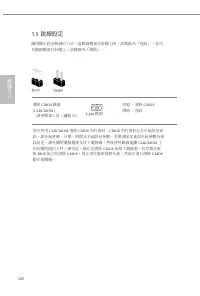
162 繁體中文 1.3 跳線設定 圖例顯示設定跳線的方式。當跳線帽套在針腳上時,該跳線為「短路」。若沒有跳線帽套在針腳上,該跳線為「開啟」。 清除 CMOS 跳線 (CLRCMOS1) (請參閱第 1 頁,編號 15 ) 短路: 清除 CMOS 開啟: 預設 您可利用 CLRCMOS1 清除 CMOS 中的資料。 CMOS 中的資料包含系統設定資 訊,如系統密碼、日期、時間及系統設定參數。若要清除並重設系統參數為預設設定,請先關閉電腦電源及拔下電源線,然後使用跳線蓋讓 CLRCMOS1 上 的針腳短路約 3 秒。請牢記,務必在清除 CMOS 後取下跳線蓋。若您需在更 新 BIOS 後立即清除...
Page 165 - 板載排針及接頭; 系統面板排針
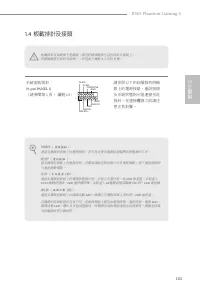
163 B365 Phantom Gaming 4 繁體中文 1.4 板載排針及接頭 系統面板排針 (9-pin PANEL1) (請參閱第 1 頁, 編號 13 ) 請依照以下的針腳排列將機殼上的電源按鈕、重設按鈕及系統狀態指示燈連接至此排針。在連接纜線之前請注意正負針腳。 G N D R E S E T # P W R B T N # P L E D - P L E D + G N D H D L E D - H D L E D + 1 G N D 板載排針及接頭都不是跳線。請勿將跳線帽套在這些排針及接頭上。 將跳線帽套在排針及接頭上,將造成主機板永久性的受損。 PWRBTN ( 電源按鈕...
Page 170 - Spesifikasi
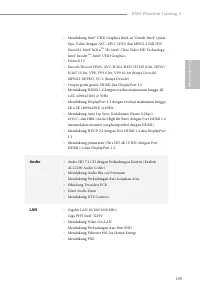
168 Bahasa I ndonesia Spesifikasi Platform • Bentuk dan Ukuran ATX CPU • Mendukung Prosesor Generasi ke-8 & Generasi ke-9 Intel® Core TM (Socket 1151) • Mendukung CPU hingga 95W • Desain Digi Power • Desain 8 Fase Daya • Mendukung Teknologi Intel® Turbo Boost 2.0 Chipset • Intel® B365 Memori • T...
Page 172 - Penyimpanan; Konektor
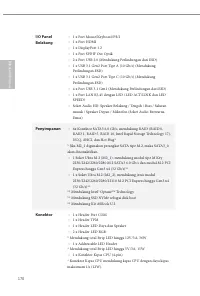
170 Bahasa I ndonesia I/O Panel Belakang • 1 x Port Mouse/Keyboard PS/2 • 1 x Port HDMI • 1 x DisplayPort 1.2 • 1 x Port SPDIF Out Optik • 2 x Port USB 2.0 (Mendukung Perlindungan dari ESD) • 1 x USB 3.1 Gen2 Port Tipe A (10 Gb/s) (Mendukung Perlindungan ESD) • 1 x USB 3.1 Gen2 Port Tipe C (10 Gb/s)...
Page 173 - Fitur BIOS
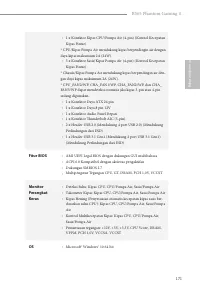
171 B365 Phantom Gaming 4 Bahasa I ndonesia • 1 x Konektor Kipas CPU/Pompa Air (4-pin) (Kontrol Kecepatan Kipas Pintar) * CPU/Kipas Pompa Air mendukung kipas berpendingin air dengan daya kipas maksimum 2A (24W). • 3 x Konektor Sasis/Kipas Pompa Air (4-pin) (Kontrol Kecepatan Kipas Pintar) * Chassis/...
Page 174 - Sertifikasi
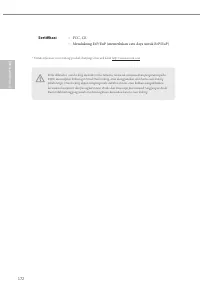
172 Bahasa I ndonesia Sertifikasi • FCC, CE • Mendukung ErP/EuP (memerlukan catu daya untuk ErP/EuP) Perlu diketahui, overclocking memiliki risiko tertentu, termasuk menyesuaikan pengaturan pada BIOS, menerapkan Teknologi Untied Overclocking, atau menggunakan alat bantu overclocking pihak ketiga. Ov...
Page 175 - DECLARATION OF CONFORMITY; Responsible Party Name:; Product Name : Motherboard; Supplementary Information:; Contact Information; ASRock Incorporation; The Netherlands
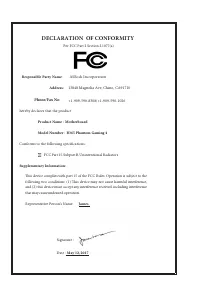
DECLARATION OF CONFORMITY Per FCC Part 2 Section 2.1077(a) Responsible Party Name: ASRock Incorporation Address: 13848 Magnolia Ave, Chino, CA91710 +1-909-590-8308/+1-909-590-1026 Phone/Fax No: hereby declares that the product Product Name : Motherboard Model Number : Conforms to the following speci...
Page 177 - EU Declaration of Conformity; For the following equipment:; Motherboard
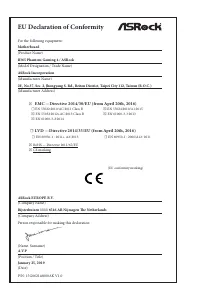
EU Declaration of Conformity For the following equipment: Motherboard (Product Name) B365 Phantom Gaming 4 / ASRock (Model Designation / Trade Name) ASRock Incorporation (Manufacturer Name) 2F., No.37, Sec. 2, Jhongyang S. Rd., Beitou District, Taipei City 112, Taiwan (R.O.C.) (Manufacturer Address)...




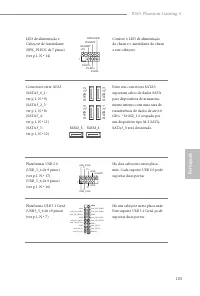
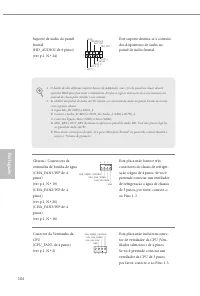
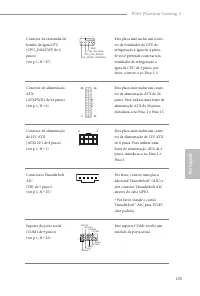
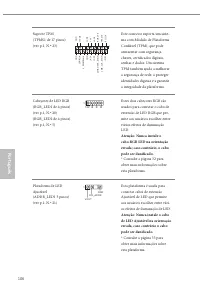





 Asrock Z690 PG User Manual
 Asrock A320 User Manual
 Asrock A520M-HVS User Manual
 Asrock A520M-ITX/ac User Manual
 Asrock A520M Pro4 User Manual
 Asrock B450 User Manual
 Asrock B450M-HDV R4.0 User Manual
 Asrock B550 User Manual
 Asrock B550 PG User Manual
 Asrock B550 Pro4 User Manual
 Asrock B550M User Manual
 Asrock B550M PG User Manual
 Asrock B550M Pro4 User Manual
 Asrock B560 User Manual
 Asrock B560M User Manual