Page 2 - Inhalt
Inhalt 2 Deutsch Inhalt Übersicht der Bedienelemente ....................................... Seite 3Bedienungsanleitung ........................................................ Seite 4Technische Daten ............................................................... Seite 10Garantie .....................
Page 3 - Übersicht der Bedienelemente
Locatie van bedieningselementen Liste des différents éléments de commande Indicación de los elementos de manejo Elementi di comando Overview of the Components Übersicht der Bedienelemente 3
Page 4 - Deutsch; Bedienungsanleitung; Allgemeine Sicherheitshinweise
Deutsch 4 Bedienungsanleitung Vielen Dank, dass Sie sich für unser Produkt entschieden haben. Wir wünschen Ihnen viel Freude mit dem Gerät. Symbole in dieser Bedienungsanleitung Wichtige Hinweise für Ihre Sicherheit sind besonders gekenn-zeichnet. Beachten Sie diese Hinweise unbedingt, um Unfälle un...
Page 5 - Spezielle Sicherheitshinweise
Deutsch 5 Spezielle Sicherheitshinweise Dieses Gerät arbeitet mit einem Laser der Klasse 1. Übersicht der Bedienelemente 1 CD-Fach2 Lasche zum Öffnen des CD-Fachs3 Display4 Taste (nächstes Musikstück/Suchlauf vorwärts) 5 Taste (Lautstärke absenken / Weckzeit 1) 6 Taste (Lautstärke erhöhen / Weckzeit...
Page 6 - Allgemeine Bedienung; Radio hören
Deutsch 6 ACHTUNG: • Batterien können auslaufen und Batteriesäure verlieren. Wird das Gerät längere Zeit nicht genutzt, nehmen Sie die Batterie aus der Fernbedienung. • Batterien gehören nicht in den Hausmüll. Geben Sie verbrauchte Batterien bei zuständigen Sammelstellen oder beim Händler ab. Einste...
Page 7 - Beschreibung der Bedientasten
Deutsch 7 Gerät übertragen. Beim A2DP Profil handelt es sich um ein herstellerübergreifendes Bluetooth-Profil. Per Streaming werden Stereo-Audio-Signale zwischen Abspielgerät (Quelle) und Empfängergerät kabellos übertragen. Um die Quelle fernsteuern zu können, muss das Abspielgerät das AVRCP Profil ...
Page 8 - Programmierte Wiedergabe; Wiedergabe von Musik im MP3 Format
Deutsch 8 / (4/13/3) Während der Musikwiedergabe: Mit können Sie zum nächsten bzw. übernächsten Titel springen usw. • Halten Sie die Taste gedrückt, setzt ein Musiksuchlauf ein. (Der Ton wird dabei stumm geschaltet.) Die Taste können Sie wie folgt bedienen: 1 x drücken = Beginnt das aktuelle Lied wi...
Page 9 - Anschluss externer Geräte; Weckfunktion
Deutsch 9 Des Weiteren hält die Musikindustrie keine festen Standards ein (Kopierschutz). Aus diesen Gründen kann es in seltenen Fällen zu Problemen bei der Wiedergabe von CDs und MP3 CDs kommen. Dies ist keine Fehlfunktion des Gerätes. Anschluss externer Geräte USB Anschluss (10) Dieses Gerät ist n...
Page 10 - Reinigung und Pflege; Hinweis zur Richtlinienkonformität
Deutsch 10 • USB: Sobald die eingestellte Weckzeit erreicht wird, schal- tet sich das Gerät im USB-Modus ein. Die Titel vom angeschlossenem USB Speichermedium werden vom ersten Titel an abgespielt. Die Lautstärke steigt langsam auf die ab Werk voreingestellte Lautstärke an. • (Signalton): Beim Errei...
Page 11 - Garantie
Deutsch 11 (1999/5/EG), der europäischen Richtlinie für elektromagneti - sche Verträglichkeit (2004/108/EG) befindet.Geprüft für den Betrieb in Deutschland. Fundstelle der EG-Konformitätserklärung Die vollständige EG-Konformitätserklärung können Sie bezie-hen über: ETV Elektro-technische Vertriebsge...
Page 12 - Entsorgung
Deutsch 12 Entsorgung Bedeutung des Symbols „Mülltonne“ Schonen Sie unsere Umwelt, Elektrogeräte gehören nicht in den Hausmüll.Nutzen Sie die für die Entsorgung von Elektrogeräten vorge-sehenen Sammelstellen und geben dort Ihre Elektrogeräte ab, die Sie nicht mehr benutzen werden. Sie helfen damit d...
Page 13 - Nederlands; Gebruiksaanwijzing; Algemene veiligheidsinstructies
Nederlands 13 Gebruiksaanwijzing Dank u voor het kiezen van ons product. We hopen dat u veel plezier aan het gebruik van het apparaat zult beleven. Symbolen in deze bedieningshandleiding Belangrijke aanwijzingen voor uw veiligheid zijn speciaal gekenmerkt. Neem deze aanwijzingen strikt in acht om on...
Page 14 - Speciale veiligheidsinstructies
Nederlands 14 Speciale veiligheidsinstructies Dit apparaat werkt met een klasse 1-laser. Overzicht van de bedieningselementen 1 CD-compartiment2 Uitsparing voor het openen van het CD compartiment3 Scherm4 knop (volgende track/vooruit zoeken) 5 knop (volume omlaag/alarmtijd 1) 6 knop (volume omhoog/a...
Page 15 - Algemene Werking; Luisteren naar de radio
Nederlands 15 WAARSCHUWING: • Als een batterij heeft gelekt, dient de vrijgekomen vloeistof niet in contact te komen met de ogen of slijm-vliezen . In het geval van contact dienen de handen te worden gewassen en dienen de ogen grondig met schoon water te worden gespoeld. Als de symptomen blijven aan...
Page 16 - Muziek afspelen via Bluetooth
Nederlands 16 Muziek afspelen via Bluetooth Bluetooth is een technologie voor een draadloze radiover- binding tussen apparaten over een korte afstand. Apparaten die Bluetooth ondersteunen zenden uit tussen 2,402 en 2,480 GHz op de ISM band ( I ndustrial, S cientific en M edical). Storing kan bijvoor...
Page 17 - Beschrijving van de bedieningsknoppen; Geprogrammeerde weergave
Nederlands 17 OPMERKING: • Als een disk verkeerd in de houder wordt geplaatst, of als geen disk in de houder is geplaatst, “NO” (geen disc) wordt weergegeven op het scherm. • De weergave van een door de gebruiker gemaakte CD kan op grond van de vele beschikbare programma’s en CD-media niet worden ge...
Page 18 - Weergave van muziek in MP3-formaat
Nederlands 18 Het apparaat stopt automatisch nadat alle geprogrammeer-de tracks zijn afgespeeld. De geprogrammeerde volgorde zal in het geheugen blijven, totdat u overschakelt naar een andere modus of totdat het apparaat wordt uitgeschakeld. Geprogrammeerd afspelen verwijderen Druk op de knop tijden...
Page 19 - Reiniging en onderhoud
Nederlands 19 3. Druk op de V+/AL1 knop om te bevestigen. De minuut - aanduiding begint te knipperen. 4. Stel het uur in met de en knoppen. 5. Druk op de V+/AL1 knop om te bevestigen. Kies vervol - gens hoe u gewekt wenst te worden. Stel het uur in met de en knoppen. De keuze is als volgt: • FM: Zod...
Page 20 - Technische gegevens; Verwijdering
Nederlands 20 Technische gegevens Model: ........................................................................... MC 4461 BTSpanningstoevoer: ............................................. 220-240 V~ 50 HzOpgenomen vermogen: .........................................................11 WBeschermings...
Page 21 - Français; Mode d’emploi; Conseils généraux de sécurité
Français 21 Mode d’emploi Merci d’avoir choisi notre produit. Nous espérons que vous saurez profiter votre appareil. Symboles de ce mode d’emploi Les informations importantes pour votre sécurité sont particu-lièrement indiquées. Veillez à bien respecter ces indications afin d’éviter tout risque d’ac...
Page 22 - Consignes de sécurité spéciales; Mise en marche de l’appareil/Introduction
Français 22 Consignes de sécurité spéciales Cet appareil fonctionne avec un laser classe 1. Liste des différents éléments de com-mande 1 Compartiment CD2 Touche pour ouvrir le compartiment à CD 3 Écran4 Bouton (piste suivante/recherche vers l’avant)5 Bouton (baisser le volume/heure de l’alarme 1)6 B...
Page 23 - Fonctionnement général
Français 23 ATTENTION : • Les piles peuvent fuir et perdre de l’acide. Si l’appareil n’est pas utilisé pendant une longue période, enlevez la pile de la télécommande. • Les piles ne sont pas à jeter avec les ordures ména - gères. Déposez les piles usagées à des points de collecte autorisés ou auprès...
Page 24 - Description des commandes
Français 24 Bluetooth de divers opérateurs. Pour la la diffusion en flux, les signaux audio-stéréo sont transférés sans câble entre le lecteur (source) et l’appareil de réception. Pour pouvoir contrôler la source à distance, le lecteur doit prendre en charge le profil AVRCP ( A udio V ideo R emote C...
Page 25 - Programmation de la lecture; Lecture de musique en format MP3
Français 25 / (4/13/3) Pendant la lecture de la musique : Vous pouvez passer au titre suivant ou celui d’après, etc. à l’aide de la touche . • Si vous maintenez la touche enfoncée, la recherche automatique est activée. (Le son est ainsi coupé.) Vous pouvez utiliser la touche de la façon suivante : 1...
Page 26 - Connexion des appareils externes
Français 26 De plus l’industrie de la musique n’utilise pas de standards définis (protection contre la copie). Des problèmes peuvent donc exister, dans certains cas limi - tés, lors de la lecture de disques compacts et MP3. Cela n’est pas dû à un dysfonctionnement de l’appareil. Connexion des appare...
Page 27 - Nettoyage et entretien
Français 27 première piste. Le volume augmentera lentement et atteindra le volume d’usine par défaut. • (Signal sonore) : Un signal sonore retentira lorsque l’heure de l’alarme est atteinte. Le volume augmentera lentement et atteindra le volume d’usine par défaut. 6. Puis, appuyez sur le bouton V+/A...
Page 28 - Élimination
Français 28 Élimination Signification du symbole “Elimination“ Protégez votre environnement, ne jetez pas vos appareils électriques avec les ordures ménagères.Utilisez, pour l’élimination de vos appareils électriques, les bornes de collecte prévues à cet effet où vous pouvez vous débarrasser des app...
Page 29 - Español; Instrucciones de servicio; Indicaciones generales de seguridad
Español 29 Instrucciones de servicio Le agradecemos la confianza depositada en este producto y esperamos que disfrute de su uso. Símbolos en este manual de instrucciones Advertencias importantes para su seguridad están señaladas en especial. Siga estas advertencias incondicionalmente, para evitar ac...
Page 30 - Advertencias de seguridad especiales
Español 30 Advertencias de seguridad especiales Este aparato trabaja con un láser de la clase 1. Indicación de los elementos de manejo 1 Compartimento de CD2 Lengüeta de apertura del compartimento de CD3 Pantalla4 Botón (título siguiente/ búsqueda hacia adelante)5 Botón (reducir el volumen/hora de l...
Page 31 - Funcionamiento general
Español 31 AVISO: • Si una pila tiene fuga, no frote el líquido en los ojos o en las membranas mucosas. En caso de contacto, lávese las manos y aclárese los ojos con agua limpia, y si los síntomas persisten, consulte a su médico. ATENCIÓN: • Las pilas pueden tener fugas y pueden perder ácido. Si el ...
Page 32 - Reproducir música por Bluetooth; Tocar Compact Disks/MP3
Español 32 Reproducir música por Bluetooth Bluetooth es una tecnología de conexión de radio inalámbri - ca de dispositivos en distancias cortas. Los dispositivos con el estándar Bluetooth transmiten entre 2,402 y 2,480 GHz eb la banda ISM ( I ndustrial, S cientific y M edical). Pueden produ- cirse i...
Page 33 - Descripción de los mandos; Reproducción programada
Español 33 NOTA: • No se puede garantizar la reproducción de discos compactos producidos por parte del usuario, ya que existe multitud de software y medios de discos com - pactos disponibles. Descripción de los mandos / (12/2) Puede interrumpir brevemente la reproducción y reiniciarla. El tiempo de ...
Page 34 - Reproducción de música en formato MP3; Conexión de dispositivos externos; Función de alarma
Español 34 Borrado de la reproducción programada Pulse el botón (8 en el mando a distancia) mientras está en el modo paro. PROG desaparecerá de la pantalla. Reproducción de música en formato MP3 Con este aparato tiene la posibilidad de reproducir piezas de música en formato MP3. El aparato soporta a...
Page 35 - Limpieza y conservación
Español 35 2. Realice los ajustes con los botones y . 3. Pulse el botón V+/AL1 para confirmar. Los minutos comenzarán a parpadear. 4. Realice los ajustes con los botones y . 5. Pulse el botón V+/AL1 para confirmar. Luego seleccione cómo desea despertarse. Realice los ajustes con los botones y . La s...
Page 36 - Datos técnicos; Eliminación
Español 36 Datos técnicos Modelo: ......................................................................... MC 4461 BT Alimentation: ....................................................... 220-240 V~ 50 Hz Consommation: .........................................................................11 WCla...
Page 37 - Italiano; Istruzioni per l’uso; Norme di sicurezza generali; Avvertenze speciali per la sicurezza
Italiano 37 Istruzioni per l’uso Grazie per aver scelto il nostro prodotto. Vi auguriamo un buon utilizzo del dispositivo. Simboli per questo manuale di istruzioni per l’uso Le indicazioni importanti per la propria sicurezza sono indicati appropriatamente. Osservare assolutamente queste indica-zioni...
Page 38 - Elementi di comando
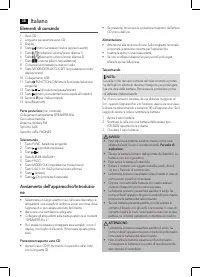
Italiano 38 Elementi di comando 1 Vano CD 2 Linguetta per apertura vano CD3 Display4 Tasto (brano successivo/ricerca rapida in avanti)5 Tasto (riduzione volume/orario allarme 1)6 Tasto (aumento volume/orario allarme 2) 7 Tasto (funzione album-/equalizzatore)8 Comando sintonizzazione stazioni radio 9...
Page 39 - Funzionamento generale
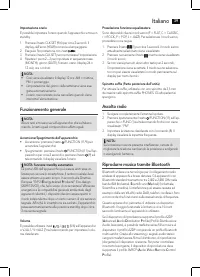
Italiano 39 Impostazione orario È possibile impostare l’orario quando l’apparecchio si trova in standby. 1. Premere il tasto CLK SET (9/6) per circa 2 secondi. Il display dell’anno (YEAR) comincia a lampeggiare. 2. Eseguire l’impostazione con i tasti / . 3. Premere il tasto CLK SET per memorizzare l...
Page 40 - Descrizione dei comandi
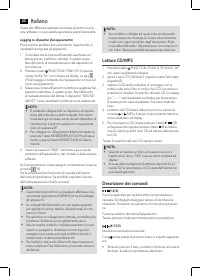
Italiano 40 Grazie alle differenze realizzate dai diversi produttori e ai di-versi software, non è possibile garantire la piena funzionalità. Logging su dispositivi (Accoppiamento) Prima di poter ascoltare la musica tramite l’apparecchio, è necessario accoppiare gli apparecchi.1. Controllare che la ...
Page 41 - Ripetizione programmata; Riproduzione di musica in formato MP3
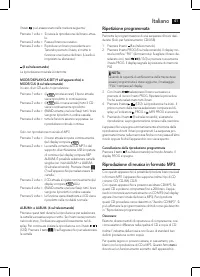
Italiano 41 Il tasto può essere usato nella maniera seguente: Premere 1 volta = Si riavvia la riproduzione del brano attua - le. Premere 2 volte = Passa al brano successivo.Premere 3 volte = Riproduce un brano precedente ecc. Tenendo premuto il tasto, si mette in funzione una ricerca dei brani. (L’a...
Page 42 - Connessione di dispositivi esterni; Funzione allarme
Italiano 42 Connessione di dispositivi esterni Collegamento USB (10) Questo apparecchio è stato sviluppato secondo lo standard attuale degli sviluppi tecnici nel settore USB. Gran parte dei supporti di memorizzazione USB di ogni tipo che oggigiorno vengono offerti non consentono purtroppo di garanti...
Page 43 - Pulizia e cura; Dati tecnici
Italiano 43 NOTA: Al raggiungimento dell’orario allarme impostato, si accen - de il simbolo corretto ( o ). Spegnimento del segnale di allarme. Sei stato svegliato? Per spegnere il segnale di allarme fino al giorno successsivo, premere il tasto /FUNCTION (11/9). Funzione snooze automatico La funzion...
Page 44 - Smaltimento
Italiano 44 Smaltimento Significato del simbolo “Eliminazione” Salvaguardare l’ ambiente, gli elettrodomestici non vanno eliminati come rifiuti domestici.Per l’ eliminazione degli elettrodomestici, fare uso dei posti di raccolta previsti per questo tipo e porre quegli elettrodome-stici che non sono ...
Page 45 - English; Instruction Manual; General Safety Instructions; Special safety information
English 45 Instruction Manual Thank you for choosing our product. We hope you will enjoy using the appliance. Symbols in these Instructions for Use Important information for your safety is specially marked. It is essential to comply with these instructions in order to avoid accidents and prevent dam...
Page 46 - Overview of the Components
English 46 Overview of the Components 1 CD compartment2 Tab for opening the CD compartment3 Display4 button (next title/ search run forward) 5 button (decrease volume / alarm time 1) 6 button (increase volume / alarm time 2) 7 button (album-/equalizer function) 8 Control for tuning the radio station...
Page 47 - General Operation; Listening to radio
English 47 Setting the time The time can only be set when the device is in standby.1. Press the CLK SET button (9/6) for about 2 seconds. The display for the year (YEAR) will start to blink. 2. Perform the setting with the / buttons. 3. Press the CLK SET button to save the entry. 4. Repeat steps 2 –...
Page 48 - Description of the controls
English 48 1. Ensure, that the Bluetooth function is activated in your player (e.g. mobile phone). For this, refer to the operation manual of your player. 2. Press the /FUNCTION / FUNC button (11/1) repeat- edly, until “bt” is shown on the display. The indicator light (15) will flash to show that th...
Page 49 - Programmed Play; Playing back Music in MP3 Format; Connection of external devices
English 49 (8 on the remote control) The music playback is stopped. MODE/DISPLAY/CLK SET (9 on the device) or MODE/CLK (6 on the remote control) In case of a playing Audio CD: Press once = ( emits a fixed light) the current track is repeated continuously. Press twice = ( ALL all emits a fixed light)...
Page 50 - Alarm Function
English 50 3. “- - - -” appears briefly on the display. The number of tracks will then be shown. 4. Playback then begins. The current track, MP3 and the elapsed playing time is shown on the display For operating instructions please see the section “Description of the controls”. NOTE: • Always direct...
Page 51 - Cleaning and Maintenance; Troubleshooting; Technical Data; Disposal
English 51 Deactivating the alarm function (in standby mode) In order to deactivate the alarm function, press the V+/AL 1, or V-/AL 2 button (4). The symbol “ ”, or “ ” will go out. Cleaning and Maintenance • Always remove the mains plug before cleaning the machine. • Any marks on the surface can be...
Page 54 - GARANTIEKARTE
Stand 09/13 Elektro-technische Vertriebsges. mbH www.etv.de MC 4461 BT GARANTIEKARTE warranty card • garantiekaart • carte de garantie • scheda di garanzia • tarjeta de garantía • cartão de garantia • garantikort • karta gwarancyjna • záruční list • kartica jamstva • carte de garanţie • Гаранционна ...








-User-Manual/webp/1.webp)