Zip HT4888Z4 - User Manual
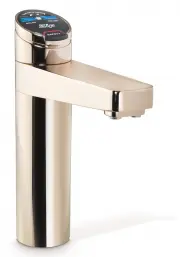
Zip HT4888Z4 Faucet – User Manual, read for free online in PDF format. We hope this helps you resolve any issues you may have. If you have further questions, please contact us through the contact form.


Table of Contents:
- Page 2 – Tap operation; Press or pull lever; To dispense chilled water:; Chilled buttons
- Page 3 – Tap functions
- Page 4 – Rotary control; Select Button
- Page 5 – Chilled water Lights; Tap Lights; The safety button on all the Chilled Hydrotaps is non functional; Chilled Water Light:
- Page 6 – Filter Light; Filter light
- Page 7 – LCD Screen
- Page 8 – LCD Screen Menu; Main Menu
- Page 10 – C Install; Run at least 10 Ltrs of; LCD Screen operation - Section C; ON
- Page 11 – In Australia, call a licensed electrician, plumber or Zip office on; - Lux Sensor Calibration; Conduct calibration under normal light conditions; This section is reserved for service technicians only
- Page 12 – E Security; To set a password; Enter a 4 digit password; To change a password; Enter your old 4 digit password; LCD Screen operation - Section E; Not yet available; LCD Screen operation - Section F
- Page 13 – g I; nstructions; Set Temperature
- Page 14 – LCD Screen operation - Section G; ions; Filter; The filter life may be set as a; To edit the filter life:
- Page 16 – Press Group 1 or Group 2 option; Individual days set screen; Any attempt, during OFF mode, to dispense water, will bring the unit
- Page 17 – For best performance the unit should only be operated with a clean; Filter Maintenance; Air
- Page 19 – Home Menu Icons; Chilled water temperature.; CHILLED; Cleaning; Avoid using air bourne pesticides near the undersink unit.
- Page 20 – Head Office; Contact Details
802262 - Chilled HT User Guide - 7-15 - v2.00
Page 1 of 20
ZIP HydroTap G4
User Guide
®
•
Tap Operation...................(Pages 2-6)
•
LCD Screen & Menu .......(Pages 7-17)
•
Maintenance.................... (Page 17-19)
•
Menu Icons.......................(Page 19)
Date of Installation............./........./..........
Affix Model Number Label
Here
802262
Chilled
Residential
model
"Loading the manual" means you need to wait until the file loads and becomes available for online reading. Some manuals are very large, and the time they take to appear depends on your internet speed.
Summary
Page 2 of 20 802262 - Chilled HT User Guide - 7-15 - v2.00 3. Tap operation Press or pull lever To dispense chilled water: HydroTap Classic: Depressing the “Blue” lever allows the dispensing of chilled water.Pulling forward the Blue lever allows the tap to operate in a “no-touch” mode. Water will fl...
802262 - Chilled HT User Guide - 7-15 - v2.00 Page 3 of 20 Elite Tap: The Elite tap uses touch sensitive controls, in lieu of levers, to dispense Chilled water. Touching any of the chilled buttons allows the dispensing of chilled water. Chilled Button Chilled Button 3. Tap functions
Page 4 of 20 802262 - Chilled HT User Guide - 7-15 - v2.00 3. Tap functions Rotary control Select Button Safety Lock ARC & CUBE Tap: On powerup, wait 30secs. for the unit to calibrate. The Arc/Cube control may be rotated in a forward or reverse direction to dispense Chilled water. The rotary con...


