Zip HT4762Z11 - User Manual
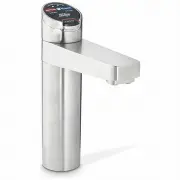
Zip HT4762Z11 Faucet – User Manual, read for free online in PDF format. We hope this helps you resolve any issues you may have. If you have further questions, please contact us through the contact form.


Table of Contents:
- Page 2 – Tap Safety; HydroTap Classic; To set the tap safety setting:; The Factory setting is set at YES; To deactivate the safety; Elite Tap; Safety Lock
- Page 3 – Tap functions
- Page 4 – Rotary control; Select Button
- Page 5 – Tap operation; Press or pull lever; Classic Tap; To dispense chilled water:
- Page 7 – d the ‘Blue’ levers allows the; To dispense Sparkling water:
- Page 8 – Tap lights; Flashing warning light:; Blue Chilled Water Light:; Blue Lights; Red Boiling Water Light:; This indicates that the boiling water is ready.
- Page 9 – Filter Lights; Flashing filter lights:
- Page 10 – Safety Sensor Calibration; Turn the power OFF
- Page 11 – LCD Screen
- Page 12 – LCD Screen Menu; Main Menu
- Page 15 – After replacing the filter, the counters should be reset; LCD Screen operation - Section C; to start calibration.; - Boiling Calibration; During calibration, boiling water units may vent steam from the
- Page 16 – This section is reserved for service technicians only; D Service
- Page 17 – E Security; To set a password; Enter a 4 digit password; LCD Screen operation - Section E; To change a password; Enter your old 4 digit password; LCD Screen operation - Section F
- Page 18 – g I; nstructions; Set Temperature
- Page 19 – LCD Screen operation - Section G; To edit the filter life:; Filter; To edit the filter usage:; The filter life may be set as a
- Page 21 – Press Group 1 or Group 2 option; Individual days set screen; Any attempt, during OFF mode, to dispense water, will bring the unit
- Page 22 – To Enable or Disable the safety on the tap
- Page 23 – To change the Filter:; close will do. Use the bucket to catch the discharge.; Water Filter; • The filter percentage will show 0% on the Home screen.; Filter Maintenance; To edit the dispensing times:
- Page 24 – For best performance the unit should only be operated with a clean
- Page 25 – kg Gas bottle change; Turn the CO
- Page 26 – Avoid using airborne pesticides near the undersink unit.
- Page 27 – Home Menu Icons; °C but may; BOILING
- Page 28 – Head Office; Contact Details
801912 - G4 BCS, BCSHA Commercial User Guide - 09.2016 - v2.02
Page 1 of 28
ZIP HydroTap G4
User Guide
®
•
Tap Operation..................(Pages 2-10)
•
LCD Screen & Menu .......(Pages 11-22)
•
Maintenance.................... (Pages 23-26)
•
Home Menu Icons............(Page 27)
•
Contact details.................(Page 28)
Date of Installation.........../........../...........
Affix Model Number Label
Here
801912
BCS Commercial
"Loading the manual" means you need to wait until the file loads and becomes available for online reading. Some manuals are very large, and the time they take to appear depends on your internet speed.
Summary
Page 2 of 28 801912 - G4 BCS, BCSHA Commercial User Guide - 09.2016 - v2.01 The safety lock feature is provided to prevent boiling water flowing if the hot lever is inadvertently operated. This function can be activated and deactivated from either the Tap or from the touch screen display (Located on...
801912 - G4 BCS, BCSHA Commercial User Guide - 09.2016 - v2.02 Page 3 of 28 Elite Tap: The Elite tap uses touch sensitive controls, to dispense Boiling, Chilled and Sparkling water. When operating the tap, ensure the touch surface is dry as moisture may interfere with the sensor touch control.The sa...
Page 4 of 28 801912 - G4 BCS, BCSHA Commercial User Guide - 09.2016 - v2.01 3. Tap functions MixerTap: Lifting the handle up will decrease the flow rate and lowering the handle will increase the flow rate. Raise the handle all the way up to turn the tap off.When the handle is moved towards the BLUE ...


