Page 2 - WARNING; WARNING; CAUTION; ENVIRONMENTAL TIPS; ENVIRONMENT; Conditions of use; CONTENTS
2 CONTENTS CONTENTS Important safety instructions ........................................................3Product description ...........................................................................5Before using your appliance for the first time ................... 6Installing oven accessories ....
Page 3 - IMPORTANT; IMPORTANT SAFETY INSTRUCTIONS
3 SAFETY SAFETY Please read the user manual carefully and store in a handy place for later reference. TIPS & INFORMATION IMPORTANT Important – check for any damages or marks If you find the oven is damaged or marked, you must report it within 7 days if you wish to claim for damage/ marks under t...
Page 5 - PRODUCT DESCRIPTION
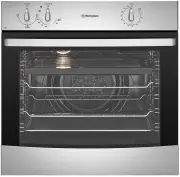
5 PRODUCT DESCRIPTION PRODUCT DESCRIPTION WVG613 2 3 4 1 WVG615 2 6 3 5 1 1 8 2 7 6 9 WVG655 & WVG665 1 Oven indicator light 2 Function selector 3 Oven/grill temperature selector 4 ‘Auto-off’ timer 5 Function indicator light 6 Electronic Clock 7 Oven temperature selector 8 Grill indicator light ...
Page 6 - Setting the time; BEFORE FIRST USE
6 BEFORE FIRST USE Setting the time If you have purchased a model fitted with an electronic clock, you must set the time of day before you can operate your appliance. Electronic clock • After the appliance has been electrically connected, “12.00” will be displayed and the indicator symbol will flash...
Page 7 - INSTALLING YOUR OVEN ACCESSORIES; Installing your oven accessories
7 OVEN ACCESSORIES INSTALLING YOUR OVEN ACCESSORIES Installing your oven accessories Side racks The side racks that come with your oven can be attached to either side of your oven. • Insert the rear peg(s) side into the rear access holes provided, ensuring that the pegs are fully inserted. • Then lo...
Page 8 - USING YOUR OVEN
8 OPERATION USING YOUR OVEN Understanding your oven functions Your oven will have a selection of the following functions. Refer to “Description of your appliance” to confirm what functions are available to you. Oven Refer to cooking guide for more information. Fan bake Heat comes from the gas “base ...
Page 11 - On completion of cooking
11 OPERATION Setting the minute minder 1. Press “Mode“ until the indicator symbol begins flashing. 2. Set the countdown time by using or symbols while the indicator symbol is flashing. 3. After 5 seconds from the last change, the indicator symbol will stop flashing, confirming the timer has been set...
Page 12 - Ignition and response to ignition failure
12 OPERATION USING YOUR OVEN (CONTINUED) Ignition and response to ignition failure The electronic controller attempts to ignite the flame when an oven function and temperature is selected (the thermostat indicator light changes from off to on). The controller makes up to 2 attempts to ignite the fla...
Page 13 - Oven shelf location; Roasting meat
13 OPERATION Oven shelf location Your oven has seven positions for shelves. These are numbered from 1 (the lowest shelf position) to 7 (the highest shelf position). See diagram. Use the oven efficiently, by cooking many trays of food at the same time. For example: • Cook 2 trays of scones, small cak...
Page 14 - COOKING GUIDE; Choosing the best oven settings
14 COOKING GUIDE OPERATION COOKING GUIDE FOOD TEMPERATURE ºC SHELF POSITION IN OVEN* TIME IN MINUTES Scones Plain or fruit 220 3 10 - 15 Biscuits Rolled 180 3 10 - 15 Spooned 190 3 12 - 15 Shortbread biscuits 160 2 or 3 30 - 35 Meringues Hard - individual 110 3 90 Soft - individual 180 3 15 - 20 Pav...
Page 15 - Grilling hints; Guide to better grilling; Fan grill (multifunction grill in oven models only); Grilling with separate grill underbench; GRILLING GUIDE
15 GRILLING GUIDE Grilling hints WARNING WARNING Always clean the grill/oven dish after every use. Excessive fat build up may cause a fire. As a method of cooking, grilling can be used to: • Enhance the flavours of vegetables, fish, poultry and meat. • Seal the surface of the food and retain the nat...
Page 16 - DEALING WITH COOKING PROBLEMS
16 COOKING PROBLEMS DEALING WITH COOKING PROBLEMS PROBLEM CAUSES REMEDY Uneven cooking Incorrect shelf position Select shelf that places food in the centre of the oven Baked products too brown on top Experiment with other trays or dishes Trays not centralised Centre trays Air flow in oven uneven Rot...
Page 17 - Get to know the oven with this ‘Simple Test Cake’; GETTING TO KNOW THE OVEN
17 ABOUT YOUR OVEN Get to know the oven with this ‘Simple Test Cake’ Although we strive for a perfect performing oven, it’s possible that there will be some variation in colour when baking. Therefore, we suggest this simple, easy and delicious to make Simple Test Cake, it can help you understand you...
Page 18 - Enamel; Stainless steel; CLEANING YOUR APPLIANCE; Oven
18 CLEANING WARNING WARNING • Ensure the oven is electrically isolated before cleaning. This can be done by switching off the appliance via the powerpoint or isolating switch (if available), or the switchboard. • Do not use steam cleaners, as this may cause moisture build up. WARNING CAUTION • Do no...
Page 19 - Cleaning your oven accessories; Removing the side racks (shelf supports)
19 CLEANING Cleaning your oven accessories Removing the trays and shelves from your appliance • Slide the dish and shelves towards you until they reach the front stop. • Tilt them up at the front to clear the side supports, taking care not to spill the contents. • For separate grill underbench model...
Page 20 - Removing and replacing the oven light; Cleaning the oven door; Removing the oven door
20 CLEANING CLEANING YOUR APPLIANCE (CONTINUED) Removing and replacing the oven light WARNING WARNING Make sure the appliance is turned off before you remove or replace parts, to avoid the possibility of electric shock. • Turn oven light glass anticlockwise to remove it for globe replacement. • A sp...
Page 21 - Removing oven door top trim; Cleaning the door glass panels; Removing the bottom trim (on selected models)
21 CLEANING Removing oven door top trim • Take hold of the grid embossed sections of the door trim at each end and press inwards to release the clips. Remove the door trim by pulling it towards you. Removing the door glass panels WARNING CAUTION Rough handling, especially around the edges can cause ...
Page 22 - Re-assembling the door glass panels
22 CLEANING YOUR APPLIANCE (CONTINUED) CLEANING Re-assembling the door glass panels 1. Insert the smaller clear glass panel (when fitted) first from above and at an angle to the profile of the door. 2. Repeat for the black bordered glass panel ensuring the painted surface is facing to the downside. ...
Page 23 - Fitting the oven door
23 CLEANING Fitting the oven door 1. Take hold of the oven door with a hand on each side and with the door at an angle of 45º, position the recesses at the bottom of the door onto the hinge arms of the oven. Let the door slide down the hinge arms as far as it will go. 2. Open the door fully to acces...
Page 24 - Faults; TROUBLESHOOTING
24 TROUBLESHOOTING Faults If there is a problem with the oven and/or grill, please: • Check the points listed below before calling for service. It may be possible to avoid a call by fixing the problem yourself – and so continue cooking. • For cooking problems refer to “Dealing with cooking problems”...
Page 25 - Cabinet construction for your appliance; INSTALLING YOUR APPLIANCE
25 INSTALLATION WARNING WARNING To avoid any potential hazard, you must follow our instructions when you install your appliance. Failure to install the appliance correctly could invalidate any warranty or liability claims and lead to prosecution. • This appliance must be installed by an authorised p...
Page 26 - Underbench ovens
26 INSTALLATION Underbench ovens Your underbench oven looks best when the control panel is directly under the benchtop. An upper infill panel may have to be added if the cooktop placed above the benchtop is too deep. Refer to cooktop installation instructions for required clearance between cooktop a...
Page 27 - Separate grill underbench ovens
27 INSTALLATION Separate grill underbench ovens NOTE TO INSTALLER: For separate grill underbench installations where a cooktop is installed directly above the appliance, a minimum clearance distance of 10mm must be allowed for between the bottom of the cooktop and the top of the separate grill under...
Page 28 - Separate grill wall oven
28 INSTALLATION Separate grill wall oven GAS TYPE A B C FLUSH FIT 600 893 581min PROUD FIT 565 885 560min 1.5m electrical service cord D Gas connection - 150mm from right hand side - 220mm from bottom E Electrical service cord - 50mm from right hand side - at bottom 1.7m flexible gas hose (supplied ...
Page 29 - Recommended cabinet design
29 INSTALLATION NOTE: Powerpoint connection must be accessible with the appliance installed. Recommended cabinet design 720mm Module(s) 720mm Module(s) Bench Top Kick Panel Cooker Platform Infill Panel (2) Cleat (2) Supporting shelf 8mm below door line to give perfect alignment of cooker & cupbo...
Page 30 - Gas Connection; GAS INSTALLATION INFORMATION
30 INSTALLATION Gas Connection Before commencing installation, check to ensure the type of gas to which the appliance is intended to be connected matches the gas type given on the appliance data plate. Check the data plate (located behind the oven door) to determine gas type. A gas type label is loc...
Page 31 - Operating Pressures
31 INSTALLATION Operating Pressures Supply and operating pressures for various gases and corresponding injector sizes for each burner. GAS TYPE SUPPLY PRESSURE (KPA) NOMINAL TEST POINT PRESSURE (KPA) OVEN INJECTOR NG & SNG 1.13 - 5.00 1.00 1.50 UNIVERSAL LP 2.75 2.75 0.82 Testing the operation o...
Page 32 - NOTES
Page 35 - Warranty; Important Notice
35 WARRANTY This document sets out the terms and conditions of the product warranties for Electrolux Appliances. It is an important document. Please keep it with your proof of purchase documents in a safe place for future reference should you require service for your Appliance. 1. In this warranty: ...
Page 36 - TOP SERVICE
AUSTRALIA phone: 1300 363 640fax: 1800 350 067 email: [email protected]web: www.westinghouse.com.au NEW ZEALAND phone: 0800 436 245fax: 0800 225 088 email: [email protected]web: www.westinghouse.co.nz For more information on all Westinghouse appliances, or for dimension and installation information,...