Westinghouse GOR474SLPG - User Manual
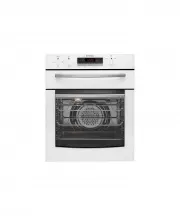
Westinghouse GOR474SLPG Oven – User Manual, read for free online in PDF format. We hope this helps you resolve any issues you may have. If you have further questions, please contact us through the contact form.


Table of Contents:
- Page 2 – WARNING; IMpORTANT SAfETy INSTRUCTIONS; ENVIRONMENTAL TIPS; CONTENTS
- Page 3 – SETTING THE TIME; Installing your oven accessories
- Page 4 – USING yOUR OvEN; UNdERSTANdING yOUR OvEN fUNCTIONS; Fan Bake; GRILL
- Page 5 – NOTE: If the oven is still hot from cooking, the cooling fan; COOKING wITH yOUR TIMER; ELECTRONIC CLOCK TOUCH CONTROL
- Page 6 – COOKING GUIdE
- Page 7 – Roasting Meat; Guide to better grilling; GRILLING GUIdE
- Page 8 – CLEANING yOUR AppLIANCE; CLEANING yOUR OvEN ACCESSORIES
- Page 9 – CAUTION
- Page 10 – Re-assembling the door glass panels
- Page 11 – GET TO KNOw yOUR OvEN; MAINTAINING yOUR AppLIANCE
- Page 12 – Faults; SOLvING pROBLEMS; Use an authorised person.; This appliance must be properly earthed; Cabinet Construction for your appliance; INSTALLING yOUR AppLIANCE
- Page 13 – GAS INSTALLATION INfORMATION
- Page 14 – Separate grill underbench ovens; Recommended cabinet design
- Page 15 – Separate grill wall oven
- Page 16 – Warranty
- Page 17 – TOp SERvICE
1
ACCESSORIES
COOKING
GOR474, GOR476, GGR475, GXR650
USER MANUAL
Gas Built-in Cooking Appliances
"Loading the manual" means you need to wait until the file loads and becomes available for online reading. Some manuals are very large, and the time they take to appear depends on your internet speed.
Was this manual helpful?
About this manual
- Brand
- Westinghouse
- Model
- GOR474SLPG
- Document type
- User Manual
- Category
- Oven
- Language(s)
- English
- Pages
- 17
- File size
- 4.5 MB
- Format
Summary
2 3 SAFETY CONTENTS Please read the user manual carefully and store in a handy place for later reference. The symbols you will see in this booklet have these meanings: WARNING This symbol indicates information concerning your personal safety CAUTION This symbol indicates information on how to avoid ...
4 5 OPERATION FEATURES SETTING THE TIME If you have purchased a model fitted with an electronic clock, you MUST set the time of day before you can operate your appliance. ELECTRONIC CLOCK • After the appliance has been electrically connected “12.00” will be displayed and the “clock” indicator will f...
6 7 OPERATION OPERATION 2. Shelves and traysThe shelves are designed so that they have maximum travel but cannot be accidentally pulled right out. The trays are designed the same way and fit straight into the side racks.• Locate the rear edge of the shelf/tray in between 2 guide rails of the side ra...
Ask a question
Related manuals
Popular Westinghouse Ovens


More Westinghouse Ovens models
 Westinghouse WVEP6727DD User Manual
 Westinghouse WVEP6918DD User Manual
 Westinghouse WVEP9716SD User Manual
 Westinghouse WVEP9917DD User Manual
 Westinghouse WVG6314SD User Manual
 Westinghouse WVG6565SD User Manual
 Westinghouse GXR650WLPG User Manual
 Westinghouse PDR790S User Manual
 Westinghouse PGR659S User Manual
 Westinghouse POR663S User Manual
 Westinghouse POR667S User Manual
 Westinghouse WFE512SC User Manual