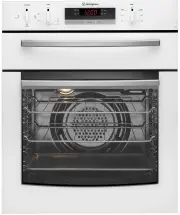
Page 2 - IMpORtANt – CHECK FOR ANY DAMAGES OR MARKS.; ENVIRONMENTAL TIPS; INFORMAtION ON DISpOSAL FOR USERS; CONtENtS
2 CONTENTS Important safety instructions . . . . . . . . . . . . . 3 Description of your appliance . . . . . . . . . . . . 4 GOR474 GOR476 GXR650 GGR475 Before operating your appliance for the first time . . . 5 Setting the time . . . . . . . . . . . . . . . . . . 5 Installing your oven accessories ...
Page 3 - WARNING; Read the following carefully to avoid an accident.; GENERAL wARNINGS; IMpORtANt SAFEtY INStRUCtIONS
3 SAFETY Please read the user manual carefully and store in a handy place for later reference . The symbols you will see in this booklet have these meanings: WARNING this symbol indicates information concerning your personal safety CAUTION this symbol indicates information on how to avoid damaging t...
Page 5 - SEttING tHE tIME; If your appliance is fitted with a mechanical “Auto Off”; INStALLING YOUR OvEN ACCESSORIES
5 OPERATION SEttING tHE tIME If you have purchased a model fitted with an electronic clock, you MUST set the time of day before you can operate your appliance . ELECtRONIC CLOCK • After the appliance has been electrically connected “12 .00” will be displayed and the “clock” indicator will flash . • ...
Page 7 - USING YOUR OvEN
7 OPERATION USING YOUR OvEN UNDERStANDING YOUR OvEN FUNCtIONS Your oven will have a selection of the following functions . Refer to “Description of your appliance” to confirm what functions are available to you . OvEN Refer to cooking guide for more information . FAN BAKE Heat comes from the gas “ba...
Page 8 - NOTE: If the oven is still hot from cooking, the cooling fan
8 OPERATION COOLING/vENtING FAN Your built-in appliance is fitted with a cooling fan . This prevents your kitchen cabinet from overheating and reduces the condensation inside the oven . It will operate whenever you are using your oven or grill and will blow warm air across the top of the oven or gri...
Page 9 - COOKING wItH YOUR tIMER; Once automatic baking is complete, return to manual; OpERAtING tHE ELECtRONIC CLOCK
9 OPERATION GENERAL FEAtURES Your touch control clock has the following features:• Timer – allows you to set a countdown time that will beep when the set time has elapsed . • Cooking duration – You can set a cooking duration. A timer will count down the preset cooking time, beep when the time has el...
Page 10 - COOKING GUIDE
10 OPERATION • Select the correct shelf location for food being cooked.• Make sure dishes will fit into the oven before you switch it on . • Keep edges of baking dishes at least 40mm from the side of the oven . This allows free circulation of heat and ensures even cooking . • Do not open the oven do...
Page 11 - CHOOSING tHE BESt OvEN SEttINGS; The following table is intended as a guide and experience; MODELS wItHOUt OvEN FAN
11 OPERATION CHOOSING tHE BESt OvEN SEttINGS The following table is intended as a guide and experience may show some variation in cooking times necessary to meet individual requirements . It may be necessary to change some cooking times and temperatures from your previous oven . For best results whe...
Page 12 - GRILLING GUIDE; ROAStING MEAt
12 OPERATION GRILLING GUIDE ROAStING MEAt 1 . Place the meat in the oven and set the temperature between 180°C and 200°C . (It is recommended to wrap your meats in an oven roasting bag or foil to prevent fats and oils from splattering, making it easier to clean your oven .) 2 . Use the grill/oven di...
Page 13 - GUIDE tO BEttER GRILLING; FAN GRILL (MULtIFUNCtION GRILL IN OvEN MODELS ONLY)
13 OPERATION GUIDE tO BEttER GRILLING No definite times can be given for grilling because this depends on your own tastes and the size of the food . These times should only be used as a guide and remember to turn the food over halfway through the cooking process .For better grilling results, follow ...
Page 14 - DEALING wItH COOKING pROBLEMS; pROBLEM
14 TROUBLESHOOTING DEALING wItH COOKING pROBLEMS pROBLEM CAUSES REMEDY Uneven cooking Incorrect shelf position Select shelf that places food in the centre of the oven Oven tray too large Experiment with other trays or dishes Trays not centralised Centre trays Air flow in oven uneven Rotate food duri...
Page 15 - CLEANING YOUR AppLIANCE
15 CLEANING WARNING • Always make sure that the oven is electrically isolated before cleaning . This can be done via the powerpoint switch located nearby . • Do not use steam cleaners.• Do not line the bottom of the oven or grill with foil or cookware . • Do not use sharp metal implements or utensil...
Page 16 - CAUTION; REMOvING tHE OvEN DOOR
16 CLEANING REMOvING tHE SIDE RACKS (SHELF SUppORtS) – GRILL IN OvEN AND SEpARAtE GRILL MODELS • Grasp the shelf supports at the front . • Pull them firmly inwards .• Install the side racks . CAUTION DO NOt remove the separate grill drawer mechanism on the separate grill underbench model (GGR475). t...
Page 17 - REMOvING OvEN DOOR tOp tRIM; REMOvING tHE BOttOM tRIM (ON SELECtED MODELS); RE-ASSEMBLING tHE BOttOM tRIM
17 CLEANING REMOvING OvEN DOOR tOp tRIM • Take hold of the grid embossed sections of the door trim at each end and press inwards to release the clips . Remove the door trim by pulling it towards you . REMOvING tHE DOOR GLASS pANELS CAUTION Rough handling, especially around the edges can cause the gl...
Page 18 - RE-ASSEMBLING tHE DOOR GLASS pANELS
18 CLEANING RE-ASSEMBLING tHE DOOR GLASS pANELS • Insert the smaller clear glass panel (when fitted) first from above and at an angle to the profile of the door . • Repeat for the black bordered glass panel ensuring the painted surface is facing to the downside . RE-ASSEMBLING tHE tOp DOOR tRIM • Ta...
Page 19 - FIttING tHE OvEN DOOR
19 CLEANING FIttING tHE OvEN DOOR • Take hold of the oven door with a hand on each side and with the door at an angle of 45º, position the recesses at the bottom of the door onto the hinge arms of the oven . Let the door slide down the hinge arms as far as it will go. • Open the door fully to access...
Page 20 - GEt tO KNOw YOUR OvEN; REMOvING AND REpLACING tHE OvEN LIGHt; GEt tO KNOw YOUR NEw OvEN wItH tHIS ‘SIMpLE tESt CAKE’; MAINtAINING YOUR AppLIANCE
20 MAINENTANCE GEt tO KNOw YOUR OvEN RELEASING tHE GRILL ELEMENt – GRILL IN OvEN AND SEpARAtE GRILL MODELS We have designed the upper element with a hanger clip to help you reach your cavity roof for cleaning . To remove grill, push sides of hanger clip in the direction of arrows until one hanger cl...
Page 21 - IGNItION AND RESpONSE tO IGNItION FAILURE; ELECtRONIC BURNER CONtROL
21 SAFETY Your gas oven is fitted with an electronic controller which manages the operation of the burner and monitors the flame . This controller includes features which ensure the safe operation of your appliance and will prevent the build up of unburnt gas, should a fault occur . It is normal for...
Page 22 - FAULtS; SOLvING pROBLEMS
22 TROUBLESHOOTING FAULtS If there is a problem with the oven and/or grill, please: • Check the points listed below before calling for service . It may be possible to avoid a call by fixing the problem yourself – and so continue cooking . • For cooking problems refer to “Dealing with cooking problem...
Page 23 - Use an authorised person.; this appliance must be properly earthed; CABINEt CONStRUCtION FOR YOUR AppLIANCE; flush fit; INStALLING YOUR AppLIANCE
23 INSTALLATION WARNING Use an authorised person. As stated in the local municipal building codes and other relevant statutory regulations .• Refer to data plate for rating information and circuit diagram . The data plate is positioned behind the bottom of the oven door . The circuit diagram is posi...
Page 24 - GAS CONNECtION; ensure the regulator or test point fitting is in; GAS INStALLAtION INFORMAtION
24 INSTALLATION GAS CONNECtION Before commencing installation, check to ensure the type of gas to which the appliance is intended to be connected matches the gas type given on the appliance data plate .Check the data plate (located behind the oven door) to determine gas type . A gas type label is lo...
Page 25 - OpERAtING pRESSURES; tEStING tHE OpERAtION OF tHE AppLIANCE
25 INSTALLATION Check all joints and ensure that connections are sound . OpERAtING pRESSURES Supply and operating pressures for various gases and corresponding injector sizes for each burner . GAS tYpE SUppLY pRESSURE (KpA) NOMINAL tESt pOINt pRESSURE (KpA) OvEN INjECtOR NG & SNG 1 .13 - 5 .00 1...
Page 26 - UNDERBENCH OvENS; Your underbench oven looks best when the control panel; upper infill; panel
26 INSTALLATION UNDERBENCH OvENS Your underbench oven looks best when the control panel is directly under the benchtop . An upper infill panel may have to be added if the cooktop placed above the benchtop is too deep .Refer to cooktop installation instructions for required clearance between cooktop ...
Page 27 - SEpARAtE GRILL UNDERBENCH OvENS; RECOMMENDED CABINEt DESIGN; Front View
27 INSTALLATION A B C 561 mounting holes 596 Use 25mm long black installation screws supplied 1.7m flexible gas hose (supplied unfitted) 1.5m electrical service cord D: Gas connection – 150mm from right hand side – 220mm from bottom E: Electrical connection – 50mm from right hand side – at bottom D ...
Page 28 - SEpARAtE GRILL wALL OvEN
28 INSTALLATION 650 min A C B 561 596 mounting holes Use 15mm long black installation screws supplied carry handle 8mm min clearance 888 *20 553 15 1.7m flexible gas hose (supplied unfitted) 1.5m electrical service cord E D D: Gas connection – 150mm from right hand side – 220mm from bottom E: Electr...
Page 29 - NOtES
Page 31 - Warranty; Important Notice
31 WARRANTY This document sets out the terms and conditions of the product warranties for Electrolux Appliances. It is an important document. Please keep it with your proof of purchase documents in a safe place for future reference should you require service for your Appliance. 1. In this warranty: ...
Page 32 - tOp SERvICE
AUSTRALIAphone: 1300 363 640 fax: 1800 350 067 email: customercare@electrolux .com .au web: www .westinghouse .com .au NEW ZEALANDphone: 0800 234 234fax: 0800 363 600 email: customercare@electrolux .co .nzweb: www .westinghouse .co .nz For more information on all Westinghouse appliances, or for dime...