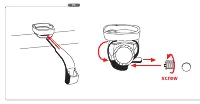
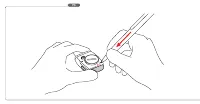
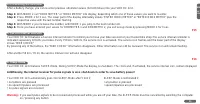
Page 2 - screw
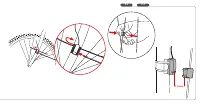
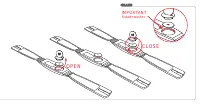
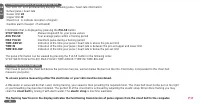
Page 7 - IMPORTANT; Rubber washer
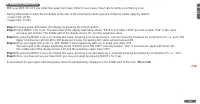
Page 8 - automatic
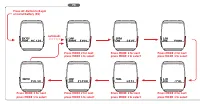
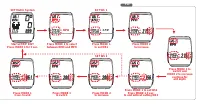
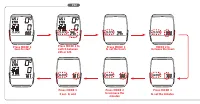
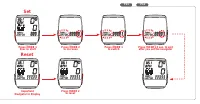
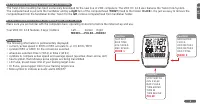
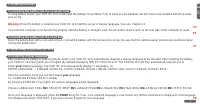
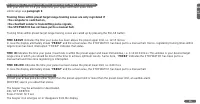
P8 Press MODE 2 for nextpress MODE 1 to select Press AC-Button to Beginor install battery (P6) • • • • • • • automatic Press MODE 2 for nextpress MODE 1 to select Press MODE 2 for nextpress MODE 1 to select Press MODE 2 for nextpress MODE 1 to select Press MODE 2 for nextpress MODE 1 to select Press...
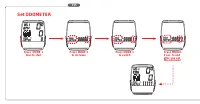
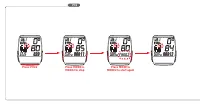
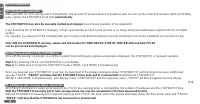
Page 14 - Press MODE 1; Set ODOMETER; Press MODE 2
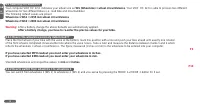
P15 Press MODE 1 3sec.to start Press MODE13 sec. to endafter you setthe odometer Set ODOMETER Press MODE 2 to increase Press MODE 1 to switch •••••••••• • • • • • • •
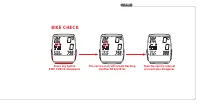
Page 15 - BIKE CHECK
P16 Press any button BIKE CHECK disappears The service icon will remain flashing. Another 50 km/35 mi. Then the service interval icon will also disappear BIKE CHECK
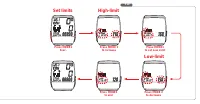
Page 17 - Set limits
P18 Press MODE1 3sec. Press MODE1 to set Low Limit Low-limit High-limit Set limits Press MODE 2 to increase Press MODE1 to end Press MODE 2 to decrease
Page 19 - Index
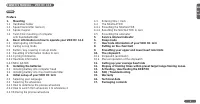
OWNER'S MANUAL - VDO HC 12.6 Index Preface1. Mounting 4.3 Entering time / clock 1.1 Handlebar holder 4.4 The NAVIGATOR 1.2 Speed transmitter (sensor) 4.4.1 Presetting the NAVIGATOR 1.3 Spoke magnet 4.4.2 Resetting the NAVIGATOR to zero 1.4 Twist-Click mounting of computer 4.5 Presetting the odometer...
Page 20 - Preface; We wish you enjoyable trips and rides on your bike with VDO; Mounting the handlebar holder; for you. Only when you find the best position tighten the screw.; Mounting the speed transmitter / sensor
Preface Thank you very much for buying a VDO HC 12.6 bicycle computer featuring heart rate / pulse functions. The more familiar you get with this model,the more enjoyable your trips are going to be.Hence, our urgent request:Please read thoroughly all the information provided in this manual. You are ...
Page 21 - PULSE
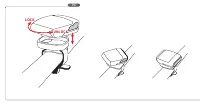
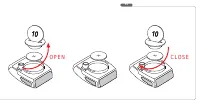
1.4 Twist-Click mounting of computer on to holder The Twist-Click mounting has been exclusively developed for the new line of VDO computers. The VDO HC 12.6 also features the Twist-Click-System.The computerhead is put onto the handlebar and by a right turn of the computerhead (TWIST) fixed to the ho...
Page 22 - Interrogating information
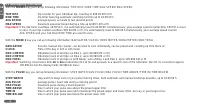
2.1 Interrogating information With the MODE1 key you call up following information: TRIP DIST/ RIDE TIME/ AVG SPEED/ MAX SPEED TRIP DIST trip counter for your individual trip, counting to 999.99 KM or M RIDE TIME trip timer featuring automatic start/stop function up to 19:59:59 h AVG SPEED average s...
Page 23 - Display Information needed
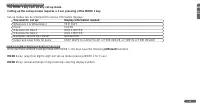
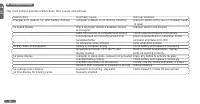
2.2 Calling up set-up modes The MODE 1 key calls up any set-up modeCalling up the set-up modes requires a 3 sec pressing of the MODE 1 key. Set-up modes can be entered from various information displays: You want to set up: Display Information needed Wheelsize 1 or Wheelsize 2 TRIP DIST Clock CLOCK O...
Page 24 - Resetting of information modes to zero
2.4 Resetting of information modes to zero By pressing MODE 2 for 5 sec. any of the following information is simultaneously reset to zero 2.4.1. Cycling Information Get any of these informations in displayTRIP DIST--RIDE TIME--AVG SPEED--MAX SPEEDPress MODE 2 for 5 sec. to reset all of above informa...
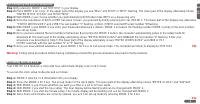
Page 27 - setting the clock CLK; To access the clock setup mode proceed as follows:
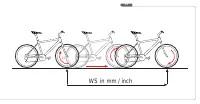
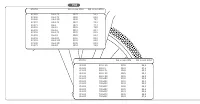
4.2.3 Entering the precise wheelsize Step 1: By pressing MODE 1 call TRIP DIST in your display.Step 2: Press MODE 1 for 3 sec. In the upper part of the display you see "WS1" and "KMH" or "MPH" flashing. The lower part of the display alternately shows "ENTER MTRIC SYSTM...
Page 28 - Your VDO HC 12.6 will be counting on from this preset value.
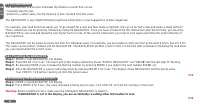
4.4 The NAVIGATOR The NAVIGATOR is a second, individual trip distance counter that can be:• manually reset to zero• preset to a certain value, the trip distance is then counted from this value. The NAVIGATOR is very helpful following road book instructions or tour suggestions of bike magazines. For ...
Page 30 - Manual stopwatch for your pulse values; AVG PULSE; Your average pulse within a training period; MAX PULSE; maximum pulse during a training period; TIME ABOVE
GB HC 12.6 12 7. Pulse information of your VDO HC 12.6 Your VDO HC 12.6 permanentely displays following pulse / heart rate information:• Actual pulse / heart rate• Lower limit LO• Upper limit HI• Heart icon to indicate receiption of signals• Audible alarm / beeper (if activated) Information that is ...
Page 31 - Setting of pulse limits
9. Setting of pulse limits With your VDO HC 12.6 you determine upper and lower limits for your pulse / heart rate to define your training zone. During initial setup or when the AC-button at the rear of the housing has been pressed, following values apply by default:• Lower limit LO 80• Upper limit H...