Page 2 - My Settings; BIKE 1 SERVICE INTERVALL:
My Settings ✍ AGE: WEIGHT: LIMIT 1: LOW: HIGH: LIMIT 2: LOW: HIGH: LIMIT 3: LOW: HIGH: RECOVERY PULSE: RECOVERY TIME: BIKE 1 WEIGHT: BIKE 2 WEIGHT: BIKE 2 WHEELSIZE: BIKE 1 WHEELSIZE: HOME ALTITUDE: BIKE 1 SERVICE INTERVALL: BIKE 2 SERVICE INTERVALL: MAX HEARTRATE: FURTHER SETTINGS:
Page 4 - OPEN
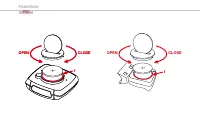
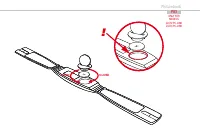
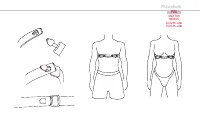
Picturebook Picturebook OPEN CLOSE OPEN CLOSE ! OPEN CLOSE ! P02
Page 5 - Picturebook
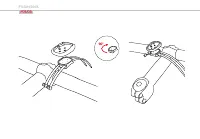
Picturebook OPEN CLOSE ! P03 ONLY FOR MODELS Z2/Z2 PC-LINKZ3/Z3 PC-LINK
Page 7 - UNLOCK
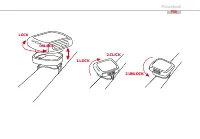
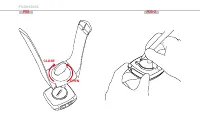
Picturebook P06 UNLOCK LOCK 1.LOCK 2.CLICK 2.UNLOCK
Page 9 - ONLY FOR
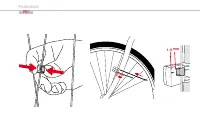
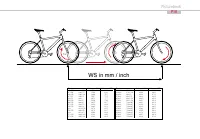
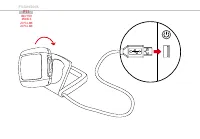
Picturebook P08 ONLY FOR MODELS Z2/Z2 PC-LINKZ3/Z3 PC-LINK
Page 14 - INSTRUCTION MANUAL; TABLE OF CONTENTS
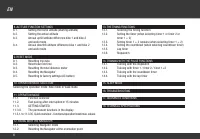
5 INSTRUCTION MANUAL TABLE OF CONTENTS 1.1. GENERAL 1.2. IMPORTANT INSTRUCTIONS FOR THE DIGITAL WIRELESS SYSTEM 1.3. Control system - operation 1.3.1. Operating mode 1.3.2. Setting mode 1.4. The display 1.5. Extension options & accessories 2. INSTALLATION 2.1. Battery installation 2.1.1. Battery...
Page 16 - cantly more reliable than the
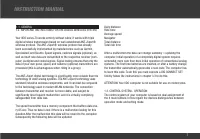
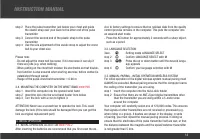
7 INSTRUCTION MANUAL 1.1. GENERAL 1.2. IMPORTANT INSTRUCTIONS FOR THE DIGITAL WIRELESS SYSTEM Your VDO series Z3 works entirely without cable; it works with triple digital wireless transmission based on well-established ANT+Sport® wireless protocol. The ANT+Sport® wireless protocol has already been ...
Page 17 - OPERATION MODE; Displaying all altitude; measuring functions
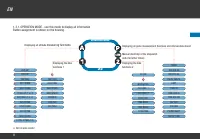
8 EN K 1.3.1. OPERATION MODE - use this mode to display all informationButton assignment is shown on the housing. OPERATION MODE Z3 ALTI UP DIST UP TRIP MAX AVG CLIMB MAX CLIMB TOTAL UP (1 or 2) ALTI MAX (1 or 2) ALTI DOWN DIST DOWN AVG DOWN MAX DOWN TOTAL DOWN (1/2) TRIP DIST RIDE TIME AVG SPEED MA...
Page 18 - To go to setting mode:; SETTING MODE; or
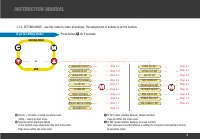
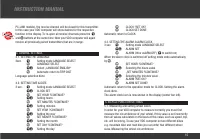
9 INSTRUCTION MANUAL 1.3.2. SETTING MODE - use this mode to make all settings. The assignment of buttons is on the buttons To go to setting mode: Press button ç for 3 seconds SETTING MODE Z3 or Chap. 8.1.Chap. 8.2.Chap. 8.3.Chap. 8.4.Chap. 6.1.Chap. 10.Chap. 5.4.Chap. 7.5.Chap. 3.3. LANGUAGE SELECT ...
Page 24 - BICYCLE FUNCTION SETTINGS
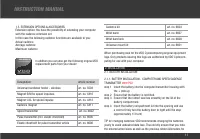
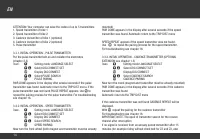
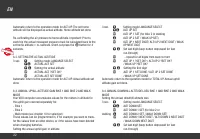
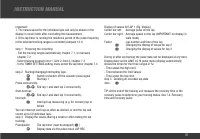
15 INSTRUCTION MANUAL PC-LINK models), the receive channel will be closed for this transmitter. In this case your VDO computer will show dashes for the respective function in the display. To re-open all receive channels press the ç and ¥ buttons at the same time: Now your VDO computer will again rec...
Page 28 - PULSE FUNCTION SETTINGS
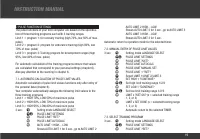
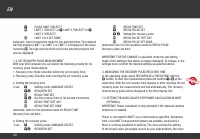
19 INSTRUCTION MANUAL 7.PULSE FUNCTION SETTINGS The pulse functions of your VDO computer are based on the speci fi ca- tion of three training programs each with 3 training ranges.Limit 1 = program 1: for recovery training (high 70%, low 50% of max. pulse)Limit 2 = program 2: program for endurance tr...
Page 30 - ALTITUDE FUNCTION SETTINGS
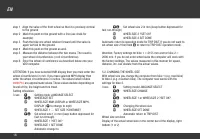
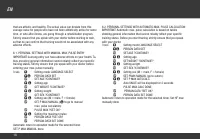
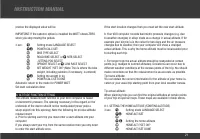
21 INSTRUCTION MANUAL precise the displayed value will be. IMPORTANT: If the cadence option is installed the WATT shows ZERO when you stop moving the pedals. 3 sec. ç Setting mode LANGUAGE SELECT ∂ ƒ POWER CALC SET ‚ BIKE TYPE SELECT ‚ ROAD BIKE SELECT or ∂ MTB SELECT ‚ „SITTING POS SELECT ‚ UPRIGHT...
Page 32 - fl
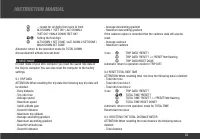
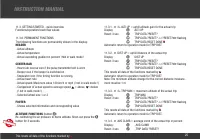
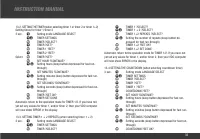
23 INSTRUCTION MANUAL ‚ ... repeat for all digits from back to front ‚ ALTI DOWN 1 ?SET OK? / ALTI DOWN 2 ?SET OK? / WALK DOWN ?SET OK? ∂ ƒ Setting the fi rst digit ‚ ALTI DOWN 1 SET DONE / ALTI DOWN 2 SET DONE / WALK DOWN SET DONE Automatic return to the operation mode for TOTAL DOWNAnnual downhill...
Page 34 - HEADER
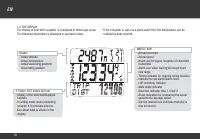
25 INSTRUCTION MANUAL 11.3. GETTING STARTED - quick overviewFunctions/operation/reset/max values 11.3.0. PERMANENT FUNCTIONSThe following functions are permanently shown in the display: HEADER - Actual altitude - Actual temperature - Actual ascending gradient in percent ! Not in walk mode ! CENTER B...
Page 35 - This resets all data of the functions marked by
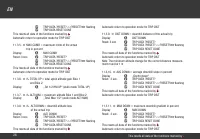
26 EN ‚ TRIP DATA ?RESET? <<?RESET?>> fl ashing ‚ TRIP DATA RESET DONE This resets all data of the functions marked by L Automatic return to operation mode for TRIP DIST 11.3.5. ¬ MAX CLIMB = maximum climb of the actual trip in percent Display ¥ MAX CLIMB Reset: 3 sec. √ TRIP DATA ?RESET...
Page 36 - BICYCLE FUNCTIONS; OPTION ONLY WITH CADENCE EXTENSION
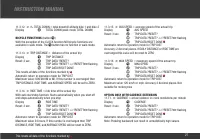
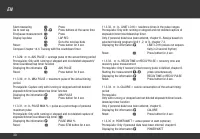
27 INSTRUCTION MANUAL 11.3.12. ¬ £ TOTAL DOWN = total downhill altitude bike 1 and bike 2Display ¥ TOTAL DOWN (walk mode TOTAL DOWN) BICYCLE FUNCTIONS (button ç ) With the exception of the CLOCK function NO bicycle functions are available in walk mode. The ç button has no function in walk mode. 11.3...
Page 38 - HEART RATE FUNCTIONS (
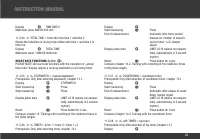
29 INSTRUCTION MANUAL Display √ TIME BIKE 2 Maximum value 999:59 hhh:mm 11.3.24. ¬ TOTAL TIME = total ride time bike 1 and bike 2Shows the total time of all day trips ridden with bike 1 and bike 2 in hhh:mmDisplay √ TOTAL TIME Maximum value: 1999:59 hhhh:mm HEART RATE FUNCTIONS ( button ≈ ) PLEASE N...
Page 40 - RIDING WITH THE NAVIGATOR
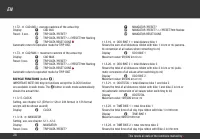
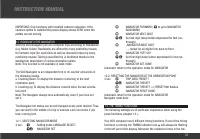
31 INSTRUCTION MANUAL IMPORTANT: Only functions with installed cadence extension. If the cadence option is installed the power display shows ZERO when the pedals are not moving. 12. RIDING WITH THE NAVIGATOR With the VDO Navigator you can complete trips according to Roadbooks (e.g. Moser Guide). Roa...
Page 43 - TRAINING CONTROL WITH THE PULSE FUNCTIONS
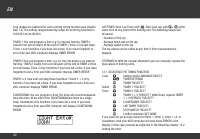
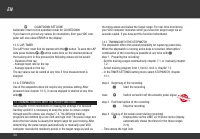
34 EN ‚ COUNTDOWN SET DONE Automatic return to the operation mode for COUNTDOWNIf you have not yet set any values for countdown, then your VDO com-puter will now show ERROR in the display. 13.5. LAP-TIMERThe LAP timer must fi rst be started with the ∫ button. To save the LAP data press buttons ≈ + ¥...
Page 44 - Start the recording
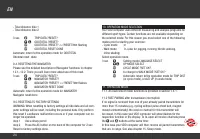
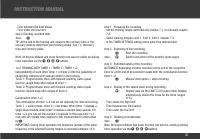
35 INSTRUCTION MANUAL - Time between the limit values- Time under the low limitstep 5 Deleting recorded data4sec. ∫ TIP: At the end of the training unit measure the recovery time or the recovery pulse to determine your training status. See 7.4. Recovery time and recovery pulse Note: All bicycle alti...
Page 50 - GUARANTEE CONDITIONS
41 INSTRUCTION MANUAL 17. GUARANTEE CONDITIONS VDO Cycle Parts offers a 5-year guarantee on your VDO computer, starting from date of purchase. The guarantee extends to material and manufacturing defects on the computer itself, on the docking station, on the transmitters and on the handlebar and wris...
Page 59 - ADDENDUM TO USER MANUAL
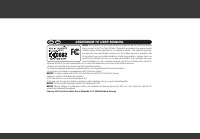
66023 66023 ADDENDUM TO USER MANUAL USA CDN NOTICE : This equipment has been tested and found to comply with the limits for a Class B digital device, pursuant to Part 15 of the FCC Rules. These limits are designed to provide reasonable protection against harmful interference in a residential install...
Page 61 - F O R R U N N I N G / H I K I N G; V D O S E R I E S - Z; w w w . v d o c y c l e c o m p u t i n g . c o m
F O R R U N N I N G / H I K I N G V D O S E R I E S - Z w w w . v d o c y c l e c o m p u t i n g . c o m CYCLECOMPUTING