Page 3 - RU
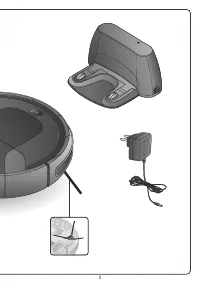
3 www.tefal.com RU Перед первым использованием внимательно прочитайте инструкцию «Меры безопасности и правила использования». / PL Przed pierwszym użyciem proszę uważnie przeczytać broszurę „Zalecenia dotyczące bezpieczeństwa i użytkowania” / EN Please read carefully the “Safety and use instructions...
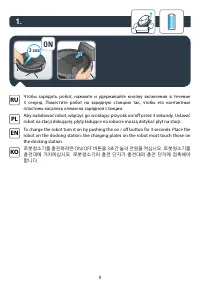
Page 9 - ON; пластины касались клемм на зарядной станции.
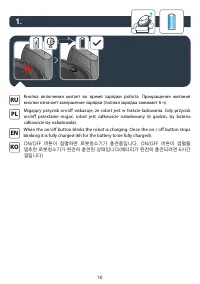
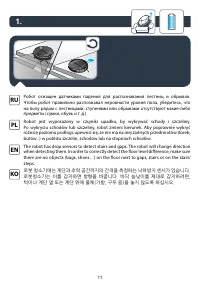
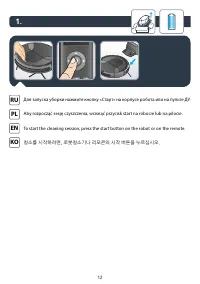
9 To charge the robot turn it on by pushing the on / off button for 3 seconds. Place the robot on the docking station: the charging plates on the robot must touch those on the docking station. EN 1. 3 sec ON Чтобы зарядить робот, нажмите и удерживайте кнопку включения в течение 3 секунд. Поместите р...
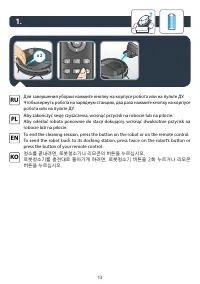
Page 14 - the random mode button on the remote.; RANDOM; wciśnij dowolny przycisk trybu na pilocie.
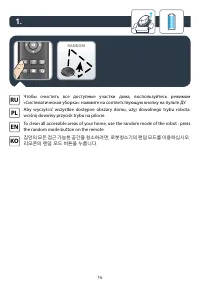
14 1. To clean all accessible areas of your home, use the random mode of the robot : press the random mode button on the remote. EN RANDOM Чтобы очистить все доступные участки дома, воспользуйтесь режимом «Систематическая уборка»: нажмите на соответствующую кнопку на пульте ДУ. RU Aby wyczyścić wszy...
Page 15 - edge mode button on the remote.; EDGE; на соответствующую кнопку на пульте ДУ.
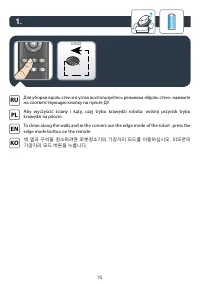
15 1. To clean along the walls and in the corners use the edge mode of the robot : press the edge mode button on the remote. EN EDGE Для уборки вдоль стен и в углах воспользуйтесь режимом «Вдоль стен»: нажмите на соответствующую кнопку на пульте ДУ. RU Aby wyczyścić ściany i kąty, użyj trybu krawędz...
Page 16 - press the random room mode on the remote.; RANDOM room; obszarach w domu: wciśnij dowolny przycisk trybu na pilocie.
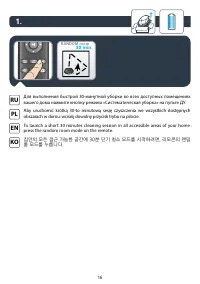
16 1. To launch a short 30 minutes cleaning session in all accessible areas of your home : press the random room mode on the remote. EN RANDOM room 30 min. Для выполнения быстрой 30-минутной уборки во всех доступных помещениях вашего дома нажмите кнопку режима «Систематическая уборка» на пульте ДУ. ...
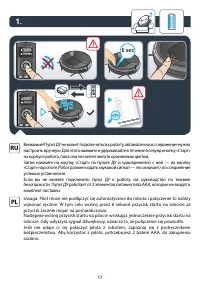
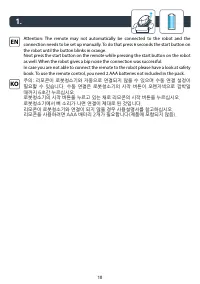
Page 18 - the robot until the button blinks in orange.
18 1. 주의: 리모콘이 로봇청소기와 자동으로 연결되지 않을 수 있으며 수동 연결 설정이 필요할 수 있습니다. 수동 연결은 로봇청소기의 시작 버튼이 오렌지색으로 깜박일 때까지 6초간 누르십시오.로봇청소기의 시작 버튼을 누르고 있는 채로 리모콘의 시작 버튼을 누르십시오. 로봇청소기에서 삐 소리가 나면 연결이 제대로 된 것입니다.리모콘이 로봇청소기와 연결이 되지 않을 경우 사용설명서를 참고하십시오. 리모콘을 사용하려면 AAA 배터리 2개가 필요합니다(제품에 포함되지 않음). KO Attention: The remote may not ...
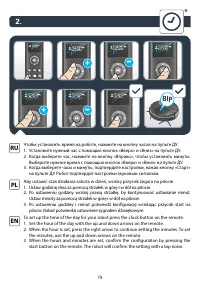
Page 19 - BIP
19 To set up the time of the day for your robot press the clock button on the remote. 1. Set the hour of the day with the up and down arrows on the remote. 2. When the hour is set, press the right arrow to continue setting the minutes. To set the minutes, use the up and down arrows on the remote. 3....
Page 21 - minuty za pomocą strzałek w górę i w dół na pilocie.
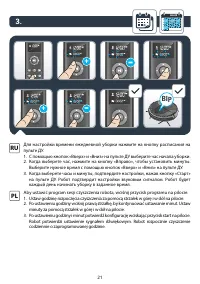
21 Для настройки времени ежедневной уборки нажмите на кнопку расписания на пульте ДУ. 1. С помощью кнопок «Вверх» и «Вниз» на пульте ДУ выберите час начала уборки. 2. Когда выберете час, нажмите на кнопку «Вправо», чтобы установить минуты. Выберите нужное время с помощью кнопок «Вверх» и «Вниз» на п...
Page 22 - 매일 청소 세션을 설정하려면 리모콘의 스케줄 버튼을 누르십시오.
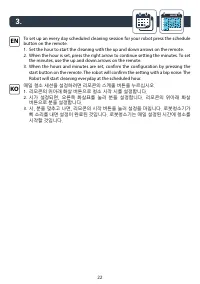
22 3. month 매일 청소 세션을 설정하려면 리모콘의 스케줄 버튼을 누르십시오. 1. 리모콘의 위아래 화살 버튼으로 청소 시작 시를 설정합니다. 2. 시가 설정되면, 오른쪽 화살표를 눌러 분을 설정합니다. 리모콘의 위아래 화살 버튼으로 분을 설정합니다. 3. 시, 분을 맞추고 나면, 리모콘의 시작 버튼을 눌러 설정을 마칩니다. 로봇청소기가 삐 소리를 내면 설정이 완료된 것입니다. 로봇청소기는 매일 설정된 시간에 청소를 시작할 것입니다. KO To set up an every day scheduled cleaning sessio...
Page 23 - сигналом, а время начала уборки исчезнет с пульта.
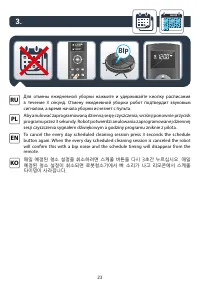
23 To cancel the every day scheduled cleaning session press 3 seconds the schedule button again. When the every day scheduled cleaning session is canceled the robot will confirm this with a bip noise and the schedule timing will disappear from the remote. EN 3. month BIP Для отмены ежедневной уборки...
Page 25 - over a garbage bin to shake off the dust.
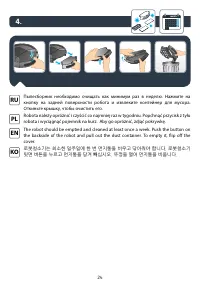
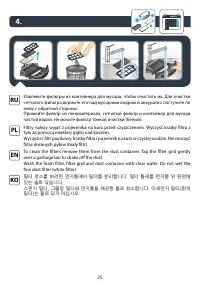
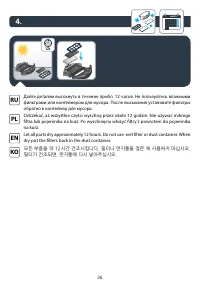
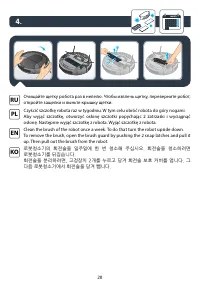
25 Извлеките фильтры из контейнера для мусора, чтобы очистить их. Для очистки сетчатого фильтра держите его над мусорным ведром и аккуратно постучите по нему с обратной стороны. Промойте фильтр из пеноматериала, сетчатый фильтр и контейнер для мусора чистой водой. Не мочите фильтр тонкой очистки (бе...
Page 27 - year; очистки и поролоновый фильтр каждые 6 месяцев.
27 4. month year NEW NEW Every 6 months replace the fine dust and foam filter with new ones to maintain optimal performance. EN Для поддержания оптимальных условий работы заменяйте фильтр тонкой очистки и поролоновый фильтр каждые 6 месяцев. RU Co 6 miesięcy wymienić filtr drobnych pyłów i filtr pia...
Page 29 - Для очистки щетки обрезайте волосы ножницами.
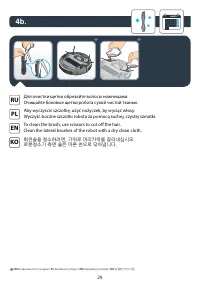
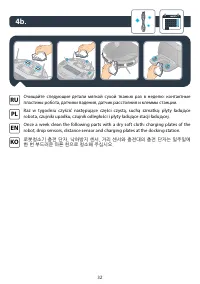
29 To clean the brush, use scissors to cut off the hair. Clean the lateral brushes of the robot with a dry clean cloth. EN 4b. month Для очистки щетки обрезайте волосы ножницами. Очищайте боковые щетки робота сухой чистой тканью. RU Aby wyczyścić szczotkę, użyć nożyczek, by wyciąć włosy. Wyczyść boc...
Page 30 - Replace lateral brushes every 6 months.
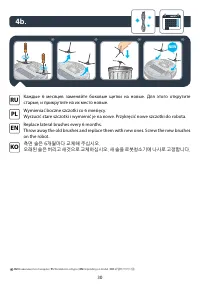
30 4b. month Replace lateral brushes every 6 months. Throw away the old brushes and replace them with new ones. Screw the new brushes on the robot. EN * * Каждые 6 месяцев заменяйте боковые щетки на новые. Для этого открутите старые, и прикрутите на их место новые. RU Wymieniać boczne szczotki co 6 ...
Page 31 - удерживая кнопку в течение 3 секунд.; OFF
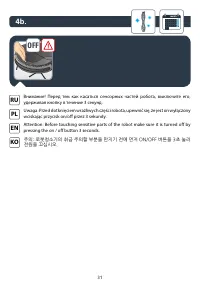
31 4b. month Внимание! Перед тем как касаться сенсорных частей робота, выключите его, удерживая кнопку в течение 3 секунд. RU Uwaga: Przed dotknięciem wrażliwych części robota, upewnić się, że jest on wyłączony wciskając przycisk on/off przez 3 sekundy. PL OFF Attention: Before touching sensitive pa...
Page 34 - 부품
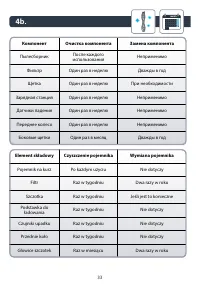
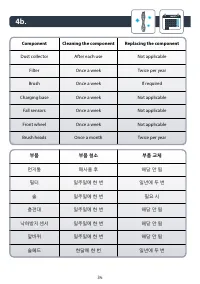
34 4b. month 부품 부품 청소 부품 교체 먼지통 매사용 후 해당 안 됨 필터 일주일에 한 번 일년에 두 번 솔 일주일에 한 번 필요 시 충전대 일주일에 한 번 해당 안 됨 낙하방지 센서 일주일에 한 번 해당 안 됨 앞바퀴 일주일에 한 번 해당 안 됨 솔헤드 한달에 한 번 일년에 두 번 Component Cleaning the component Replacing the component Dust collector After each use Not applicable Filter Once a week Twice per year...
Page 36 - the battery and robot.; аккумулятор. Утилизируйте робот и аккумулятор.
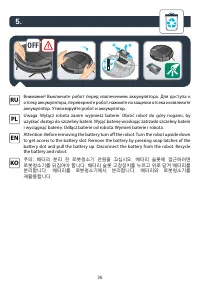
36 5. Attention: Before removing the battery turn off the robot. Turn the robot upside down to get access to the battery slot. Remove the battery by pressing snap latches of the battery slot and pull the battery up. Disconnect the battery from the robot. Recycle the battery and robot. EN 1 2 3 OFF В...
Page 38 - ВОЗНИКЛА ПРОБЛЕМА С ВАШИМ ПРИБОРОМ?
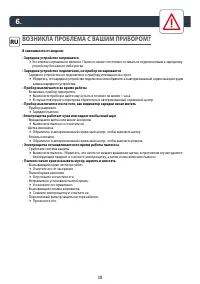
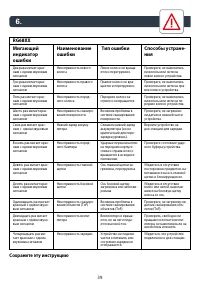
38 ВОЗНИКЛА ПРОБЛЕМА С ВАШИМ ПРИБОРОМ? В зависимости от модели: • Зарядное устройство нагревается 4 Это вполне нормальное явление. Пылесос может постоянно оставаться подключенным к зарядному устройству без какого-либо риска • Зарядное устройство подключено, но прибор не заряжается - Зарядное устройс...
Page 40 - PROBLEM Z URZĄDZENIEM ?; W zależności od modelu:
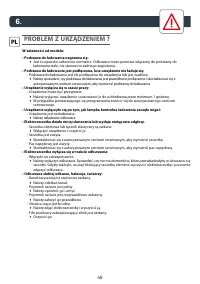
40 PROBLEM Z URZĄDZENIEM ? W zależności od modelu: • Podstawa do ładowania nagrzewa się: 4 Jest to zjawisko całkowicie normalne. Odkurzacz może pozostać włączony do podstawy do ładowania stale, nie stanowi to żadnego zagrożenia. • Podstawa do ładowania jest podłączona, lecz urządzenie nie ładuje się...
Page 42 - IS THERE A PROBLEM WITH YOUR APPLIANCE?
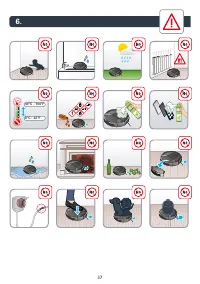
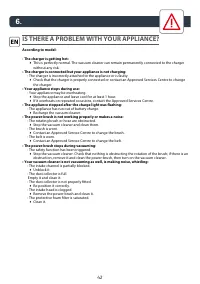
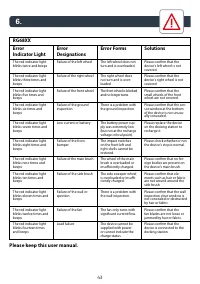
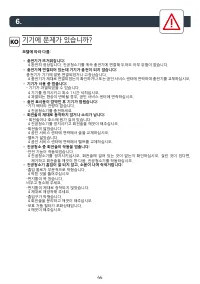
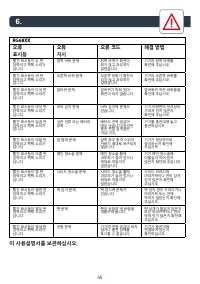
42 6. IS THERE A PROBLEM WITH YOUR APPLIANCE? According to model: • The charger is getting hot: 4 This is perfectly normal. The vacuum cleaner can remain permanently connected to the charger without any risk. • The charger is connected but your appliance is not charging: - The charger is incorrectly...