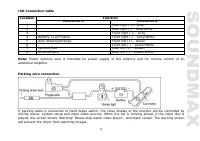
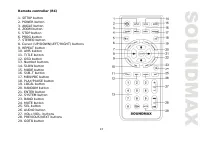
Page 2 - Table of contents
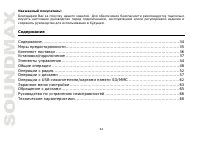
2 Dear customer! Thank you for purchasing our product. For safety, it is strongly recommended to read this manual carefully before connecting, operating and/or adjusting the product and keep the manual for reference in the future. Table of contents Table of contents ....................................
Page 3 - Important safeguards
3 Important safeguards Read carefully through the manual to familiarize yourselves with this unit. Keep this manual handy as a reference for operating procedures and precautions. Do not allow persons who have not read through this manual to use this unit. “CLASS 1 LASER PRODUCT”. This product contai...
Page 4 - Accessories
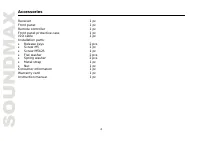
4 Accessories Receiver 1 pc Front panel 1 pc Remote controller 1 pc Front panel protective case 1 pc ISO cable 1 pc Installation parts: Release keys 2 pcs Screw 5 1 pc Screw 25 1 pc Flat washer 2 pcs Spring washer 2 pcs Metal strap 1 pc Nut 1 pc Consumer information 1 pc Warranty card 1 pc Instructi...
Page 5 - Installation/connection
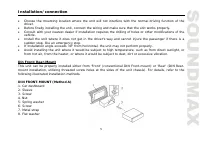
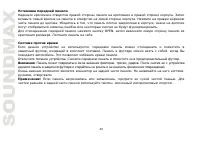
5 Installation/connection Choose the mounting location where the unit will not interfere with the normal driving function of the driver. Before finally installing the unit, connect the wiring and make sure that the unit works properly. Consult with your nearest dealer if installation requires the dr...
Page 6 - the dashboard to fix the sleeve in place.; Dismantling the unit; some effort to detach the frame). Pull the frame to detach it.
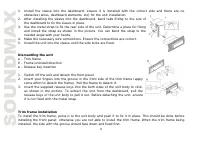
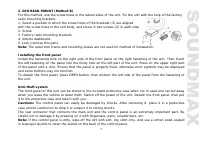
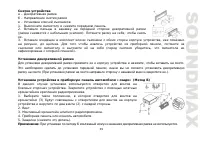
6 1. Install the sleeve into the dashboard; ensure it is installed with the correct side and there are no obstacles (wires, dashboard elements, etc) for the unit installation. 2. After installing the sleeve into the dashboard, bend tabs fitting to the size of the dashboard to fix the sleeve in place...
Page 8 - Auto antenna output
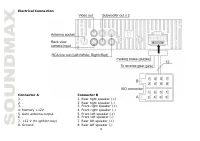
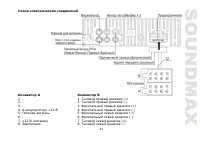
8 Electrical Connection Connector A Connector B 1. - 1. Rear right speaker (+) 2. - 2. Rear right speaker (-) 3. - 3. Front right speaker (+) 4. Memory +12V 4. Front right speaker (-) 5. Auto antenna output 5. Front left speaker (+) 6. - 6. Front left speaker (-) 7. +12 V (to ignition key) 7. Rear l...
Page 10 - Reverse driving cable connection
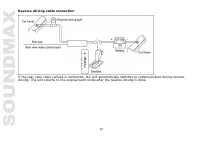
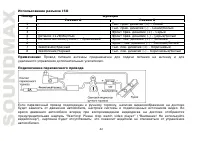
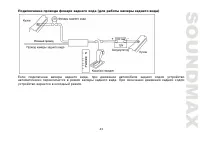
10 Reverse driving cable connection If the rear view video camera is connected, the unit automatically switches to camera picture during reverse driving. The unit returns to the original work mode after the reverse driving is done.
Page 11 - Unit controls; Front panel
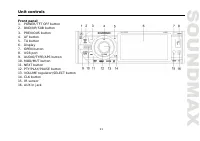
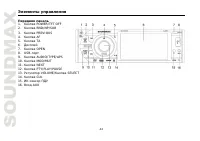
11 Unit controls Front panel 1. POWER/TFT OFF button2. BND/NP/SUB button3. PREVIOUS button4. AF button5. TA button6. Display7. OPEN button8. USB port9. AUDIO/TYPE/APS button10. MOD/MUT button11. NEXT button12. PTY/PLAY/PAUSE button13. VOLUME regulator/SELECT button14. CLK button15. IR sensor16. AUX ...
Page 14 - battery to give off heat, crack or start a fire.
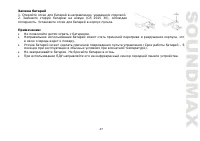
14 Changing the battery1. Press the catch and at the same time pull out the battery tray (pic. 1). 2. Insert the 1 lithium battery, type CR2025 (3V) battery with the stamped(+) mark facing upward. Insert the battery tray into the remote controller(pic.2). Warning: Store the battery where children ca...
Page 15 - General operations; Reset the unit; some memorized functions.; Turning the unit on/off; screen while in any mode.; System setting menu
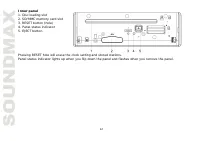
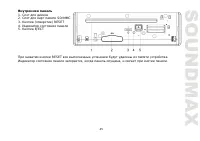
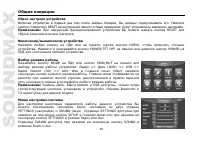
15 General operations Reset the unit Operating the unit for the first time or after replacing the car battery, you must reset the unit. Press RESET button (hole) with a pointed object, such as a ballpoint pen, to set the unit to initial state. Note: When some errors occur, you can also press RESET b...
Page 17 - corresponding parameter of the image.; Subwoofer
17 Clock setting Press CLK button on the panel to show the time on the display. Press and hold it, the hour will be in yellow. Rotate VOLUME regulator on the panel or press VOL+/VOL- buttons on the RC to adjust the hour. Press SEL button on the RC or SELECT button on the panel, the minute will be in...
Page 18 - to listen to tracks using the car acoustic system.
18 ON/SUB OFF. Or press and hold BND/NP/SUB button on the panel to switch on or off the subwoofer output. After you have reached your desired effect, leave the unit idle in order for the new setting to take effect. Note: An external amplifier is required to operate the subwoofer. AUX in jack AUX-in ...
Page 19 - Radio operations; Touch screen
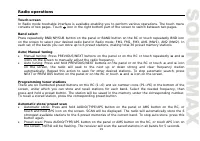
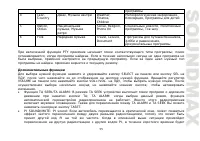
19 Radio operations Touch screen In Radio mode touchable interface is available enabling you to perform various operations. The touch menu consists of two pages. Touch icon in the right bottom part of the screen to switch between two pages. Band select Press repeatedly BND/NP/SUB button on the panel...
Page 20 - some reception noise.; Local radio station search; function is on, AF symbol will blink on the display.
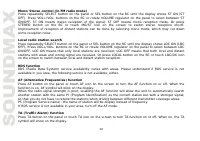
20 Mono/Stereo control (in FM radio mode) Press repeatedly SELECT button on the panel or SEL button on the RC until the display shows ST ON (ST OFF). Press VOL+/VOL- buttons on the RC or rotate VOLUME regulator on the panel to select between ST ON/OFF. ST ON means stereo reception of the signal; ST ...
Page 21 - Button; Classics; Other parameter setting
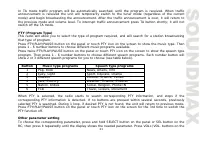
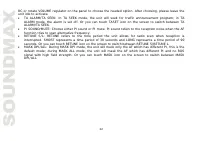
21 In TA mode traffic program will be automatically searched, until the program is received. When traffic announcement is received the unit will temporarily switch to the tuner mode (regardless of the current mode) and begin broadcasting the announcement. After the traffic announcement is over, it w...
Page 23 - Disc operations
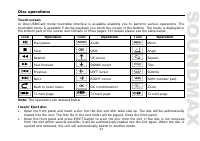
23 Disc operations Touch screen In Disc/USB/Card mode touchable interface is available enabling you to perform various operations. The touchable menu is available if during playback you touch the screen in the bottom. The menu is displayed in the bottom part of the screen and consists of three pages...
Page 24 - OK icon on the screen to confirm your selection.; Selecting tracks/chapters; touch number icons to select the desired track/chapter.
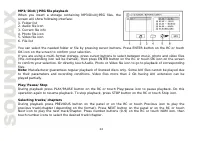
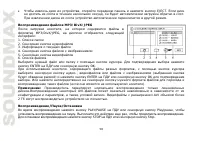
24 MP3/DivX/JPEG file playbackWhen you insert a storage containing MP3/DivX/JPEG files, thescreen will show following interface:1. Folder list 2. Audio file icon 3. Current file info 4. Photo file icon 5. Video file icon 6. File list You can select the needed folder or file by pressing cursor button...
Page 25 - on the RC or touch Play/pause icon to resume normal speed.; Repeat playback; Press PROG button on the RC to open program menu.
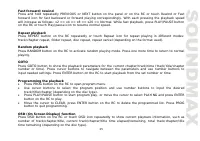
25 Fast forward/rewind Press and hold repeatedly PREVIOUS or NEXT button on the panel or on the RC or touch Rewind or Fast forward icon for fast backward or forward playing correspondingly. With each pressing the playback speed will increase as follows: x2 => x4 => x8 => x20 => Normal. W...
Page 26 - image is zoomed in, you can move it by pressing cursor buttons.; Slow playback; touch Play/Pause icon to resume normal playback.; Selecting subtitle language (for DVD only); Subtitle icon to switch among disc-supported languages.; Selecting sound channel
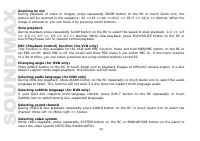
26 Zooming in/out During playback of video or images, press repeatedly ZOOM button on the RC or touch Zoom icon, the picture will be zoomed in the sequence: X2 =>X3 =>X4 =>X1/2 => X1/3 => X1/4 => Normal. When the image is zoomed in, you can move it by pressing cursor buttons. Slow ...
Page 27 - Menu navigation; the selected item and start playing.; ID3 Tag function
27 Menu navigation Press MEN/PBC button on the RC or touch Menu icon to activate the disc menu list on the screen. Choose the desired item with cursor buttons. Press ENTER button on the RC or touch OK icon to confirm the selected item and start playing. When playing a DVD, press TITLE button on the ...
Page 29 - Setup menu; System setup
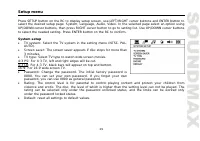
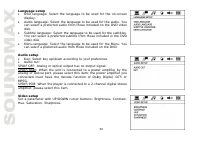
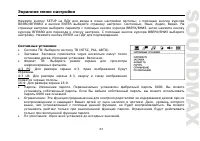
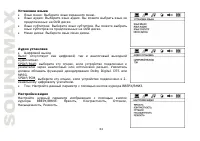
29 Setup menu Press SETUP button on the RC to display setup screen, use LEFT/RIGHT cursor buttons and ENTER button to select the desired setup page: System, Language, Audio, Video. In the selected page select an option using UP/DOWN cursor buttons, then press RIGHT cursor button to go to setting lis...
Page 31 - Handling and cleaning discs; Dirty, scratched or warped discs may cause skip ping or noise.
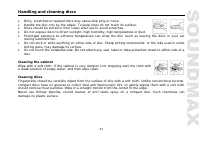
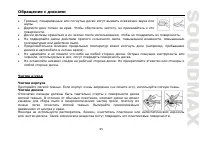
31 Handling and cleaning discs Dirty, scratched or warped discs may cause skip ping or noise. Handle the disc only by the edges. To keep clean do not touch its surface. Discs should be stored in their cases after use to avoid scratches. Do not expose discs to direct sunlight, high humidity, high tem...
Page 32 - Troubleshooting guide; Symptom
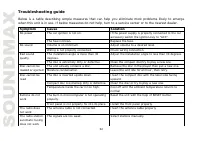
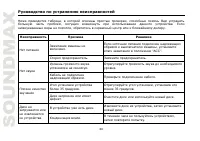
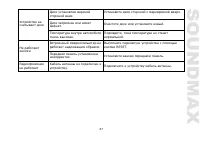
32 Troubleshooting guide Below is a table describing simple measures that can help you eliminate most problems likely to emerge when this unit is in use. If below measures do not help, turn to a service center or to the nearest dealer. Symptom Cause Solution The car ignition is not on. If the power ...
Page 33 - Specification; Maximum power output:
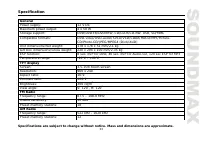
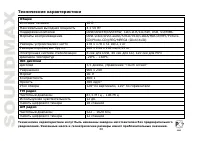
33 Specification GeneralPower supply: 12 V DC Maximum power output: 4 x 50 W Storage support: DVD/DVD±R/DVD±RW, CD/CD-R/CD-RW, USB, SD/MMC Compatible formats: DVD-video/DVD-audio/SVCD/VCD/CDDA/HDCD/MP3/Picture-CD/Photo-CD/JPEG/MPEG4 (DivX/XviD) Unit dimensions/Net weight: 178 x 178 x 51 mm/2.1 kg Gi...
Page 36 - ISO
36 , , . , , , , , . . , . . 1 1 1 1 ISO 1 : 2 5 1 25 1 2 2 1 1 1 1 1
Page 37 - DIN
37 , , . , . . , . , , , . 30°, . , , , , , , , , . . « » « » « » ( DIN ), « » ( DIN, , ). .
Page 42 - “Warning! Please stop watch video player” (“
42 ISO A B 1 - . . (+) - 2 - . . (-) - 3 - . (+) - 4 +12 . (-) - 5 . - . (+) – 6 - . . (-) - 7 . . (+) - 8 . . (-) - : . , , . “Warning! Please stop watch video player” (“ ! “), ; .
Page 50 - Beep
50 SELECT SEL LOUD ON (OFF). VOL+/VOL- VOLUME (ON) (OFF) , . LOUD SOUND. BMP (Best Music Position) Double Bass SOUND MBP, (L) (R) . DBAS Double bass ( ). CLK . ; , , . VOLUME VOL+/VOL- , . SEL SELECT ; , , . VOLUME VOL+/VOL- , . CLK . + –, HOUR ( ) MIN ) SOUND, . Beep SEL BEEP ON (OFF). VOL+/VOL- BE...
Page 51 - AUX
51 , . POWER/TFT OFF , . . SETTINGS + –, Brightness ), Contrast ( ), Color ( ) Hue ( ), . SELECT SEL SUB ON (SUB OFF). VOLUME VOL+/VOL- SUB ON ( )/SUB OFF ( ). BND/NP/SUB . , . : . AUX AUX . . . , MP3- .
Page 57 - USB
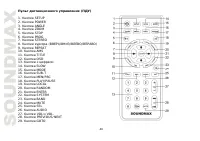
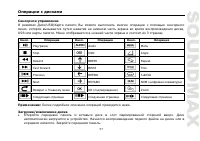
57 /USB/ , , USB . 3 : . . . Play/pause Audio Menu Stop OSD Angle Rewind Repeat Fast forward Title Previous Subtitle Next NUM ( ) OK ( ) Zoom : . . . . .
Page 68 - “Touch screen”; FM
68 12 4 50 DVD/DVD±R/DVD±RW, CD/CD-R/CD-RW, USB, SD/MMCDVD-video/DVD-audio/SVCD/VCD/CDDA/HDCD/MP3/Picture-CD/Photo-CD/JPEG/MPEG4 (DivX/XviD)178 178 51 /2,1 220 294 100 /2,35 8 DVD, 40 CD, 120 3 -20 0 C - +60 0 C 3,5 , “Touch screen” 960 x 24016:9400:1300 2 120 0 , 120 0 FM 87,5 – 108 12 18 AM 522 – ...