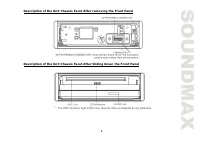
Page 2 - Table of contents
2 Dear customer! Thank you for purchasing our product. For safety, it is strongly recommended to read this manual carefullybefore connecting, operating and/or adjusting the product and keep the manual for reference in the future. Table of contents Table of contents .....................................
Page 3 - Important safeguards
3 Important safeguards - Using the device at temperature below -10º may cause the breakage of the device. Before usingplease heat up the passenger compartment to the recommended temperature! - Read carefully through this manual to familiarize yourself with this high-quality car stereo system. - Disc...
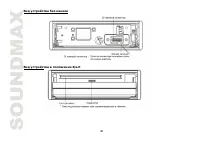
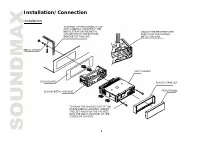
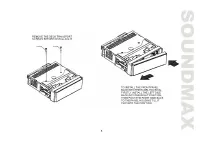
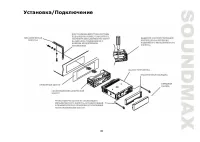
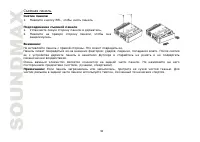
Page 4 - Installation/Connection; Installation
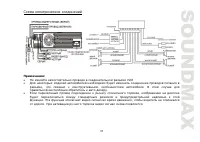
Page 6 - Electrical connection; Caution: Do not interchange the connection of the wiring!
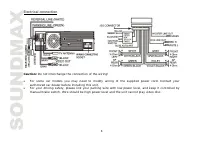
6 Electrical connection Caution: Do not interchange the connection of the wiring! For some car models you may need to modify wiring of the supplied power cord. Contact yourauthorized car dealer before installing this unit. For your driving safety, please link your parking wire with low power level, ...
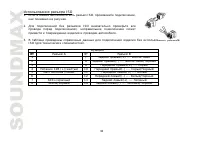
Page 7 - Using the ISO Connector; Function
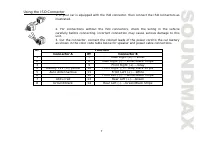
7 Using the ISO Connector 1. If your car is equipped with the ISO connector, then connect the ISO connectors asillustrated. 2. For connections without the ISO connectors, check the wiring in the vehiclecarefully before connecting, incorrect connection may cause serious damage to thisunit.3. Cut the ...
Page 8 - Panel controls; Front panel
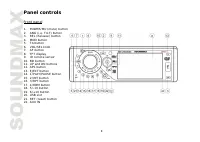
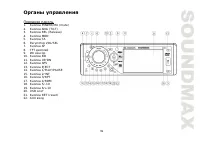
8 Panel controls Front panel 1. POWER/MU (mute) button2. ANG (i.e. TILT) button3. REL (Release) button4. MOD button 5. TA button6. VOL/SEL knob7. AF button8. TFT display 9. IR remote sensor10. BD button11. UP and DN buttons12. APS button 13. EJECT button14. 1/PLAY/PAUSE button15. 2/INT button16. 3/R...
Page 10 - Remote control
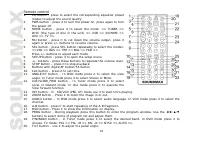
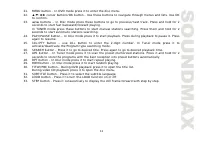
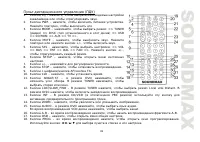
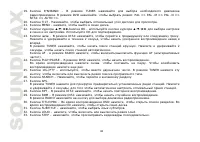
10 Remote control 1. EQ button – press to select the corresponding equalizer presetmodes to adjust the sound quality. 2. PWR button - press it to turn the power on, press again to turn the power off. 3. MODE button - press it to select the mode: => TUNER =>DISC (the type of disc in the unit) =...
Page 12 - Changing the battery
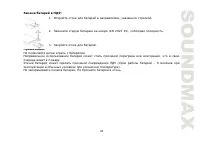
12 Changing the battery 1. Press the catch and at the same time pull out the battery tray. 2. Insert the 1 x lithium battery, type CR 2025 3V battery with the stamped (+) mark facing upward. Insert the battery tray into the RC. Warning: Store the battery where children cannot reach. If a child accid...
Page 13 - General operation; Setting the sound characteristics
13 General operation Reset the unitOperating the unit for the first time or after replacing the car battery, you must reset the unit.Press the RESET button on the panel to restore the unit to the original factory settings.Power on/off Press POWER button on the panel or PWR button on the RC to turn t...
Page 15 - Digital tuner; Manual tuning: Press briefly the UP/DN button on the panel or
15 Digital tuner Note: RDS (Radio Data System) service availability varies with areas. Please understand if RDS service is not available in you area, the following service is not available, either.Band selectionPress the MOD button on the panel or MODE button on the RC to select the TUNER mode.Press...
Page 17 - Disc operations; Disc glossary
17 Disc operations Disc glossary PBC (PlayBack Control)PBC is a menu recorded on the disc with SVCD or VCD2.0 format. For the discs contained PBC, it canplayback interactive software with the menu displayed on TV. And if the disc contains still images, it canplayback high definition of still image. ...
Page 24 - MP3 overview; Notes on creating your own CD-R or CD-RW containing MP3 files:
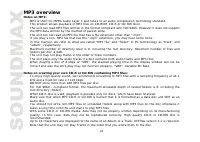
24 MP3 overview Notes on MP3: - MP3 is short for MPEG Audio Layer 3 and refers to an audio compression technology standard. - This product allows playback of MP3 files on CD-ROM, CD-R or CD-RW discs. - The unit can read MP3 files written in the format compliant with ISO 9660. However it does not sup...
Page 25 - System setup menu; System setup; TV system
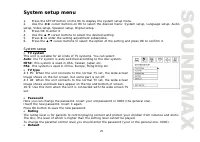
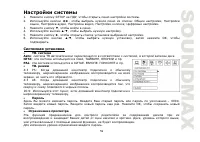
25 System setup menu 1. Press the SETUP button on the RC to display the system setup menu. 2. Use the cursor buttons on RC to select the desired menu: System setup, Language setup, Audio setup, Video setup, Speaker setup, Digital setup.3. Press OK to enter it. 4. Use the cursor buttons to select the...
Page 26 - Language setup; Audio setup; Video setup
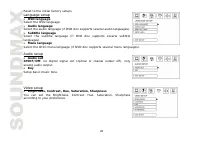
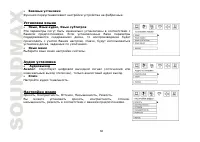
26 Reset to the initial factory setups Language setup OSD language Select the OSD language. Audio language Select the audio language (if DVD disc supports several audio languages). Subtitle language Select the subtitle language (if DVD disc supports several subtitlelanguages). Menu language Select t...
Page 27 - OP MODE
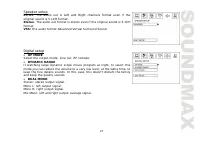
27 Speaker setup LT/RT: The audio out is Left and Right channels format even if theoriginal sound is 5.1CH format.Stereo: The audio out format is stereo even if the original sound is 5.1CH format.VSS: The audio format Advanced Virtual Surround Sound Digital setup OP MODE Select the output mode: Line...
Page 28 - TV Operation
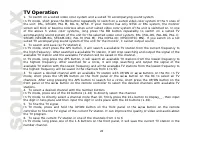
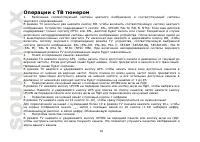
28 TV Operation 1. To switch on a suited video color system and a suited TV accompanying sound system In TV mode, short press the BD button repeatedly to switch on a suited video color system of the 5 ones ofthe unit: PAL, SECAM, PAL M, PAL N, NTSC. If your monitor has only NTSC or PAL system, the m...
Page 30 - Handling discs; Cleaning
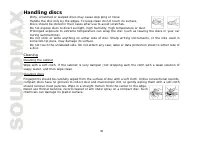
30 Handling discs - Dirty, scratched or warped discs may cause skip ping or noise. - Handle the disc only by the edges. To keep clean do not touch its surface. - Discs should be stored in their cases after use to avoid scratches. - Do not expose discs to direct sunlight, high humidity, high temperat...
Page 31 - Troubleshooting guide; Symptom
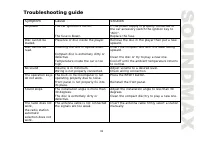
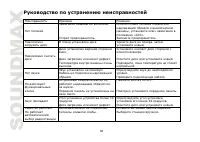
31 Troubleshooting guide Symptom Cause Solution No power The car ignition is not on. The fuse is blown. If the power supply is properly connected tothe car accessory switch the ignition key to “ACC”.Replace the fuse. Disc cannot beloaded. Presence of disc inside the player. Remove the disc in the pl...
Page 32 - Specification
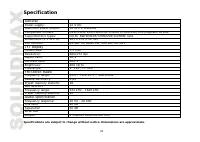
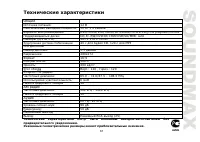
32 Specification General Power supply: 12 V DC Maximum power output: 50 W x 4 channels Compatible formats: DVD/SVCD/VCD/HDCD/MP3/WMA/Picture-CD/JPEG playback/MPEG4 Supported disc types: CD-R/-RW/DVD±R/±RW/USB/SD/MMC card Dimensions (L x W x H): 165 x 178 x 50 mm ESP function: 40 sec. for Audio CD, 1...
Page 40 - Eject
Page 45 - Loud; EQ
45 1. CLK , . 2. LK, . VOL/SEL +/- , . 3. SEL, . VOL/SEL +/- , . Loud LOUD , Loud. , . EQ EQ, : => POP => ROCK => CLAS => FLAT =>. Angle TILT, : => ANGLE0 => ANGLE1 => ANGLE2 => ANGLE3 => ANGLE4 =>.
Page 51 - Stop
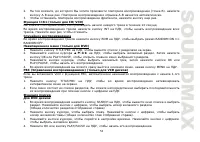
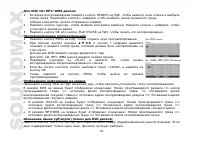
51 1. . 2. EJECT , . . . 3. Disc. SD/MMC/USB SD/MMC USB ( SD/MMC , , ). . . , . : , , . , SD/MMC USB , . , , , . PLAY/PAUSE, . PLAY/PAUSE , . Stop DVD/VCD/CD/MP3/WMA . STOP . . PLAY/PAUSE, , . , . STOP , . PLAY/PAUSE, . UP/DN / , . : UP/DN or / , . .