Soundmax SM-CDM1039 - User Manual
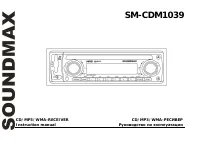
Soundmax SM-CDM1039 Car Radio – User Manual, read for free online in PDF format. We hope this helps you resolve any issues you may have. If you have further questions, please contact us through the contact form.
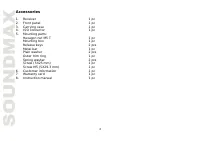
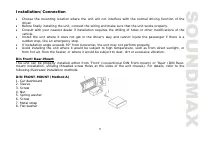
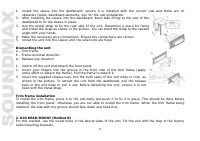
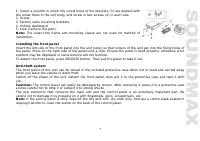
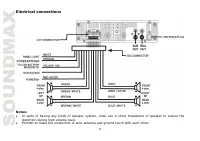
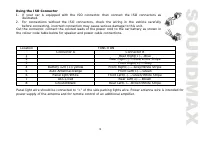
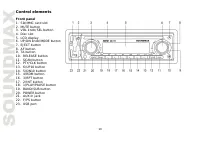
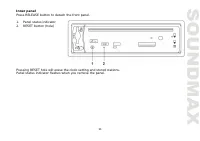
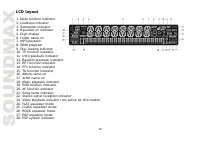
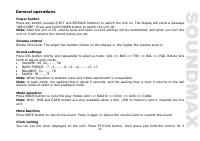
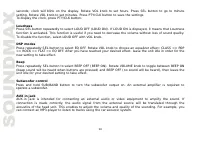
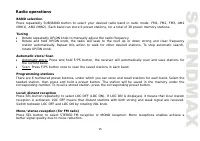
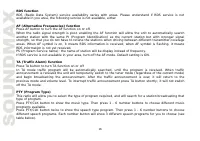
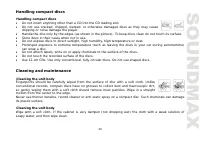
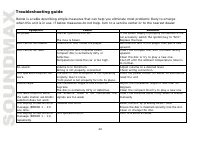
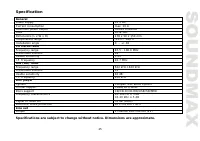
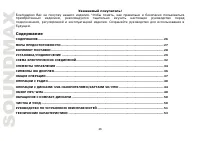
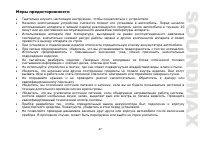
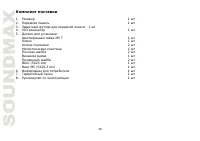
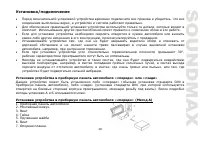
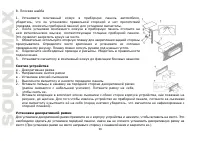
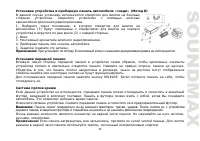
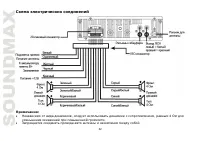
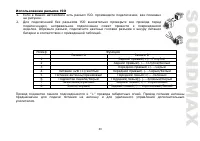
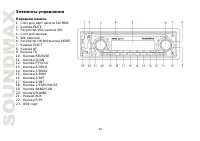
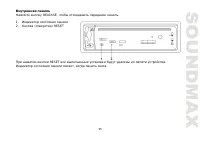
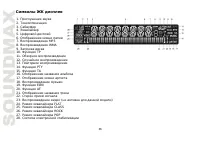
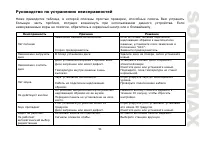
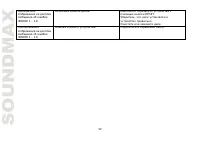
Table of Contents:
- Page 2 – Table of contents
- Page 3 – Important safeguards; amperage rating may cause serious damage to the unit.
- Page 4 – Accessories
- Page 5 – Installation/Connection; following illustrated installation methods.
- Page 7 – Installing the front panel; symbols may be displayed or some buttons will not function.
- Page 8 – Electrical connections; distortion during high volume level.
- Page 9 – Using the ISO Connector; Location
- Page 10 – Control elements; Front panel
- Page 11 – Inner panel; Press RELEASE button to detach the front panel.
- Page 12 – LCD layout
- Page 13 – General operations; “WELCOME”. Press and hold POWER button to switch the unit off.
- Page 14 – Loudness; To disable the function, select LOUD OFF with VOL knob.; DSP modes; new setting to take effect.; Beep; unit idle for your desired setting to take effect.; Subwoofer control
- Page 15 – Radio operations; BAND selection; Scan: Press F/PS button once to scan the saved stations in each band.; Programming stations; Switch between LOC OFF and LOC ON by rotating VOL knob.
- Page 16 – RDS function; Press AF button to turn the AF function on or off.
- Page 17 – Classics; Other parameter setting; unit idle to activate.
- Page 18 – automatically switch to radio mode.; Inserting the USB/SD device
- Page 23 – Handling compact discs; Do not insert anything other than a CD into the CD loading slot.; Cleaning and maintenance; Cleaning the unit body; Cleaning the unit body
- Page 24 – Troubleshooting guide
- Page 25 – Specification
- Page 29 – DIN
- Page 33 – ISO
- Page 35 – RESET
- Page 38 – BEEP
- Page 39 – AUX
"Loading the manual" means you need to wait until the file loads and becomes available for online reading. Some manuals are very large, and the time they take to appear depends on your internet speed.
Summary
2 Dear customer! Thank you for purchasing our product. For safety, it is strongly recommended to read this manual carefully before connecting, operating and/or adjusting the product and keep the manual for reference in the future. Table of contents TABLE OF CONTENTS ....................................
3 Important safeguards Read carefully through this manual to familiarize yourself with this high-quality sound system. The beginning of operation is the moment of the unit installation. Before use the device in winter it is recommended to heat up the passenger compartment during 20 seconds or to the...
4 Accessories 1. Receiver 1 pc 2. Front panel 1 pc 3. Carrying case 1 pc 4. ISO connector 1 pc 5. Mounting parts: Hexagon nut M5 T 1 pc Mounting box 1 pc Release keys 2 pcs Metal bar 1 pc Plain washer 2 pcs Outer trim ring 1 pc Spring washer 2 pcs Screw (5X25 mm) 1 pc Screw M5 (5X29.3 mm) 1 pc 6. Cu...









