Page 3 - Table of Contents; Getting Started; Adjusting the balance and fader; Additional Information
3 Table of Contents Welcome ! . . . . . . . . . . . . . . . . . . . . . . . . . . . . . 4 Getting Started Setting the clock . . . . . . . . . . . . . . . . . . . . . . . . 4Detaching the front panel . . . . . . . . . . . . . . . . . 4 Attaching the front panel . . . . . . . . . . . . . . . 5 Locatio...
Page 4 - Detaching the front panel; Caution alarm; Type of discs
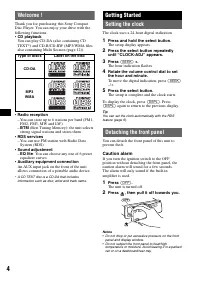
4 Welcome ! Thank you for purchasing this Sony Compact Disc Player. You can enjoy your drive with the following functions.• CD playback You can play CD-DA (also containing CD TEXT*) and CD-R/CD-RW (MP3/WMA files also containing Multi Session (page 12)). • Radio reception – You can store up to 6 stat...
Page 5 - Attaching the front panel; Engage part
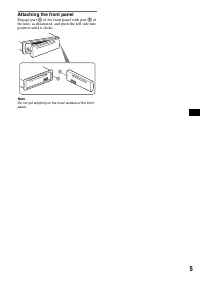
5 Attaching the front panel Engage part A of the front panel with part B of the unit, as illustrated, and push the left side into position until it clicks. Note Do not put anything on the inner surface of the front panel. B A
Page 6 - Location of controls and basic operations; Main unit; Refer to the pages listed for details.; qa qs
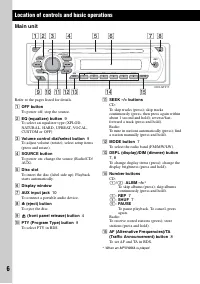
6 Location of controls and basic operations Main unit Refer to the pages listed for details. A OFF button To power off; stop the source. B EQ (equalizer) button 9 To select an equalizer type (XPLOD, NATURAL, HARD, UPBEAT, VOCAL, CUSTOM or OFF). C Volume control dial/select button 9 To adjust volume ...
Page 7 - CD; Radio; Caution; Select
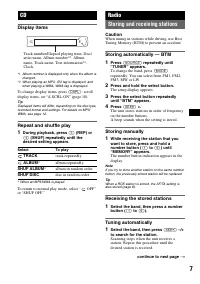
7 CD Display items *1 Album number is displayed only when the album is changed. *2 When playing an MP3, ID3 tag is displayed, and when playing a WMA, WMA tag is displayed. To change display items, press (DSPL) ; scroll display items, set “A.SCRL-ON” (page 10). Tip Displayed items will differ, depend...
Page 8 - RDS; Overview; Display items; RDS services; Setting AF and TA; Staying with one regional program
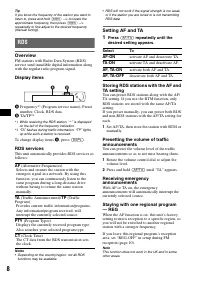
8 Tip If you know the frequency of the station you want to listen to, press and hold (SEEK) – /+ to locate the approximate frequency, then press (SEEK) – /+ repeatedly to fine adjust to the desired frequency (manual tuning). RDS Overview FM stations with Radio Data System (RDS) service send inaudibl...
Page 9 - to; Selecting PTY; Type of programs; Setting CT; Other functions; The item changes as follows:; Customizing the equalizer curve
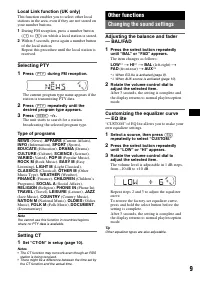
9 Local Link function (UK only) This function enables you to select other local stations in the area, even if they are not stored on your number buttons. 1 During FM reception, press a number button ( (1) to (6) ) on which a local station is stored. 2 Within 5 seconds, press again a number button of...
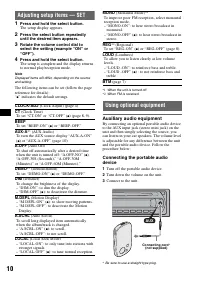
Page 10 - Adjusting setup items — SET; The setup display appears.; ” indicates the default settings.; Using optional equipment; Auxiliary audio equipment; Turn off the portable audio device.; – “LOCAL-ON”: to only tune into stations with; AUX
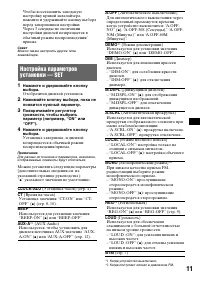
10 Adjusting setup items — SET 1 Press and hold the select button. The setup display appears. 2 Press the select button repeatedly until the desired item appears. 3 Rotate the volume control dial to select the setting (example “ON” or “OFF”). 4 Press and hold the select button. The setup is complete...
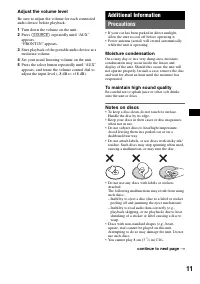
Page 11 - Adjust the volume level; Turn down the volume on the unit.; Moisture condensation; Notes on discs; continue to next page
11 Adjust the volume level Be sure to adjust the volume for each connected audio device before playback. 1 Turn down the volume on the unit. 2 Press (SOURCE) repeatedly until “AUX” appears. “FRONT IN” appears. 3 Start playback of the portable audio device at a moderate volume. 4 Set your usual liste...
Page 12 - Playback order of MP3/WMA files; Maintenance; Fuse replacement; Note on DualDiscs
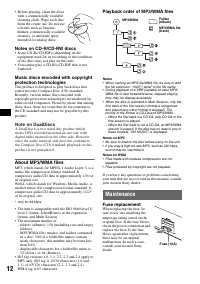
12 • Before playing, clean the discs with a commercially available cleaning cloth. Wipe each disc from the center out. Do not use solvents such as benzine, thinner, commercially available cleaners, or antistatic spray intended for analog discs. Notes on CD-R/CD-RW discs • Some CD-Rs/CD-RWs (dependin...
Page 13 - Cleaning the connectors; Removing the unit; Remove the protection collar.; Pull the release keys to unseat the unit.; Specifications; CD Player section; Tuner section; FM
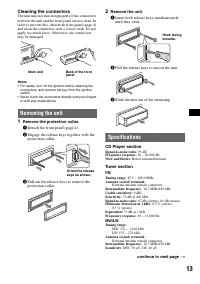
13 Cleaning the connectors The unit may not function properly if the connectors between the unit and the front panel are not clean. In order to prevent this, detach the front panel (page 4) and clean the connectors with a cotton swab. Do not apply too much force. Otherwise, the connectors may be dam...
Page 14 - Power amplifier section; Troubleshooting; General
14 Power amplifier section Outputs: Speaker outputs (sure seal connectors) Speaker impedance: 4 – 8 ohms Maximum power output: 45 W × 4 (at 4 ohms) General Output: Power antenna (aerial) relay control terminal Inputs: Telephone ATT control terminalAntenna (aerial) input terminalAUX input jack (stere...
Page 15 - Error displays/Messages; Radio reception
15 Error displays/Messages If these solutions do not help improve the situation, consult your nearest Sony dealer.If you take the unit to be repaired because of CD playback trouble, bring the disc that was used at the time the problem began. Radio reception The stations cannot be received.The sound ...
Page 17 - Содержание; Начало работы; Автоматическое сохранение; Другие функции; Настройка баланса и фейдера; Дополнительная информация; Индикация/сообщения об
3 Содержание Поздравляем с покупкой! . . . . . . . . . . . . . . 4 Начало работы Установка часов . . . . . . . . . . . . . . . . . . . . . . 4Снятие передней панели . . . . . . . . . . . . . . . 4 Установка передней панели . . . . . . . . . . 5 Расположение органов управления и основные операции Осн...
Page 18 - Снятие передней панели; Предупреждающий сигнал; Тип диска
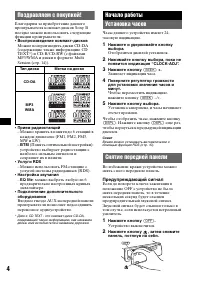
4 Поздравляем с покупкой! Благодарим за приобретение данного проигрывателя компакт-дисков Sony. В поездке можно использовать следующие функции проигрывателя. • Воспроизведение компакт-дисков Можно воспроизводить диски CD-DA (содержащие также информацию CD TEXT*) и CD-R/CD-RW (с файлами MP3/WMA и дис...
Page 19 - Установка передней панели; Прикрепите часть
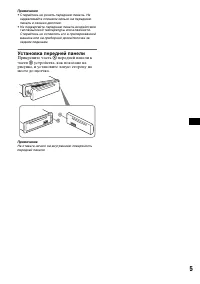
5 Примечания • Старайтесь не ронять переднюю панель. Не надавливайте слишком сильно на переднюю панель и окошко дисплея. • Не подвергайте переднюю панель воздействию тепла/высокой температуры или влажности. Старайтесь не оставлять его в припаркованной машине или на приборной доске/полочке за задним ...
Page 20 - Расположение органов управления и основные операции; Основное устройство; Выбор функции PTY в системе RDS.
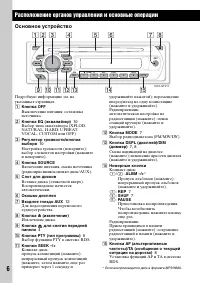
6 Расположение органов управления и основные операции Основное устройство Подробную информацию см. на указанных страницах. A Кнопка OFF Выключение питания; остановка источника. B Кнопка EQ (эквалайзер) 10 Выбор типа эквалайзера (XPLOD, NATURAL, HARD, UPBEAT, VOCAL, CUSTOM или OFF). C Регулятор громк...
Page 21 - Индикация на дисплее; Для смены индикаций нажмите кнопку; OFF” или; Радиоприемник; Предупреждение; Отобразится дисплей установок.; Сохранение вручную; Выбор
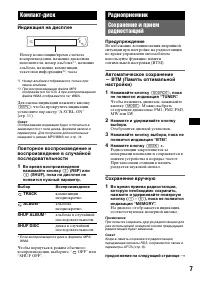
7 Компакт-диск Индикация на дисплее *1 Номер альбома отображается только при смене альбома. *2 При воспроизведении файла MP3 отображается тег ID3, а при воспроизведении файла WMA отображается тег WMA. Для смены индикаций нажмите кнопку (DSPL) ; чтобы прокрутить индикации, установите параметр “A.SCRL...
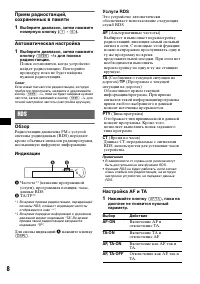
Page 22 - Автоматическая настройка; Обзор; Индикации; (название программной; Услуги RDS; Настройка AF и TA; Нажимайте кнопку; (Сообщения о текущей ситуации на; TP; (Программа о текущей; PTY
8 Прием радиостанций, сохраненных в памяти 1 Выберите диапазон, затем нажмите номерную кнопку ( (1) - (6) ). Автоматическая настройка 1 Выберите диапазон, затем нажмите кнопку (SEEK) –/+ для поиска радиостанции. Поиск остановится, когда устройство найдет радиостанцию. Повторяйте процедуру, пока не б...
Page 23 - — REG; до; Выбор PTY
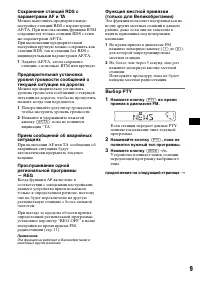
9 Сохранение станций RDS с параметрами AF и TA Можно выполнить предварительную настройку станций RDS с параметрами AF/TA. При использовании функции BTM сохраняются только станции RDS с теми же параметрами AF/TA. При выполнении предварительной настройки вручную можно сохранить как станции RDS, так и ...
Page 24 - Тип программ; Установка CT
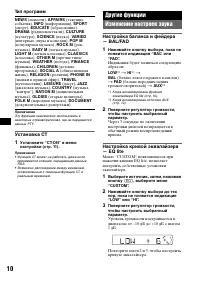
10 Тип программ Примечание Эту функцию невозможно использовать в некоторых странах/регионах, где не передаются данные PTY. Установка CT 1 Установите “CT-ON” в меню настройки (стр. 11). Примечания • Функция CT может не работать, даже если принимается станция, передающая данные RDS. • Возможно расхожд...
Page 26 - Отрегулируйте уровень громкости
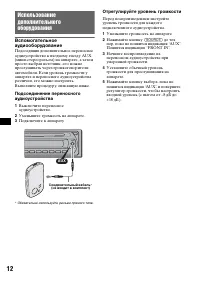
12 Использование дополнительного оборудования Вспомогательное аудиооборудование Подсоединив дополнительное переносное аудиоустройство к входному гнезду AUX (мини-стереоразъем) на аппарате, а затем просто выбрав источник, его можно прослушивать через громкоговорители автомобиля. Если уровень громкост...
Page 27 - Меры предосторожности; Конденсация влаги; продолжение на следующей странице
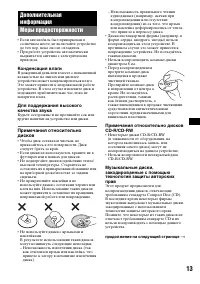
13 Дополнительная информация Меры предосторожности • Если автомобиль был припаркован в солнечном месте, не включайте устройство до тех пор, пока оно не охладится. • При работе устройства автоматически выдвигается антенна с электрическим приводом. Конденсация влаги В дождливый день или в месте с повы...
Page 29 - Уход за устройством; Чистка контактов; Извлечение устройства; Снимите защитную манжету.
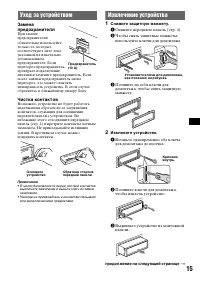
15 Уход за устройством Замена предохранителя При замене предохранителей обязательно используйте только те, которые соответствуют силе тока, указанной на изначально установленном предохранителе. Если перегорел предохранитель, проверьте подключение питания и замените предохранитель. Если после замены ...
Page 30 - Технические характеристики; Проигрыватель компакт-дисков; Усилитель мощности; Общая информация
16 Технические характеристики Проигрыватель компакт-дисков Отношение “сигнал-шум”: 95 дБ Диапазон воспроизводимых частот: 10 – 20 0 0 0 Гц Низкочастотная и высокочастотная детонация: ниже уровня обнаружения Тюнер FM Диапазон настройки: 87,5 – 108,0 МГц Антенное гнездо: разъем внешней антенны Промежу...
Page 31 - Воспроизведение компакт-дисков; Прием радиостанций
17 Пропала/не отображается индикация в окошке дисплея. • Для диммера установлено значение “DIM-ON” (стр. 11). • Дисплей отключится, если нажать и удерживать кнопку (OFF) . t Нажмите кнопку (OFF) еще раз и удерживайте ее нажатой, пока дисплей не включится. • Контакты загрязнены (стр. 15). Функция авт...
Page 32 - Sony Corporation
Sony Corporation Printed in Thailand http://www.sony.net/ Индикация/сообщения об ошибках Если в результате предлагаемых действий не удастся устранить неполадку, обратитесь к ближайшему дилеру Sony.Если устройство сдается в ремонт в случае какой-либо неполадки, возникшей при воспроизведении компакт-д...