Page 2 - on the unit until the display
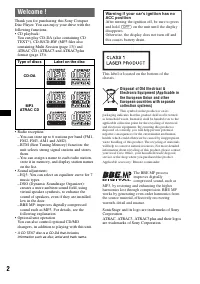
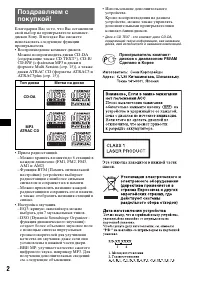
2 Welcome ! Thank you for purchasing this Sony Compact Disc Player. You can enjoy your drive with the following functions.• CD playback: You can play CD-DA (also containing CD TEXT*), CD-R/CD-RW (MP3 files also containing Multi Session (page 13)) and ATRAC CD (ATRAC3 and ATRAC3plus format (page 13))...
Page 3 - Table of Contents; Getting Started
3 Table of Contents Getting Started Resetting the unit . . . . . . . . . . . . . . . . . . . . . . . . 4Setting the clock . . . . . . . . . . . . . . . . . . . . . . . . 4DEMO mode . . . . . . . . . . . . . . . . . . . . . . . . . . . 4Detaching the front panel . . . . . . . . . . . . . . . . . 4 At...
Page 4 - Resetting the unit; Setting the clock; DEMO mode; Caution alarm
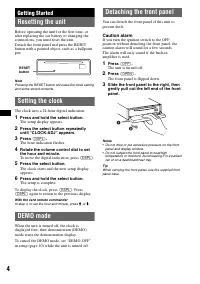
4 Getting Started Resetting the unit Before operating the unit for the first time, or after replacing the car battery or changing the connections, you must reset the unit.Detach the front panel and press the RESET button with a pointed object, such as a ballpoint pen. Note Pressing the RESET button ...
Page 5 - Attaching the front panel; Place the hole; Playback starts automatically.; Ejecting the disc; Press
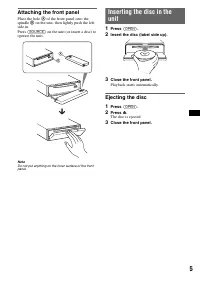
5 Attaching the front panel Place the hole A of the front panel onto the spindle B on the unit, then lightly push the left side in.Press (SOURCE) on the unit (or insert a disc) to operate the unit. Note Do not put anything on the inner surface of the front panel. Inserting the disc in the unit 1 Pre...
Page 6 - Location of controls and basic operations; Main unit; Front panel removed; Card remote commander RM-X151
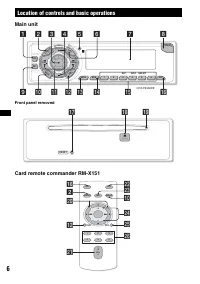
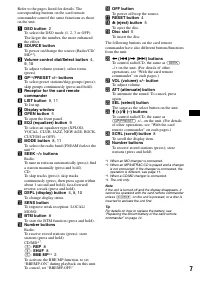
6 Location of controls and basic operations Main unit Front panel removed Card remote commander RM-X151 PUS H DIA L SE LE C T SO UR CE GP/PRESET OPEN 6 5 4 3 BBE SHUF REP 2 1 BTM SENS EQ3 DS PL M OD E CDX-F5550EE DSO LIS T OFF BBE MP SEEK SEEK 1 2 3 4 5 6 8 7 9 0 qs qa qd qf qh qg RESET qj qk ql OFF...
Page 8 - CD; Radio; Caution; Select
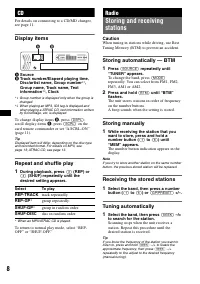
8 CD For details on connecting to a CD/MD changer, see page 11. Display items A Source B Track number/Elapsed playing time, Disc/artist name, Group number * 1 , Group name, Track name, Text information * 2 , Clock *1 Group number is displayed only when the group is changed. *2 When playing an MP3, I...
Page 9 - The frequency or station name appears.; Other functions; The item changes as follows:
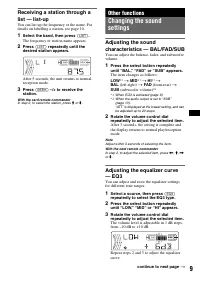
9 Receiving a station through a list — list-up You can list up the frequency or the name. For details on labelling a station, see page 10. 1 Select the band, then press (LIST) . The frequency or station name appears. 2 Press (LIST) repeatedly until the desired station appears. After 5 seconds, the u...
Page 10 - Labelling a station/disc; Deleting the custom name
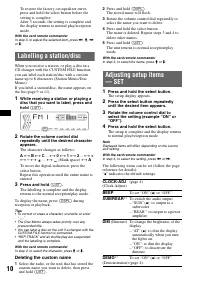
10 To restore the factory-set equalizer curve, press and hold the select button before the setting is complete.After 3 seconds, the setting is complete and the display returns to normal play/reception mode. With the card remote commander In step 3, to adjust the selected item, press < , M , , or ...
Page 11 - Using optional equipment; Selecting the changer; Locating a disc by name — list-up; Rotary commander RM-X4S; Attaching the label; CONTRAST; continue to next page
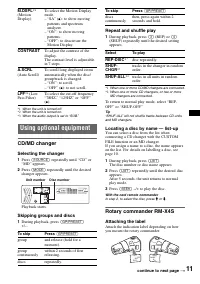
11 *1 When the unit is turned off. *2 When the unit is turned on. *3 When the audio output is set to “SUB.” Using optional equipment CD/MD changer Selecting the changer 1 Press (SOURCE) repeatedly until “CD” or “MD” appears. 2 Press (MODE) repeatedly until the desired changer appears. Playback start...
Page 12 - Location of controls; • PRESET control; Changing the operative direction; Additional Information; Precautions; Moisture condensation; Notes on discs
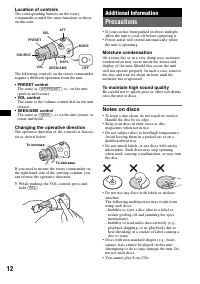
12 Location of controls The corresponding buttons on the rotary commander control the same functions as those on this unit. The following controls on the rotary commander require a different operation from the unit. • PRESET control The same as (GP/PRESET) +/– on the unit (push in and rotate). • VOL...
Page 13 - About MP3 files; Playback order of MP3 files; About ATRAC CD; ATRAC3plus format
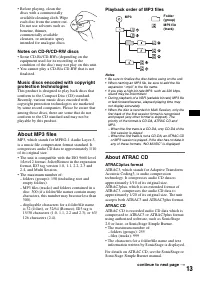
13 • Before playing, clean the discs with a commercially available cleaning cloth. Wipe each disc from the centre out. Do not use solvents such as benzine, thinner, commercially available cleaners, or antistatic spray intended for analogue discs. Notes on CD-R/CD-RW discs • Some CD-Rs/CD-RWs (depend...
Page 14 - Maintenance; Fuse replacement; Removing the unit; Remove the protection collar.
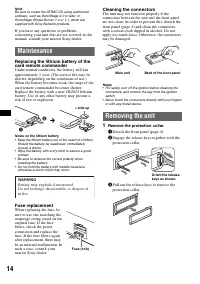
14 Note Be sure to create the ATRAC CD using authorized software, such as SonicStage 2.0 or later, or SonicStage Simple Burner 1.0 or 1.1, which are supplied with Sony Network products. If you have any questions or problems concerning your unit that are not covered in this manual, consult your neare...
Page 15 - Specifications; CD Player section; Tuner section; FM; Power amplifier section; General
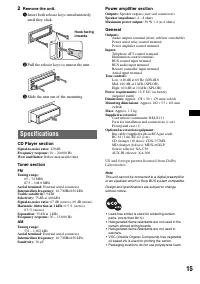
15 2 Remove the unit. 1 Insert both release keys simultaneously until they click. 2 Pull the release keys to unseat the unit. 3 Slide the unit out of the mounting. Specifications CD Player section Signal-to-noise ratio: 120 dB Frequency response: 10 – 20,000 Hz Wow and flutter: Below measurable limi...
Page 16 - Troubleshooting
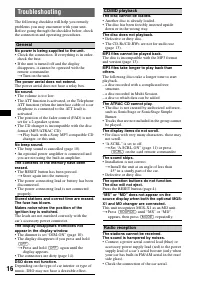
16 Troubleshooting The following checklist will help you remedy problems you may encounter with your unit.Before going through the checklist below, check the connection and operating procedures. General No power is being supplied to the unit. • Check the connection. If everything is in order, check ...
Page 17 - Error displays/Messages
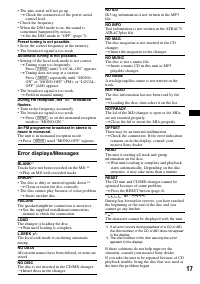
17 Error displays/Messages *1 If an error occurs during playback of a CD or MD, the disc number of the CD or MD does not appear in the display. *2 The disc number of the disc causing the error appears in the display. If these solutions do not help improve the situation, consult your nearest Sony dea...
Page 19 - Содержание; Начало работы
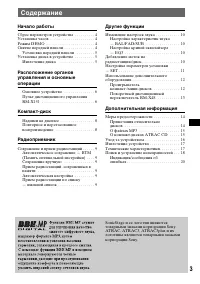
3 Содержание Начало работы Сброс параметров устройства . . . . . . . . . . 4Установка часов . . . . . . . . . . . . . . . . . . . . . . 4Режим DEMO . . . . . . . . . . . . . . . . . . . . . . . . 4Снятие передней панели . . . . . . . . . . . . . . . 4 Установка передней панели . . . . . . . . . 5 Ус...
Page 20 - Установка часов; Режим DEMO; Предупреждающий сигнал; Нажмите кнопку
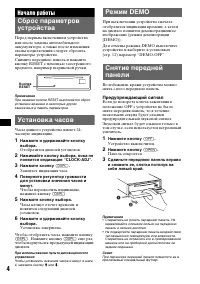
4 Начало работы Сброс параметров устройства Перед первым включением устройства или после замены автомобильного аккумулятора, а также после изменения схемы подключения следует сбросить параметры устройства. Снимите переднюю панель и нажмите кнопку RESET с помощью заостренного предмета, например шарик...
Page 21 - Установка передней панели; Извлечение диска
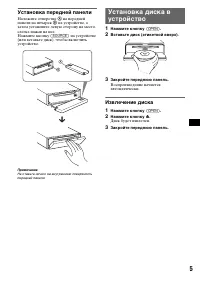
5 Установка передней панели Наложите отверстие A на передней панели на штырек B на устройстве, а затем установите левую сторону на место, слегка нажав на нее. Нажмите кнопку (SOURCE) на устройстве (или вставьте диск), чтобы включить устройство. Примечание Не ставьте ничего на внутреннюю поверхность ...
Page 22 - Расположение органов управления и основные операции; Основное устройство; Передняя панель снята
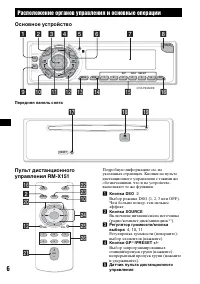
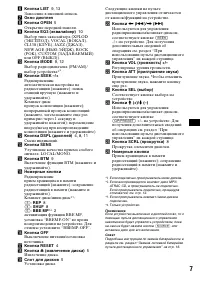
6 Расположение органов управления и основные операции Основное устройство Передняя панель снята Пульт дистанционного управления RM-X151 Подробную информацию см. на указанных страницах. Кнопки на пульте дистанционного управления с такими же обозначениями, что и на устройстве, выполняют те же функции....
Page 24 - Надписи на дисплее; Источник; появится нужный параметр.; Выбор
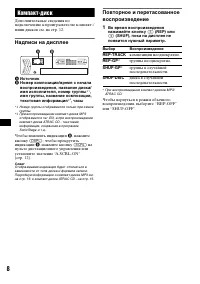
8 Компакт-диск Дополнительные сведения по подключению к проигрывателю компакт-/ мини-дисков см. на стр. 12. Надписи на дисплее A Источник B Номер композиции/время с начала воспроизведения, название диска/имя исполнителя, номер группы * 1 , имя группы, название композиции, текстовая информация * 2 , ...
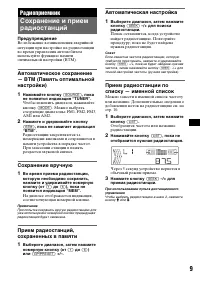
Page 25 - Радиоприемник; Предупреждение; Сохранение вручную; Автоматическая настройка
9 Радиоприемник Сохранение и прием радиостанций Предупреждение Во избежание возникновения аварийной ситуации при настройке на радиостанции во время управления автомобилем используйте функцию памяти оптимальной настройки (BTM). Автоматическое сохранение — BTM (Память оптимальной настройки) 1 Нажимайт...
Page 26 - Другие функции
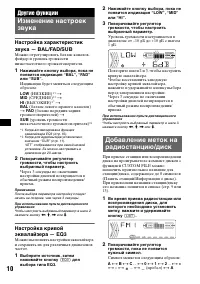
10 Другие функции Изменение настроек звука Настройка характеристик звука — BAL/FAD/SUB Можно отрегулировать баланс каналов, фейдер и уровень громкости низкочастотного громкоговорителя. 1 Нажимайте кнопку выбора, пока не появится индикация “BAL”, “FAD” или “SUB”. Индикация будет меняться следующим об...
Page 27 - Нажмите и удерживайте кнопку; BEEP
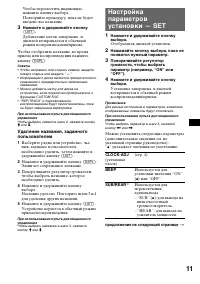
11 Чтобы переместить индикацию, нажмите кнопку выбора. Повторяйте процедуру, пока не будет введено все название. 3 Нажмите и удерживайте кнопку (LIST) . Добавление меток завершено, и дисплей возвращается в обычный режим воспроизведения/приема. Чтобы отобразить название, во время приема или воспроизв...
Page 28 - Выбор проигрывателя; DIM
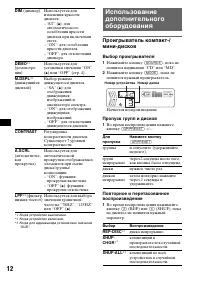
12 *1 Когда устройство выключено. *2 Когда устройство включено. *3 Когда для аудиовыхода установлено значение “SUB”. Использование дополнительного оборудования Проигрыватель компакт-/мини-дисков Выбор проигрывателя 1 Нажимайте кнопку (SOURCE) , пока не появится индикация “CD” или “MD”. 2 Нажимайте к...
Page 29 - Наклеивание ярлычка; Регулятор PRESET; Смена направления вращения
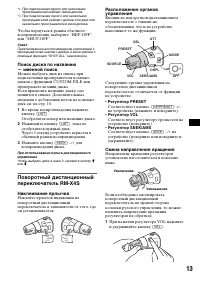
13 *1 При подключении одного или нескольких проигрывателей компакт-/мини-дисков. *2 При подключении одного или нескольких проигрывателей компакт-дисков или двух или нескольких проигрывателей мини-дисков. Чтобы вернуться в режим обычного воспроизведения, выберите “REP-OFF” или “SHUF-OFF”. Совет Перет...
Page 30 - Конденсация влаги
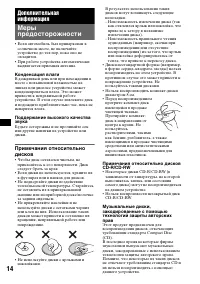
14 Дополнительная информация Меры предосторожности • Если автомобиль был припаркован в солнечном месте, не включайте устройство до тех пор, пока оно не охладится. • При работе устройства автоматически выдвигается приемная антенна. Конденсация влаги В дождливый день или при нахождении в месте с повыш...
Page 31 - О файлах MP3; О компакт-дисках ATRAC CD; Формат ATRAC3plus; продолжение на следующей странице
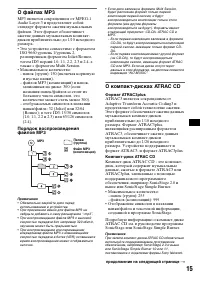
15 О файлах MP3 MP3 является сокращением от MPEG-1 Audio Layer-3 и представляет собой стандарт формата сжатия музыкальных файлов. Этот формат обеспечивает сжатие данных музыкальных компакт- дисков приблизительно до 1/10 исходного размера. • Это устройство совместимо с форматом ISO 9660 уровень 1/уро...
Page 32 - Уход за устройством; Чистка контактов
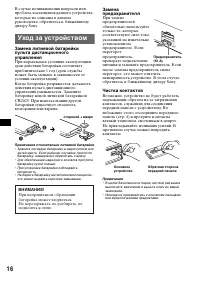
16 В случае возникновения вопросов или проблем, касающихся данного устройства, которые не описаны в данном руководстве, обратитесь к ближайшему дилеру Sony. Уход за устройством Замена литиевой батарейки пульта дистанционного управления При нормальных условиях эксплуатации срок действия батарейки сос...
Page 33 - Проигрыватель компакт-дисков; Усилитель мощности
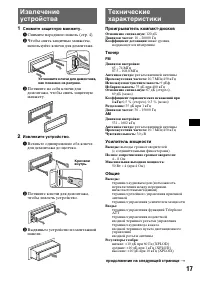
17 Извлечение устройства 1 Снимите защитную манжету. 1 Снимите переднюю панель (стр. 4). 2 Чтобы снять защитные манжеты, используйте ключи для демонтажа. 3 Потяните на себя ключи для демонтажа, чтобы снять защитную манжету. 2 Извлеките устройство. 1 Вставьте одновременно оба ключа для демонтажа до щ...
Page 34 - Общие; На устройство не подается питание.
18 Требования к источнику питания: автомобильный аккумулятор 12 В пост. тока (отрицательное заземление) Размеры: прибл. 178 × 50 × 179 мм (ш/в/г) Монтажные размеры: прибл. 182 × 53 × 161 мм (ш/в/г) Масса: прибл. 1,2 кг Входящие в комплект принадлежности: пульт дистанционного управления: RM-X151 дета...
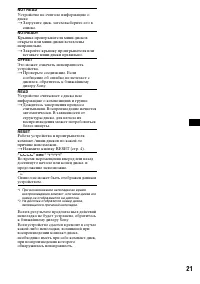
Page 36 - Прием радиостанций
20 Индикация/сообщения об ошибках Прием радиостанций Не удается принять радиостанции.Звук сопровождается помехами. • Подсоедините провод питания приемной антенны (синий) или провод питания вспомогательного оборудования (красный) к проводу питания усилителя антенны автомобиля (если на заднем/ боковом...