Samsung VCDC15RH - User Manual
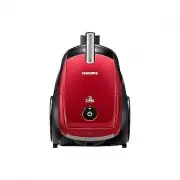
Samsung VCDC15RH Vacuum – User Manual, read for free online in PDF format. We hope this helps you resolve any issues you may have. If you have further questions, please contact us through the contact form.


Table of Contents:
- Page 2 – safety information; SAFETY INFORMATION
- Page 3 – IMPORTANT SAFEGUARDS; WARNING : Do not use the vacuum cleaner when rug or
- Page 4 – The use of an extension cord is not recommended.
- Page 5 – contents
- Page 6 – assembling the cleaner
- Page 7 – operating the cleaner; POWER CORD
- Page 9 – maintain tools and filter; USING ACCESSORY
- Page 10 – MAINTAIN FLOOR TOOLS
- Page 13 – EMPTYING THE DUST BIN
- Page 14 – WHEN TO CLEAN THE DUST PACK
- Page 15 – CLEANING THE DUST PACK
- Page 16 – CLEANING THE OUTLET FILTER
- Page 17 – troubleshooting
- Page 18 – product fiche
- Page 19 – memo
Vacuum Cleaner
user manual
imagine
the possibilities
Thank you for purchasing a Samsung product.
✻
Before operating this unit, please read the instructions carefully.
✻
For indoor use only.
English
VCDC08**
VCDC12**
VCDC15**
VCDC20**
DJ68-00665A(EN)-07.indd 01
DJ68-00665A(EN)-07.indd 01
2015. 6. 8.
3:57
2015. 6. 8.
3:57
"Loading the manual" means you need to wait until the file loads and becomes available for online reading. Some manuals are very large, and the time they take to appear depends on your internet speed.
Was this manual helpful?
About this manual
- Brand
- Samsung
- Model
- VCDC15RH
- Document type
- User Manual
- Category
- Vacuum
- Language(s)
- English
- Pages
- 20
- File size
- 5.9 MB
- Format
Summary
02_ safety information safety information SAFETY INFORMATION • Before operating the appliance, please read this manual thoroughly and retain it for your reference. • Because these following operating instructions cover various models, the characteristics of your vacuum cleaner may differ slightly fr...
safety information _03 safety information IMPORTANT SAFEGUARDS 1. Read all instructions carefully. Before switching on, make sure that the voltage of your electricity supply is the same as that indicated on the rating plate on the bottom of the cleaner. 2. WARNING : Do not use the vacuum cleaner whe...
04_ safety information machine before unplugging from the electrical outlet. Disconnect the plug from the electrical outlet before changing the dust bag or dust container. To avoid damage, please remove the plug by grasping the plug itself, not by pulling on the cord. 8. This appliance can be used b...
Ask a question
Related manuals
Popular Samsung Vacuums


More Samsung Vacuums models
 Samsung SW17H9090H User Manual
 Samsung VCA-SAE90A User Manual
 Samsung VCA-SAE903 User Manual
- Samsung VCA-SAE904 User Manual
 Samsung VCDC15QV User Manual
 Samsung VCJG079H User Manual
 Samsung VCJG08QH User Manual
 Samsung VCJG08TV User Manual
 Samsung VCMA15QS User Manual
 Samsung VCMA18AV User Manual
 Samsung VS15A60AGR5 User Manual
 Samsung VS15A6031R1 User Manual