Samsung ST500 - Manual
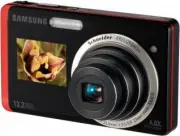
Samsung ST500 Camera – Manual, read for free online in PDF format. We hope this helps you resolve any issues you may have. If you have further questions, please contact us through the contact form.


Table of Contents:
- Page 2 – Warnings; Keep your camera away from small children and pets; Capturing photos or videos
- Page 3 – English; Exercise caution when connecting cables or adapters; Cautions; Handle and store your camera carefully and sensibly
- Page 4 – Camera layout
- Page 5 – Setting up your camera; Unpacking; Optional accessories
- Page 6 – Inserting the battery and memory card; With the Samsung; Removing the battery
- Page 7 – POWER; The initial setup screen appears when you turn on; Select a language, set the date and time,; Touching; Dragging; Turning on your camera
- Page 8 – Taking a photo using the front display; Your camera will detect your face automatically.; Taking a photo; Shutter; A green frame means the subject in focus.; Shutter
- Page 9 – Playing files; Recording a video; Viewing photos; You can also view files by tilting your camera.; Viewing videos; Scan backward
- Page 10 – Connect the camera to your computer with the; Select a folder on your computer to save new
- Page 11 – Specifications
- Page 12 – Advertencias; Evite dañar la vista del sujeto
- Page 13 – Español; Precauciones
- Page 14 – Diseño de la cámara
- Page 15 – Configuración de la cámara; Desembalaje; Accesorios opcionales
- Page 16 – Insertar la batería y la tarjeta de; Con el logotipo de; Quitar la batería
- Page 17 – Cuando encienda la cámara por primera vez,; Seleccione el idioma, establezca la fecha y la; Tocar; Arrastrar; Encender la cámara
- Page 18 – Tomar una fotografía con la pantalla frontal; En el modo de disparo, pulse la pantalla frontal; La cámara detectará su rostro automáticamente.; Tomar una fotografía; Asegúrese de que la cámara esté en; Si aparece un cuadro verde, significa que el sujeto; Obturador; Captura de fotografías o vídeos
- Page 19 – Reproducción de archivos; Grabar un vídeo; Para pausar, seleccione; Ver fotografías; También puede inclinar la cámara a fin de ver los; Ver vídeos
- Page 20 – Transferencia de archivos a un ordenador (para Windows); Conecte la cámara a su ordenador con el cable; Seleccione una carpeta en el ordenador para
- Page 21 – Especificaciones
- Page 22 – Avertissements; Evitez d'endommager la vue des sujets photographiés
- Page 23 – Français; Attention; Manipulez et stockez votre appareil avec soins
- Page 24 – Présentation de l'appareil photo
- Page 25 – Assemblage de votre appareil photo; Contenu du coffret; Accessoires en option
- Page 26 – Insertion de la batterie et de la carte; Le logo Samsung; Retrait de la batterie
- Page 27 – Appuyez sur l'interrupteur marche/arrêt pour; L'écran de configuration initiale s'affiche lorsque; Sélectionnez une langue, réglez la date et; Utilisez le stylet fourni pour toucher l'écran ou faire défiler; Appuyer; Faire glisser; Mise en route de l'appareil photo
- Page 28 – Prendre une photo à l'aide de l'écran frontal; L'appareil photo détecte automatiquement votre; Prendre une photo; Un cadre vert signifie que le sujet est mis au point.; Prise de vues photo ou vidéo
- Page 29 – Lecture de fichiers; Filmer une séquence vidéo; Pour interrompre l'enregistrement, sélectionnez; Visionner des photos; Vous pouvez également afficher des fichiers en; Afficher des vidéos; Retour arrière
- Page 30 – Transfert de fichiers vers un PC (Windows); dans la fenêtre AutoPlay.; Sélectionnez un dossier sur votre ordinateur; Si votre appareil photo est vide, la fenêtre de; Sélectionnez; Les nouveaux fichiers seront transférés sur votre
- Page 31 – Caractéristiques
This Quick Start Manual has been specially designed to guide you through
the basic functions and features of your device. Please read the Quick
Start Manual and User Manual carefully to ensure safe and correct use.
Ce guide de prise en main rapide a été spécialement conçu pour vous
permettre de découvrir les fonctions et caractéristiques de base de votre
appareil. Afi n de garantir une utilisation sûre et correcte, lisez attentivement
le guide de prise enmain rapide et le mode d’emploi.
Quick Start Manual
Guide de prise en main rapide
ST500
For more information, refer to
the User Manual included on the
supplied
CD-ROM
.
Pour des instructions plus
détaillées, veuillez consulter le
mode d’emploi complet sur le
CD-ROM
fourni avec l’appareil.
ENG / SPA / FRE
ST500_QSM_AMERICA.indb 3
2009-09-15 오후 2:06:34
"Loading the manual" means you need to wait until the file loads and becomes available for online reading. Some manuals are very large, and the time they take to appear depends on your internet speed.
Was this manual helpful?
About this manual
- Brand
- Samsung
- Model
- ST500
- Document type
- Manual
- Category
- Camera
- Language(s)
- English, Spanish, French
- Pages
- 32
- File size
- 4.5 MB
- Format
Summary
2 Health and safety information Contents Warnings Do not use your camera near flammable or explosive gases and liquids Do not use your camera near fuels, combustibles, or flammable chemicals. Do not store or carry flammable liquids, gases, or explosive materials in the same compartment as the camera...
3 English Exercise caution when connecting cables or adapters • and installing batteries and memory cards. Forcing the connectors, improperly connecting cables, or improperly installing batteries and memory cards can damage ports, connectors, and accessories. Do not insert foreign objects into any o...
4 1 Speaker 2 AF-assist light/timer lamp 3 Lens 4 USB and A/V port (Accepts USB cable and A/V cable) 5 Battery chamber cover 6 Front display 7 Flash Camera layout 8 Microphone 9 POWER button 10 Shutter button 11 Zoom button 12 Playback button 13 Status lamp 14 Main display (Referred to "Touch sc...