Samsung ME73A - User Manual
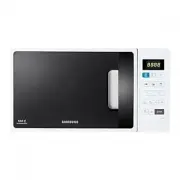
Samsung ME73A Microwave – User Manual, read for free online in PDF format. We hope this helps you resolve any issues you may have. If you have further questions, please contact us through the contact form.


Table of Contents:
- Page 2 – IMPORTANT SAFETY INSTRUCTIONS; : If the door or door seals are damaged,; WARNING; : It is hazardous for anyone other than; WARNING; : Liquids and other foods must not be; WARNING; : Only allow children to use the oven
- Page 3 – working environments
- Page 5 – GENERAL SAFETY
- Page 6 – MICROWAVE OPERATION PRECAUTIONS
- Page 7 – LIMITED WARRANTY
- Page 8 – COOKING INSTRUCTIONS ON FOOD PACKAGING; COOKING INSTRUCTIONS
- Page 9 – installation; ACCESSORIES; INSTALLATION SITE; TURNTABLE
- Page 10 – maintenance; CLEANING; CARE AGAINST AN EXTENDED PERIOD OF DISUSE
- Page 11 – CONTROL PANEL; oven features; OVEN
- Page 12 – SETTING THE TIME; oven use
- Page 13 – POWER LEVELS; ADJUSTING THE COOKING TIME
- Page 14 – USING THE INSTANT REHEAT/COOK FEATURE; INSTANT REHEAT/COOK SETTINGS
- Page 15 – AUTO RAPID DEFROST SETTINGS; USING THE AUTO RAPID DEFROST FEATURE
- Page 16 – MULTISTAGE COOKING
- Page 17 – cookware guide
- Page 18 – TROUBLESHOOTING
- Page 20 – INFORMATION CODE
- Page 21 – technical specifications; memo
Microwave Oven
Owner’s Instructions & Cooking Guide
imagine
the possibilities
Thank you for purchasing this Samsung product.
Please be advised that the Samsung warranty does NOT cover
service calls to explain product operation, correct improper
installation, or perform normal cleaning or maintenance.
ME73A
ME73A_XEU_DE68-03794Q-00_EN.indd 1
5/25/2016 11:18:36 AM
"Loading the manual" means you need to wait until the file loads and becomes available for online reading. Some manuals are very large, and the time they take to appear depends on your internet speed.
Was this manual helpful?
About this manual
- Brand
- Samsung
- Model
- ME73A
- Document type
- User Manual
- Category
- Microwave
- Language(s)
- English
- Pages
- 24
- File size
- 1.5 MB
- Format
Summary
English - 2 contents safety information IMPORTANT SAFETY INSTRUCTIONS READ CAREFULLY AND KEEP FOR FUTURE REFERENCE. WARNING : If the door or door seals are damaged, the oven must not be operated until it has been repaired by a competent person. WARNING : It is hazardous for anyone other than a compe...
English - 3 01 SAFET Y INFORMA TION This appliance is intended to be used in household only and it is not intended to be used such as:• staff kitchen areas in shops, offices and other working environments; • farm houses;• by clients in hotels, motels and other residential environments; • bed and bre...
English - 5 01 SAFET Y INFORMA TION GENERAL SAFETY Any modifications or repairs must be performed by qualified personnel only.Do not heat food or liquids sealed in containers for the microwave function.Do not use benzene, thinner, alcohol, or steam or high-pressure cleaners to clean the oven.Do not ...
Ask a question
Related manuals
Popular Samsung Microwaves


More Samsung Microwaves models
 Samsung ME21M706BAG User Manual
- Samsung ME21M706BAS User Manual
 Samsung ME21R706BAT User Manual
 Samsung ME21R7051SG User Manual
 Samsung ME21R7051SS User Manual
 Samsung ME71A User Manual
 Samsung ME73M User Manual
 Samsung ME83M/XEO User Manual
 Samsung ME83X User Manual
 Samsung ME83X-P User Manual
 Samsung ME87M User Manual
 Samsung ME179KFETSR Manual