Page 2 - Contents
2 English C ontents Contents Contents Important safety instructions 3 What You Need To Know About Safety Instructions 3 Precautions To Avoid Possible Exposure To Excessive Microwave Energy 3 Important Safety Symbols And Precautions 3 California Proposition 65 Warning 4 Grounding Instructions 5 Use o...
Page 3 - SAVE THESE INSTRUCTIONS; Important safety instructions; IMPORTANT SAFETY SYMBOLS
English 3 Impor tant saf ety ins truc tions SAVE THESE INSTRUCTIONS Important safety instructions Congratulations on your new Samsung microwave oven. This manual contains important information on the installation, use and care of your appliance. Please take time to read this manual to take full adva...
Page 5 - GROUNDING INSTRUCTIONS
English 5 Impor tant saf ety ins truc tions SAVE THESE INSTRUCTIONS WARNING Improper use of the grounding plug can result in a risk of electric shock. • Plug into a grounded, 3 pronged outlet. Do not remove the third (grounding) prong. Do not use an adaptor or otherwise thwart the safety function of...
Page 10 - Setting up your new microwave oven; Checking the parts
10 English Se tting up y our ne w micr o w ave ov en Setting up your new microwave oven * Hardware kit (Screws & Brackets) Manuals (User & Installation) Templates (Top & Wall) NOTE If you need an accessory marked with an * (asterisk), please contact the Samsung Call Center using the phon...
Page 11 - Learning about the control panel; Installing the metal shelf
English 11 Se tting up y our ne w micr o w ave ov en Learning about the control panel 02 03 06 08 10 14 16 18 20 01 04 05 07 09 11 12 13 15 17 19 01 Turntable On/Off Button 02 Light Button (Hi/Low/Off) 03 Vent Button (4 Speed & On/Off) 04 Sensor Cooking Buttons 05 Fit Choice Button 06 Auto Defro...
Page 12 - Setting the time
12 English Se tting up y our ne w micr o w ave ov en Setting up your new microwave oven The functions, options, and corresponding numeric buttons are listed in the table below. No. Function Description Options 1 Display Weight Weight options are pounds and kilograms. 1 Lbs.2 Kg. 2 12 HR/24 HR The cl...
Page 13 - Using your microwave oven; Using the stop/clear button
English 13 Using y our micr o w ave ov en Using your microwave oven Using the stop/clear button The STOP/CLEAR button allows you to clear instructions you have entered. It also allows you to pause your microwave oven’s cooking cycle, so that you can check the food. • To pause the oven during cooking...
Page 14 - Using the more/less feature
14 English Using y our micr o w ave ov en Using your microwave oven Using the more/less feature The More or Less feature allows you to adjust the pre-set cooking time. It works with 1 and 2 stage cooking, regular microwave cooking, and Keep Warm. 2 1 Use the More or Less feature only after cooking h...
Page 15 - Turning on the vent
English 15 Using y our micr o w ave ov en Turning on the vent The vent fan removes steam and other vapors that result from cooking on the rangetop below. Press the Vent button once for boost fan speed, twice for high fan speed, three times for medium fan speed, and four times for low fan speed. Pres...
Page 16 - Using the auto defrost button
16 English Using y our micr o w ave ov en Using your microwave oven Below are the amounts of food we recommend you apply the Keep Warm function to by Food Type. Food Type Recommended Quantity Liquid 1-2 cups Dry 5-10 oz. Using the auto defrost button To thaw frozen foods, enter the weight of the foo...
Page 17 - Using the 1 pound defrost button
English 17 Using y our micr o w ave ov en Using the 1 pound defrost button To thaw 1.0 lbs of frozen food, press this button, and the microwave automatically sets the defrosting time, power level, and standing time. 1 1. Press the 1 Pound Defrost button. The display shows: 1.0 LB . 3 2 4 2. Press th...
Page 18 - Using the sensor cooking buttons
18 English Using y our micr o w ave ov en Using your microwave oven Category Cook No. Food Amount Directions Popcorn 1 Popcorn 3.0-3.5 oz. 1 package Cook only one microwave popcorn bag at a time. Be careful when removing the heated bag from the oven and opening it. Let the microwave oven cool for at...
Page 20 - Using the microwave setting cooking times & power levels
20 English Using y our micr o w ave ov en Using your microwave oven Using the microwave setting cooking times & power levels Your microwave oven allows you to set two different cooking stages, each with its own time length and power level. The power level lets you control the heating intensity f...
Page 22 - Using the fit choice button
22 English Using y our micr o w ave ov en Using your microwave oven Menu / Item No. / Amount Instructions 3 Brown rice 1 1 serving Place 0.5 cups brown rice + 1 cup water for 2 servings or 1 cup brown rice + 2 cups water for 4 servings in a microwave safe bowl. Stir well before and fluff with a fork...
Page 23 - Using the kids meals button
English 23 Using y our micr o w ave ov en Using the kids meals button 1 2 3 1 2 3 1. Press the Kids Meals button. 2. Press the Up/Down buttons or numeric buttons to select the item. (Refer to the Kids Meals table below for a list of the items.) 3. Press the OK button. 4 5 4. Press the Up/Down button...
Page 24 - Using the snacks button
24 English Using y our micr o w ave ov en Using your microwave oven Snacks table Menu / Item No. / Amount Instructions 1 Cheese sticks (frozen) 1 5-6 pcs (1 Srv.) Place the cheese sticks on a plate in a spoke-like fashion. Do not cover. Let stand for 1 to 2 minutes after heating. 2 7-10 pcs (2 Srvs....
Page 25 - Using the soften/melt button
English 25 Using y our micr o w ave ov en Soften/Melt table Menu / Item No. / Amount Instructions 1 Melt butter 1 1 stick Remove the wrapping and cut the butter in half vertically.Place the butter in a dish and cover with wax paper.Stir well after finishing and let stand for 1-2 minutes. 2 2 sticks ...
Page 26 - Not recommended; Cookware guide; Recommended cooking utensils
26 English C ookw ar e guide Cookware guide Not recommended • Glass jars and bottles — Regular glass is too thin to be used in a microwave and can shatter. • Paper bags — These are a fire hazard, except for popcorn bags that are designed for microwave use. • Styrofoam plates and cups — These can mel...
Page 27 - Cooking guide; Cooking techniques
English 27 C ooking g uide Standing Food cooked in the microwave builds up internal heat and continues to cook for a few minutes after the oven stops. Let food stand to complete cooking, especially food such as roasts and whole vegetables. Roasts need this time to complete cooking in the center with...
Page 28 - Guide for cooking vegetables in your microwave
28 English C ooking g uide Cooking guide Guide for cooking vegetables in your microwave • Vegetables should be washed just before cooking. Often, no extra water is needed. If you are cooking dense vegetables such as cubed potatoes, carrots, or green beans, add about ¼ cup water. • Small vegetables (...
Page 29 - Cleaning and maintaining your microwave oven
English 29 Cleaning and maint aining y our micr ow av e oven Cleaning the door and door seals Always ensure that the door seals are clean and that the door closes properly. Take particular care when cleaning the door seals to ensure that no particles accumulate and prevent the door from closing corr...
Page 30 - Replacing the cooktop/night light; Storing and repairing your microwave oven
30 English Cleaning and maint aining y our micr ow av e oven Cleaning and maintaining your microwave oven Replacing the cooktop/night light When replacing the cooktop/night light, make sure that you are wearing gloves to avoid injury from the heat of the lamp. Lamp Lamp 1. Unplug the oven or turn of...
Page 31 - Cleaning the grease filter; Replacing the oven light
English 31 Cleaning and maint aining y our micr ow av e oven Cleaning the grease filter Your microwave oven has reusable grease filter. The grease filter should be removed and cleaned at least once a month or as required.To order a new grease filter, contact Samsung Parts at 1-800-627-4368 or your S...
Page 32 - Replacing the charcoal filter
32 English Cleaning and maint aining y our micr ow av e oven Cleaning and maintaining your microwave oven Widen Widen Remove Remove 3. Remove the filter from the filter case by widening the case, as shown below. Then, soak the grease filter in hot water mixed with a mild detergent. Rinse well and sh...
Page 33 - Troubleshooting; Check points
English 33 Tr ouble shoo ting Troubleshooting Check points If you encounter a problem with your oven, first check the tables starting below and try the recommendations. If a problem persists, or if an information code keeps appearing on the display, contact a local Samsung service center. Problem Ca...
Page 37 - Information codes; Appendix; Specifications
English 37 Appendix Information codes If the microwave oven fails to operate, you may see an information code on the display. Check the table below for the code, and then follow the directions. Code Description Action C-10 The GAS sensor is open. Unplug the power cord of the oven, and then contact a...
Page 38 - Warranty; SAMSUNG MICROWAVE OVEN
38 English W arranty Warranty During the applicable warranty period, a product will be repaired, replaced, or the purchase price refunded, at the sole option of SAMSUNG. SAMSUNG may use new or reconditioned parts in repairing a product, or replace the product with a new or reconditioned product. Rep...
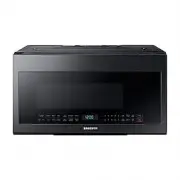


 Samsung ME21H706MQS User Manual
 Samsung ME21H9900AS User Manual
 Samsung ME21K7010DG User Manual
 Samsung ME21K7010DS User Manual
 Samsung ME21R7051SG User Manual
 Samsung ME21R7051SS User Manual
 Samsung ME71A User Manual
 Samsung ME73A User Manual
 Samsung ME73M User Manual
 Samsung ME83M/XEO User Manual