Samsung C27H580FDU - User Manual
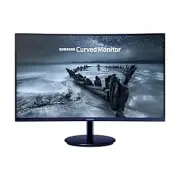
Samsung C27H580FDU Monitor – User Manual, read for free online in PDF format. We hope this helps you resolve any issues you may have. If you have further questions, please contact us through the contact form.


Table of Contents:
- Page 2 – Table of contents; Before Using the Product
- Page 3 – Setup and Reset; Specifications
- Page 4 – Securing the Installation Space; Precautions for storage; Safety Precautions; Caution; Symbols; Warning
- Page 5 – Cleaning; Electricity and Safety
- Page 6 – Installation
- Page 7 – Operation
- Page 9 – Preparations; Parts; Control Panel; Return
- Page 10 – Direct Key guide
- Page 13 – Changing Brightness, Contrast and Sharpness settings; Brightness; Changing the Volume setting
- Page 14 – Reverse Side; Adjusting the Product Tilt
- Page 15 – Precautions for moving the monitor
- Page 16 – Attaching the Stand
- Page 17 – Removing the Stand
- Page 18 – Connecting and Using a Source Device; Read below before installing the monitor.
- Page 19 – Connection Using the HDMI Cable; Connection Using an HDMI-DVI Cable; Connection Using an DP Cable; Connecting to Headphones
- Page 20 – Connecting the Power; Correct posture to use the product
- Page 22 – Screen Setup; SAMSUNG MAGIC Bright; In PC mode
- Page 23 – Sharpness; Color
- Page 24 – SAMSUNG MAGIC Upscale; HDMI Black Level; Response Time
- Page 25 – Picture Size; In AV mode; Screen Adjustment; Configuring Coarse; Configuring Fine
- Page 26 – Adjusting OSD (On Screen Display) settings; Transparency; Position; Language
- Page 27 – FreeSync
- Page 28 – The models in the Graphic Cards list supports FreeSync; How do you enable FreeSync?
- Page 29 – Eco Saving Plus; Off Timer; Source Detection
- Page 30 – Power LED On; Reset All
- Page 31 – Installing the Software; Easy Setting Box; Restrictions and Problems with the Installation; System Requirements
- Page 32 – Troubleshooting Guide; Requirements Before Contacting Samsung; Checking the Resolution and Frequency; Screen issue
- Page 35 – General
- Page 38 – Appendix; Responsibility for the Pay Service (Cost to; Others
User Manual
C27F581FD* C27H580FD*
The color and the appearance may differ depending on the product, and the specifications are subject to change without
prior notice to improve the performance.
The contents of this manual are subject to change without notice to improve quality.
© Samsung Electronics
Samsung Electronics owns the copyright for this manual.
Use or reproduction of this manual in parts or entirety without the authorization of Samsung Electronics is prohibited.
Trademarks other than that of Samsung Electronics are owned by their respective owners.
•
An administration fee may be charged if either
‒
(a) an engineer is called out at your request and there is no defect in the product
(i.e. where you have failed to read this user manual).
‒
(b) you bring the unit to a repair center and there is no defect in the product
(i.e. where you have failed to read this user manual).
•
The amount of such administration charge will be advised to you before any work or home visit is carried out.
"Loading the manual" means you need to wait until the file loads and becomes available for online reading. Some manuals are very large, and the time they take to appear depends on your internet speed.
Was this manual helpful?
About this manual
- Brand
- Samsung
- Model
- C27H580FDU
- Document type
- User Manual
- Category
- Monitor
- Language(s)
- English
- Pages
- 38
- File size
- 1.4 MB
- Format
Summary
2 Table of contents Before Using the Product Securing the Installation Space 4 Precautions for storage 4 Safety Precautions 4 Symbols 4Cleaning 5Electricity and Safety 5 Installation 6Operation 7 Preparations Parts 9 Control Panel 9 Direct Key guide 10 Function Key Guide 11 Changing Brightness, Cont...
3 Table of contents Setup and Reset FreeSync 27 Eco Saving Plus 29 Off Timer 29 PC/AV Mode 29 Source Detection 29 Key Repeat Time 29 Power LED On 30 Reset All 30 Information 30 Installing the Software Easy Setting Box 31 Troubleshooting Guide Requirements Before Contacting Samsung Customer Service C...
4 Securing the Installation Space Ensure some space around the product for ventilation. An internal temperature rise may cause fire and damage the product. Be sure to allow the amount of space as shown below or greater when installing the product. ― The exterior may differ depending on the product. ...
Ask a question
Related manuals
Popular Samsung Monitors


More Samsung Monitors models
 Samsung C27F398FWR User Manual
 Samsung C27F398FWU User Manual
 Samsung C27F581FDU User Manual
 Samsung C27F591FDU User Manual
 Samsung C27FG70FQU User Manual
 Samsung C27FG73FQU User Manual
 Samsung C27H711QEU User Manual
 Samsung C27H800FCU User Manual
 Samsung C27HG70QQU User Manual
 Samsung C27JG50QQU User Manual
 Samsung C27JG52QQU User Manual
 Samsung C27R500FHR User Manual