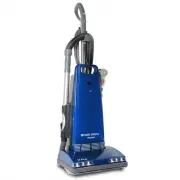
Page 2 - Contents; Customer’s Record; Read all instructions before using this appliance
Contents Safety Instructions ------------------------------------------------------------------ 1-4 Included Parts ----------------------------------------------------------------------- 5-7 Operating Instructions ------------------------------------------------------------- 8-11 Assembly Instructio...
Page 3 - WARNING; AC
including the following: WARNING - To reduce the risk of fire, electric shock, or injury: 1. Before connecting the power cord of your new vacuum cleaner to an electrical outlet, check the voltage rating. Your power source should correspond with the voltage rating plate on the underside of the vacuum...
Page 5 - SAVE THESE INSTRUCTIONS.
SAVE THESE INSTRUCTIONS. Models 6000 & 7000 & 9000 are intended for household and light office use only. ! ! 5
Page 8 - EASY ASSEMBLY INSTRUCTION; Step One: Attaching the Handle; Make sure handle is firmly pushed down all the way.
! EASY ASSEMBLY INSTRUCTION Step One: Attaching the Handle 1. Remove handle screw. 2. Insert handle into top of dust cover with handle switch facing forward (Model 7000 & 9000 only). Make sure handle is firmly pushed down all the way. ! 8
Page 9 - and lower hooks for storage.; How To Release Power Cord:; Replace with a genuine dust bag when full.
3. Align small hole on handle with screw hole in dust cover. Insert screw and tighten securely (All models). 4. Turn upper cord storage hook to upright position and wind cord between upper and lower hooks for storage. 5. To quick-release cord, simply rotate upper hook downward and cord will drop for...
Page 10 - Checking the Post Filter:
motor from dust and dirt. Operating the vacuum without the secondary filter in place voids the warranty. 1. Check for accumulated dust and dirt when replacing dust bag. Filter may be cleaned as needed. 2. If replacement is needed, release the right tab on underside of bag supporter. Lift and rotate ...
Page 12 - How To Use Friction Fit Cleaning Tools: Model 6000 & 8000
! How To Use Friction Fit Cleaning Tools: Model 6000 & 8000 ! ! 12
Page 14 - Available Optional Cleaning Tools:; Curved wand; Connecting the Optional Hose Assembly:
Available Optional Cleaning Tools: A deluxe attachment set is available for models without on-board tools. It contains: 1. Hose assembly 2. Curved wand 3. 3 piece telescoping wand 4. Dusting brush 5. Crevice tool 6. Upholstery brush Connecting the Optional Hose Assembly: Simply lift the lid of the c...
Page 15 - Note; Replacing Headlight Bulb:; (Models 7000 and 9000 use LED lights which don’t need
! Suction Control: Model 6000 , 7000 , 8000 & 9000 To reduce suction when cleaning draperies, small rugs, etc., move the suction control slide on the back of the vacuum cleaner by increasing the opening until desired suction power is achieved. Close for normal vacuum operation. Note : Model 7000...
Page 16 - Resetting the Thermal Switch:
4. Remove bulb by pushing in lightly and turning counterclockwise. 5. Replace with new bulb, turn clockwise. 6. Reinsert the headlight assembly back into the nozzle housing being careful not to pinch or re-arrange any wires and insert the two frame screws. 7. Reinsert bottom plate making certain tha...
Page 17 - Replacing the Drive Belt:; “Replacing Headlight Bulb Step One” on previous page.
! Replacing the Drive Belt: 1. Unplug the power cord. 2. Turn the unit over and remove the bottom plate as previously described under “Replacing Headlight Bulb Step One” on previous page. 3. Lift the rear belt cover up and back. 4. Remove the vented support fitting, noting position. 5. Remove agitat...
Page 18 - Changing the Agitator Brushes:; Remove agitator, start as described on previous page, Section 1 to 4.
! Changing the Agitator Brushes: Replace agitator brushes when they are worn or when the bristles do not touch a card held across the base plate. Replace all four brushes at the same time to maintain maximum cleaning performance. Remove agitator, start as described on previous page, Section 1 to 4. ...
Page 19 - For Best Performance:; Keep this manual in a safe place for future reference.; If it should become clogged:; remove bottom plate.
! For Best Performance: 1. Keep machine and all accessories clean and in proper operating condition. 2. Change dust bags and filters as recommended to maintain optimum cleaning efficiency. 3. Always use genuine dust bags and filters. Use of other products may result in unsatisfactory cleaning or fil...
Page 20 - three
6. When clear, reinstall bottom plate. See instruction on previous page, “Replacing the Drive Belt.” ! Any other servicing should be performed by an authorized Prolux Vacuum Cleaner Dealer. ProLux Limited Warranty What this limited warranty covers: Warranty period for Prolux vacuum models: Prolux 60...
Page 21 - What this limited warrant does not cover:; Expenses related to pick up, delivery or house calls.; Obtaining warranty service:; . After you have contacted your; Further Limitations and Exclusions:
in material and workmanship for normal use in accordance with the Owner’s Manual. This limited warranty is granted only to the original purchaser. This limited warranty is subject to the following provisions: What this limited warrant does not cover: • Expenses related to pick up, delivery or house ...