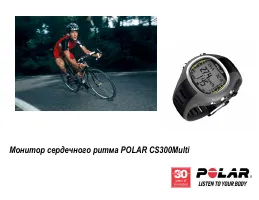
Polar CS600X - Manual

Polar CS600X Cycling Computer – Manual, read for free online in PDF format. We hope this helps you resolve any issues you may have. If you have further questions, please contact us through the contact form.

CS600X Trotting
- Quick start guide -
The Polar Equine CS600X Trotting is the most complete trotting training
system for horses available. It is an evolution of the "human" CS600X
training system and requires a good understanding of the user manual to
use all its capacities fully. If you just bought this training system and want
to try it straight away, the following quick start guide is what you need!
1. Contents of the set
A. A CS600X receiver:
receives, displays
and records all the data measured by the
WearLink transmitter and the speed sen-
sor.
B. A speed sensor with its magnet:
meas-
ures speed and distance in real time.
C. A WearLink transmitter and its Equine
belt:
measures the horse’s heart rate in
real time.
D. A ProTrainer 5 Equine edition software:
displays a training log, graphs, tables and
reports on your PC to further analyse the
data recorded during training.
E. (In option, an IRDA USB adapter:
uses
infrared connexion to transfer the re-
corded data from receiver to PC.)
2. How to use the CS600X receiver
The CS600X receiver has 5 navigation buttons and an infrared window to communicate with the PC
via the IRDA adapter.
Use
UP
and
DOWN
to scroll through the
different menus and adjust values (a bit
like + and - buttons).
Use
OK
to enter a menu, to validate a
value and to start the stopwatch.
Use
STOP
to exit a menu, to return to
the previous display (when you made a
mistake while adjusting a value) and to
stop the stopwatch.
Press
LIGHT
once and the backlight is
activated for 5 seconds when you press
any other button. You can also lock the
buttons by pressing and holding the
LIGHT
button for 2 seconds.
3. Starting the CS600X
By default, the CS600X receiver is
switched off to save the battery.
Press
OK
twice to activate it.
Press
UP
or
DOWN
to select english
as the language to be used.
Press
OK
to validate.
The following settings must be done,
to make sure the speed measure-
ments are accurate.
If you don’t do these sulky settings, the
CS600X will remind you to set them
before every exercise.
Use the
UP
and
DOWN
buttons to custom-
ize the following sulky settings. Press
OK
to
validate your settings.
Number of sulkies (1, 2 or 3)
Wheel size for Sulky 1 (in mm)
Wheel size for Sulky 2 (in mm) if
you use a second sulky.
Wheel size for Sulky 3 (in mm) if
you use a third sulky.
(If you got wrong somewhere, press
STOP
to return to the previous setting.)
Note: Wheel size settings are a prerequisite for correct speed information!!
Use the following method to measure the wheel size in the most accurate way: use the valve to
mark the point where the wheel touches the ground. Draw a line on the ground to mark that point.
Move your sulky forward on a flat surface for one complete rotation.
The tire should be perpendicular to the ground. Draw another line on the ground at the valve to
mark a full rotation. Measure the distance between the two lines. Subtract 4 mm to account for
your weight on the sulky to get your wheel circumference.
Enter this value in the CS600X receiver.
The following settings must be done,
even though they don’t concern the
horse.
If you don’t do these basic settings,
the CS600X will remind you to set
them before every exercise.
Use the
UP
and
DOWN
buttons to
customize the following basic settings.
Press
OK
to validate your settings.
Time
display
(24h/12h)
Time
Date (day/month/year or
month/day/year)
Units (kg/cm/km or lb/ft/mi)
(If you got wrong somewhere, press
STOP
to return to the previous set-
ting.)
If your settings are good, select Yes.
Press
OK
to validate.
Once the settings are done, the CS600X
returns automatically to the time display.
The speed sensor is turned off by default
to save the battery. Make sure it is acti-
vated by checking in menu SETTINGS ->
Sulky -> Sulky 1/2/3 -> Speed -> ON.
Teaching a new sensor is not needed.
4. Placing the speed sensor
Attach the rubber part to the sensor.
Pass the cable ties
through the speed
sensor and rubber
part holes.
Adjust the sensor to
the sulky bar so that
the POLAR logo
faces outwards.
Adjust the ties loosely. Do not tighten
them yet.
Attach the magnet
to a spoke at the
same level as the
sensor. Fasten the
magnet to the
spoke and tighten it
with a screwdriver.
Fine-tune the positioning of both the
magnet and the speed sensor so that
the magnet passes close to the sensor
but does not touch it.
5. Placing the CS600X on the sulky
The support has been designed so that the
CS600X receiver is always facing you (not
perpendicular) wherever you install it on the
sulky.
Place the rubber part
on the sulky bar or stem
and insert the support
on top of it.
Pass the cable ties over
the support and adjust
them around the sulky
bar/stem.
Secure the bike mount firmly and cut off any
excess cable tie ends.
Position the CS600X receiver on to the
support. Turn the CS600X receiver
clockwise until you hear a click. It is now
ready for use!
You can release the CS600X receiver by
pressing it down and simultaneously
turning it counter clockwise.
"Loading the manual" means you need to wait until the file loads and becomes available for online reading. Some manuals are very large, and the time they take to appear depends on your internet speed.
Was this manual helpful?
About this manual
- Brand
- Polar
- Model
- CS600X
- Document type
- Manual
- Category
- Cycling Computer
- Language(s)
- English
- Pages
- 2
- File size
- 1.6 MB
- Format