Page 2 - Contents; GET TO KNOW YOUR CS500 CYCLING
Contents 1. GET TO KNOW YOUR CS500 CYCLING COMPUTER . . . . . . . . . . . . . . . . . . . . . . . . . . . . . . . . . . 3 Button Functions and Menu Structure . . . . . . 6 2. SET UP YOUR CYCLING COMPUTER . . . . . . . . 9 Enter Basic Settings . . . . . . . . . . . . . . . . . . . . . . . . 9 Measure...
Page 3 - GET TO KNOW YOUR CS500 CYCLING COMPUTER; E N G L I S H
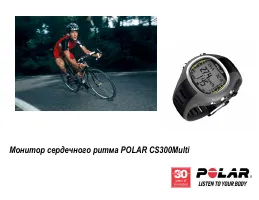
1. GET TO KNOW YOUR CS500 CYCLING COMPUTER This guide will help you get started with your new cycling computer.The full user manual and the latest version of this getting startedguide can be downloaded at www.polar.fi/support. Polar CS500 cycling computer provides you with all the data youneed to en...
Page 6 - Button Functions and Menu Structure
Button Functions and Menu Structure The cycling computer has three easy-to-use buttons that have different functionalities depending on thesituation of use. E N G L I S H 6 Get to Know Your CS500 Cycling Computer
Page 9 - SET UP YOUR CYCLING COMPUTER; Enter Basic Settings
2. SET UP YOUR CYCLING COMPUTER Enter Basic Settings Before using your cycling computer for the firsttime, customize the basic settings. Enter asaccurate data as possible to ensure correctfeedback based on your performance. To adjust data, use SET and accept with OK. Thevalues scroll faster if you p...
Page 10 - Measure Wheel Size
Measure Wheel Size Wheel size settings are a prerequisite for accuratecycling information. To set the wheel size, go to Settings > Bike SET . Select Bike 1 / 2 / 3 > Wheel SET . There are two ways to determine the wheel size ofyour bike: Method 1 Measure the wheel manually for the most accurat...
Page 11 - ETRTO
ETRTO Wheel size diameter (inches) Wheel size setting (mm) 25-559 26 x 1.0 1884 23-571 650 x 23C 1909 35-559 26 x 1.50 1947 37-622 700 x 35C 1958 47-559 26 x 1.95 2022 20-622 700 x 20C 2051 52-559 26 x 2.0 2054 23-622 700 x 23C 2070 25-622 700 x 25C 2080 28-622 700 x 28 2101 32-622 700 x 32C 2126 42...
Page 13 - INSTALL THE BIKE MOUNT
3. INSTALL THE BIKE MOUNT You can install the bike mount on the stem or left-or right-hand side of the handlebar. 1. Thread two cable ties through the passages ofthe bike mount. If you install the bike mount onthe handlebar, thread the cable ties to theopposite direction. 2. Insert the rubber part i...
Page 14 - Attach the Cycling Computer to the Bike Mount
Attach the Cycling Computer to the Bike Mount 1. Push the button and position the cyclingcomputer onto the bike mount. 2. Release the button to fasten the cyclingcomputer to the bike mount. Check that thecycling computer is fastened properly beforeyou start cycling. To detach the cycling computer fr...
Page 15 - Wear the Transmitter
4. TRAINING Wear the Transmitter Wear the transmitter to measure heart rate. 1. Wet the electrode areas of the strap under running water. 2. Attach the connector to the strap. Adjust the strap length to fittightly but comfortably. 3. Tie the strap around your chest, just below the chest muscles,and ...
Page 16 - Start Training
Start Training 1. Attach the cycling computer to the bike mount and activate it with a long button press. 2. In time mode, the cycling computer automatically starts detecting your heart rate. Within 15 seconds,your heart rate appears on the display. 3. The number on the upper left-hand cornerindicat...
Page 18 - IMPORTANT INFORMATION; Caring of Your Product
6. IMPORTANT INFORMATION Caring of Your Product Like any electronic device, the Polar cycling computershould be treated with care. The suggestions below willhelp you fulfill guarantee obligations and enjoy thisproduct for many years to come. Detach the transmitter connector from the strap and rinset...
Page 20 - Precautions
Precautions The Polar cycling computer shows your performanceindicators. It indicates the level of physiological strain andintensity during your exercise. It also measures speed anddistance when cycling with a Polar CS speed sensorW.I.N.D. The Polar CS cadence sensor W.I.N.D. isdesigned to measure c...
Page 22 - Technical Specifications; Cycling computer
Technical Specifications Cycling computer Battery life: Average 3 years (if you train on avg.1h/day, 7 days/week) Battery type: CR 2354 Battery sealing ring: Silicone D-ring 28.0 x 0.8mm (no need tochange during battery replacement ifsealing ring is not damaged) Operating temperature: -10 °C to +50 ...
Page 25 - Limited International Polar Guarantee
Limited International Polar Guarantee • This guarantee does not affect the consumer’s statutoryrights under applicable national or state laws in force, orthe consumer’s rights against the dealer arising fromtheir sales/purchase contract. • This limited Polar international guarantee is issued byPolar...