Pioneer SX10AE - User Manual
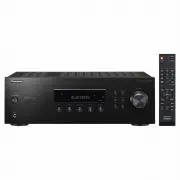
Pioneer SX10AE Home Theater – User Manual, read for free online in PDF format. We hope this helps you resolve any issues you may have. If you have further questions, please contact us through the contact form.


Table of Contents:
- Page 2 – Table of Contents
- Page 4 – Part Names; Front Panel
- Page 5 – Display
- Page 6 – Rear Panel
- Page 7 – Remote Controller
- Page 8 – Step1: Connect the Speakers; Speaker B; Right; Speaker Cable
- Page 9 – Step2: Connect an other External Device; AUDIO IN connection; CD; Analog Audio Cable
- Page 10 – Step3: Connect Other Cables; Antenna Hookup; FM; AM indoor antenna
- Page 11 – Playing Audio from a Connected Device; Basic Operations
- Page 12 – Pairing; Playing Back
- Page 13 – Listening to the AM/FM Radio; Tuning into a Radio Station; Tuning Automatically; Tuning Manually
- Page 15 – Registering a Station; Registering; Selecting a Preset Radio Station; Deleting a Preset Radio Station
- Page 16 – Naming Radio Stations Registered as Presets; Characters that can be entered
- Page 17 – Adjusting the Sound Quality
- Page 18 – Setup Menu; SP Impedance
- Page 19 – Tuner Setting
- Page 20 – Sleep Timer
- Page 21 – Troubleshooting; Before starting the procedure
- Page 23 – General Specifications; Tuner Section
SX-10AE
STEREO RECEIVER
Instruction Manual
En
SN29403247_SX-10AE_En_1707XX.book 1 ページ 2017年7月19日 水曜日 午後1時59分
"Loading the manual" means you need to wait until the file loads and becomes available for online reading. Some manuals are very large, and the time they take to appear depends on your internet speed.
Was this manual helpful?
About this manual
- Brand
- Pioneer
- Model
- SX10AE
- Document type
- User Manual
- Category
- Home Theater
- Language(s)
- English
- Pages
- 28
- File size
- 1.8 MB
- Format
Summary
2 Before Start Table of Contents Before Start............................................................. 2 What's in the box ..................................................... 3 Part Names ............................................................. 4 Part Names ..................................
4 Par t Names Part Names Front Panel 1. Í STANDBY/ON button 2. SPEAKERS A/B button: Select the terminals to output audio from between SPEAKERS A/B. 3. DIRECT button: Switches to the DIRECT mode which outputs pure sound as it was intended. 4. Display (P5)5. Remote control sensor: Receives signals fro...
5 > Before Start > Part Names > Install > Playback Setup | Others En Display 1. The currently selected speaker system lights.2. Lights when headphones are connected.3. Lights in the following conditions. PRESET: PRESET mode has been selected with TUNING/PRESET on the main unit.RDS (Europ...


