Page 2 - Front Panel; Contents; Connections
2 Contents Front Panel ≫ Rear Panel ≫ Remote ≫ Contents ≫ Connections ≫ Playback ≫ Setup ≫ Table of contents What’s in the box 4 Additional Function (Firmware Update) 5 Update Information of the firmware 5 Operation of added new functions 5 Firmware Update Procedure 6 Part Names 8 Front Panel 8 Disp...
Page 3 - Setup; Setup Menu; Menu operations; Initial Setup with Auto Start-up Wizard; Troubleshooting; When the unit is operating erratically; Appendix; About HDMI
3 Front Panel ≫ Rear Panel ≫ Remote ≫ Contents ≫ Connections ≫ Playback ≫ Setup ≫ Listening Mode Effects 57 Input Formats and Selectable Listening Modes 61 Setup Setup Menu 67 Menu list 67 Menu operations 69 1. Input/Output Assign 70 2. Speaker 73 3. Audio Adjust 76 4. Source 77 5. Hardware 79 6. Mi...
Page 4 - bk
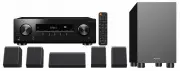
4 Front Panel ≫ Rear Panel ≫ Remote ≫ Contents ≫ Connections ≫ Playback ≫ Setup ≫ What’s in the box 1. Main unit (VSX-326) (1) 2. Remote controller (RC-971R) (1), Batteries (AAA/R03) (2) 3. Indoor FM antenna (1) 4. AM loop antenna (1) 5. Front speaker (S-13F) (2) 6. Center speaker (S-13C) (1) 7. Sur...
Page 5 - Update Information of the firmware; Operation of added new functions; Supplementary Information; Firmware Update Procedure (
5 Front Panel ≫ Rear Panel ≫ Remote ≫ Contents ≫ Connections ≫ Playback ≫ Setup ≫ Additional Function (Firmware Update) This unit is equipped with a function to update the firmware via USB port when the firmware update is announced after purchase. This enables various functions to be added and opera...
Page 6 - Disclaimer; Updating the Firmware via USB; Update
6 Front Panel ≫ Rear Panel ≫ Remote ≫ Contents ≫ Connections ≫ Playback ≫ Setup ≫ Firmware Update Procedure Approx. 30 minutes are required for updating. Existing settings are kept after updating. Disclaimer : The program and accompanying online documentation are furnished to you for use at your own...
Page 7 - If an Error Message is Displayed
7 Front Panel ≫ Rear Panel ≫ Remote ≫ Contents ≫ Connections ≫ Playback ≫ Setup ≫ 6. Select "6. Miscellaneous" - "Firmware Update" - "Update via USB" with the cursors in order, then press ENTER. Setup 1. Input/Output Assign 2. Speaker 1. Tuner 4. Lock 2. Firmware Update3. Ini...
Page 8 - Part Names
8 Contents ≫ Connections ≫ Playback ≫ Setup ≫ Front Panel ≫ Rear Panel ≫ Remote ≫ Part Names Front Panel ❏ For details, see ( p9 )
Page 11 - Rear Panel
11 Contents ≫ Connections ≫ Playback ≫ Setup ≫ Front Panel ≫ Rear Panel ≫ Remote ≫ Rear Panel ❏ For details, see ( p12 )
Page 13 - Remote Controller
13 Contents ≫ Connections ≫ Playback ≫ Setup ≫ Front Panel ≫ Rear Panel ≫ Remote ≫ Remote Controller 1. STANDBY/ON button 2. PERSONAL PRESET 1/2/3 buttons: Registers the current setting conditions such as input selector, listening mode, etc. or call the registered settings. ( p47 ) 3. Input selector...
Page 14 - Front Speakers/Surround Speakers
14 Front Panel ≫ Rear Panel ≫ Remote ≫ Contents ≫ Connections ≫ Playback ≫ Setup ≫ Speaker/Subwoofer Front Speakers/Surround Speakers Included front speakers and surround speakers can be used for both left and right side. The sound quality does not differ when used for left or right side. The grill ...
Page 15 - Center Speaker
15 Front Panel ≫ Rear Panel ≫ Remote ≫ Contents ≫ Connections ≫ Playback ≫ Setup ≫ Center Speaker The grill net cannot be removed.1. Speaker jack: use the included speaker cable to connect to the main unit. 2. Wall mount hole: the speaker system may be mounted to a wall by suspending speakers on woo...
Page 16 - Subwoofer
16 Front Panel ≫ Rear Panel ≫ Remote ≫ Contents ≫ Connections ≫ Playback ≫ Setup ≫ Subwoofer 1. Speaker jack: use the included speaker cable to connect to the main unit. ❏ Notice ( p17 )
Page 17 - Notice; Maintenance
17 Front Panel ≫ Rear Panel ≫ Remote ≫ Contents ≫ Connections ≫ Playback ≫ Setup ≫ Notice • Do not place objects on the speaker system. The speaker system may drops or fall over by losing balance and may cause an injury. • Do not place on a shaky platform, sloping surface, or other unstable place. T...
Page 19 - Connecting speakers; Yes
19 Front Panel ≫ Rear Panel ≫ Remote ≫ Contents ≫ Connections ≫ Playback ≫ Setup ≫ - Connecting Speakers Connecting speakers You can select the layout of speakers to be installed from various patterns when using this unit. Use the following flow chart to select the speaker layout that suits your spe...
Page 20 - Speaker Layouts and Selectable Listening
20 Front Panel ≫ Rear Panel ≫ Remote ≫ Contents ≫ Connections ≫ Playback ≫ Setup ≫ Speaker Installation 5.1 Channel System a b 1 2 3 4 5 6 a: 22°to 30°, b: 120° This is a basic 5.1 Channel System. Front speakers output the front stereo sound, and a center speaker outputs the sound of the center of...
Page 21 - Front High Speakers Installation Example
21 Front Panel ≫ Rear Panel ≫ Remote ≫ Contents ≫ Connections ≫ Playback ≫ Setup ≫ 3.1.2 Channel System A 3.1.2 Channel System is a speaker layout consisting of a 3.1 Channel System that includes front speakers, center speaker and subwoofer, and added height speakers. Select the height speakers th...
Page 22 - or more
22 Front Panel ≫ Rear Panel ≫ Remote ≫ Contents ≫ Connections ≫ Playback ≫ Setup ≫ ❏ Front High Speakers Installation Example a 1 2 6 3 4 5 a: 22° to 30° 3´ (0.9 m) or more This is a 3.1-channel system consisting of front speakers, a center speaker, and a subwoofer, with the installation of front hi...
Page 23 - Ceiling Speakers Installation Example
23 Front Panel ≫ Rear Panel ≫ Remote ≫ Contents ≫ Connections ≫ Playback ≫ Setup ≫ ❏ Ceiling Speakers Installation Example a 1 2 6 5 b 3 4 ** a: 22° to 30°, b: 65° to 100° This is a 3.1-channel system consisting of inclueded front speakers, a center speaker, and a subwoofer, with the addition of top...
Page 24 - Installation Example
24 Front Panel ≫ Rear Panel ≫ Remote ≫ Contents ≫ Connections ≫ Playback ≫ Setup ≫ ❏ Dolby Enabled Speakers (Dolby Speakers) Installation Example a 5 1 2 3 4 6 * * * * a: 22° to 30° Separately sold Dolby-enabled speakers have been selected as the height speakers for this system. Dolby enabled speake...
Page 25 - Connect the Speaker Cables
25 Front Panel ≫ Rear Panel ≫ Remote ≫ Contents ≫ Connections ≫ Playback ≫ Setup ≫ Speaker Connections and "Speaker Setup" Settings Connections (Note) Speaker Impedance When using the included speakers, setup explained in this section is not required. When using speakers sold separately, u...
Page 30 - TV
30 Front Panel ≫ Rear Panel ≫ Remote ≫ Contents ≫ Connections ≫ Playback ≫ Setup ≫ To ARC TV If the TV supports the ARC (Audio Return Channel) function (*), use only the HDMI cable to connect with the TV. Use the ARC-compatible HDMI IN jack of the TV for connection. You connect the HDMI cable to the...
Page 32 - Streaming media
32 Front Panel ≫ Rear Panel ≫ Remote ≫ Contents ≫ Connections ≫ Playback ≫ Setup ≫ Connecting Playback Devices Connecting an AV Component with HDMI Jack Mounted This is a connection example of an AV component equipped with an HDMI jack. When connecting with an AV component that conforms to the CEC (...
Page 33 - OR; CD
33 Front Panel ≫ Rear Panel ≫ Remote ≫ Contents ≫ Connections ≫ Playback ≫ Setup ≫ Connecting an Audio Component This is a connection example of an audio component. Connect a CD player using a digital coaxial cable or analog audio cable. a Analog audio cable, b Digital coaxial cable a b OR CD
Page 37 - Playback
37 Playback Front Panel ≫ Rear Panel ≫ Remote ≫ Contents ≫ Connections ≫ Playback ≫ Setup ≫ Playback AV Component Playback 38 BLUETOOTH ® Playback 39 Listening To the AM/FM Radio 40 ZONE B Playback 45 Convenience functions 47 Listening Mode 52
Page 38 - Input selector; Inputs; INPUT; TV’s REMOTE
38 Front Panel ≫ Rear Panel ≫ Remote ≫ Contents ≫ Connections ≫ Playback ≫ Setup ≫ AV Component Playback You can play the audio from AV components, such as Blu-ray disc players through this unit. Basic Operations Perform the following procedure when this unit is on. 1. Switch the input on the TV to ...
Page 39 - Pairing
39 Front Panel ≫ Rear Panel ≫ Remote ≫ Contents ≫ Connections ≫ Playback ≫ Setup ≫ BLUETOOTH ® Playback You can wirelessly play the audio on a BLUETOOTH-enabled device, such as a smartphone. Basic Operations Perform the following procedure when this unit is on. Pairing 1. When you press the BLUETOOT...
Page 40 - Tuning Automatically; TUNER
40 Front Panel ≫ Rear Panel ≫ Remote ≫ Contents ≫ Connections ≫ Playback ≫ Setup ≫ Listening To the AM/FM Radio You can receive AM and FM radio stations on this unit with the built-in tuner. Tuning into a Radio Station Perform the following procedure when this unit is on. Tuning Automatically 1. Pre...
Page 41 - When FM broadcasts reception is poor:; Tuning Manually; Frequency step setting; Presetting a Radio Station (
41 Front Panel ≫ Rear Panel ≫ Remote ≫ Contents ≫ Connections ≫ Playback ≫ Setup ≫ When FM broadcasts reception is poor: Perform the procedure for "Tuning Manually" ( p41 ). Note that if you tune manually, the reception for FM broadcasts will be monaural rather than stereo, irrespective of t...
Page 42 - Registration Procedure; CLEAR
42 Front Panel ≫ Rear Panel ≫ Remote ≫ Contents ≫ Connections ≫ Playback ≫ Setup ≫ Presetting a Radio Station Registration Procedure You can preset up to 40 of your favorite AM/FM radio stations.After tuning in to the AM/FM radio station you want to register, perform the following procedure. 1. Pres...
Page 43 - Selecting a Preset Radio Station; Using RDS (European, Australian and Asian
43 Front Panel ≫ Rear Panel ≫ Remote ≫ Contents ≫ Connections ≫ Playback ≫ Setup ≫ Selecting a Preset Radio Station 1. Press TUNER. 2. Press the cursors / to select a preset number. Deleting a Preset Radio Station 1. Press TUNER. 2. Press the cursors / to select the preset number to delete. 3. After...
Page 44 - Search for Stations by Program Type
44 Front Panel ≫ Rear Panel ≫ Remote ≫ Contents ≫ Connections ≫ Playback ≫ Setup ≫ Using RDS (European, Australian and Asian models) RDS stands for Radio Data System, and is a method of transmitting data in FM radio signals. In regions where RDS can be used, when you tune in to a radio station broad...
Page 47 - Registration; PERSONAL
47 Front Panel ≫ Rear Panel ≫ Remote ≫ Contents ≫ Connections ≫ Playback ≫ Setup ≫ Convenience functions Using PERSONAL PRESET Registration You can register settings ( p48 ) such as the current input selector and listening mode with the three PERSONAL PRESET buttons, and call a registered setting in...
Page 48 - Settings that can be registered; Using the registered settings; Checking the registered settings
48 Front Panel ≫ Rear Panel ≫ Remote ≫ Contents ≫ Connections ≫ Playback ≫ Setup ≫ Settings that can be registered The following settings can be registered with PERSONAL PRESET. – Input selector (AM/FM radio stations can also be registered.) – Listening mode – Volume level (Upper limit "-32 dB&#...
Page 49 - Adjusting TREBLE/BASS; Adjusting DIALOG; Adjusting SUBWOOFER; TONE
49 Front Panel ≫ Rear Panel ≫ Remote ≫ Contents ≫ Connections ≫ Playback ≫ Setup ≫ Adjusting the tone Adjusting TREBLE/BASS You can adjust the sound quality of the speakers. 1. Press TONE repeatedly to select Treble or Bass and adjust the content. Treble: Enhances or moderates the high-tone range of...
Page 52 - SURR
52 Front Panel ≫ Rear Panel ≫ Remote ≫ Contents ≫ Connections ≫ Playback ≫ Setup ≫ Listening Mode You can change the listening mode during play by pressing repeatedly "AUTO/DIRECT", "SURR", or "STEREO". Selecting a Listening mode • Each of AUTO/DIRECT, SURR, and STEREO button...
Page 53 - SURR button
53 Front Panel ≫ Rear Panel ≫ Remote ≫ Contents ≫ Connections ≫ Playback ≫ Setup ≫ AUTO/DIRECT button Press repeatedly and the listening modes suited to the input signal are switched between "Auto Surround", "Direct", and "Pure Direct". After selecting one of them, "Aut...
Page 54 - Checking the input format and listening mode
54 Front Panel ≫ Rear Panel ≫ Remote ≫ Contents ≫ Connections ≫ Playback ≫ Setup ≫ Checking the input format and listening mode Pressing button on the remote controller or STATUS button on the main unit repeatedly will switch the display of the main unit in the following order. • When using a BLUETO...
Page 55 - Speaker layout
55 Front Panel ≫ Rear Panel ≫ Remote ≫ Contents ≫ Connections ≫ Playback ≫ Setup ≫ Speaker Layouts and Selectable Listening Modes See the following table for selectable listening modes for each speaker layout. Speaker layout Listening mode 2.1 ch 3.1 ch 4.1 ch 5.1 ch 2.1.2 ch 3.1.2 ch DD (Dolby Audi...
Page 57 - Updating of listening modes; In alphabetical order; Classical; (Firmware version before supporting; Atmos
57 Front Panel ≫ Rear Panel ≫ Remote ≫ Contents ≫ Connections ≫ Playback ≫ Setup ≫ Listening Mode Effects Updating of listening modes Listening modes such as Atmos 2.0 and DSur 2.0 are added when the firmware is updated after purchase or the firmware is switched in the product production process. Fo...
Page 58 - Drama
58 Front Panel ≫ Rear Panel ≫ Remote ≫ Contents ≫ Connections ≫ Playback ≫ Setup ≫ DD+ (Dolby Audio - DD+) This mode faithfully reproduces the sound design recorded in the Dolby Digital Plus audio format. The Dolby Digital Plus format has been improved based on Dolby Digital, increasing the number...
Page 59 - DTS Express
59 Front Panel ≫ Rear Panel ≫ Remote ≫ Contents ≫ Connections ≫ Playback ≫ Setup ≫ • To enable transfer of this audio format, connect via a digital cable and set audio output on the player to Bitstream output. DTS 96/24 This mode faithfully reproduces the sound design recorded in the DTS 96/24 aud...
Page 60 - Mono; PCM; Stereo; Unplugged
60 Front Panel ≫ Rear Panel ≫ Remote ≫ Contents ≫ Connections ≫ Playback ≫ Setup ≫ Ent.Show (Entertainment Show) Suitable for rock or pop music. Listening to music in this mode creates a lively sound field with a powerful acoustic image, like being at a club or rock concert. Ext.Mono (Extended M...
Page 61 - Selectable listening modes; Speaker Layouts and
61 Front Panel ≫ Rear Panel ≫ Remote ≫ Contents ≫ Connections ≫ Playback ≫ Setup ≫ Input Formats and Selectable Listening Modes You can select a variety of listening modes according to the audio format of the signal to be input. • The Stereo mode can be selected with any audio format. • When analog ...
Page 71 - Digital Audio Input
71 Front Panel ≫ Rear Panel ≫ Remote ≫ Contents ≫ Connections ≫ Playback ≫ Setup ≫ 3. Digital Audio Input Change input assignment between the input selectors and DIGITAL IN COAXIAL/ OPTICAL jacks. If you do not assign a jack, select "---". Setting Item Default Value Setting Details BD/DVD ...
Page 72 - PERSONAL PRESET Information
72 Front Panel ≫ Rear Panel ≫ Remote ≫ Contents ≫ Connections ≫ Playback ≫ Setup ≫ 5. Input Skip You can skip inputs to which nothing is connected when selecting them with the INPUT SELECTOR dial on the main unit. Setting Item Default Value Setting Details BD/DVD Use Set whether to skip the BD/DVD...
Page 75 - Dolby Enabled Speaker; Speaker Virtualizer
75 Front Panel ≫ Rear Panel ≫ Remote ≫ Contents ≫ Connections ≫ Playback ≫ Setup ≫ 4. Channel Level Adjust the volume level of each speaker. Setting Item Default Value Setting Details Front Left 0.0 dB Select a value between "-12.0 dB" and "+12.0 dB" (in 0.5 dB increments). A test ...
Page 77 - Input Volume Absorber
77 Front Panel ≫ Rear Panel ≫ Remote ≫ Contents ≫ Connections ≫ Playback ≫ Setup ≫ 4. Source 1. Input Volume Absorber Adjust the volume level when there are differences in volume level among multiple devices connected to this unit. Select the input selector to make the setting. Setting Item Defaul...
Page 83 - HDMI; Audio Return Channel:
83 Front Panel ≫ Rear Panel ≫ Remote ≫ Contents ≫ Connections ≫ Playback ≫ Setup ≫ AV Adjust Menu operations You can quickly adjust the settings you frequently use, such as tone adjustments, etc. You can make the settings on the TV screen while playing something. Press on the remote controller to di...
Page 84 - Audio
84 Front Panel ≫ Rear Panel ≫ Remote ≫ Contents ≫ Connections ≫ Playback ≫ Setup ≫ Audio Sound Retriever: Improve the quality of the compressed audio. Playback sound of lossy compressed files such as MP3 will be improved. The setting can be separately set to each input selector. The setting is eff...
Page 87 - Before starting the procedure; Try restarting the unit; Troubleshooting 89
87 Troubleshooting Front Panel ≫ Rear Panel ≫ Remote ≫ Contents ≫ Connections ≫ Playback ≫ Setup ≫ Troubleshooting Before starting the procedure Problems may be solved by simply turning the power on/off or disconnecting/ connecting the power cord, which is easier than working on the connection, sett...
Page 89 - Power; The unit turns off unexpectedly; WARNING; No sound from the TV
89 Front Panel ≫ Rear Panel ≫ Remote ≫ Contents ≫ Connections ≫ Playback ≫ Setup ≫ Troubleshooting Power ❏ When the power is turned on, "AMP Diag Mode" appears on the display of the main unit. • The protection circuit function may have operated. If the unit suddenly enters the standby stat...
Page 91 - Listening Modes; Cannot select a desired listening mode
91 Front Panel ≫ Rear Panel ≫ Remote ≫ Contents ≫ Connections ≫ Playback ≫ Setup ≫ Listening Modes • To enjoy digital surround playback in formats such as Dolby Digital, you need to make a connection for audio signals with an HDMI cable, digital coaxial cable or digital optical cable. Also, audio ...
Page 92 - Video; No image appears; Linked operation
92 Front Panel ≫ Rear Panel ≫ Remote ≫ Contents ≫ Connections ≫ Playback ≫ Setup ≫ Video • Confirm that the connection between the output jack on the connected device and the input jack on this unit is correct. • Make sure that none of the connecting cables are bent, twisted, or damaged. • When th...
Page 93 - Tuner; Poor reception or much noise; BLUETOOTH function; Cannot connect with this unit
93 Front Panel ≫ Rear Panel ≫ Remote ≫ Contents ≫ Connections ≫ Playback ≫ Setup ≫ Tuner ❏ Poor reception or much noise • Recheck the antenna connection. • Move the antenna away from the speaker cord or power cord. • Move the unit away from your TV or PC. • Passing cars or airplanes in the vicinit...
Page 94 - ZONE B function; The display does not light up; Others; Strange noise can be heard from the unit
94 Front Panel ≫ Rear Panel ≫ Remote ≫ Contents ≫ Connections ≫ Playback ≫ Setup ≫ ZONE B function ❏ Cannot ZONE B-output the audio of externally connected AV components • To output audio to ZONE B, set the audio output destination to "ZONE A+B" or "ZONE B". ( p45 ) Remote Contro...
Page 95 - Compatible functions
95 Appendix Front Panel ≫ Rear Panel ≫ Remote ≫ Contents ≫ Connections ≫ Playback ≫ Setup ≫ About HDMI Compatible functions HDMI (High Definition Multimedia Interface) is a digital interface standard for connecting TVs, projectors, Blu-ray Disc/DVD players, digital tuners, and other video components...
Page 96 - Supported Audio Formats; Supported resolutions
96 Front Panel ≫ Rear Panel ≫ Remote ≫ Contents ≫ Connections ≫ Playback ≫ Setup ≫ Supported Audio Formats 2 ch linear PCM: 32 kHz, 44.1 kHz, 48 kHz, 88.2 kHz, 96 kHz, 176.4 kHz, 192 kHz, 16/20/24 bit Multi-channel linear PCM: Maximum 7.1 channels, 32 kHz, 44.1 kHz, 48 kHz, 88.2 kHz, 96 kHz, 176.4 k...
Page 97 - Amplifier Section
97 Front Panel ≫ Rear Panel ≫ Remote ≫ Contents ≫ Connections ≫ Playback ≫ Setup ≫ General Specifications Amplifier Section Rated Output Power (FTC) (North American) With 8 ohm loads, both channels driven, from 20-20,000 Hz; rated 80 watts per channel minimum RMS power, with no more than 0.08% tot...
Page 98 - BLUETOOTH Section
98 Front Panel ≫ Rear Panel ≫ Remote ≫ Contents ≫ Connections ≫ Playback ≫ Setup ≫ BLUETOOTH Section Communication system BLUETOOTH Specification version 4.2 Frequency band 2.4 GHz band Modulation method FHSS (Freq Hopping Spread Spectrum) Compatible BLUETOOTH profiles A2DP 1.3 AVRCP 1.5 HFP (Hand...
Page 99 - Audio Inputs
99 Front Panel ≫ Rear Panel ≫ Remote ≫ Contents ≫ Connections ≫ Playback ≫ Setup ≫ Audio Inputs Digital OPTICAL (TV) COAXIAL (CD) Analog CD, TV, CBL/SAT, AUX (front) Audio Outputs Analog ZONE B LINE OUT 2 SUBWOOFER PRE OUT Speaker Outputs FRONT L/R (North American models support banana plugs.), ...