Page 2 - Особенно важно, чтобы Вы прочли и; Оглавление
Thank you for purchasing this PIONEER product To ensure proper use, please read through thismanual before using this product. It is especiallyimportant that you read and observe WARN- ING s and CAUTION s in this manual. Please keep the manual in a safe and accessible place forfuture reference. If yo...
Page 3 - Меры предосторожности; ВАЖНЫЕ МЕРЫ
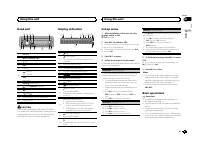
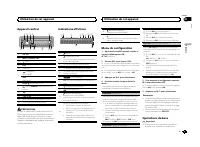
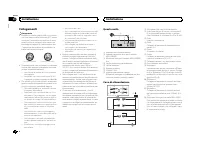
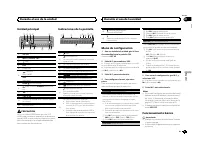
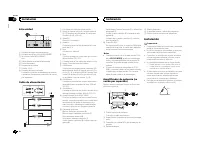
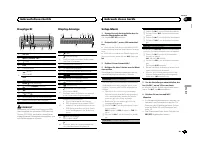
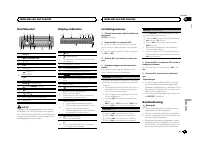
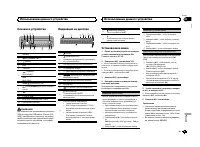
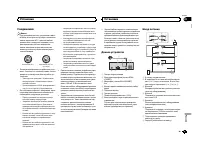
Head unit b 7 8 6 4 1 3 5 2 9 a c 1 SRC / OFF 2 MULTI-CONTROL ( M.C. ) 3 (list) 4 DISP 5 USB port 6 (phone) MVH-X360BT iPod MVH-160UI 7 BAND / (iPod control) 8 (back)/ DIMMER (dimmer) 9 c / d a 1 / to 6 / b AUX input jack (3.5 mm stereo jack) c Detach button CAUTION Use an optional Pioneer USB cable...
Page 4 - Во избежание разрядки
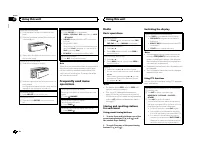
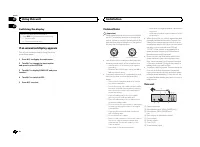
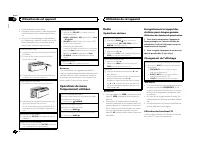
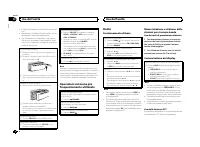
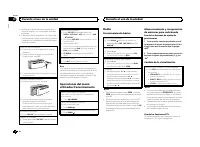
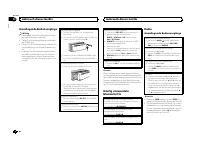
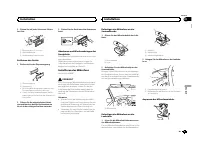
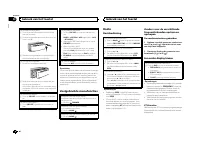
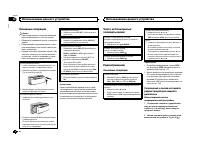
Removing the front panel 1 Press the detach button to release the frontpanel. 2 Push the front panel upward ( M ) and then pull it toward ( N ) you. 3 Always store the detached front panel in a pro-tective case or bag. Re-attaching the front panel 1 Slide the front panel to the left. 2 Press the rig...
Page 5 - Перед началом эксплуатации; Примечание
PTY list For more details about PTY list, visit the follow-ing site:http://www.pioneer.eu/eur/products/25/121/tech/CarAudio/PTY.html Function settings 1 Press M.C. to display the main menu. 2 Turn M.C. to change the menu option and press to select FUNCTION. 3 Turn M.C. to select the function. Once s...
Page 6 - Управление данным устройством; Элемент Назначение
Selecting and playing files/tracks from the name list 1 Press to switch to the file/track name list mode. 2 Use M.C. to select the desired file name (or folder name). Selecting a file or folder 1 Turn M.C. Playing 1 When a file or track is selected, press M.C. Viewing a list of the files (or folders...
Page 7 - ВНИМАНИЕ
Notes ! You can play playlists created with the com-puter application (MusicSphere). The appli-cation will be available on our website. ! Playlists that you created with the computerapplication (MusicSphere) are displayed inabbreviated form. Operations using special buttons Selecting a repeat play r...

Page 8 - Назначение; ANGLE
For iPhone users ! This function is compatible with iPhone andiPod touch. ! The device has iOS 5.0 or higher. For smartphone users ! The device has Android OS 2.3 or later. ! The device supports Bluetooth SPP (SerialPort Profile) and A2DP (Advanced Audio Dis-tribution Profile).The device is connecte...
Page 9 - Основные операции; Важно
Storing and recalling phone numbers 1 To store: Press and hold down one of the preset tuning buttons (1/ to 6/ ). The functions below can be used to store phonenumbers to the memory. For details, refer to Phone menu operation on page 10. ! MISSED (missed call history) ! DIALLED (dialed call history)...
Page 10 - ПРЕДУПРЕЖДЕНИЕ; Основные функции меню
Bluetooth visibility can be turned on so that otherdevices can discover the unit. 1 Press M.C. to turn the visibility of this unit on or off. PIN CODE (PIN code input) You must enter a PIN code on your device to con-firm the Bluetooth connection. The default code is 0000 , but you can change it with...
Page 11 - Радио; Сохранение радиостанции вручную
1 ConnectionUse the Bluetooth telephone connectionmenu. Refer to Connection menu operation on page 9. Basic operations Fast forwarding or reversing 1 Press and hold c or d . Selecting a track 1 Press c or d . Starting playback 1 Press BAND / . Switching the display Selecting the desired text informa...
Page 12 - Воспроизведение с
Only frequencies lower than those in the selectedrange are outputted from the subwoofer. 1 Press M.C. to display the setting mode. 2 Press M.C. to cycle between the following: Cut-off frequency — Output level — Slope level Rates that can be adjusted will flash. 3 Turn M.C. to select the desired sett...
Page 13 - Выбор категории файла; Просмотр фотографий
BT VERSION (Bluetooth version display) You can display the system versions of this unitand of Bluetooth module. 1 Press M.C. to display the information. APP CONN. SET (APP connect mode setting) Select an appropriate option for your connecteddevice. 1 Press M.C. to select the desired setting. WIRED (...
Page 14 - Просмотр видеозаписей
Switching the display Selecting the desired text information 1 Press DISP to cycle between the following: ! Source name ! Source name and clock If an unwanted display appears Turn off the unwanted display using the proce-dures listed below. 1 Press M.C. to display the main menu. 2 Turn M.C. to chang...
Page 15 - Настройка системы; Меню настройки; Общие
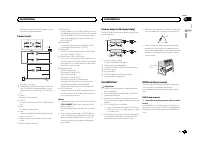
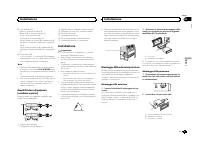
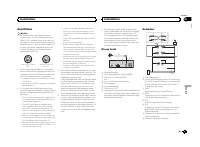
Hard-wired remote control adapter can beconnected (sold separately). Power cord 1 3 3 2 4 4 5 5 6 6 b 8 9 7 a e d c 1 To power cord input 2 Depending on the kind of vehicle, the func-tion of 3 and 5 may be different. In this case, be sure to connect 4 to 5 and 6 to 3 . 3 YellowBack-up (or accessory)...
Page 16 - Видео
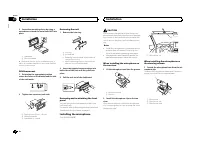
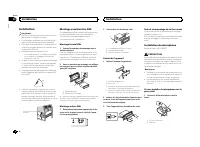
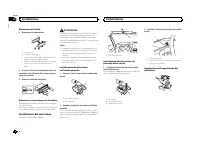
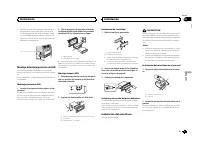
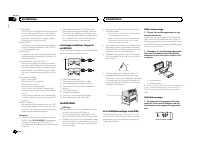
2 Secure the mounting sleeve by using a screwdriver to bend the metal tabs (90°) intoplace. 1 2 1 Dashboard 2 Mounting sleeve # Make sure that the unit is installed securely in place. An unstable installation may cause skippingor other malfunctions. DIN Rear-mount 1 Determine the appropriate positio...
Page 17 - Ш а г F M ( ш а г н а с т р о й к и в F M -; Настройки звука; Настройка видео
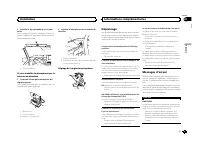
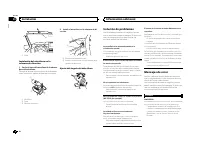
2 Install the microphone on the steering column. 1 2 1 Double-sided tape 2 Install the microphone on the rear side of thesteering column. Adjusting the microphone angle Troubleshooting Symptoms are written in bold and causes in reg-ular, non-indented text. Regular, indented text isused to indicate a...
Page 18 - Прочие функции; Использование
NO AUDIO There are no songs. Transfer the audio files to the USB storage deviceand connect. The connected USB storage device has security en-abled. Follow the USB storage device instructions todisable the security. SKIPPED The connected USB storage device contains DRMprotected files. The protected f...
Page 19 - Ру; Установка; Подключение устройства
Compressed audiocompatibility (USB) WMA File extension: .wma Bit rate: 48 kbps to 320 kbps (CBR), 48 kbps to384 kbps (VBR) Sampling frequency: 32 kHz, 44.1 kHz, 48 kHz Windows Media ä Audio Professional, Lossless, Voice/DRM Stream/Stream with video: Not com-patible MP3 File extension: .mp3 Bit rate:...
Page 21 - Рус; Ус; он
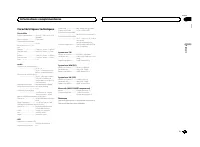
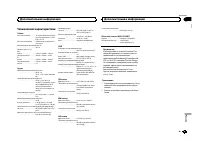
Specifications General Power source ................... 14.4 V DC (10.8 V to 15.1 V al- lowable) Grounding system ............ Negative typeMaximum current consumption ................................... 10.0 A Dimensions (W × H × D):DINChassis ............................ 178 mm × 50 mm × 165 mmNos...
Page 22 - Перед установкой данного
Nous vous remercions d ’ avoir acheté cet ap- pareil PIONEER Pour garantir une utilisation correcte, lisez bience mode d ’ emploi avant d ’ utiliser cet appareil. Il est particulièrement important que vous lisiez etrespectiez les indications ATTENTION et PRÉ- CAUTION de ce mode d ’ emploi. Conservez...
Page 23 - Установка с помощью
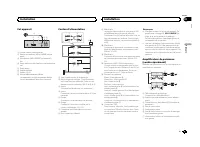
Appareil central b 7 8 6 4 1 3 5 2 9 a c 1 SRC / OFF 2 MULTI-CONTROL ( M.C. ) 3 (liste) 4 DISP 5 Port USB 6 (téléphone) MVH-X360BT iPod MVH-160UI 7 BAND / (contrôle de l ’ iPod) 8 (retour)/ DIMMER (atténuateur de lumi- nosité) 9 c / d a 1 / à 6 / b Jack d ’ entrée AUX (jack stéréo 3,5 mm) c Touche d...
Page 24 - Снятие устройства; Установка по ISO
! Évitez de heurter la face avant. ! Conservez la face avant à l ’ abri des tempéra- tures élevées et de la lumière directe du so-leil. ! Pour éviter d ’ endommager le périphérique ou l ’ intérieur du véhicule, retirez tous les câ- bles et périphériques connectés à la faceavant, avant d ’ enlever ce...
Page 25 - Устранение неисправностей; Признак; Дополнительная информация
Recherche d ’ une station RDS en utilisant le code PTY 1 Appuyez sur (liste). 2 Tournez M.C. pour sélectionner le type de pro- gramme. NEWS/INFO — POPULAR — CLASSICS — OTHERS 3 Appuyez sur M.C. pour lancer la recherche. Cet appareil recherche une station qui diffusece type de programme. Quand une st...
Page 26 - Сообщения об ошибках
Retour au dossier racine 1 Appuyez sur BAND / de façon prolongée. Changement de périphérique de mémoire de lec-tureVous pouvez basculer entre les périphériques demémoire sur les périphériques de stockage USBayant plus d ’ un périphérique de mémoire compa- tible avec la norme Mass Storage Class pour ...
Page 27 - Рекомендации по; Запоминающее устройство USB
! L ’ iPod sera mis hors service environ deux mi- nutes après que le contact d ’ allumage est coupé. Opérations à l ’ aide de la touche MIXTRAX Mise en service ou hors service de MITRAX Seulement pour MVH-X360BT 1 Appuyez sur 3 / MIX pour mettre MIXTRAX en service ou hors service. ! Pour plus de dét...
Page 28 - Совместимость с форматами; Внешнее запоминающее устройство; Пример иерархии
Remarques ! La plage musicale/l ’ album sélectionné peut être annulé si vous utilisez d ’ autres fonctions que la fonction de recherche de liaison (re-tour rapide et avance rapide, par exemple). ! En fonction de la plage musicale sélection-née pour la lecture, la fin de la plage encours de lecture e...
Page 29 - Правильное использование; Светодиодная подсветка
3 Basculez la source sur APP. 4 Démarrez l ’ application sur l ’ iPhone et lancez la lecture. Procédure de démarrage pourles utilisateurs d ’ un smartphone Seulement pour MVH-X360BT 1 Connectez votre smartphone à cet appa- reil via la technologie sans fil Bluetooth. Pourles détails, reportez-vous à ...
Page 30 - Авторское право и товарные
2 Pour le rappel : Appuyez sur une des tou- ches de présélection (1/ à 6/ ). 3 Appuyez sur M.C. pour effectuer un appel. Changement de l ’ affichage Sélection des informations textuelles souhaitéesVous pouvez changer l ’ affichage pendant un appel téléphonique. 1 Appuyez sur DISP pour parcourir les ...
Page 31 - Технические характеристики
La fonction de visibilité Bluetooth peut être activéeafin que d ’ autres périphériques puissent détecter l ’ appareil. 1 Appuyez M.C. pour activer ou désactiver la visi- bilité de cet appareil. PIN CODE (saisie du code PIN) Vous devez entrer un code PIN sur votre périphé-rique pour confirmer la conn...
Page 36 - Blvd.Manuel Avila Camacho 138 10 piso
Remarque Vous ne pouvez pas sélectionner AUX à moinsque le réglage auxiliaire soit activé. Pour plus dedétails, reportez-vous à la page 34, AUX (entrée auxiliaire) . Changement de l ’ affichage Sélection des informations textuelles souhaitées 1 Appuyez sur DISP pour parcourir les options disponibles...