Page 2 - About this unit; WARNING; Avoid exposure to moisture.; If you experience problems; Before you start
Thank you for purchasing this PIONEER product To ensure proper use, please read through thismanual before using this product. It is especiallyimportant that you read and observe WARN- ING s and CAUTION s in this manual. Please keep the manual in a safe and accessible place forfuture reference. If yo...
Page 3 - CAUTION; After installation of this unit, turn the; Notes
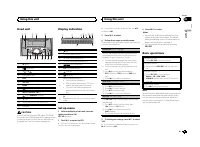
Head unit 1 2 4 5 8 9 7 a c 6 b d 3 1 h (eject) 2 (equalizer) 3 1 / to 6 / 4 Disc loading slot 5 DISP 6 SRC / OFF 7 BAND 8 c / d 9 MULTI-CONTROL ( M.C. ) a (back)/ DIMMER (dimmer) b (list) c AUX input jack (3.5 mm stereo jack) d USB port CAUTION Use an optional Pioneer USB cable (CD-U50E)to connect ...
Page 4 - Radio; Basic operations; Using preset tuning buttons; Switching the display; Using PTY functions; Function settings; Using this unit
Frequently used menuoperations Returning to the previous displayReturning to the previous list (the folder one levelhigher) 1 Press / DIMMER . Returning to the ordinary displayCanceling the main menu 1 Press BAND . Returning to the ordinary display from the list 1 Press BAND . Radio Basic operations...
Page 5 - MTP connection; Note; Press; Operations using special buttons; and press to select FUNCTION.
CD/CD-R/CD-RW and USBstorage devices MTP connection MTP-compatible Android devices (runningAndroid OS 4.0 or higher) can be connected byMTP connection using the USB source. To con-nect an Android device, use the cable that camewith the device. Notes ! This function is not compatible with MIX-TRAX. !...
Page 6 - Audio adjustments; and press to select AUDIO.; System menu; Important
S.RTRV (sound retriever) Automatically enhances compressed audio andrestores rich sound. 1 Press M.C. to select the desired setting. 1 — 2 — OFF (off) 1 is effective for low compression rates, and 2 is effective for high compression rates. Audio adjustments 1 Press M.C. to display the main menu. 2 T...
Page 7 - MIXTRAX menu; Initial menu; English
1 Press M.C. to display the setting mode. 2 Press M.C. to select the segment of the clock display you wish to set.Hour — Minute 3 Turn M.C. to adjust the clock. 12H/24H (time notation) 1 Press M.C. to select the desired setting. 12H (12-hour clock) — 24H (24-hour clock) AUTO PI (auto PI seek) The un...
Page 8 - Using an AUX source; Insert the stereo mini plug into the AUX; If an unwanted display appears; and press to select SYSTEM.; Connections; This unit; Antenna input; Installation
4 Turn M.C. to select the system menu function. For details, refer to System menu on page 6. Using an AUX source 1 Insert the stereo mini plug into the AUX input jack. 2 Press SRC/OFF to select AUX as the source. Note AUX cannot be selected unless the auxiliary set-ting is turned on. For more detail...
Page 9 - Power cord; How to install; Remove the trim ring.
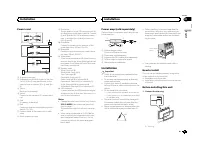
Power cord 1 3 3 2 4 4 5 5 6 6 b 8 9 7 a e d c 1 To power cord input 2 Depending on the kind of vehicle, the func-tion of 3 and 5 may be different. In this case, be sure to connect 4 to 5 and 6 to 3 . 3 YellowBack-up (or accessory) 4 YellowConnect to the constant 12 V supply termi-nal. 5 RedAccessor...
Page 10 - Installation with the holder; Install the holder into the dashboard.; Removing the holder; stalling this unit
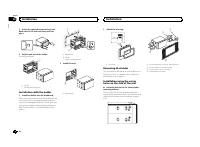
2 Insert the supplied extraction keys into both sides of the unit until they click intoplace. 3 Pull the unit out of the holder. Remove the holder. 1 1 Holder(factory-supplied part) Installation with the holder 1 Install the holder into the dashboard. After inserting the holder into the dashboard, s...
Page 11 - Common; Additional information
Troubleshooting Symptoms are written in bold and causes in reg-ular, non-indented text. Regular, indented text isused to indicate actions to be taken. The display automatically returns to the ordinarydisplay. You did not perform any operation within about 30seconds. Perform operation again. The repe...
Page 12 - Handling guidelines; You cannot use this function with
STOP There are no songs in the current list. Select a list that contains songs. Handling guidelines Discs and player Use only discs that feature either of the followingtwo logos. Use 12-cm discs. Use only conventional, fully circular discs. The following types of discs cannot be used withthis unit: ...
Page 13 - Sequence of audio files; Disc; Put those files into a folder.; Russian character chart; WMA; Android is a trademark of Google Inc.; MIXTRAX
Playable files: up to 15 000 Playback of copyright-protected files: Not compati-ble Partitioned USB storage device: Only the first par-tition can be played. There may be a slight delay when starting play-back of audio files on a USB storage device withnumerous folder hierarchies. CAUTION ! Pioneer c...
Page 14 - Specifications
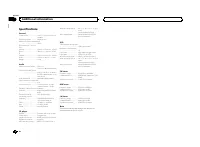
Specifications General Power source ................... 14.4 V DC (10.8 V to 15.1 V al- lowable) Grounding system ............ Negative typeMaximum current consumption ................................... 10.0 A Dimensions (W × H × D):DINChassis ............................ 178 mm × 100 mm × 157 mmNo...
Page 16 - Благодарим Вас; PIONEER; Держите данное; Сведения об этом устройстве; RDS; ПРЕДУПРЕЖДЕНИЕ; ЛАЗЕРНЫЙ ПРОДУКТ КЛАСС 1; При возникновении проблем; Перед началом эксплуатации
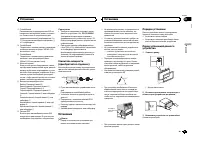
Благодарим Вас за покупку этого изделия компании PIONEER Для обеспечения правильности эксплуата - ции внимательно прочитайте данное руко - водство перед началом использованияизделия . Особенно важно , чтобы Вы прочли и соблюдали инструкции , помеченные в дан - ном руководстве заголовками ПРЕДУПРЕ - ...
Page 17 - Основное устройство; ВНИМАНИЕ; USB; Индикация на дисплее; SET UP; YES; Использование данного устройства
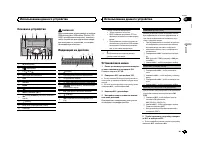
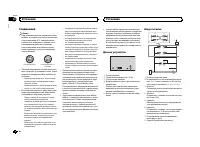
Основное устройство 1 2 4 5 8 9 7 a c 6 b d 3 1 h ( извлечение ) 2 ( эквалайзер ) 3 С 1 / по 6 / 4 Щель для загрузки диска 5 DISP 6 SRC / OFF 7 BAND 8 c / d 9 MULTI-CONTROL ( M.C. ) a ( назад )/ DIMMER ( регулятор освещен - ности ) b ( список ) c Вход AUX ( стереоразъем 3,5 мм ) d USB порт ВНИМАНИЕ ...
Page 18 - Радиоприемник; Основные операции; SEEK; AF; AF; FREQUENCY; Использование функций; Список; PTY; Настройка функций
6 Нажмите M.C. для выбора . Примечания ! Настроить параметры меню можно вменю системы и в начальном меню . Более подробную информацию см . в раз - делах Меню системы на стр . 22 и Старто - вое меню на стр . 23. ! Вы можете отменить настройку парамет - ра , нажав кнопку SRC / OFF . Основные операции ...
Page 19 - FUNCTION; запоминающие устройства; Подключение по протоколу; Android; Функции кнопки
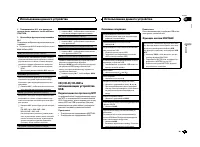
2 Поворачивайте M.C. для прокрутки пунктов меню ; нажмите , чтобы выбрать FUNCTION . 3 Для выбора функции поворачивайте M.C. Следующие выбранные функции можно на - страивать . # В диапазонах MW/LW можно выбрать только BSM , LOCAL и SEEK . BSM ( запоминание лучших станций ) Функция BSM ( запоминание ...
Page 20 - Регулировки параметров звука; AUDIO
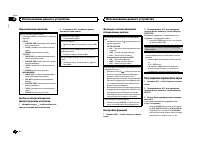
Переключение дисплея Выбор текстовой информации 1 Нажимайте DISP для выбора из следующих функций : CD-DA ! ELAPSED TIME ( номер дорожки и время воспроизведения ) ! CLOCK ( название источника сигнала и часы ) ! SPEANA ( анализатор спектра ) CD-TEXT ! TRACK INFO ( название дорожки / испол - нитель / н...
Page 22 - Меню системы; PW SAVE; Информация о; Меню
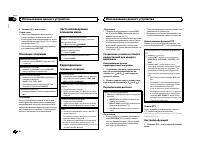
Меню системы Важно PW SAVE ( режим энергосбережения ) отклю - чается при отсоединении аккумуляторнойбатареи автомобиля ; при подсоединении ба - тареи его потребуется включить снова . При выключенном режиме PW SAVE ( режим энергосбережения ) возможно , что , в зависи - мости от метода подключения , у...
Page 23 - Стартовое меню; Меню систе
Стартовое меню 1 Нажмите и удерживайте кнопку SRC / OFF , пока устройство не выключится . 2 Нажмите кнопку SRC / OFF и удерживай - те ее , пока не откроется стартовое меню . 3 Поворачивайте M.C. для прокрутки пунктов меню ; нажмите , чтобы выбрать INITIAL . 4 Для выбора функции меню системы поворачи...
Page 24 - Соединения; Важно; Данное устройство; Установка
Соединения Важно ! При установке данного устройства в авто - мобиле , в котором отсутствует положение ключа зажигания АСС , красный кабель должен быть подключен к клемме , кото - рая определяет рабочее положениеключа зажигания ; в противном случае может возникнуть утечка тока аккумуля - торной батар...
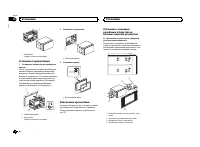
Page 25 - настройка выхода заднего канала и; Усилитель мощности; RCA; Порядок установки
9 Синий / белый Расположение штекера разъема ISO на различных автомобилях может отличать - ся . Если штекер 5 предназначен для управления антенной , подсоедините 9 к b . На других автомобилях подключать 9 к b запрещается . a Синий / белый Подключите к клемме панели управленияусилителя мощности ( мак...
Page 26 - Перед установкой данного устройства
1 1 Кронштейн ( входит в комплект поставки ) Установка с кронштейном 1 Установите кронштейн на приборную панель . После установки кронштейна на приборнуюпанель выберите подходящие фиксаторы , исходя из толщины материала приборнойпанели , и подогните их . ( С помощью верхних и нижних фиксаторов закре...
Page 27 - Общие; Дополнительная информация
Устранение неисправностей Симптомы выделены жирным шрифтом ; причины показаны обычным шрифтом безотступа . Способы устранения показаны обы - чным шрифтом с отступом . Дисплей автоматически возвращается висходный режим . В течение 30 секунд не было выполнено никаких операций . Повторите операцию . Ди...
Page 28 - Диски и проигрыватель; компакт
CHECK USB Короткое замыкание на разъеме USB или в кабе - ле USB. Убедитесь , что разъем USB или кабель USB не защемлен и не поврежден . CHECK USB Подключенное запоминающее устройство USB потребляет больше максимально допустимойсилы тока . Отсоедините запоминающее устройство USB и не используйте его ...
Page 29 - WAV; USB MTP; Pioneer; Диск
Совместимая версия тегов ID3: 1.0, 1.1, 2.2, 2.3, 2.4 ( теги ID3 версии 2.x имеют приоритет перед версией 1.x.) Списки воспроизведения M3u: не поддержи - ваются MP3i ( интерактивный MP3), mp3 PRO: не под - держиваются WAV Расширение : .wav Разрядность квантования : 8 и 16 (LPCM), 4 (MS ADPCM) Частот...
Page 30 - Серийный номер
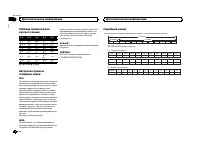
Таблица символов длярусского языка Д : Б Д : Б Д : Б Д : Б Д : Б : А : Б : В : Г : Д : Е , Ё : Ж : З : И , Й : К : Л : М : Н : О : П : Р : С : Т : У : Ф : Х : Ц : Ч : Ш , Щ : Ъ : Ы : Ь : Э : Ю : Я Д : Дисплей Б : Буква Авторское право итоварные знаки MP3 Поставка этого изделия дает право только наег...
Page 31 - Технические характеристики
Технические характеристики Общие Источник питания ........... 14,4 В постоянного тока ( до - пустимый диапазон от 10,8 В до 15,1 В ) Система заземления ..... Заземление отрицательно - го полюса Максимальный потребляемый ток ................................... 10,0 А Размеры ( Ш × В × Г ): DIN Шасси ...
Page 32 - PIONEER CORPORATION
PIONEER CORPORATION 1-1, Shin-ogura, Saiwai-ku, Kawasaki-shi,Kanagawa 212-0031, JAPAN Корпорация Пайонир 1-1, Син - Огура , Сайвай - ку , г . Кавасаки , префектура Канагава , 212-0031, Япония Импортер ООО “ ПИОНЕР РУС ” 125040, Россия , г . Москва , ул . Правды , д .26 Тел .: +7(495) 956-89-01 PIONE...