Philips SRP4000/10 - User Manual
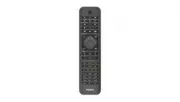
Philips SRP4000/10 – User Manual, read for free online in PDF format. We hope this helps you resolve any issues you may have. If you have further questions, please contact us through the contact form.


Table of Contents:
- Page 2 – Auto IR code search; Contents
- Page 3 – Congratulations on your purchase, and; Warning; Caution; Note; Introduction; The TV replacement remote RRC has pre-
- Page 4 – Set up by code selection; most popular code is listed first. The; Philips TV
- Page 5 – You can press STOP to confirm and exit
- Page 6 – Code Learning; You must have an original remote for the; Learn commands; The red LED light will flash once and then; original remote. The LED will flash twice; Clear learned commands; Clear all codes learned for the replacement
- Page 7 – Removing the disposable batteries
- Page 8 – Frequently asked questions; My replacement remote does not work at all.
Replacement Remote for Philips
®
TVs
Ersatzfernbedienung für Philips
®
Fernseher
Télécommande de remplacement pour téléviseurs Philips
®
TAPR802
Register your product and get support at
www.philips.com/support
User manual
Replacement
Remote
SRP4000
"Loading the manual" means you need to wait until the file loads and becomes available for online reading. Some manuals are very large, and the time they take to appear depends on your internet speed.
Was this manual helpful?
About this manual
- Brand
- Philips
- Model
- SRP4000/10
- Document type
- User Manual
- Language(s)
- English
- Pages
- 9
- File size
- 769.2 KB
- Format
Other Manuals for Philips SRP4000/10
Summary
1 EN Contents Insert batteries (not included) 2 Introduction 2Manual set up by code selection 3 Auto IR code search 4 Code Learning 5 Disposal of your old product and battery 6 Frequently asked questions 7 Need help? 7 Contents
2 EN Your replacement remote Congratulations on your purchase, and welcome to Philips! To fully benefit from the suppor t that Philips offers, register your product at www.philips.com/welcome Insert batteries (not included) Warning • Check the batter y polarity when inser ting in the batter y compar...
3 EN Manual set up by code selection The replacement remote RRC has pre- programmed the most updated IR code and is ready to use. If it does not work, you can manually select the code from our list that can fit your TV. Set up by code selection 1 Switch on your TV. 2 Press and hold 1 and 6 at the sa...
Ask a question
Related manuals
Popular Philips Other


More Philips Other models
 Philips SPZ2000 Manual
 Philips src3036wm/17 Manual
 Philips SRP1003/27 Manual
 Philips SRP2018/10 User Manual
 Philips SRP3013/10 Quick Guide
 Philips SRP3013/27 User Manual
 Philips SRP5016/10 Quick Guide
 Philips SRP9232D/27 User Manual
 Philips SRT8215 Manual
 Philips SRT8215/10 User Manual
 Philips SRU160NC/05 User Manual
 Philips SRU2040 Manual