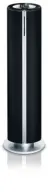
Philips DCM230 - Manual

This user manual covers the Philips Docking Entertainment System (DCM230), including its docking station, soundbar system, and remote control setup. The guide addresses core topics like installation, connectivity for media players such as iPods, CD/MP3-CD operation, radio tuning, and external audio source integration–including USB devices. It also includes essential safety instructions, regulatory compliance details (FCC, Canadian Class B), troubleshooting common issues, and maintenance guidelines to ensure proper functionality and longevity of the system’s components.


Table of Contents:
- Page 1 – Product Identification and Support Information
- Page 2 – FCC Compliance and Interference Warnings
- Page 3 – System Component Diagram
- Page 4 – Safety Information and Registration
- Page 5 – Electronic Device Safety Instructions
- Page 6 – Regional Regulatory Compliance and Safety Warnings
- Page 7 – Manual Index Structure
- Page 8 – Instruction Manual Table of Contents
- Page 9 – System Setup and Installation Guidelines
- Page 10 – Hearing Safety Guidelines
- Page 11 – Antenna and Power Connection Procedures
- Page 12 – External Device Connectivity
- Page 13 – Remote Control Maintenance
- Page 14 – Media Player Controls and Functions
- Page 15 – Audio System Control Functions
- Page 16 – Media Player Basic Operations
- Page 17 – CD/MP3-CD Player Operation
- Page 18 – Disc Playback and Format Specifications
- Page 19 – Playback Mode Management
- Page 20 – Radio Tuning and Programming
- Page 21 – External Audio Source Compatibility
- Page 22 – USB File Management for Hi-Fi System
- Page 23 – Clock and Timer Configuration
- Page 24 – Sleep Timer Control
- Page 25 – iPod Dock Setup and Charging
- Page 26 – Technical Specifications and Maintenance
- Page 27 – System Troubleshooting Guidance
- Page 28 – USB Device Troubleshooting
- Page 29 – Limited Warranty and Support Information
- Page 30 – Product Classification and Manual Origin
Thank you for choosing Philips.
Need help fast?
Read your Quick Start Guide and/or
User Manual first for quick tips
that make using your Philips product
more enjoyable.
If you have read your instructions
and still need assistance,
you may access our online help at
www.philips.com/welcome
or call
1-888-PHILIPS (744-5477)
while with your product.
Philips vous remercie de
votre confiance.
Besoin d'une aide
rapide?
Le Guide rapide de début
et Manuel de
l'utilisateur regorgent d'astuces destinées à
simplifier l'utilisation de votre produit Philips.
Toutefois, si vous ne parvenez pas à résoudre
votre probléme, vous pouvez accéder à
notre aide en ligne à l'adresse
www.philips.com/welcome
ou formez le
1-800-661-6162 (Francophone)
1-888-PHILIPS (744-5477) (English speaking)
Veillez à avoir votre produit à
portée de main.
Gracias por escoger Philips
Necesita ayuda
inmediata?
Lea primero la Guía rápida del comienzo
o el Manual del usuario, en donde encontrará
consejos que le ayudarán a disfrutar
plenamente de su producto Philips.
Si después de leerlo aún necesita ayuda,
consulte nuestro servicio de
asistencia en línea en
www.philips.com/welcome
o llame al teléfono
1-888-PHILIPS (744-5477)
y tenga a mano el producto.
(and Model / Serial number)
(et model / serial nombre)
(y número de model / serial)
DCM230
Docking Entertainment System
Register your product and get support at
www.philips.com/welcome
pg001-029_DCM230_37-Eng
1/9/08, 16:05
1
"Loading the manual" means you need to wait until the file loads and becomes available for online reading. Some manuals are very large, and the time they take to appear depends on your internet speed.
Was this manual helpful?
About this manual
- Brand
- Philips
- Model
- DCM230
- Document type
- Manual
- Language(s)
- English
- Pages
- 30
- File size
- 1.6 MB
- Format
Summary
Identification of the docking station, model reference, and support resources.
Information regarding radio frequency interference warnings for Class B digital devices and steps to mitigate interference.
Diagram illustrating the remote control and front/rear views of the soundbar system with component callouts.