Philips AZ700T/37 - User Manual
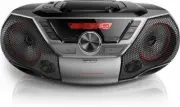
Philips AZ700T/37 – User Manual, read for free online in PDF format. We hope this helps you resolve any issues you may have. If you have further questions, please contact us through the contact form.


Table of Contents:
- Page 2 – Contents
- Page 3 – Important
- Page 4 – Risk of swallowing batteries
- Page 5 – Introduction
- Page 6 – Overview of the main unit
- Page 8 – Get started; Prepare the remote control
- Page 9 – Option 2: Battery power; Turn on; Turn off
- Page 10 – Play; Play CD; Play from USB devices; Play from Bluetooth-enabled
- Page 11 – NFC
- Page 12 – Play from an external device
- Page 14 – Play options; Control play; Program tracks
- Page 15 – Tune to FM radio stations; Store radio stations; Store radio stations manually; Select a preset radio station
- Page 16 – Other features; Set the sleep timer; Turn screen backlight on/off; Listen through the headphone
- Page 17 – Disc; Supported MP3 disc formats
- Page 18 – USB playability information; Maintenance
- Page 19 – Troubleshooting
- Page 20 – Trademark notice
www.philips.com/support
AZ700T
User manual
Always there to help you
Register your product and get support at
Question?
Contact
Philips
"Loading the manual" means you need to wait until the file loads and becomes available for online reading. Some manuals are very large, and the time they take to appear depends on your internet speed.
Was this manual helpful?
About this manual
- Brand
- Philips
- Model
- AZ700T/37
- Document type
- User Manual
- Language(s)
- English
- Pages
- 21
- File size
- 2.6 MB
- Format
Summary
1 EN Contents 1 Important 2 Risk of swallowing batteries 3 Notice 3 FCC information 3 2 Your CD Soundmachine 4 Introduction 4 What's in the box 4 Over view of the main unit 5 Over view of the remote control 6 3 Get started 7 Prepare the remote control 7 Connect power 7 Turn on 8 Turn off 8 4 Play 9 ...
2 EN 1 Important • Read these instructions. • Follow all instructions. • Do not block any ventilation openings. Install in accordance with the manufacturer's instructions. • Do not install near any heat sources such as radiators, heat registers, stoves, or RWKHUDSSDUDWXVLQFOXGLQJDPSOLÀHUVWKDW produc...
3 EN Caution • Use of controls or adjustments or performance of procedures other than herein may result in hazardous radiation exposure or other unsafe operation. Risk of swallowing batteries • The product or remote control may contain a button cell batter y, which is possible to be swallowed. Keep ...


